Blog

  • ChatGPT, Claude and Grok Down: Users Report Login and Chat Errors Worldwide

    ChatGPT, Claude and Grok Down: Users Report Login and Chat Errors Worldwide

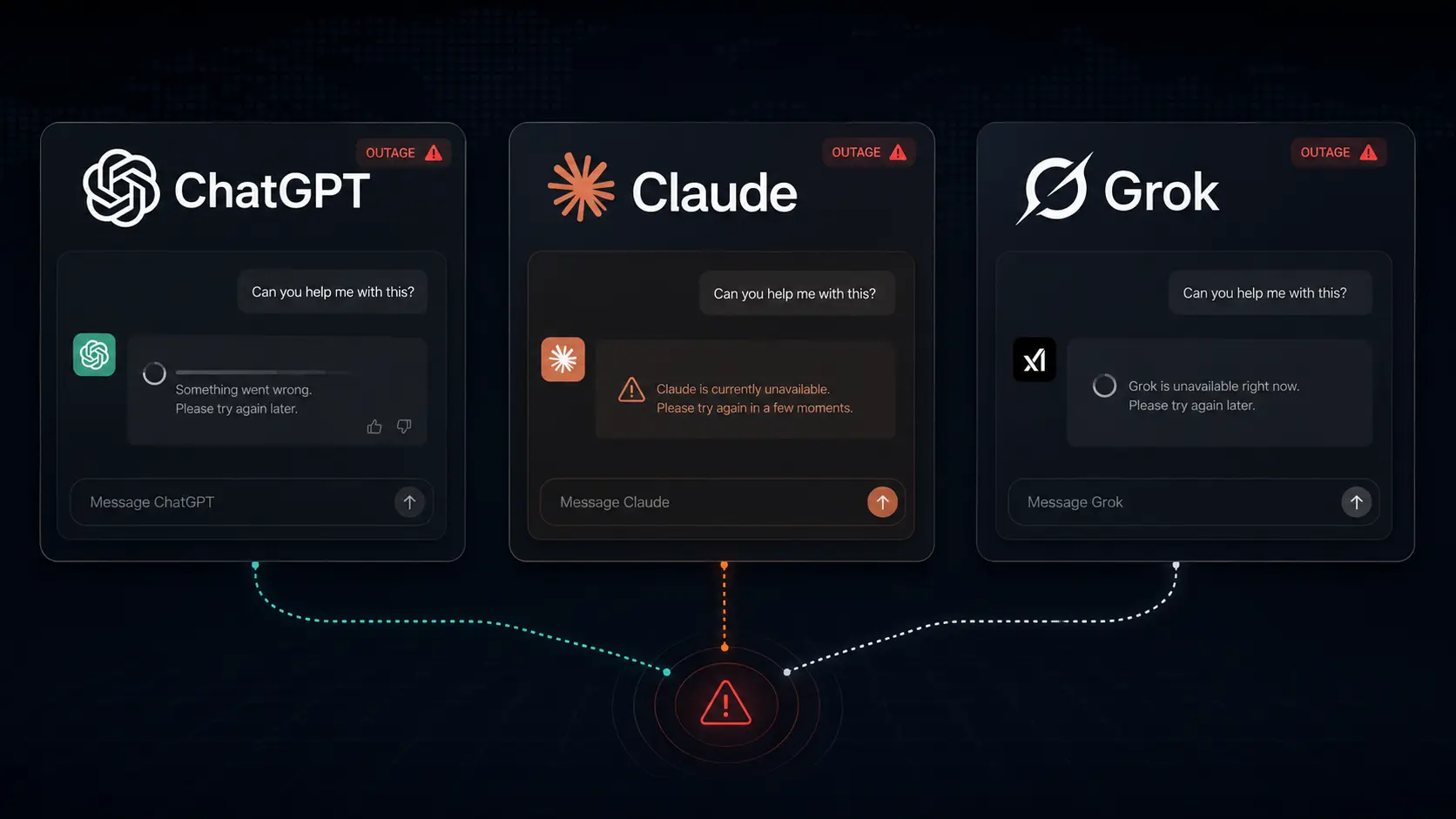
    Major artificial intelligence platforms faced service disruptions on September 3, 2026, as users around the world reported problems with ChatGPT, Claude, and Grok. Users experienced login failures, chat errors, application problems, and difficulties generating AI responses. The incidents involving the three platforms happened during the same general period, creating widespread concern among people who rely on AI tools for work, coding, research, writing, and everyday productivity. Although ChatGPT, Claude, and Grok were all experiencing problems, the incidents appeared to be separate service disruptions rather than one common technical failure affecting all three companies.

    ChatGPT Users Report Access and Chat Errors
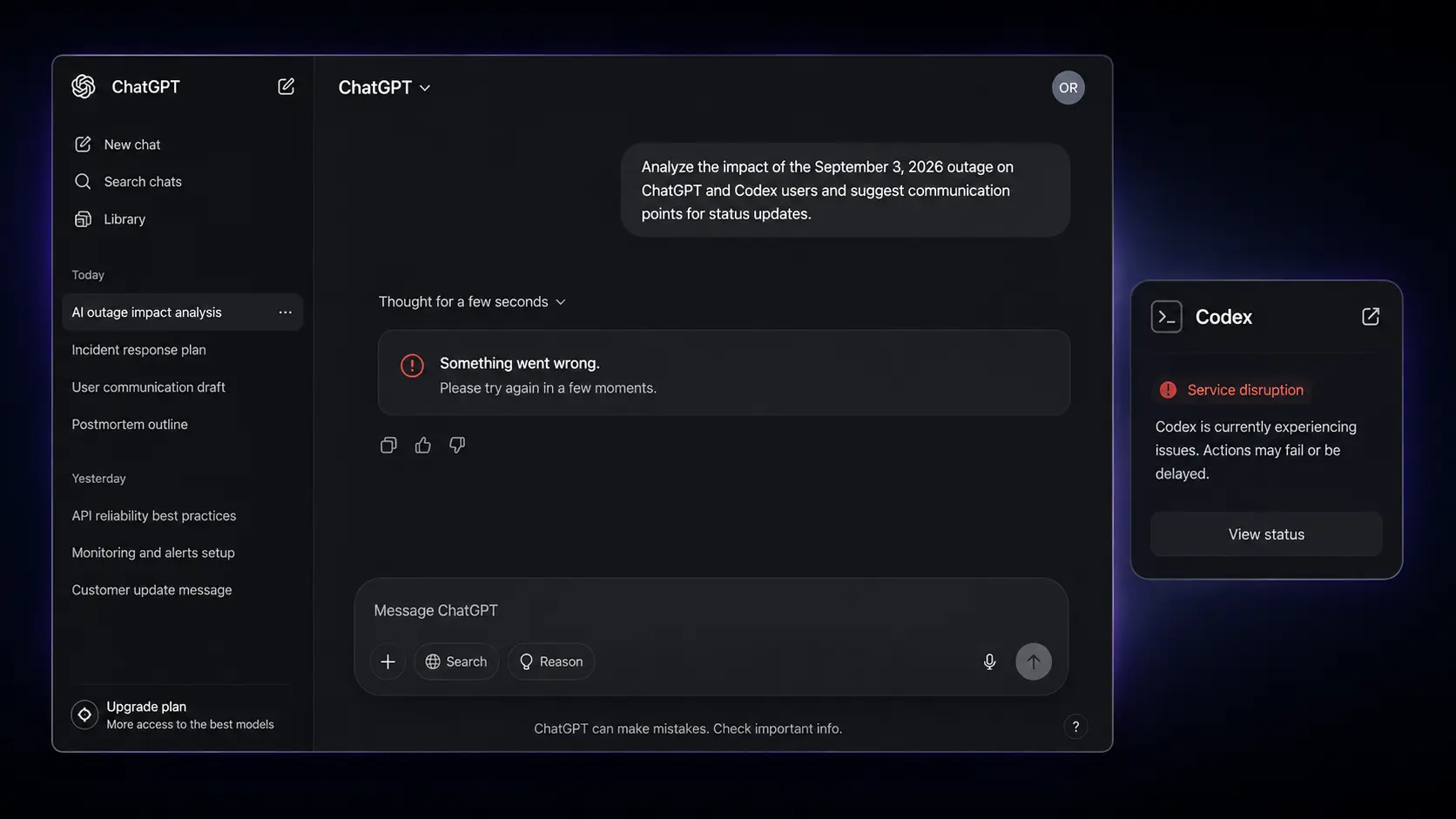
    OpenAI’s ChatGPT was one of the major AI services affected by the disruption. OpenAI acknowledged an incident involving elevated errors across ChatGPT and Codex. Users reported difficulties accessing the service and completing normal conversations. Some users experienced login problems, while others were able to access ChatGPT but encountered errors when trying to send prompts or receive responses.

    The disruption also affected Codex, which is used for coding-related tasks. Developers and other users relying on AI-assisted programming could therefore experience interruptions. Developers interested in the open-source coding agent can also explore the OpenAI Codex GitHub repository, which provides access to the project’s source code and related documentation.

    For regular ChatGPT users, the outage could appear in several ways. Conversations might fail to load, prompts might not be processed, or the service might return errors instead of completing a request. OpenAI’s status information indicated that the company was investigating the elevated error rate and working toward resolving the issue.

    Claude Faces Problems Across Multiple Services

    Anthropic’s Claude also experienced a significant service incident during the same period.

    The disruption was not limited to a single Claude model. According to the report, several Claude models were affected, including Claude Mythos 5.1, Claude Fable 5.1, Claude Mythos 5, Claude Fable 5, Claude Opus 5, Claude Opus 4.8, and Claude Opus 4.6.

    Several Claude-related services also experienced partial outages. These included claude.ai, the Claude API, Claude Code, and Claude Cowork. This meant that the disruption could affect individual Claude users as well as developers, businesses, and teams using Anthropic’s API and coding services. Anthropic said it had identified the cause of the errors and was working on a fix. However, detailed technical information about the exact cause was not provided at the time of the report.

    Grok Reports Rise Sharply

    Grok, the AI chatbot developed by xAI, was also experiencing problems during the same period. Information from Downdetector showed a significant increase in reports from Grok users. The number of reports reportedly increased from a normal level of around seven to more than 1,000 within a few hours.

    The sharp increase suggested that a large number of users were experiencing problems with the service. Unlike ChatGPT and Claude, the available information about Grok was primarily based on user reports and outage-monitoring data. At the time the report was published, xAI had not officially acknowledged the disruption through its own channels.

    What Was Wrong With Grok?
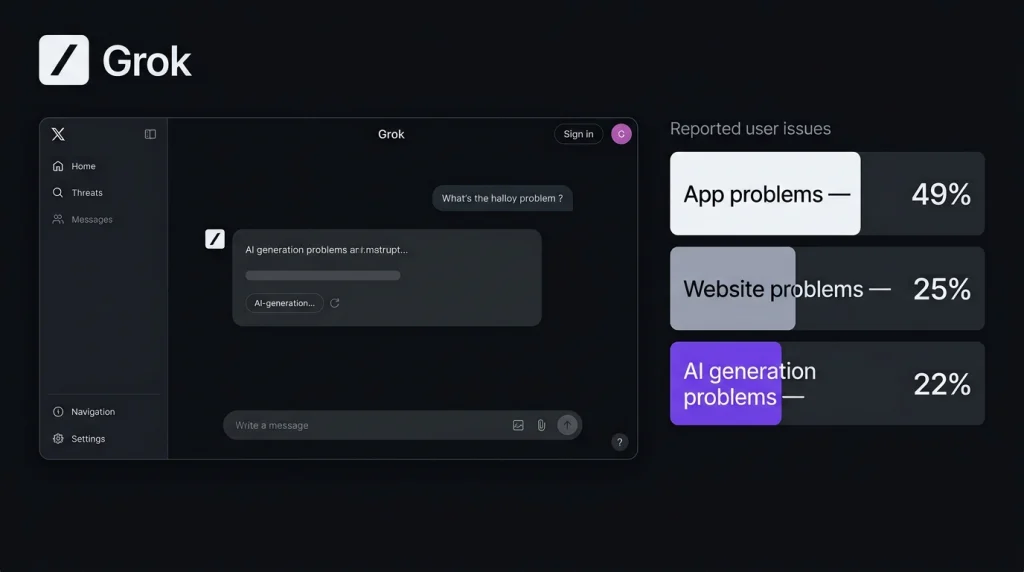
    Downdetector’s breakdown showed the main categories of problems reported by Grok users.

    According to the report:

    Grok ProblemReported Share
    App problems49%
    Website problems25%
    AI generation problems22%

    The figures show that app-related issues were the most commonly reported Grok problem, accounting for 49% of reports. Website problems represented another 25%, while 22% of users reported issues with AI generation. This indicates that the disruption affected multiple parts of the Grok experience. Users were not only having trouble accessing the service through the app or website, but some were also unable to generate AI responses properly. The high percentage of app-related complaints was particularly notable because it suggested that mobile users were experiencing a significant portion of the disruption.

    Why the Simultaneous Outages Were Significant
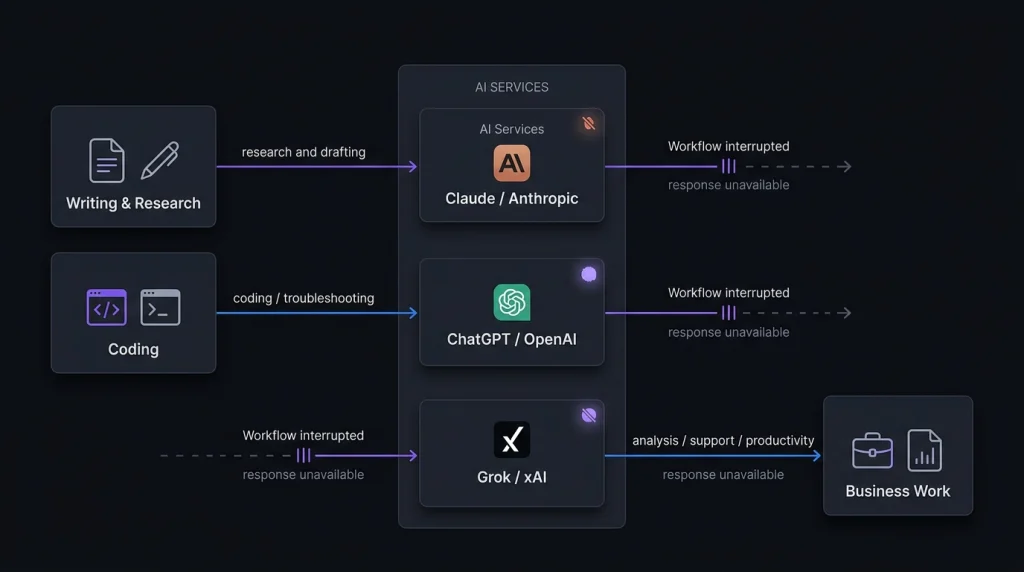
    The timing of the incidents was particularly notable because ChatGPT, Claude, and Grok are among the most widely used AI assistants. Normally, users experiencing problems with one AI chatbot can switch to another platform. However, when several major AI services experience disruptions around the same time, finding an immediate alternative becomes more difficult.

    This can be especially problematic for professionals who use AI as part of their daily workflow. Writers may rely on AI for research and content creation. Developers may use AI coding tools to write, review, or troubleshoot code. Businesses can use AI for customer support, analysis, automation, and other operations. A temporary outage can therefore interrupt important work rather than simply preventing users from having casual conversations with a chatbot.

    Web and Mobile Users Experienced Problems

    The reported disruptions were not limited to desktop users. People accessing these AI services through websites and mobile applications also encountered problems. Depending on the platform and individual user, symptoms could include login failures, application errors, chat failures, or problems generating responses.

    This can make an outage confusing because one user may be able to access a service while another user receives an error. Checking an official service-status page can help users determine whether the problem is related to their individual connection or is part of a wider platform outage.

    Login Problems Were Among the Reported Issues

    Login and account-access problems were among the issues reported during the disruptions. When an AI platform experiences an outage, users may be unable to sign in at all. In other cases, they may successfully log in but discover that conversations or other features are not working.

    This makes it difficult for users to immediately determine whether the problem is with their account, internet connection, device, application, or the AI provider’s infrastructure. For users facing login errors, repeatedly attempting to sign in may not solve the problem if the underlying issue is affecting the platform itself.

    Chat and AI Generation Problems

    Another important part of the incidents involved actual AI conversations and response generation. Being able to open an AI website does not necessarily mean that the underlying service is functioning normally. Users may successfully reach the homepage but encounter errors when submitting a prompt.

    For Grok, Downdetector specifically identified AI generation problems as 22% of reported issues. This means a notable portion of users were experiencing problems with the core function of the chatbot rather than simply having difficulty accessing the platform. Similar chat and response-related problems were reported by users of ChatGPT and Claude during their respective incidents.

    What OpenAI Was Doing

    OpenAI acknowledged the ChatGPT and Codex incident through its status information. The company described the problem as elevated errors and indicated that it was investigating the situation. Engineers were working to resolve the issue and restore normal service. The acknowledgement was important because it confirmed that the reported ChatGPT problems were part of a broader service incident rather than isolated issues affecting only individual users.

    What Anthropic Was Doing

    Anthropic also officially acknowledged the Claude disruption. The company said it had identified the cause of the errors and was working on a fix. The incident affected several models and services, making it broader than an outage involving just one Claude model. However, at the time of the report, Anthropic had not provided detailed technical information explaining exactly what had caused the disruption.

    What xAI Said About Grok

    The situation was different for Grok. While Downdetector was showing a major increase in user reports, the report noted that xAI had not posted an official update acknowledging the Grok disruption through its own channels at that time.

    Therefore, it would be difficult to confirm a specific technical cause for the Grok outage based solely on the available information. The Downdetector figures nevertheless showed that the number of user complaints had increased significantly during the affected period.

    What Users Can Do During an AI Outage
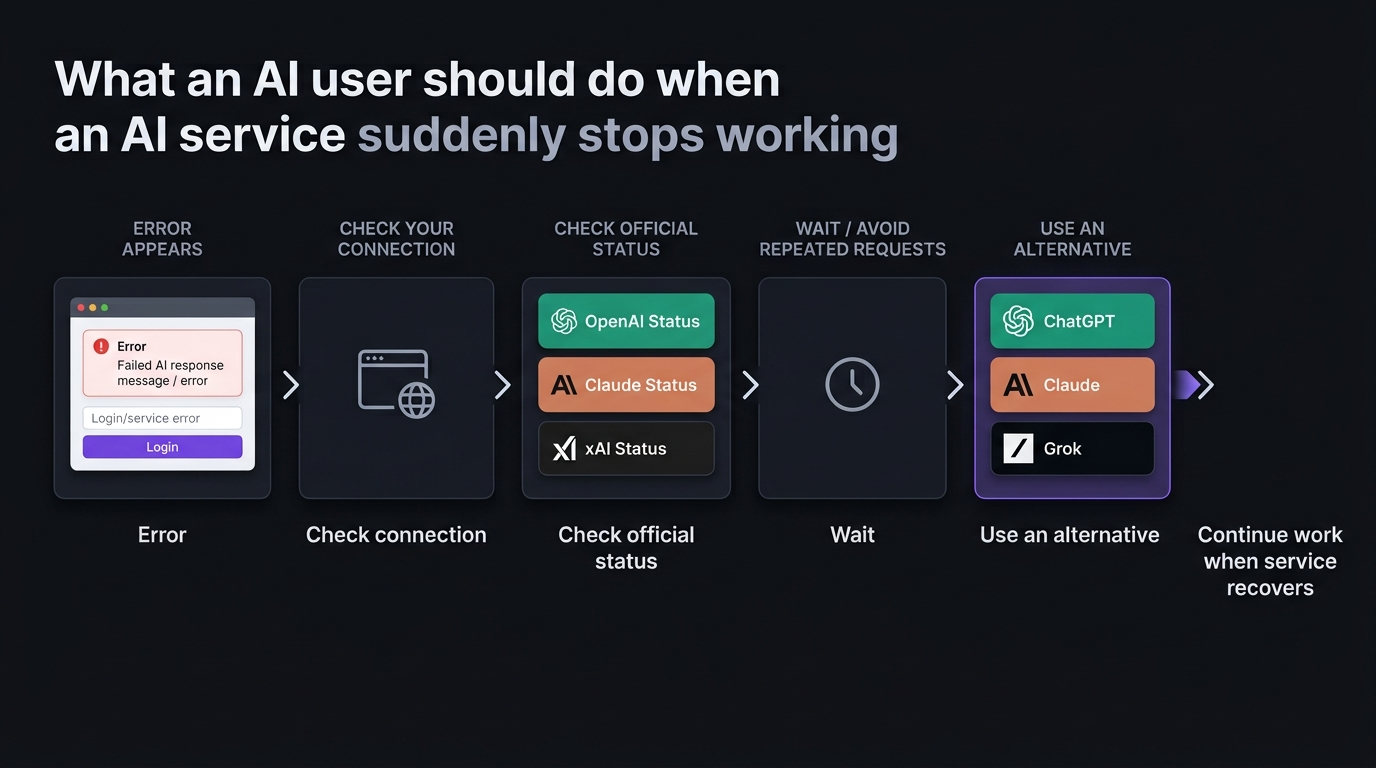
    Users experiencing AI service problems can take several practical steps. First, try refreshing the website or restarting the application. Temporary problems can sometimes disappear after reconnecting. Users should also avoid repeatedly submitting the same prompt if a platform is experiencing a confirmed outage. Waiting for the service to recover can be more effective.

    Checking the relevant official status page is another useful option. Status pages can show whether a company is aware of an incident and whether engineers are working on a solution. For urgent work, users can also consider using an alternative AI service. Having multiple tools available can reduce dependence on one provider.

    Why AI Service Reliability Matters

    The incidents involving ChatGPT, Claude, and Grok highlight how dependent users have become on cloud-based AI services. AI assistants are now used for software development, writing, research, education, business operations, customer service, data analysis, and productivity. When a major AI service goes offline, users can lose access to an important part of their daily workflow. For businesses, this makes backup options increasingly valuable. Teams that rely heavily on AI may benefit from having alternative platforms available so important work can continue during unexpected service interruptions.

    Final Thoughts

    The September 3, 2026 disruptions involving ChatGPT, Claude, and Grok attracted significant attention because several major AI platforms experienced problems during the same period. OpenAI confirmed elevated errors affecting ChatGPT and Codex. Anthropic reported problems affecting multiple Claude models and services, including claude.ai, the Claude API, Claude Code, and Claude Cowork. Grok also experienced a sharp increase in user reports on Downdetector. The breakdown showed that 49% of reports involved app problems, 25% involved website problems, and 22% involved AI generation problems.

    Although the incidents appeared to be separate, their timing demonstrated how difficult it can be for users to depend entirely on a single AI platform. As AI becomes more deeply integrated into everyday work, keeping alternative tools available and monitoring official service-status updates can help users minimize disruption when major AI platforms experience unexpected outages.
  • AI Agent Platforms: OpenClaw vs Hermes Agent Which One Is Better in 2026?

    AI Agent Platforms: OpenClaw vs Hermes Agent Which One Is Better in 2026?

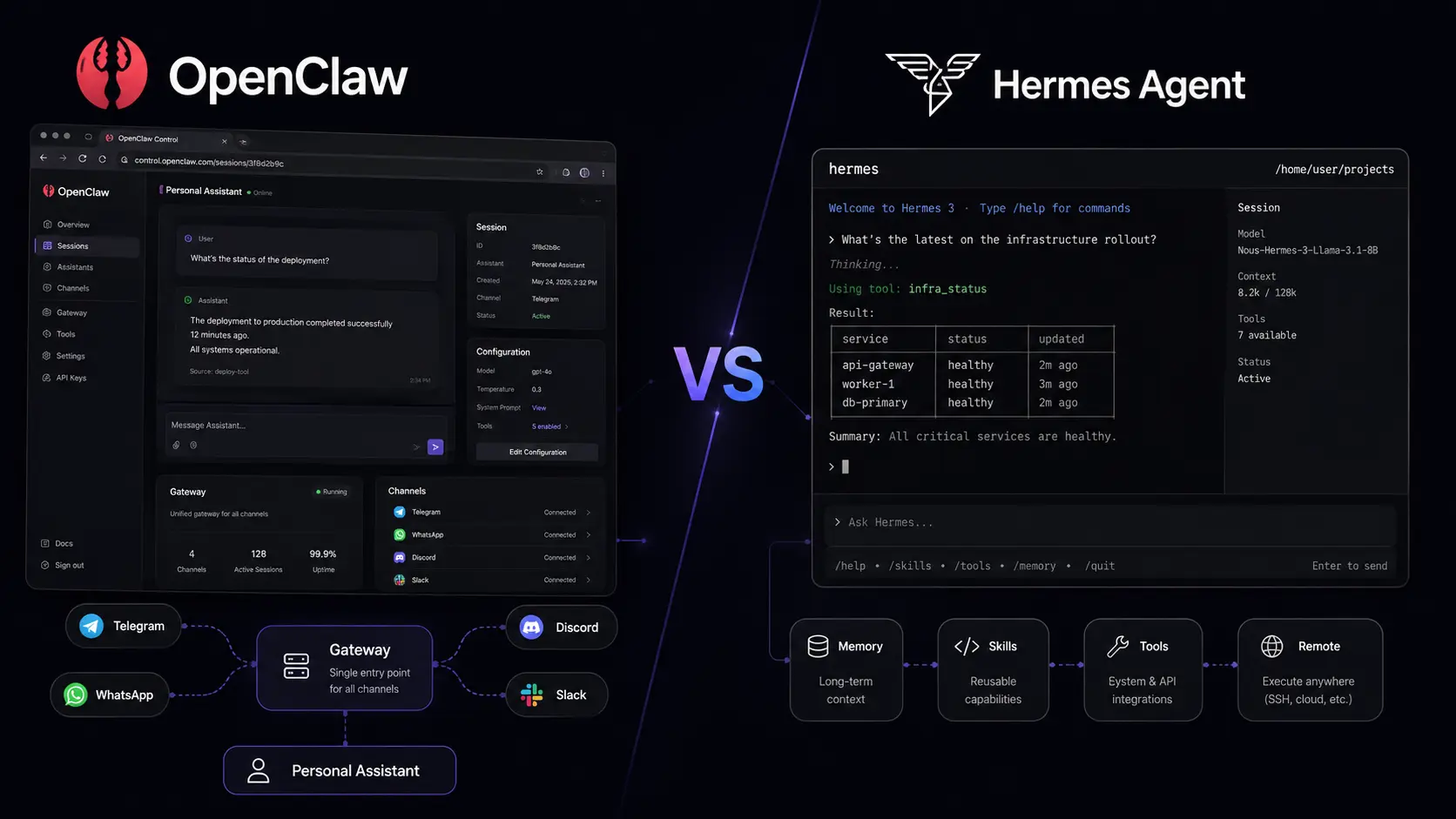
    AI Agent Platforms are becoming one of the most interesting ways to automate digital work in 2026. Instead of using AI only to answer questions, you can use an agent to browse the web, work with files, interact with apps, remember information, and complete multi-step tasks. Two open-source options that stand out are OpenClaw and Hermes Agent. Both give developers and automation users more control than a typical chatbot, but their approaches are different. OpenClaw focuses strongly on personal AI assistance and connected services, while Hermes Agent puts more emphasis on persistent knowledge, reusable skills, and self-improving workflows. Which one is better in 2026? This comparison looks at their features, automation capabilities, setup, developer experience, pricing, and best use cases.

    How We Compared OpenClaw and Hermes Agent

    We compared these two AI Agent Platforms across practical areas that matter when choosing an agent: setup, automation, memory, integrations, messaging support, model flexibility, developer control, and deployment options.

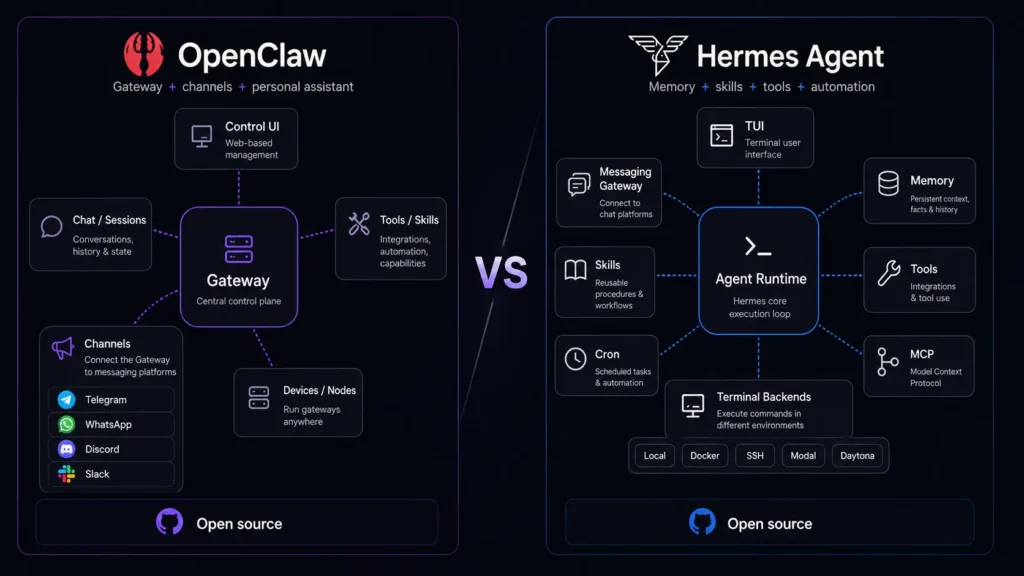
    Rather than simply counting features, we focused on what each platform is designed to do. OpenClaw uses a Gateway architecture that connects the agent with channels and tools, while Hermes Agent focuses on an agent that can learn from previous work and develop reusable skills. Both projects are open source, making them interesting for developers who want to customize their environment or run an AI agent on their own hardware or infrastructure.

    AI Agent Platforms at a Glance

    ToolBest ForStarting Price
    OpenClawPersonal AI automation and connected servicesFree
    Hermes AgentSelf-improving agents and advanced workflowsFree

    The core software for both projects is open source. However, your actual costs can include model usage, API charges, VPS hosting, GPU resources, and third-party services.

    OpenClaw Review

    Best AI Agent Platform for Personal Automation

    OpenClaw Official Website presents the project as an open-source personal AI assistant designed to work across your devices and communication channels. It is aimed at users who want an AI agent that can do more than generate text.

    OpenClaw can connect with messaging platforms and other services, while its Gateway provides a central layer for managing the agent. If you want to inspect the project, its OpenClaw GitHub Repository provides access to the source code and project development.

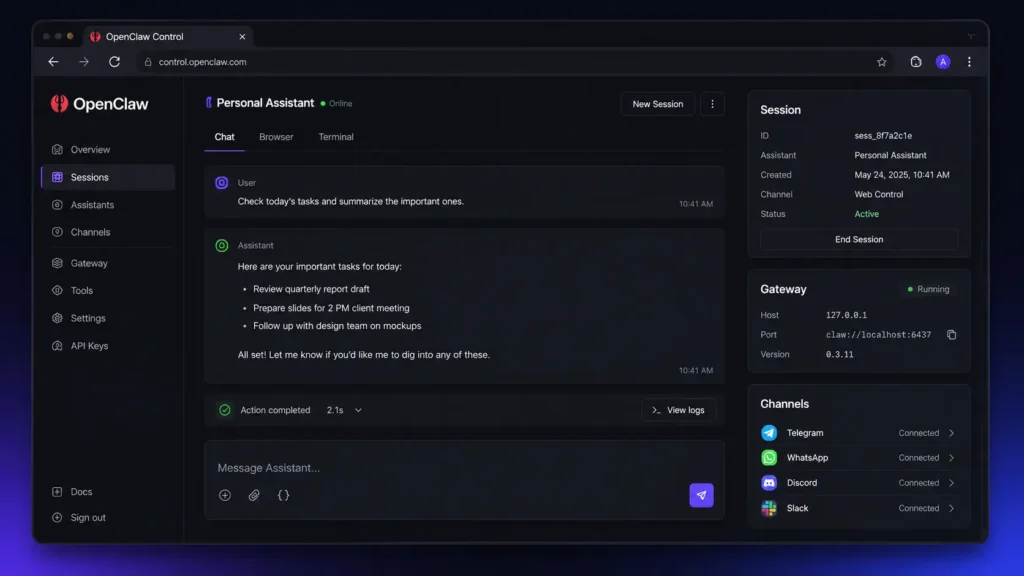
    The setup is designed with developers in mind. You can use its onboarding workflow to configure AI access and start the Gateway, while the platform also provides a web dashboard for managing the running agent. For installation details and supported environments, the OpenClaw Official Documentation provides the relevant setup information.

    Pros:

    • Strong personal-assistant and multi-channel approach
    • Open source and highly customizable

    Cons:

    • Initial configuration can feel technical
    • Broad system access requires careful security settings

    Hermes Agent Review

    Best AI Agent Platform for Self-Improving Workflows

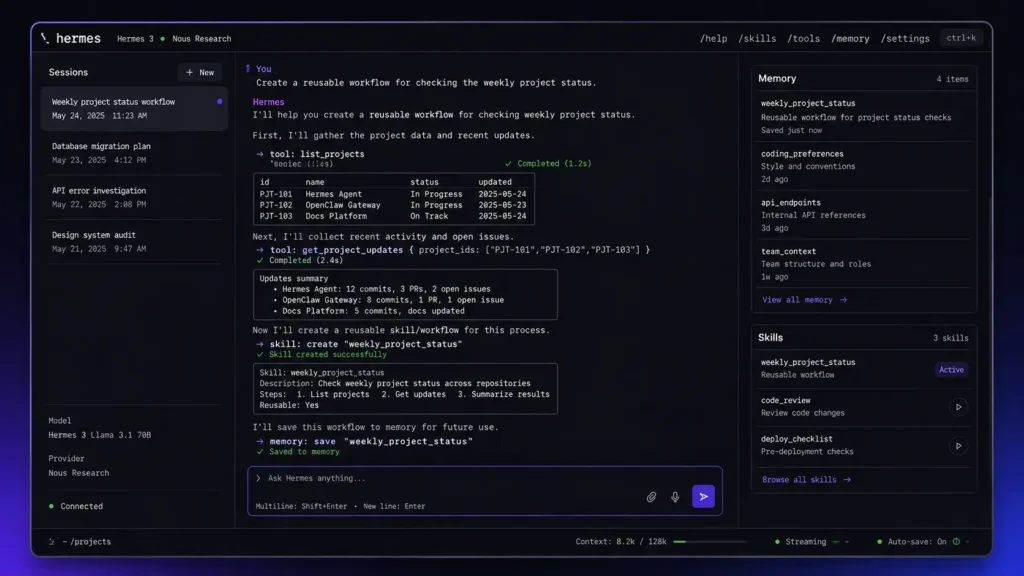
    Hermes Agent Official Website describes Hermes as a self-improving AI agent created by Nous Research. Its main attraction is the focus on learning, persistent knowledge, reusable skills, and longer-term agent workflows.

    Hermes Agent is designed to remember useful information between sessions and improve skills through experience. Developers can also explore the Hermes Agent GitHub Repository to examine its source code, tools, skills, gateway functionality, and development.

    The platform supports different deployment environments and model providers, making it flexible for technical users. It also provides messaging integrations, browser control, scheduled tasks, subagents, and other capabilities. For the complete feature and setup information, the Hermes Agent Official Documentation is the best place to start.

    Pros:

    • Strong persistent knowledge and self-improvement capabilities
    • Flexible tools and automation options

    Cons:

    • Large feature set may take time to learn
    • Advanced workflows can require technical configuration

    OpenClaw vs Hermes Agent: Key Feature Differences

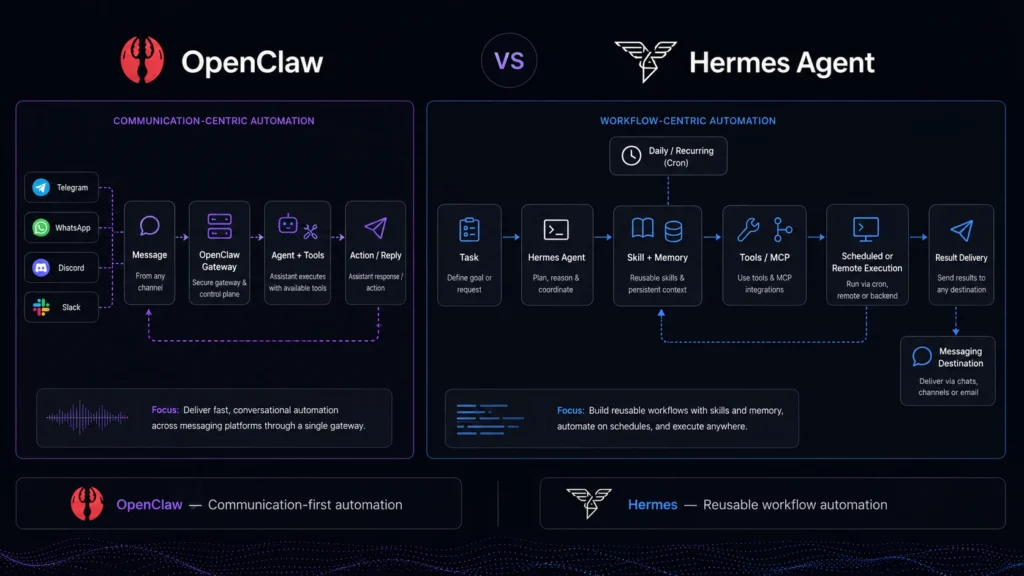
    The biggest difference between these AI agent tools is their philosophy.

    OpenClaw feels particularly focused on becoming a personal AI assistant that can work across your digital environment. Its strength comes from connecting the agent with communication channels, devices, tools, and services.

    Hermes Agent takes a more agent-development-oriented approach. Its learning loop, skills, persistent knowledge, and automation features make it attractive for users who want an agent that can become more capable over time.

    FeatureOpenClawHermes Agent
    Open SourceYesYes
    Personal AssistantStrongStrong
    Persistent MemoryYesYes
    Self-Improving SkillsExtensibleCore Focus
    Messaging IntegrationsExtensiveExtensive
    Browser AutomationYesYes
    Model FlexibilityHighHigh
    SubagentsAvailableAvailable
    Scheduled AutomationYesYes
    Local DeploymentYesYes
    Best ForPersonal automationAdvanced agent workflows

    If you are also interested in AI-powered developer software, you can read our AI Code Editors in 2026 comparison.

    Which Is Easier to Set Up?

    OpenClaw provides a guided onboarding workflow that helps users configure AI access and get the Gateway running. Its command-line approach will feel familiar to developers, although beginners may need some time to understand the architecture. Hermes Agent also offers dedicated setup commands and configuration tools. Users can configure models, tools, gateways, and other parts of the system from its command-line environment. If you are already comfortable with terminals, both platforms are manageable. Neither is quite as simple as opening a traditional chatbot and immediately typing a prompt, though.

    Which Has Better Automation?

    Both platforms can automate multi-step tasks, but Hermes Agent has a particularly strong case for advanced workflows.

    OpenClaw works well for personal productivity tasks involving connected services, messaging platforms, browsers, and other digital tools. It is a good choice when you want an assistant that can interact with your digital environment.

    Hermes Agent focuses more heavily on autonomous workflows. Its persistent knowledge, skills, subagents, scheduled tasks, and tool ecosystem make it appealing for developers building more complex automation. For example, you could use an agent to perform recurring research, maintain useful knowledge from previous work, and reuse skills across future tasks.

    Which Is Better for Developers?

    Developers can get significant flexibility from both platforms.

    OpenClaw is a strong option if you want to build a personal automation system around a central Gateway. Its open-source nature also allows developers to inspect and customize the project.

    Hermes Agent is particularly appealing if you are interested in experimenting with agent architecture. Its model-provider flexibility, tools, skills, memory, subagents, and automation features provide plenty of room for customization. This means there is no clear technical winner for every developer..

    Security and Control

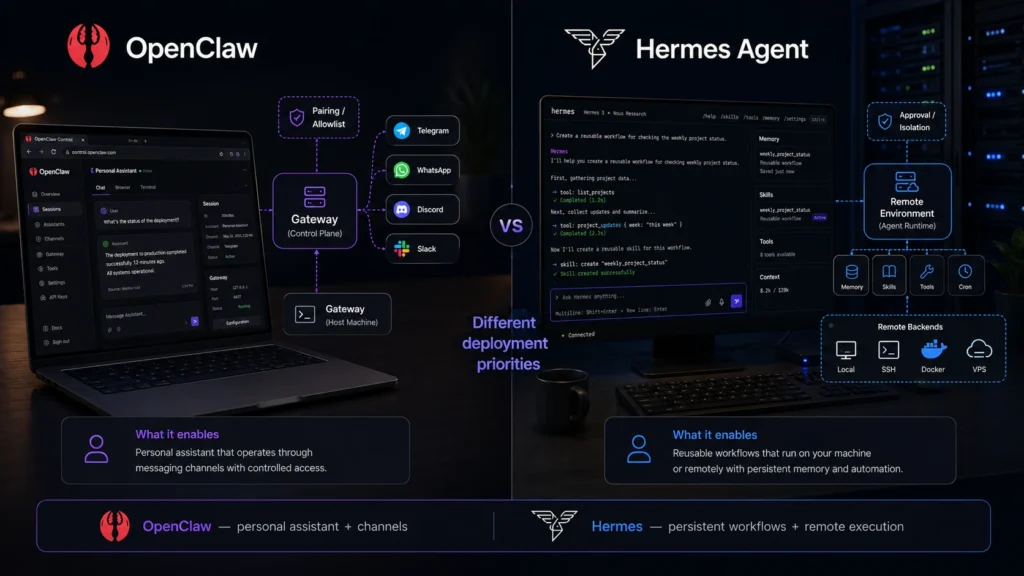
    Security is important when working with both AI Agent Platforms. An agent can potentially access files, execute commands, browse websites, interact with accounts, and send messages. That makes these systems powerful, but it also means you should avoid giving them unnecessary permissions.

    Start with limited access and test workflows before connecting sensitive accounts or business information. For production environments, developers and businesses should also review authentication, permissions, isolation, and data-handling requirements. The more control you give an AI agent, the more important it becomes to understand exactly what that agent can access.

    OpenClaw vs Hermes Agent Pricing

    Both OpenClaw and Hermes Agent are open-source projects, so the core software does not require a traditional SaaS subscription.

    However, free software can still have operating costs. Depending on your setup, you may pay for:

    • AI model API usage
    • VPS or cloud hosting
    • GPU resources
    • Third-party APIs
    • Optional hosted services

    Hermes Agent can also be used with the Nous Portal for users who want a more convenient model-access experience.

    OpenClaw can similarly be deployed on your own infrastructure, meaning your final cost depends largely on the models, hardware, and services you choose. For developers who already have suitable hardware or affordable model access, both can be considerably cheaper than some enterprise automation platforms.

    Which One Should You Choose?

    The right choice depends on what you expect from your AI agent.

    Choose OpenClaw if:

    • You want a personal AI assistant
    • You need strong messaging integration
    • You want connected service automation
    • You prefer a Gateway-based architecture
    • You want an open-source assistant you can customize

    Choose Hermes Agent if:

    • You want persistent knowledge
    • You are interested in self-improving agents
    • You want reusable skills
    • You need advanced automation
    • You want flexible model-provider options

    For everyday personal automation, OpenClaw is probably the easier recommendation. For experimental, autonomous, and learning-focused workflows, Hermes Agent is the more interesting choice.

    Final Verdict: OpenClaw or Hermes Agent?

    So, which of these AI Agent Platforms is better in 2026? If you want a flexible personal AI assistant that connects with your devices, messaging channels, and digital services, OpenClaw is the better starting point. If your priority is persistent knowledge, reusable skills, and an agent that can improve through experience, Hermes Agent is the stronger choice. Both projects are evolving quickly, so the best option may change as new models, tools, integrations, and agent capabilities appear throughout 2026. Before making your decision, you can compare the latest OpenClaw GitHub Repository and explore the latest Hermes Agent Documentation to see which platform fits your workflow. The future of AI Agent Platforms is not just about getting better answers. It is about getting AI systems that can actually do the work.

    FAQ

    Is OpenClaw better than Hermes Agent?

    Not for everyone. OpenClaw is especially strong as a personal AI assistant with connected services and communication channels. Hermes Agent stands out with its focus on persistent knowledge, skills, and self-improvement.

    Are OpenClaw and Hermes Agent free?

    Both are open-source projects. However, users may still have costs related to AI models, hosting, APIs, or other external services.

    Which AI agent tool is better for developers?

    Both are strong options. OpenClaw is well suited to developers building connected personal automation, while Hermes Agent is attractive for developers experimenting with memory, skills, autonomous workflows, and self-improving agents.

    Editorial Disclosure: This article is based on publicly available product information and official documentation. Features, integrations, and pricing may change as both projects continue to develop.

  • AI Music Generators: Suno vs Udio Which One Is Better?

    AI Music Generators: Suno vs Udio Which One Is Better?

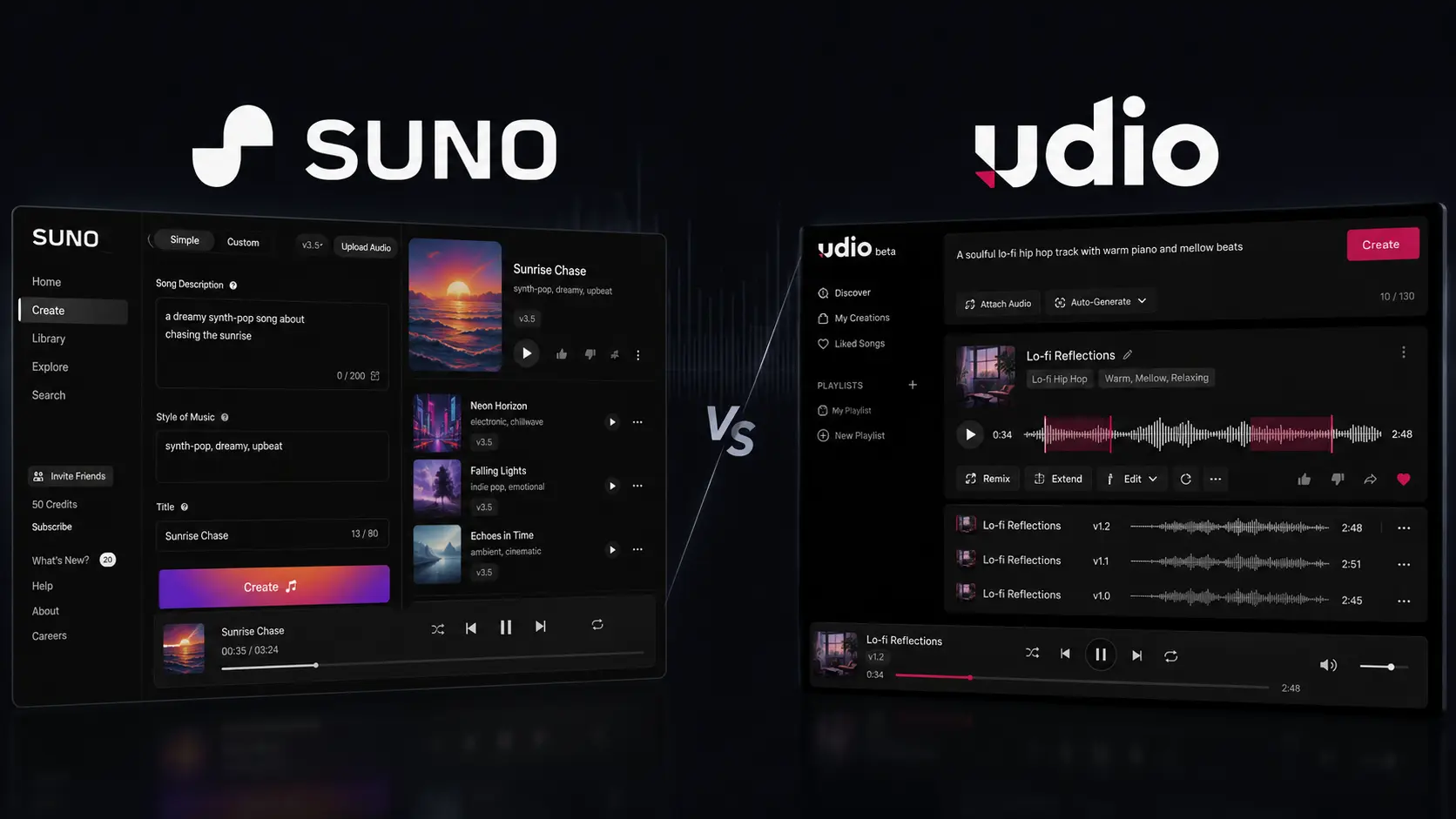
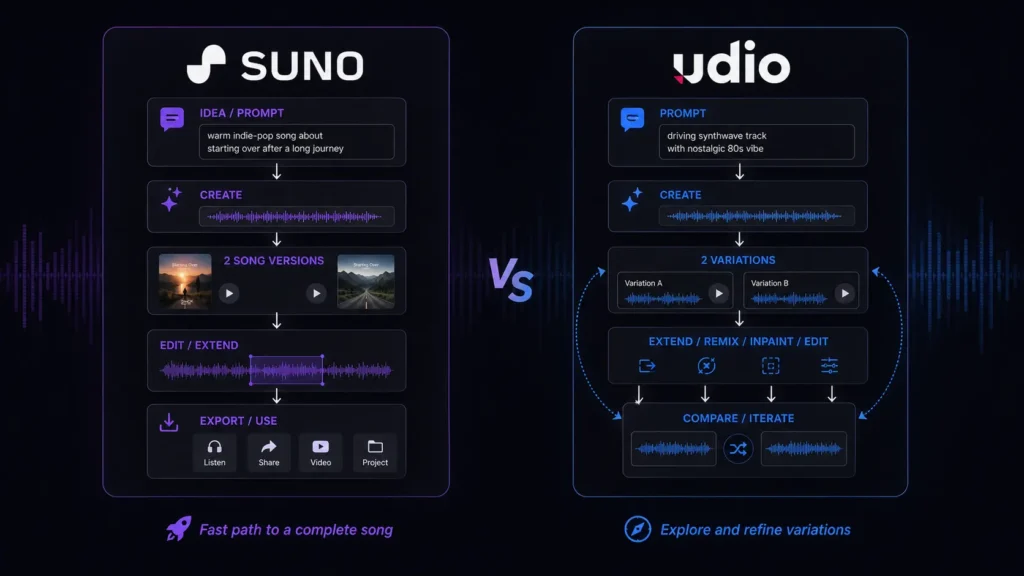
    Creating a song used to mean dealing with lyrics, melodies, instruments, vocals, recording software, and plenty of trial and error. If you only have a simple idea in your head, turning it into something listenable can take hours. That is why AI Music Generators have become useful for creators who want to move from an idea to a musical draft much faster. Two of the most talked-about platforms are Suno and Udio. Both can generate music from text prompts, but they feel different once you start experimenting. Suno is particularly strong when you want a complete song quickly, while Udio is more interesting if you like generating variations and refining musical ideas. So, which one should you choose? Let’s compare Suno and Udio based on workflow, creative control, pricing, features, and practical use cases.

    How We Evaluate AI Music Generators

    We looked at Suno and Udio from the perspective of someone who actually needs to create usable music rather than simply test an impressive demo. The evaluation focuses on common workflows for musicians, YouTubers, marketers, producers, and beginners.

    We compared both platforms using these criteria:

    • Song quality: vocals, instrumentation, arrangement, and overall listening experience.
    • Prompt accuracy: how closely generated music follows your genre, mood, lyrics, and instructions.
    • Creative control: how much influence you have over the direction of a song.
    • Editing: whether you can improve an existing generation instead of starting again.
    • Ease of use: how quickly you can understand the creation process.
    • Pricing and limits: free credits, paid plans, downloads, and commercial-use considerations.

    The goal isn’t to declare a universal winner. Music is subjective, and a platform that works beautifully for a pop songwriter may not be the best option for someone creating instrumental background music.

    AI Music Generators at a Glance

    ToolBest ForStarting Price
    SunoFast full-song creationFree
    UdioExperimentation and musical variationsFree

    Best AI Music Generator for Fast Full-Song Creation: Suno

    Suno is probably the first platform you should try if you want the shortest route from an idea to a recognizable song.

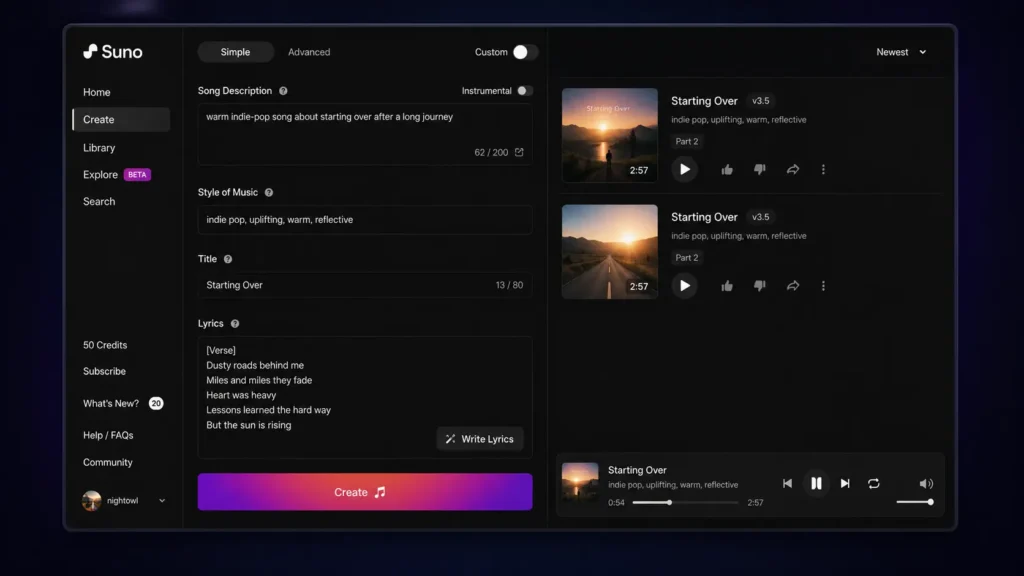
    The workflow is intentionally simple. You can describe the style, subject, mood, and other musical characteristics, then generate a track without having to understand a traditional digital audio workstation. That makes Suno especially useful when you’re a YouTuber who needs music for a video, a marketer developing a campaign concept, or a songwriter looking for a quick demo.

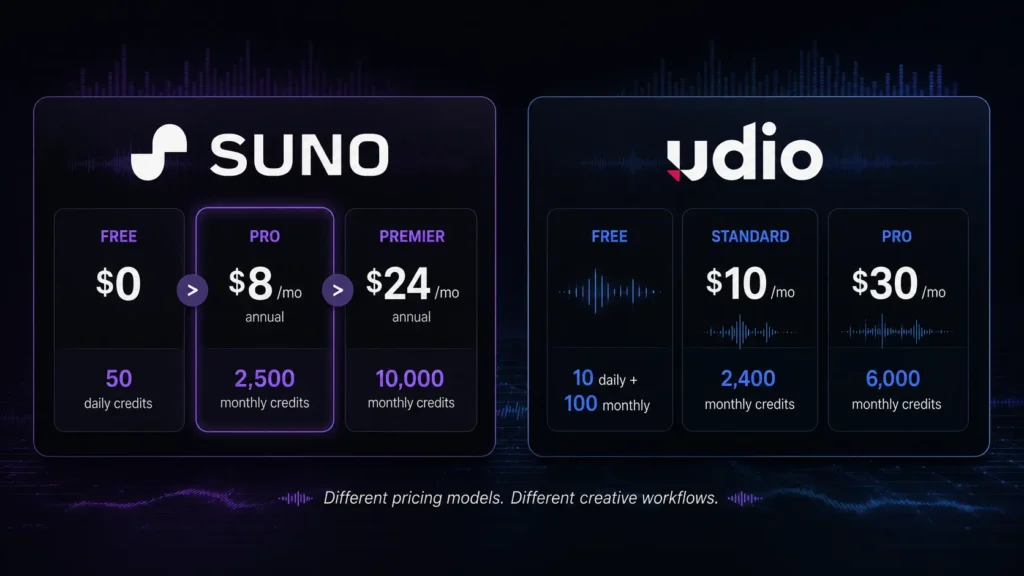
    One practical detail is its credit system. Suno’s current Free plan provides 50 credits that renew daily, which the company describes as enough for up to 10 songs. The Free plan also gives access to the v4.5-all model.

    For creators researching AI song generators, Suno’s advantage is the complete-song workflow. You aren’t simply getting a short musical loop and being told to finish the rest yourself.

    The paid tiers become more interesting when you need production features. Pro and Premier provide access to advanced models, editing tools, stem separation, longer audio uploads, and commercial-use rights for new songs made under the paid plans.

    If you’re researching other AI music creation tools, you may also want to compare how different AI platforms handle generation, editing, and publishing workflows.

    Pros

    • Very approachable for beginners and fast song creation.
    • Paid plans add advanced editing, stem separation, audio uploads, and commercial-use rights.

    Cons

    • Free creations cannot be used commercially.
    • Free-plan download restrictions are important if you plan to export lots of tracks.

    Pricing: Suno’s official pricing lists Free at $0/month, Pro at $8/month when billed annually, and Premier at $24/month when billed annually. Pro includes 2,500 monthly credits, while Premier includes 10,000 monthly credits. Suno says annual plans save 20%. For comparison, you can also review pricing information across other AI tools to see how different AI platforms structure their free and paid plans.

    Best AI Music Generator for Experimentation: Udio

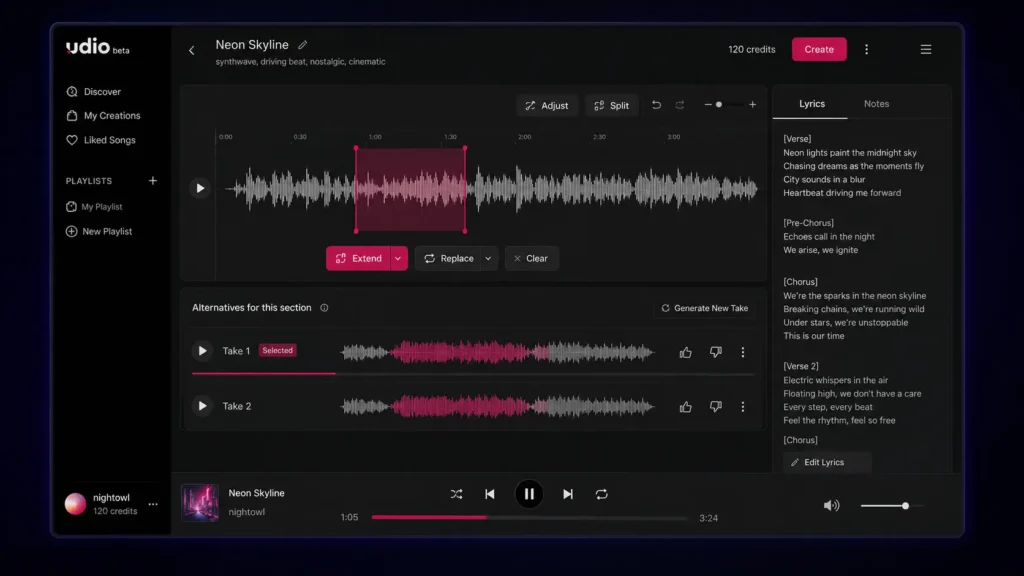
    Udio takes a more exploratory approach to music generation. If your instinct after hearing a generated track is, “What happens if I change this part?”, Udio is worth a close look.

    Its credit system provides a good example of how its workflow differs. Udio says that actions such as Create, Extend, Remix, Inpaint, or Edit generate two new songs. Two 32-second songs cost two credits, while two approximately 130-second songs cost four credits. Free accounts receive 10 daily credits plus an additional monthly limit of 100 credits.

    That means you need to think about generation length and iteration. If you repeatedly create longer versions, your credits can disappear much faster than expected.

    Udio’s subscription trial also gives access to features such as audio-guided generations, music and lyrics editing, Voice Control, and using existing songs as style references.

    This makes Udio particularly interesting for musicians and producers who want to explore several directions rather than accept the first usable generation.

    Pros

    • Strong environment for experimenting with variations.
    • Advanced creative and editing features are available through paid access.

    Cons

    • The credit system takes some time to understand.
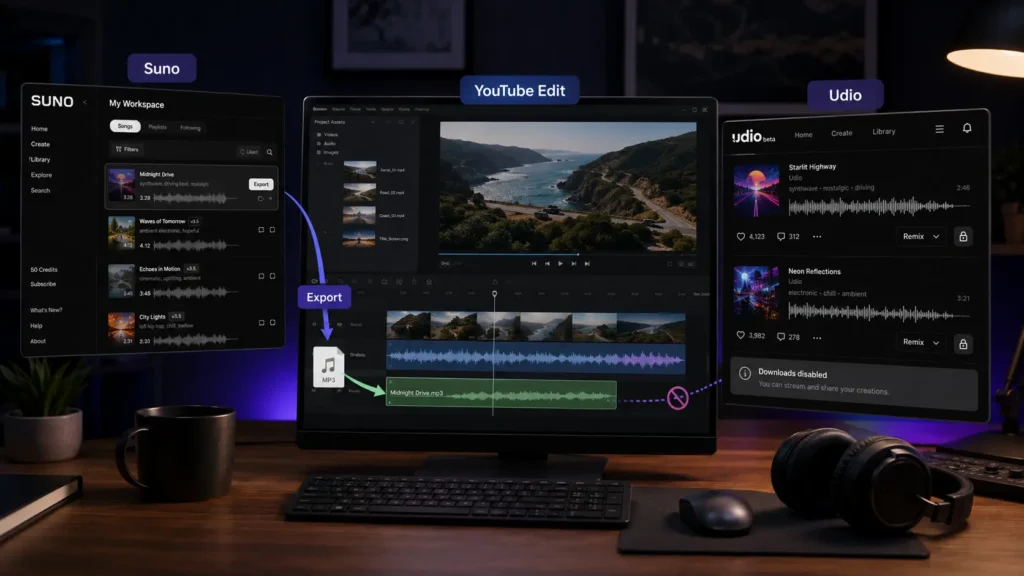
    • Downloads of audio, video, and stems are currently disabled according to Udio’s published update.

    Pricing: Udio’s pricing page offers a Free tier, while its current subscription documentation lists Standard at $10/month and Pro at $30/month on monthly billing. Standard provides 2,400 monthly credits and Pro provides 6,000.

    Suno vs Udio: Which AI Music Generator Is Better?

    If you’re deciding between Suno and Udio, start with what you want to do after the song is generated.

    Suno has the advantage if you want a complete song quickly. You can move from a basic concept to a structured track without spending much time learning the interface. This is particularly useful for beginners and content creators who care about speed. Udio is more appealing when the creation process itself is part of the experiment. Its generation system gives you multiple results and tools for extending or modifying ideas, making it a better match for users who enjoy exploring alternatives.

    There is also a major difference in download availability. Suno announced that, beginning September 3, 2026, Free users receive up to seven lifetime trial downloads, Pro users receive 20 downloads per month, and Premier users receive 60 downloads per month. Premier subscribers using Suno Studio have no download limit under the announced policy.

    Udio currently has the opposite problem: its published February 2026 update says that audio, video, and stem downloads are disabled. That difference is huge if you’re creating music for YouTube, client work, podcasts, advertisements, or any project where you need to move the audio into another application.

    Our Quick Verdict

    Choose Suno if you want: fast full-song creation, an easier starting point, and a clearer export workflow.

    Choose Udio if you want: musical experimentation, variations, and a more iterative creative process.

    AI Music Generators: Suno vs Udio Features Compared

    FeatureSunoUdio
    Free planYesYes
    Free allowance50 credits daily10 daily + 100 monthly
    Main strengthComplete song generationExperimentation and iteration
    Paid entry$8/month annually$10/month monthly
    Higher tier$24/month annually$30/month monthly
    Audio uploadYesYes
    Advanced editingYes on paid plansAvailable through subscription features
    Stem separationPaid plansDownloads currently disabled
    Commercial rightsPaid plans for new songsCheck current terms
    Audio downloadsPlan-based limitsCurrently disabled
    Best for beginnersExcellentGood
    Best for experimentationVery goodExcellent

    Suno’s current pricing information confirms 50 daily Free credits, 2,500 monthly Pro credits, 10,000 monthly Premier credits, audio uploads, advanced editing, and stem separation on paid plans.

    Udio’s documentation confirms the current daily/monthly credit structure and the 2,400-credit Standard and 6,000-credit Pro limits.

    Suno vs Udio for YouTube Creators

    If you’re making YouTube videos, the winner isn’t necessarily the platform that produces your favorite song. You also need to consider whether you can download the track, what rights apply to the generation, and how easily the music fits into your editing workflow.

    Suno currently has a practical advantage here because paid plans include commercial-use rights for new songs created under those plans, alongside plan-based download allowances.

    Udio can still be useful for brainstorming background music or exploring different musical concepts, but its current download restriction creates an obvious problem when your editing workflow requires an audio file outside the platform.

    Suno vs Udio for Musicians and Producers

    Musicians may judge these platforms differently. If you want to quickly create a demo to communicate an idea, Suno’s straightforward generation process is useful. You can then use editing and stem-related features on eligible paid plans to work further with the result. Udio is attractive when you enjoy trying multiple versions of a musical idea. Its Create, Extend, Remix, Inpaint, and Edit workflow makes experimentation a central part of the experience. However, current download restrictions mean Udio is less convenient for a traditional production workflow where you need to take generated material into another application. So, for production flexibility today, Suno has the practical edge. For pure experimentation, Udio remains compelling.

    Which AI Music Generator Should You Choose?

    Suno and Udio are both capable AI Music Generators, but they are better suited to different creative workflows. Suno is the stronger all-around choice if you want quick complete songs, practical publishing options, and a relatively straightforward interface. Udio is the better fit if you enjoy experimenting with multiple generations and refining musical ideas. You don’t have to make the decision based on someone else’s favorite genre or workflow. Try the free options, use the same prompt on both platforms, and compare what comes back. As AI Music Generators continue developing, will the next wave give creators studio-level control without bringing back all the complexity they’re trying to avoid?

    Frequently Asked Questions About AI Music Generators

    Are AI Music Generators free?

    Yes. Both Suno and Udio have free options. Suno currently gives Free users 50 credits that renew daily, while Udio provides 10 daily credits plus a 100-credit monthly allowance. Free access is useful for testing prompts and discovering which platform fits your style. However, don’t assume that free access automatically means commercial rights.

    Can you commercially use songs made with Suno?

    Suno states that its Free plan does not include commercial use, while eligible paid plans provide commercial-use rights for new songs made under those plans. If you’re creating music for a business, monetized channel, client, advertisement, or other commercial project, check the current Suno terms before publishing.

    Which AI song generator is better for beginners?

    Suno is generally the easier starting point because its core workflow is focused on quickly turning a description or lyrics into a complete song. Udio is also accessible, but its credit system and more iterative approach can require a little more experimentation. The best test is to give both platforms the same prompt and listen to the results. Your preferred genre may make the decision surprisingly easy.

    Editorial disclosure: This article is an independent comparison based on platform documentation, published pricing, and practical evaluation criteria. Features and pricing may change.

  • AI Website Platforms: Framer AI vs Durable Which One Should You Choose?

    AI Website Platforms: Framer AI vs Durable Which One Should You Choose?

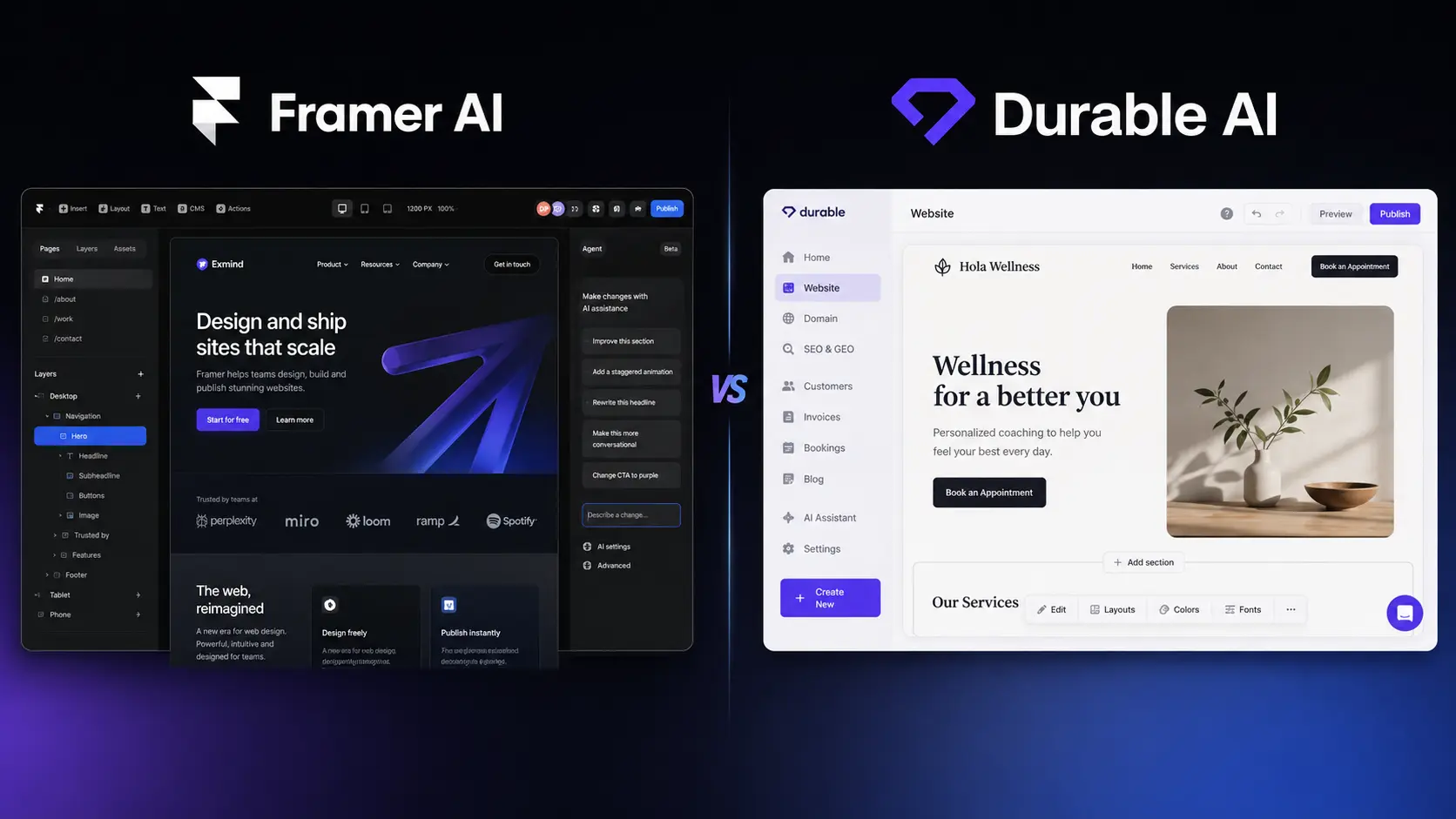
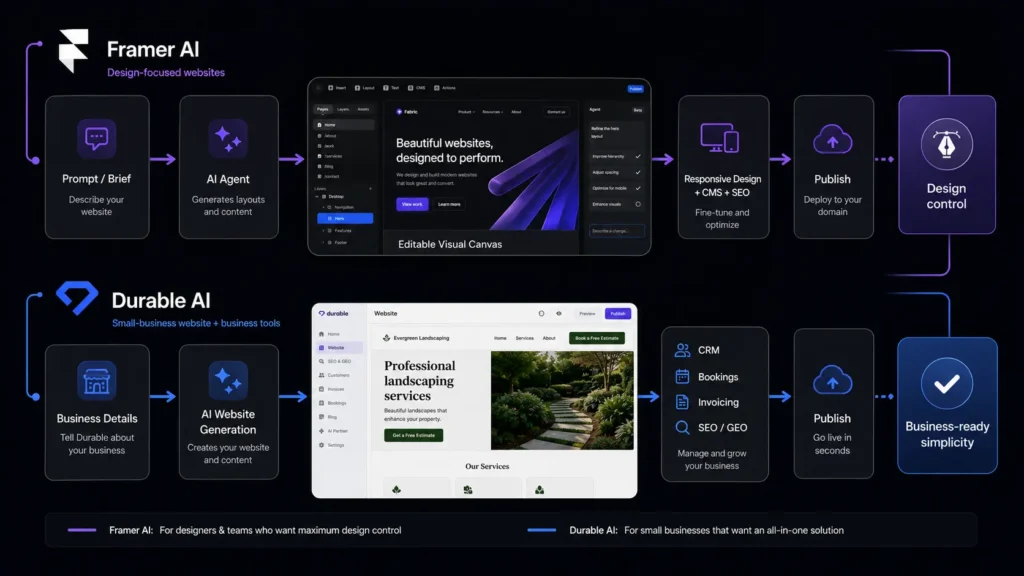
    Building a website sounds simple until you actually have to do it. You need a layout, convincing copy, images, mobile responsiveness, SEO settings, and a way to publish everything without spending your weekend fighting with a page builder. That is where AI Website Platforms can make a real difference. Two interesting options in 2026 are Framer AI and Durable AI. Both can turn a basic business idea into a working website, but they approach the job from very different directions. Framer puts more emphasis on visual design and control, while Durable focuses on getting a small business online quickly and adding business tools around the site. I evaluated both with small-business, freelance, marketing, and creator workflows in mind to see which one actually makes more sense.

    Editorial disclosure: This comparison is independently researched; pricing and features can change, so always verify current details before purchasing.

    How We Evaluate AI Website Platforms

    For this comparison, I evaluated two platforms during September 2026, focusing on the workflow rather than simply comparing feature checklists. I looked at how quickly you can move from an idea to a publishable site and how much work remains afterward.

    The main criteria were:

    • AI generation: How useful is the first website draft?
    • Design control: How much can you change without touching code?
    • Ease of use: Can a non-developer understand the workflow?
    • Business features: CRM, forms, analytics, SEO, and related tools.
    • Publishing: Domains, hosting, and deployment options.
    • Pricing: What do you actually get at the entry-level paid tier?

    The evaluation is aimed at people who regularly work with websites, content, SEO, and digital marketing, rather than developers looking for a traditional coding environment.

    At-a-Glance Comparison

    Tool NameBest ForStarting Price
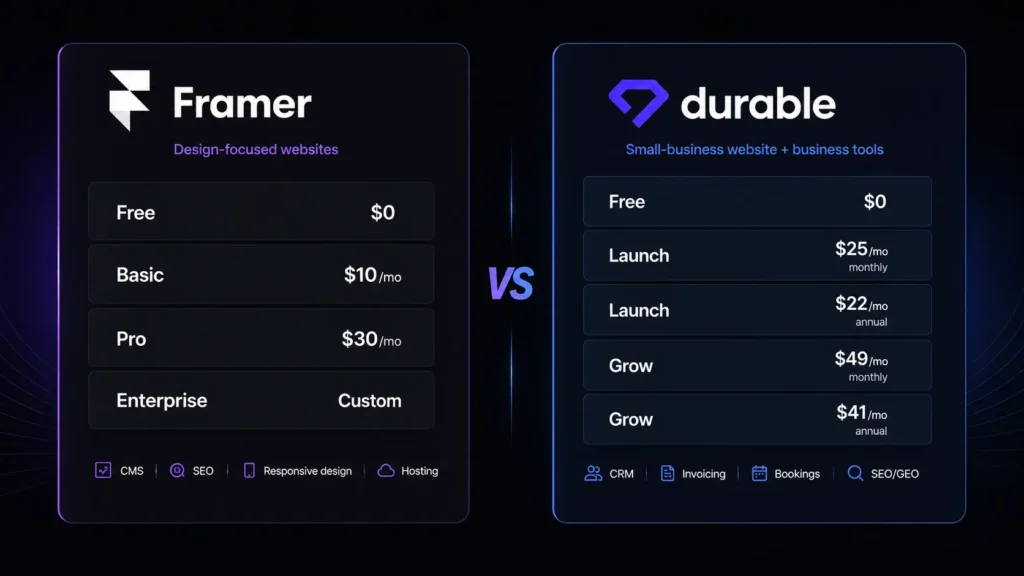
    Framer AIDesign-focused websites, portfolios, landing pagesFree; paid plans from $29/month
    Durable AISmall businesses wanting a website and business tools quicklyFree; Launch from $25/month monthly

    Framer’s current pricing lists paid plans starting at $29/month, while its free plan includes 1,000 pages, 10 CMS collections, and 500 AI credits for trying Agents. Durable currently offers a free plan, with Launch listed at $25/month when billed monthly or $22/month on annual billing. 

    Framer AI: Best AI Website Platform for Design-Focused Sites

    If you care about how your website looks and want to keep making detailed visual changes after AI creates the first draft, Framer AI is the stronger choice. Framer’s workflow is notably different from a basic “type a business description and receive a website” generator. Its AI Agent works directly with the editable canvas, allowing you to ask for pages, sections, copy, layout changes, CMS content, and other edits without turning the result into a locked template.

    One useful detail is how responsive editing works. Instead of treating the mobile version as an afterthought, you can ask the Agent to make a design responsive for tablet and phone, with Framer adjusting stacks, typography, spacing, and image crops across breakpoints. That makes Framer particularly appealing if you are a freelancer building client sites or a marketer who wants a polished landing page rather than a generic business template. The trade-off is complexity. Framer gives you many more design decisions, which is great when you want control but unnecessary if your only goal is “I need a website for my cleaning company by lunch.”

    Pros

    • Excellent visual control after AI generation.
    • Strong CMS, SEO, responsive design, and publishing workflow.

    Cons

    • More to learn than a purely business-focused AI builder.
    • Advanced usage can become more expensive as your needs grow.

    Pricing: Framer has a free plan; current paid plans shown on its pricing pages include Basic at $29/month, Pro at $49/month, and Enterprise at $119/month. AI functionality uses monthly credits, with additional credits available as add-ons.

    Durable AI: Best AI Website Builder for Small Businesses

    Durable takes almost the opposite approach. You tell it what kind of business you run, and the platform aims to produce a complete business website in roughly 30 seconds, including relevant content, imagery, and structure. That speed is the point. Durable is not trying to turn you into a web designer. It is trying to get you online. The interesting part is that the website is only one piece of the platform. Durable combines the site builder with features such as CRM, invoicing, analytics, SEO tools, booking, and AI-assisted business tasks. Its current Launch plan also includes AI agents for activities such as publishing blogs, responding to leads, researching competitors, and monitoring visibility.

    There is a particularly practical detail for content marketers: adding a blog involves going to Website → Edit website → Add → Blog post, entering a topic, and clicking Generate. Durable says the article can take around two to three minutes to generate, after which you can edit and publish it. For a freelancer, consultant, photographer, cleaner, coach, or local service provider, that broader business focus can be more useful than having hundreds of design controls.

    Pros

    • Very fast route from business idea to working website.
    • Combines website, CRM, invoicing, booking, and marketing features.

    Cons

    • Less suitable for highly customized design work.
    • E-commerce functionality has important limitations.

    Pricing: Durable offers Free at $0, Launch at $25/month monthly ($22/month annually), and Grow at $49/month monthly ($41/month annually on the comparison pricing).

    Framer AI vs Durable AI: Key Differences

    Because these platforms target different types of users, the feature comparison is more useful when you look at how they handle the same job.

    FeatureFramer AIDurable AI
    AI website generationPrompt-driven, editable design workflowComplete business site generated in about 30 seconds
    Visual design controlHighModerate
    Responsive editingDetailed breakpoint and layout controlAutomatic responsive layouts
    CMSYesYes
    AI contentCopy, pages, CMS and site editsCopy, blog content and business-focused AI
    SEOBuilt-in SEO tools and AI-assisted improvementsBuilt-in SEO and visibility tools
    CRMNot its core focusBuilt in
    InvoicingNot its core focusBuilt in
    BookingAvailable through integrations/featuresBuilt into business workflow
    Custom codeMore flexibleLimited compared with design-focused builders
    Best audienceDesigners, marketers, creators, agenciesSmall businesses and solo operators

    Framer’s strength is the editable visual canvas, CMS, responsive controls, hosting, SEO, and publishing workflow. Durable instead bundles the website with practical business-management features such as CRM, invoicing, bookings, and AI marketing assistance.

    Which One Should You Choose?

    The answer depends less on which platform has “more AI” and more on what you expect from your website six months from now.

    Choose Framer AI if you want:

    • A visually distinctive website.
    • Strong control over typography, spacing, layouts, and interactions.
    • A portfolio, startup site, marketing website, or landing page.
    • A CMS-driven website that you expect to keep developing.
    • A platform that feels closer to a professional design tool.

    Choose Durable AI if you want:

    • A business website online as quickly as possible.
    • Built-in CRM and invoicing.
    • Booking and lead-management features.
    • AI-generated blogs and marketing content.
    • A simpler experience with fewer design decisions.

    There is also one important warning for online stores. Durable can support some e-commerce use cases, but its help documentation says it does not provide a full e-commerce system with a shopping cart, inventory management, or shipping settings. If selling products is the central purpose of your website, neither platform should automatically become your first choice without checking the required integrations.

    Final Verdict

    Both AI Website Platforms solve the same basic problem, but they are designed around different priorities. Framer AI is the better pick when design flexibility, visual polish, and long-term site control matter most. Durable AI wins when your priority is getting a small business online quickly while keeping CRM, invoicing, booking, and marketing tools nearby. The easiest way to decide is to try both free options with the same business prompt. Compare the first draft, editing experience, and amount of cleanup required. After all, wouldn’t the best AI website platform be the one that saves you the most work not the one with the longest feature list?

    FAQ

    Is Framer AI better than Durable AI for a professional website?

    If by “professional” you mean highly customized visual design, Framer AI has the advantage. Its AI-generated pages remain editable on the canvas, so you can continue adjusting layouts, typography, components, breakpoints, CMS content, and effects. If you mean a professional business website that also handles leads, bookings, CRM, and invoicing, Durable may be more practical.

    Can I build a website for free with these AI website builders?

    Yes, both provide a free way to start. Framer’s free plan allows you to experiment with its platform and AI credits, although a custom domain requires upgrading. Durable also has a $0 plan, but its free website uses a Durable subdomain; paid plans unlock features such as custom domains and additional business capabilities.

    Are AI-generated websites ready to publish without editing?

    Technically, they can get you very close, but you should still review the copy, contact details, images, legal pages, SEO metadata, and calls to action before publishing. AI can build the structure quickly; you remain responsible for whether the information is accurate and appropriate for your business.

  • AI Design Platforms: Canva vs Lovart Features and Pricing Compared in 2026

    AI Design Platforms: Canva vs Lovart Features and Pricing Compared in 2026

    Creating social media graphics, ads, presentations, product visuals, and branded content can quickly become a full-time job. You may have the idea ready, but turning that idea into a polished design often means jumping between templates, image generators, editors, and other creative tools. That is where AI Design Platforms are becoming useful.

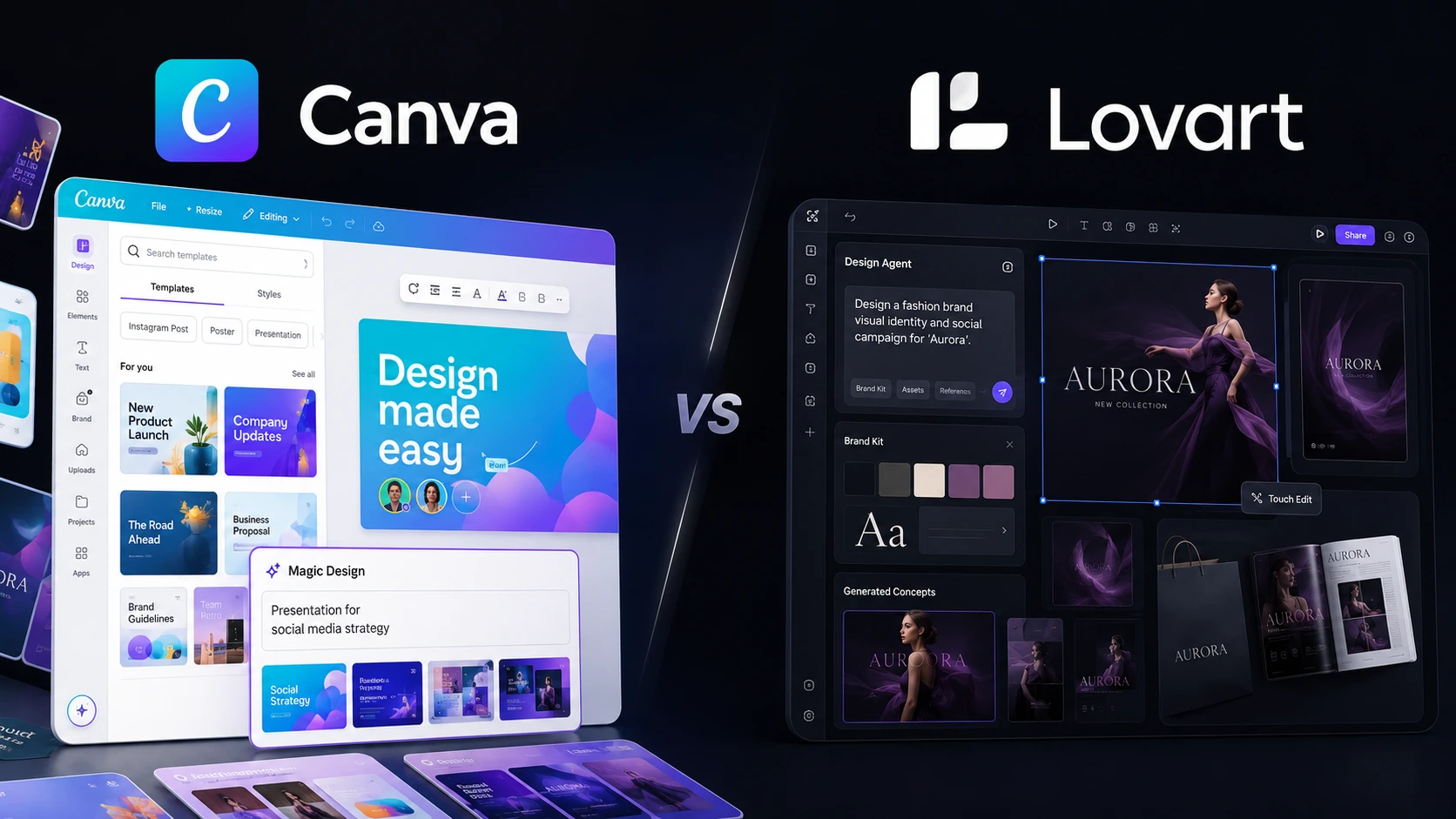
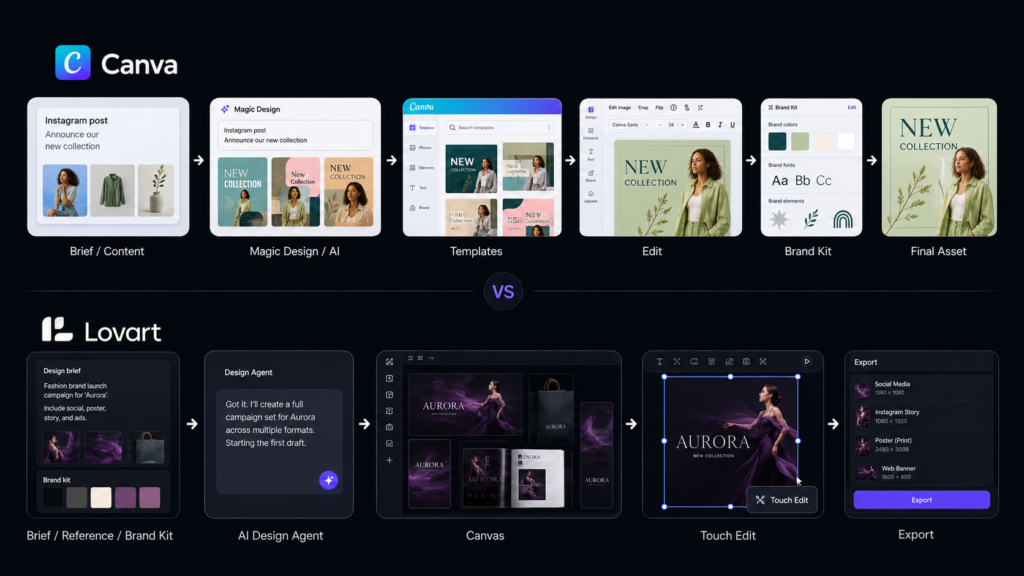
    Two platforms worth comparing in 2026 are Canva and Lovart. Canva takes a broad visual-design approach, combining templates, editing, collaboration, brand tools, and AI features. Lovart goes further toward an AI-agent workflow, where you can describe a creative objective and let the platform generate and refine multiple assets around it. This guide compares Canva vs Lovart on features, usability, AI capabilities, pricing, and practical workflows so you can choose the better fit for your work.

    Editorial disclosure: This article uses independent workflow evaluation and current official product information; pricing and features may change over time.

    How We Evaluate AI Design Platforms

    We evaluated both platforms during the 2026 comparison period with a focus on everyday content-production tasks rather than simply counting features.

    The evaluation considered:

    • Ease of creating designs from a brief
    • AI image and content generation
    • Templates and brand management
    • Editing and revision controls
    • Export and publishing options
    • Pricing and AI usage limits

    The goal was simple: if you have a real marketing task in front of you, how quickly can you move from an idea to a usable asset?

    We also looked at what happens after the first generation. AI can produce an attractive first draft, but professional work usually involves revisions, brand consistency, resizing, and multiple versions. Those details often separate useful AI design tools from flashy generators.

    Canva vs Lovart at a Glance

    ToolBest ForStarting Price
    CanvaTemplates, social media, presentations, branding, and general-purpose designFree
    LovartAI-generated campaigns, brand assets, images, video, and agentic design workflowsFree

    Canva’s current Free plan includes 1,000+ design types, 1.6 million+ templates, 4.7 million+ media assets, 5GB storage, and a limited AI allowance. Lovart also offers a free starting option, while its paid plans use monthly credit allocations based on the plan you select.

    Best AI Design Platform for Templates and Everyday Content: Canva

    Canva is the stronger choice when you want a familiar editor that can handle almost every type of visual content you produce.

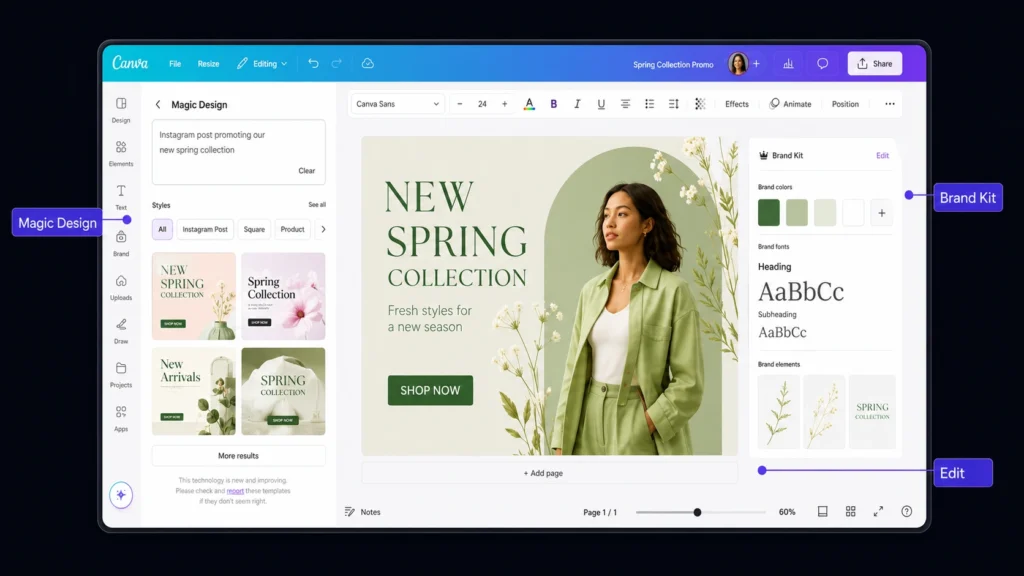
    You can start with a template, change the dimensions, replace images and text, apply your brand elements, and export the finished design without learning a complicated professional graphics application. Its current Free plan offers more than 1.6 million templates and 4.7 million photos, videos, graphics, and audio assets.

    The workflow is particularly useful for marketers. Imagine you create a promotional Instagram post and later need a presentation slide, a Facebook graphic, and a printable version. Canva’s broader Visual Suite makes those format changes much easier than rebuilding each design from scratch.

    Canva’s AI capabilities have also expanded. Its current plans include tools such as AI-powered generation, Magic Layers, AI image creation, and other AI features, with usage allowances that differ by subscription. Canva Free can provide up to 200 Standard AI uses or 20 Premium AI uses, while Pro increases that allowance substantially.

    If you are new to AI-powered design tools, Canva is less intimidating because AI sits alongside a conventional editor instead of replacing it.

    Pros

    • Huge template and media ecosystem
    • Excellent for social media, presentations, documents, and marketing assets

    Cons

    • Some advanced AI features consume monthly allowances
    • The workflow remains more manual than an AI-first design agent

    Pricing: Canva Free costs $0. Canva Pro is currently listed at US$180/year for one person. Canva Business is listed at US$250/year per person, while Canva’s Business launch pricing is also stated as US$20 per person/month with no seat minimum.

    Best AI Design Platform for AI-Generated Campaigns: Lovart

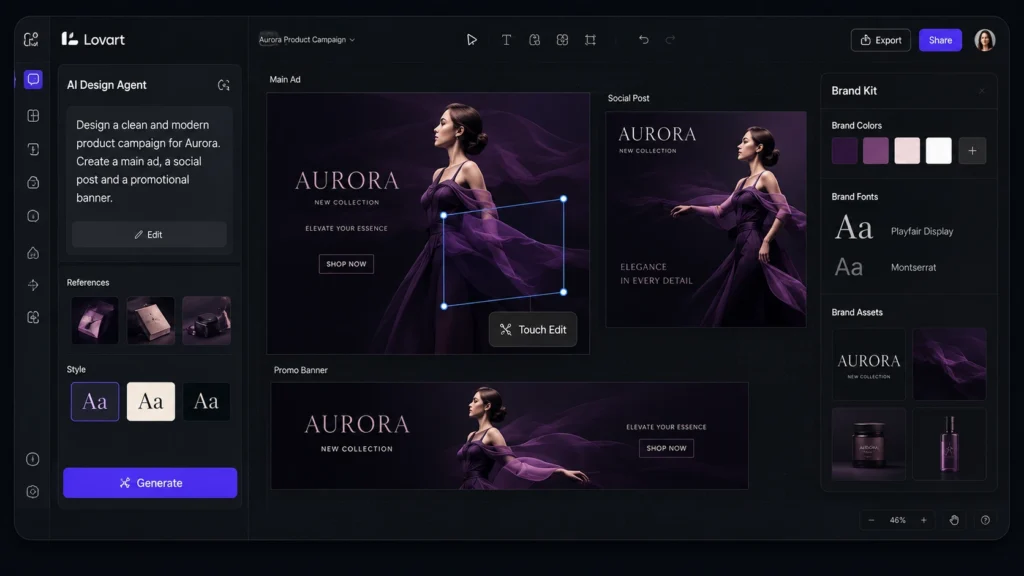
    Lovart takes a noticeably different route. Instead of starting with a blank canvas or a huge template library, you can begin with a creative brief and let the AI handle more of the production process.

    Its official platform describes the workflow as moving from a brand brief toward complete assets such as logos, packaging, social content, and video advertising. Lovart can also use Brand Kits to keep colors, fonts, logos, and design rules consistent across generations.

    One practical difference becomes obvious when you need revisions. Lovart’s editing system allows you to work on individual elements rather than simply regenerating the entire image. Its Edit Element workflow is designed to replace or modify a selected part while preserving the broader composition.

    That can save time on a common problem with generative AI: you finally get the right composition, but one object, product detail, or visual element is wrong. Starting again is frustrating. Element-level editing gives you another route.

    Lovart also uses a credit-based system. Its June 2026 subscription FAQ lists 2,000 monthly credits for Starter, 3,500 for Basic, 11,000 for Pro, and 27,000 for Ultimate. Monthly credits reset each billing cycle and unused monthly credits do not roll over.

    Pros

    • Strong brief-to-campaign workflow
    • Useful for AI-generated images, branding, social content, and video

    Cons

    • Credit consumption varies by model and task
    • More automation can mean a learning curve for users who prefer traditional editing

    Pricing: Lovart has a Free option, with paid plans starting around $19/month for Starter, followed by Basic at $49/month, Pro at $99/month, and Ultimate at $149/month according to Lovart’s published plan information. Paid tiers use monthly credit allocations, while additional credit packs can also be purchased.

    Canva vs Lovart: Key Feature Differences

    The biggest difference is not simply which platform has more AI features. It is how you interact with those features.

    FeatureCanvaLovart
    Traditional editorStrong drag-and-drop workflowAI-first canvas workflow
    Templates1.6M+ on Free; 3.6M+ on paid plansUses AI Skills and generated projects
    AI generationYesYes
    AI image creationYesYes
    AI videoYesYes
    Brand managementBrand KitsBrand Kits
    AI-assisted editingYesElement-level editing
    Social media contentExcellentStrong
    PresentationsExcellentSupported
    Campaign generationMore manualAI-led workflow
    Monthly AI/credit systemAI allowance by planMonthly credits by plan
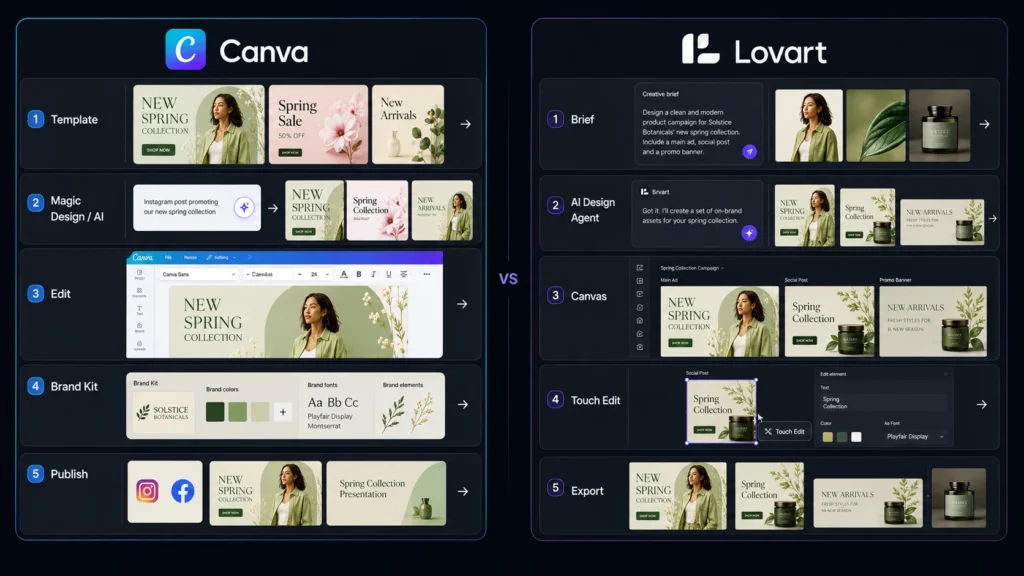
    Best workflowTemplate → edit → publishBrief → generate → refine

    Canva’s strength is breadth. Its current paid plans combine premium content, AI tools, Brand Kits, social scheduling, collaboration, and other visual communication features. Canva Business also adds stronger brand controls and marketing-oriented capabilities.

    Lovart is more focused on connecting the stages of creative production. Its Brand Kit system can be attached to individual generations or applied at the project level, allowing subsequent generations to follow the selected brand identity.

    If you want to explore another AI-focused visual category, you can also read our related 3D AI tools comparison on OLA Reviews.

    Which Platform Is Better for Social Media Marketing?

    For routine social media work, Canva has the edge. You can choose an Instagram, LinkedIn, Facebook, YouTube, or presentation format, start from an existing template, and manually adjust the content. Canva also includes social content scheduling on its Pro plan.

    Lovart becomes more interesting when the social campaign involves many connected creative assets. For example, if you want a product announcement with several visual variations, different layouts, and supporting video, its AI-agent approach can reduce the number of individual creative decisions you have to make.

    So the distinction is simple: Canva is better for repeatable template-based production, while Lovart is more attractive for AI-led campaign creation.

    Which Is Better for Small Businesses?

    Small businesses should look beyond the cheapest monthly price. Canva Business is specifically designed for individuals and growing teams. Its current plan includes collaboration and team administration, 100 Brand Kits, 500GB storage, higher AI access, and marketing-focused features.

    Lovart can be attractive if you do not have an in-house designer and want AI to handle more of the creative process. Its Brand Kit system is particularly useful when you need multiple outputs to maintain the same visual identity. If your business mainly creates flyers, presentations, social posts, documents, and ads, Canva is probably the easier all-round investment. If your workload is heavily focused on generating new campaign concepts and visual assets, Lovart deserves a serious trial.

    Canva vs Lovart: Which One Should You Choose?

    Choose Canva if you want a dependable all purpose design workspace with templates, premium media, brand tools, presentations, social content, and familiar editing controls. Choose Lovart if your priority is AI-led creative production and you want to move from a brief to multiple coordinated visual assets with less manual setup. Both platforms offer free ways to test their workflows, so you do not have to make the decision based on a feature list alone. Create one real social post, product campaign, or marketing asset in each platform and compare the amount of editing you need afterward. The best AI Design Platforms are moving from simple image generation toward complete creative workflows. The real question is no longer whether AI can make a design it is how much of the creative process you want AI to handle for you.

    FAQ

    Which is better for beginners: Canva or Lovart?

    Canva is usually easier if you want to learn design gradually. Its drag-and-drop interface lets you make changes manually while using AI when useful. Lovart is better suited to users who prefer describing an outcome and letting AI handle more of the production.

    Are AI design tools safe for commercial projects?

    You should always check the current terms and licensing rules before publishing commercial work. Canva states that its licensed content is subject to specific content-license terms, and the applicable restrictions can vary depending on the content source. Lovart states that members can use generated content commercially subject to the original model license and its platform terms.

    Can Lovart completely replace Canva?

    For some workflows, it can reduce your dependence on traditional design software, but it does not make Canva unnecessary for everyone. Canva remains stronger for template-driven design, presentations, collaboration, social publishing, and broad visual-content workflows. Lovart is more compelling when you want AI to handle a larger share of the creative production process.

  • Social Media Management: Buffer vs Publer Which One Is Better?

    Social Media Management: Buffer vs Publer Which One Is Better?

    Managing several social accounts can quickly become a repetitive job. You create a post, adapt it for Instagram, LinkedIn, Facebook, or X, choose a publishing time, check the preview, and then repeat the process for the next account. That is where social media management tools can make a real difference. Instead of handling every network separately, you can organize content, schedule posts, and manage your publishing workflow from one place.

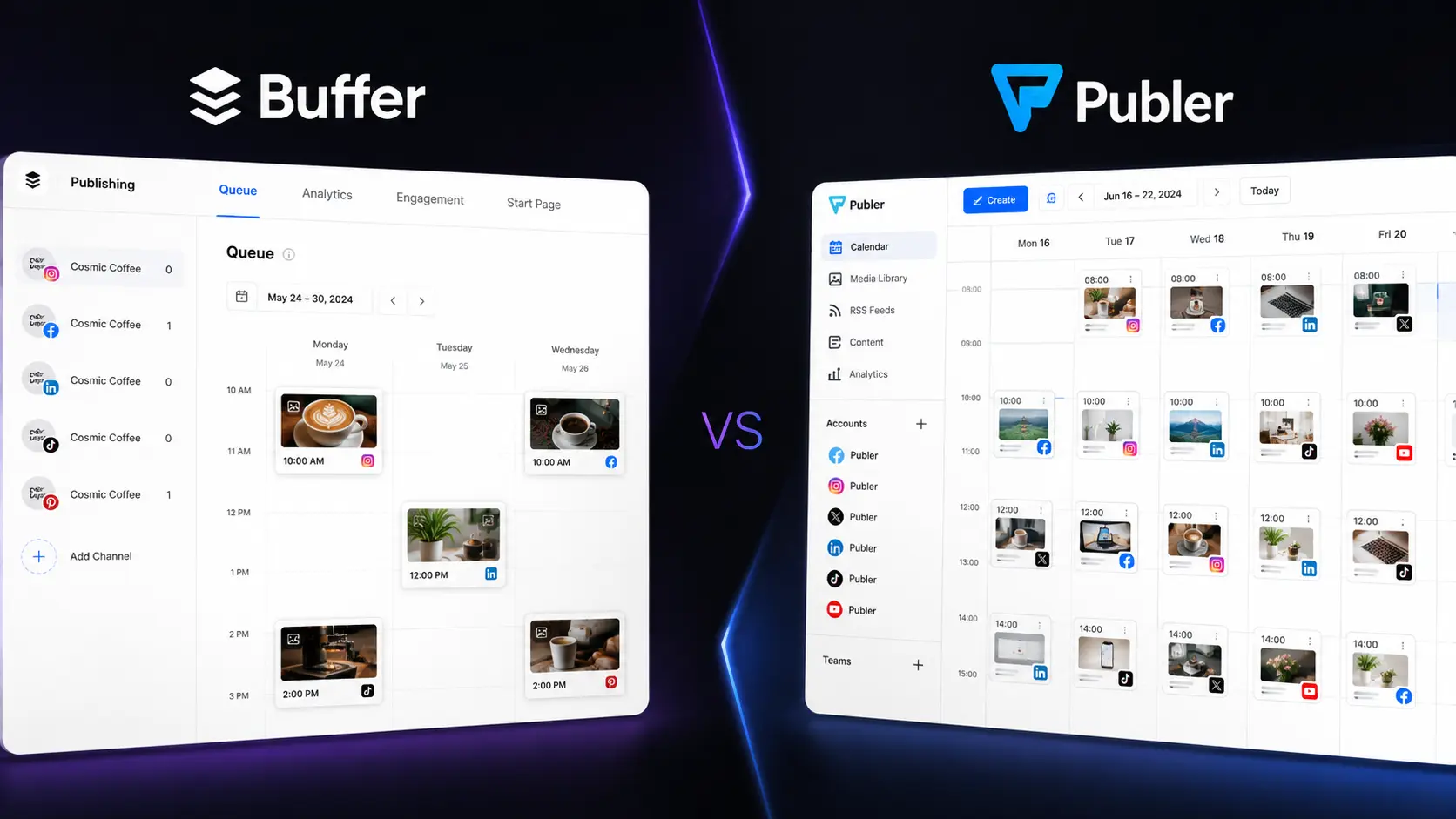
    Two popular options are Buffer and Publer. Buffer focuses on a simple, creator-friendly experience, while Publer offers more scheduling, automation, bulk publishing, and account-management options. So, which platform should you choose in 2026? The answer depends on how you work, how many accounts you manage, and how much automation you actually need.

    Editorial disclosure: This is an independent editorial comparison. Features and pricing can change, so verify current details before purchasing.

    How We Evaluate Social Media Management Tools

    We compared Buffer and Publer around the tasks you are most likely to perform when managing social accounts. Instead of judging them only by their feature lists, we focused on how each platform fits into a practical publishing workflow.

    The main evaluation criteria were:

    • Scheduling: How quickly you can create and queue posts.
    • Publishing: How easily content can be distributed across different networks.
    • Automation: Recurring posts, RSS workflows, evergreen content, and other time-saving features.
    • Analytics: Whether performance data helps you improve future content.
    • Collaboration: Tools for teams, agencies, and clients.
    • Ease of use: How quickly you can find and use important controls.

    The comparison is designed for social media managers, content creators, marketers, small businesses, agencies, and teams. We also considered how these platforms fit alongside other AI tools used by modern marketers and content teams.

    Buffer vs Publer: At-a-Glance Comparison

    Tool NameBest ForStarting Price
    BufferSimple scheduling and creator-friendly publishingFree
    PublerMulti-platform publishing and advanced schedulingFree

    Buffer currently offers a Free plan for up to three channels. Its paid Essentials plan starts at $6 per channel per month when billed monthly. Publer also has a Free plan. Its Professional plan starts at $5 per month for one social account, while the Business plan starts at $10 per month for one social account. Pricing can vary based on billing frequency and the number of channels or accounts you add.

    Best Social Media Management Tool for Simple Scheduling: Buffer

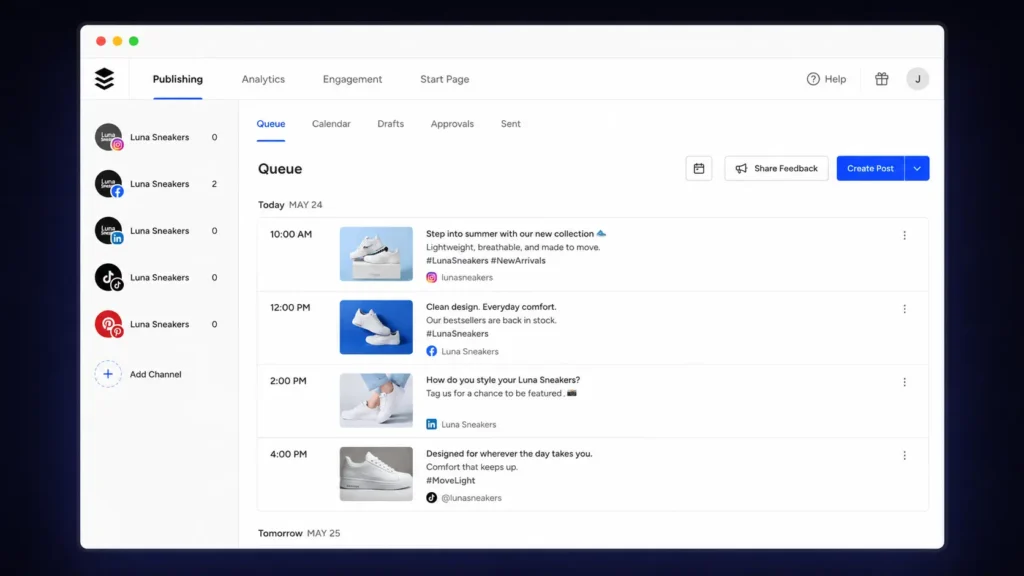
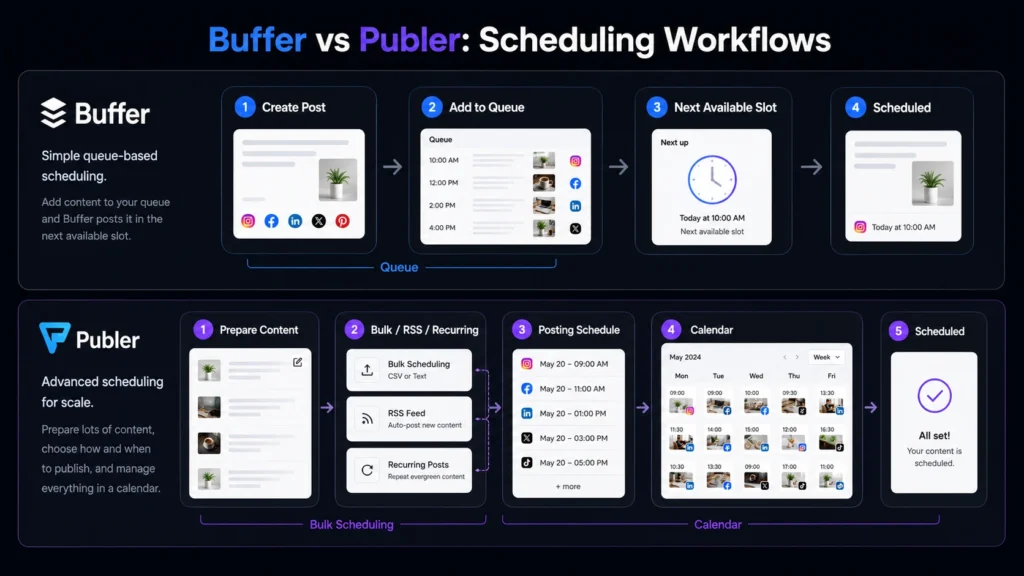
    Buffer is the better option when your main goal is straightforward social publishing. The platform revolves around a familiar queue and calendar workflow, allowing you to create publishing slots and add content without manually selecting a new time for every post. That approach works especially well if you manage a personal brand, small business, or a limited number of social channels.

    One useful detail is Buffer’s Free plan. You can manage up to three channels and have up to 10 scheduled posts per channel at a time. Once a scheduled post is published, that space becomes available again. Buffer supports several major networks, including Facebook, Instagram, LinkedIn, TikTok, Threads, Pinterest, YouTube Shorts, X, Bluesky, Mastodon, and Google Business Profile.

    For users searching for social media scheduling tools, this relatively simple structure is a major advantage. You can create a regular publishing rhythm without spending hours configuring complicated automation rules. Buffer also offers publishing, analytics, engagement, and collaboration features on its paid plans, making it possible to expand your workflow as your social presence grows.

    Pros

    • Clean queue and calendar-based publishing workflow
    • Easy starting point for creators and small businesses

    Cons

    • Per-channel pricing can become expensive as your account count grows
    • Advanced automation users may want more flexibility

    Pricing: Buffer has a Free plan supporting up to three channels. The paid Essentials plan starts at $6 per channel/month when billed monthly. Higher plans add additional publishing, analytics, and collaboration features.

    Best Social Media Management Tool for Advanced Publishing: Publer

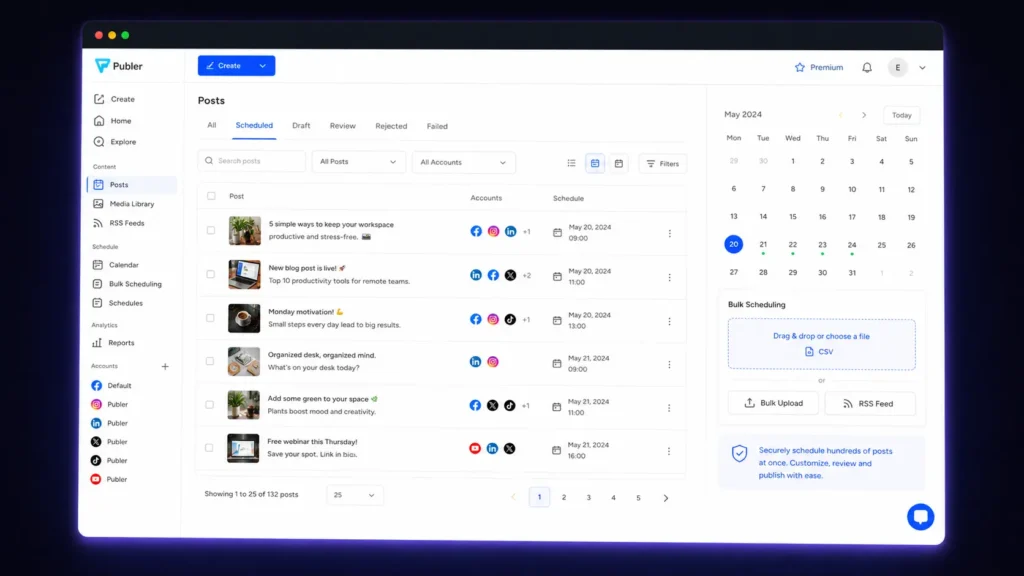
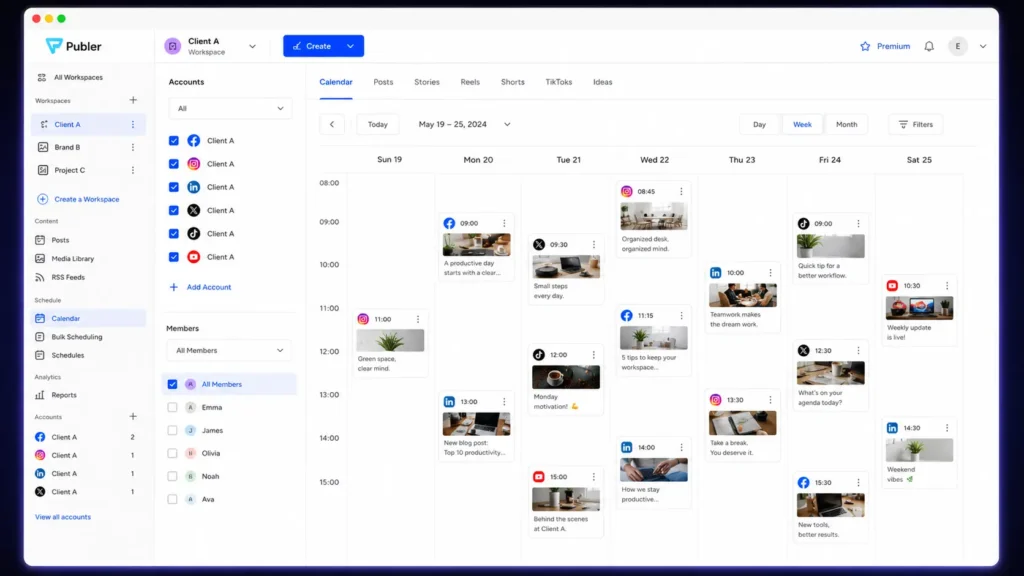
    Publer takes a broader approach to social publishing. Rather than focusing primarily on a simple queue, it gives you more controls for bulk scheduling, recurring content, RSS automation, evergreen posts, workspaces, and multi-account management. That difference becomes more noticeable when your content calendar starts getting complicated.

    For example, an agency managing multiple clients may need separate workspaces and publishing schedules. A marketer with a large content library may want to automate recurring posts instead of manually rebuilding the same schedule every month. Publer’s Professional plan includes unlimited scheduling, unlimited drafts, unlimited workspaces, RSS automations, and bulk scheduling for up to 500 posts. The Business plan adds features such as evergreen content recycling, recurring posts, advanced analytics, and best-time-to-post recommendations.

    Its Free plan is useful for testing the workflow before upgrading. You can manage up to three social accounts, excluding X/Twitter, with up to 10 scheduled posts per account at a time. That makes Publer particularly attractive if you are looking for social media automation tools, rather than only a basic scheduler.

    Pros

    • Strong bulk scheduling and automation features
    • Useful for agencies and multi-account workflows

    Cons

    • More controls can take longer to learn
    • Advanced features require paid plans

    Pricing: Publer has a Free plan. The Professional plan starts at $5/month for one social account, while the Business plan starts at $10/month for one social account. Annual billing can reduce the monthly-equivalent price.

    Buffer vs Publer Feature Comparison

    The biggest difference between Buffer and Publer is not simply which platform has more features. It is how each one approaches the publishing workflow.

    FeatureBufferPubler
    Free planYesYes
    Free channels/accountsUp to 3 channelsUp to 3 social accounts
    Free scheduled posts10 per channel10 per account
    Multi-platform publishingYesYes
    Content calendarYesYes
    Bulk schedulingAvailable on applicable plansUp to 500 posts on Professional
    RSS automationAvailable through applicable featuresIncluded on Professional
    Evergreen recyclingLimited compared with PublerAvailable on Business
    Recurring postsAvailable depending on workflowAvailable on Business
    AnalyticsYesYes
    Team collaborationYesYes
    WorkspacesAvailable on applicable plansUnlimited on Professional
    Best suited toSimple publishingAdvanced publishing and automation

    Buffer’s Free plan is particularly easy to understand. You get three channels and 10 scheduled posts per channel. Paid plans then increase your available publishing capacity and add additional features. Publer uses a different pricing and account model. Its Professional and Business plans give users access to more advanced publishing and automation capabilities, making the platform more attractive as the complexity of your social workflow increases. For social media publishing tools, this distinction matters. More features are not automatically better. If you only need a simple weekly schedule, paying for advanced automation may be unnecessary.

    Which Tool Is Better for Social Media Scheduling?

    If you mainly want to schedule content without creating a complicated system, Buffer gets the edge. Its queue-based approach works well when you already know your publishing rhythm. You establish your preferred times and keep adding posts to the queue. Publer is better suited to more complicated scheduling requirements. Bulk publishing, recurring content, RSS automation, and evergreen workflows give you more ways to reduce repetitive work.

    This is particularly useful if you regularly publish large batches of content. Instead of scheduling every post manually, you can prepare content in bulk and let the platform handle more of the distribution process. So, if your priority is simplicity, Buffer is the better choice. If your priority is scheduling flexibility, Publer deserves serious consideration.

    Which Tool Is Better for Agencies?

    For agencies, Publer has the stronger overall case. An agency may manage several clients, each with different publishing calendars, social networks, content requirements, and reporting needs. Publer’s workspace and automation features are designed to handle a more structured multi-account workflow. Its Business plan is particularly relevant for teams that need recurring posts, evergreen content recycling, detailed analytics, and collaboration features.

    Buffer can still be a good agency option, especially when clients prefer a simpler interface. Its collaboration features allow teams to work together on content and publishing. The deciding factor is workload. If your agency mainly schedules straightforward posts for a handful of accounts, Buffer may be enough. If you are managing larger content operations, Publer’s additional controls can save more manual work.

    Which Tool Is Better for Creators and Small Businesses?

    For creators and smaller businesses, Buffer is usually the easier starting point. Its Free plan allows you to experiment with three channels and up to 10 scheduled posts per channel. That is enough for many users who publish a few times per week. Publer is also worth testing if your content strategy involves recurring or bulk publishing. Its free tier gives you an opportunity to explore the workflow before paying for additional capabilities. Your choice should come down to how you prefer to work. If you want a cleaner interface with fewer decisions, start with Buffer. If you enjoy having more control over how content gets scheduled and recycled, try Publer.

    Buffer vs Publer: Which One Offers Better Value?

    Value depends on the number of accounts you manage. Buffer’s pricing can be attractive when you only need a small number of channels. Its Free plan is also useful for beginners who want to establish a basic publishing routine without immediately paying for software. Publer can offer stronger value when automation and bulk publishing become important. A marketer who would otherwise spend hours scheduling recurring content may benefit more from Publer’s additional controls. There is no reason to upgrade simply because a premium feature exists. Start with the free version, recreate your normal weekly workflow, and identify exactly where you hit a limit. That approach gives you a much clearer idea of whether the paid plan will actually save time.

    Final Verdict: Buffer vs Publer

    Buffer and Publer approach social publishing from different directions. Buffer is the better pick when you want a simple, structured workflow that gets your posts scheduled without unnecessary complexity. Publer is the stronger option when your social strategy involves bulk publishing, recurring content, automation, multiple workspaces, or more advanced scheduling requirements. The smartest move is to test both free plans with a real week’s worth of content. Connect your most important accounts, schedule the posts you normally publish, and see which workflow saves you more time. The best social media management tools should reduce your workload—not give you another dashboard to babysit. As your content operation grows, which platform will still fit the way you actually work?

    FAQ

    Is Buffer better than Publer?

    Neither platform is universally better. Buffer is a strong choice if you want simple scheduling and an easy publishing workflow. Publer is better suited to users who need more automation, bulk scheduling, recurring content, workspaces, and publishing controls.

    Which social media management tools are best for beginners?

    Buffer is generally easier for beginners because its core workflow is straightforward. You can connect your accounts, create a schedule, and add posts to your queue without configuring a large number of settings. Publer can also work for beginners, but its broader feature set may take more time to explore.

    Can you use Buffer or Publer for free?

    Yes. Both platforms offer free plans. Buffer’s Free plan supports up to three channels and 10 scheduled posts per channel. Publer’s Free plan supports up to three social accounts, excluding X/Twitter, with up to 10 scheduled posts per account at a time. Free plans are particularly useful because you can test the platforms using your actual content instead of relying on a product demo.

  • Best Task Management Tools in 2026: Todoist vs Vikunja Features and Pricing Compared

    Best Task Management Tools in 2026: Todoist vs Vikunja Features and Pricing Compared

    Managing tasks sounds easy until your list contains client deadlines, personal errands, recurring work, team requests, and unfinished ideas from several projects. The right Task Management Tools can turn that clutter into a system you can actually follow. Instead of keeping everything in your head or scattered across notes, you can organize tasks, set priorities, track deadlines, and see what needs attention next.

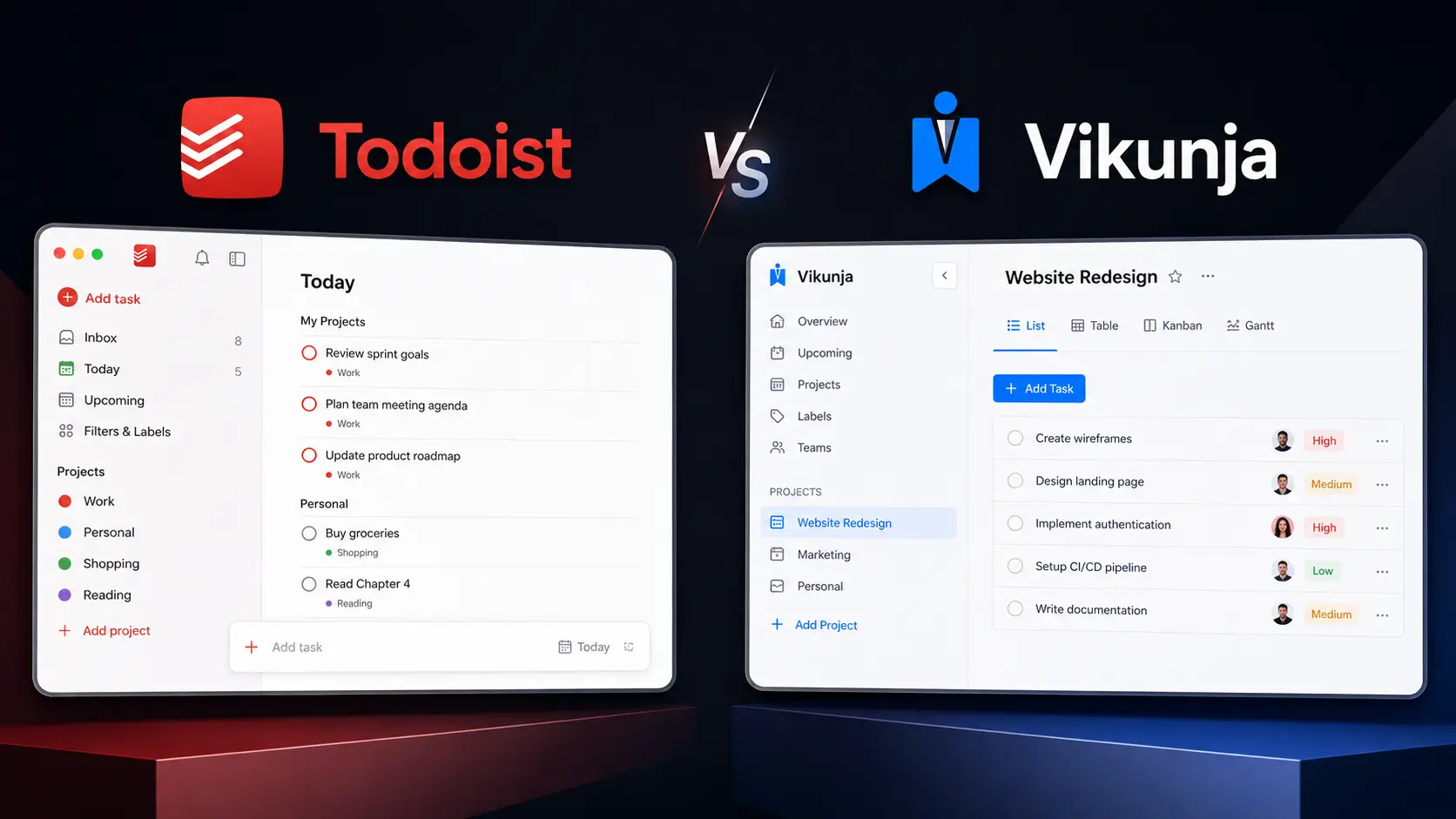
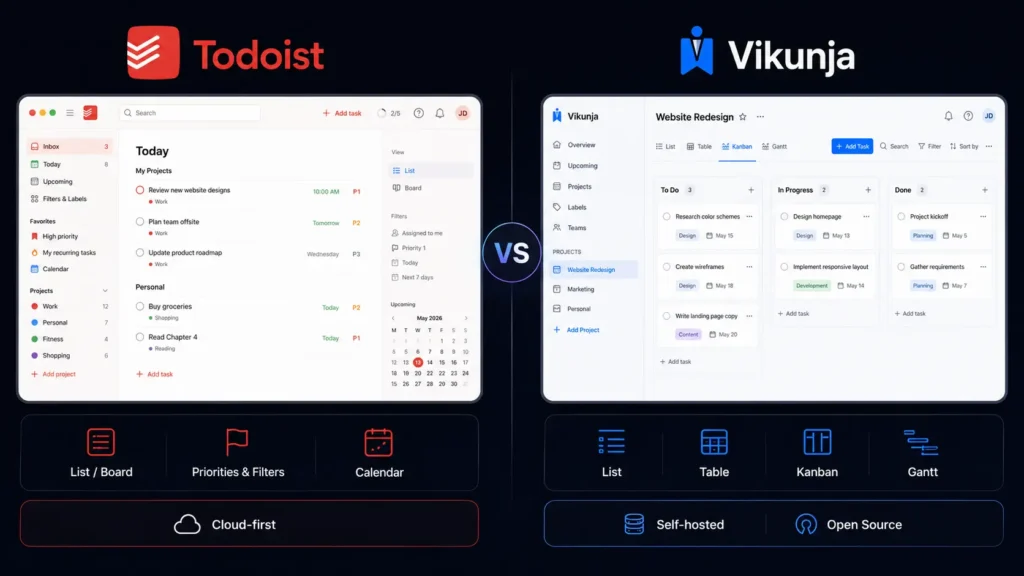
    Two very different options in 2026 are Todoist and Vikunja. Todoist focuses on a polished, low-maintenance productivity experience, while Vikunja takes an open-source approach with self-hosting and flexible project views. This guide compares both tools across task organization, planning, collaboration, flexibility, and pricing so you can choose the better fit for your workflow.

    Editorial disclosure: This article is based on practical workflow evaluation and current official product information. Pricing and features may change over time.

    How We Evaluate Task Management Tools

    We evaluated two task-management platforms using their current 2026 features and pricing, focusing on workflows you are most likely to use during a normal workweek.

    The evaluation included:

    • Task capture: How quickly can you create and organize a new task?
    • Organization: Projects, labels, filters, priorities, and subtasks.
    • Planning: Due dates, recurring tasks, reminders, and project views.
    • Collaboration: Assignments, shared projects, permissions, and team workflows.
    • Flexibility: Integrations, customization, and self-hosting.
    • Value: What you actually receive at free and paid levels.

    The goal is practical rather than theoretical. Whether you are a freelancer, developer, individual user, or small team, your task management software should reduce daily friction rather than create another system you have to maintain.

    Task Management Tools: Todoist vs Vikunja at a Glance

    Tool NameBest ForStarting Price
    TodoistPersonal productivity and team task managementFree
    VikunjaOpen-source task management and self-hostingFree self-hosted

    Best Task Management Tool for Everyday Productivity: Todoist

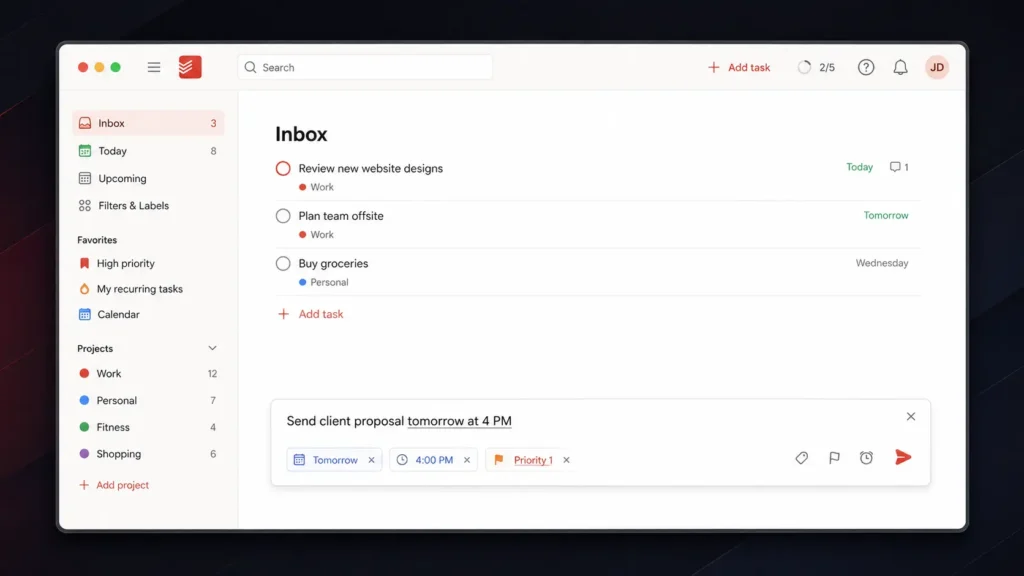
    Todoist is a strong choice when you want to organize work quickly without spending time configuring technical infrastructure. Its biggest advantage is task capture. You can open Quick Add and enter a task using natural language. For example, typing “Send client proposal tomorrow at 4 PM” allows Todoist to interpret the date and time while you create the task. You can also enter priority shortcuts such as p1, p2, or p3 directly into the task field.

    That small workflow difference matters when you are working quickly. Instead of creating a task first and then opening several menus for the date and priority, you can put much of the information into one entry. Todoist’s free Beginner plan includes 5 personal projects, task reminders, Smart Quick Add, list and board layouts, and 3 filter views. Pro expands the allowance to 300 personal projects and adds features including calendar layout, task duration, custom reminders, 150 filter views, reporting history, and Task Assist.

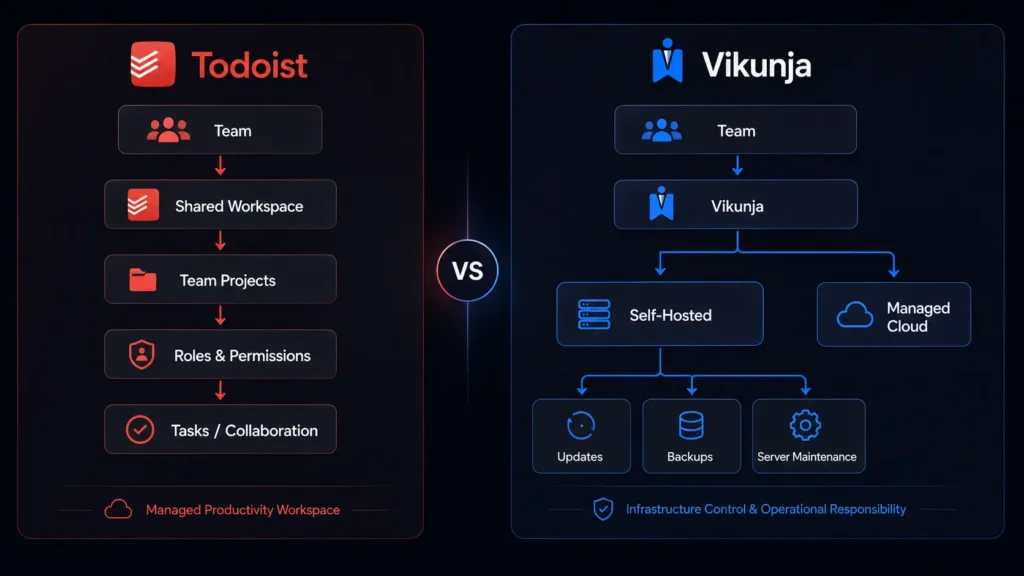
    For teams, Business provides a shared workspace, team projects, roles and permissions, shared templates, team folders, and centralized billing. Todoist works particularly well if you want your productivity tools to stay simple enough for everyday use while still providing advanced organization when your task list grows.

    Pros

    • Fast natural-language task creation.
    • Strong balance between personal and team productivity.

    Cons

    • The free plan is limited to five personal projects.
    • Advanced planning and collaboration features require paid plans.

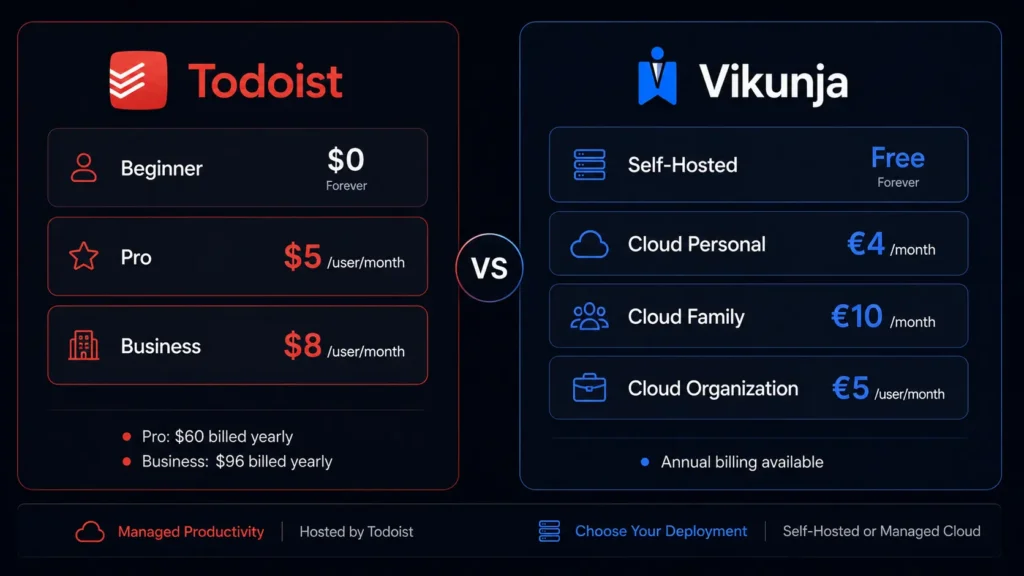
    Pricing: Beginner is $0. Pro is $5/user/month when billed yearly ($60/year). Business is $8/user/month when billed yearly ($96/year), plus applicable local tax. See the latest plans on the Todoist Pricing page.

    Best Task Management Tool for Open-Source Users: Vikunja

    Vikunja takes a different approach. It is an open-source task-management platform that you can self-host for free, giving you much greater control over your installation and data. One of its most useful features is Quick Add Magic. You can enter task information directly into a single line. A command such as Order packing supplies *logistics !3 tomorrow at 5pm can identify the task, apply the logistics label, set its priority, and add the due date.

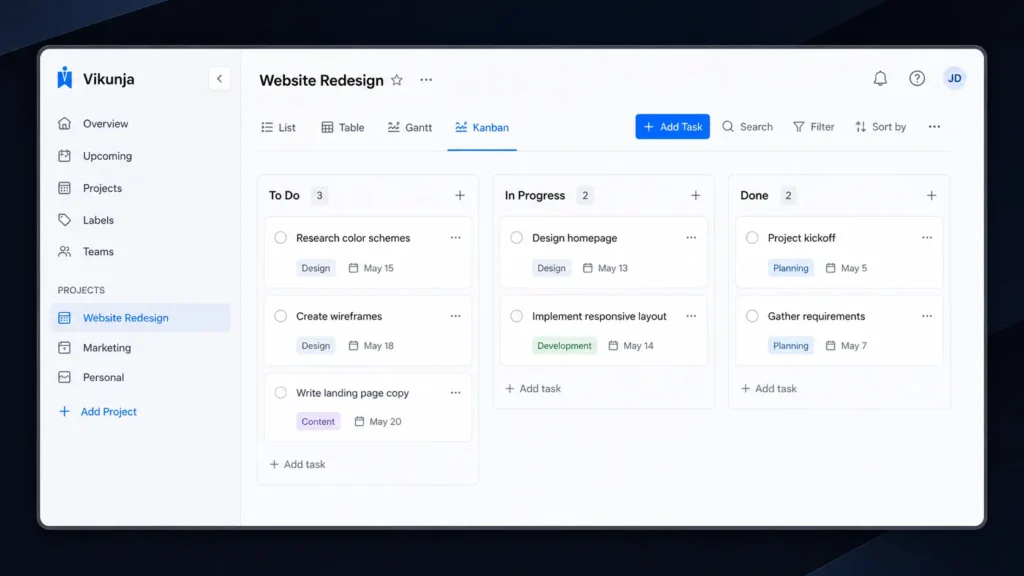
    Vikunja also gives you several ways to view the same project. You can switch between List, Table, Kanban, and Gantt views depending on the type of work you are managing. That flexibility is useful for technical projects. A simple list may be enough for personal errands, while Kanban can help you manage development stages and Gantt can give you a timeline for a larger project.

    Vikunja also supports project nesting, task relationships, recurring tasks, reminders, labels, filters, and team collaboration. Its main attraction is the self-hosted model. You can run the software on your own infrastructure instead of relying entirely on a third-party hosted service. The downside is that you become responsible for server maintenance, updates, backups, and security. For developers and technically confident teams looking for open-source task management, that trade-off may be worthwhile.

    Pros

    • Free self-hosted version.
    • Multiple project views, including Kanban and Gantt.

    Cons

    • Self-hosting requires technical maintenance.
    • Cloud hosting requires a paid subscription.

    Pricing: Self-hosted Vikunja is free. Cloud Personal costs €4/month or €40/year. Family costs €10/month or €99/year for up to five users. Organization costs €5/user/month or €50/user/year. Cloud plans include a 14-day free trial. Check the latest plans on the Vikunja Pricing page.

    Todoist vs Vikunja: Feature Comparison

    The biggest differences become easier to understand when you compare the platforms side by side.

    FeatureTodoistVikunja
    Free optionYesYes, self-hosted
    Self-hostingNoYes
    List viewYesYes
    Board/Kanban viewYesYes
    Calendar viewYes—
    Gantt view—Yes
    Table view—Yes
    Recurring tasksYesYes
    PrioritiesYesYes
    LabelsYesYes
    FiltersYesYes
    SubtasksYesYes
    Team collaborationYesYes
    Project hierarchyYesYes
    CalDAVVia integrationsBuilt in
    Open sourceNoYes
    Todoist import—Yes

    Vikunja’s different project views are one of its strongest differences. You can use List when you want a straightforward checklist, Table when you need to compare task information, Kanban when work moves through stages, and Gantt when dates and dependencies matter. Another useful feature is migration support. Vikunja supports importing tasks from Todoist, Trello, and Microsoft To-Do, which makes it easier to move an existing workflow rather than rebuilding everything manually.

    Which Tool Is Better for Teams?

    Todoist is generally easier for teams that want to start quickly. Its Business plan provides a shared workspace, team projects, project folders, roles and permissions, shared templates, activity information, and centralized billing. You do not need someone on the team to understand server administration. Users can simply sign in and start working.

    Vikunja is more interesting for organizations that already have technical infrastructure. Self-hosting gives you control over where the application runs and how the environment is managed. That difference is important. A development team with someone comfortable managing Docker containers and servers may appreciate Vikunja’s flexibility. A marketing team that simply wants to assign tasks and track deadlines may prefer Todoist.

    If you work in software development, you can also explore our Cursor vs Void comparison for another look at developer-focused productivity software.

    Task Capture: Todoist vs Vikunja

    Both platforms make quick task creation a priority, but their approaches feel slightly different. Todoist is built around a clean natural-language experience. You can write a normal sentence and let the application identify dates and task details. This makes it particularly comfortable when you are capturing ideas throughout the day. Vikunja’s Quick Add Magic gives you more explicit control through its syntax. You can specify labels, priorities, dates, recurring schedules, projects, and other information directly.

    Final Verdict: Which Task Management Tools Should You Choose?

    Choose Todoist if you want a polished, easy-to-maintain system for personal tasks, freelance work, client projects, and team collaboration. Its quick task entry and filtering make everyday planning straightforward. Choose Vikunja if you value self-hosting, flexibility, and open-source software. Its different project views make it particularly useful for technical workflows and structured projects. Both options give you a low-risk way to test a new workflow, so start with the free option that matches your priorities. After a week of real use, the better choice should become obvious. Which Task Management Tools will fit the way you actually work in 2026?

    FAQ

    Which is better for personal productivity, Todoist or Vikunja?

    For most individual users, Todoist is the easier starting point. You can create tasks quickly, organize them into projects, add priorities and labels, and create filtered views without managing a server. Vikunja becomes more attractive if you want to control your own installation or prefer open-source software.

    Is Vikunja really free?

    Yes. The self-hosted version is free and includes its core task-management functionality. You are responsible for the infrastructure, however, including updates, backups, and server maintenance. If you do not want to manage those technical details, Vikunja Cloud provides hosted plans starting at €4 per month.

    Which Task Management Tools are best for developers?

    Developers may prefer Vikunja when self-hosting, open-source software, flexible project views, and infrastructure control are important. Todoist makes more sense when you want to spend less time configuring software and more time completing tasks. Its simpler workflow can also be useful when your development work is mixed with meetings, personal reminders, and client communication.

  • Customer Support Platforms: Intercom vs Chatwoot Which One Is Better?

    Customer Support Platforms: Intercom vs Chatwoot Which One Is Better?

    Managing customer questions becomes difficult when messages arrive from live chat, email, WhatsApp, and social media at the same time. The right Customer Support Platforms can bring those conversations into one place, automate routine requests, and help your team respond without losing track of important issues. Two platforms worth comparing are Intercom and Chatwoot. Intercom focuses heavily on AI-powered customer service, while Chatwoot combines omnichannel support with an open-source approach. The big question is simple: should you pay more for Intercom’s broader customer experience ecosystem, or choose Chatwoot for its affordability and flexibility?

    Editorial disclosure: This comparison is based on product documentation, current pricing information, and workflow-focused evaluation. It is not based on an undisclosed paid endorsement.

    How We Evaluate Customer Support Platforms

    We evaluated both platforms for common support workflows that startups, SaaS companies, and small customer service teams are likely to encounter. Rather than judging them only by the number of features listed on their websites, the focus was on practical day-to-day use.

    The main evaluation criteria were:

    • Shared inbox and conversation management
    • AI and automation capabilities
    • Live chat and communication channels
    • Help center and knowledge-base features
    • Team collaboration and reporting
    • Pricing and scalability

    We also considered how each platform fits into a broader business software stack. For example, if you’re comparing customer support with CRM functionality, our HubSpot vs Twenty comparison provides useful context around another important part of customer management.

    At-a-Glance Comparison

    Tool NameBest ForStarting Price
    IntercomAI-first customer support and SaaS teams$29/seat/month annually
    ChatwootAffordable omnichannel support and open-source flexibilityFree

    Intercom’s Essential plan starts at $29 per seat per month when billed annually. Chatwoot’s Hacker plan is free for up to two agents and 500 conversations per month.

    Individual Tool Reviews

    Best Customer Support Platform for AI-First Support: Intercom

    Intercom is the better fit when you want customer support, automation, AI, ticketing, and proactive customer communication in one platform. Its biggest differentiator is Fin, Intercom’s AI agent. Fin can answer customer questions using your support content and can hand conversations over to human agents when necessary. This makes Intercom particularly interesting if your team receives a large number of repetitive questions.

    The platform also provides a shared Inbox where agents can manage customer conversations, assign conversations to teammates, and use automation to reduce manual work. Its help center can work alongside the support inbox, giving customers a self-service option before they contact an agent. One pricing detail you should watch is that Fin is charged according to outcomes rather than simply being included as unlimited AI usage. Intercom currently lists Fin from $0.99 per outcome. That means your actual monthly bill can depend on how much AI support your customers use.

    For a growing SaaS company, this makes Intercom more than traditional customer support software. You can use the same ecosystem for support, customer engagement, and automated assistance.

    Pros

    • Strong AI agent and automation capabilities
    • Extensive customer support and engagement ecosystem

    Cons

    • Costs can increase as your team and usage grow
    • Advanced features are reserved for higher plans

    Pricing: Essential starts at $29/seat/month when billed annually or $39/seat/month when billed monthly. Advanced starts at $85 annually or $99 monthly per seat, while Expert starts at $132 annually or $139 monthly. Fin starts at $0.99 per outcome. Intercom offers a 14-day free trial.

    Best Customer Support Platform for Open-Source Flexibility: Chatwoot

    Chatwoot takes a more flexible approach to customer support. Its core idea is straightforward: give your team a shared workspace where conversations from different channels can be managed without forcing you into a proprietary support ecosystem. Depending on your plan and configuration, Chatwoot supports channels including website chat, email, Facebook, Instagram, WhatsApp, TikTok, Telegram, and others. This is useful when your customers don’t all communicate through the same channel.

    The pricing is one of Chatwoot’s biggest advantages. Its Hacker plan is free for up to two agents and 500 conversations per month. The Startups plan begins at $19 per agent per month when billed annually, which makes it considerably more approachable for small teams. Chatwoot also offers a self-hosted Community Edition. That is a major distinction if you want to maintain more control over where your support infrastructure runs. Its Captain AI feature adds AI-assisted support capabilities, but the platform’s strongest argument remains its combination of omnichannel support, open-source flexibility, and lower entry cost.
    Pros

    • Free plan for small teams
    • Open-source and self-hosting options

    Cons

    • Some advanced capabilities require paid plans
    • AI usage is based on credits

    Pricing: Hacker is free for up to two agents and 500 conversations/month. Startups costs $19/agent/month annually, Business costs $39/agent/month annually, and Enterprise costs $99/agent/month annually.

    Intercom vs Chatwoot: Key Feature Comparison

    FeatureIntercomChatwoot
    Shared inboxYesYes
    Live chatYesYes
    Email supportYesYes
    WhatsAppAvailableAvailable
    AI agentFin AI AgentCaptain AI
    AI pricingFrom $0.99/outcomeCredit-based
    Help centerYesYes on eligible plans
    AutomationYesYes
    Self-hostingNoYes
    Free planNo permanent free planYes
    Omnichannel supportYesYes
    Open-sourceNoYes

    The difference becomes clearer when you look beyond the feature checklist. Intercom is built around a broader customer engagement ecosystem. Its AI, support inbox, help center, ticketing, automation, and customer communication tools are designed to work together. Chatwoot puts more emphasis on flexibility and ownership. If self-hosting matters to you, Intercom simply cannot provide the same option because Chatwoot offers a self-hosted edition. That distinction can matter more than a long list of individual features.
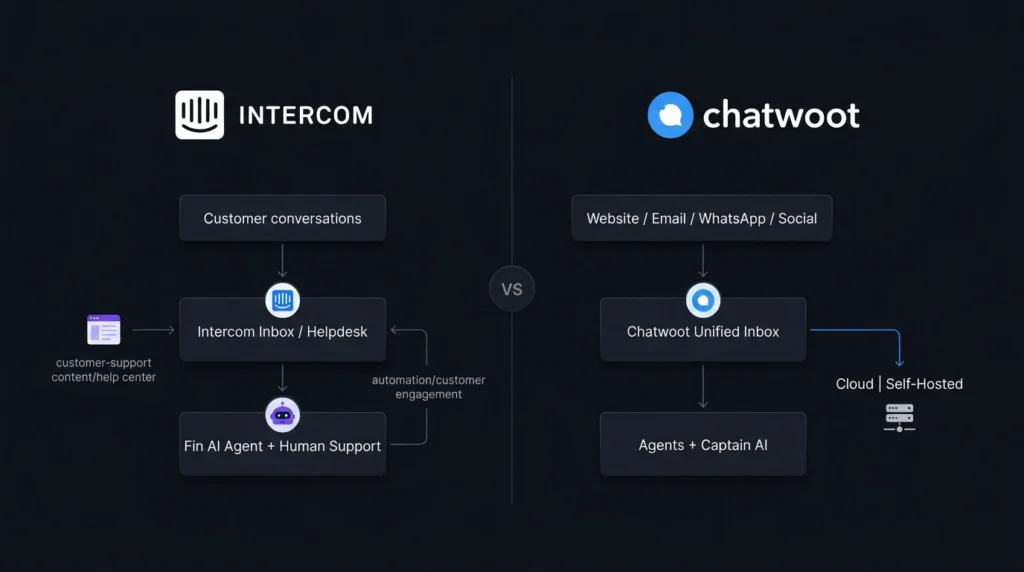
    Which Customer Support Software Should You Choose?

    If you run a SaaS company and expect customer conversations to grow quickly, Intercom is probably the stronger choice. Its AI capabilities and broader customer engagement tools make it suitable for teams that want to automate repetitive support while maintaining human-agent workflows. You should lean toward Chatwoot if keeping software costs under control is important, particularly during the early stages of your business. The free plan gives very small teams somewhere to start, while the paid plans provide room to expand.
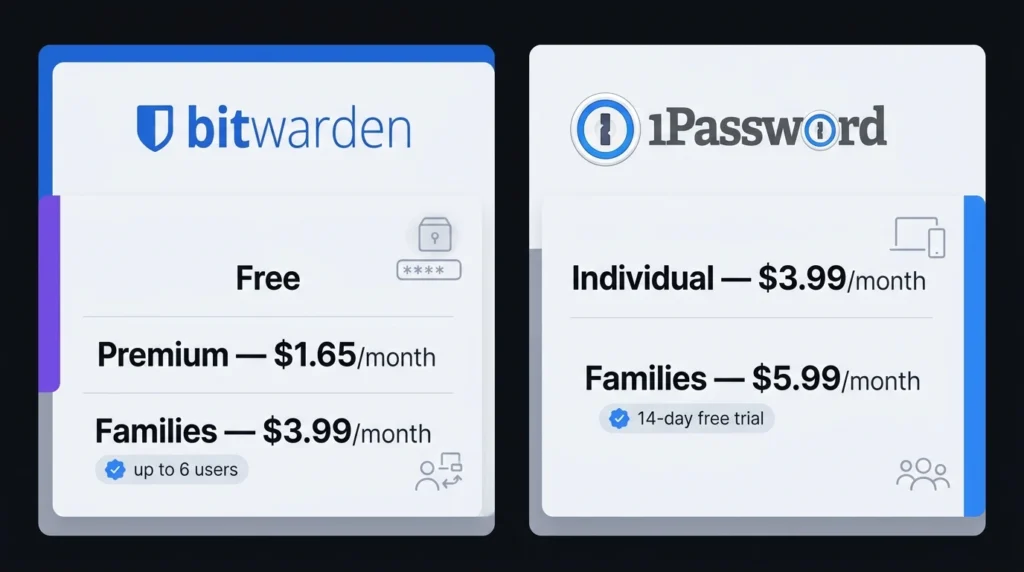
    Chatwoot also deserves serious consideration if you want self-hosting. That option can be valuable for businesses that need greater control over their support infrastructure. Your wider workflow matters, too. Customer support teams often spend a surprising amount of time in meetings discussing customer issues, product feedback, and escalations.

    Choose Intercom if:

    • AI-powered support is a major priority
    • You need customer engagement alongside support
    • You’re running a growing SaaS or digital business
    • You’re comfortable with usage-based AI costs

    Choose Chatwoot if:

    • You need an affordable support platform
    • You want a free starting plan
    • Omnichannel support is important
    • You want open-source or self-hosted deployment

    Final Verdict

    Intercom and Chatwoot are both capable platforms, but they are aimed at slightly different priorities. Intercom is the stronger choice for businesses that want advanced AI support, customer engagement, and a mature commercial ecosystem. Chatwoot stands out for affordability, omnichannel support, and open-source flexibility. If you’re unsure, start with the available trial or free plan and put real customer conversations through the platform. The best Customer Support Platforms should reduce the work your team has to manage—not create another dashboard everyone learns to avoid. Which one fits the way your support team actually works?

    Frequently Asked Questions

    Is Intercom better than Chatwoot for AI customer support?

    If AI is your main priority, Intercom has the more developed AI-centered support experience. Fin is closely connected to Intercom’s wider customer service environment, allowing AI assistance to work alongside human support workflows. However, that doesn’t automatically make it the right choice for everyone. If your support volume is relatively low and you’re more concerned about cost or self-hosting, Chatwoot can make more sense.

    Is Chatwoot a good free customer support platform?

    Yes. Chatwoot’s Hacker plan gives you a free starting point for up to two agents and 500 conversations per month. That can be enough for a small startup or early-stage business testing an omnichannel support workflow. Once your requirements grow, you’ll need to compare the paid plans carefully because additional channels, automation, AI credits, and other capabilities can affect the total cost.

    Which one is better for a small business?

    For a small business with a limited support budget, Chatwoot is generally the easier starting point. Its free plan removes the initial subscription cost, while its paid plans remain relatively affordable. Intercom can still be worthwhile if you expect to rely heavily on AI automation and proactive customer engagement. The better choice depends on whether you value lower entry cost or a broader customer experience platform.

  • Password Managers: Bitwarden vs 1Password Best Choice for Security?

    Password Managers: Bitwarden vs 1Password Best Choice for Security?

    Forgetting passwords, reusing the same login across multiple websites, or saving credentials in random notes can quickly become a security headache. Password managers give you a safer way to create, store, and autofill unique passwords without forcing you to remember dozens of complicated combinations. Two names that deserve serious attention are Bitwarden and 1Password. Both offer encrypted vaults, password generation, autofill, secure sharing, and security-monitoring features. However, their approaches to pricing, usability, transparency, and account protection are different. If you are choosing between them for yourself, your family, remote work, or a small business, this comparison will help you decide which option fits your needs.

    Editorial disclosure: This comparison is based on independent product evaluation and current official product information. Pricing and features may change.

    How We Evaluate Password Managers

    We evaluated two password managers Bitwarden and 1Password in August 2026, focusing on practical everyday use instead of simply comparing feature lists.

    Our evaluation considered:

    • Security architecture and encryption
    • Password generation and autofill
    • Desktop, browser, and mobile experience
    • Vault organization and sharing
    • Family and business management
    • Pricing and overall value

    We also considered practical tasks such as creating a new login, generating a strong password, adding another device, sharing credentials, and reviewing stored account security.

    If you regularly work across multiple online services, password management is only one part of maintaining a secure digital workflow. For broader productivity software comparisons, you can also explore Google Workspace vs LibreOffice. The goal is straightforward: help you understand not just which product has more features, but which one makes sense for your everyday password habits.

    Password Managers at a Glance

    Tool NameBest ForStarting Price
    BitwardenOpen-source security and valueFree
    1PasswordPolished everyday password management$3.99/month

    Bitwarden offers a free individual plan with unlimited passwords and access across devices. You can check its current plans on the official Bitwarden pricing page.

    1Password does not have a permanent free personal plan, but you can start with its trial. Its regular Individual price is $3.99/month when billed annually, while Families is $5.99/month. See the official 1Password personal pricing page for current pricing and promotions.

    Best Password Managers for Security: Bitwarden vs 1Password

    Best Password Management Tool for Open-Source Security: Bitwarden

    Bitwarden is particularly attractive if you want strong security without immediately paying for a subscription. Its free personal plan covers unlimited logins, notes, cards, and identities, while also providing access across devices. One practical detail that makes Bitwarden interesting is its broad platform support. You can use browser extensions, desktop applications, mobile apps, the web vault, and even a command-line interface. That flexibility matters if you regularly switch between a personal laptop, work computer, and phone.

    Security is its biggest differentiator. Bitwarden uses a zero-knowledge architecture, meaning the company says it cannot decrypt the contents of your vault. Its source code is also publicly available, allowing researchers and technically minded users to inspect the software. For people searching for password security software that combines affordability with open-source transparency, Bitwarden is difficult to overlook.

    Pros

    • Free plan supports unlimited password storage and multiple devices.
    • Open-source and zero-knowledge security architecture.

    Cons

    • Interface is more functional than premium.
    • Some advanced features require a paid plan.

    Pricing: Bitwarden pricing includes a Free individual plan. Premium is $1.65/month ($19.80/year), while Families is $3.99/month for up to 6 users when billed annually. Business plans include Teams at $4/user/month and Enterprise at $6/user/month with annual billing.

    Best Password Manager for Ease of Use: 1Password

    1Password takes a more polished approach to password management. Rather than competing mainly on price, it focuses on making security features easier to use during everyday work.

    There is also a useful setup shortcut when you add another device. If you are already signed in, you can use the Set Up Another Device option and scan a QR code to help configure the new device. It is a small interaction, but it can save you from manually dealing with lengthy account information.

    1Password also includes Watchtower, which helps identify weak or compromised credentials and other security concerns. For users who want secure password managers without spending much time thinking about the underlying security architecture, 1Password is a strong candidate.

    Pros

    • Polished interface with strong everyday usability.
    • Excellent organization and family-sharing features.

    Cons

    • No permanent free personal plan.
    • Costs more than Bitwarden.

    Pricing: 1Password Personal & Family pricing starts at $3.99/month for Individual with annual billing. Families costs $5.99/month for up to five members. A 14-day free trial is available.

    Bitwarden vs 1Password: Feature Comparison

    FeatureBitwarden1Password
    Free personal planYesNo permanent free plan
    Password generatorYesYes
    AutofillYesYes
    Encrypted vaultYesYes
    Zero-knowledge architectureYesYes
    Open sourceYesNo
    Family planUp to 6 usersUp to 6 members
    Security monitoringVault health reportsWatchtower
    Cross-device accessYesYes
    Self-hostingAvailableNo standard self-hosted option
    Business plansYesYes

    Bitwarden’s open-source approach is one of its most important differences. Its security documentation explains how vault information is encrypted before being stored and how users control the keys needed to decrypt it.

    1Password uses a different model. Its security information explains how the account password works alongside the Secret Key as part of its protection system. That does not mean one service is secure and the other is not. Both are built around strong encryption. The more important question is which security model and user experience you prefer.

    Password Management Tools for Remote Workers

    Remote work can make password organization more complicated. You may have separate credentials for client accounts, project-management platforms, cloud storage, communication tools, and company services. This is where organized vaults become useful. Instead of putting everything into one long list, you can separate personal credentials from work-related accounts and share only the items another person actually needs.

    Bitwarden’s organizational features are useful if you want a relatively straightforward structure for shared credentials. 1Password takes a similarly organized approach through separate vaults and sharing controls. If you are building a larger remote-work software stack, password security should also sit alongside secure communication, file sharing, and productivity tools.

    Which Password Manager Is Better for Families?

    Family use changes the decision because you are no longer managing only your own credentials. Bitwarden Families supports up to six users and provides shared collections for family credentials. At $3.99/month when billed annually, it is also the cheaper of the two family options. You can confirm the current amount on Bitwarden’s official pricing page.

    1Password Families costs $5.99/month at the regular annual price and supports the account holder plus up to five invited family members. Shared vaults let you give relatives access to selected credentials while keeping personal items separate. Current details are available on 1Password’s family pricing page. If your main concern is keeping costs low, Bitwarden has the advantage. If you prefer a more polished family-management experience, 1Password may be worth the additional subscription.

    Which Is Better for Small Businesses?

    Businesses need more than a place to save passwords. You may need employee management, access controls, secure sharing, activity information, and a way to remove access when someone leaves. Bitwarden Business provides Teams and Enterprise plans with organization-focused features. Teams starts at $4/user/month, while Enterprise starts at $6/user/month, based on annual billing.

    1Password Business focuses on administrative controls, secure sharing, identity-provider integrations, and centralized management. Its Business plan is $8.99/user/month with annual billing, while the Teams Starter Pack costs $24.95/month for up to 10 users. For a small company watching its software budget, Bitwarden’s pricing can make a meaningful difference. If your organization already relies heavily on identity-management systems and values a polished administration experience, 1Password deserves consideration.

    Final Verdict: Bitwarden or 1Password?

    So, which one should you choose? Bitwarden is the better pick if you want a free starting point, open-source transparency, and strong security at a low cost. 1Password is the stronger choice if you are willing to pay for a polished experience, convenient sharing, and its additional Secret Key security model. You do not have to make the decision blindly. Try Bitwarden’s free plan or start the 1Password free trial and see which workflow fits your routine. The best password managers are ultimately the ones you will actually use consistently. Which one would make it easier for you to stop reusing passwords?

    Frequently Asked Questions

    Are password managers safe?

    Reputable password managers can improve your security because they allow you to create a different strong password for every account. Bitwarden uses a zero-knowledge architecture, while 1Password combines your account password with its Secret Key. Still, no password manager can protect you from every threat. You should use two-factor authentication where available, keep your devices updated, and protect your main password-manager credentials carefully.

    Is Bitwarden better because it is open source?

    Not automatically. Open-source software gives developers and security researchers an opportunity to inspect the code, which provides valuable transparency. Bitwarden combines this approach with its zero-knowledge architecture. 1Password is not open source, but it uses its own security model that includes the Secret Key. Your decision should therefore depend on the level of transparency, usability, and control you value rather than one feature alone.

    Which password management tools are cheapest?

    Bitwarden wins on entry price because its core personal plan is free. 1Password requires a subscription after its trial, with Individual normally costing $3.99/month when billed annually. If you only need basic password storage and strong password generation, Bitwarden’s free plan may be all you need. If you want a more polished experience and are comfortable with a subscription, 1Password is worth testing.

  • Product Analytics Platforms: PostHog vs Mixpanel Which One Should You Choose?

    Product Analytics Platforms: PostHog vs Mixpanel Which One Should You Choose?

    When you cannot tell why users abandon onboarding, ignore a new feature, or stop returning, your product data quickly becomes a pile of numbers instead of useful answers. The right product analytics platforms can turn those events into funnels, retention reports, cohorts, and behavior patterns you can actually act on. PostHog and Mixpanel are two strong options, but they take noticeably different approaches to product analytics.

    Good product analytics tools can help you understand what users do inside your product without forcing you to build every report from scratch. PostHog takes a broader product-engineering approach, while Mixpanel puts a strong emphasis on product and behavioral analysis.

    Editorial disclosure: This comparison is an independent editorial evaluation based on current product documentation, pricing information, and published product capabilities. It is not sponsored by either company.

    How We Evaluate PostHog and Mixpanel

    For this comparison, we evaluated both platforms using their current public product capabilities and pricing information available in 2026. The goal is not simply to count features. You need to know how those features fit into a real product team’s workflow.

    We looked at:

    • Event analytics: How easily you can turn product events into useful reports.
    • Funnels and retention: Whether you can identify conversion problems and returning-user patterns.
    • User behavior analytics: How well each platform helps you segment and understand users.
    • Developer workflow: The amount of control and technical flexibility available.
    • Extra product tools: Session replay, experimentation, feature flags, and related capabilities.
    • Pricing: Free limits, usage-based costs, and how each platform scales.

    This approach is especially relevant if you work as a product manager, SaaS founder, developer, marketer, or data analyst and need analytics that can support decisions rather than simply produce attractive dashboards.

    At-a-Glance Comparison

    Tool NameBest ForStarting Price
    PostHogProduct-led teams and developersFree; 1M events/month
    MixpanelBehavioral analytics and product teamsFree; 1M events/month

    PostHog currently provides 1 million Product Analytics events per month for free, with usage-based pricing after the free allowance. Its Session Replay and Feature Flags products also have separate free allowances. Mixpanel’s current Free plan includes up to 1 million events per month, 10,000 session replays, unlimited seats, and core funnels and retention analysis.

    PostHog: Best Product Analytics Platform for Product-Led Teams

    PostHog is the more expansive choice if you want analytics to sit alongside the tools you use to build and improve a product. Its platform brings together product analytics, session replay, feature flags, experiments, surveys, error tracking, a managed warehouse, and other product-development capabilities.

    The practical difference becomes clear when you investigate a product problem. You might start with an event such as signup_completed, turn it into an analytics insight, and then use session replay to investigate what users actually did. From there, feature flags or experiments can help you test a possible fix. That creates a shorter path between event analytics and product action.

    Another useful detail is the pricing model. PostHog uses usage-based pricing rather than forcing every customer into a traditional fixed package. Product Analytics currently includes 1 million free events per month, then charges $0.00005 per event. Session Replay includes 5,000 free recordings per month, while Feature Flags include 1 million free requests.

    Pros

    • Broad product stack beyond analytics alone.
    • Generous usage-based free tiers for several products.

    Cons

    • The large feature set can take time to learn.
    • Usage-based pricing requires you to monitor consumption.

    Pricing: Product Analytics — 1 million events/month free, then $0.00005/event; Session Replay — 5,000 recordings/month free, then $0.005/recording; Feature Flags — 1 million requests/month free, then $0.0001/request.

    Mixpanel: Best Product Analytics Platform for User Behavior Analytics

    Mixpanel takes a more focused approach to understanding what users do inside your product. Its core analytics capabilities include funnels, retention analysis, cohorts, segmentation, and event tracking.

    A useful way to think about Mixpanel is to start with a question rather than a dashboard. Suppose your signup flow has four steps. You can build a funnel around those events and see where users disappear. Then you can segment the result by properties such as device, plan, or user group to investigate whether one audience is struggling more than another.

    Mixpanel’s current Free plan gives you up to 1 million events per month and 10,000 session replays. Its Growth plan starts at $0 and uses event-volume pricing, with the first 1 million events included. The current pricing page also lists unlimited saved metrics and reports on Growth, alongside higher event and replay limits.

    Pros

    • Strong funnel, retention, cohort, and segmentation workflows.
    • Useful for teams that want self-serve behavioral analysis.

    Cons

    • Advanced usage can increase costs as event volume grows.
    • Larger analytics implementations still require careful tracking design.

    Pricing: Free — up to 1 million events/month and 10,000 session replays/month; Growth — starts at $0 with usage-based pricing and the first 1 million events included; Enterprise — custom pricing.

    PostHog vs Mixpanel: Feature Comparison

    FeaturePostHogMixpanel
    Product analyticsYesYes
    Event analyticsYesYes
    Funnel analysisYesYes
    Retention analysisYesYes
    Cohorts / segmentationYesYes
    Session replayYesYes
    Feature flagsYesYes
    ExperimentationYesYes
    SurveysYes—
    Error trackingYes—
    Managed data warehouseYes—
    Web analyticsYesYes
    Mobile analyticsYesYes

    The important distinction is not simply that both platforms check many of the same boxes. PostHog is positioned as a broader product-engineering platform, while Mixpanel is more centered on product intelligence and behavioral analysis. Mixpanel’s current platform also includes capabilities such as session replay, feature flags, and experimentation.

    Which One Is Better for Developers?

    If you are a developer or technical product team, PostHog deserves the first look. Its appeal comes from putting analytics alongside engineering-oriented functionality. You can use product analytics to identify a problem and then move toward feature flags, experiments, error tracking, or replay without necessarily assembling every capability from separate vendors.

    Mixpanel is still capable for technical teams, particularly when the main requirement is understanding events and user journeys. But if your roadmap includes experimentation, feature releases, error investigation, and behavioral analysis as one connected workflow, PostHog has the broader scope.

    Which One Is Better for Product Managers and Growth Teams?

    Mixpanel is particularly strong when your daily questions sound like: “Where are users dropping off?”, “Which behavior predicts retention?”, or “How does this cohort compare with another?” Its analytics approach is well suited to funnels, retention, cohorts, segmentation, and detailed user behavior analytics.

    That makes it a natural fit for product managers and growth teams who want to investigate user journeys without depending on an analyst for every question.

    PostHog can answer many of the same questions, but its wider toolkit may be more valuable when analytics is part of a larger product-development process.

    PostHog vs Mixpanel: Pricing and Value

    Both products give you a realistic way to start without immediately paying for a large annual contract.

    PostHog’s model is heavily usage-based. Its Product Analytics free allowance is 1 million events per month, with separate free limits for products such as Session Replay and Feature Flags.

    Mixpanel’s Free plan also allows up to 1 million events per month and 10,000 session replays. Its Growth plan includes the first 1 million events and then charges according to usage, with volume discounts available.

    That means your expected event volume matters more than simply comparing a monthly sticker price. A small SaaS product may stay within either free tier for quite some time. A high-volume consumer application should model events, replays, and other usage before choosing.

    Final Verdict: Which Product Analytics Platform Should You Choose?

    Choose PostHog if you want a broad product stack that connects analytics with experimentation, feature flags, session replay, and engineering workflows. Choose Mixpanel if your main priority is polished product and user behavior analytics, particularly funnels, retention, cohorts, and segmentation. Both give you a low-risk way to start, so build a few real reports before making a long-term decision. The best product analytics platforms are the ones that help your team move from “What happened?” to “What should we do next?” Which workflow fits the way your team actually builds products?

    Frequently Asked Questions

    What are the best product analytics platforms for a SaaS startup?

    There is no universal winner. If you want analytics plus feature flags, experiments, session replay, error tracking, and other product-development tools, PostHog is compelling. If your priority is funnels, retention, cohorts, segmentation, and detailed behavioral analysis, Mixpanel is a strong candidate. Both currently provide free starting options.

    Is PostHog better than Mixpanel?

    It depends on your workflow. PostHog is the better fit when you want several product-development capabilities under one platform. Mixpanel is attractive when your team mainly needs mature product and user behavior analytics. Your event volume and preferred workflow should ultimately decide the winner.

    Should you consider another analytics tool?

    Yes. Amplitude, Heap, and other analytics products may also fit your requirements. You should compare them if you need a specific integration, reporting workflow, data-governance feature, or pricing model that PostHog or Mixpanel does not provide.