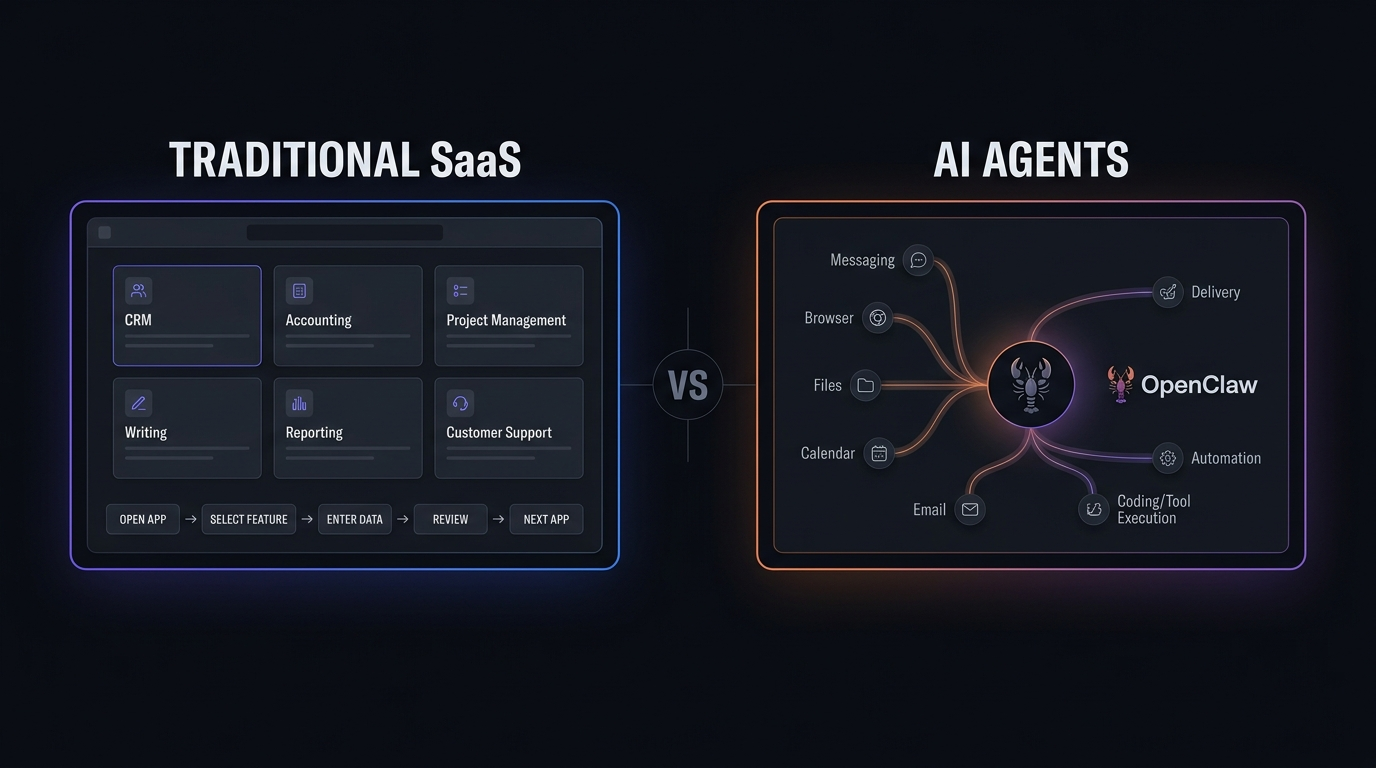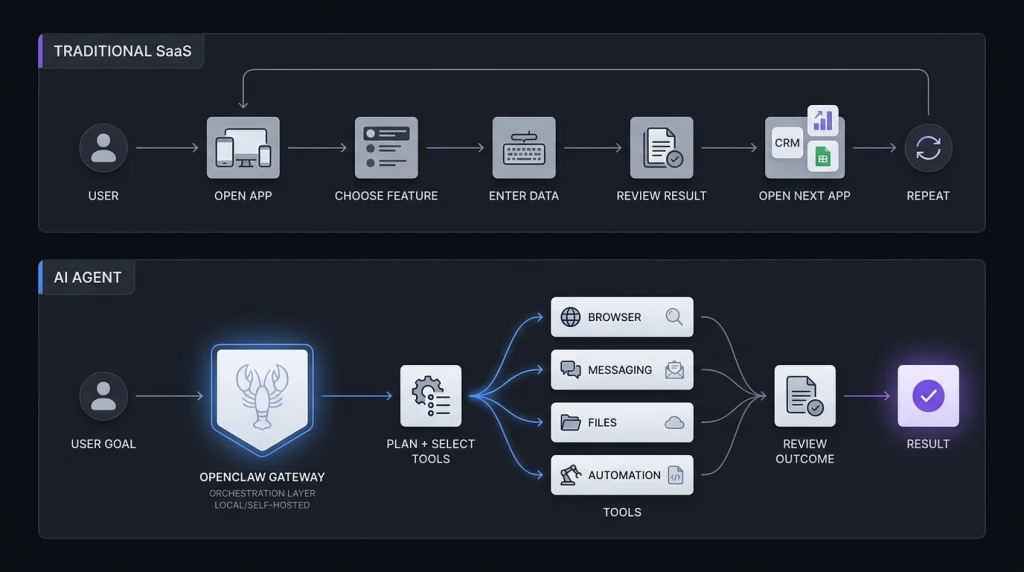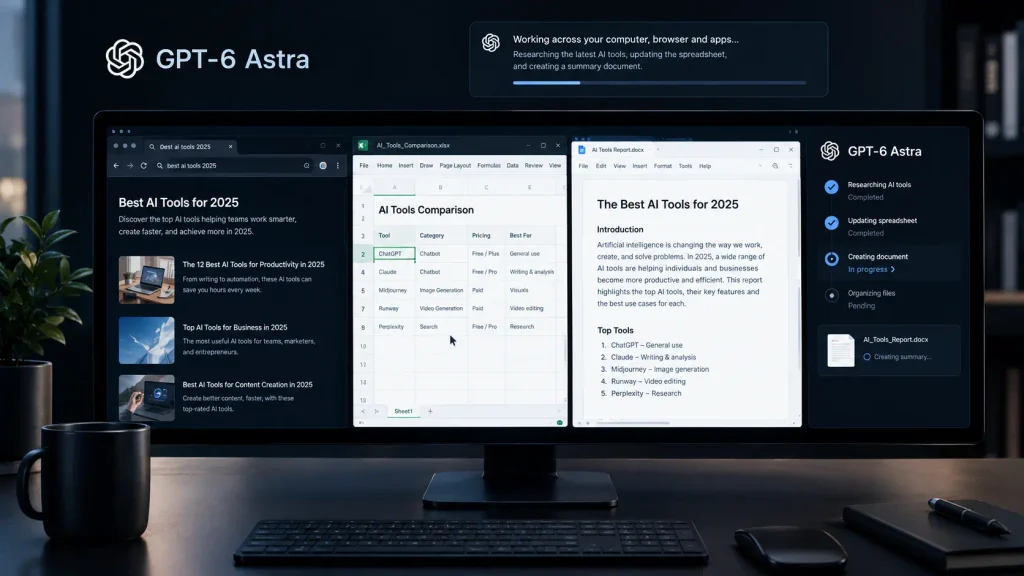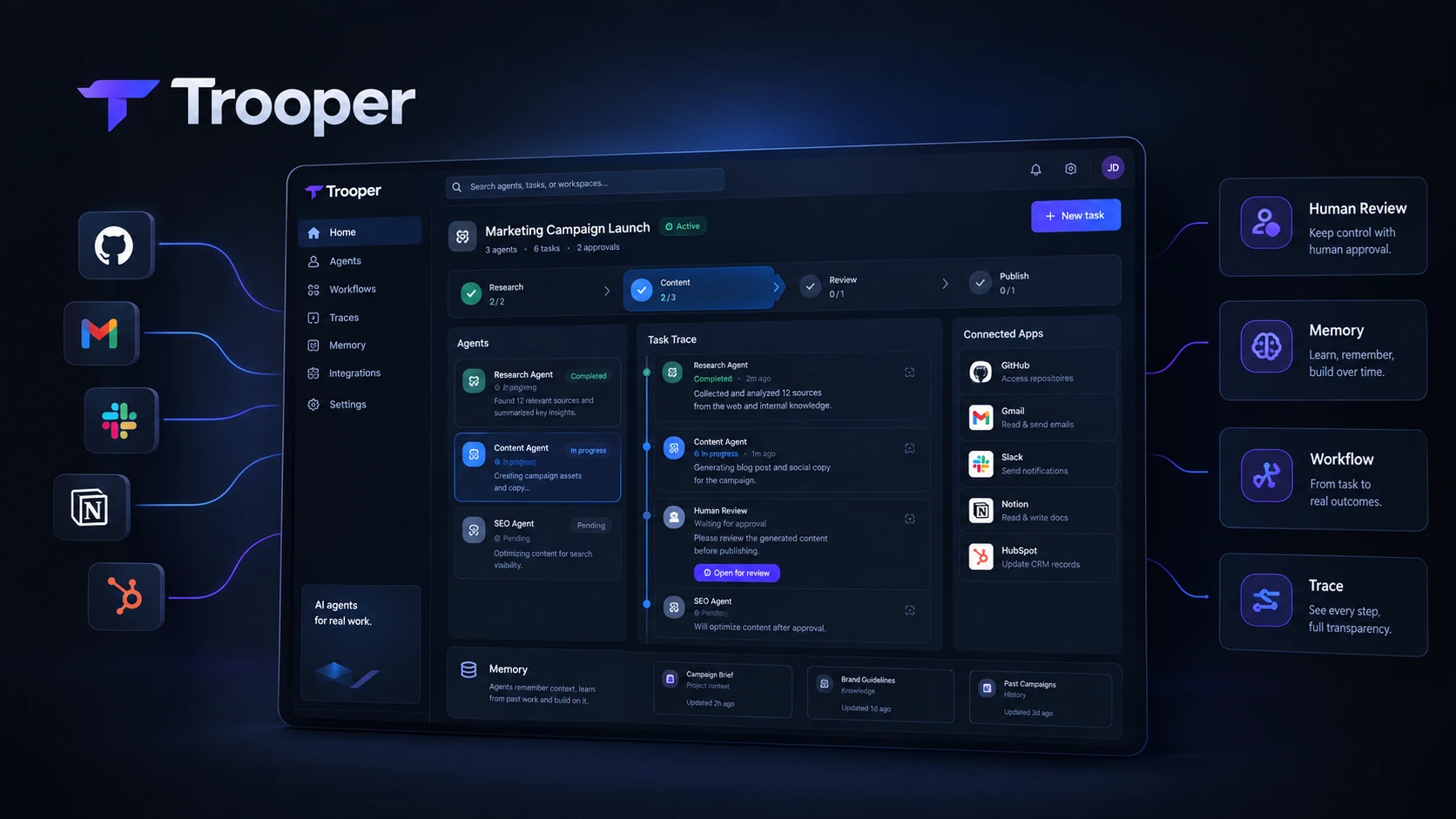
AI Agents are moving beyond simple chatbots. Instead of only answering questions or generating text, modern agents can use software, follow workflows, complete tasks, and return to humans when approval is needed. Trooper is built around this idea. It positions AI agents as digital teammates that can work across business tools and handle real tasks instead of simply responding to prompts. For this review, we evaluated Trooper as an AI agent platform during the September 2026 review cycle, focusing on its task execution, integrations, memory, workflows, security, deployment options, and pricing. The platform is aimed at business owners, developers, marketers, SaaS users, and technical teams that want more than a standard AI assistant.
What Is Trooper?
Trooper is an AI agent platform designed to give AI agents access to the tools people already use for work. Instead of keeping the agent inside a chat window, Trooper lets agents work with applications such as GitHub, Gmail, Slack, Notion, Linear, Figma, HubSpot, Salesforce, Jira, Airtable, Shopify, Intercom, Asana, Google Docs, LinkedIn, Trello, and many others. Its website currently lists more than 1,000 integrations. This makes Trooper closer to an AI workforce platform than a traditional chatbot. You can give an agent a task, let it work through connected tools, and require human approval before important actions are completed. Trooper also supports persistent memory, workflows, browser automation, and different deployment options. The main idea is simple: tell the agent what needs to be done, give it access to the required tools, and let it execute the work.
Trooper Features
AI Agent Platforms Built for Task Execution
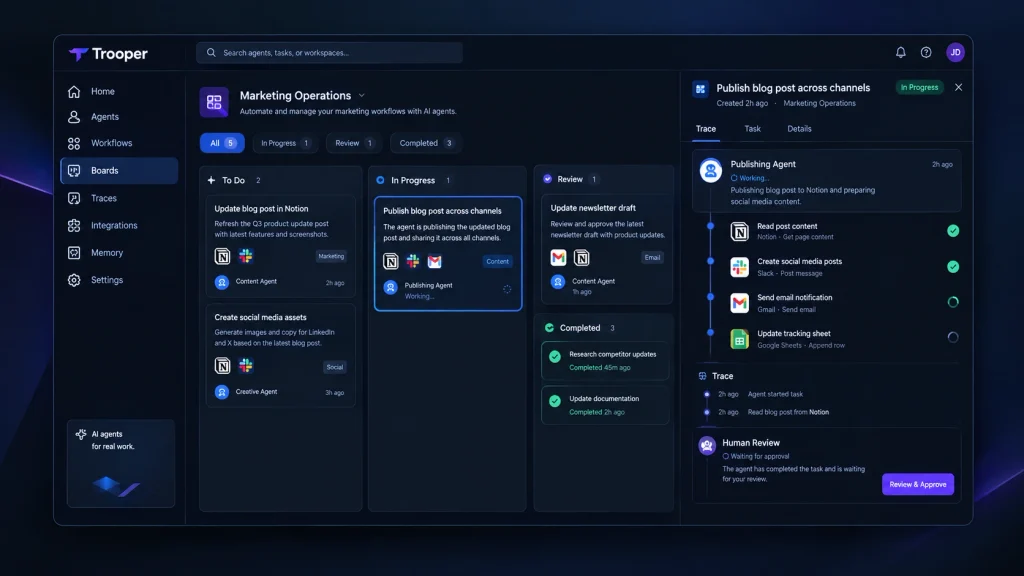
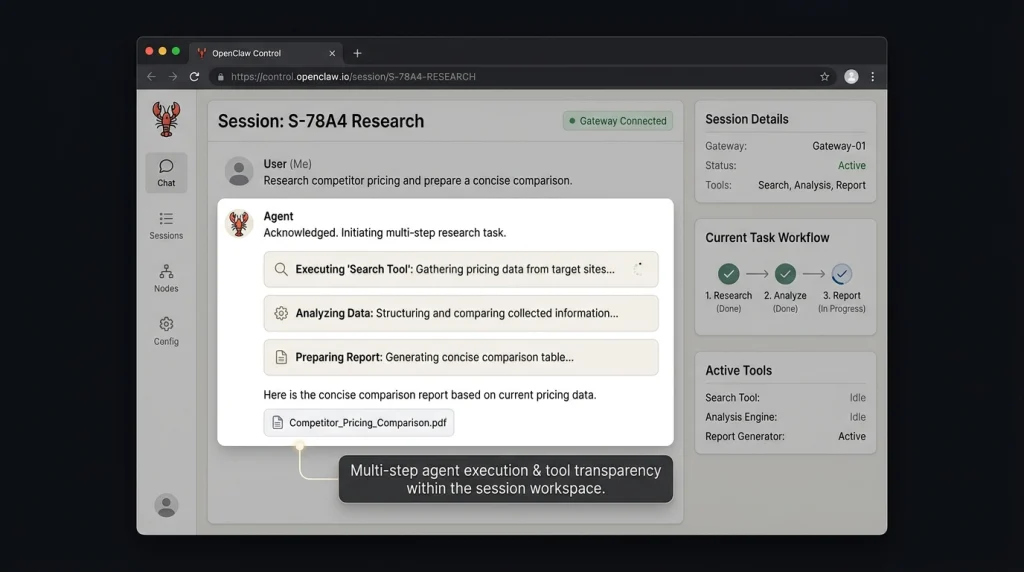
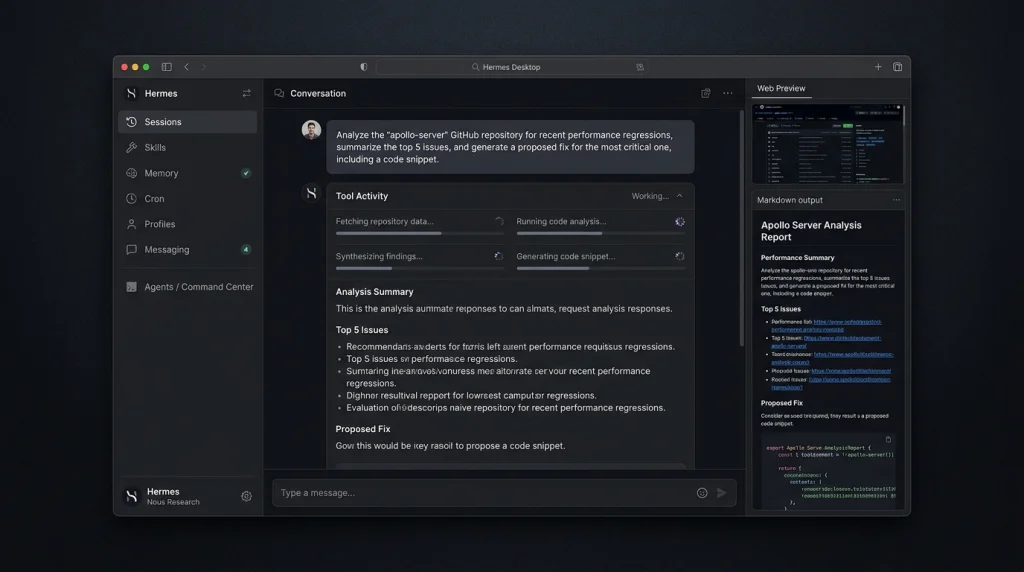
Many AI Agent Platforms still focus heavily on conversation. Trooper takes a more action-oriented approach. Agents can create issues, update files, send emails, work with business applications, and complete multi-step tasks. The platform also provides traces so users can follow what happened during a mission. This is important for teams that want AI automation tools to handle operational work rather than only generate content.
For example, Trooper’s operations workflow describes a process where an agent follows an operations runbook, executes steps across connected tools, sends failures to Slack with context, and updates the related runbook in Notion after completing the work. That type of workflow shows where Trooper fits best: repetitive business processes that involve several applications.
Human Approval and Control
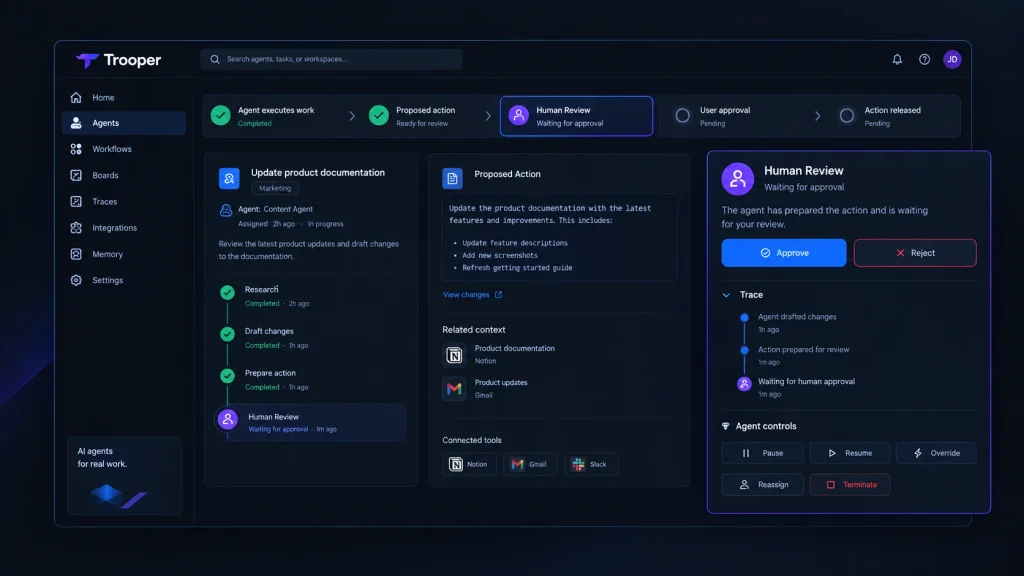
Autonomous AI agents can create problems if they are allowed to perform every action without supervision. Trooper takes a more controlled approach. Its system includes human review gates, meaning important actions can wait for approval before being released. The company says commits, replies, and campaigns can remain in Human Review until the user approves them.
This is one of Trooper’s stronger features for business use. Instead of choosing between full automation and manual work, teams can create a middle ground. The agent handles the repetitive work while a human remains responsible for final approval.
Persistent Memory
Trooper also includes adaptive memory. The purpose is to help agents retain useful business context, decisions, preferences, and information from previous work. This can reduce the need to repeat the same instructions whenever an agent starts a new task. For teams running recurring workflows, persistent memory can be especially useful because the agent can work with more context instead of treating every task as completely new.
Integrations
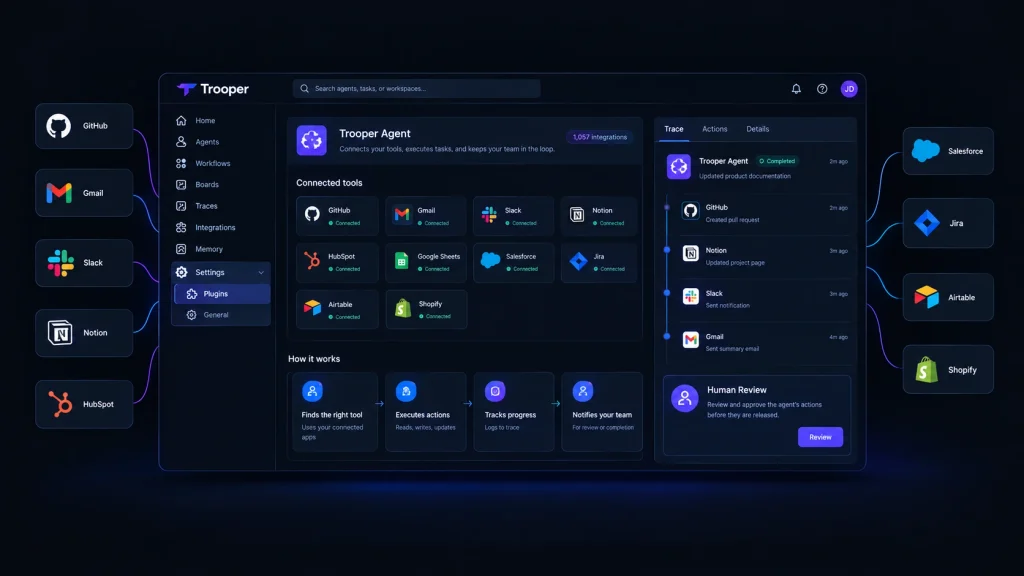
Integrations are one of Trooper’s biggest strengths. The platform currently lists more than 1,057 integrations, covering development, communication, CRM, productivity, marketing, finance, and other business categories. Some notable integrations include GitHub, Gmail, Slack, Notion, Linear, Figma, HubSpot, Stripe, Salesforce, Google Sheets, Jira, Airtable, Zendesk, Shopify, Discord, Intercom, Asana, Google Docs, LinkedIn, Trello, GitLab, Sentry, Calendly, Dropbox, ClickUp, OpenAI, Supabase, Vercel, Zoom, Mailchimp, Canva, Telegram, WhatsApp, and QuickBooks. This broad integration layer is important because an AI agent becomes much more useful when it can operate inside the same systems a business already uses.
Browser Automation and Desktop Access
Trooper is not limited to API-based integrations. The platform also supports browser automation and desktop access. Its self-hosted offering can run on hardware controlled by the user, with Mac and Windows applications available. This can make Trooper useful for workflows where a direct API integration is not available. For technical users, this provides another way to connect agents with existing processes without moving every task into a separate system.
Trooper for Business Automation
Trooper makes the most sense when a business has recurring processes that require multiple steps. Consider an operations team that receives a request, checks information in a CRM, updates a spreadsheet, sends a message in Slack, and records the result in Notion. A conventional chatbot can help write the message or explain the process. Trooper is designed to take a larger part of the workflow itself. This is where autonomous AI agents can provide more value than standard AI assistants.
The platform also provides specific use cases for operations, CRM updates, sales research, and marketing. Its CRM workflow, for example, focuses on keeping customer information updated across business systems. For small teams, this can reduce the amount of repetitive administrative work handled manually.
Trooper for Developers
Developers can use Trooper for software-related workflows involving tools such as GitHub and other development platforms. An agent can be assigned work, interact with connected tools, and keep users informed about what it is doing. The human approval model is also useful for development teams. Instead of allowing an agent to automatically release every change, teams can keep a review step between the agent’s work and the final action. Trooper also supports self-hosting, which can be attractive to technical teams that want more control over where the system runs and how models are connected.
Trooper Security and Self-Hosting
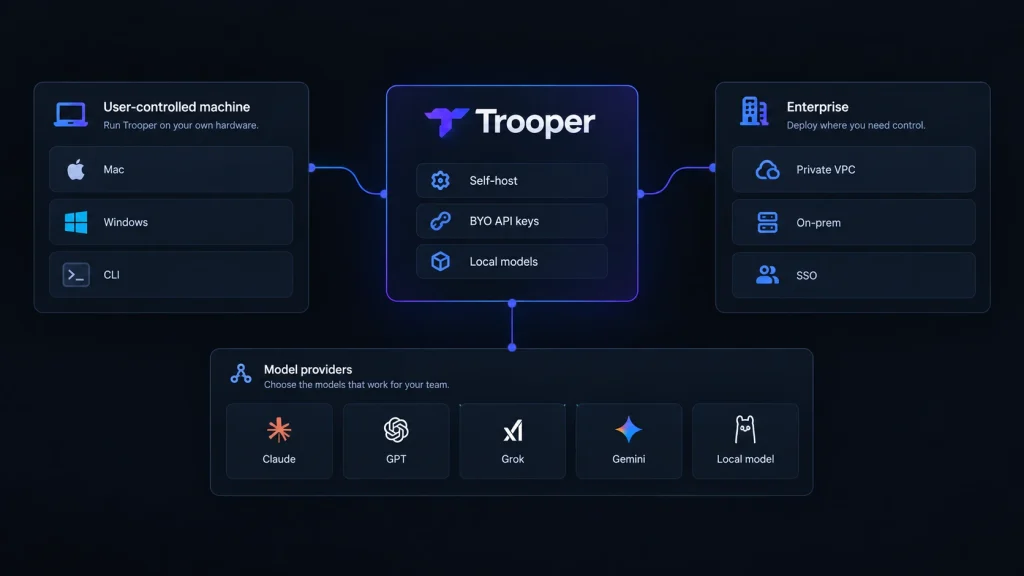
Security and control are important when AI agents can access business systems. Trooper says API keys are not stored on its servers and that organizations receive isolated workspaces with encrypted connections. The platform also supports running Trooper on hardware controlled by the user. The Trooper self-hosting option allows users to run the platform on their own machine or VM. Users can connect models such as Claude, GPT, Grok, Gemini, or local models, with model usage billed directly by the relevant provider.
This approach gives technical teams more control over deployment and model selection. Trooper also places limits on agent autonomy. According to its documentation, agents cannot hire other agents, increase their own budgets, or execute an unreviewed strategy. That makes the platform more practical for businesses that want automation without giving an AI system unlimited authority.
Trooper Pricing
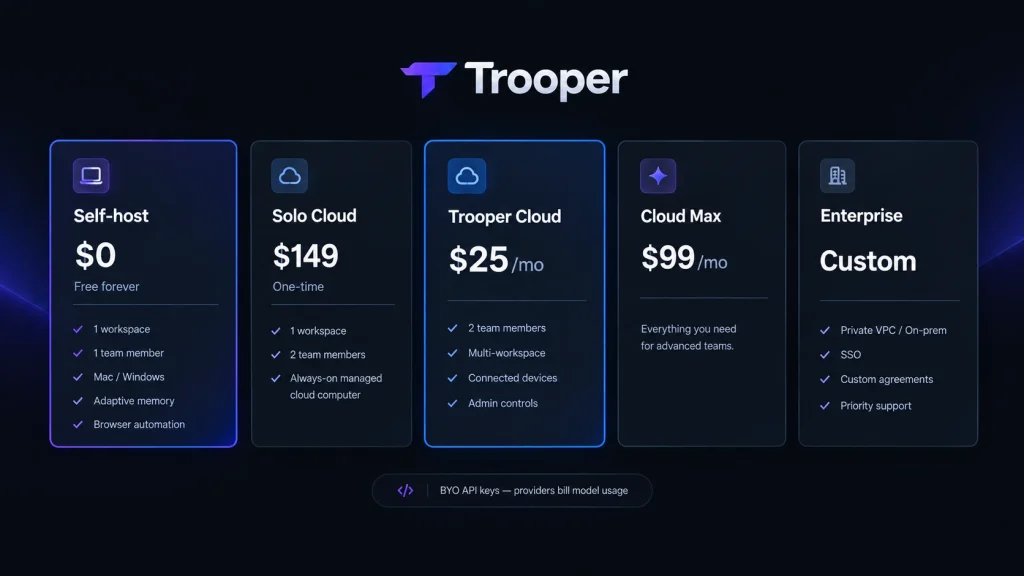
Trooper uses a deployment-based pricing model.
Self-Host
The self-hosted version includes one workspace and one team member. It includes unlimited agents and chats, adaptive memory, shared workflows, skills, integrations, browser automation, and Mac or Windows support. Users bring their own API keys, so model usage is paid directly to the relevant AI provider.
Solo Cloud
Solo Cloud provides hosted access with two team members and one workspace. It includes an always-on managed cloud computer and lifetime hosted access. This plan may appeal to users who want Trooper hosted for them rather than managing the infrastructure themselves.
Trooper Cloud
Trooper Cloud includes two team members. Additional members cost $10 per month. The plan also adds multi-workspace support, connected devices, admin controls, and team collaboration features. Users still bring their own API keys.
Cloud Max
Trooper currently lists Cloud Max at $99 per month in its pricing options. The exact limits and capabilities should be checked on the current Trooper pricing page before purchasing because plan details can change.
Enterprise
Enterprise pricing is custom. The enterprise offering includes private cloud or VPC deployment, on-premises options, SSO, custom domains, agreements, and priority support with an SLA.
Trooper Pros and Cons
Pros
- Strong focus on real task execution
- More than 1,000 listed integrations
- Persistent memory and shared workflows
- Human approval gates
- Browser automation
- Mac and Windows support
- Self-hosting option
- BYO API keys
- Multiple deployment options
- Useful for operations, sales, marketing, and development
Cons
- Model usage is billed separately
- Advanced features can require technical knowledge
- Self-hosting requires more responsibility from the user
- The platform may be more complex than a basic AI chatbot
- Businesses need to carefully configure permissions and approval workflows
Who Should Use Trooper?
Trooper is a strong fit for businesses that want AI to perform multi-step work rather than simply answer questions.
Business Owners
Business owners can use Trooper for repetitive operations, customer workflows, research, and administrative processes.
Developers
Developers can connect AI agents to development tools and create workflows around software projects.
Marketers
Marketing teams can use agents for research, content workflows, campaign tasks, and communication processes.
SaaS Teams
SaaS companies can use Trooper to connect multiple business systems and automate recurring internal workflows.
Technical Teams
Teams that care about deployment control, self-hosting, local models, and API access may find Trooper particularly interesting.
Is Trooper Worth It in 2026?
Trooper is worth considering if you want AI agents that can actually interact with your business systems. Its strongest advantage is the combination of task execution, integrations, persistent memory, workflows, and human approval. Instead of treating AI as a tool for generating answers, Trooper treats agents more like digital workers that operate inside existing software.
The self-hosted $0 option also makes it easier to experiment without committing to a monthly subscription, although users still need to pay their AI model providers for usage. The biggest question is whether you actually need this level of automation. If you mainly want writing, brainstorming, summaries, or basic questions, a traditional AI assistant may be simpler. If your goal is to automate recurring business processes across multiple applications, Trooper becomes much more interesting.
Final Verdict
Trooper is a serious AI agent platform for users who want software that can do more than chat. Its combination of integrations, task execution, persistent memory, browser automation, workflows, and human approval makes it suitable for real business automation. The self-hosting option is another major advantage for technical users who want greater control over their environment. The biggest limitation is complexity. Trooper is not simply another chatbot that you open and start asking questions. To get the most value from it, users need to think about workflows, permissions, connected tools, model costs, and approval rules. For businesses, developers, marketers, and SaaS teams that are ready to move from AI assistance toward AI execution, Trooper is one of the more interesting platforms to watch in 2026.
Best for: Business automation, AI agents, multi-step workflows, technical teams, and users who want self-hosting.
Pricing: Free self-host option, $149 one-time Solo Cloud, $25/month Trooper Cloud, $99/month Cloud Max, and custom Enterprise pricing.
FAQs
What is Trooper AI?
Trooper is an AI agent platform that lets AI agents work across connected business tools, execute tasks, follow workflows, and return to humans for approval when required.
Is Trooper free?
Yes. Trooper offers a self-hosted plan that costs $0 forever. Users bring their own API keys and pay AI providers directly for model usage.
Does Trooper support self-hosting?
Yes. Trooper can be installed on hardware controlled by the user, including Mac or Windows systems, and it can also work with local models.
Who is Trooper best for?
Trooper is best suited to businesses, developers, marketers, SaaS teams, and technical users who want AI agents to perform real work across multiple applications instead of only generating responses.