Blog

  • Popmenu Review: AI Phone Answering & Restaurant Marketing Explained

    Popmenu Review: AI Phone Answering & Restaurant Marketing Explained

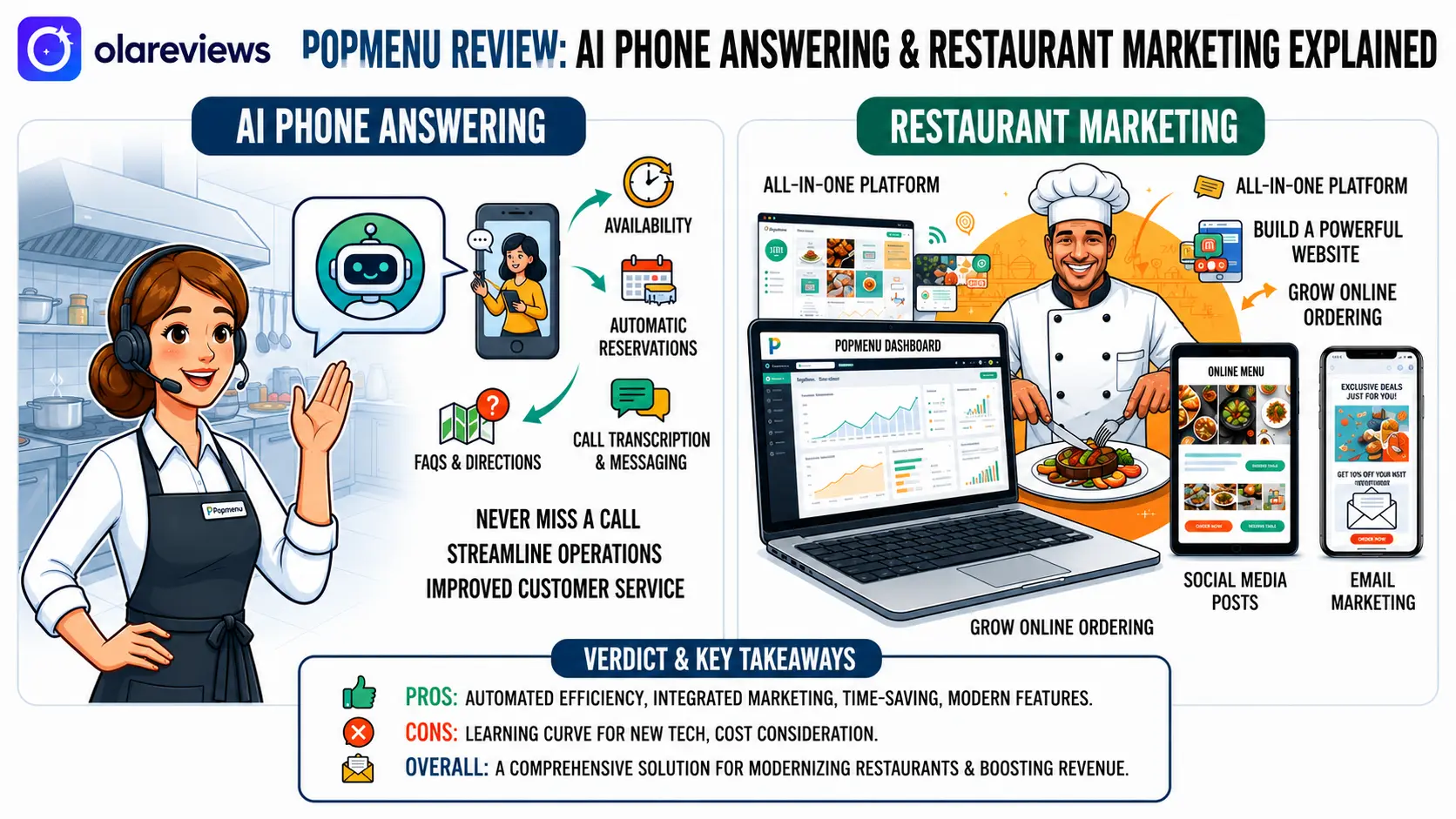
    Running a successful restaurant means managing customer calls, reservations, online orders, reviews, and marketing every day. Missing even one phone call can result in a lost reservation or takeaway order. Popmenu helps restaurants solve these challenges by combining AI phone answering, restaurant websites, online ordering, customer marketing, and review management into one platform. This Popmenu Review explains how Popmenu works, its features, pricing, advantages, and whether it is the right choice for your business.

    Popmenu vs Competitors: Quick Comparison
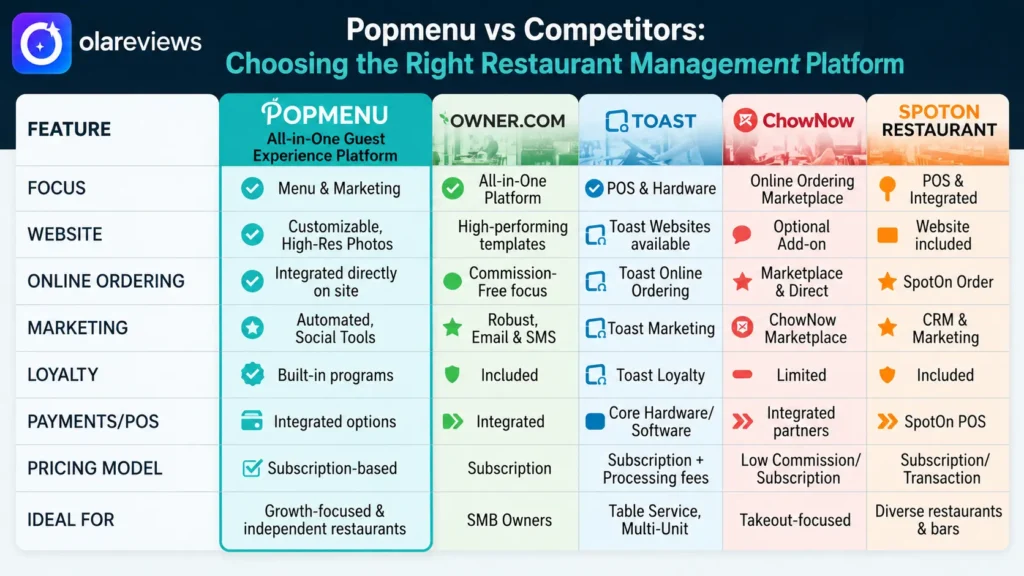
    Before choosing restaurant software, it helps to compare the available options. The table below highlights how Popmenu compares with other popular restaurant platforms.

    PlatformBest ForAI Phone AnsweringOnline OrderingWebsite BuilderMarketing ToolsPricingRating
    PopmenuAll-in-one restaurant managementYesYesYesEmail, SMS & ReviewsCustom Quote4.8/5
    Owner.comRestaurant websites & orderingNoYesYesEmail & SMSCustom Quote4.7/5
    ToastRestaurant POS & operationsLimitedYesLimitedBasic MarketingCustom Quote4.6/5
    ChowNowDirect online orderingNoYesBasicLimitedCustom Quote4.5/5
    SpotOn RestaurantPOS & customer engagementLimitedYesBasicEmail MarketingCustom Quote4.5/5

    Compared with these alternatives, Popmenu offers one of the most complete restaurant management solutions. Instead of paying for several separate services, restaurants can manage customer communication, marketing, online ordering, and websites from a single platform.

    What Is Popmenu?

    Popmenu is a restaurant technology platform built to help restaurants improve customer service and increase direct sales. It combines AI-powered phone answering with marketing tools, online ordering, restaurant websites, reservation support, and review management. Instead of switching between multiple software products, restaurant owners can use Popmenu to manage daily customer interactions from one dashboard. This saves time and creates a better experience for both staff and guests.

    How Popmenu AI Phone Answering Works

    One of the biggest reasons restaurants choose Popmenu is its AI phone answering feature.

    Answers Calls 24/7

    Customers often call before opening hours or after closing time. Popmenu answers these calls automatically and provides helpful information whenever customers need it.

    Responds to Common Questions

    The AI assistant can answer questions about:

    • Business hours
    • Menu items
    • Restaurant location
    • Reservations
    • Delivery services
    • Holiday schedules

    This allows restaurant employees to spend more time serving guests instead of answering repetitive phone calls.

    Helps Reduce Missed Reservations

    Busy restaurants often miss incoming calls during lunch and dinner service. Popmenu helps reduce missed reservations by responding immediately and guiding customers through common requests.

    Popmenu Restaurant Marketing Features

    Beyond AI phone answering, Popmenu includes marketing tools that help restaurants attract new guests and encourage repeat visits.

    Email and SMS Campaigns

    Restaurants can create targeted email and text message campaigns for seasonal promotions, special events, discounts, and birthday rewards.

    Guest Database

    Every interaction helps restaurants build a customer database. Popmenu stores guest information that can be used to create personalized marketing campaigns.

    Review Management

    Online reviews influence where people choose to eat. Popmenu helps restaurants collect customer feedback and manage reviews from one place, making it easier to maintain a positive online reputation.

    Popmenu Website and Online Ordering

    A restaurant website should make ordering and booking simple. Popmenu includes website and online ordering tools designed specifically for restaurants.

    Mobile-Friendly Websites

    Most restaurant searches happen on smartphones. Popmenu websites are optimized for mobile devices, making menus easy to browse and reservations simple to complete.

    Direct Online Ordering

    Instead of relying completely on third-party delivery apps, restaurants can accept direct online orders through Popmenu, helping reduce commission costs.

    Easy Menu Updates

    Restaurant owners can quickly update menu items, prices, seasonal dishes, and daily specials without needing web development experience.

    Benefits of Using Popmenu

    Restaurants choose Popmenu because it simplifies many daily tasks.

    • AI answers customer calls around the clock.
    • Staff spend less time answering repetitive questions.
    • Direct online ordering increases restaurant revenue.
    • Marketing campaigns encourage repeat customers.
    • Customer reviews become easier to manage.
    • Restaurant websites stay updated with minimal effort.
    • Guest information supports personalized promotions.

    Popmenu Pricing

    Popmenu uses custom pricing based on restaurant size and selected features. Restaurants receive a personalized quote after discussing their business requirements with the sales team. This allows businesses to pay only for the features they need rather than choosing a fixed package.

    Popmenu Pros and Cons

    Pros

    • Complete restaurant management platform
    • AI phone answering available 24/7
    • Professional restaurant websites
    • Direct online ordering
    • Built-in email and SMS marketing
    • Review management tools
    • Easy menu updates

    Cons

    • Pricing is not publicly available
    • Some advanced features may increase costs
    • Designed specifically for restaurants

    Is Popmenu Worth It?

    For restaurants that receive frequent customer calls, Popmenu can save valuable staff time while improving customer service. Instead of missing reservations or interrupting employees during busy hours, the AI assistant handles common conversations automatically. Restaurants looking for one platform that combines AI phone answering, online ordering, websites, marketing, and review management will likely find Popmenu a worthwhile investment. Businesses should request a custom quote to determine whether the platform fits their budget.

    Final Thoughts

    This Popmenu Review shows why Popmenu has become a popular solution for modern restaurants. It combines AI phone answering, restaurant websites, online ordering, customer marketing, and review management into one easy-to-use platform. Although pricing requires a custom quote, the features can help restaurants reduce missed calls, improve customer communication, increase direct orders, and simplify daily operations. If you want a single platform to manage restaurant marketing and guest interactions, Popmenu is well worth considering.

    Frequently Asked Questions

    Does Popmenu only work for restaurants?

    Yes. Popmenu is built specifically for restaurants, cafés, bars, food trucks, and similar hospitality businesses.

    Can Popmenu answer customer phone calls automatically?

    Yes. The AI phone assistant answers calls, shares restaurant information, and responds to common customer questions throughout the day.

    Does Popmenu support direct online ordering?

    Yes. Restaurants can accept online orders directly through Popmenu, helping reduce dependence on third-party delivery services.

    Is Popmenu suitable for small restaurants?

    Yes. Small restaurants can benefit from Popmenu, especially if they receive many phone calls or want to combine marketing, websites, and ordering into one platform.
  • ManyChat Review: Instagram & WhatsApp for Restaurants

    ManyChat Review: Instagram & WhatsApp for Restaurants

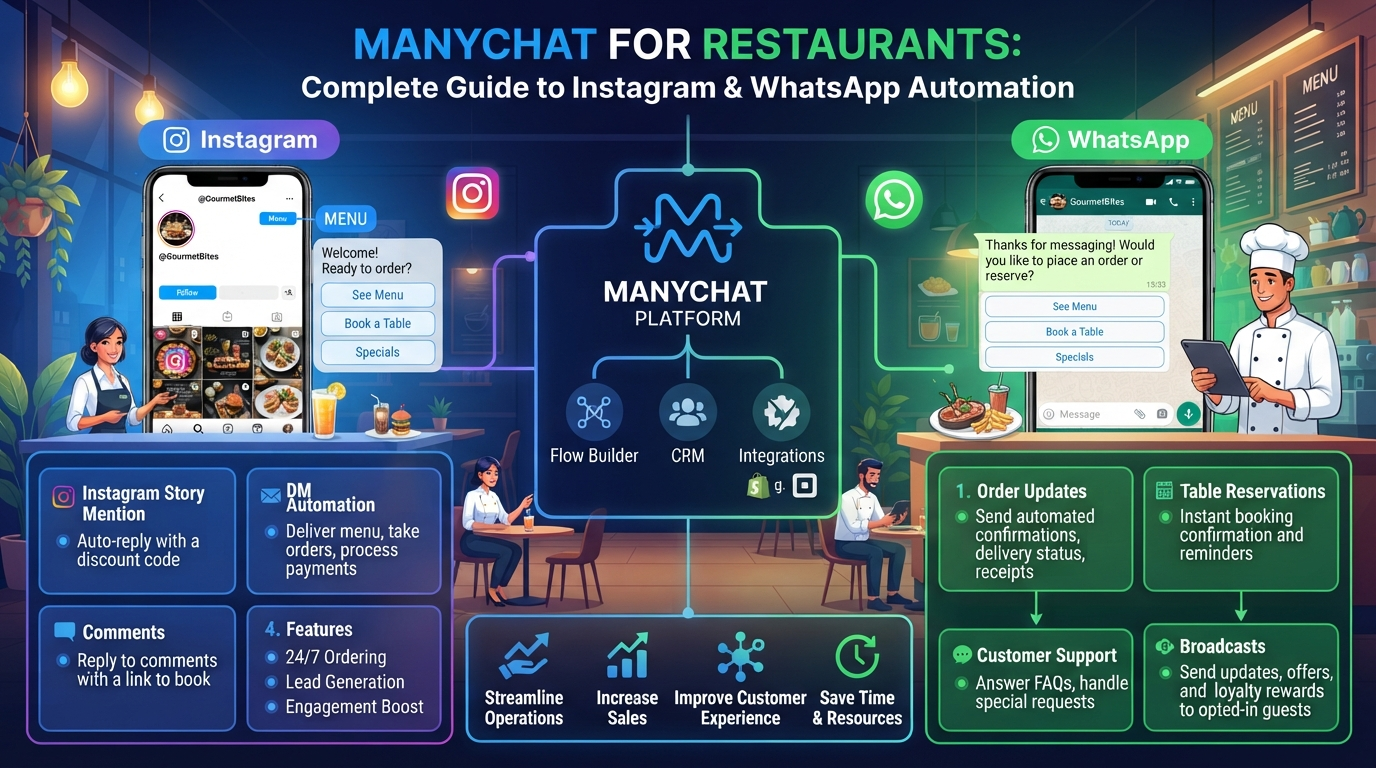
    Hungry customers move fast. When someone sees a mouth-watering dish on your social media page, they want answers immediately. They want to see your menu, check open hours, or book a table for dinner. If your team takes hours to reply to direct messages, those hungry guests usually pick another spot to eat. That is where ManyChat comes in to transform your daily operations. ManyChat is a messaging tool that lets restaurants auto-reply to messages, comments, and story tags on both Instagram and WhatsApp. By using ManyChat, your kitchen and floor staff can focus on serving great food while your online messaging runs smoothly in the background.

    ManyChat at a Glance: Comparison & Ratings

    CategoryManyChatManual Customer SupportBasic Chatbot
    Overall Rating4.8/53.5/54.0/5
    Ease of Use4.8/54.5/53.9/5
    Instagram Automation5.0/51.0/53.8/5
    WhatsApp Automation4.8/51.0/53.9/5
    Automatic Replies5.0/51.5/54.0/5
    Reservation Management4.7/53.2/53.8/5
    Menu Sharing4.9/53.5/54.0/5
    Promotional Messaging4.8/52.5/53.9/5
    Pricing4.6/5No Monthly CostVaries by Provider
    Setup TimeVery FastNo Setup RequiredModerate
    Best ForRestaurants using Instagram & WhatsApp automationRestaurants with very low message volumeBusinesses needing basic chatbot automation
    CommentsComplete automation for customer messaging, reservations, menu sharing, and promotions.Requires staff to reply manually, which can delay customer responses during busy hours.Suitable for basic FAQs but often lacks advanced restaurant-specific automation.

    Why ManyChat Works for Modern Restaurant Marketing

    Social media is the new front door for your dining room. Diners browse photos before they ever step inside. But managing hundreds of incoming questions on multiple apps takes too much time. Using ManyChat helps you turn social interactions into real table reservations without extra workload.

    Instant Answers to Frequent Questions with ManyChat

    Customers tend to ask the exact same questions every day:

    • “Are you open on Sundays?”
    • “Do you have vegan options?”
    • “Where can I find parking?”

    With ManyChat, you can build quick automated replies for these common inquiries. When a user types a word like “hours” or “menu,” ManyChat sends the exact answer instantly. This quick speed keeps customers happy and keeps your direct messages organized.

    Converting Social Media Engagement into Table Bookings

    Engagement is great, but actual reservations pay the bills. ManyChat bridges the gap between a casual follower and a paying diner. You can set up flows that link directly to your online table booking software right inside the chat window. The guest never has to search for your website link.

    Setting Up ManyChat for Instagram Restaurant Automation

    Instagram is a major visual platform for food lovers. Combining your post content with ManyChat lets you turn every photo and video into a conversation starter.

    Automated Comment Replies and Direct Messaging

    When you publish a reel showing a new weekend special, tell viewers to comment a specific keyword to get a discount code. The moment a user comments that keyword on your post, ManyChat sends them a private message with the offer. This interaction increases your post visibility in the Instagram algorithm while capturing local leads.

    Instagram Story Mention Triggers

    When happy diners tag your restaurant in their stories, ManyChat can send an automatic thank-you note right away. You can also use ManyChat to send those users a special gift, like a free dessert on their next visit. This small automated touch turns first-time visitors into repeat regulars.

    Managing Customer Conversations on WhatsApp Using ManyChat

    While Instagram excels at visually grabbing attention, WhatsApp builds direct personal connections. ManyChat integrates with the WhatsApp Business system so you can reach customers directly on their primary messaging app.

    Messaging GoalTraditional WayUsing ManyChat
    Sending MenusPDF email attachmentInstant WhatsApp chat delivery
    Answering QuestionsWait for staff to replySub-second automated response
    Special DealsPaper flyers or slow newslettersDirect broadcast messaging

    Digital Menu Delivery and Order Updates

    Many guests prefer opening a menu right in their chat window instead of navigating a clunky website. ManyChat lets you send clean photos or PDF menus directly over WhatsApp. You can also use ManyChat to confirm takeout pickup times or share direct ordering links.

    Collecting Customer Feedback and Loyalty Signups

    Getting reviews is critical for local search rankings. After a customer dines with you, ManyChat can send a quick WhatsApp message asking how their meal was. If they give a high rating, ManyChat can guide them to leave a review on your public business profile. If they have an issue, ManyChat routes the text to your manager to resolve it privately.

    Best Practices to Maximize Results with ManyChat

    Automation works best when it feels helpful and friendly. Here are simple rules to follow when building your workflows in ManyChat:

    • Keep Conversations Short: Users want quick info. Avoid long paragraphs in your automated messages.
    • Always Provide a Human Hand-Off: Give users an easy button to chat with a real staff member if their request is unique.
    • Test Every Flow: Before launching a new campaign, run through the chat steps on your own phone to check for mistakes.
    • Avoid Spamming: Only send broadcast messages to customers who opted in to receive updates.

    Final Thoughts on Using ManyChat for Your Restaurant

    Operating a successful restaurant requires speed, great service, and clear communication. Bringing ManyChat into your daily digital strategy ensures your business stays responsive around the clock. By letting ManyChat handle routine FAQs, menu requests, and table booking steps on Instagram and WhatsApp, you keep your dining room full while giving your team more time to create exceptional dining experiences.

    Frequently Asked Questions About ManyChat for Restaurants

    Is ManyChat easy to set up for a restaurant without technical skills?

    Yes. ManyChat uses a simple drag-and-drop visual builder. You do not need any coding knowledge to create basic automated replies for Instagram or WhatsApp.

    Can ManyChat handle online food orders directly?

    ManyChat can guide users through choosing items and then send them to your online ordering portal or payment link to finish the checkout process.

    Does using ManyChat on WhatsApp cost money?

    ManyChat offers flexible plans based on your contact list size. Connecting ManyChat to WhatsApp requires access to the Meta API platform, which may include standard per-message fees from Meta alongside your subscription.

    What happens if a customer asks a question ManyChat does not recognize?

    You can configure ManyChat to send a default response whenever it encounters a question it cannot answer. The system can pause the automated bot and notify your team to step in manually.

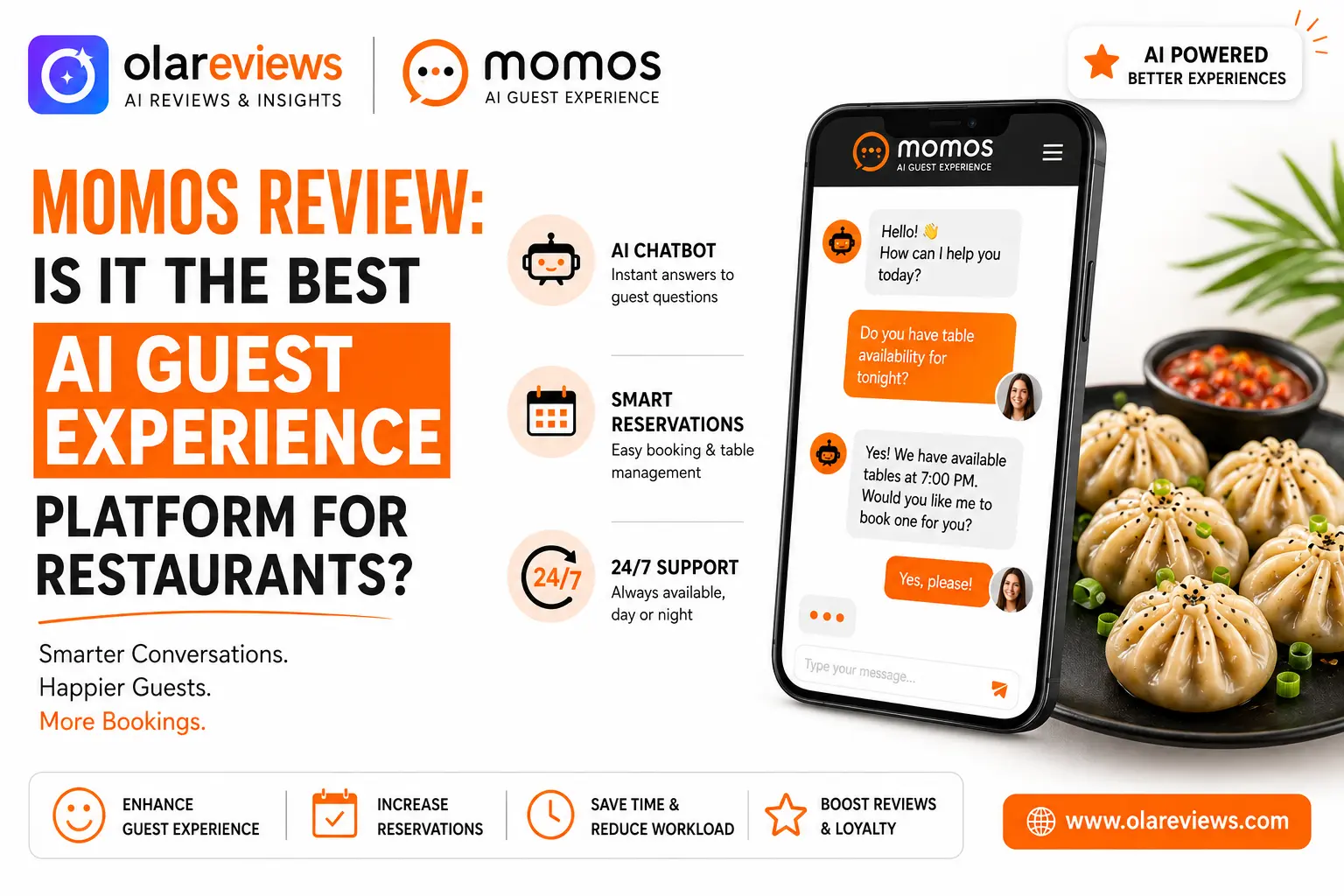
  • Momos Review: Best AI Guest Experience Platform for Restaurants?

    Momos Review: Best AI Guest Experience Platform for Restaurants?

    Restaurants handle a constant stream of customer questions about reservations, delivery, menus, opening hours, and reviews. Responding to every inquiry manually can take valuable time and affect the guest experience. Momos is an AI-powered guest experience platform that helps restaurants manage customer conversations, online reviews, and feedback from a single dashboard. This Momos Review explores its features, pricing, advantages, disadvantages, and whether it is the right choice for restaurants.

    Momos at a Glance: Feature Comparison

    Before exploring the platform in detail, here is a quick overview of how Momos compares with traditional guest management while highlighting its overall performance for restaurants.

    CategoryMomosTraditional ManagementRating
    Ease of UseUser-friendly dashboard with a simple interfaceRequires multiple tools and manual work4.5/5
    AI Guest MessagingAI answers guest questions instantlyStaff must respond manually4.8/5
    Review ManagementCentralized review monitoring and repliesReviews managed separately on each platform4.9/5
    Customer FeedbackAutomated feedback collectionMostly manual collection4.7/5
    Analytics & ReportingBuilt-in reports and customer insightsBasic reporting with limited insights4.6/5
    Multi-Location SupportManage all restaurant locations from one dashboardDifficult to manage multiple branches4.9/5
    Staff WorkloadLower through automationHigher due to manual tasks4.8/5
    Response TimeFast AI-powered responsesSlower manual responses4.8/5
    Value for MoneyStrong value for medium and large restaurant businessesMay require multiple software subscriptions4.3/5
    Overall RatingComplete AI guest experience platform for restaurantsTraditional manual workflow4.8/5

    What Is Momos?

    Momos is a guest experience platform designed for restaurants, cafés, and food service businesses. It combines AI-powered messaging, review management, customer feedback, and analytics into one platform. Instead of switching between different applications, restaurant teams can manage guest interactions from one dashboard. This improves response times, helps maintain a strong online reputation, and gives managers valuable customer insights.

    Momos Review: Key Features

    AI Guest Messaging

    One of the biggest strengths of Momos is its AI-powered messaging. It answers common customer questions about reservations, menu items, delivery services, opening hours, and promotions. Restaurants can provide quicker responses while reducing the workload for their staff.

    Review Management

    Online reviews influence where customers choose to dine. Momos gathers reviews from multiple review platforms into one dashboard.

    Managers can easily:

    • Monitor new reviews
    • Respond quickly
    • Track customer satisfaction
    • Identify recurring service issues

    This helps restaurants maintain a positive online reputation.

    Customer Feedback Collection

    Instead of relying only on public reviews, Momos allows restaurants to collect direct feedback after a guest’s visit. Managers can identify customer concerns early and make improvements before negative experiences become public.

    Multi-Location Management

    Restaurant chains often manage several locations. Momos allows businesses to monitor customer feedback, reviews, and guest conversations across all branches from one platform. This keeps customer service consistent across every location.

    Analytics and Reporting

    The reporting tools provide useful insights into guest satisfaction, review trends, response performance, and common customer concerns. These reports help restaurant managers make informed business decisions.

    Momos Features Overview

    FeatureDescriptionRestaurant Benefit
    AI Guest MessagingAnswers common customer questions automaticallySaves staff time and improves response speed
    Review ManagementCentralizes online reviewsMakes reputation management easier
    Customer FeedbackCollects guest opinions after visitsHelps improve service quality
    Multi-Location DashboardManages several branches from one placeSimplifies operations
    Analytics & ReportsTracks customer trends and satisfactionSupports better decision-making
    Team CollaborationAllows multiple staff members to work togetherImproves daily workflow

    Momos Review: Benefits for Restaurants

    Restaurants can gain several practical advantages from using Momos.

    Faster Customer Responses

    Guests receive answers within seconds, improving customer satisfaction and reducing missed reservations.

    Better Online Reputation

    With centralized review management, restaurants can respond to customer feedback quickly and maintain a positive online image.

    Reduced Staff Workload

    Routine customer questions are handled automatically, allowing staff to focus on serving guests.

    Better Customer Insights

    Feedback reports reveal what guests appreciate and where improvements are needed.

    Momos Pricing

    Momos does not publicly list fixed pricing plans.

    The final cost depends on factors such as:

    • Number of restaurant locations
    • Required features
    • Business size
    • Support requirements

    Restaurants need to contact the sales team for a customized quote.

    Momos Pros and Cons

    ProsCons
    Easy-to-use interfacePricing is not publicly available
    AI-powered customer messagingInitial setup may require onboarding
    Excellent review managementAdvanced features may increase costs
    Strong multi-location supportMay not suit very small restaurants
    Helpful analytics and reportingCustom pricing makes comparison difficult

    Who Should Use Momos?

    Momos is an excellent choice for:

    • Restaurant chains
    • Franchise restaurants
    • Quick-service restaurants
    • Casual dining businesses
    • Hospitality groups with multiple locations

    Single-location restaurants can also benefit, especially if they receive a high number of customer inquiries every day.

    Is Momos Easy to Use?

    Most restaurant teams can learn Momos quickly because of its clean interface and organized dashboard. Customer conversations, reviews, and analytics are available in one place, reducing the need to switch between different tools. Businesses with multiple locations may need some initial setup, but daily management becomes much simpler afterward.

    Is Momos Worth It?

    This Momos Review shows that the platform offers much more than AI-powered messaging. It combines guest communication, reputation management, customer feedback, and reporting into one complete solution. Restaurants with multiple locations or a high volume of customer interactions will likely receive the greatest value. Smaller businesses should compare the custom pricing with their operational needs before making a decision.

    Final Thoughts

    After reviewing its features, benefits, and limitations, Momos stands out as a reliable AI guest experience platform for restaurants. Its AI messaging, centralized review management, customer feedback tools, and detailed analytics help restaurants improve guest satisfaction while saving staff time. Although pricing is customized, Momos offers strong value for restaurants looking to deliver a better customer experience and manage guest interactions more efficiently.

    Frequently Asked Questions

    Does Momos only work for restaurants?

    No. While Momos is designed primarily for restaurants, it can also support cafés, food chains, and other hospitality businesses that manage customer interactions.

    Can Momos manage reviews from different platforms?

    Yes. Momos brings reviews from multiple platforms into one dashboard, making it easier to monitor and respond to customer feedback.

    Does Momos support restaurant chains?

    Yes. Momos includes multi-location management, allowing restaurant chains and franchises to monitor all branches from a single platform.

    Is Momos suitable for small restaurants?

    Yes, but small restaurants should compare the custom pricing with their business needs. Restaurants with multiple locations or high customer traffic generally gain the most value from Momos.

  • Botpress Review: Building Custom Restaurant AI Chatbots

    Botpress Review: Building Custom Restaurant AI Chatbots

    Restaurants receive customer questions throughout the day about reservations, menu items, opening hours, delivery, and dietary options. Responding quickly improves customer satisfaction, but doing it manually can consume valuable time. Botpress helps restaurants build custom AI chatbots that answer common questions, manage reservations, and support customers around the clock. This Botpress review explains its features, pricing, pros and cons, and whether it is the right AI chatbot platform for restaurants.

    Botpress at a Glance: Comparison with Other Restaurant AI Chatbot Platforms

    FeatureBotpressTidioManyChatChatbase
    Overall Rating4.7/54.5/54.3/54.4/5
    Ease of Use4.1/54.8/54.7/54.5/5
    AI Quality4.8/54.5/54.0/54.7/5
    Customization5.0/54.1/53.8/54.4/5
    Restaurant ReservationsYesYesLimitedYes
    Knowledge BaseYesLimitedNoYes
    Visual Workflow BuilderYesYesYesYes
    Multi-channel SupportYesYesYesLimited
    Custom WorkflowsExcellentGoodBasicGood
    Integrations4.6/54.5/54.4/54.3/5
    Value for Money4.5/54.6/54.4/54.4/5
    Best ForCustom restaurant AI chatbotsCustomer support and live chatSocial media automationAI-powered FAQ chatbots

    What Is Botpress?

    Botpress is an AI chatbot platform designed for businesses that want complete control over customer conversations. Instead of relying on fixed templates, restaurants can build chatbots that match their own booking process, menu, and customer service style. Whether customers want to reserve a table, ask about ingredients, check business hours, or request delivery information, Botpress can provide accurate responses without staff having to answer every message manually. Unlike many basic chatbot builders, Botpress focuses on customization, making it suitable for restaurants that need more than simple automated replies.

    Key Botpress Features for Restaurants

    AI-Powered Customer Conversations

    One of the biggest strengths of Botpress is its ability to understand natural language. Customers can ask questions in different ways, and the chatbot responds with relevant answers instead of following rigid scripts. This creates a more natural experience for guests.

    Custom Reservation Workflows

    Restaurants can design reservation systems that collect important booking details automatically.

    The chatbot can request:

    • Customer name
    • Contact information
    • Number of guests
    • Preferred date
    • Reservation time
    • Special requests

    Once complete, the reservation information can be forwarded to the restaurant team.

    Menu Assistance

    Customers frequently ask about ingredients, vegetarian meals, allergens, gluten-free dishes, or daily specials. With Botpress, restaurants can upload menu information so the chatbot answers these questions instantly without waiting for staff.

    Restaurant FAQ Automation

    Restaurants receive many repetitive questions every day.

    Examples include:

    • What time do you open?
    • Do you offer delivery?
    • Is parking available?
    • Can I bring pets?
    • Do you accept online payments?

    Botpress can answer these common questions automatically, allowing staff to focus on serving customers.

    Knowledge Base

    The knowledge base is one of the most useful features in Botpress.

    Restaurants can upload:

    • Menus
    • Business policies
    • Delivery information
    • Reservation rules
    • Frequently asked questions

    The chatbot uses this information to provide accurate responses based on restaurant-specific content.

    Botpress Pricing

    Botpress provides a free plan for users who want to test the platform before purchasing a subscription. Businesses that require higher conversation limits, additional AI usage, and team collaboration can choose from paid plans.

    PlanBest ForMain Features
    FreeSmall restaurants and testingBasic chatbot development with limited usage
    Paid PlansGrowing restaurantsHigher AI limits, advanced features, team collaboration

    Restaurants should estimate expected customer conversations before choosing a paid plan.

    Pros and Cons of Botpress

    Every platform has strengths and limitations.

    ProsCons
    Highly customizable chatbot builderLearning curve for beginners
    Excellent AI conversation qualityInitial setup takes time
    Visual workflow editorAdvanced features may increase costs
    Strong knowledge baseRequires planning before deployment
    Suitable for restaurant automationMore advanced than simple chatbot builders

    How Botpress Helps Restaurants

    Restaurants benefit from automation in several daily operations.

    FeatureBenefit for Restaurants
    AI ConversationsAnswers customer questions instantly
    Reservation SystemCollects bookings automatically
    Menu AssistantShares menu and ingredient information
    FAQ AutomationReduces repetitive customer inquiries
    Knowledge BaseImproves response accuracy
    Multi-channel SupportServes customers across multiple platforms

    These features help restaurants reduce response times while improving customer experience.

    Who Should Use Botpress?

    Botpress is suitable for different types of food businesses.

    Business TypeRecommended
    Small RestaurantYes
    Restaurant ChainYes
    CaféYes
    Fine Dining RestaurantYes
    Food TruckYes
    Restaurant Marketing AgencyYes
    Hospitality BusinessYes

    Restaurants looking for complete chatbot customization will gain the most value from the platform.

    Is Botpress Worth It?

    For restaurants that need more than a simple FAQ chatbot, Botpress is a strong option. Its AI capabilities, flexible workflows, knowledge base, and reservation automation make it suitable for businesses that want personalized customer interactions instead of basic automated replies. Although beginners may need time to learn the platform, the customization options make Botpress a worthwhile investment for restaurants planning long-term customer service automation.

    Final Thoughts

    This Botpress review shows why the platform has become a popular choice for restaurants that want custom AI chatbots. From answering customer questions to managing reservations and sharing menu information, Botpress provides the flexibility that many restaurant businesses need. If your goal is to create a chatbot tailored to your restaurant instead of relying on fixed templates, Botpress is a platform worth considering.

    Frequently Asked Questions

    Is Botpress free?

    Yes. Botpress offers a free plan for users who want to build and test AI chatbots before upgrading to a paid subscription.

    Can Botpress manage restaurant reservations?

    Yes. Restaurants can build custom reservation workflows that collect booking details such as date, time, guest count, and special requests.

    Is Botpress suitable for small restaurants?

    Yes. Small restaurants can use Botpress, although new users should expect a short learning period while setting up their chatbot.

    Can Botpress answer menu-related questions?

    Yes. Restaurants can upload menu details, ingredients, dietary information, and business policies so the chatbot can provide accurate answers automatically.

  • Tidio Review for Restaurants: Features, Pricing & Pros and Cons

    Tidio Review for Restaurants: Features, Pricing & Pros and Cons

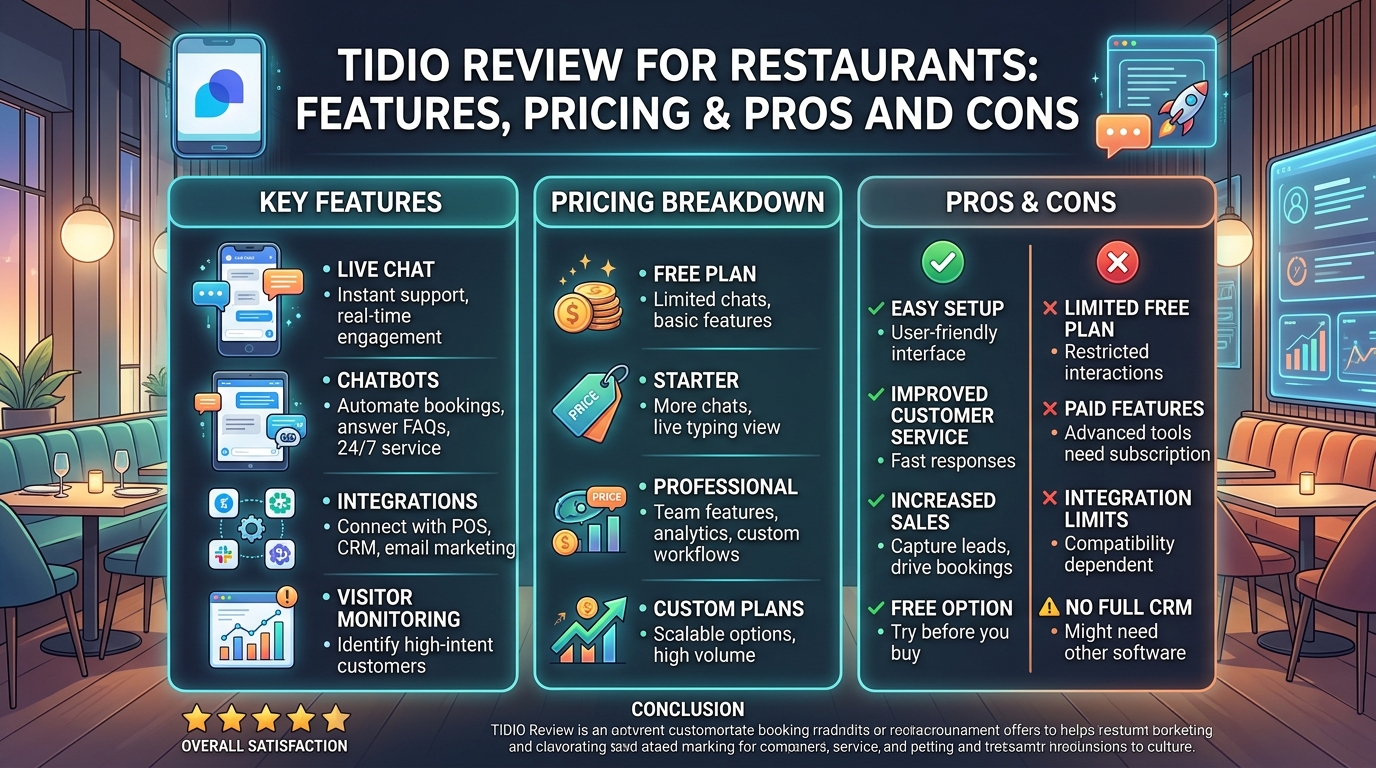
    Restaurants receive dozens of customer questions every day. Guests want to know whether tables are available, what time the restaurant opens, whether delivery is available, or if certain dishes meet their dietary needs. Responding quickly can increase reservations and improve customer satisfaction, but doing it manually can take valuable time.  AI-powered customer service tools are helping restaurants manage these conversations more efficiently. Tidio is one of the leading customer communication platforms that combines live chat, AI chatbots, and automation to provide instant support. Whether you run a small café or a large restaurant chain, Tidio helps improve response times while reducing your staff’s workload. This Tidio review covers its features, pricing, pros and cons, and whether it is the right solution for restaurants.

    Tidio Review: Quick Rating

    Category / FeatureTidioStandard Live ChatPhone SupportRating / Plan Details
    Ease of UseBeginner-friendly interfaceVariesNot applicable5.0/5
    Live ChatYesYesNo5.0/5
    AI ChatbotYesNoNo4.5/5
    AutomationYesLimitedNo4.5/5
    Available 24/7YesLimitedNo—
    Automated RepliesYesLimitedNo—
    Shared InboxYesSometimesNo—
    Reservation AssistanceAdvanced AI assistanceBasicManual—
    IntegrationsWorks with popular business toolsLimitedNo4.5/5
    Customer SupportDocumentation, live chat & email supportBasic supportPhone only4.5/5
    PricingFlexible plans with a free optionVariesVaries4.0/5
    Free Plan$0/month (Best for small cafés and startups)——4.3/5
    Starter PlanFrom $29/month (Best for growing restaurants)——4.6/5
    Premium AI PlanFrom $39/month (Best for restaurant chains and busy businesses)——4.8/5
    Overall RatingHighly recommended for restaurants——4.7/5

    What Is Tidio?

    Tidio is an AI-powered customer communication platform that helps businesses manage conversations through live chat, AI chatbots, email, and automation. It brings multiple communication channels together in one dashboard, making it easier to answer customer questions and provide faster support. For restaurants, Tidio can automate common inquiries, guide customers to reservation pages, provide menu information, and assist with delivery questions. This allows restaurant staff to spend more time serving guests instead of answering repetitive messages.

    Why Restaurants Can Benefit from Tidio

    Customers expect fast responses before deciding where to eat. If they cannot quickly find answers about reservations, menu options, or business hours, they may leave your website and choose another restaurant. Tidio helps solve this problem by offering instant communication through live chat and AI-powered automation. It can improve customer satisfaction while helping restaurants manage a larger number of inquiries without increasing staff.

    Common restaurant questions that Tidio can answer include:

    • Do you accept reservations?
    • What are today’s opening hours?
    • Do you offer takeaway or delivery?
    • Is outdoor seating available?
    • Are vegetarian or gluten-free meals available?
    • Where is your restaurant located?

    Key Features of Tidio

    Live Chat

    Live chat allows customers to contact your restaurant directly from your website. Restaurant staff can quickly respond to customer inquiries about reservations, catering, menu items, delivery services, business hours, and private events. Prompt responses build customer trust, improve the overall dining experience, and encourage more reservations and bookings.

    AI Chatbot

    The AI chatbot is one of Tidio’s strongest features. It automatically responds to common customer questions, even when your restaurant is closed.

    The chatbot can provide:

    • Opening hours
    • Reservation links
    • Menu information
    • Delivery details
    • Restaurant location
    • Frequently asked questions

    This reduces wait times and enhances the overall customer experience. 

    Automation

    Automation helps restaurants save time by responding to common questions automatically.

    You can create automated workflows that:

    • Welcome new visitors
    • Recommend popular dishes
    • Share reservation links
    • Display today’s specials
    • Answer frequently asked questions
    • Collect customer information

    Automation keeps customer communication active throughout the day.

    Shared Inbox

    Instead of managing conversations across different platforms separately, Tidio combines them into one dashboard. This allows restaurant staff to manage website chat and supported communication channels from one place.

    Visitor Tracking

    Tidio tracks visitor activity on your website. Restaurant owners can see which pages customers visit before making a reservation or placing an order, helping staff provide assistance at the right moment.

    Can Tidio Help Restaurants Increase Reservations?

    Yes.

    Many restaurant customers visit a website before making a booking. If they have questions and cannot find answers quickly, they may leave.

    Tidio helps increase reservations by:

    • Answering booking questions instantly
    • Directing customers to reservation pages
    • Providing menu information
    • Recommending available services
    • Collecting customer contact information
    • Offering support outside business hours

    These features improve customer engagement and reduce abandoned bookings.

    Pros and Cons of Tidio

    ProsCons
    Easy setup with no coding requiredAdvanced AI tools require paid plans
    Beginner-friendly interfaceMonthly costs increase as usage grows
    AI chatbot works 24/7Initial automation setup takes time
    Live chat improves customer servicePremium plans may not suit every budget
    Shared inbox improves teamworkSome integrations require additional setup

    Is Tidio Worth It for Restaurants?

    For most restaurants, Tidio offers excellent value. Restaurants that receive regular website traffic can improve customer service while reducing staff workload. The platform is easy to use, offers a free plan for beginners, and provides advanced AI tools for businesses that need more automation. Small cafés can start with the free plan, while larger restaurants can upgrade as customer inquiries increase.

    Final Verdict

    This Tidio review shows that the platform is a reliable customer communication solution for restaurants. It combines live chat, AI chatbots, automation, and a shared inbox to help restaurants respond faster and improve customer satisfaction. Although advanced features are available through paid plans, the free version is suitable for many small businesses. If your goal is to provide better customer support, increase reservations, and save staff time, Tidio is a worthwhile investment.

    Frequently Asked Questions

    Is Tidio free?

    Yes. Tidio offers a free plan that includes live chat and basic chatbot features for small businesses.

    Can Tidio replace restaurant staff?

    No. Tidio supports restaurant teams by answering repetitive questions, but staff are still needed for personalized customer service and daily operations.

    Does Tidio work after business hours?

    Yes. The AI chatbot can respond to customer questions 24 hours a day, helping restaurants provide support even when they are closed.

    Which restaurants should use Tidio?

    Tidio is suitable for cafés, family restaurants, fine dining restaurants, food delivery businesses, cloud kitchens, and multi-location restaurant chains that want to improve online customer communication.

  • VULK Review: The Best AI 3D Website Builder for Vibe Coding in 2026

    VULK Review: The Best AI 3D Website Builder for Vibe Coding in 2026

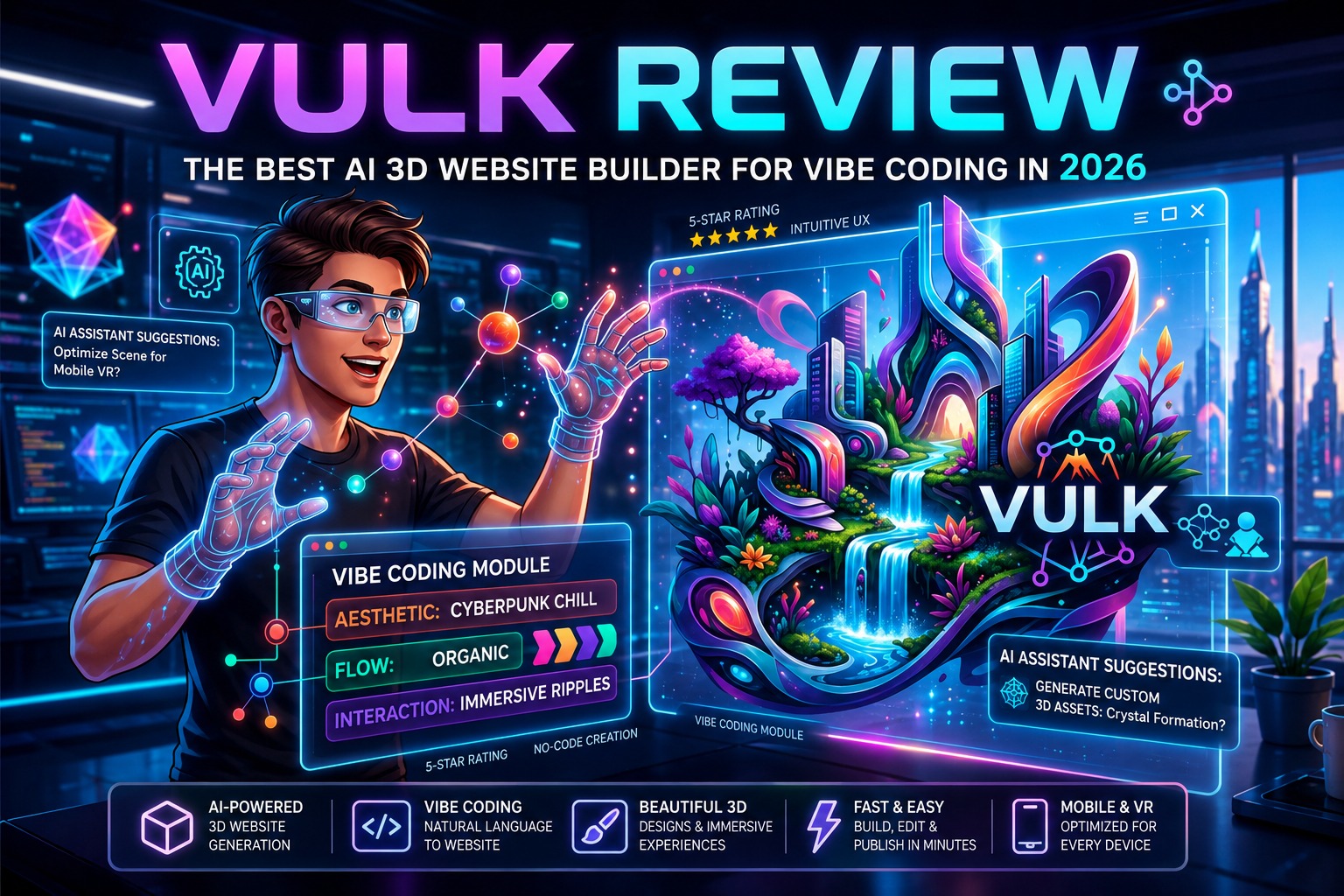
    Modern website creation has changed quickly over the last few years. Instead of spending days writing code or adjusting layouts, creators can now build complete websites with AI. VULK is one of the newest platforms leading this shift by combining AI-powered website generation with interactive 3D design. This VULK Review explains what makes the platform different, who should use it, and whether it is worth choosing in 2026. If you are a freelancer, startup founder, designer, developer, or business owner looking for a faster way to create modern websites, VULK deserves your attention.

    What Is VULK?

    VULK is an AI-powered 3D website builder created for people who want beautiful websites without spending weeks designing every page. Users simply describe what they want, and VULK generates a professional website layout that can be edited visually. Unlike traditional website builders that depend on fixed templates, VULK focuses on intelligent design generation, responsive layouts, and interactive 3D elements. This makes it an attractive choice for anyone interested in “vibe coding,” where ideas turn into working websites with minimal manual work. Whether you need a landing page, startup website, portfolio, product showcase, or marketing page, VULK helps shorten the design process while keeping creative control in your hands.

    Why VULK Is Becoming Popular in 2026

    Many AI website builders have appeared over the past year, but VULK stands out because it combines speed with visual quality. Users no longer want websites that all look the same. They want pages that feel modern, interactive, and memorable. VULK answers this need by offering AI-generated layouts with attractive 3D visuals that make websites look premium without requiring advanced design skills. For creators who value both appearance and efficiency, VULK offers a practical solution.

    Key Features of VULK

    AI Website Generation

    The biggest strength of VULK is its AI engine. Instead of building every page manually, users describe their project using natural language.

    For example, you can ask for:

    • SaaS landing pages
    • Agency websites
    • Personal portfolios
    • Startup homepages
    • Product launch pages
    • Creative studio websites

    Within seconds, VULK creates a complete structure that can be customized later.

    Interactive 3D Website Design

    This is the feature that separates VULK from many competitors. Rather than producing flat websites, VULK includes immersive 3D visuals that give pages more depth and personality. These visual elements help businesses create stronger first impressions without hiring a specialist designer.

    Responsive Layouts

    Every website created with VULK automatically adapts to:

    • Desktop
    • Laptop
    • Tablet
    • Mobile devices

    Responsive design is essential for user experience and search visibility, making this feature valuable for businesses of every size.

    Visual Drag-and-Drop Editing

    Although AI creates the first version, users remain in full control.

    You can quickly edit:

    • Colors
    • Fonts
    • Images
    • Buttons
    • Sections
    • Layout spacing
    • Backgrounds

    The editor makes changes simple without requiring coding knowledge.

    Ready-to-Use Components

    Instead of starting from scratch, VULK includes professionally designed components such as:

    • Hero sections
    • Pricing tables
    • Testimonials
    • FAQ sections
    • Contact forms
    • Call-to-action blocks
    • Feature sections

    These components save time while keeping websites consistent.

    Fast Publishing

    Once the website is ready, VULK allows users to publish projects quickly. This makes it useful for product launches, marketing campaigns, and businesses working under tight deadlines.

    Benefits of Using VULK

    Save Hours of Development Time

    Building websites traditionally involves wireframing, designing, coding, testing, and optimization. VULK reduces much of this workload through AI-generated layouts, allowing users to focus more on their ideas than repetitive tasks.

    Create Better First Impressions

    Visitors often judge a website within seconds. The interactive 3D visuals created by VULK help businesses present a modern image that feels fresh compared to ordinary website templates.

    Beginner Friendly

    One reason VULK is growing in popularity is its simple learning curve. Even users with no web development background can create professional websites by describing what they need and making visual edits afterward.

    Suitable for Multiple Industries

    VULK is flexible enough for many different projects, including:

    • Technology startups
    • Digital agencies
    • Freelancers
    • Creative studios
    • Online businesses
    • Personal brands
    • SaaS companies
    • Consultants

    Best Use Cases for VULK

    Startup Landing Pages

    Launching a new business often requires moving quickly. VULK helps founders create attractive landing pages for product launches, investor presentations, and customer acquisition without waiting for lengthy development cycles.

    Personal Portfolio Websites

    Designers, developers, photographers, writers, and freelancers can build visually engaging portfolios that showcase their work in a more memorable way.

    Agency Websites

    Marketing agencies can use VULK to develop client websites more efficiently while maintaining high visual quality.

    Product Launch Pages

    When releasing a new product, speed matters. VULK allows businesses to publish polished landing pages within hours instead of days.

    Event Websites

    Conferences, workshops, webinars, and online events benefit from modern websites that include registration forms, schedules, speakers, and announcements.

    Business Websites

    Small businesses can quickly establish an online presence using AI-generated layouts while customizing content to match their brand.

    Why Choose VULK?

    Many website builders promise speed, but VULK combines speed with creative design.

    Reasons many users choose VULK include:

    • AI-generated websites in minutes
    • Interactive 3D experiences
    • Beginner-friendly interface
    • Responsive designs
    • Fast editing
    • Professional templates
    • Clean user experience
    • Suitable for creators and businesses
    • Saves development costs
    • Reduces launch time

    Instead of replacing creativity, VULK gives creators a faster starting point for building websites that feel unique.

    VULK Pros and Cons

    Pros

    • AI creates complete websites quickly
    • Beautiful 3D website experiences
    • Easy visual editor
    • Responsive layouts
    • Excellent for beginners
    • Modern interface
    • Saves design time
    • Suitable for many industries
    • Professional templates
    • Quick publishing

    Cons

    • Advanced customization may require additional editing.
    • Premium tools may only be available in paid plans.
    • Large enterprise projects may still need manual development.

    Is VULK Worth Trying?

    For users who want attractive AI-generated websites without spending weeks building them manually, VULK offers a compelling solution. Its combination of AI, interactive 3D design, responsive layouts, and visual editing makes it one of the most interesting website builders available in 2026. Whether you are launching a startup, growing a personal brand, building client websites, or creating marketing pages, VULK provides an efficient workflow that helps transform ideas into polished websites faster than traditional methods.

    VULK vs Lovable

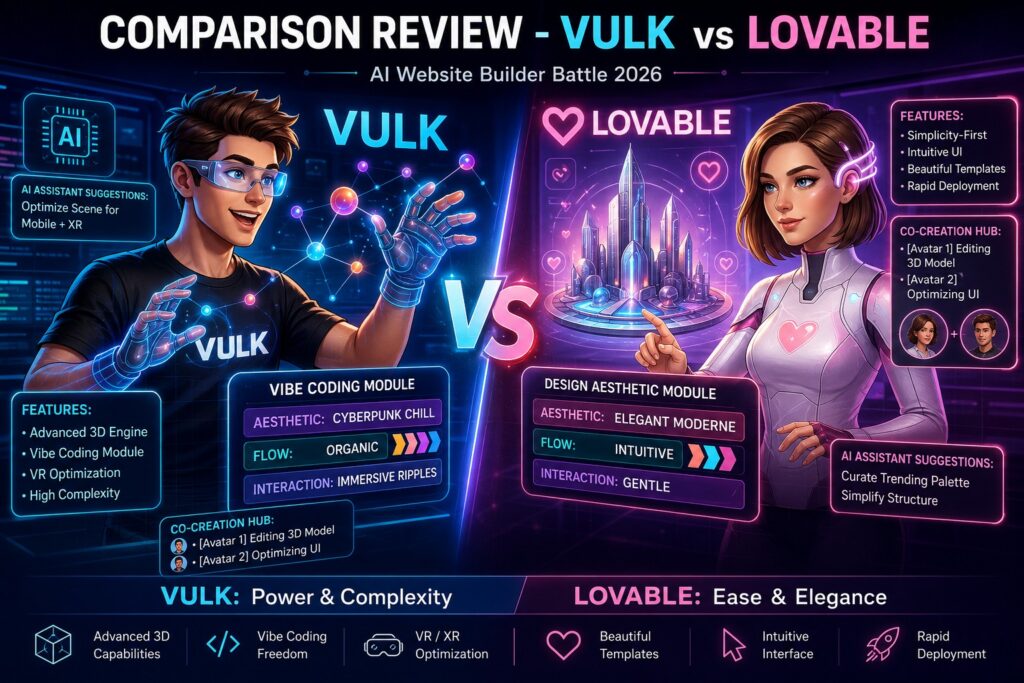
    Both VULK and Lovable use AI to simplify website creation, but they target different users. Lovable focuses on turning prompts into working web applications with an emphasis on rapid prototyping. VULK, on the other hand, places greater attention on visually rich 3D websites and user experience. If your goal is to build a modern marketing website, portfolio, or product landing page with eye-catching visuals, VULK offers a stronger design-first experience. Lovable is a better fit for users who need to build functional applications quickly.

    Choose VULK if you need:

    • Interactive 3D websites
    • Creative landing pages
    • Portfolio websites
    • Marketing-focused designs

    Comparison Table

    FeatureVULKLovable
    Primary FocusAI 3D Website BuilderAI Web App Builder
    AI Website Generation✅✅
    Interactive 3D Design✅Limited
    Visual Drag-and-Drop Editor✅✅
    Responsive Design✅✅
    Coding Required❌❌
    Best ForLanding Pages, Portfolios, Business WebsitesRapid Web App Prototypes
    Beginner FriendlyExcellentGood
    Overall WinnerVULK for design-focused websites

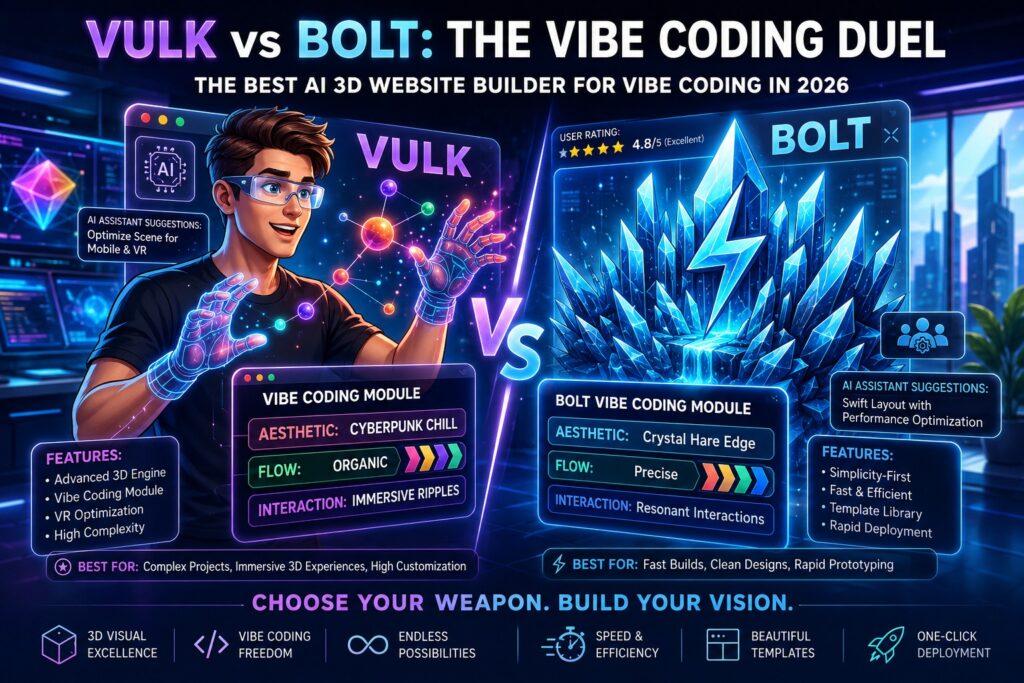
    VULK vs Bolt

    Bolt is popular for generating full-stack applications directly in the browser. It is an excellent choice for developers who want to build and test projects using AI assistance. VULK focuses more on website design than application development. It allows users to create visually appealing websites without worrying about backend configuration or coding.

    VULK is better for:

    • Business websites
    • Startup landing pages
    • Creative portfolios
    • Agency websites

    Bolt is better suited for users building complete web applications with advanced functionality.

    Comparison Table

    FeatureVULKBolt
    Primary FocusAI Website BuilderAI Full-Stack App Builder
    AI Website Generation✅✅
    Interactive 3D Design✅Limited
    Visual Editor✅✅
    Backend Development❌✅
    Coding Required❌Partial
    Best ForBusiness Websites, Marketing PagesFull-Stack Applications
    Beginner FriendlyExcellentGood
    Overall WinnerVULK for websites, Bolt for applications

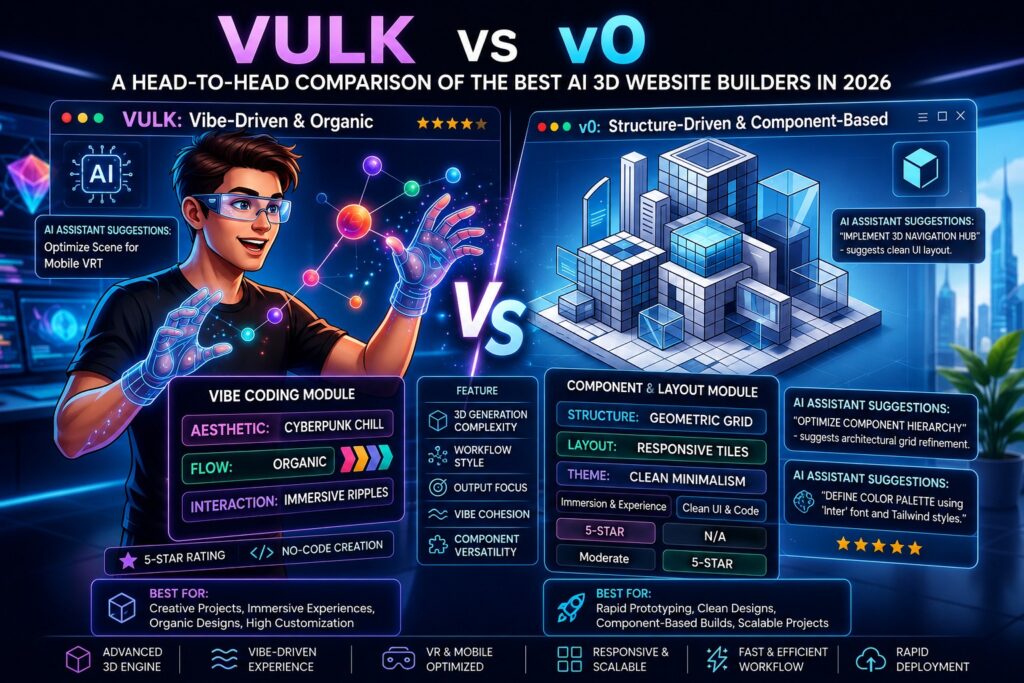
    VULK vs v0

    v0 is known for generating interface components from text prompts. Developers often use it to create front-end sections that can later be integrated into larger projects. VULK provides a more complete website-building experience. Instead of generating individual interface components, it creates entire websites with editable layouts and modern 3D elements. For users who want a finished website rather than individual UI sections, VULK offers a simpler workflow.

    Comparison Table

    FeatureVULKv0
    Primary FocusComplete AI WebsitesAI UI Component Generator
    AI Website Generation✅Partial
    Interactive 3D Design✅❌
    Visual Editing✅Partial
    Ready-to-Publish Websites✅❌
    Coding Required❌Partial
    Best ForComplete WebsitesFrontend UI Development
    Beginner FriendlyExcellentModerate
    Overall WinnerVULK for complete websites

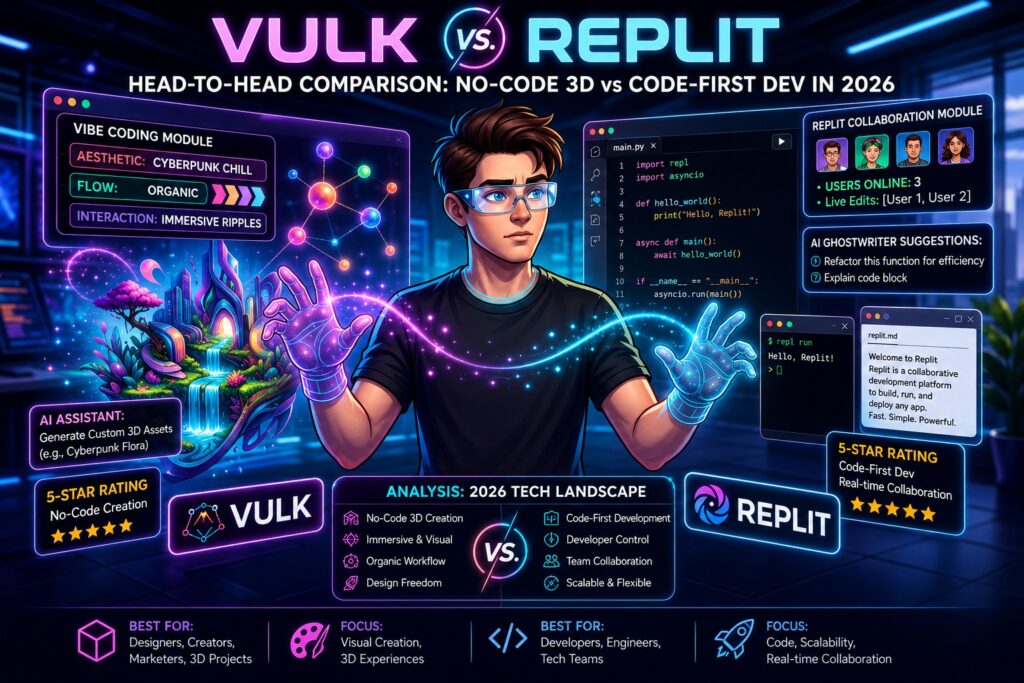
    VULK vs Replit

    Replit is an online development platform designed for coding, collaboration, and application deployment. It is an excellent environment for programmers who enjoy building software from scratch. VULK removes much of the coding process by using AI to generate complete websites. This makes it a better option for business owners, marketers, freelancers, and creators who prefer visual editing over programming. If your priority is website design, VULK is easier to learn. If you need full coding control, Replit remains a strong choice.

    Comparison Table

    FeatureVULKReplit
    Primary FocusAI Website BuilderCloud Coding Platform
    AI Website Generation✅❌
    Interactive 3D Design✅❌
    Visual Editor✅❌
    Coding Required❌✅
    Collaboration ToolsLimited✅
    Deployment✅✅
    Best ForWebsites & Landing PagesSoftware Development
    Beginner FriendlyExcellentModerate
    Overall WinnerVULK for website creation

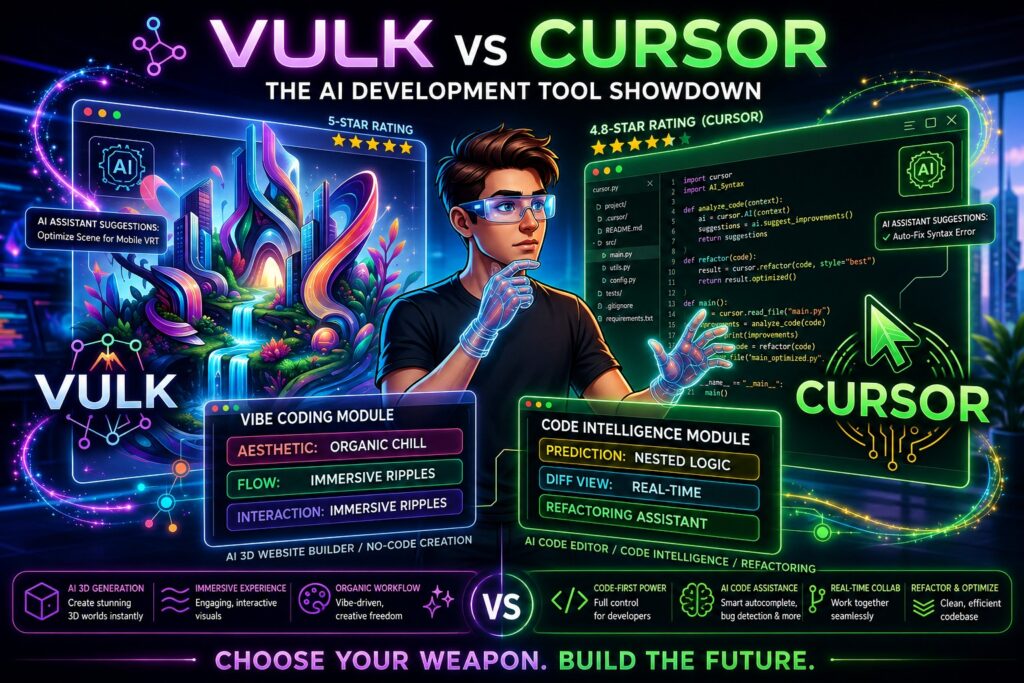
    VULK vs Cursor

    Cursor has become popular among software developers because it adds AI assistance directly inside the coding environment. It helps developers write, edit, and understand code more efficiently. Unlike Cursor, VULK is built for website creation instead of software development. Users describe their ideas, and the platform generates complete pages without requiring advanced programming knowledge. For non-developers, VULK offers a much shorter path from idea to published website.

    Comparison Table

    FeatureVULKCursor
    Primary FocusAI Website BuilderAI Code Editor
    AI Website Generation✅❌
    Interactive 3D Design✅❌
    Visual Editing✅❌
    Coding Required❌✅
    AI Coding AssistanceLimited✅
    Best ForBusiness Websites, PortfoliosSoftware Development
    Beginner FriendlyExcellentModerate
    Overall WinnerVULK for non-developers, Cursor for programmers

    Who Should Choose VULK?

    VULK is an excellent choice for users who want professional websites without spending weeks learning web development.

    It is especially suitable for:

    • Startup founders
    • Freelancers
    • Creative professionals
    • Marketing agencies
    • SaaS businesses
    • Digital creators
    • Small business owners
    • Personal brands

    If your main goal is creating visually engaging websites quickly, VULK delivers an efficient workflow with impressive results.

    Final Verdict

    After reviewing its features, design capabilities, ease of use, and workflow, VULK stands out as one of the most promising AI website builders for 2026. Its focus on interactive 3D experiences, AI-generated layouts, and beginner-friendly editing makes it a valuable choice for individuals and businesses alike. Whether you are launching a startup, creating a portfolio, promoting a product, or building a company website, VULK helps reduce development time while producing visually impressive results. Users who value creativity, speed, and simplicity will find VULK a practical solution for modern website creation.

    Frequently Asked Questions

    1. Is VULK suitable for beginners?

    Yes. VULK is designed for users with little or no coding experience. Its AI-powered workflow and visual editor make website creation simple.

    2. Can VULK build responsive websites?

    Yes. Every website created with VULK automatically adapts to desktops, tablets, and smartphones for a consistent user experience.

    3. What types of websites can I create with VULK?

    You can build business websites, startup landing pages, portfolios, agency sites, product pages, event websites, and personal brand websites.

    4. Does VULK require programming knowledge?

    No. Most users can create and edit websites without writing code. Users with coding experience can further customize projects if needed.

    5. Is VULK worth using in 2026?

    For users looking for an AI-powered website builder with interactive 3D design, VULK offers a strong combination of speed, ease of use, and professional design quality.

  • Top 5 AI Image Generators Compared: Photorealism, Price, and Prompt Accuracy (First Look at Google Flow)

    Top 5 AI Image Generators Compared: Photorealism, Price, and Prompt Accuracy (First Look at Google Flow)

    If you are searching for the Top AI Image Generators, it makes sense to start with Google Flow because it is one of Google’s newest creative tools. While Google Flow is mainly designed for AI filmmaking, it also works with Google’s image generation models to create visuals that can become part of videos. (Google Labs)This comparison reviews five popular tools based on three factors that matter most: image realism, pricing, and how well each tool follows prompts. The goal is to help you choose the right option without favoring any single platform.

    Top AI Image Generators: Quick Comparison

    FeatureGoogle FlowMidjourneyChatGPT ImagesAdobe FireflyIdeogram
    Primary PurposeAI image-to-video and cinematic content creationHigh-quality AI image generationAI image creation and editingCommercial AI image generation and designAI image generation with strong typography
    Best ForFilmmakers, video creators, and storytellersDigital artists and concept designersGeneral users, marketers, and creatorsDesigners, creative professionals, and businessesPosters, logos, and social media graphics
    Text-to-ImageYesYesYesYesYes
    Image-to-ImageYesYesYesYesYes
    Text-to-VideoYesNoLimitedLimitedNo
    Image-to-VideoYesNoLimitedNoNo
    Character ConsistencyExcellentGoodExcellentGoodGood
    Typography RenderingGoodGoodVery GoodExcellentExcellent
    PhotorealismExcellentExcellentExcellentVery GoodVery Good
    Artistic StylesExcellentExcellentExcellentExcellentVery Good
    Image EditingGoodLimitedExcellentExcellentGood
    Commercial UseYesYesYesYesYes
    Collaboration FeaturesYesLimitedYesYesLimited
    Ease of UseExcellentGoodExcellentExcellentExcellent
    Learning CurveLowMediumLowLowLow
    Platform AvailabilityWebWeb, DiscordWeb, MobileWeb, Creative CloudWeb
    Free PlanLimitedNoLimitedYesYes
    Pricing ModelSubscriptionSubscriptionFree and paid plansFree and paid plansFree and paid plans

    Google Labs | Flow Review

    Google Flow combines AI image creation with video production. Instead of making only standalone pictures, it lets creators build scenes that can continue into short cinematic clips. It is available through Google AI subscriptions in supported regions.

    • AI Image and Video Workflow – Create images that can easily become part of short cinematic videos.
    • Scene Consistency – Keeps characters, backgrounds, and objects visually consistent across multiple scenes.
    • Photorealistic Results – Produces detailed and realistic visuals suitable for storytelling and marketing.
    • Prompt-Based Creation – Generates images from simple text instructions with strong prompt understanding.
    • Creative Camera Controls – Supports different camera angles, movement, and scene transitions for video projects.
    • Google AI Integration – Works with Google’s advanced AI models to deliver high-quality visual output.
    • User-Friendly Interface – Designed for both beginners and experienced creators without requiring advanced editing skills.
    • Subscription Access – Available through supported Google AI subscription plans, with regional availability depending on your location.

    Strengths

    • High-quality realistic images
    • Strong character consistency
    • Easy transition from images to videos

    Things to consider

    • Requires a subscription
    • Available only in supported regions
    • Some prompts may be blocked by safety filters

    Official website: Google Flow

    Google Business Profile: Google does not provide a dedicated Business Profile for Google Flow.

    Rating: 4.1/5

    Trustpilot: Google Labs Trustpilot Reviews

    Top AI Image Generators for Photorealism

    Midjourney

    Midjourney continues to produce highly realistic artwork with rich lighting and impressive detail. It performs well for portraits, landscapes, and artistic scenes. It sometimes needs prompt adjustments before reaching the exact result.

    Generates lifelike images with realistic portraits, detailed environments, and accurately rendered objects.

    Rich Lighting Effects: Produces natural shadows, reflections, and cinematic lighting that enhance image quality.

    Artistic Styles: Supports a wide range of creative styles, including digital art, fantasy, watercolor, oil painting, and concept art.

    Produces crisp, high-resolution visuals designed for professional presentations, marketing campaigns, and creative content. 

    Creative Prompt Interpretation: Understands descriptive prompts well and often adds artistic depth to the final image.

    Regular Model Updates: New versions continue to improve image quality, realism, and prompt understanding.

    Community Support: Offers an active user community where creators share prompts, techniques, and inspiration.

    Official website: Midjourney

    Google Business Profile: Not available.

    Rating: 3.8/5

    Trustpilot: Midjourney Trustpilot

    ChatGPT Images

    Realistic Image Quality: Produces detailed and natural-looking images across many styles.

    Strong Prompt Accuracy: Understands detailed instructions and follows them closely.

    Multiple Art Styles: Creates photorealistic images, illustrations, sketches, digital art, and more.

    Text Understanding: Handles complex prompts with multiple objects, settings, and visual details.

    Easy Editing: Users can refine or regenerate images by changing parts of the prompt.

    Supports a wide range of creative projects, including marketing campaigns, educational content, presentations, storytelling, and graphic design.

    Fast Image Generation: Delivers results quickly, helping users save time.

    Safe Content Controls: Includes built-in safeguards to reduce harmful or misleading content generation.

    Official website: OpenAI

    Google Business Profile: Not available.

    Rating: 4.7/5

    Trustpilot: OpenAI Trustpilot

    Top AI Image Generators for Creative Projects

    Adobe Firefly

    Adobe Firefly works well for designers who already use Adobe products. It creates clean commercial graphics and provides tools that help users edit generated images easily.

    Commercial-Friendly Images: Creates visuals that are suitable for marketing materials, presentations, advertisements, and business content.

    • Adobe Creative Cloud Integration: Works directly with Photoshop, Illustrator, Adobe Express, and other Adobe tools for a smoother editing workflow.
    • Easy Image Editing: Lets users remove objects, replace backgrounds, expand images, and add new elements with simple text prompts.
    • Text Effects: Generates creative text styles and decorative lettering for logos, banners, and social media graphics.
    • Consistent Prompt Results: Produces images that closely match written instructions, reducing the need for repeated prompt changes.
    • Multiple Style Options: Supports realistic, artistic, illustrated, and graphic design styles for different creative needs.
    • Free and Paid Plans: Offers a free plan with limited credits, while premium plans provide additional generations and advanced features.

    Official website: Adobe Firefly

    Google Business Profile: Not available.

    Rating: 3.5/5

    Trustpilot: Adobe Trustpilot

    Ideogram

    Ideogram stands out because it handles text inside images better than many competitors. It is a practical choice for posters, advertisements, social media graphics, and product mockups.

    • Text Rendering Excellence: Ideogram is widely recognized for generating highly accurate and readable text within images, making it one of the strongest AI image generators for typography-heavy designs.
    • Marketing & Advertising Graphics: It is well-suited for creating posters, flyers, banners, advertisements, and promotional visuals where clear text placement is essential.
    • Social Media Content: Users can quickly produce eye-catching social media posts, thumbnails, quotes, and branded graphics without extensive graphic design experience.
    • Product Mockups: Ideogram can generate realistic product mockups with logos, labels, packaging, and branding elements, helping businesses visualize marketing concepts.
    • Creative Design Styles: It supports a wide range of visual styles, including photorealistic, minimalist, 3D, illustration, and artistic compositions, allowing flexibility across different projects.
    • Simple Prompt-Based Workflow: Users only need descriptive text prompts to generate professional-looking images, making it accessible for beginners and experienced designers alike.
    • Best For: Ideogram is an excellent choice for marketers, content creators, small businesses, and designers who need AI-generated visuals with accurate embedded text, reducing the need for manual editing in traditional design software.

    Official website: Ideogram

    Google Business Profile: Not available.

    Rating: 4.2/5

    Trustpilot: No official Trustpilot profile was found.

    How the Top AI Image Generators Compare

    Photorealism

    Midjourney and Google Flow produce highly realistic visuals. ChatGPT Images follows closely with natural-looking images that also stay faithful to the written prompt.

    Price

    Most Top AI Image Generators offer free entry plans with optional paid upgrades. Google Flow requires an eligible Google AI subscription, while Midjourney is subscription-only. Adobe Firefly, ChatGPT Images, and Ideogram provide both free and premium options.

    Prompt Accuracy

    ChatGPT Images and Ideogram consistently understand detailed instructions well. Google Flow also performs strongly, although some prompts may trigger safety checks depending on the request.

    Our Take on the Top AI Image Generators 

    There is no single winner for everyone. The Top AI Image Generators each serve different needs.

    • Choose Google Flow if you plan to create both images and AI videos.
    • Choose Midjourney for artistic and realistic visuals.
    • Choose ChatGPT Images when prompt accuracy matters most.
    • Choose Adobe Firefly for professional design work.
    • Choose Ideogram if your images include readable text.

    Selecting the right tool depends on your budget, creative goals, and the type of images you create most often.