Blog

  • Meshy vs Microsoft TRELLIS.2: Which 3D AI Tool Delivers Better Results?

    Meshy vs Microsoft TRELLIS.2: Which 3D AI Tool Delivers Better Results?

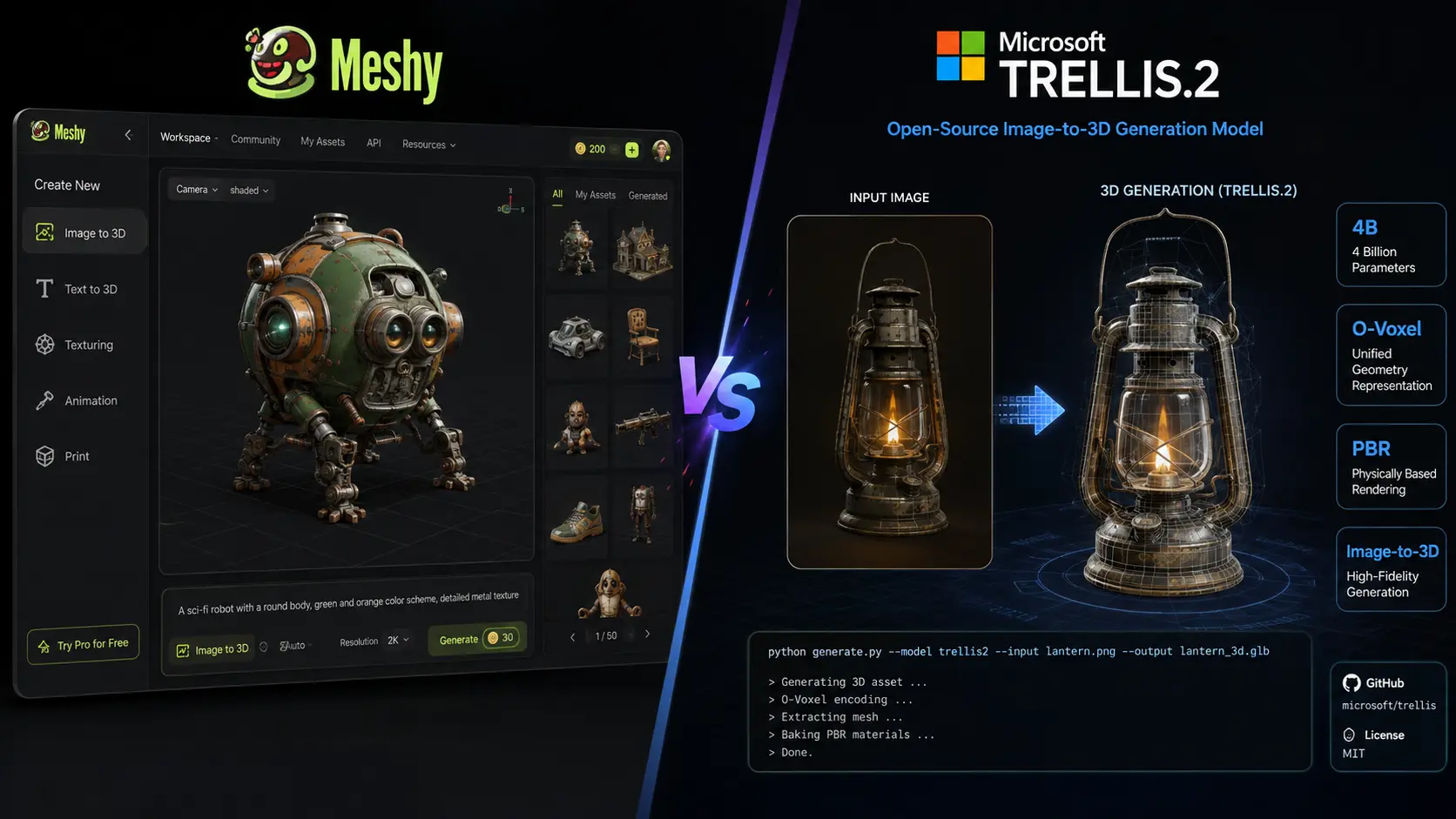
    AI 3D generation is becoming useful for game development, product design, animation, 3D printing, and creative projects. Meshy vs Microsoft TRELLIS.2 is an important comparison because both tools can create detailed 3D assets, but they are built for different users. Meshy is a complete online 3D creation platform with tools for generation, texturing, rigging, animation, and exporting. Microsoft TRELLIS.2 is an open-source model focused on high-quality image-to-3D generation. The right choice depends on whether you want an easy platform or more control over the underlying AI model.

    Meshy vs Microsoft TRELLIS.2: Key Differences
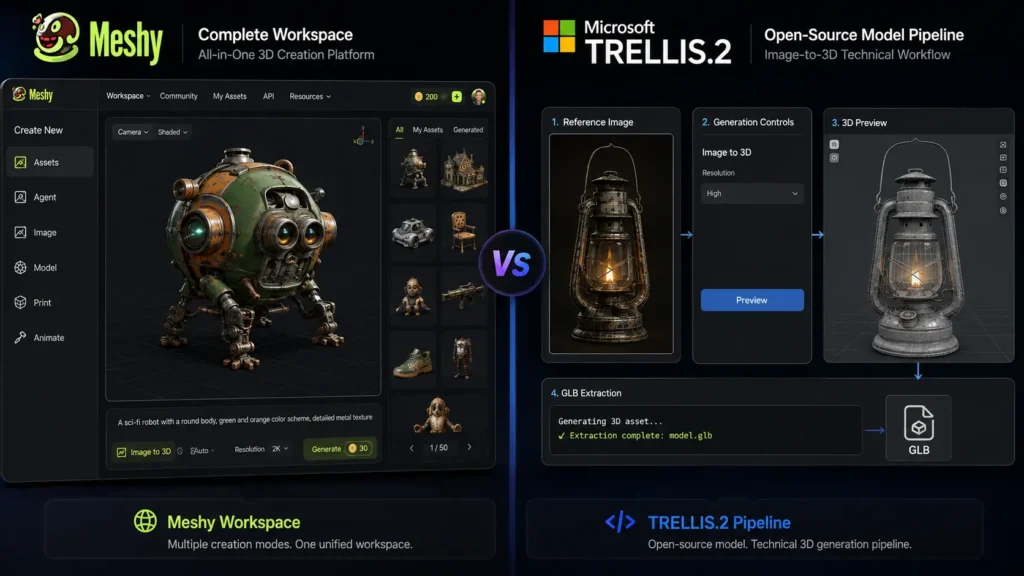
    The biggest difference in Meshy vs Microsoft TRELLIS.2 is their overall purpose.

    Meshy gives creators a complete workflow. Users can generate models from text or images, apply textures, create animations, rig characters, and export assets in several formats. This makes it useful for people who want to move from an idea to a finished 3D asset without managing a complex technical setup.

    TRELLIS.2 takes a more developer-focused approach. Microsoft Research developed the model for high-quality image-to-3D generation, with support for detailed geometry and materials. The project is open source and can be adapted for custom workflows.

    Meshy vs Microsoft TRELLIS.2: Comparison Table

    FeatureMeshyMicrosoft TRELLIS.2
    TypeComplete AI 3D platformOpen-source 3D generation model
    Text to 3DYesNo, mainly image-to-3D
    Image to 3DYesYes
    AI texturingYesYes
    3D model qualityExcellentExcellent for supported workflows
    Complex geometryVery goodExcellent
    PBR materialsYesYes
    RiggingYesNo built-in workflow
    AnimationYesNo built-in animation tools
    3D printing toolsYesNo dedicated workflow
    Browser-basedYesNo
    Open sourceNoYes
    Local GPU requiredNoYes for local use
    Beginner friendlyExcellentModerate
    Developer controlGoodExcellent
    Best forCreators, games, animation, printingDevelopers, researchers, custom workflows

    Meshy supports text-to-3D, image-to-3D, AI texturing, rigging, animation, and several export formats. TRELLIS.2 focuses more specifically on generating high-quality 3D assets from images.

    Meshy vs Microsoft TRELLIS.2: Pricing Compared

    Pricing is another major factor in the Meshy vs Microsoft TRELLIS.2 decision. The two tools use very different pricing models.

    Plan / OptionPriceBest For
    Meshy Free$0/monthTesting and occasional use
    Meshy Pro$20/monthIndividual creators
    Meshy Premium$40/monthFrequent 3D generation
    Meshy Ultra$100/monthHeavy professional use
    Meshy StudioFrom $70/monthSmall teams
    Meshy EnterpriseCustom pricingLarger organizations
    Microsoft TRELLIS.2$0 model/software costDevelopers and researchers
    TRELLIS.2 local hardwareVariesUsers running the model themselves

    Meshy offers a free plan with limited monthly credits, while its paid plans provide more credits and higher usage limits. Current listed individual plans include Pro at $20 per month, Premium at $40, and Ultra at $100.

    TRELLIS.2 does not work like a conventional subscription service. Microsoft released the project under the MIT license, so there is no monthly fee for the model itself. However, users running it locally need suitable computer hardware. The official repository states that local use requires an NVIDIA GPU with at least 24GB of memory.

    For users without a powerful computer, Meshy’s subscription can be more convenient because the generation happens through its online platform.

    Meshy vs Microsoft TRELLIS.2: 3D Model Quality
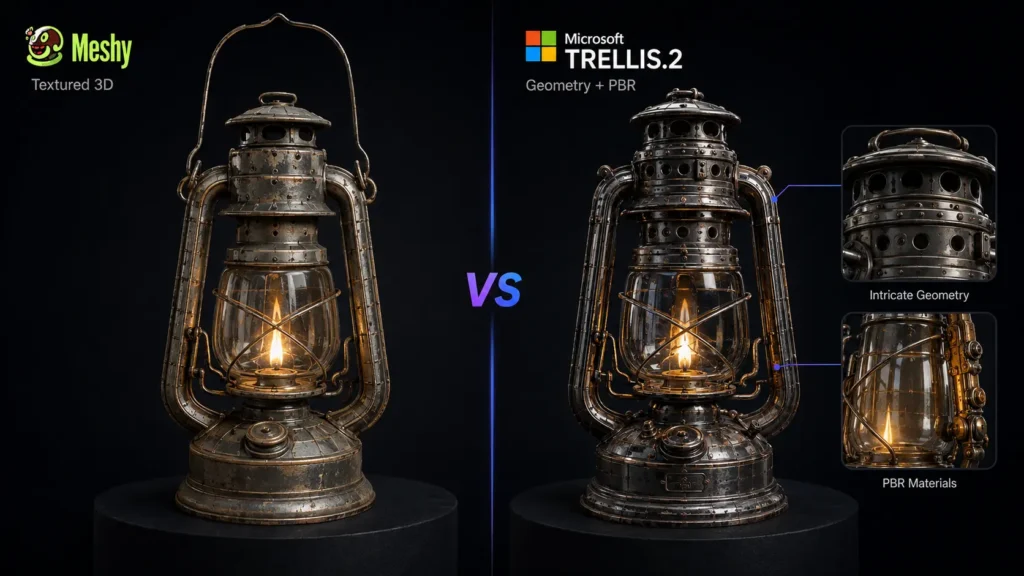
    When comparing Meshy vs Microsoft TRELLIS.2 for quality, both can produce impressive results, but their strengths are different.

    Meshy is designed to create usable 3D assets for a wide range of projects. Its image-to-3D and text-to-3D tools can generate models with textures, while additional tools help users prepare those models for animation, games, and other uses.

    TRELLIS.2 focuses more heavily on detailed image-to-3D generation. Microsoft describes the model as a 4-billion-parameter system capable of generating high-fidelity assets with detailed geometry and physically based materials. It supports generation at resolutions up to 1536³.

    If raw generation detail is your main concern and you have the hardware to run the model, TRELLIS.2 is a strong option. If you need a complete workflow around the generated model, Meshy is more practical.

    Meshy vs Microsoft TRELLIS.2: Ease of Use
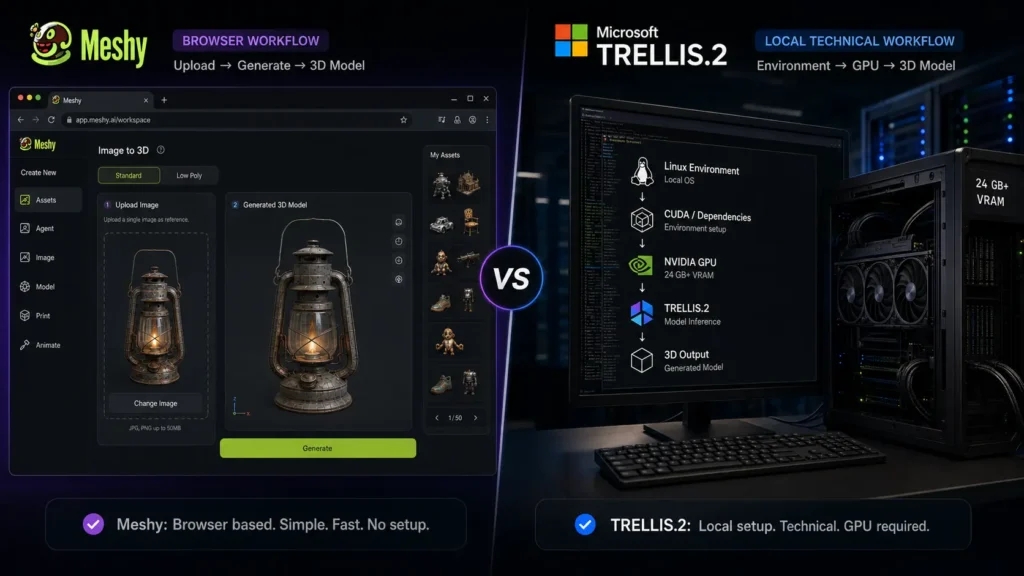
    Ease of use is one area where Meshy vs Microsoft TRELLIS.2 has a clear difference.

    Meshy works through a browser. You do not need to install the model, configure a local AI environment, or purchase a high-end graphics card. You can upload an image or enter a prompt, generate a model, make adjustments, add textures, and export the result.

    TRELLIS.2 requires more technical knowledge. Local installation involves setting up the required software and hardware. The official project is primarily intended for users who are comfortable working with AI models and development environments.

    For beginners, designers, and content creators, Meshy is the easier option. Developers and researchers may prefer TRELLIS.2 because of its open-source nature and greater control.

    Meshy vs Microsoft TRELLIS.2: Best for Game Development
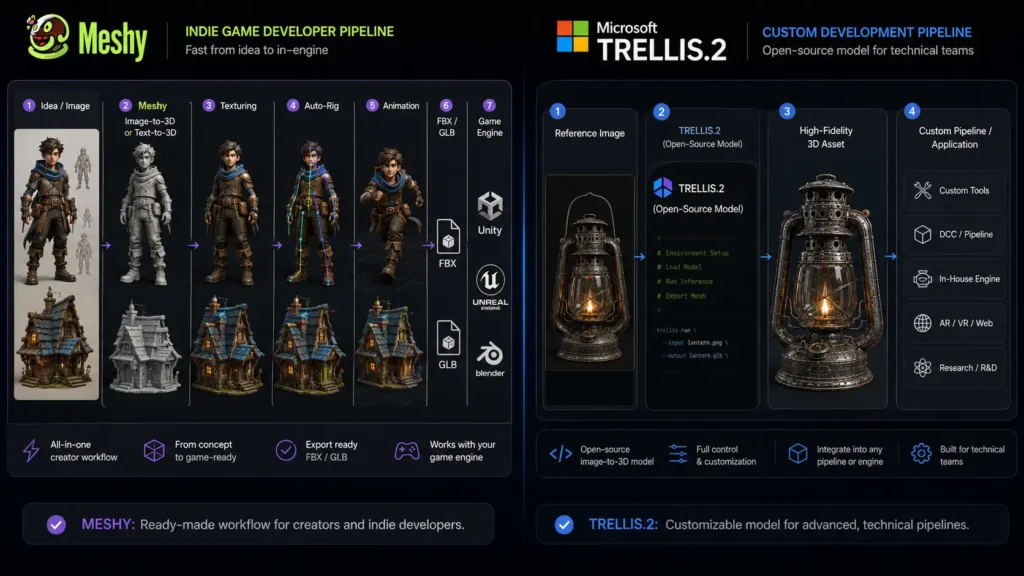
    For game development, Meshy vs Microsoft TRELLIS.2 depends on the type of developer.

    Meshy is useful for independent developers who need finished assets quickly. Its tools for texturing, rigging, animation, and topology can reduce the number of separate applications needed in the workflow.

    TRELLIS.2 is more suitable for developers who want to build their own generation system. Its open-source code allows technical users to experiment with the model and integrate it into custom projects.

    For an individual game developer, Meshy is generally the more convenient choice. For a technical team building its own AI pipeline, TRELLIS.2 offers more flexibility.

    Meshy vs Microsoft TRELLIS.2: Best for 3D Printing
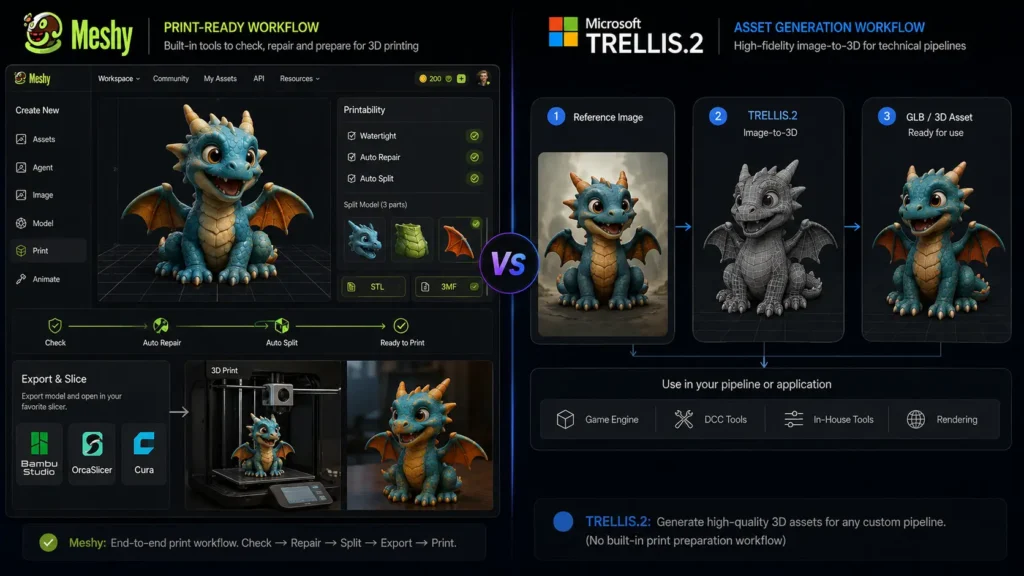
    Meshy has an advantage for 3D printing because it provides tools designed to help prepare models for printing. It also supports formats such as STL and 3MF, which are commonly used in 3D printing workflows.

    TRELLIS.2 can generate high-quality 3D assets, but it does not provide the same complete printing workflow. Users may need additional software to check, repair, and prepare models before sending them to a printer.

    Therefore, Meshy vs Microsoft TRELLIS.2 favors Meshy for beginners and hobbyists who want to create printable models with fewer extra steps.

    Meshy vs Microsoft TRELLIS.2: Which One Should You Choose?

    Choose Meshy if you want:

    • A browser-based 3D generation platform
    • Text-to-3D and image-to-3D tools
    • AI texturing
    • Character rigging
    • Animation tools
    • 3D printing support
    • Multiple export formats
    • A simple workflow without local GPU setup

    Choose TRELLIS.2 if you want:

    • An open-source 3D model
    • High-quality image-to-3D generation
    • Detailed geometry
    • More control over the generation process
    • A model that can be integrated into custom applications
    • A platform for research and development

    Final Verdict: Meshy vs Microsoft TRELLIS.2

    The Meshy vs Microsoft TRELLIS.2 comparison comes down to convenience versus technical control. Meshy is the better choice for creators who want a complete 3D workflow. Its generation, texturing, rigging, animation, and printing features make it useful for games, creative projects, and 3D printing. Microsoft TRELLIS.2 is the stronger choice for developers and researchers who want an open-source model focused on high-quality image-to-3D generation. Its detailed geometry capabilities and local deployment options give technical users more freedom. For most beginners and creators, Meshy is the easier overall choice. For developers who have the required hardware and want to experiment with an open 3D generation model, TRELLIS.2 is the more flexible option.

    FAQs About Meshy vs Microsoft TRELLIS.2

    Is Meshy better than Microsoft TRELLIS.2?

    Meshy is better for users who want an easy, complete 3D creation workflow. TRELLIS.2 is better for developers and researchers who want an open-source model with more technical control.

    Is Microsoft TRELLIS.2 free?

    The TRELLIS.2 model and source code are available under the MIT license, so there is no monthly subscription fee for the model itself. Running it locally still requires suitable hardware, including an NVIDIA GPU with at least 24GB of memory.

    How much does Meshy cost?

    Meshy has a free plan. Its current paid individual plans include Pro at $20 per month, Premium at $40 per month, and Ultra at $100 per month. Studio and Enterprise options are also available for teams and businesses.

    Which is better for beginners, Meshy or TRELLIS.2?

    Meshy is the better option for beginners because it works through a browser and does not require users to install or manage a local AI model. TRELLIS.2 is better suited to users with technical experience and suitable computer hardware.
  • HeyGen vs Cantina: Features, AI Video Quality & Key Differences

    HeyGen vs Cantina: Features, AI Video Quality & Key Differences

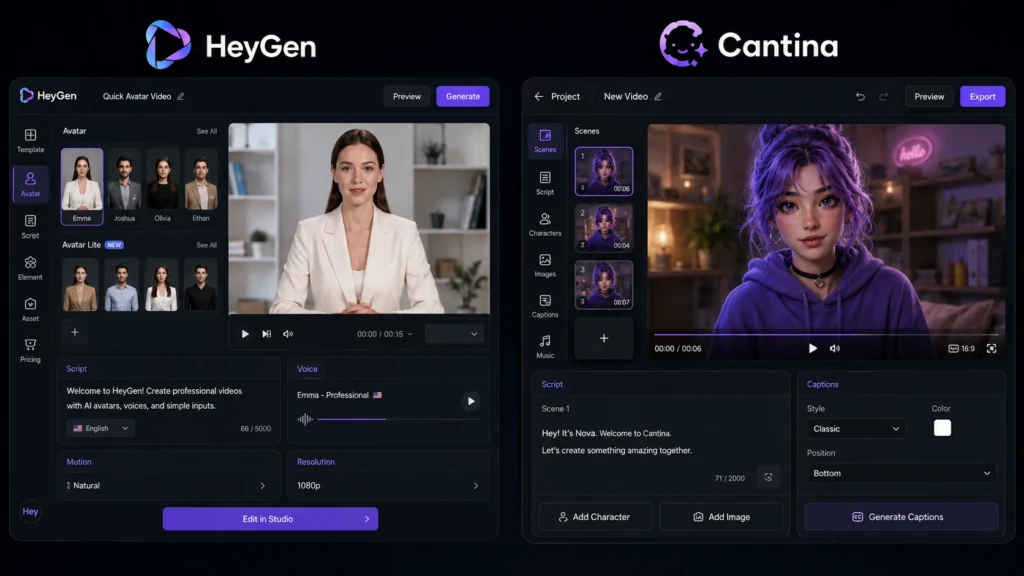
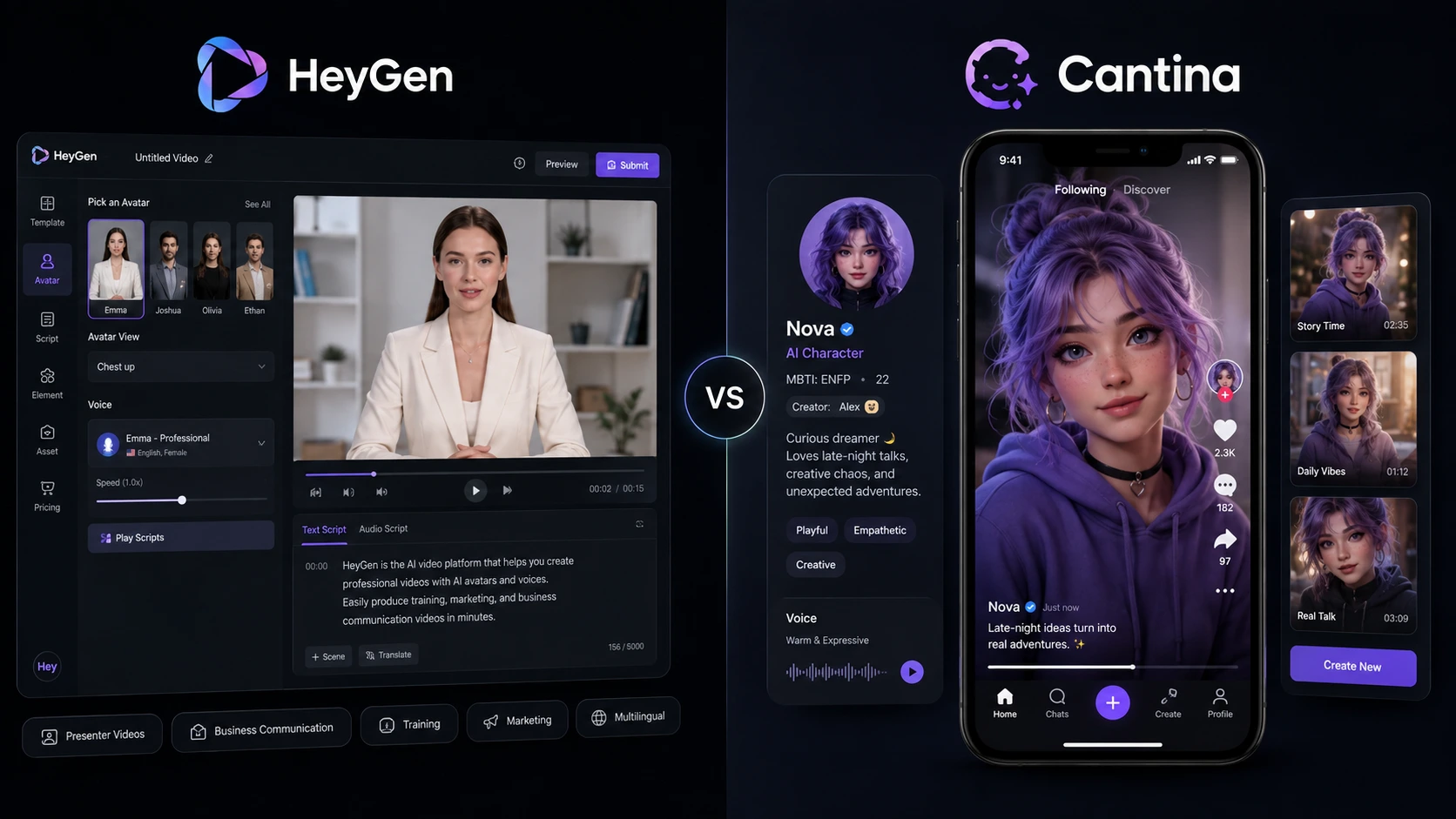
    Choosing between HeyGen vs Cantina depends on the type of AI video you want to make. HeyGen focuses strongly on presenter videos, digital avatars, voice cloning, business content, and video translation. Cantina takes a different approach by building AI characters with personalities, voices, identities, and social interactions. For marketers, educators, creators, and businesses, HeyGen vs Cantina is not simply a question of which tool has better AI. The better choice depends on your workflow, video style, audience, and need for control.

    HeyGen vs Cantina: What Is the Main Difference?

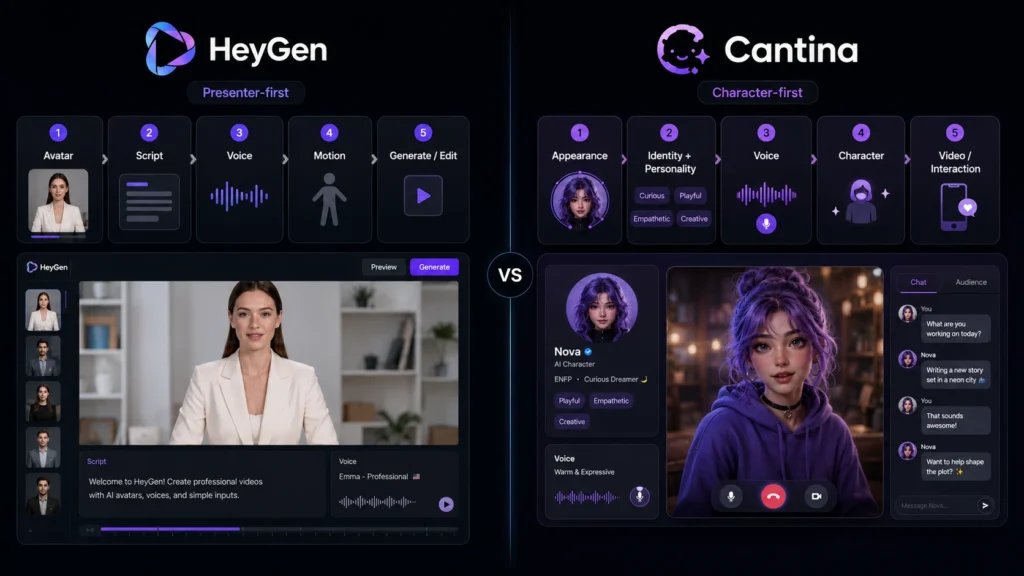
    The biggest difference in HeyGen vs Cantina is their purpose. HeyGen works more like a complete AI video creation platform. You can choose an avatar, add a script, select a voice, edit the video, and create content in many languages. Its current plans also include video translation, voice cloning, digital twins, and higher-resolution exports. Cantina is more focused on AI characters and social storytelling. Users can create characters with their own appearance, personality, background, voice, and style. Those characters can then appear in AI-generated videos and interact with people in real time.

    HeyGen vs Cantina: Features Compared

    FeatureHeyGenCantina
    AI avatarsYesYes
    Custom charactersYesYes
    Voice creationVoice cloning and AI voicesCharacter voices
    AI video creationYesYes
    Script-based presenter videosStrongMore character-focused
    Real-time interactionLimited compared with CantinaStrong
    Video translationYesNot a main focus
    Multilingual content175+ languages and dialects on paid plansCharacter-focused
    Social communityNot the main focusCore feature
    Business video toolsStrongLimited
    Mobile focusWeb and PC focusedStrong mobile experience
    4K exportAvailable on Pro and higher plansNot positioned as a main feature

    The HeyGen vs Cantina comparison shows that both can create AI video, but they solve different problems. HeyGen is better suited to structured video production, while Cantina is designed around characters, creativity, interaction, and social content.

    HeyGen vs Cantina: AI Video Quality

    When comparing HeyGen vs Cantina for AI video quality, the result depends heavily on the type of video being created.

    HeyGen is particularly strong for professional presenter videos. Its avatar tools are designed to produce natural-looking speakers with synchronized speech, gestures, and expressions. Paid plans support 1080p or 4K exports depending on the plan.

    Cantina focuses more on expressive characters and short-form storytelling. Its video system can turn characters into scenes where they speak, perform, and tell stories. The platform also supports multiple characters and social sharing, which makes it useful for creative content.

    For a corporate presentation, training video, or product explanation, HeyGen has the clearer advantage. For fictional characters, entertaining clips, and social storytelling, Cantina can be more interesting.

    HeyGen vs Cantina: Pricing and Value

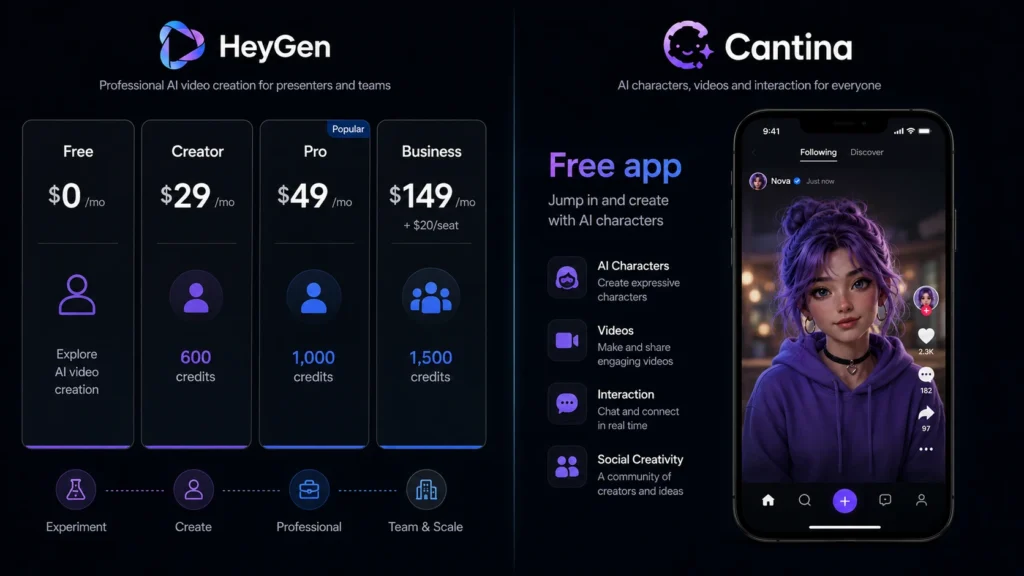
    HeyGen has a clearly published pricing structure. Its Free plan costs $0, while Creator costs $29 per month, Pro costs $49 per month, and Business costs $149 per month plus $20 for each additional seat. Creator includes 600 monthly credits and 1080p exports, while Pro includes 1,000 credits and 4K export.

    Cantina is available as a free app, although its current pricing structure and usage limits differ from HeyGen’s subscription model. The platform is primarily positioned around its character and social experience rather than a traditional business video subscription.

    HeyGen vs Cantina: Which Tool Is Easier to Use?

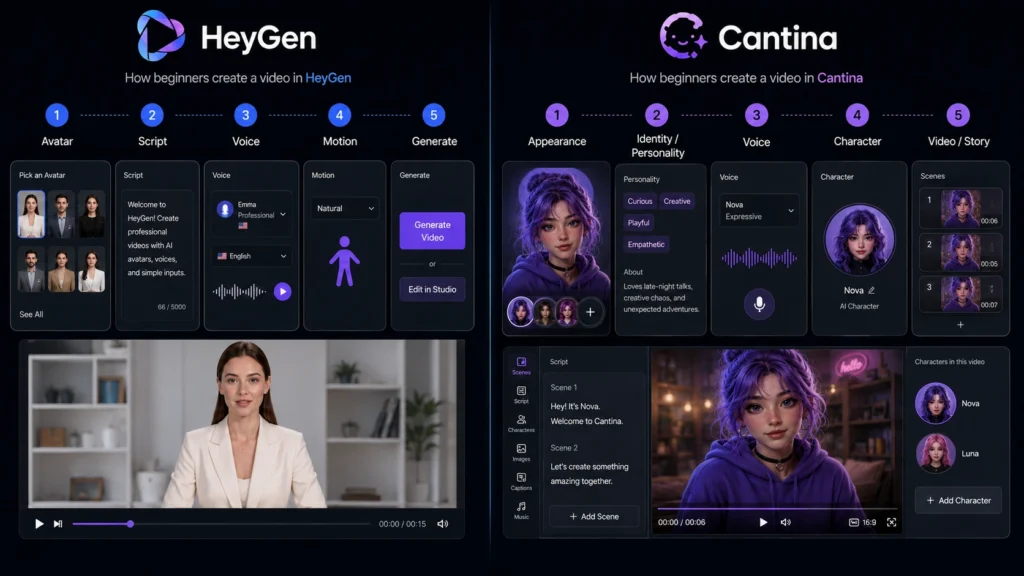
    HeyGen keeps the creation process straightforward. Users can select an avatar, write or add a script, choose a voice, and generate the video. Its Quick Avatar Video feature is designed to make this process even faster.

    Cantina takes a more creative route. You first build or choose a character and then use that character for videos, stories, or interactions. This makes the experience different from a standard AI presenter tool.

    HeyGen vs Cantina: Which One Should You Choose?

    Choose HeyGen if you need:

    • Professional presenter videos
    • Marketing and training content
    • AI avatars for business
    • Voice cloning
    • Multilingual videos
    • Video translation
    • 1080p or 4K exports
    • Team and business features

    Choose Cantina if you want:

    • Original AI characters
    • Character-based storytelling
    • Social AI interactions
    • Creative short videos
    • Multiple characters in stories
    • Real-time character interaction
    • A mobile-first creative experience

    Overall, HeyGen vs Cantina comes down to professional video production versus character-driven creativity. HeyGen is the stronger choice for businesses, educators, marketers, and creators who need polished presenter videos. Cantina is more appealing for creators who want AI characters to become the center of their content.

    Final Thoughts on HeyGen vs Cantina

    The HeyGen vs Cantina decision becomes easier when you focus on your content goal. HeyGen is designed for polished, professional AI video creation, while Cantina focuses more on AI characters, creative interactions, and storytelling. If you need reliable business-ready videos, HeyGen is the stronger overall option. If you want to create characters and turn them into entertaining social content, Cantina offers a more distinctive experience.

    FAQs About HeyGen vs Cantina

    Is HeyGen better than Cantina for professional videos?

    Yes, HeyGen is generally the better choice for professional videos because it offers presenter avatars, voice cloning, multilingual support, video translation, higher-resolution exports, and business features.

    Is Cantina free to use?

    Cantina is available as a free app. Its main experience centers on creating AI characters, videos, and social interactions.

    Which is better for AI characters, HeyGen or Cantina?

    Cantina has a stronger focus on character creation. Users can define a character’s appearance, personality, backstory, voice, and identity before using it in videos and interactions.

    Which should beginners choose: HeyGen or Cantina?

    For business presentations, tutorials, marketing clips, and presenter videos, HeyGen is the easier starting point. If your goal is entertainment, fictional characters, or social storytelling, Cantina is worth trying.

  • Adobe Photoshop vs Step1X-Edit: Which AI Image Editor Is Best in 2026?

    Adobe Photoshop vs Step1X-Edit: Which AI Image Editor Is Best in 2026?

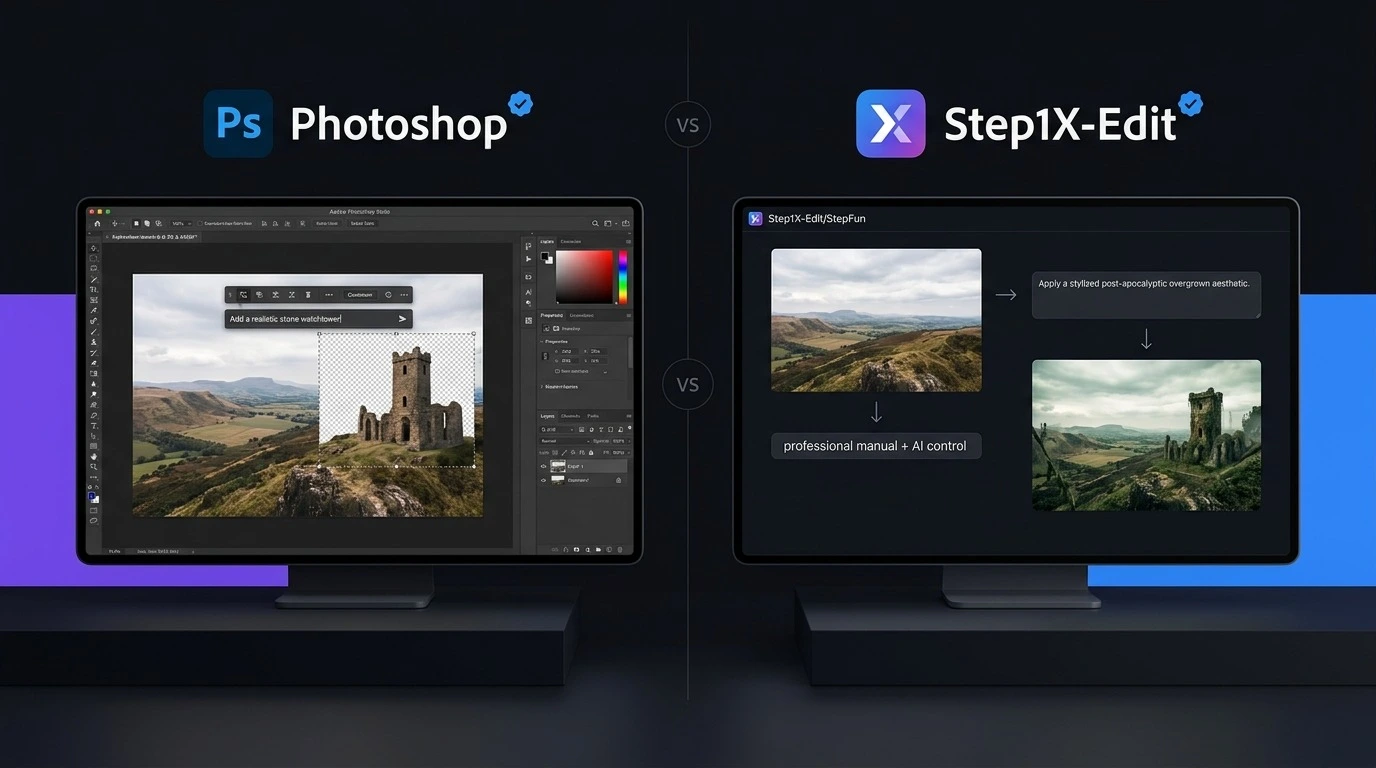
    The Adobe Photoshop vs Step1X-Edit comparison shows how quickly AI image editing is changing in 2026. Photoshop has been a leading choice for professional photo editing for years, while Step1X-Edit offers a different approach with an open-source AI model focused on instruction-based image editing. Both tools can help users change images with AI, but they are built for different needs. Photoshop combines AI features with detailed manual editing tools, while Step1X-Edit focuses more directly on AI-powered image changes. So, which one should you choose? The answer depends on your budget, editing skills, hardware, and the type of images you create.

    Adobe Photoshop vs Step1X-Edit: Quick Comparison

    FeatureAdobe PhotoshopStep1X-Edit
    TypeProfessional image editorOpen-source AI image editing model
    AI EditingYesYes
    Text-Based EditingYesYes
    Manual EditingExcellentLimited
    LayersYesNo traditional layer system
    Background EditingYesYes
    Object EditingYesYes
    Photo RetouchingAdvancedAI-focused
    Open SourceNoYes
    Local UseNot the main model workflowYes
    SubscriptionYesNo standard subscription
    Hardware RequirementsModerateCan be high for local use
    Best ForDesigners, photographers, businessesAI users, developers, researchers
    Ease of UseEasierMore technical
    OverallBest all-round editorStrong open-source AI option

    What Is Adobe Photoshop?

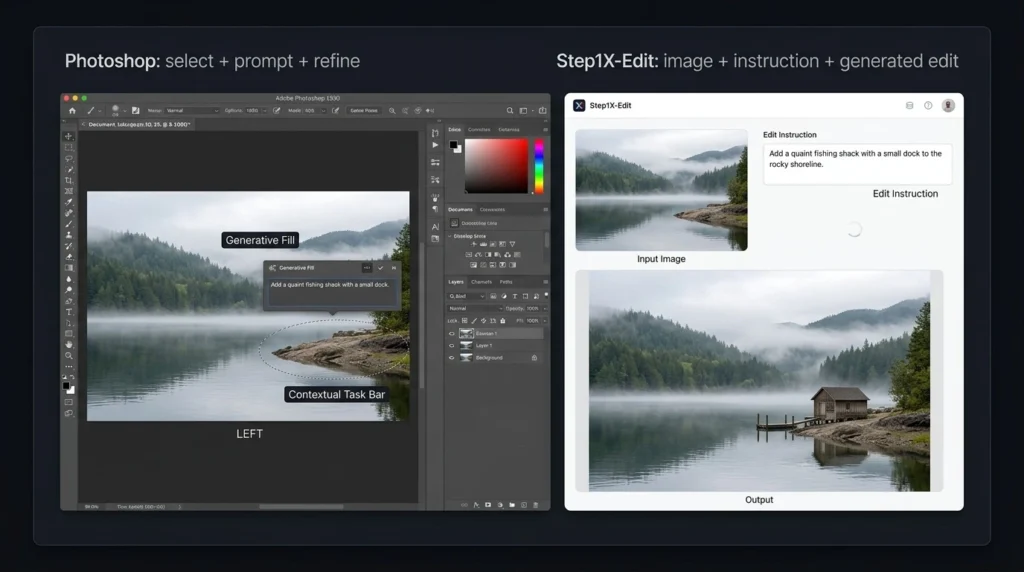
    Adobe Photoshop is a professional image editing application used for photography, graphic design, advertising, social media content, digital art, and many other creative tasks. Its biggest strength is the combination of traditional editing and AI tools. Users can work with layers, selections, masks, text, filters, color adjustments, and retouching tools while also using AI features such as Generative Fill. This makes Photoshop useful when an AI-generated result needs manual correction. You are not limited to accepting whatever the AI creates. You can adjust individual parts of the image until the result looks right. For professional work, this level of control gives Photoshop a major advantage in the Adobe Photoshop vs Step1X-Edit comparison.

    What Is Step1X-Edit?

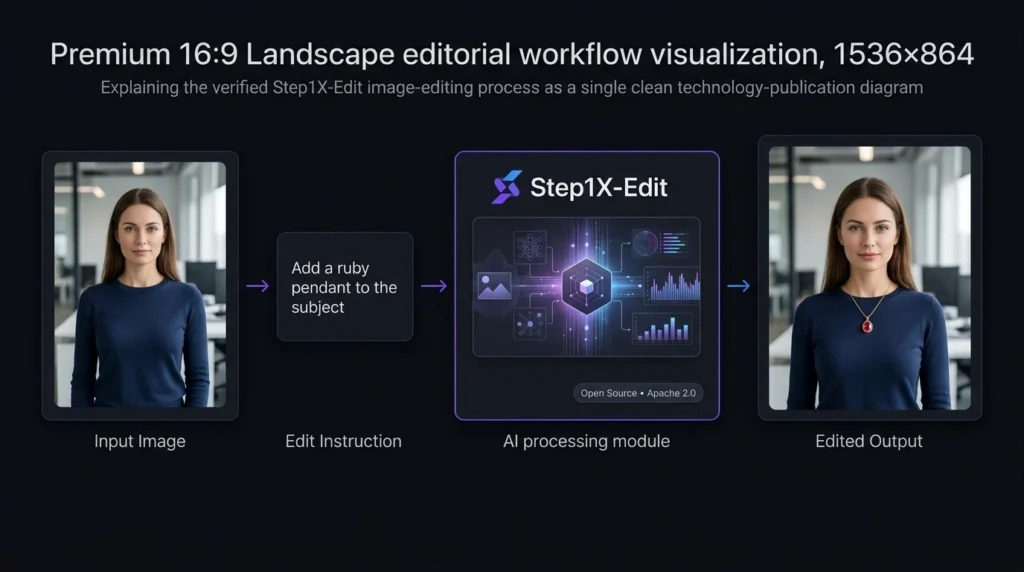
    Step1X-Edit is an open-source AI image editing model developed by StepFun. It is designed to edit images based on user instructions rather than working only through traditional editing controls. The model is available through open model platforms, and its official release uses the Apache 2.0 license. Instead of manually selecting every part of an image, users can describe the change they want. This makes Step1X-Edit interesting for people who want to experiment with AI image editing or build their own workflows. However, it is important to understand that Step1X-Edit is not a complete Photoshop replacement. It is better viewed as an AI image editing model rather than a full professional design application.

    Adobe Photoshop vs Step1X-Edit: AI Features

    AI is where the comparison becomes especially interesting. Photoshop uses AI as part of a larger editing system. You can generate or modify content and then use Photoshop’s traditional tools to refine it. For example, you might use an AI feature to remove an unwanted object and then manually correct the surrounding area. Step1X-Edit takes a more AI-first approach. Its purpose is to understand image editing instructions and produce a modified image. This can make simple creative changes easier, but the level of control depends on the model’s output. If the result is not exactly what you want, you may need to repeat the instruction or use another editing tool afterward.

    Which Has Better AI Editing?

    For professional control, Photoshop wins. For users interested in open-source AI editing, Step1X-Edit has an important advantage. The difference is simple: Photoshop gives you AI plus manual control, while Step1X-Edit focuses more strongly on AI-based image editing.

    Adobe Photoshop vs Step1X-Edit: Feature Comparison

    Photoshop Features

    Photoshop provides a large collection of tools, including:

    • Layers and masks
    • Advanced selections
    • Image retouching
    • Color correction
    • Typography tools
    • Background removal
    • Generative Fill
    • Object removal
    • Filters and effects
    • Professional file support
    • AI-assisted editing

    These features make it suitable for projects where precision matters.

    Step1X-Edit Features

    Step1X-Edit focuses on:

    • AI image editing
    • Instruction-based editing
    • Image-to-image changes
    • Open-source access
    • Local workflows
    • AI experimentation
    • Developer-focused use
    • Integration with supported AI workflows

    Its feature set is narrower than Photoshop because it is not designed to replace every traditional editing function.

    Adobe Photoshop Pricing Plans in 2026

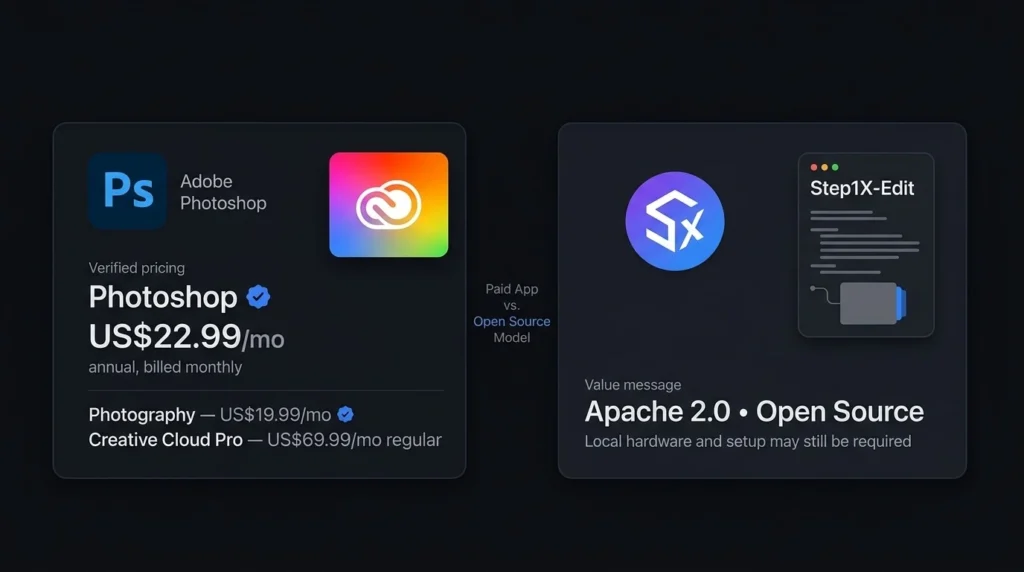
    Photoshop follows a paid subscription model. Adobe’s pricing can vary depending on the country, billing method, taxes, and special offers.

    PlanApproximate PriceMain FeaturesBest For
    Photoshop$22.99/monthPhotoshop and AI editing featuresGeneral creators
    Photography$19.99/monthPhotoshop + LightroomPhotographers
    Firefly Standard$9.99/monthGenerative AI tools and creditsAI-focused creators
    Creative Cloud ProHigher-priced subscriptionPhotoshop plus other Adobe creative toolsProfessionals and agencies

    These prices should be checked on Adobe’s official website before purchasing because Adobe can change regional pricing and promotions. The Photography plan can be particularly useful for photographers because it combines Photoshop with Lightroom.

    Step1X-Edit Pricing: Is It Free?

    One of the biggest differences in the Adobe Photoshop vs Step1X-Edit comparison is pricing. Step1X-Edit is available as an open-source model under the Apache 2.0 license. There is no standard monthly subscription fee for downloading and using the model itself. However, running an AI model locally is not always completely free.

    You may need:

    • A capable computer
    • Suitable graphics hardware
    • Enough storage
    • Time for installation
    • Technical knowledge
    • A compatible AI workflow

    If you use Step1X-Edit through a third-party online service, that service may charge its own fees.

    Adobe Photoshop vs Step1X-Edit: Ease of Use

    Photoshop is easier for most users because it is a finished application. You install it, open an image, and start editing. There are many tutorials available, making it easier for beginners to learn common tasks. Step1X-Edit can require more technical knowledge, especially if you want to run the model locally. Installation, model files, hardware requirements, and supported workflows can create additional steps. For beginners, Photoshop is the more practical option. For technically experienced users who enjoy experimenting with AI models, Step1X-Edit can be more interesting.

    Adobe Photoshop vs Step1X-Edit: Performance and Control

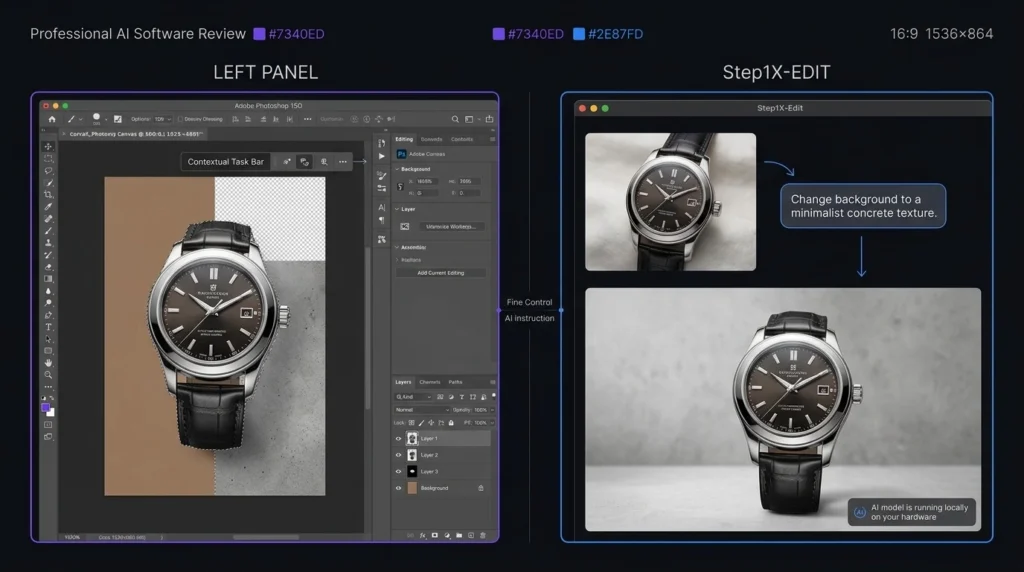
    Control is one of Photoshop’s strongest advantages. When editing a product photo, for example, you may need to change the background without affecting the product. Photoshop gives you multiple ways to select, mask, and adjust individual elements. AI models can sometimes produce unexpected changes. This can be acceptable for creative experiments but less suitable for work where every detail must remain accurate. Step1X-Edit can produce useful results from instructions, but Photoshop remains stronger when you need exact control over the final image.

    Adobe Photoshop vs Step1X-Edit: Pros and Cons

    ToolProsCons
    PhotoshopPowerful editing, AI tools, layers, professional workflowSubscription cost, learning curve
    Step1X-EditOpen source, AI-focused, local use, no standard subscriptionMore technical setup, narrower editing tools

    Who Should Choose Adobe Photoshop?

    Photoshop is the better choice if you are:

    • A professional photographer
    • A graphic designer
    • A social media creator
    • A marketing professional
    • A business owner
    • A freelance designer
    • Someone who needs detailed image control

    It is also a better option when clients expect professional editing files and repeatable workflows.

    Who Should Choose Step1X-Edit?

    Step1X-Edit may be a better fit if you are:

    • Interested in open-source AI
    • A developer experimenting with image models
    • An AI researcher
    • Comfortable with local AI tools
    • Looking for instruction-based image editing
    • Interested in avoiding a traditional software subscription

    It is especially useful for people who want to explore how open AI image editing models can fit into their own workflows.

    Adobe Photoshop vs Step1X-Edit: Which One Is Better?

    There is no single winner for every user. Photoshop wins for professional image editing. It offers a much wider collection of tools and gives users control over almost every part of an image. Step1X-Edit wins for open-source AI experimentation. It gives technically capable users a way to explore AI image editing without paying a standard Photoshop subscription for the model. For most photographers, designers, marketers, and everyday creators, Photoshop is the stronger choice. For AI enthusiasts and developers who want an open model, Step1X-Edit is worth considering.

    Final Verdict: Adobe Photoshop vs Step1X-Edit

    The Adobe Photoshop vs Step1X-Edit comparison shows that these tools serve different audiences. Photoshop is the better all-round choice for professional editing, photography, graphic design, marketing, and business work. Its combination of AI and traditional editing gives users more control over the final result. Step1X-Edit is more attractive for users who want an open-source AI model and are comfortable with technical setup. It can be a useful choice for AI experimentation and custom image editing workflows.

    FAQs About Adobe Photoshop vs Step1X-Edit

    Is Step1X-Edit better than Photoshop?

    Step1X-Edit is not a complete replacement for Photoshop. It can be useful for AI-focused image editing, while Photoshop provides a much broader professional editing environment.

    Is Step1X-Edit free?

    The official Step1X-Edit model is available under the Apache 2.0 license. However, local use can require suitable computer hardware, and third-party services may charge their own fees.

    Which is easier to use, Photoshop or Step1X-Edit?

    Photoshop is easier for most beginners because it is a ready-to-use application. Step1X-Edit can require additional technical setup, especially for local use.

    Which is better for professional photo editing?

    Photoshop is the stronger choice for professional photo editing because it provides layers, masks, selections, retouching tools, AI features, and detailed control.

  • Runway vs Wan 2.2 14B: Which AI Video Generator Is Better in 2026?

    Runway vs Wan 2.2 14B: Which AI Video Generator Is Better in 2026?

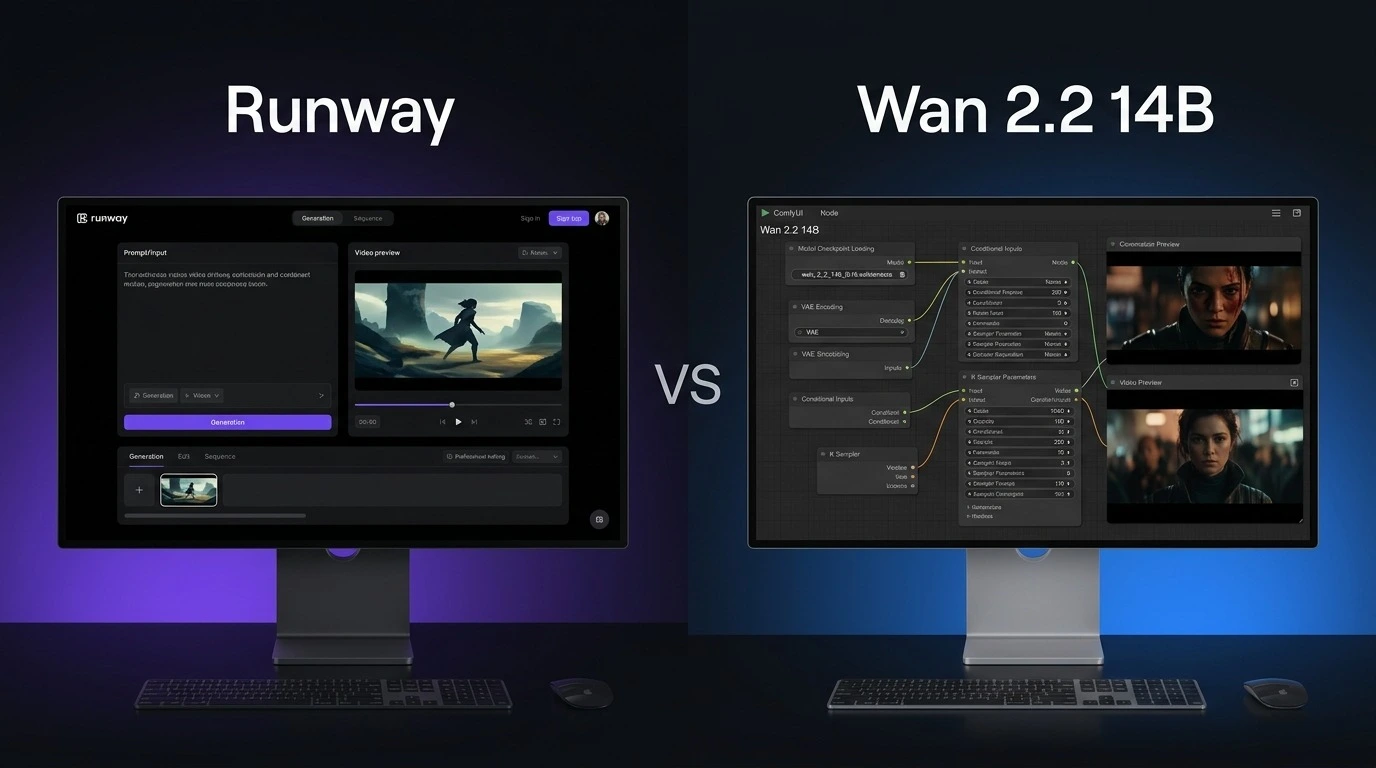
    Choosing between Runway vs Wan 2.2 is not just about video quality. Both can create impressive AI videos, but they are built for different types of users. Runway is a complete online creative platform with video generation and editing tools, while Wan 2.2 14B is an open model designed for users who want more control over how their videos are generated. For creators who want a simple workflow, Runway is easier to use. For developers and advanced users who have powerful hardware, Wan 2.2 14B offers more freedom. This Runway vs Wan 2.2 comparison looks at features, pricing, video quality, hardware needs, ease of use, and overall value in 2026.

    Runway vs Wan 2.2: What Is the Main Difference?

    The biggest difference in Runway vs Wan 2.2 is the way users access the technology.

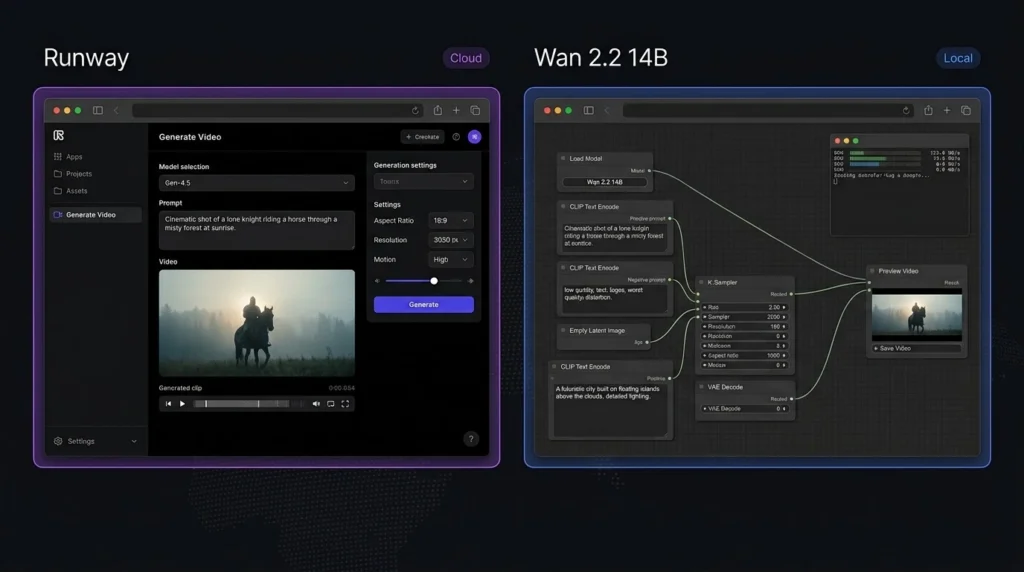
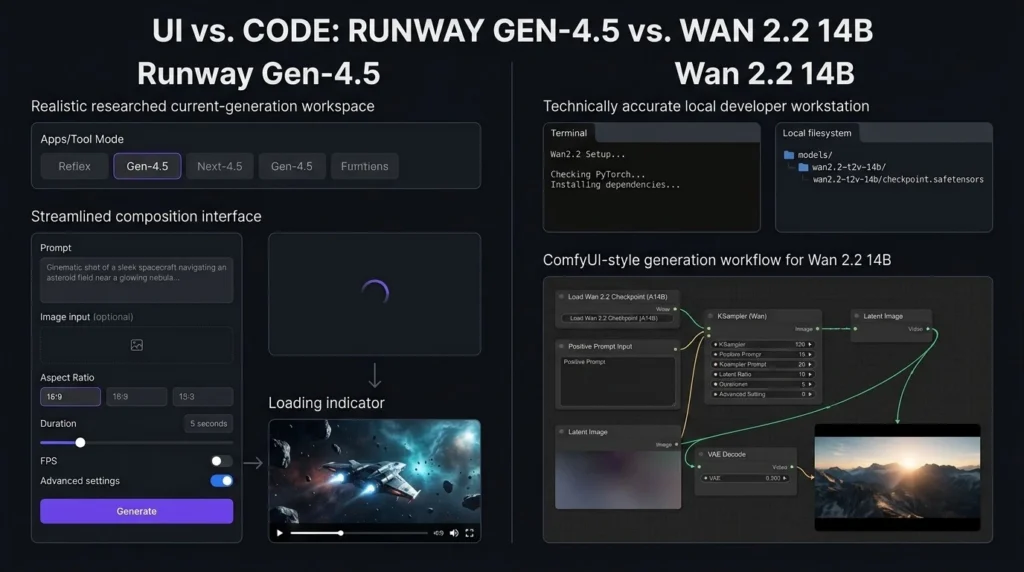
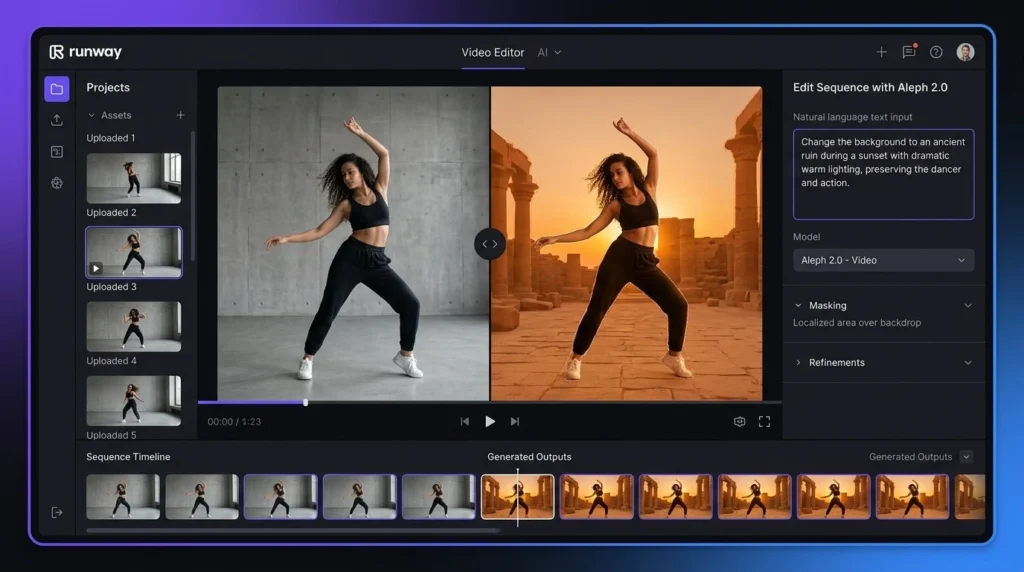
    Runway is an online creative platform. Users can generate videos from text or images without installing a large AI model on their computer. It also includes AI editing tools and other creative features.

    Wan 2.2 14B takes a more open approach. Its model weights and code are available for local use, allowing advanced users to run the model through supported tools such as ComfyUI and Diffusers. This gives users more control but also makes the setup more demanding.

    Runway vs Wan 2.2: Price Comparison

    Price is an important part of the Runway vs Wan 2.2 decision.

    Runway offers a free plan with 125 one-time credits. Its Standard plan costs $15 per month, or $12 per month when billed annually. The Pro plan costs $35 per month, or $28 per month with annual billing. Its Max plan costs $95 per month, or $76 per month when billed annually.

    Wan 2.2 14B does not have an official monthly subscription for the model itself. The model weights are publicly available. However, running a large model locally can require a powerful graphics card, which can make the total cost higher if you do not already own suitable hardware.
    Runway vs Wan 2.2 Price and Features

    FeatureRunwayWan 2.2 14B
    Free optionYes, 125 one-time creditsYes, model weights
    Starting paid price$15/monthNo official subscription
    Annual Standard price$12/monthNo official subscription
    Text-to-videoYesYes
    Image-to-videoYesYes
    AI video editingYesDepends on workflow
    Local generationNoYes
    Open modelNoYes
    Hardware neededNo local GPU requiredPowerful GPU recommended
    CustomizationHighVery high
    Ease of useExcellentModerate to difficult
    Best forCreators and businessesAdvanced users and developers

    The main difference is simple: Runway charges for convenient access, while Wan 2.2 shifts more responsibility to the user.

    Runway vs Wan 2.2: Video Quality

    Video quality is one of the most important factors in Runway vs Wan 2.2.

    Runway’s recent video models focus on realistic movement, visual detail, subject consistency, and following detailed prompts. Its Gen-4 family is designed to maintain consistency across generated shots, which can be useful for storytelling and commercial projects.

    Wan 2.2 14B is also capable of producing detailed AI video. Its system uses different models during different stages of generation to improve the final result. Supported Wan 2.2 models can generate videos at resolutions up to 720p.

    The final result depends on the prompt, input image, model settings, hardware, and workflow. Therefore, there is no universal winner for every type of video.

    Runway vs Wan 2.2: Ease of Use

    This is one category where Runway vs Wan 2.2 has a clear winner.

    Runway is designed for users who want to start creating quickly. You do not need to download model files or configure a local environment. Enter a prompt, upload an image when needed, select the required tool, and generate your video.

    Wan 2.2 can require considerably more setup. Users running the 14B model locally may need a suitable GPU, storage, software packages, model files, and a supported interface.

    Runway vs Wan 2.2: Features

    Runway offers more than basic video generation. Depending on the available model and plan, users can work with text-to-video, image-to-video, video editing, image generation, audio features, and creative workflows from one platform.

    Wan 2.2 focuses more heavily on the generation model itself. Its open approach allows users to experiment with different interfaces and workflows. This can be a major advantage for developers and experienced AI users.

    If you want an all-in-one creative workspace, Runway is the stronger option. If you want to experiment with an open model, Wan 2.2 is more flexible.

    Runway vs Wan 2.2: Hardware Requirements

    Hardware is another major difference between Runway vs Wan 2.2.

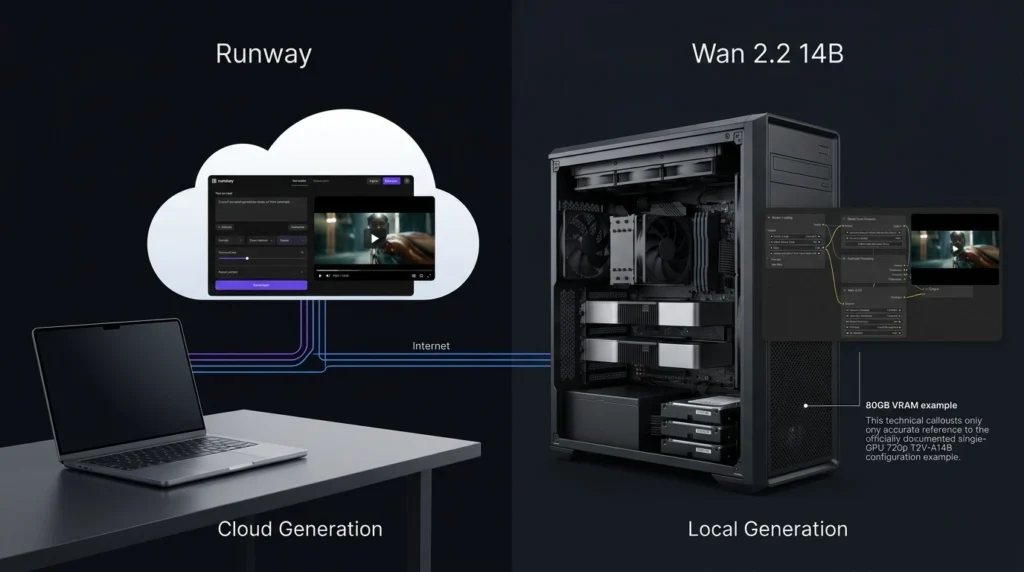
    Runway performs the generation on its platform, so users do not need to own a high-end graphics card. A normal computer with a stable internet connection is enough for most tasks.

    Wan 2.2 gives you the option to run models locally. However, larger models require substantial graphics memory and computing power. The exact requirement depends on the model and workflow being used.

    This means Wan 2.2 can be attractive if you already have a powerful computer. Otherwise, buying hardware can cost far more than a Runway subscription.

    Runway vs Wan 2.2: Editing and Creative Workflow

    For Runway vs Wan 2.2, Runway has a clear advantage in editing.

    Runway combines video generation with AI-powered editing features. Users can modify footage, remove unwanted elements, change backgrounds, and perform other creative tasks without moving between several applications.

    Wan 2.2 is primarily a video generation model. Its editing experience depends on the interface and additional tools used with the model.

    Runway vs Wan 2.2: Customization and Control

    Wan 2.2 wins when customization is the priority. Because the model can be downloaded and used locally, advanced users can experiment with settings and different workflows. Developers can also integrate the model into their own projects where supported.

    Runway provides customization inside a controlled platform, but users have less control over the underlying model and infrastructure.

    Runway vs Wan 2.2: Which Is Better for Creators?

    For YouTubers, marketers, filmmakers, social media creators, and beginners, Runway is generally the better choice. It removes much of the technical work and provides generation and editing features in one place. This makes it easier to move from an idea to a finished video. Wan 2.2 14B is more suitable for developers, AI researchers, technical creators, and people who enjoy testing open models.

    Runway vs Wan 2.2: Overall Ratings

    CategoryRunwayWan 2.2 14B
    Video Quality4.8/54.7/5
    Features4.9/54.5/5
    Ease of Use4.9/53.7/5
    Customization4.5/54.9/5
    Price/Value4.3/54.8/5
    Overall4.7/54.5/5

    These ratings are practical comparisons based on ease of use, available features, control, and expected use cases rather than a universal measurement of output quality.

    Runway vs Wan 2.2: Which One Should You Choose?

    Choose Runway if you want:

    • A simple online video generator
    • Strong AI video quality
    • Built-in editing tools
    • No local GPU requirement
    • A platform suitable for professional creative work
    • A simpler workflow for regular content creation

    Choose Wan 2.2 14B if you want:

    • An open video model
    • Local video generation
    • Greater control over the generation process
    • More freedom to experiment
    • A solution for technical AI workflows
    • No required monthly subscription for the model itself

    Final Verdict: Runway vs Wan 2.2

    The Runway vs Wan 2.2 comparison ultimately comes down to convenience versus control. Runway is the stronger all-around choice for creators who want an easy workflow, professional video generation, editing features, and no need for expensive local hardware. Wan 2.2 14B is more appealing to advanced users who want an open model and the freedom to run and customize their own setup.

    FAQs About Runway vs Wan 2.2

    Is Runway better than Wan 2.2?

    For most creators, Runway is the better overall option because it is easier to use and provides video generation and editing tools in one platform. Wan 2.2 is better suited to advanced users who want local control.

    Is Wan 2.2 14B free?

    The Wan 2.2 model weights are publicly available, so there is no required monthly subscription for the model. However, local generation can involve hardware, electricity, storage, and setup costs.

    Can Wan 2.2 14B run on a normal computer?

    It depends on the hardware and specific workflow. Larger 14B models can require substantial graphics memory. Users without suitable hardware may find a cloud-based service such as Runway much easier.

    Which is better for YouTube videos: Runway or Wan 2.2?

    For most YouTube creators, Runway is the easier option because it does not require complicated local setup and also provides editing tools. Wan 2.2 can be a better choice for technically experienced creators with powerful hardware.

  • Goseboze AI Tools: Compare the Best AI Software for Business, Content and More

    Goseboze AI Tools: Compare the Best AI Software for Business, Content and More

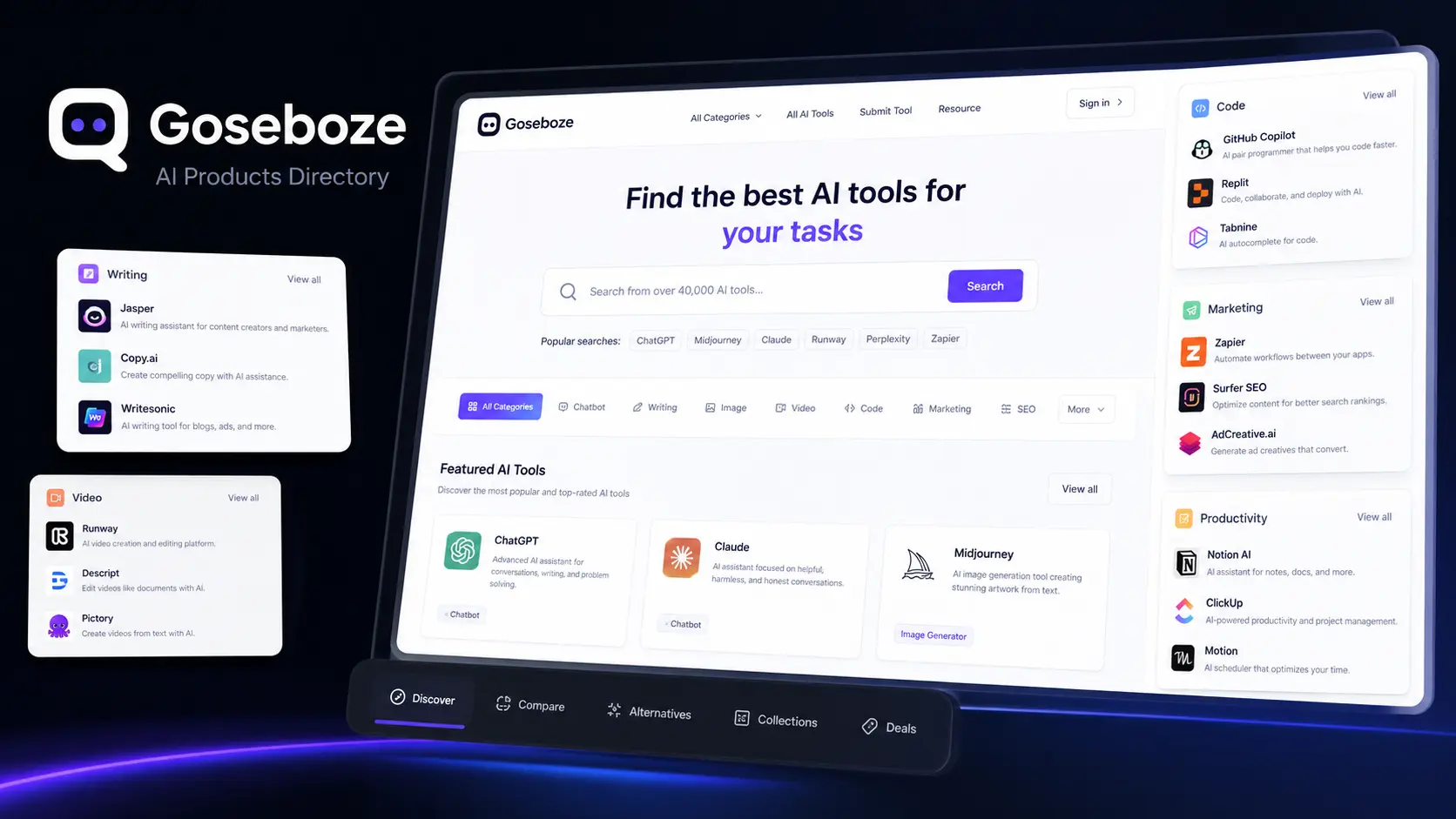
    Finding the right AI software can be difficult because different tools are designed for different tasks. Some focus on writing, while others help with images, video, coding, marketing, research, productivity, or business work. Goseboze AI Tools provides a central directory where users can discover and compare AI software based on categories and use cases. Goseboze is designed for AI product discovery. Users can browse different software options, review product information, and visit individual tool websites before making a decision. This makes it easier to create a shortlist instead of searching for every AI product separately.

    What Is the Goseboze AI Directory?

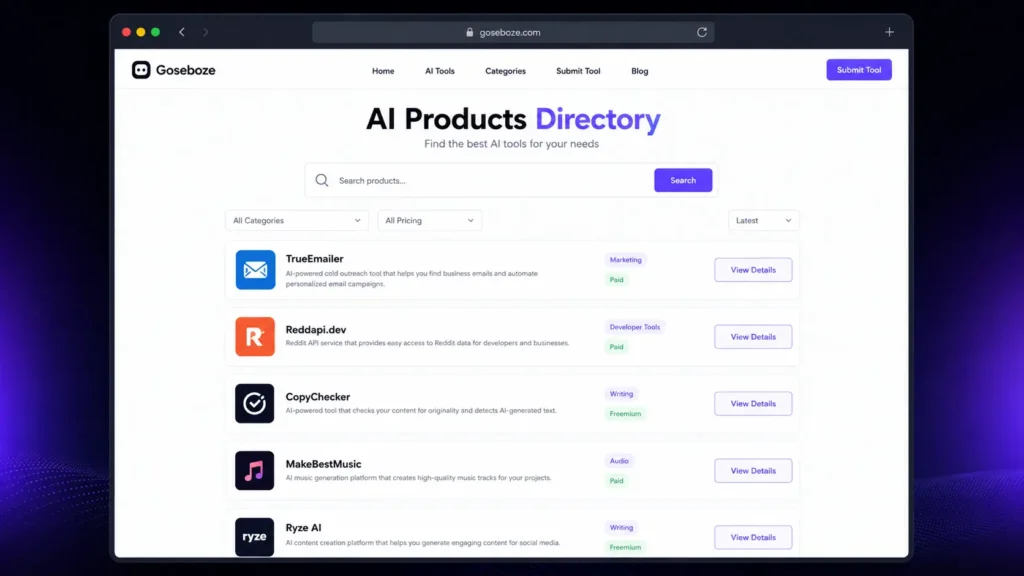
    The Goseboze AI Directory is a platform for discovering AI software rather than an AI model itself. It brings different products together and organizes them into categories so users can find tools that match their requirements. Listings can include information such as product names, descriptions, categories, pricing, features, and website links. Users can then check the official product website for current details before signing up. The main purpose of Goseboze AI Tools is to make AI software discovery more organized and easier for users.

    What Categories Are Available on Goseboze?

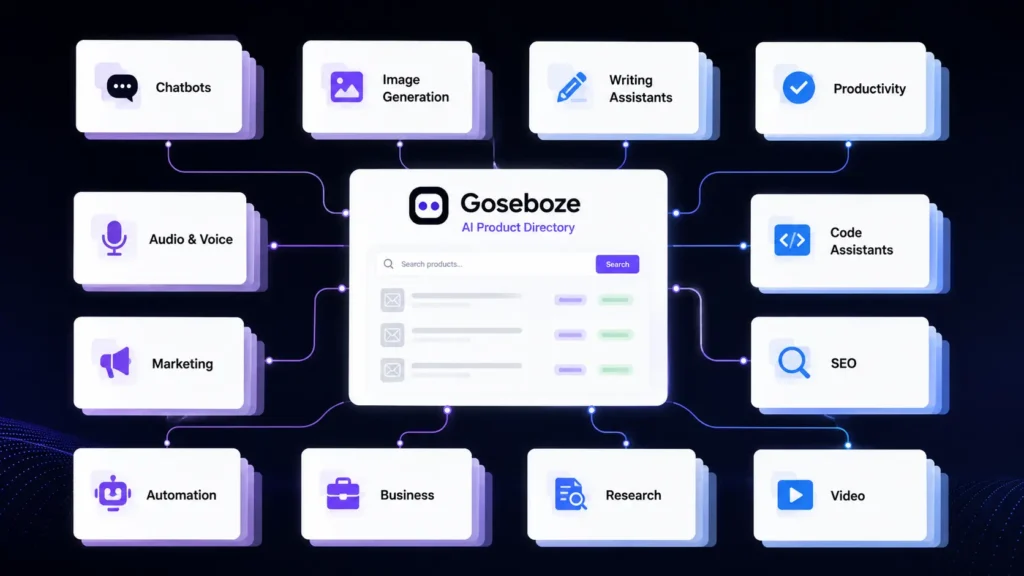
    Goseboze covers a wide range of AI software categories. These categories help users find products according to the type of task they want to complete.

    Some major categories include:

    CategoryCommon Use
    AI WritingContent and editing
    AI ChatbotsQuestions and assistance
    AI ImagesArtwork and visual content
    AI VideoVideo creation and editing
    AI AudioVoice and music
    AI SEOSearch and content work
    AI MarketingAdvertising and campaigns
    AI CodingSoftware development
    AI ProductivityPlanning and organization
    AI AutomationWorkflow automation
    AI BusinessSales and operations
    AI ResearchResearch and information

    With these categories, Goseboze AI Tools can serve different types of users, from individual creators to business teams.

    25 Best AI Tools to Explore on Goseboze

    The following AI products cover different areas of work. Features, availability, and pricing can change, so users should verify current information on the official websites before purchasing.

    AI Content and Writing Tools

    AI content and writing tools are another major category within Goseboze AI Tools. These platforms can help users write articles, create marketing copy, research topics, summarize information, improve existing content, and produce professional text more efficiently. 

    AI ToolKey FeaturesPricing
    ChatGPTAI chat, writing, coding, research, image generation, file analysisFree / Paid
    ClaudeWriting, reasoning, document analysis, coding, long-form contentFree / Paid
    Jasper AIMarketing content, brand voice, campaigns, content creationPaid
    WritesonicAI writing, SEO content, research, content optimizationFree / Paid
    Copy.aiSales copy, marketing content, workflows, outreachFree / Paid
    PerplexityAI search, research, source citations, web information discoveryFree / Paid

    1. ChatGPT

    ChatGPT is a general-purpose AI assistant that can help with writing, brainstorming, research, summaries, coding, and everyday questions. It is useful for users who want one platform for several different tasks.

    2. Claude

    Claude is an AI assistant developed by Anthropic. It can help with writing, document analysis, summaries, reasoning, and long-form content. It can be useful when users need to work with detailed information.

    3. Jasper AI

    Jasper AI focuses on marketing and business content. Its features are designed for tasks such as promotional writing, brand content, campaigns, and other professional content needs.

    4. Writesonic

    Writesonic combines AI writing with features aimed at content and search marketing. It can help users research topics, create content, and develop pages designed for search traffic.

    5. Copy.ai

    Copy.ai focuses on sales and marketing content. It can help teams create outreach messages, website copy, promotional material, and other business content.

    6. Perplexity

    Perplexity is mainly designed for research and information discovery. It provides answers with sources and can help users gather information before writing or making decisions.

    AI Image Generation Tools

    AI image generation tools are another important category within Goseboze AI Tools. These platforms can help users create images from text prompts, generate artwork, design concepts, produce marketing visuals, and develop creative digital assets. 

    AI ToolMain UsePricing
    MidjourneyAI image generationFree / Paid
    DALL-EAI image generationFree / Paid
    Stable DiffusionAI image generationFree / Paid
    Leonardo AIAI image generationFree / Paid

    7. Midjourney

    Midjourney is an AI image-generation platform used for artwork, concepts, illustrations, and creative projects. It is particularly useful for users who want distinctive visual styles.

    8. DALL-E

    DALL-E generates images from written prompts. It can be used for illustrations, concepts, marketing visuals, and other creative projects.

    9. Stable Diffusion

    Stable Diffusion provides image-generation capabilities with a high level of customization. It can appeal to users who want greater control over how their images are generated.

    10. Leonardo AI

    Leonardo AI provides image-generation and creative tools for designers, creators, game developers, and businesses. It can be used for characters, artwork, concepts, and digital assets.

    AI Video Creation and Editing Tools

    Video software is another major category within Goseboze AI Tools. These platforms can help users generate videos, edit clips, create avatars, and repurpose existing content.

    AI ToolMain UsePricing
    RunwayAI video generationFree / Paid
    SynthesiaAI presenter videosPaid
    HeyGenAI avatar videosFree / Paid
    CapCutVideo editingFree / Paid
    PictoryContent-to-videoFree / Paid

    11. Runway

    Runway provides AI-powered video generation and editing features. Creators can use it for visual concepts, short videos, effects, and other production tasks.

    12. Synthesia

    Synthesia focuses on AI presenter videos. Users can create videos with digital avatars and generated voices for training, education, presentations, and business communication.

    13. HeyGen

    HeyGen focuses on AI avatars, voice features, and video creation. It can help businesses and creators produce presenter-style videos without traditional filming.

    14. CapCut

    CapCut is a video editing platform with captions, effects, templates, and other editing features. It is particularly useful for creators producing short-form social media content.

    15. Pictory

    Pictory helps users turn written or longer content into shorter video formats. It can be useful for bloggers, marketers, and creators who want to reuse existing content.

    AI Chatbot Tools

    AI chatbot tools are another important category within Goseboze AI Tools. These platforms can help users answer questions, provide customer support, automate conversations, generate responses, and assist with sales, marketing, and everyday communication.

    AI ToolMain UseKey FeaturesPricing
    IntercomCustomer support & communicationAI chatbot, customer messaging, help center, ticketing, human agent handoffFree Trial / Paid
    TidioCustomer service & online storesAI chatbot, live chat, automation, customer support, ecommerce toolsFree / Paid
    BotpressAI agents & custom chatbotsVisual builder, AI agents, workflows, integrations, developer toolsFree / Paid

    16. Intercom

    Intercom provides customer communication and support software with AI features. Businesses can use it to handle customer questions and send more complex issues to human agents.

    17. Tidio

    Tidio focuses on customer service and AI chat for businesses, including online stores. It can help answer common customer questions through business websites.

    18. Botpress

    Botpress provides tools for creating AI agents and chatbots. Its visual building features can help less technical users, while developers can use additional options for more complex projects.

    AI SEO and Marketing Tools

    AI SEO and marketing tools are another important category within Goseboze AI Tools. These platforms can help users research keywords, optimize content, analyze competitors, improve search rankings, create marketing campaigns, and streamline various digital marketing tasks. 

    AI ToolMain UseKey FeaturesPricing
    Surfer SEOContent optimizationContent Editor, keyword analysis, SERP research, content audit, AI writingPaid
    SemrushSEO & digital marketingKeyword research, competitor analysis, backlinks, site audit, AI featuresFree / Paid
    AdCreative.aiAI advertising creativesAd generation, creative variations, ad copy, performance insightsFree Trial / Paid

    19. Surfer SEO

    Surfer SEO focuses on content optimization. It helps users study search results and improve content based on information from competing pages.

    20. Semrush

    Semrush provides tools for keyword research, competitor analysis, website research, backlinks, and digital marketing. Its platform also includes AI-assisted features.

    21. AdCreative.ai

    AdCreative.ai focuses on advertising creatives. It can help marketers create different ad concepts and variations for digital campaigns.

    AI Coding Assistants

    AI coding assistants are another important category within Goseboze AI Tools. These platforms can help developers write code, debug errors, explain programming concepts, generate code snippets, complete projects, and improve development workflows.

    AI ToolMain UseKey FeaturesPricing
    GitHub CopilotAI coding assistantCode completion, code generation, debugging, code explanationsFree / Paid
    CursorAI code editorCode generation, project understanding, AI editing, debuggingFree / Paid
    GooseOpen-source AI coding agentFile management, commands, code changes, development automationFree / Open Source

    22. GitHub Copilot

    GitHub Copilot is an AI coding assistant that helps developers write code, generate functions, explain existing code, and complete programming tasks.

    23. Cursor

    Cursor is an AI-focused code editor designed for software development. It can understand project files and help developers plan changes and modify code.

    24. Goose

    Goose is an open-source AI agent developed by Block. It is designed to work with a development environment and can assist with files, commands, code changes, and other development tasks.

    AI Automation

    25. Zapier

    Zapier connects different applications and automates workflows. Its AI features can help users connect AI services with email, communication platforms, content systems, and other business applications.

    Goseboze vs Other AI Directories

    Goseboze is one of several platforms that help users discover software. Each platform has a different approach.

    DirectoryMain Strength
    GosebozeAI product discovery
    FuturepediaAI software collection
    There’s An AI For ThatTask-based AI discovery
    Product HuntNew product launches

    Goseboze is useful for users who want to browse AI software by category. Futurepedia provides a broad AI software collection, while task-based directories can be useful when users already know what they want to accomplish. Product Hunt is another option for discovering new software and product launches.

    How to Submit an AI Tool to Goseboze

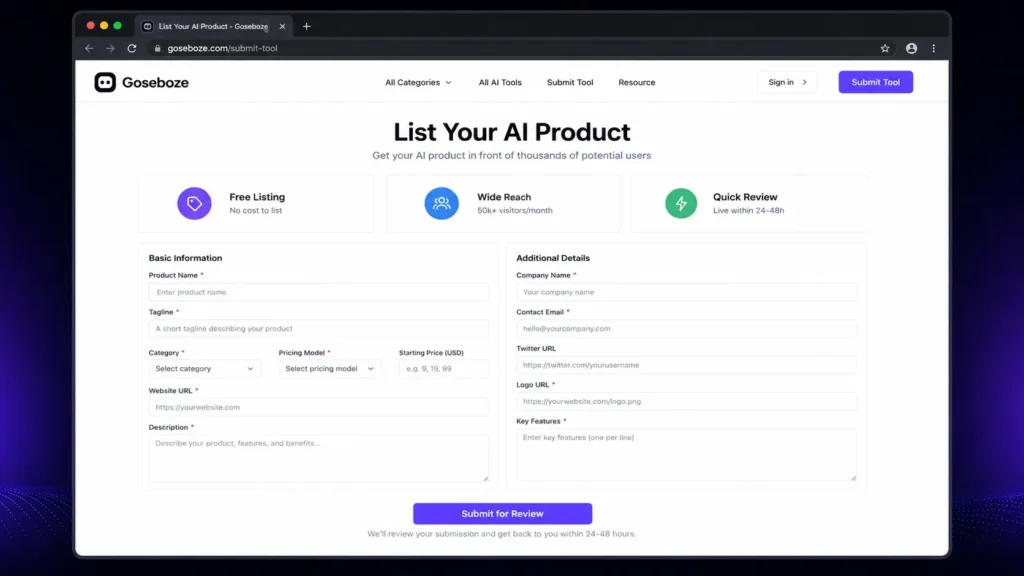
    AI product owners can submit their software to the Goseboze directory. The submission process can require information such as the product name, category, pricing model, website, description, company information, and key features. A clear listing can help users quickly understand what a product does and whether it matches their needs. Before submitting a product, developers should make sure that their website is active and that the product information, pricing, and category details are accurate.

    Is Every Tool on Goseboze Worth Using?

    A directory is useful for discovery, but being listed does not mean every product will be suitable for every user. Before selecting an AI product, check its official website, current pricing, product features, recent updates, privacy policy, terms, customer support, and user feedback. This is especially important when an AI product will process confidential business documents, customer information, financial data, or other sensitive material.

    Who Can Benefit from Goseboze AI Tools?

    Freelancers

    Freelancers can discover software for writing, design, research, marketing, video production, productivity, and automation.

    Bloggers and Content Creators

    Content creators can explore AI products for research, writing, editing, images, video, audio, and SEO.

    Developers

    Developers can compare coding assistants, AI agents, automation platforms, and other development software.

    Digital Marketers

    Marketing professionals can find products for SEO, advertising, content creation, research, analytics, and customer communication.

    Businesses

    Businesses can explore AI software for sales, customer service, marketing, productivity, automation, and internal operations.

    How to Choose a Tool from Goseboze

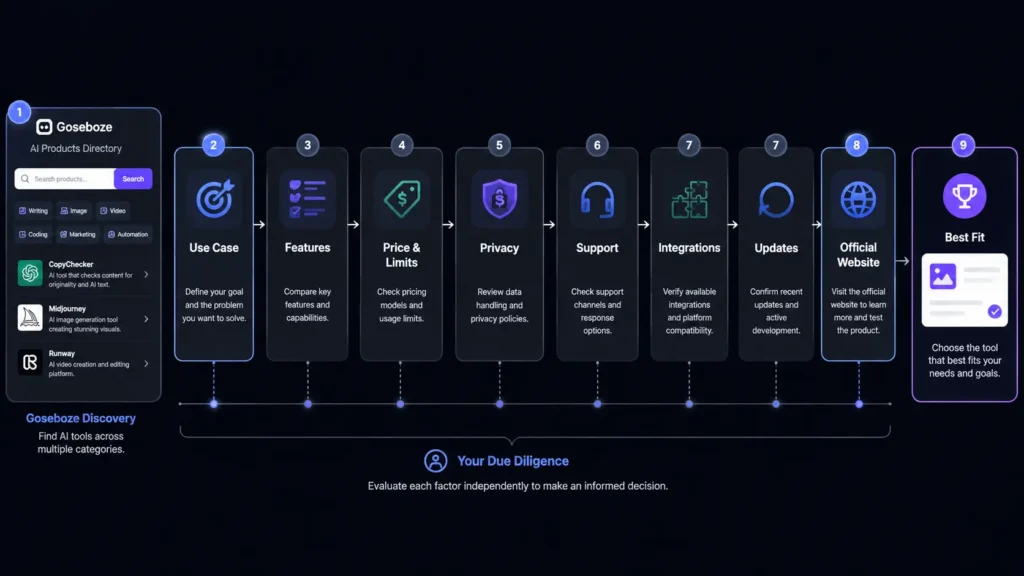
    Finding a product is only the beginning. Before signing up, compare the features that matter to your work.

    FactorWhat to Check
    Use caseDoes it solve your actual problem?
    FeaturesDoes it provide the functions you need?
    PriceDoes the plan fit your budget?
    LimitsAre usage limits acceptable?
    PrivacyHow does it handle your information?
    SupportCan you get help when needed?
    IntegrationsDoes it work with your current software?
    UpdatesIs the product actively maintained?

    Do not choose an AI tool simply because it has many features. A smaller product that performs one important task well may provide more value for your specific needs.

    Is Goseboze Free to Use?

    Browsing the Goseboze directory is free. Individual AI products listed on the platform can have their own pricing models, including free, freemium, and paid plans. Users should visit the official website of each product before purchasing because prices, features, and usage limits can change.

    Is Goseboze an AI Tool?

    No. Goseboze is an AI product directory, not a single AI model or chatbot. It helps users discover software developed by different companies and teams. The platform can be used to find products according to categories and requirements, while the actual AI services are provided by the individual companies behind those products.

    Is Goseboze Safe to Use?

    Browsing an AI directory is different from using the individual products listed there. Each AI product has its own privacy practices, security controls, terms, and data policies. Before uploading sensitive information to any AI platform, read its privacy policy and terms. Businesses should also check how data is stored, processed, shared, and deleted.

    What Should You Check Before Using Goseboze AI Tools?

    Before choosing one of the Goseboze AI Tools, consider these factors:

    • Current pricing
    • Free plan limitations
    • Main features
    • Privacy policy
    • Data handling
    • Integrations
    • Customer support
    • Recent product updates
    • User feedback
    • Commercial-use terms

    This process can help you avoid selecting software that looks useful but does not match your actual requirements.

    Final Thoughts

    Goseboze AI Tools provides a convenient way to discover AI software for business, content, marketing, coding, images, video, research, productivity, and other tasks. Instead of searching for every product separately, users can browse categories and create a shortlist of relevant options. The best approach is to begin with a clear task, compare several products, review pricing and features, and check privacy and support before making a final decision. Whether you are a freelancer, content creator, developer, marketer, or business owner, Goseboze AI Tools can serve as a useful starting point for finding AI software that fits your work.

    FAQs About Goseboze AI Tools

    Is Goseboze AI Directory free?

    Yes. Users can browse the directory for free. However, individual products listed on the platform may offer free, freemium, or paid plans.

    What are the best Goseboze AI Tools for content creation?

    ChatGPT, Claude, Jasper AI, Writesonic, Copy.ai, and Perplexity can support different content tasks. The right choice depends on whether you need writing, research, editing, or marketing features.

    Can businesses use Goseboze to find AI software?

    Yes. Businesses can explore AI software for customer service, sales, marketing, productivity, coding, automation, and other business tasks.

    How should I compare Goseboze AI Tools?

    Compare each product’s features, pricing, usage limits, privacy practices, integrations, support, and ease of use. A free plan or trial can also help you evaluate a product before paying.

    Is Goseboze itself an AI tool?

    No. Goseboze is a directory for discovering AI products. The individual tools listed on the platform are developed and operated by their respective companies or teams.

  • Higgsfield vs Artflow: Is the Free Artflow Better Than Higgsfield?

    Higgsfield vs Artflow: Is the Free Artflow Better Than Higgsfield?

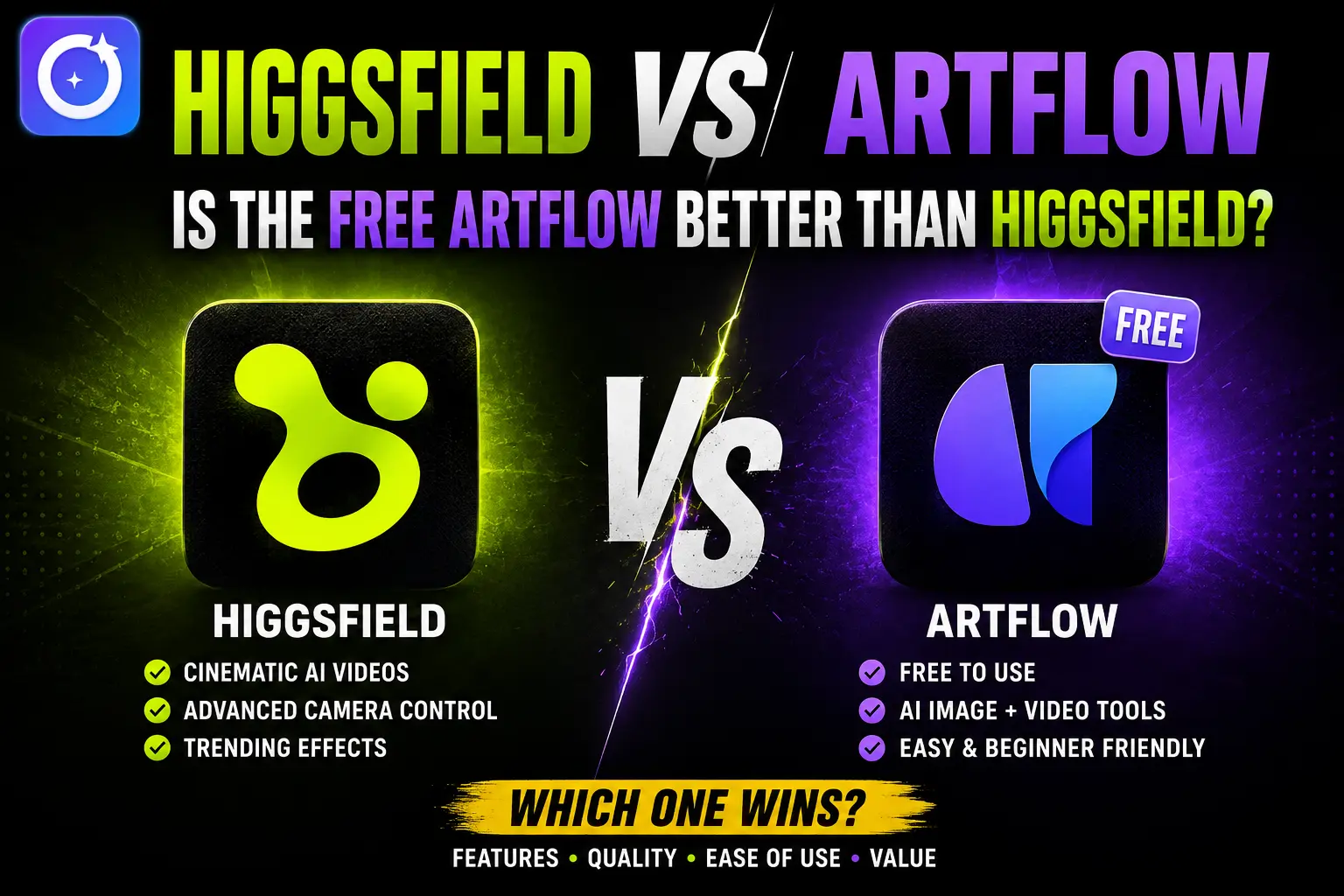
    Artificial intelligence has changed how people create images, videos, and digital characters. If you are trying to choose between two popular creative tools, Higgsfield vs Artflow is a comparison worth exploring. Both platforms help users create visual content, but they focus on different needs. Higgsfield is built mainly for AI video creation, while Artflow focuses on AI characters, images, and visual storytelling. If you are wondering whether the free version of Artflow is better than Higgsfield, this guide compares their features, pricing, ease of use, and overall value so you can choose the platform that matches your creative goals.

    Higgsfield vs Artflow: Quick Comparison

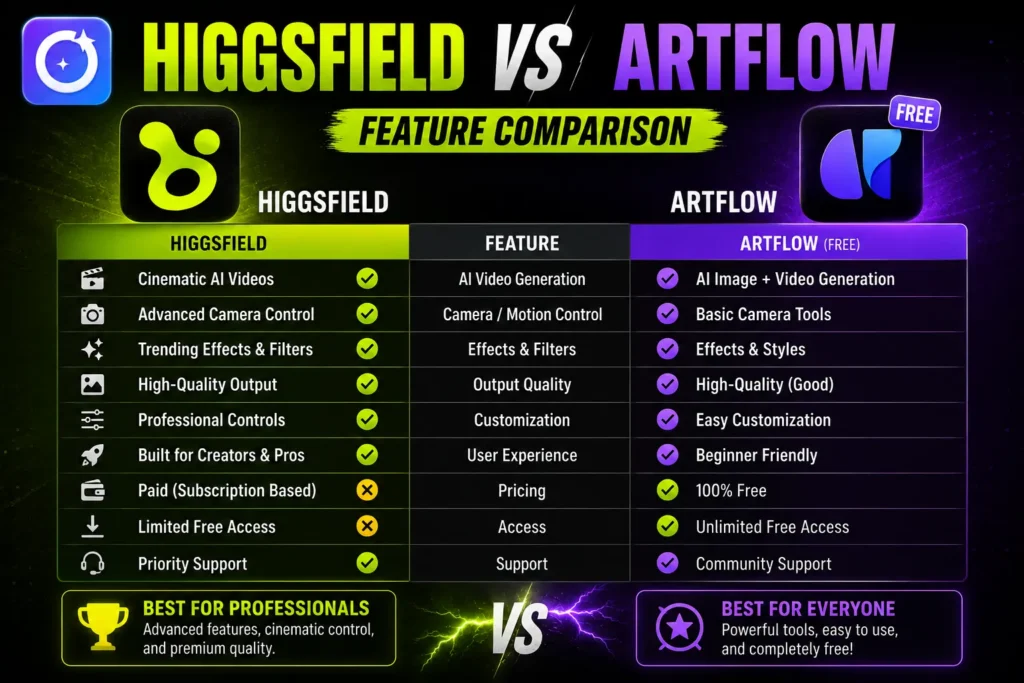
    FeatureHiggsfieldArtflow
    Main PurposeAI video creationAI characters, images, and stories
    Free PlanLimitedMore generous
    Best ForShort AI videosCharacter design and storytelling
    Learning CurveMediumBeginner-friendly
    Custom CharactersYesYes
    Video CreationExcellentBasic
    Image GenerationGoodVery Good
    Team CollaborationLimitedAvailable

    Higgsfield vs Artflow: What Is Higgsfield?

    Higgsfield is an AI-powered creative platform designed primarily for generating high-quality videos from text prompts. It allows creators to build cinematic scenes, experiment with camera movements, and produce short AI videos suitable for social media, advertising, and creative projects. Besides video generation, Higgsfield also offers AI image creation and editing tools. However, its biggest advantage remains its advanced video engine. The free version provides limited access, while premium plans unlock faster rendering, more credits, and additional creative controls.

    Key Features of Higgsfield

    • AI text-to-video generation
    • Camera movement controls
    • Cinematic visual effects
    • AI image generation
    • Fast rendering
    • Multiple creative styles

    Higgsfield vs Artflow: What Is Artflow?

    Artflow is an AI creative platform that focuses on character creation, portraits, storytelling, and scene generation. Users can create consistent AI characters and place them in different environments without losing their appearance, making the platform useful for comics, educational content, novels, and game design. Many people searching for Higgsfield vs Artflow are attracted to Artflow because of its generous free plan. Beginners can explore the platform without paying immediately, making it one of the most accessible AI creative tools available.

    Key Features of Artflow

    • AI character creator
    • Consistent character generation
    • Story scene builder
    • AI portraits
    • Easy interface
    • Free plan with useful features

    Higgsfield vs Artflow: Feature Comparison

    AI Video Creation

    Video generation is where Higgsfield clearly performs better. It provides advanced motion controls, cinematic camera angles, smooth transitions, and professional-looking AI videos.

    Artflow includes simple animation features but is mainly designed for image-based storytelling rather than full AI video production.

    Winner: Higgsfield

    Character Creation

    Artflow excels at building characters that remain visually consistent across different images and scenes. This is valuable for comic artists, writers, educators, and content creators.

    Higgsfield can also generate characters, but maintaining consistent appearances across multiple scenes is not its strongest feature.

    Winner: Artflow

    AI Image Quality

    Both platforms generate high-quality images, but they approach creativity differently. Higgsfield creates detailed visuals that work well inside video projects, while Artflow focuses on expressive portraits and story-based artwork.

    If your priority is illustrations and character design, Artflow has a slight advantage.

    Winner: Artflow

    Ease of Use

    Artflow offers a clean interface that beginners can understand within minutes. Navigation is simple, and creating characters requires very little learning.

    Higgsfield includes more creative controls, which gives professionals greater flexibility but also creates a slightly steeper learning curve.

    Winner: Artflow

    Creative Flexibility

    Higgsfield offers greater creative freedom for users who need detailed video editing, camera control, and cinematic output.

    Artflow keeps its workflow simple, which is excellent for beginners but provides fewer advanced editing options.

    Winner: Higgsfield

    Higgsfield vs Artflow Free Plan

    One of the biggest reasons users compare Higgsfield vs Artflow is the free plan.

    Artflow provides enough free credits and tools for users to experiment with character design, portraits, and storytelling before upgrading.

    Higgsfield also offers a free version, but daily limits and credit restrictions are reached much faster. Several advanced video features remain available only to paid subscribers.

    If your budget is limited, Artflow gives more value without requiring an immediate purchase.

    Higgsfield vs Artflow Pricing

    Pricing may change over time, but the overall difference is easy to understand.

    Artflow focuses on affordable subscriptions that expand image generation and character creation.

    Higgsfield costs more because AI video generation requires greater computing resources and includes more advanced production features.

    If your work mainly involves AI images, Artflow is the more budget-friendly choice. If professional AI videos are essential, Higgsfield can justify its higher subscription price.

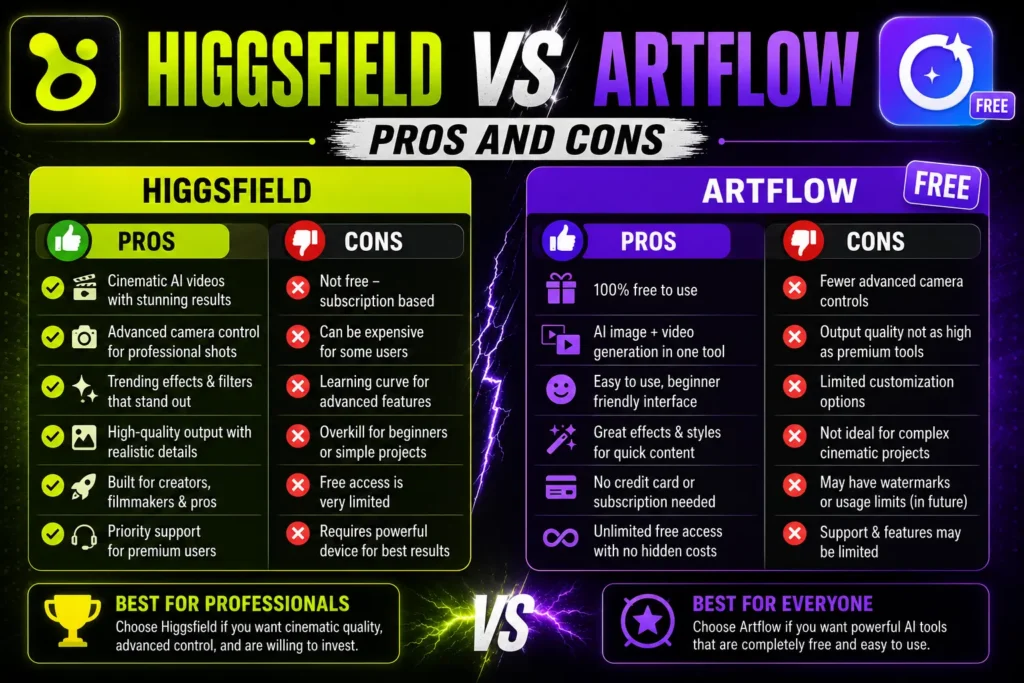
    Higgsfield vs Artflow Pros and Cons

    Higgsfield

    Pros

    • Outstanding AI video generation
    • Professional camera controls
    • High-quality cinematic output
    • Excellent creative flexibility

    Cons

    • Smaller free plan
    • Higher subscription cost
    • Takes longer to master

    Artflow

    Pros

    • Better free plan
    • Easy for beginners
    • Excellent character consistency
    • Affordable pricing
    • Great storytelling tools

    Cons

    • Limited AI video features
    • Fewer advanced editing controls

    Who Should Choose Higgsfield?

    Higgsfield is the better option if you:

    • Create AI videos regularly
    • Need cinematic-quality content
    • Want advanced camera controls
    • Produce marketing or social media videos
    • Prefer professional creative tools

    Who Should Choose Artflow?

    Artflow is the better choice if you:

    • Want a generous free plan
    • Create AI characters
    • Design comics or storyboards
    • Produce educational content
    • Prefer a beginner-friendly interface

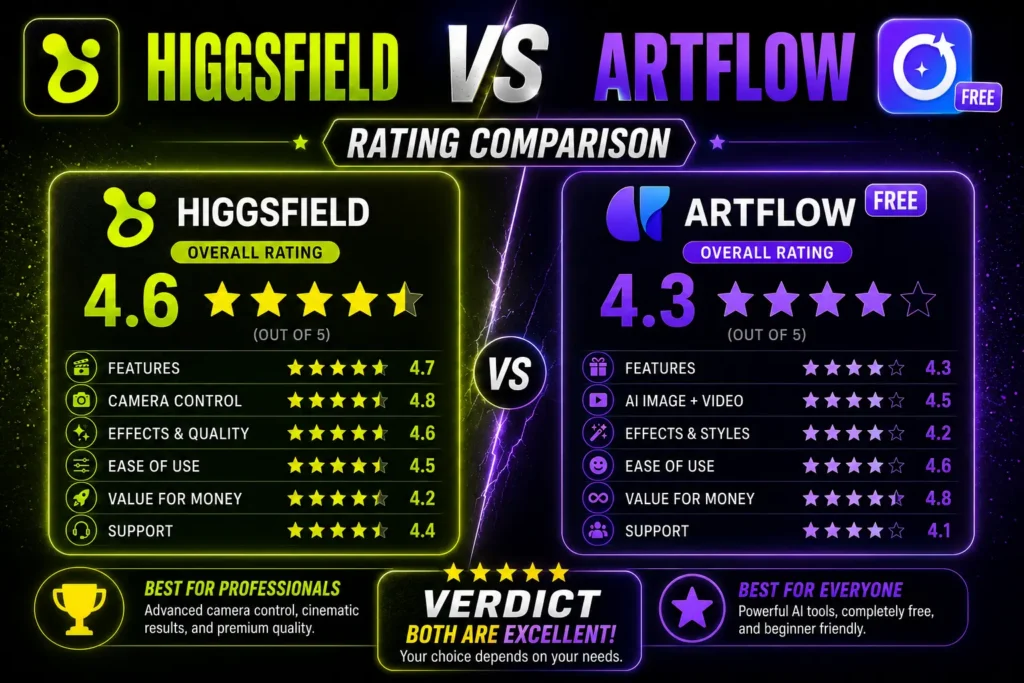
    Higgsfield vs Artflow Rating

    After comparing features, pricing, ease of use, creative flexibility, and overall value, both platforms perform well but serve different audiences.

    CategoryHiggsfieldArtflow
    Ease of Use4.2/54.8/5
    AI Video Creation4.9/53.7/5
    AI Image Quality4.5/54.6/5
    Character Creation4.3/54.9/5
    Free Plan Value3.8/54.9/5
    Pricing3.9/54.6/5
    Overall Value4.4/54.7/5

    The ratings show that Higgsfield and Artflow shine in different areas. Higgsfield is the stronger platform for AI video creation thanks to its advanced motion controls and cinematic output. Artflow earns higher scores for ease of use, character creation, pricing, and free plan value, making it the better choice for beginners and users focused on images and storytelling.

    Overall, Higgsfield vs Artflow gives Artflow the higher rating because it offers better value for most users. However, creators who need professional AI video production will still find Higgsfield to be the stronger long-term investment.

    Final Verdict: Is the Free Artflow Better Than Higgsfield?

    The answer depends on your creative needs. If you mainly create AI videos, Higgsfield remains the better platform because of its powerful video engine, camera controls, and professional features.

    However, if you are looking for a free AI tool to create characters, illustrations, and visual stories, Artflow offers better value. Its generous free plan, simple interface, and consistent character generation make it an excellent starting point for beginners.

    When comparing Higgsfield vs Artflow, Artflow wins for overall value and accessibility, while Higgsfield remains the top choice for serious AI video creators. Your final decision should depend on whether you spend more time creating videos or designing AI characters and images.

    Frequently Asked Questions

    Is Artflow completely free?

    Artflow offers a free plan with limited credits and features. Paid plans unlock additional credits, faster generation, and more creative options.

    Which platform is better for AI videos?

    Higgsfield is the better choice for AI video generation because it provides advanced camera movement, cinematic effects, and higher-quality video output.

    Is Artflow better for beginners?

    Yes. Artflow has a simpler interface, making it easier for beginners to create AI characters, portraits, and visual stories without a steep learning curve.

    Which platform offers better value in 2026?

    For most users, Artflow offers better overall value because of its generous free plan and affordable pricing. If professional AI video production is your priority, Higgsfield is the stronger investment.

  • Consensus AI Review 2026: Is It Worth It for Researchers and Students?

    Consensus AI Review 2026: Is It Worth It for Researchers and Students?

    Choosing the right research tool can save hours of work. Consensus AI has become one of the most talked-about AI research assistants because it searches scientific studies instead of general web pages. Whether you’re a student, researcher, educator, or writer, it promises faster access to trusted information. This Consensus AI Review 2026 explains its features, pricing, strengths, weaknesses, and whether it deserves a place in your research workflow.

    Consensus AI Review Summary

    FeatureRating
    Ease of Use4.9/5
    Research Quality4.8/5
    Speed4.8/5
    Features4.7/5
    Value for Money4.6/5
    Overall Rating4.8/5

    What Is Consensus AI?

    Consensus AI is an AI-powered academic search platform that helps users find answers from published research papers. Instead of showing blog posts or opinion pieces, it searches scientific studies and provides evidence-based summaries. The platform is designed to simplify research by helping users understand study results without reading hundreds of pages. Every answer links back to the original research so users can verify the information themselves.

    Key Features of Consensus AI

    AI-Powered Academic Search

    The biggest strength of Consensus AI is its ability to search millions of research papers and return results based on scientific evidence. Users can ask questions in plain English instead of using complicated search terms.

    Easy Research Summaries

    Research papers are often difficult to understand. Consensus AI creates short summaries that explain the main findings in simple language, making research more accessible.

    Evidence-Based Results

    Unlike general AI chatbot, Consensus AI focuses on published studies. This helps users make decisions based on reliable evidence instead of random online content.

    Smart Filters

    Users can filter results by publication year, study type, and research quality. This makes it easier to find the most relevant studies for assignments or projects.

    Original Paper Links

    Every summary includes links to the original research papers, allowing users to read the full study before citing it.

    Who Should Use Consensus AI?

    Consensus AI is suitable for many different users, including:

    • College and university students
    • Academic researchers
    • Professors and teachers
    • Healthcare professionals
    • Journalists
    • Content writers
    • Business analysts

    Anyone who regularly searches for trusted research can benefit from Consensus AI.

    Consensus AI Pricing

    PlanBest ForFeatures
    FreeCasual usersLimited searches and basic research tools
    PremiumResearchers and professionalsHigher search limits, advanced filters, and premium features

    The free plan works well for occasional research, while the premium plan is better for users who need research support every day.

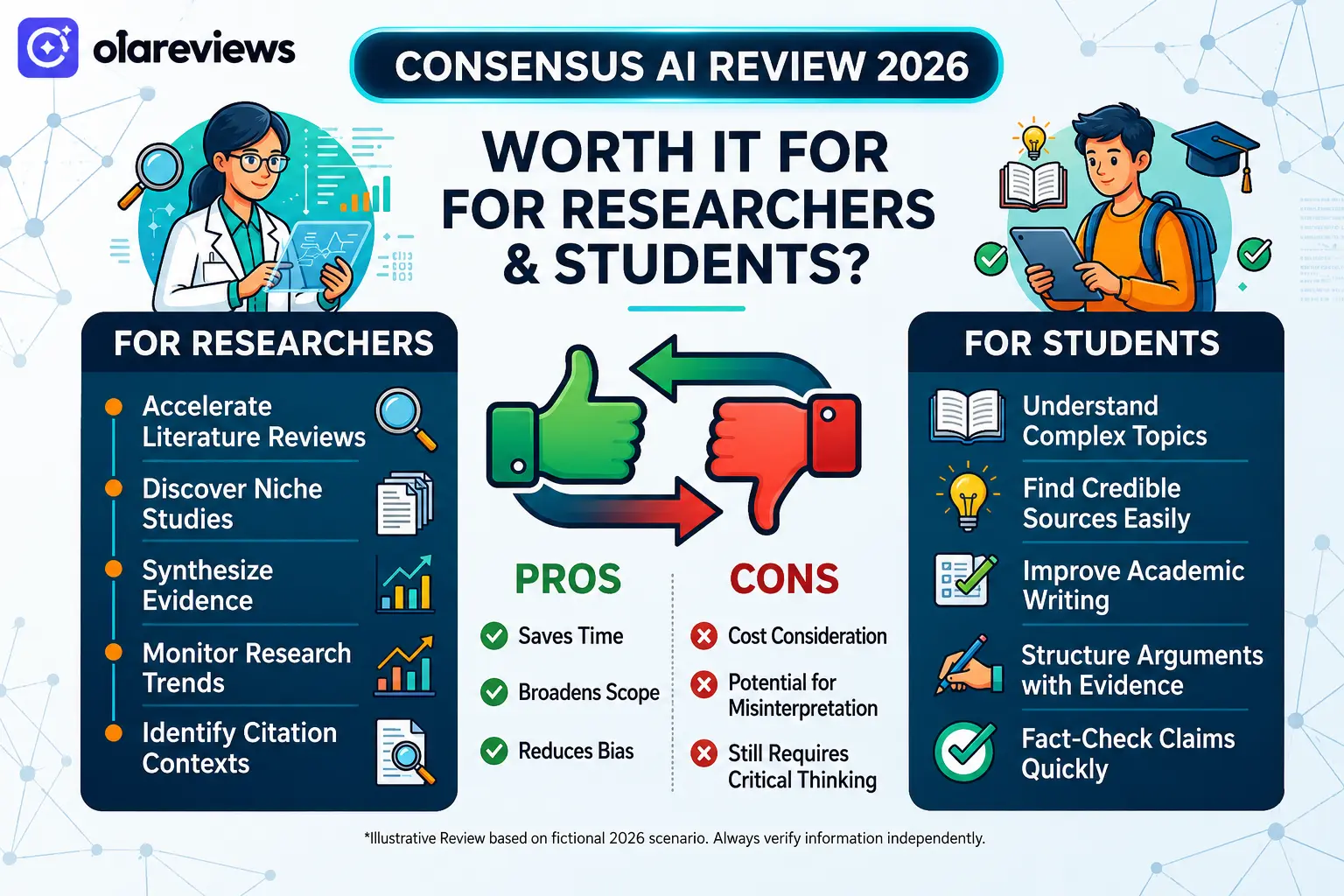
    Pros and Cons of Consensus AI

    ProsCons
    Easy to usePremium features require payment
    Research-based answersLimited free searches
    Fast academic searchSome studies require external access
    Simple summariesAI summaries should always be verified
    Links to original papersBest for research rather than general searches

    Consensus AI vs Traditional Search Engines

    FeatureConsensus AITraditional Search Engines
    Searches Research PapersYesLimited
    Evidence-Based AnswersYesMixed Sources
    AI Research SummariesYesNo
    Links to Scientific StudiesYesSometimes
    General Web ResultsLimitedYes

    If your goal is academic research, Consensus AI offers more focused and reliable results than a standard search engine.

    Is Consensus AI Worth It for Researchers and Students?

    For most researchers and students, the answer is yes. Consensus AI saves time by searching trusted academic sources and presenting clear summaries. Instead of spending hours comparing research papers, users can quickly understand the evidence before reading the full studies. It is especially helpful for literature reviews, research projects, essays, and fact-checking. However, users should still review the original papers before using them in academic work.

    Final Thoughts

    This Consensus AI Review 2026 shows that the platform is one of the best AI research tools available for academic work. Its research-focused search engine, easy summaries, and evidence-based answers make it valuable for students, researchers, educators, and professionals.

    Although the free plan has some limits, it provides enough features for many users to get started. Those who conduct research regularly may find the premium plan worthwhile. Overall, Consensus AI is a reliable choice for anyone looking to find trusted scientific information quickly.

    Frequently Asked Questions

    Is Consensus AI free to use?

    Yes. Consensus AI offers a free plan with basic features and limited searches. Paid plans provide more searches and advanced tools.

    Is Consensus AI accurate?

    Consensus AI uses published research papers as its source, making it more reliable than tools that rely on general web content. Users should still verify important information by reviewing the original studies.

    Can students use Consensus AI for assignments?

    Yes. Consensus AI helps students discover relevant research papers, understand study findings, and locate credible academic sources for assignments.

    Is Consensus AI better than Google Scholar?

    Google Scholar is excellent for finding research papers, while Consensus AI makes research easier by summarizing findings and highlighting evidence from multiple studies. Many users find that using both together provides the best research experience.

  • Ideavo AI Review 2026: A Free Alternative to Lovable, Bolt & Replit

    Ideavo AI Review 2026: A Free Alternative to Lovable, Bolt & Replit

    AI coding tools are making software development easier than ever, but many popular platforms come with usage limits or expensive subscriptions. Ideavo AI offers a different approach by giving users access to AI-powered app development with a free plan. Whether you are a beginner, freelancer, student, or startup founder, Ideavo AI helps you create websites and web applications using simple text prompts instead of writing everything from scratch. This Ideavo AI Review 2026 explains its features, pricing, advantages, limitations, and how it compares with Lovable, Bolt, and Replit. If you are searching for a free AI development platform, this review will help you decide whether Ideavo AI is the right choice.

    What Is Ideavo AI?

    Ideavo AI is an AI-powered development platform that transforms your ideas into working web applications. Users simply describe what they want to build, and the platform generates the required code, interface, and project structure. Unlike traditional development tools that require advanced programming skills, Ideavo AI is designed to make app creation faster and more accessible for everyone.

    Who Should Use Ideavo AI?

    • Beginners learning web development
    • Freelancers building client projects
    • Startup founders creating MVPs
    • Students working on coding assignments
    • Small businesses developing websites

    Key Features of Ideavo AI

    AI-Powered App Generation

    The main strength of Ideavo AI is its ability to generate applications from simple prompts. Describe your project, and the AI creates the initial version within minutes.

    Beginner-Friendly Interface

    The dashboard is clean and easy to understand. Even first-time users can create projects without spending hours learning the platform.

    Editable Source Code

    Unlike some AI builders, Ideavo AI allows users to modify generated code. Both new and experienced developers can use it with ease.

    Fast Development

    Instead of starting with an empty project, users receive a working foundation that saves valuable development time.

    Continuous Improvements

    The platform continues adding new AI capabilities and improvements, making it more useful for developers over time.

    Ideavo AI Pricing

    One of the biggest reasons users consider Ideavo AI is its affordable pricing.

    PlanPriceBest For
    Free$0Beginners and testing
    Paid PlansVariesProfessionals and teams

    The free version gives users an opportunity to experience AI-assisted development before upgrading to premium plans.

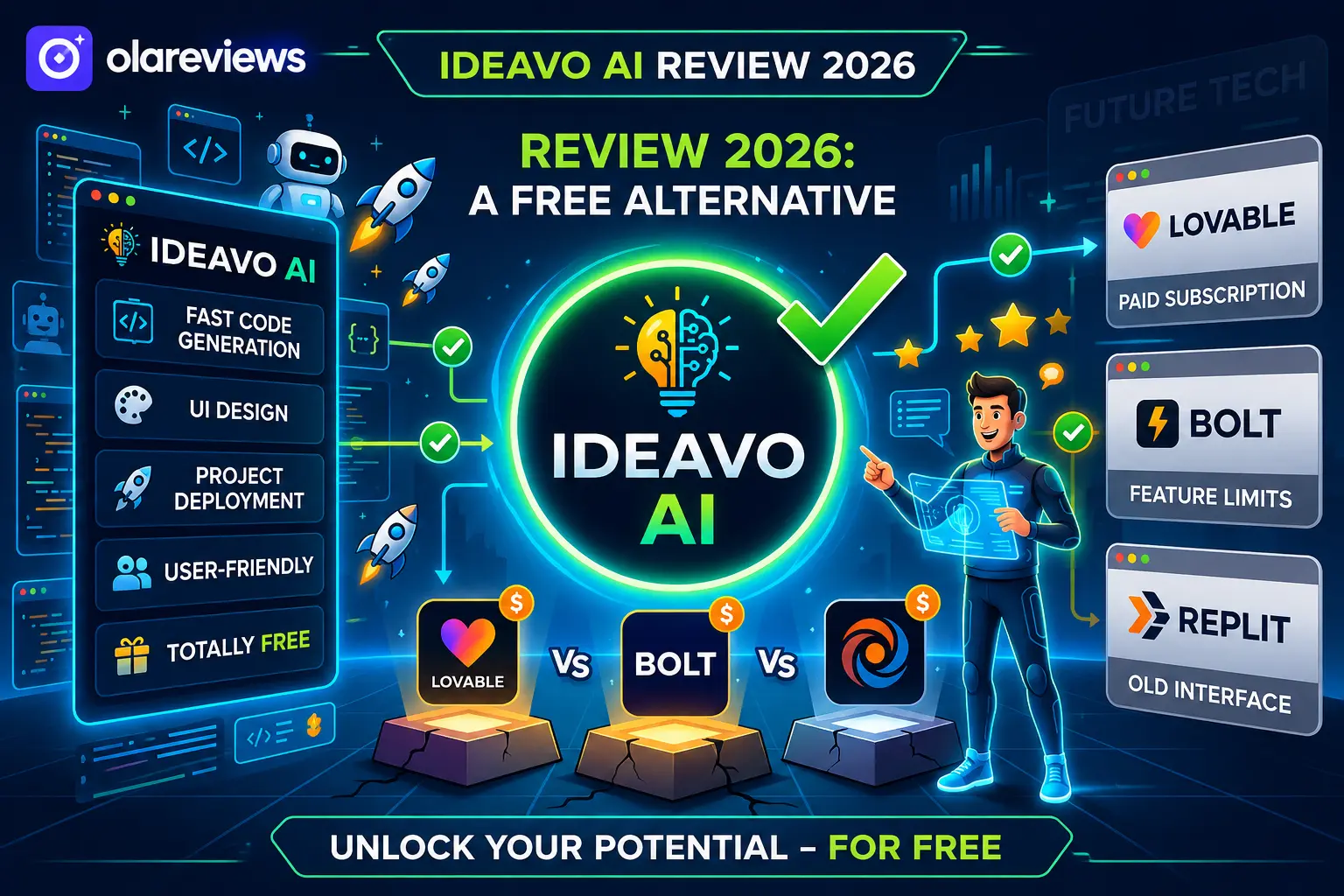
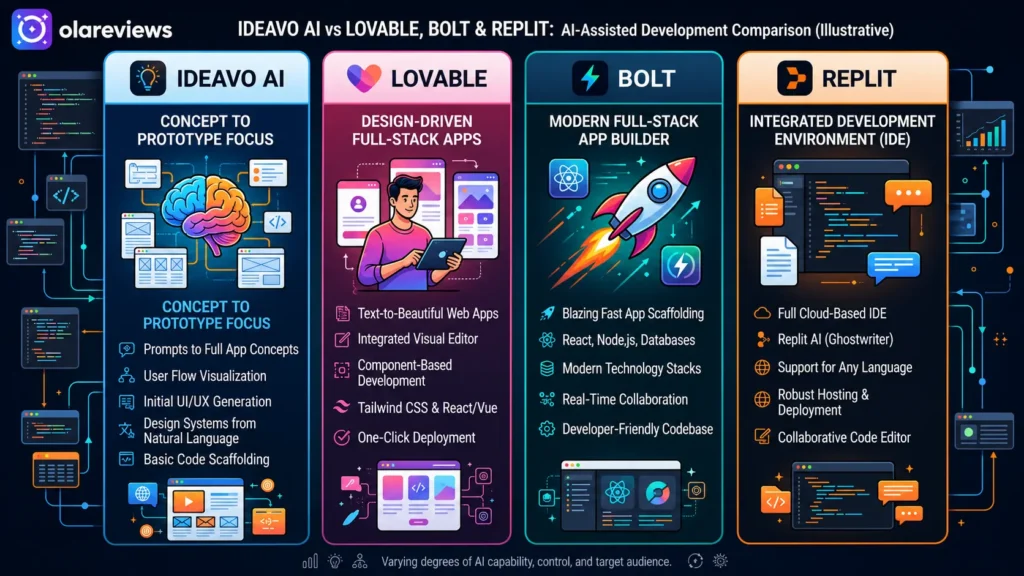
    Ideavo AI vs Lovable, Bolt & Replit

    Choosing the right AI coding platform depends on your needs. Here’s how Ideavo AI compares with some of the most popular alternatives.

    FeatureIdeavo AILovableBoltReplit
    Free PlanYesLimitedLimitedYes
    AI App GenerationYesYesYesYes
    Beginner FriendlyExcellentGoodGoodGood
    Manual Code EditingYesYesYesYes
    Fast Project CreationExcellentGoodGoodGood
    Best ForAI App DevelopmentUI ProjectsRapid PrototypesFull Coding Environment

    For users who want a simple and free AI development platform, Ideavo AI offers an attractive balance between usability and functionality.

    Pros and Cons of Ideavo AI

    Pros

    • Free plan available
    • Easy to use for beginners
    • Generates projects quickly
    • Editable source code
    • Clean interface
    • Saves development time
    • Suitable for freelancers and startups

    Cons

    • Premium features require a paid plan
    • AI-generated code may need manual refinement
    • Large applications still require development experience

    Is Ideavo AI Worth Using in 2026?

    For users looking to create websites, landing pages, and simple web applications without spending money, Ideavo AI is a practical option. Its AI-generated code helps reduce development time, while manual editing allows developers to customize projects further. Although experienced programmers may still prefer traditional coding for enterprise software, Ideavo AI is an excellent solution for prototypes, MVPs, and small business websites.

    Ideavo AI Ratings

    Based on usability, performance, pricing, and overall experience, Ideavo AI delivers strong value for both beginners and experienced users.

    CategoryRating (Out of 5)
    Ease of Use5.0/5
    Features4.5/5
    Performance4.4/5
    AI Code Quality4.3/5
    Speed4.7/5
    Value for Money5.0/5
    Beginner Friendliness5.0/5
    Customer Support4.2/5
    Overall Rating4.7/5

    Overall Rating: 4.7/5

    Ideavo AI stands out as one of the best free AI coding platforms in 2026. Its beginner-friendly interface, AI-powered project generation, and flexible code editing make it a reliable alternative to Lovable, Bolt, and Replit.

    Who Should Choose Ideavo AI?

    Ideavo AI is a good choice if you:

    • Want a free AI coding platform
    • Need to build projects quickly
    • Are learning web development
    • Create MVPs for startups
    • Build websites for clients
    • Prefer AI-assisted development over manual coding

    Users building large-scale enterprise applications may still require advanced development tools alongside Ideavo AI.

    Final Thoughts

    After reviewing its features, pricing, usability, and performance, Ideavo AI proves to be one of the best free AI development platforms available in 2026. It simplifies app creation, reduces development time, and helps beginners turn ideas into working projects without a steep learning curve. If you are searching for a free alternative to Lovable, Bolt, and Replit, Ideavo AI is well worth trying. Its combination of AI-powered development, editable code, and beginner-friendly design makes Ideavo AI a smart choice for students, freelancers, startups, and anyone looking to build applications faster.

    Frequently Asked Questions

    Is Ideavo AI free?

    Yes. Ideavo AI offers a free plan that allows users to explore its core features before choosing a paid plan.

    Can beginners use Ideavo AI?

    Yes. Ideavo AI is designed with beginners in mind. Its simple interface and AI-assisted development make it easy for users with little coding experience.

    Is Ideavo AI better than Replit?

    Both platforms serve different purposes. Ideavo AI focuses on AI-powered project generation, while Replit is a broader online coding environment suitable for manual programming.

    What can I build with Ideavo AI?

    You can build landing pages, websites, web applications, MVPs, dashboards, and prototypes using simple text prompts.

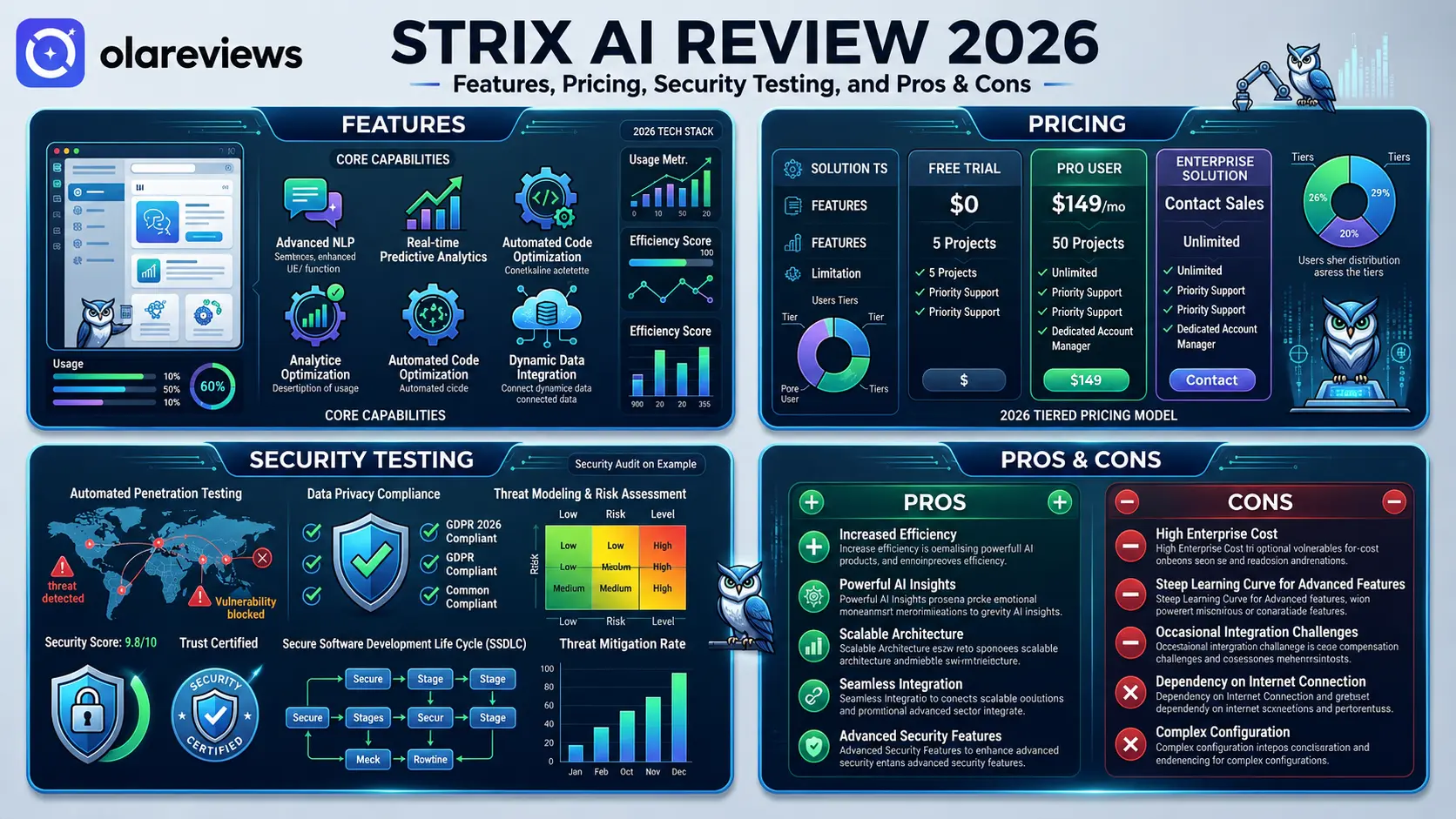
  • Strix AI Review 2026: Features, Pricing, Security Testing, and Pros & Cons

    Strix AI Review 2026: Features, Pricing, Security Testing, and Pros & Cons

    Choosing the right AI platform is becoming more important as more businesses rely on automation for daily work. Strix AI has gained attention for offering AI-powered tools that help teams create content, organize tasks, and improve productivity from one platform. This Strix AI review looks at its main features, pricing, security testing, strengths, and weaknesses to help you decide whether it is the right choice for your needs in 2026.

    What Is Strix AI?

    Strix AI is an AI platform designed to help individuals, businesses, and marketing teams complete everyday tasks faster. It combines writing assistance, workflow automation, research support, and business tools into one system. The platform focuses on making AI accessible to users without requiring technical knowledge. Whether you need help creating content, managing projects, or improving business operations, Strix AI provides tools that reduce manual work.

    Strix AI at a Glance

    FeatureDetails
    Product NameStrix AI
    CategoryAI Productivity Platform
    Best ForBusinesses, marketers, freelancers, writers, and teams
    Main FunctionsAI writing, research, workflow automation, collaboration
    Free PlanYes (limited features)
    Paid PlansYes
    Team SupportAvailable on selected plans
    SecurityData encryption, account protection, privacy controls

    Strix AI Rating

    CategoryRating (Out of 5)
    Ease of Use4.8/5
    Features4.7/5
    Content Quality4.6/5
    Workflow Automation4.7/5
    Security & Privacy4.5/5
    Value for Money4.4/5
    Customer Support4.3/5
    Overall Rating4.6/5

    Based on this review, Strix AI scores highly for usability, AI-powered content generation, and workflow management. Its premium plans offer the best experience, while the free version allows new users to explore the platform before upgrading.

    Strix AI Features That Stand Out

    AI Content Creation

    One of the strongest parts of Strix AI is its content generation system. Users can create blog posts, product descriptions, emails, summaries, and marketing copy within minutes. The writing assistant also lets users adjust tone and style for different audiences.

    Workflow Automation

    Strix AI automates repetitive work, helping businesses save time and reduce manual effort.

    Research Assistance

    The platform summarizes long documents and presents important information in an easy-to-read format.

    Team Collaboration

    Shared workspaces allow teams to work together on projects while keeping files organized.

    User-Friendly Dashboard

    The clean dashboard makes navigation simple, even for first-time users.

    Strix AI Features Comparison

    FeatureWhat It DoesBest For
    AI Content CreationCreates blogs, emails, and marketing contentWriters and marketers
    Research AssistantSummarizes documents and gathers key informationStudents and professionals
    Workflow AutomationAutomates repetitive business tasksBusinesses
    Team CollaborationAllows multiple users to work togetherAgencies and teams
    Content EditingImproves grammar and readabilityContent creators
    DashboardEasy-to-use interfaceBeginners

    Strix AI Pricing in 2026

    Strix AI offers different subscription options to match different user needs.

    Free Plan

    The free plan is suitable for beginners who want to test the platform before upgrading.

    Paid Plans

    Paid subscriptions include higher AI limits, premium tools, collaboration features, and more customization.

    Strix AI Pricing Overview

    PlanSuitable ForMain Features
    FreeNew usersBasic AI tools with limited usage
    IndividualFreelancersPremium writing tools and higher limits
    BusinessSmall and medium businessesTeam collaboration and workflow automation
    EnterpriseLarge organizationsCustom features, advanced security, dedicated support

    Strix AI Security Testing and Privacy

    Security is an important factor when selecting any AI platform. Strix AI includes account protection, encrypted data transmission, access controls, and regular security improvements. Before uploading confidential business information, users should carefully review the platform’s privacy policy and data handling practices.

    Strix AI Pros and Cons

    ProsCons
    Easy for beginnersPremium features require a paid subscription
    Fast AI content generationAI-generated content should always be reviewed
    Helpful workflow automationUsage limits on lower plans
    Supports team collaborationSome advanced features cost extra
    Research and writing tools in one platformMay not fit every budget
    Simple and clean interfaceRequires an internet connection

    Who Should Use Strix AI?

    Strix AI is suitable for:

    • Content writers
    • Digital marketers
    • Small business owners
    • Freelancers
    • Startup teams
    • Customer support teams
    • Students and researchers

    Anyone looking for an AI platform that combines writing, research, and workflow automation in one place may find Strix AI a practical solution.

    Is Strix AI Worth the Price?

    The value of Strix AI depends on how frequently you use AI tools. If you regularly create content, manage business workflows, or conduct research, the paid plans can provide good value. Users with occasional AI needs may find the free plan enough.

    Tips Before Choosing Strix AI

    Before subscribing, consider the following:

    • Try the free version first.
    • Compare pricing with similar AI platforms.
    • Review the privacy policy.
    • Check feature limits for your chosen plan.
    • Confirm team collaboration features if needed.
    • Estimate your monthly AI usage.

    Final Thoughts

    Strix AI continues to be a capable AI platform in 2026. It combines content creation, workflow automation, research assistance, and collaboration tools in a simple interface. Although some advanced features require a paid subscription, the platform delivers solid value for both individuals and businesses. If you need an AI solution to improve productivity, Strix AI is worth considering.

    Frequently Asked Questions

    Is Strix AI free to use?

    Yes. Strix AI offers a free plan with limited features. Paid plans provide access to more features and increased usage limits. 

    Is Strix AI safe?

    Strix AI includes security measures such as encrypted connections, account protection, and privacy controls. Users should still review the privacy policy before storing sensitive information.

    Who should use Strix AI?

    Strix AI is a good choice for content creators, marketers, freelancers, students, and businesses looking to improve their daily workflow.

    Does Strix AI replace human work?

    No. Strix AI helps speed up tasks, but all AI-generated content should be reviewed for accuracy, quality, and relevance before publishing.

  • Zendesk AI vs Intercom AI: Which Customer Support Platform Wins?

    Zendesk AI vs Intercom AI: Which Customer Support Platform Wins?

    Choosing the right customer support platform can improve customer satisfaction and reduce response times. Zendesk AI vs Intercom AI is a popular comparison because both platforms use artificial intelligence to improve customer service. Zendesk AI is known for ticket management and workflow automation. Intercom AI focuses on live chat, customer messaging, and proactive support. This guide compares both platforms to help you choose the right solution.

    Zendesk AI vs Intercom AI Comparison

    FeatureZendesk AIIntercom AIRating (/5)
    AI ChatbotAdvanced AI support bot with ticket resolutionConversational AI assistant for live chatZendesk: 4.9/5 • Intercom: 4.8/5
    Ticket ManagementExcellent ticket organization and automationGood ticket handling with basic workflowsZendesk: 5.0/5 • Intercom: 4.4/5
    Live ChatReliable live chat with AI assistanceExcellent real-time messagingZendesk: 4.7/5 • Intercom: 5.0/5
    Knowledge BaseAI-powered article suggestionsAI-powered help centerZendesk: 4.9/5 • Intercom: 4.8/5
    AutomationAdvanced routing and workflow automationSmart chat automationZendesk: 4.9/5 • Intercom: 4.8/5
    Ease of UseFeature-rich with a moderate learning curveClean and beginner-friendlyZendesk: 4.5/5 • Intercom: 4.9/5
    IntegrationsExtensive third-party integrationsStrong business integrationsZendesk: 5.0/5 • Intercom: 4.7/5
    Reporting & AnalyticsDetailed dashboards and reportsCustomer engagement insightsZendesk: 4.9/5 • Intercom: 4.6/5
    PricingFlexible plansPremium pricingZendesk: 4.7/5 • Intercom: 4.3/5
    Overall ScoreBest for structured customer supportBest for customer conversationsZendesk: 4.9/5 • Intercom: 4.8/5

    Quick Verdict: Zendesk AI is the better choice for businesses that manage many support tickets. Intercom AI is ideal for companies that rely on live chat and customer engagement.

    Zendesk AI vs Intercom AI: Key Differences

    Both platforms use artificial intelligence, but they focus on different areas.

    Zendesk AI helps support teams organize tickets, automate workflows, and improve agent productivity. It is designed for businesses that handle a high volume of customer requests.

    Intercom AI focuses on customer conversations. It helps businesses answer questions through live chat, automated messaging, and AI-powered assistants.

    If customer support is your priority, Zendesk AI has an advantage. If customer engagement matters more, Intercom AI is a strong option.

    AI Features

    Zendesk AI

    Zendesk AI offers tools that help support teams work faster. Its main features include AI reply suggestions, automatic ticket routing, conversation summaries, customer intent detection, and knowledge base recommendations. These tools reduce manual work and improve response times.

    Intercom AI

    Intercom AI is designed for real-time customer communication. It includes an AI chatbot, automated conversations, personalized replies, smart Help Center suggestions, and conversation routing. These features help businesses answer common questions without involving a support agent.

    Ease of Use

    Intercom AI has a simple and modern interface. Most users can create chat automation with little training. Zendesk AI offers more customization and advanced settings. It takes longer to learn, but it provides greater flexibility for larger support teams.

    Automation

    Automation is one of the biggest strengths of both platforms.

    Zendesk AI automatically routes tickets, recommends replies, and summarizes conversations. This helps support teams respond to customer issues in less time. 

    Intercom AI automates customer conversations through live chat. It answers common questions, collects customer information, and transfers complex requests to support agents.

    Pricing

    Zendesk AI offers flexible pricing plans for businesses of different sizes. Most advanced AI features are included in higher-tier subscriptions.

    Intercom AI has premium pricing, and some AI tools are available as paid add-ons. Businesses should compare the total monthly cost before making a decision.

    Pros and Cons

    Zendesk AI

    Pros

    • Excellent ticket management
    • Powerful automation
    • Detailed reporting
    • Large integration library

    Cons

    • Longer learning curve
    • Advanced AI features cost extra

    Intercom AI

    Pros

    • Easy to use
    • Excellent live chat
    • Strong customer messaging
    • Fast chatbot setup

    Cons

    • Higher pricing
    • Limited ticket management compared to Zendesk

    Which Platform Should You Choose?

    Choose Zendesk AI if your business manages many support tickets and needs advanced automation. It is a great option for medium and large support teams. Choose Intercom AI if your business depends on live chat, customer engagement, and proactive messaging. It works especially well for SaaS companies and growing online businesses.

    Final Thoughts

    Choosing between Zendesk AI vs Intercom AI depends on your business needs. Zendesk AI is the better choice for structured customer support, advanced ticket management, and detailed reporting. Intercom AI is ideal for businesses that want faster customer conversations and stronger engagement through live chat. Both platforms are excellent, but the right solution depends on your support strategy, budget, and customer expectations.

    Frequently Asked Questions

    Is Zendesk AI better than Intercom AI?

    Zendesk AI is better for businesses with large customer support teams. Intercom AI is better for businesses that focus on customer conversations and live chat.

    Which platform has the better AI chatbot?

    Intercom AI offers a more conversational chatbot, while Zendesk AI focuses on resolving customer support requests efficiently.

    Is Intercom AI good for startups?

    Yes. Intercom AI is easy to use and works well for startups and SaaS businesses that rely on customer messaging.

    Which platform offers better value for money?

    Zendesk AI offers better value for businesses with high support volumes. Intercom AI provides excellent value for businesses focused on customer engagement and proactive communication.