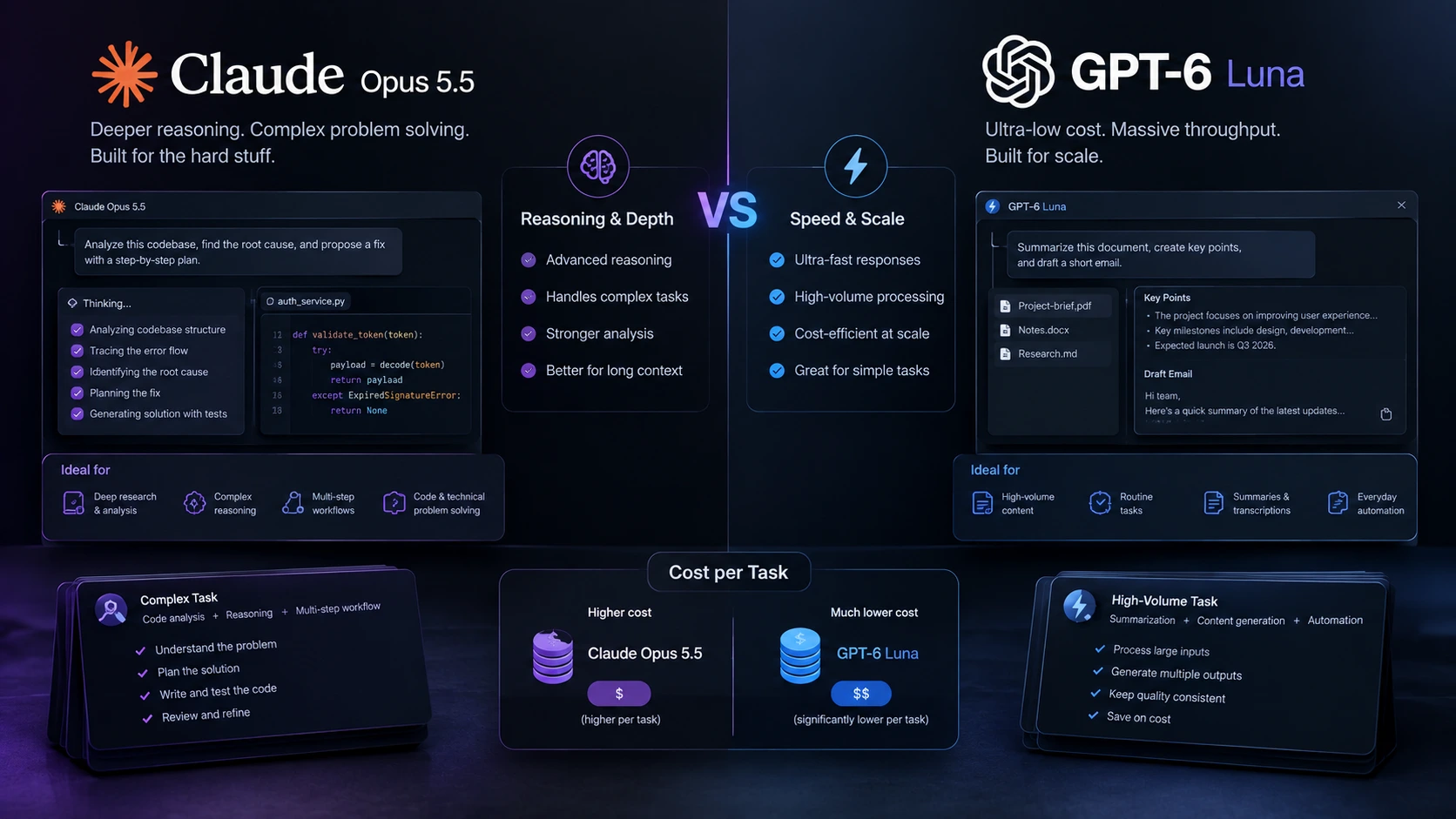
The biggest change in the latest AI model race is not simply better reasoning. It is the cost of getting useful work completed. Anthropic launched Claude Opus 5.5 on September 22, 2026, with $4 input and $20 output pricing per million tokens. OpenAI released GPT-6 Luna the same day at just $0.10 input and $0.50 output. But token prices alone hide an important detail: a cheaper model can still become expensive if it needs more steps, retries, or context. That makes Opus 5.5 vs GPT-6 Luna less about the cheapest token and more about how much useful work each dollar buys.
Opus 5.5 vs GPT-6 Luna Pricing Shows Two Very Different Strategies
The raw Opus 5.5 pricing is much higher than GPT-6 Luna.
Model
Input per 1M tokens
Output per 1M tokens
Claude Opus 5.5
$4
$20
GPT-6 Luna
$0.10
$0.50
OpenAI says GPT-6 Luna costs half as much as GPT-5.6 Luna on both input and output, with output falling from $1.20 to $0.50 per million tokens.
Anthropic took a different path. Opus 5.5 costs 20% less per token than Opus 5, but Anthropic says its typical workload cost is 40% lower because the model uses less compute. Cache reads also fell to $0.20 per million tokens. This is the overlooked part of the AI model comparison. The sticker price does not tell us the full cost.
The Real Test Is Cost Per Completed Task
For reasoning AI models, the number of tokens used is only one part of the bill. A coding agent may read a large codebase, plan changes, call tools, run tests, fix errors, and repeat the process. A model that finishes in fewer steps can cost less even if its token rate is higher. Anthropic reports that Opus 5.5 completed a 200,000-line code audit and fixes in under three hours in an early test. The company also says Opus 5.5 completed a C-to-Rust HAProxy rewrite in 9.5 hours, compared with 12 hours for Claude Fable 5.1, while costing 51% less in that test.
OpenAI’s GPT-6 Luna shows the opposite pricing advantage. On the DeepSWE 1.1 software engineering test, Luna at maximum effort scored 66.6%. OpenAI says that result was comparable to Opus 5 and Fable 5 at medium effort, while costing 93% less per task than Opus 5 and 96% less than Fable 5. These are company-reported evaluations, not a controlled head-to-head test of Opus 5.5 against Luna. That distinction matters.
Opus 5.5 Review: Efficiency Is Part of the Reasoning Story
The strongest part of the Opus 5.5 review is not its raw token price. It is the claim that the model can handle long, messy jobs with fewer retries. Anthropic reports that Opus 5.5 beat its previous model on FrontierCode at default effort. It scored 54.6%, compared with 53.3% for GPT-6 Astra’s top score in the company’s comparison, while Anthropic says Opus 5.5 used about one-fifth of Astra’s cost per task.
Anthropic also says Opus 5.5 produced output more than 30% faster than Opus 5. That combination matters for developers. A model that reasons well but repeatedly asks for more context or retries failed actions can create a larger bill and slower workflow.
GPT-6 Luna Review: The Low-Cost Model Changes the Math
The GPT-6 Luna review has a different focus. Luna is built for lower-cost, high-volume work. OpenAI describes Luna as useful for tasks such as summarizing documents, extracting information, and answering quick questions. The model also supports different reasoning effort levels, allowing developers to spend more compute on harder tasks. Its biggest technical advantage may be caching.
OpenAI says GPT-6 models can receive discounts of up to 90% on cached input-token reads. It also says improvements over the past several months reduced the share of prompt tokens needing fresh processing by more than 50% across billions of requests in GitHub’s use of OpenAI models. For applications that repeatedly send the same instructions or large context, that can matter more than the headline $0.10 input price.
What This Means for Best AI Models 2026
The new releases make one old way of comparing AI models less useful.
Instead of asking which model has the highest benchmark score, developers should track three numbers:
Quality per task
Tokens and tool calls needed
Total cost for a completed workflow
This matters especially for agents. A customer-support agent handling 100,000 requests does not care about the token price in isolation. The business cares about the total bill, response quality, failed actions, and how often a human must intervene.
Opus 5.5 vs GPT-6 Luna: The Practical Divide
The current evidence points to a clear difference in design.
Opus 5.5 is positioned around advanced reasoning, long coding tasks, research, and agentic work. Anthropic has also pushed its price down and improved token efficiency.
GPT-6 Luna is positioned around scale. Its very low token price, reasoning controls, and stronger caching make it suited to applications where thousands or millions of model calls can quickly add up.
Neither published source provides a clean, independent Opus 5.5 versus Luna test using the exact same prompts, tools, hardware, and effort settings. That means claims of a definitive overall performance winner would go beyond the available evidence.
The more useful finding is that AI pricing is moving from model price to workflow economics.
What should businesses measure?
Track cost per completed task, total tokens, retries, tool calls, latency, and human corrections. Those figures reveal the real cost of an AI workflow better than token pricing alone. The most important change in the Opus 5.5 vs GPT-6 Luna debate is therefore not simply that one model is expensive and the other is cheap. Both companies are trying to reduce the cost of useful intelligence, but they are doing it differently. Opus 5.5 focuses on doing complex work more efficiently, while Luna pushes the cost of large-scale AI usage dramatically lower. For 2026, workflow cost per successful result is becoming a more useful measure than the price printed beside a million tokens.
FAQ
Is Opus 5.5 more expensive than GPT-6 Luna?
Yes. At the published API rates, Opus 5.5 costs $4 per million input tokens and $20 per million output tokens, while Luna costs $0.10 and $0.50.
What is the main Opus 5.5 pricing change?
Anthropic cut Opus 5.5 input and output prices by 20% versus Opus 5 and says typical workloads cost 40% less.
Why is GPT-6 Luna so cheap?
OpenAI attributes the lower price to improvements in inference and caching. It also offers up to 90% discounts on cached input reads.
Is there a direct Opus 5.5 vs GPT-6 Luna benchmark?
Not yet in the published sources reviewed here. Anthropic and OpenAI publish different tests, settings, and cost measurements, so those results should not be treated as a controlled head-to-head comparison.
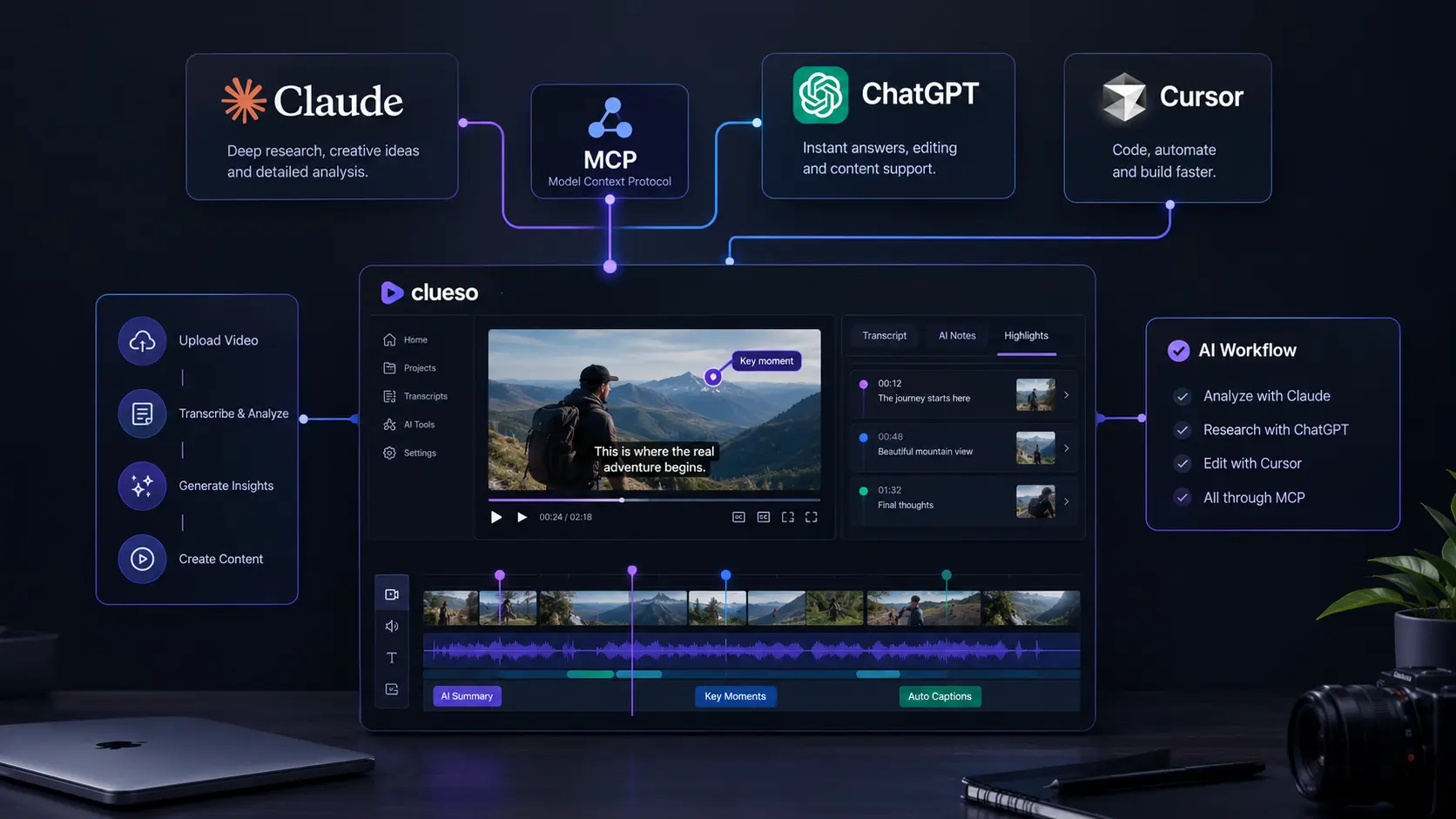
Clueso integration lets supported AI assistants connect with Clueso’s video creation and editing tools through the Model Context Protocol, or MCP. Instead of completing every video task manually, users can give natural-language instructions to an AI assistant and let it work with Clueso. Clueso also provides Agent Skills for common video workflows. These skills can help create videos from articles, edit existing videos, add captions, insert callouts, apply brand elements, and handle other video-production tasks. Clueso supports several AI environments, including Claude, ChatGPT, and Cursor. However, the setup process and available permissions are different for each platform.
What Is Clueso MCP?
Clueso MCP uses the Model Context Protocol to connect AI assistants with external tools. MCP is an open standard that allows an AI application to communicate with connected services and use their available capabilities. With Clueso MCP, compatible AI agents can access video-related functions. Depending on the available tools, these can include working with projects, clips, motion elements, AI voiceovers, and video exports.
This makes it possible to use natural-language instructions for video workflows. For example, you can ask an AI assistant to create a product walkthrough, turn an article into a narrated video, add captions, insert visual callouts, or make changes to an existing video project. The MCP connection provides the tool access, while Clueso Agent Skills provide additional instructions for specific workflows.
How to Set Up Clueso With Claude
The Clueso Claude integration uses Claude’s custom connector system.
The general setup process is:
Open Claude.
Go to Settings.
Open Connectors.
Select the option to add a custom connector.
Create a connector for Clueso.
Complete the Clueso authorization process.
Return to Claude and confirm that the connector is available.
After the connection is active, Claude can access the available Clueso tools when they are enabled for the conversation.
Clueso With Claude Code
Clueso can also be used with Claude Code through MCP. The setup is different from the standard Claude interface because the MCP connection needs to be configured through Claude Code. After adding the connection, the authorization process can be completed through the browser. The exact configuration can change as Claude Code and Clueso update their MCP support, so current configuration requirements should be followed.
How to Set Up Clueso With ChatGPT
The Clueso ChatGPT integration works differently from the Claude and Cursor setup. ChatGPT’s custom MCP functionality depends on the account plan and workspace configuration. Full MCP functionality, including actions that create or modify content, is currently available for supported Business, Enterprise, and Edu environments.
For a supported workspace, the general process is:
Open ChatGPT on the web.
Open the relevant developer or app settings.
Enable developer mode if it is available.
Create or configure a custom MCP application.
Add the required Clueso connection information.
Complete the authorization process.
Review the available Clueso tools.
Save or publish the application according to the workspace requirements.
Select the Clueso application when using it in a supported conversation.
Workspace administrators may need to approve the application or control which users can access it. Because ChatGPT’s MCP and custom app features continue to evolve, the exact settings and menu names can change.
ChatGPT MCP Permissions for Clueso
Permissions are an important part of the Clueso ChatGPT integration. Not every ChatGPT account has the same MCP capabilities. Some environments provide limited access, while supported business workspaces can provide broader functionality. This matters because many Clueso workflows require more than reading information. Creating or modifying videos requires the AI assistant to have the appropriate tool permissions. ChatGPT Agent mode should also not be confused with custom MCP applications. Custom apps have their own supported workflows and permissions.
How to Set Up Clueso With Cursor
The Clueso Cursor integration uses Cursor’s MCP support.
The general setup process is:
Open Cursor.
Open the MCP settings.
Select the option to add a custom MCP server.
Enter the Clueso MCP server information.
Complete the Clueso authorization process.
Confirm that the Clueso tools are enabled.
Start a Cursor agent workflow that can use the connected tools.
Cursor’s interface can change between releases, so the current MCP settings should be used if the location of these options differs. Once Clueso is connected, Cursor can use the available tools as part of supported agent workflows.
Clueso Agent Skills Explained
The Clueso Agent Skills system is an important part of the integration. MCP provides access to Clueso’s tools, while Agent Skills provide reusable instructions for specific tasks. This means an AI assistant does not simply have access to video tools. It can also use predefined workflows designed around common video-production requirements.
Clueso’s Agent Skills can cover tasks such as:
Creating videos
Editing existing videos
Adding animated captions
Adding callouts and arrows
Applying brand colors
Adding logos
Creating lower thirds
Adding zoom effects
Creating CTA end cards
Turning documents and articles into videos
For example, an article-to-video workflow can take written content, develop it into a video script, organize the content into scenes, add narration, and prepare the resulting video.
What Can You Do With Clueso MCP?
Once the Clueso MCP integration is configured, you can use natural-language instructions for different video tasks.
Some examples include:
Turn an article into a narrated video.
Create a product walkthrough from written content.
Add captions to an existing video.
Highlight important areas of a screen recording.
Add callouts and arrows.
Add a logo or branded element.
Apply brand colors.
Create a CTA end screen.
Build an animated explainer.
Divide long training content into sections.
Create localized versions of an existing video.
The goal is to make video production more conversational. Instead of manually completing every editing step, users can describe the desired result and let the connected AI tools handle supported actions.
Clueso MCP Troubleshooting
If the Clueso MCP connection does not work correctly, configuration and authorization are two areas to check first. Make sure the Clueso connection has been completed successfully and that the required tools are enabled. If Clueso does not appear after configuration, refreshing or restarting the AI application may help. You should also check whether your account or workspace has permission to use custom MCP tools.
ChatGPT users should pay particular attention to workspace permissions because administrators can control custom app access. The same principle applies to Claude and Cursor. Application interfaces can change, so older tutorials may show settings that are no longer located in the same place. Security is also important when using MCP. Connecting an external MCP service can give an AI assistant access to tools and actions. Users should understand what the connected service can access before authorizing it.
Why Use Clueso With AI Assistants?
The main benefit of connecting Clueso withClaude, ChatGPT, or Cursor is the ability to bring video creation into an existing AI workflow. Without an integration, users may need to switch between an AI assistant and a separate video editor for different parts of a project. With Clueso MCP, supported AI agents can interact with Clueso through connected tools. Agent Skills make this workflow more useful by providing instructions for repeatable tasks such as article-to-video creation, video editing, captions, motion effects, and branding.
This approach can be useful for product tutorials, customer education, training videos, software explainers, and other instructional content. The exact experience depends on the AI platform, account permissions, available Clueso tools, and the workflow being requested.
Frequently Asked Questions
Does Clueso MCP require an API key?
Clueso’s Agent Skills are designed to work through its MCP connection. The standard setup uses the hosted Clueso MCP service and an authorization process rather than requiring users to manually create an external API key.
Can I use Clueso with Claude, ChatGPT, and Cursor?
Yes. Clueso supports multiple AI environments, including Claude, ChatGPT, and Cursor. However, the setup process and available permissions can differ between platforms.
Can I use Clueso MCP with ChatGPT Free?
MCP availability depends on the ChatGPT plan and workspace configuration. Full write and modification functionality is not available across all ChatGPT plans, so users should check the MCP capabilities available to their account.
Does ChatGPT Agent mode support Clueso custom MCP apps?
Agent mode and custom MCP applications have different capabilities. Users should use the supported custom-app workflow when they need MCP tools to perform actions through Clueso.
What are Clueso Agent Skills?
Clueso Agent Skills are reusable instructions designed for specific workflows. They can help AI agents handle tasks such as video creation, video editing, captions, motion effects, branding, and article-to-video production.
The most interesting part of Qwen-Image 2.1 is not simply that its visual generator has 7 billion parameters. The real surprise is how the model changes the local hardware equation. A full BF16 installation is far too large for a 24GB RTX 3090, but current INT8 and 4-bit setups make local use practical. Recent measurements show why the Qwen-Image 2.1 3090 story depends more on quantization and memory placement than on the model’s headline parameter count.
At the same time, Qwen’s own September 2026 benchmark puts Qwen-Image 2.1 at 60.28, above Nano Banana 2.0 at 59.82, while several closed models still score higher. That makes the useful story less about claiming universal victory and more about what this performance means when the model can actually run on hardware sitting under your desk.
Qwen-Image 2.1 Changes the Local AI Image Generation Equation
Qwen released Qwen-Image 2.1 on September 20, 2026, as a unified model for text-to-image generation and image editing. Its visual generation component uses 32 Single-Stream DiT layers and 7B parameters. It also supports native transparent images and up to 10 reference images for editing. That matters for local AI image generation because users do not need separate generation and editing models for these core workflows. The model also uses mixed-granularity attention and prefix KV-cache reuse. Qwen says the cache allows reference images and editing instructions to be calculated once and reused during later denoising steps, with the biggest benefit appearing in multi-image editing. This is the overlooked hardware detail. Qwen-Image 2.1 is designed around repeated context reuse, not just a smaller parameter count. For more background on AI image generation workflows, see AI image generation tools.
Qwen-Image 2.1 VRAM Requirements Are More Complicated Than “7B”
The standard BF16 files explain the problem. The official Hugging Face repository lists about 14.2GB for the image transformer, 17.5GB for the Qwen3-VL text encoder, and 1.35GB for the VAE. Together, those files are roughly 33GB before normal runtime overhead. So the full BF16 pipeline does not fit on a 24GB RTX 3090 with everything kept in VRAM. Quantization changes that calculation. A recent RTX 5090 test measured:
Configuration
1024×1024 Peak VRAM
2048×2048 Peak VRAM
8-bit
21.3GB
22.6GB
4-bit
15.2GB
15.4GB
The same test kept the quantized weights on the GPU and completed without CPU spill.
This gives us a practical Qwen-Image 2.1 GPU requirements rule: a 24GB card has useful room for quantized inference, while the exact setup, resolution, reference images, and background applications still matter. A separate current community setup specifically uses an RTX 3090 with 24GB VRAM and official INT8 ConvRot weights as its baseline for Qwen-Image 2.1.
Qwen-Image 2.1 3090: What Actually Fits
The RTX 3090 remains interesting because its 24GB VRAM is enough for several quantized configurations. The important distinction is between model file size and peak VRAM. A 4-bit transformer can be only a few gigabytes, but the complete pipeline also needs its text encoder, VAE, activations, and temporary working memory. Community GGUF testing lists Q4 variants around 4GB to 4.6GB for the diffusion component, while the text encoder can be moved to system RAM to save substantial VRAM.
For a 3090, that creates several practical choices:
INT8: More memory use, but a strong option when the full setup fits.
4-bit: Much more comfortable for VRAM.
GGUF: Useful when building a lower-memory ComfyUI workflow.
CPU offload: Useful when VRAM is tight, but it can reduce speed.
This is why the phrase Qwen-Image 2.1 3090 should not mean “download the BF16 model and press generate.” It means choosing the right precision and keeping enough VRAM free for the actual workload.
Qwen-Image 2.1 Benchmark: How Close Is It to Closed Models?
Qwen’s September 2026 Qwen-Image-Bench result is 60.28. A current report of the launch chart places Nano Banana 2.0 at 59.82 and GPT Image 1.5 at 59.65. That supports the “outguns closed models” part of the title in a specific sense: Qwen-Image 2.1 scored above some closed models on Qwen’s own benchmark. But the benchmark does not show universal dominance. Other closed models scored higher, with GPT Image 2.5 Sunburst reported at 67.01.
There is another important limitation. The benchmark comes from Qwen, the model’s developer, and independent reproduction of the launch comparison was not available when the model shipped. That makes the result useful evidence, but not a final verdict on every image task.
Why the Open-Source AI Image Generator Angle Matters
The biggest practical difference is not just image quality. Qwen-Image 2.1 gives users access to the model weights for local research and evaluation, rather than requiring every generation to happen through a closed service. That changes cost, privacy, workflow control, and experimentation.
There is also an important catch. Qwen-Image 2.1 uses the Qwen Research License, which limits use to research and evaluation and requires a separate commercial license for commercial use. So businesses should not treat “open-source AI image generator” as automatically meaning “free for commercial production.”
A Better Way to Read the Qwen-Image 2.1 Review
Our Qwen-Image 2.1 review comes down to one practical insight: the model’s real achievement is the combination of benchmark-level quality and a local deployment path that fits modern consumer hardware after sensible quantization. A 3090 does not magically run the complete BF16 pipeline. It can, however, run practical quantized configurations, and recent measurements show that 4-bit inference can stay around 15.4GB peak at 2048×2048 under one tested setup. That makes Qwen-Image 2.1 unusually interesting for people who already own a 24GB GPU. They can test generation, editing, transparency, and multi-reference workflows locally without treating a cloud API as the only route.
Conclusion
Qwen-Image 2.1 is not interesting because a 7B label makes hardware limits disappear. It is interesting because quantization turns a large multi-component image pipeline into something a 24GB consumer GPU can realistically handle. The benchmark story is also more precise than a simple “open beats closed” headline. Qwen’s own test shows Qwen-Image 2.1 ahead of some closed systems and behind others. The stronger practical point is that a locally runnable model has entered the same benchmark conversation while giving users direct control over the generation stack. For an RTX 3090 owner, that combination is the real development to watch: high-end local AI image generation without needing a new GPU just to start experimenting.
FAQ
Can Qwen-Image 2.1 run on an RTX 3090?
Yes, quantized configurations can run on a 24GB RTX 3090. A current 3090 workflow uses official INT8 ConvRot weights.
What are the Qwen-Image 2.1 VRAM requirements?
There is no single number. BF16 requires far more than 24GB for the complete pipeline, while recent 4-bit testing measured 15.2GB at 1024×1024 and 15.4GB at 2048×2048.
Does Qwen-Image 2.1 beat closed models?
On Qwen’s own Qwen-Image-Bench, its 60.28 score was above several closed models, including Nano Banana 2.0 at 59.82. Other closed models scored higher, so the result should not be read as universal superiority.
Is Qwen-Image 2.1 free for commercial use?
Not under its current Qwen Research License. Commercial use requires a separate commercial license from Qwen.
What makes local AI image generation practical here?
The combination of 7B visual generation, quantization, reference-image support, native transparency, and local weights makes the model workable on consumer GPUs that have enough VRAM.
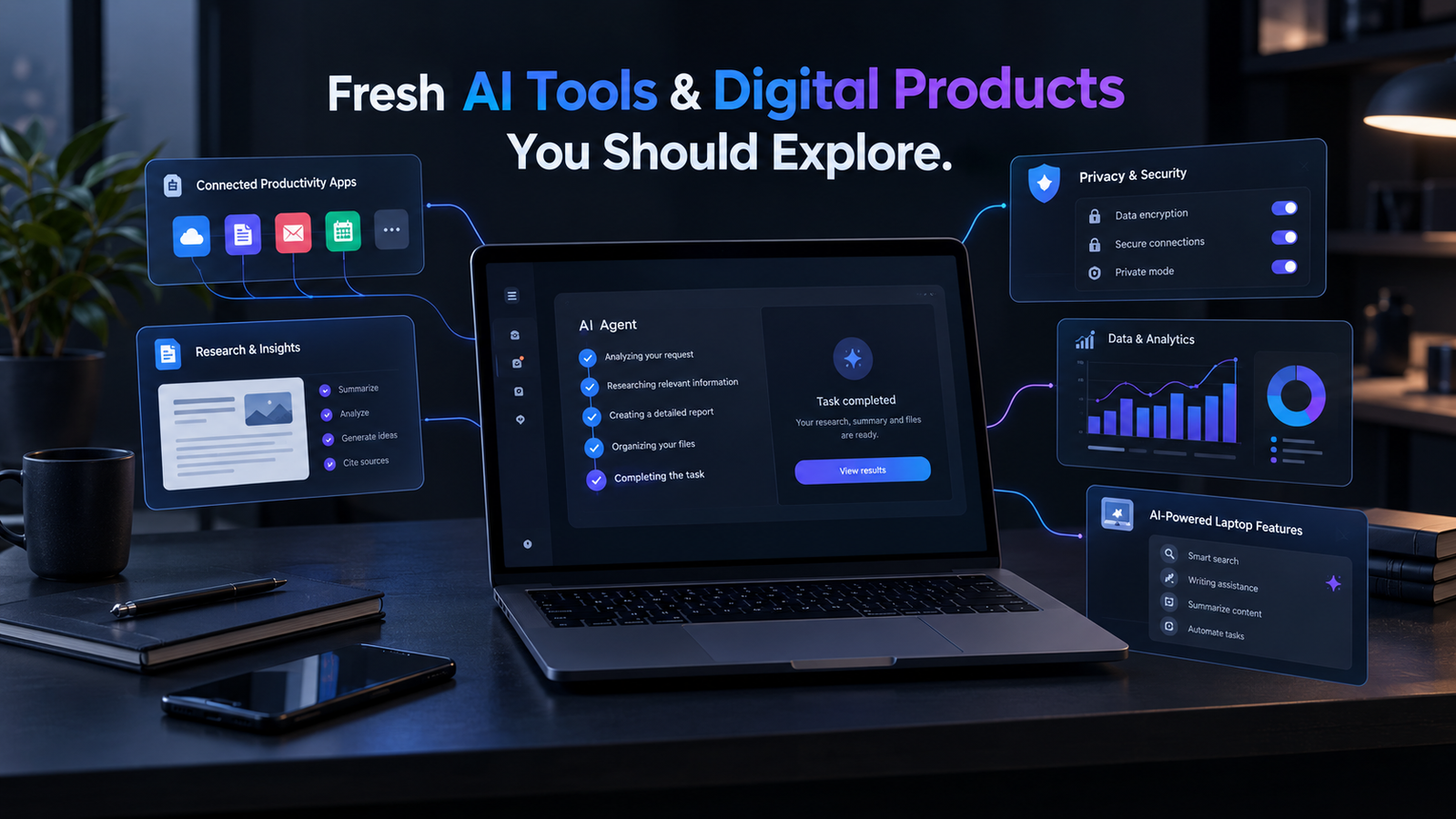
The most interesting AI tools and digital products arriving or evolving in 2026 are changing what we expect software to do. Instead of waiting for users to move between separate apps, newer products are starting to take action, use connected services, and complete multi-step work. That shift is easy to miss if we only compare model names and benchmark scores. A better way to judge fresh AI tools is to ask a simple question: What can the product actually finish for us?
Recent launches show this change clearly. Meta introduced Muse in September as a personal AI agent that can work across connected apps. Google introduced Googlebook with Gemini intelligence built directly into the laptop experience. Anthropic has also expanded Claude beyond basic chat through Cowork and integrations with productivity applications. Proton has continued developing Lumo as a privacy-focused AI assistant with reasoning, web search, memory, and data visualization features.
AI Tools Are Moving From Answers to Actions
The biggest development in new AI tools is not another chatbot window. It is the move from generating information to completing tasks. Traditional AI assistants mainly respond to prompts. Newer agentic products are increasingly designed to plan, use software, work with files, access connected services, and continue working through several steps. This is also changing how we should evaluate AI software. Instead of asking only how good an answer looks, it makes more sense to ask how much useful work the product can complete with appropriate user control.
Meta Muse Shows Where Personal AI Is Going
Meta introduced Muse on September 8, 2026, describing it as a personal AI agent designed to do work rather than simply answer questions. Meta says Muse can handle tasks such as sending emails and booking travel, open a browser, fill out forms, and work toward larger goals. It can also continue working after a user closes the app and return when it needs approval or when something changes.
Muse runs inside a dedicated Muse Secure VM, which contains the agent and a user’s data. Meta says a separate Sentinel system controls whether Muse can reach the internet. Sensitive actions, such as sending an email or making a purchase, require user approval, and Muse provides an audit trail of its actions.
Meta also says Muse can use Link by Stripe for checkout, with a one-time-use card designed to keep the user’s real payment details hidden. Muse is rolling out in the US on iOS, Android, and muse.ai, with availability planned for AI glasses.
For readers exploring AI agent platforms, this is an important development because it shows how AI agents are moving beyond conversation toward controlled execution.
For example, an AI that creates a travel plan is useful. An AI that can research the trip, organize the details, fill out forms, and complete approved bookings is a different kind of product.
Fresh AI Tools Are Becoming Complete Workspaces
Another important change is the blending of AI with traditional productivity software.
Anthropic’s Claude ecosystem is a good example. Claude Cowork brings agentic capabilities to broader knowledge work, while Claude has expanded into applications such as Excel and PowerPoint. Anthropic says Claude can work across Excel, PowerPoint, Word, and other productivity workflows, allowing context to move between applications instead of forcing users to copy information manually.
Claude in Excel can work with spreadsheets, while Claude in PowerPoint can help create presentations. Anthropic has also described workflows where information can move from Excel into PowerPoint, reducing the traditional copy-and-paste process between applications.
Cowork is also being used for longer-running tasks. Anthropic’s June 2026 Economic Index reported that Claude usage increasingly includes long-running agentic tasks through Claude Code and Cowork, showing how AI use is moving beyond simple conversational prompts.
This matters because users no longer need to think of AI as a separate window beside their normal software. The AI is becoming part of the workspace itself.
That creates practical possibilities for writers, students, marketers, analysts, and business teams. Instead of asking an AI for text and then manually moving that content into another application, more of the workflow can happen inside connected tools.
Readers interested in comparing current AI models can also look beyond model benchmarks and examine how those models are being turned into complete products.
Googlebook Brings AI Into the Laptop
AI is also moving deeper into computer hardware.
Google introduced Googlebook, a laptop designed around Gemini intelligence. Google says Googlebook combines ChromeOS foundations with Android technology and puts Gemini directly into the device experience. The company announced pre-orders on September 21, 2026.
One of its notable features is Magic Pointer. Google says the feature understands text, images, and context and brings Gemini into the area where the user is working. Google also highlights voice dictation and other built-in intelligence features designed to help users complete tasks more directly from the laptop.
The larger trend is important. AI is increasingly becoming a layer across operating systems and devices rather than a destination that users have to open separately.
Instead of asking, “Which AI website should I use?”, users may increasingly interact with AI directly through their laptop, browser, phone, or other connected hardware.
Privacy Is Becoming a Feature Worth Checking
The rush toward AI agents creates another issue that many tool lists overlook: how much access does the product need?
An AI that can read email, browse websites, remember information, access files, and make purchases needs more permission than a basic writing assistant. That makes privacy controls part of the product’s practical value.
Lumo from Proton provides an example of this approach. Proton describes Lumo as a privacy-focused AI assistant and says it does not use user data to train its AI models. Lumo 2.0, released in June 2026, added advanced reasoning, image generation, deep web search, and long-term memory.
In January, Proton also introduced Projects, giving users encrypted spaces for chats, files, and requirements connected to a particular task.
Then, on August 3, 2026, Proton added data visualization capabilities. Lumo can now create charts, graphs, and other visuals from spreadsheets, reports, and internal documents. Proton says the feature is designed to keep the information private while turning data into useful visual insights.
For anyone testing AI products, we should check three things before uploading sensitive material:
What data can the tool access?
Is our data used for model training?
Can we remove connected accounts or stored information?
These questions can matter more than a small difference in model performance.
How to Find the Best AI Tools 2026 Has to Offer
The phrase best AI tools 2026 can be misleading because the right tool depends on the job.
A better approach is to test products against a real task.
Use a Three-Step Test
First, give the tool one complete task.
Do not judge it only from a demo prompt. Ask it to produce something you would actually use.
Second, measure the work left afterward.
If an AI generates a report but requires heavy correction, its headline feature may save less time than expected.
Third, check the limits.
Look at usage caps, export options, connected services, privacy settings, and whether important features require a paid plan.
This approach is especially useful because AI products are changing quickly. A tool that was limited six months ago may now offer agents, file analysis, visual creation, memory, or deeper integrations.
For current information about AI products and models, the OpenAI API pricing page provides official product and pricing details.
Digital Products Worth Watching Beyond Chatbots
The newest products are spreading into areas that used to require separate software.
We are seeing AI agents, AI-native browsers, research tools, coding agents, privacy-focused assistants, AI workspaces, and AI-enabled hardware appear across the market.
Research-focused products are also becoming more capable. Tools such as NotebookLM show how AI can work with user-provided sources instead of relying only on general chatbot responses. This makes source-based AI useful for people who need to research documents, reports, notes, and other material.
Coding is another major area of development. AI coding products are increasingly moving from simple code generation toward planning, editing, debugging, and working across larger projects.
The same broader shift can be seen in AI automation platforms. Products increasingly combine models with tools and workflows so they can perform several connected actions instead of producing one response.
That does not mean every launch deserves attention. Many new products are experiments, beta services, or narrow tools. The better signal is whether a product removes a real step from an existing workflow.
A small tool that saves 30 minutes every day can be more useful for a particular user than a powerful AI system that they rarely use.
What Makes a Fresh AI Tool Worth Trying?
A useful way to evaluate fresh AI tools is to look at five practical areas.
Task Completion
Can the product finish a meaningful task, or does it only generate suggestions?
Integration
Can it work with the services, files, and applications you already use?
Reliability
Does it produce useful results consistently, or does every output require extensive checking?
Privacy and Control
Can you control its permissions, review its actions, delete stored information, and understand how your data is handled?
Cost and Limits
Does the free or paid plan provide enough usage for the actual workload?
These factors make a better evaluation framework than simply choosing the product with the newest model.
AI Agents Are Becoming More Practical
The growth of AI agents is one of the clearest themes in 2026.
Meta’s Muse can work across connected services and perform approved actions. Anthropic’s Cowork is designed for longer-running knowledge-work tasks. Other AI automation products are also moving toward workflows where AI can use tools rather than simply answer questions.
This does not mean traditional apps are disappearing.
Instead, AI may increasingly become the layer that connects existing applications. An agent could read information from one service, process it, create something in another application, and ask for approval before taking an important action.
For users exploring AI automation tools, this distinction is important. The value is not simply having an AI model. The value comes from what the model can safely do with the tools around it.
Conclusion
The most interesting AI tools and digital products in 2026 are not simply producing better answers. They are reducing the number of steps between an idea and a finished task. Meta Muse shows this through personal AI agents that can take approved actions. Googlebook shows how AI can become part of the computer itself. Anthropic is bringing agentic capabilities into knowledge work and productivity applications, while Proton is combining AI capabilities with a privacy-focused approach.
That makes task completion, privacy, integration, reliability, and control useful measures when exploring new products. As AI moves into documents, browsers, phones, laptops, and connected services, we should explore new products by asking what work they remove from our day. That is the opportunity in the current wave of fresh AI tools: not simply finding software with the biggest feature list, but finding products that can remove unnecessary steps from a real workflow.
FAQ About Fresh AI Tools and New AI Tools
What are fresh AI tools?
Fresh AI tools are newly launched products or established products with major new AI features. A tool does not have to be brand new to be worth exploring. A meaningful feature update can change how useful it is.
What should we look for in new AI tools?
Look for real task completion, useful integrations, clear privacy controls, reliable output, and reasonable usage limits. Avoid choosing a tool simply because it uses a newer model.
What are the best AI tools 2026 users should try?
There is no single best tool for everyone. The right option depends on the task. AI agents may help with automation, AI workspaces may help with documents and presentations, research tools can support source-based work, and privacy-focused assistants may matter more when handling sensitive information.
Are AI agents replacing normal apps?
Not completely. Current products show a gradual shift toward AI controlling or working across existing services. Access, permissions, compatibility, reliability, and user trust still shape what these systems can actually do.
Why are AI tools becoming more connected?
Connected AI tools can reduce the need to move information manually between applications. Instead of generating an answer and stopping there, an agent can potentially use files, applications, browsers, and other services to complete multiple steps with appropriate user approval.
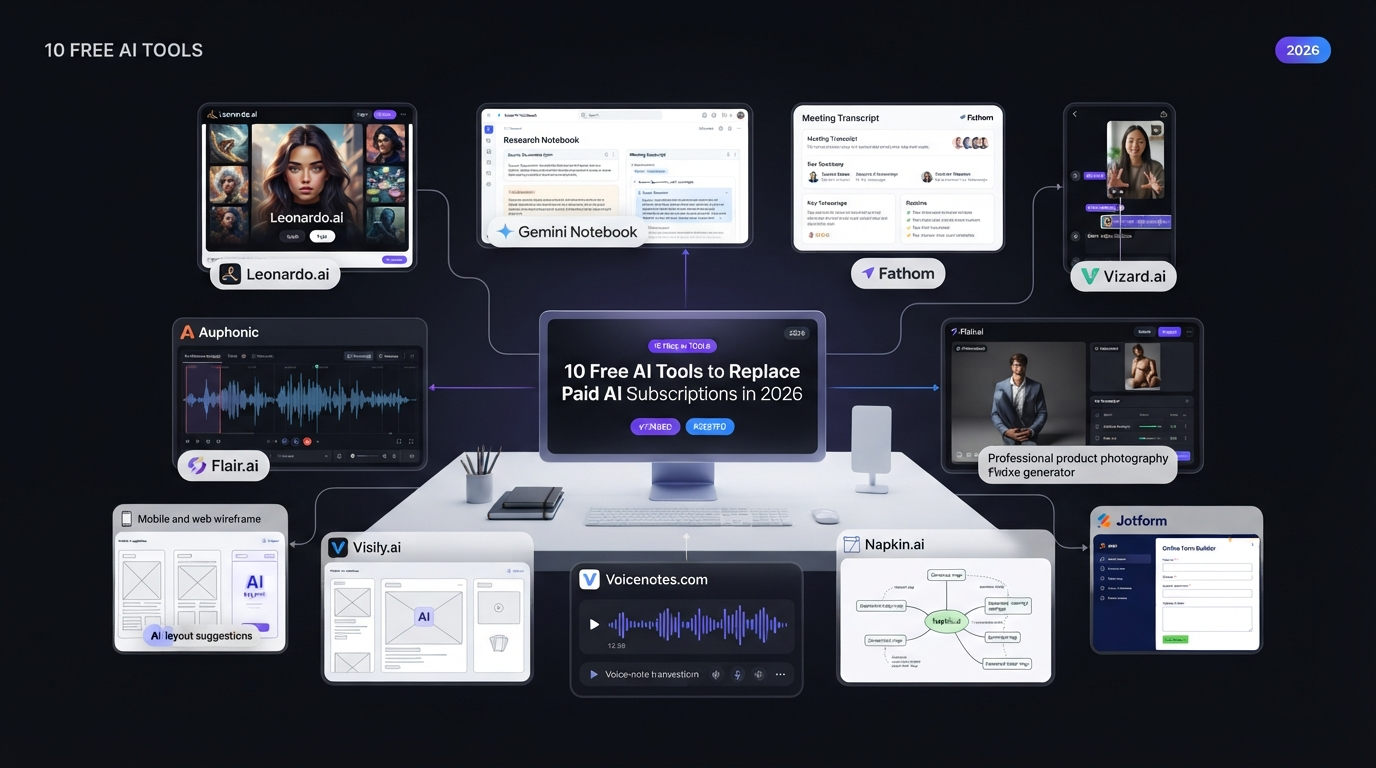
AI subscriptions can become expensive very quickly. One tool for image generation, another for research, one for meeting notes, another for video editing, and more for audio, design, dictation, and forms can create a large monthly bill. The good news is that many AI tools now offer useful free plans in 2026. These free options can help students, freelancers, creators, marketers, small businesses, and everyday users complete common tasks without paying for several premium subscriptions.
A free plan does not always provide everything included in a paid plan. You may face limits on credits, exports, storage, projects, processing time, or advanced features. However, if you only use an AI tool occasionally, the free allowance may be enough. Here are 10 free AI tools that can help replace or reduce the need for paid AI subscriptions in 2026.
Quick Comparison of Free AI Tools
Free AI Tool
Main Use
Paid Alternative
Paid Alternative Price
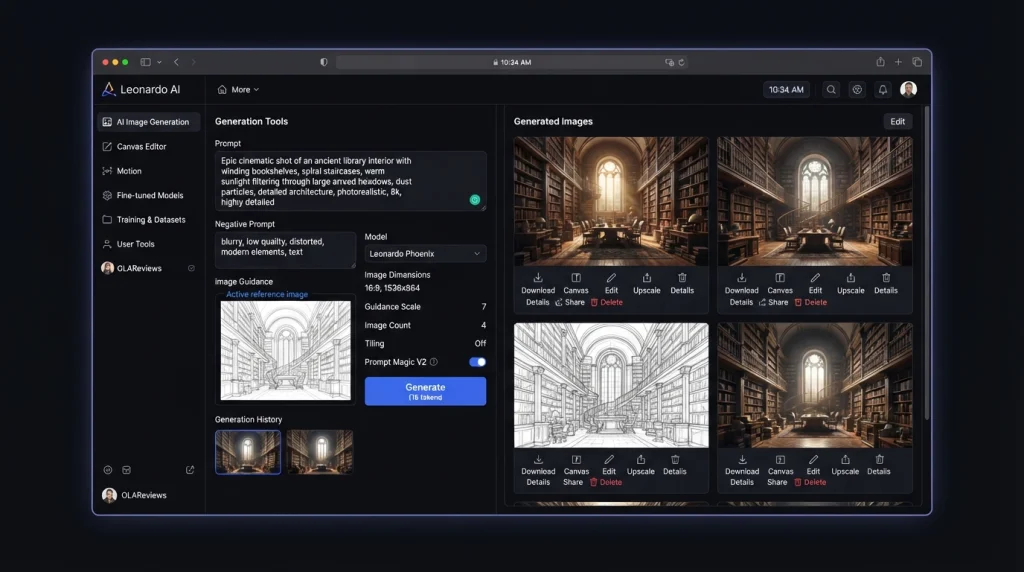
Leonardo AI
Image Creation
Ideogram Plus
$20/month
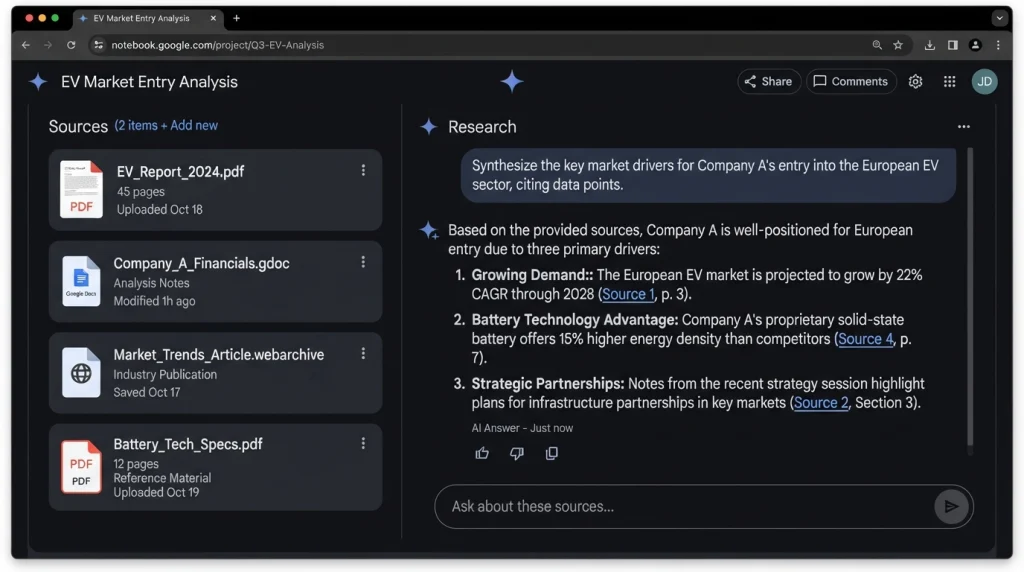
Gemini Notebook
AI Research
Elicit Plus
$11/month annually
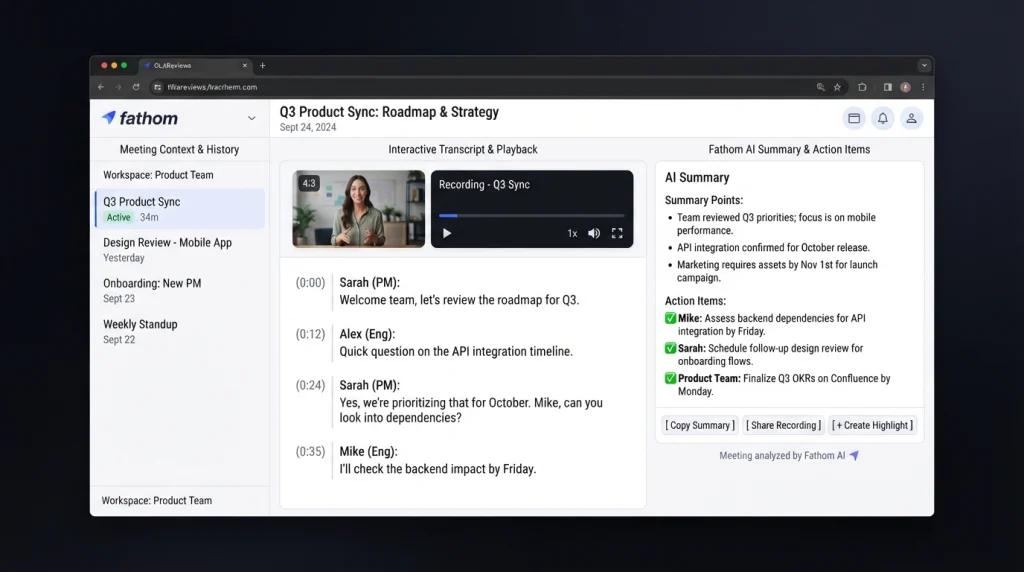
Fathom
AI Meeting Notes
Granola Business
$14/user/month
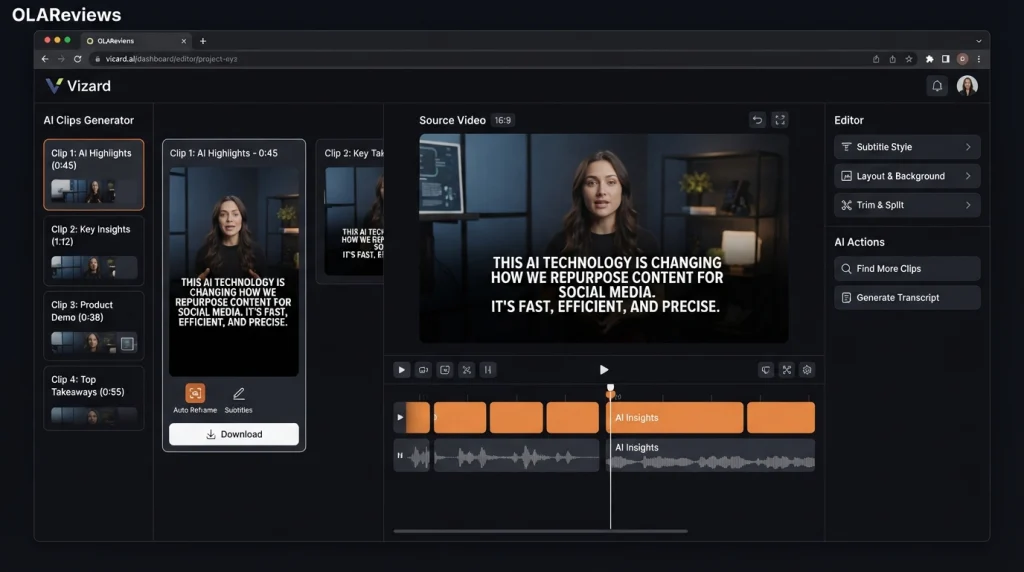
Vizard
Long Video to Shorts
OpusClip
Varies by plan
Auphonic
Audio Cleanup
Descript Hobbyist
$24/month
Flair AI
Product Photography
Pebblely Lite
$9/month
Visily
UI/UX Prototyping
Uizard Pro
$12/month annually
Voicenotes
Voice Typing
Wispr Flow Pro
$15/month
Napkin AI
Visual Thinking
XMind Premium
$8.25/month
Jotform
AI Form Creation
Typeform Basic
$39/month
Prices and plan limits can change, so users should check official pricing pages before purchasing a subscription.
1. Leonardo AI for Image Creation
Leonardo AI is a popular AI image-generation platform that can create visuals from text prompts. It is useful for people who need images for blogs, social media, marketing campaigns, presentations, games, and creative projects. Its free plan provides daily Fast Tokens that can be used for image generation and other supported creative features. This gives casual users an opportunity to create AI images without immediately paying for a monthly subscription.
Leonardo AI can be useful for:
Blog featured images
Social media graphics
Concept art
Marketing visuals
Character designs
Game assets
Product concepts
Creative experiments
One important difference between Leonardo AI and Ideogram is their focus. Both generate images, but Ideogram is particularly useful when accurate text inside an image is important, while Leonardo AI provides a broader creative generation workflow. Ideogram Plus currently costs $20 per month when billed monthly, with a lower effective monthly price when billed annually.
Why Try Leonardo AI for Free?
If you only need a few images every day, the free allowance can be useful. It allows you to test different prompts and styles before deciding whether you actually need a premium image-generation subscription. Free plans can have privacy and licensing differences from paid plans, so businesses should review the current terms before using generated images commercially.
2. Gemini Notebook for AI Research
Google’s former NotebookLM has been renamed Gemini Notebook. It is designed for research and learning using information from sources supplied by the user. This makes it different from simply asking a general-purpose chatbot a question. Gemini Notebook documentation can work with documents and other supported sources and provide answers based on that material.
It can be useful for:
Research projects
Studying PDFs
Understanding reports
Summarizing documents
Creating study material
Business research
Source-based questions
Learning from uploaded material
Google provides a free tier with limits on notebooks, sources, questions, and certain AI generations. Paid Google AI plans increase these limits considerably.
Gemini Notebook vs Elicit
Elicit is designed specifically around academic and scientific research. Its free Basic plan provides access to a large academic-paper database, paper summaries, and research features, with limits on some advanced functions.
Elicit Plus currently costs $11 per user per month when billed annually.
For general document research, Gemini Notebook can be a useful free option. For academic literature research, Elicit provides a more specialized workflow.
3. Fathom for AI Meeting Notes
Fathom is an AI meeting assistant designed to record, transcribe, and summarize online meetings. It is useful for people who spend a large part of their workday in meetings. Instead of manually writing every discussion point, Fathom can create transcripts and AI-generated summaries.
Common uses include:
Meeting summaries
Action items
Follow-up notes
Transcripts
Important decisions
Customer conversations
Sales meetings
Team meetings
Fathom’s free individual plan provides unlimited recordings, storage, and transcription, along with limits on some advanced AI summary features. This makes it particularly useful for freelancers, consultants, sales professionals, recruiters, agencies, and small teams.
Fathom vs Granola
Granola is another AI meeting-notes platform. Its free plan provides AI meeting notes and other features, while the Business plan adds additional capabilities for teams and organizations.
Granola Business currently costs $14 per user per month.
The main difference is that these tools are not simply interchangeable subscriptions. Their recording methods, AI workflows, integrations, collaboration features, and supported platforms can differ. For someone who mainly wants automated meeting notes, Fathom’s free plan may be sufficient.
4. Vizard for Turning Long Videos Into Shorts
Vizard is designed to turn long-form video into short-form social content. This is particularly useful for creators who publish podcasts, interviews, webinars, educational videos, livestreams, and YouTube content. Instead of watching an entire video and manually searching for interesting sections, AI can identify potential highlights and turn them into shorter clips.
Vizard can help with:
YouTube Shorts
TikTok videos
Instagram Reels
Podcast clips
Webinar highlights
Interview clips
Marketing videos
Educational content
The free plan has limits on video processing, exports, storage, and other features. Free exports may also include branding.
Vizard vs OpusClip
OpusClip is another popular AI video-repurposing platform. It can identify highlights from longer videos and turn them into short clips. The exact features and limits differ between the two services. Vizard is useful for creators who want to test AI-powered video repurposing without immediately paying for another subscription. If you only publish a few videos each month, a free plan may be enough. High-volume creators are more likely to reach free-plan limits.
5. Auphonic for Audio Cleanup
Auphonic is an automated audio-processing platform that can improve spoken audio.
It is useful for:
Podcasts
Interviews
Voice recordings
Online courses
YouTube videos
Presentations
Spoken-word content
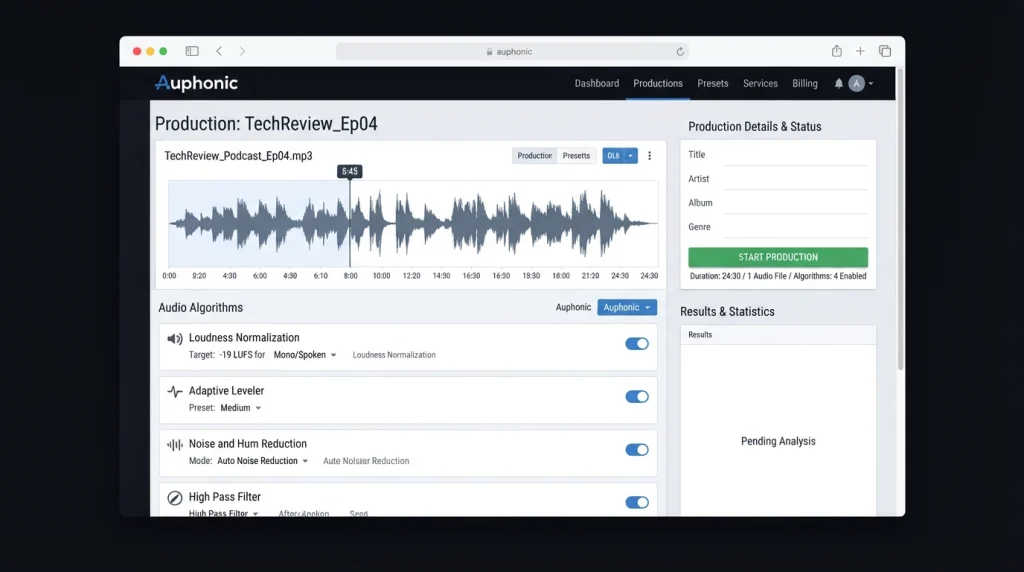
Auphonic can perform tasks such as loudness normalization, leveling, and noise reduction.
The free plan currently provides up to two hours of audio processing per month. Free productions include Auphonic branding in the form of an audio jingle.
For someone who records a small number of podcasts or voice clips, two hours can be enough for basic monthly needs.
Auphonic vs Descript
Descript is a broader audio and video editing platform. It combines transcription, editing, AI tools, and media production features.
Descript’s Hobbyist plan currently costs $24 per month when billed monthly, with a lower effective monthly price when billed annually.
Descript can make sense for users who need a complete editing environment. Auphonic is more focused on automated audio processing.
If your main requirement is improving the quality and loudness of recorded speech, you may not need a complete paid editing platform.
6. Flair AI for Product Photography
Flair AI is designed for creating product photography and marketing visuals with AI.
Traditional product photography can require cameras, lighting equipment, backgrounds, props, and editing software. AI tools can simplify the process by allowing businesses to create product scenes digitally.
Flair AI can be used for:
E-commerce images
Product advertisements
Social media content
Promotional graphics
Marketing campaigns
Product concepts
Online-store visuals
This can be particularly useful for small businesses that need attractive product visuals but do not have a large photography budget.
Flair AI vs Pebblely
Pebblely is another AI product-image platform. Its Lite plan currently costs $9 per month and provides a limited number of generated images and background options.
Paid plans increase image limits and provide additional capabilities.
The main benefit of trying a free product-photography tool first is that you can determine whether the generated images meet your quality requirements.
Always check product images carefully before publishing them. AI can sometimes alter small details such as packaging, labels, logos, text, proportions, or product features.
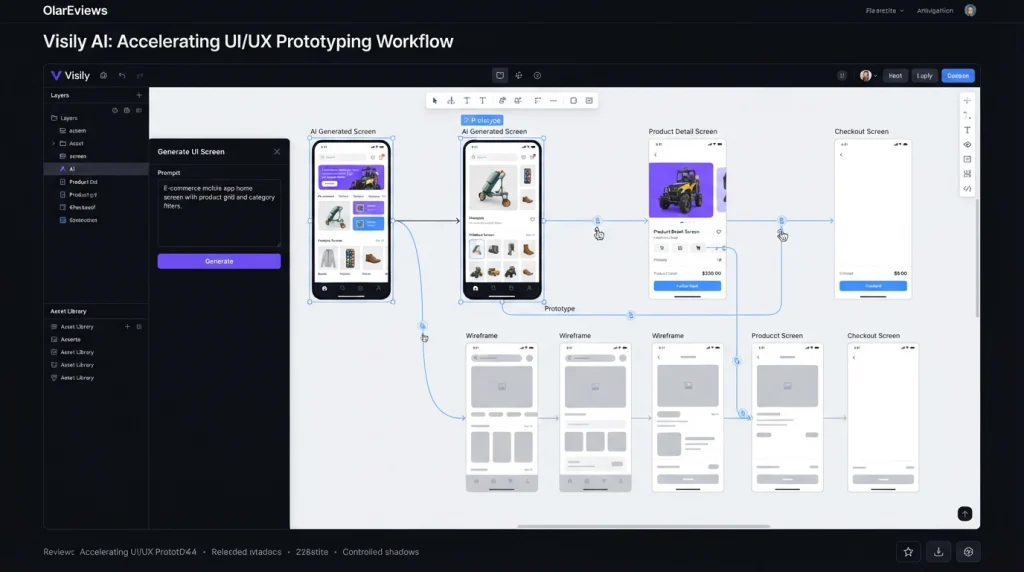
7. Visily for UI and UX Prototyping
Visily is an AI-powered design and prototyping platform for creating website and application interfaces.
It can help users turn ideas into wireframes, mockups, and prototypes without requiring advanced design skills.
Typical uses include:
Website wireframes
Mobile app concepts
UI mockups
UX planning
Product prototypes
Design brainstorming
Early-stage product ideas
Visily’s free Starter plan currently includes a limited monthly AI-credit allowance along with standard design functionality.
Its Pro plan costs about $11 per editor per month when billed annually and increases AI credits while adding features such as more boards, Figma support, code export, and additional design capabilities.
Visily vs Uizard
Uizard is another AI-powered UI and UX design platform.
Its free plan allows users to create a limited number of projects and AI generations. Uizard Pro is currently priced at $12 per month when billed annually.
For people who are simply experimenting with website or app ideas, a free Visily account can be enough to create initial concepts.
A paid design platform becomes more relevant when you need larger projects, more AI generations, private projects, or developer handoff features.
8. Voicenotes for Voice Typing and Dictation
Voicenotes is designed for people who prefer speaking instead of typing.
You can use it to capture ideas, reminders, meetings, personal notes, and other spoken information.
Its free Basic plan currently includes:
100 minutes of transcription and summaries per week
Unlimited raw recordings
30-day history
A limited dictation trial
The weekly transcription allowance makes Voicenotes useful for people who regularly capture short voice notes.
Voicenotes vs Wispr Flow
Wispr Flow focuses more strongly on voice-powered typing and dictation across supported applications.
Wispr Flow offers a free individual plan, while its Pro plan costs $15 per month or $144 annually, which works out to $12 per month.
Voicenotes is more focused on recording and organizing notes, while Wispr Flow is designed around using your voice as an input method while working across applications.
The right option depends on whether you mainly want a voice notebook or a voice-first typing system.
9. Napkin AI for Visual Thinking
Napkin AI turns written ideas into visual content such as diagrams, charts, and other visual explanations.
This can be useful when information is easier to understand as a visual rather than a paragraph.
Napkin AI can help with:
Business presentations
Blog diagrams
Process explanations
Strategy documents
Educational content
Visual brainstorming
Concept explanations
Business storytelling
Napkin’s free plan currently provides a weekly AI-credit allowance and supports visual editing and exports, although free visuals include Napkin branding.
The Plus plan currently costs $9 per person per month and provides a higher credit allowance along with additional export and branding features.
Napkin vs XMind
XMind is more directly focused on mind mapping and structured brainstorming.
XMind Premium currently costs about $8.25 per month and includes additional AI and collaboration features.
Napkin is more focused on turning written information into polished visual explanations, while XMind is strongly associated with traditional mind maps and structured idea organization.
For presentations and content creation, Napkin can be useful. For classic mind mapping, XMind may provide a more focused workflow.
10. Jotform AI for AI Form Creation
Jotform is an online form-building platform that can help businesses and individuals create forms for different purposes.
It can be used for:
Contact forms
Surveys
Registration
Customer feedback
Lead collection
Applications
Order forms
Payment forms
Jotform offers a free Starter plan with usage limitations and Jotform branding.
Its wide range of templates, widgets, integrations, and form features makes it useful for small businesses that need online forms without building everything from scratch.
Jotform vs Typeform
Typeform documentation is another well-known online form platform. Its Basic plan currently costs $39 per month when billed monthly or $28 per month when billed annually.
Typeform is known for its interactive form experience and conversational approach.
Jotform provides a broader selection of form-related tools and workflows, while Typeform focuses strongly on the user experience of answering forms.
For basic data collection, Jotform’s free plan can be enough. If you need higher response limits, additional branding controls, or advanced business functionality, you may need a paid plan.
Can Free AI Tools Really Replace Paid Subscriptions?
Free AI tools can replace some paid subscriptions, but they do not necessarily replace every premium feature. The most important factor is how often you use a tool. Someone who generates a few images each week may be comfortable with a free image generator. A professional designer producing hundreds of images may quickly reach the free limit.
The same applies to meeting assistants, video tools, research platforms, and form builders. Before paying for a subscription, consider these five factors.
1. Usage Limits
Check how many credits, minutes, generations, projects, responses, or exports are included.
2. Watermarks
Some free tools add branding to exported images, videos, documents, or other content.
3. Privacy
Before uploading confidential business information, review the provider’s current privacy policy and data-handling terms.
4. Export Options
A free plan may restrict high-resolution exports, premium formats, or advanced file options.
5. Integrations
API access, automation, CRM connections, team management, and advanced integrations are often reserved for paid plans.
How to Choose the Right Free AI Tool
You do not need to use all 10 tools.
Start with the task you perform most often.
If you create images, test Leonardo AI. If you conduct research using documents, try Gemini Notebook. For online meetings, Fathom may cover your basic needs.
Content creators can test Vizard for short-form video and Auphonic for audio. E-commerce businesses can explore Flair AI. Product teams can experiment with Visily, while people who prefer speaking can use Voicenotes.
Napkin AI is useful for visual explanations, and Jotform can handle many everyday form-building requirements.
If you are also exploring AI tools for broader business workflows, you can read our related guide on AI Agent Platforms and autonomous AI tools to understand how AI agents differ from standard software tools.
The goal is not to collect dozens of free AI accounts. The goal is to find the smallest set of tools that can handle your actual workload.
Final Thoughts
In 2026, free AI tools can handle many tasks that once required multiple paid subscriptions. Leonardo AI creates images, Gemini Notebook supports research, Fathom captures meeting notes, and Vizard turns long videos into shorts. Auphonic improves audio, while Flair AI helps create product visuals. Visily supports UI design, Voicenotes handles voice notes, Napkin AI creates visual content, and Jotform helps build online forms. The best approach is to test each free plan before subscribing. If its limits meet your needs, you can avoid another monthly expense. If you need more credits, storage, exports, or advanced features, upgrade when necessary. Always check official pricing pages because AI plans and limits can change frequently.
A Roblox gift card is not always the same as a fixed amount of Robux. That distinction matters in 2026 because Roblox sells both gift cards that become Roblox Credit and specially marked cards that redeem directly for Robux. Roblox also says eligible gift-card purchases can provide up to 25% more Robux when the Credit is used to buy Robux.
There is also a common mistake around the $5 Roblox gift card search. Roblox’s current Robux page shows 500 Robux for $4.99, but that is a Robux package, not the same thing as a standard $5 gift card.
Roblox Gift Card Prices: $5, $25 and $50
Current U.S. retail listings show standard Roblox gift cards in amounts such as $10, $20, $25 and $50, while some sellers offer larger values. Target currently lists a standard Roblox Gift Card with selectable values from $10 through $500, including $25 and $50.
Amount
What it means
$5
Usually refers to the $4.99 Robux package, not a standard $5 gift card
$25
Can provide $25 in Roblox Credit when redeemed as a standard U.S. gift card
$50
Can provide $50 in Roblox Credit when redeemed as a standard U.S. gift card
Roblox states that a standard U.S. gift card redeemable for Credit gives the equivalent amount in U.S. dollars. Robux pricing can change, so we should not promise a fixed Robux amount for every $25 or $50 card.
The Important Difference Between Roblox Credit and Robux
A standard Roblox gift card normally adds Roblox Credit to the account. That Credit can then be used for Robux and other Roblox services that Roblox allows.
Some cards work differently. Roblox says certain specially marked gift cards are denominated in Robux and redeem directly for the stated Robux amount. Amazon Gift Cards and Party Packs are examples of products that Roblox identifies as Robux-only cards.
This difference explains why two $50 Roblox products can look very different. For example, Target currently lists a $50 Roblox Party Pack containing 25 cards, with 200 Robux on each card, rather than one standard $50 Credit card.
That is why we should always check whether the product says Credit or Robux before buying it.
The safest answer to How to redeem Roblox gift card is to use the official Roblox gift card redemption page. Roblox says most users should redeem through a web browser.
Step 1: Open Roblox.com/redeem
Open the Roblox redemption page in your browser.
Step 2: Sign in
Log in to the Roblox account that should receive the card value. Check the username carefully before continuing.
Step 3: Enter the code
Enter the PIN or code printed on the physical card or supplied with the digital card.
Step 4: Click Redeem
Select Redeem. Roblox says a confirmation message appears after the Credit or item is successfully added.
Standard redemption is not available in the regular Roblox mobile app or on consoles. Samsung Galaxy users are an exception, because Roblox provides a redemption option inside the Samsung Galaxy app.
How Much Robux Do $25 and $50 Gift Cards Give?
There is no single permanent Robux conversion for every gift card.
Roblox’s current page shows these web and gift-card-related Robux packages:
500 Robux for $4.99
1,000 Robux for $9.99
1,500 Robux for $14.99
2,000 Robux for $19.99
5,250 Robux for $49.99
11,000 Robux for $99.99
Roblox also says web, computer, and gift-card purchases can provide up to 25% more Robux under its current pricing system.
Because prices and offers can change, checking the current Roblox Robux page before spending Credit gives a more accurate result than relying on an old gift-card calculator.
What Happens After You Redeem the Card?
For a standard U.S. gift card, the card value becomes Roblox Credit. Roblox says the Credit can be used for Robux and other Roblox services that it designates.
Some cards also provide virtual items. Roblox’s current U.S. terms say eligible cards may include a free virtual item and, in some cases, a bonus item. The terms also state that eligible customers may receive a bonus of up to 25% more Robux when buying Robux with available Credit.
These benefits can change, so the current card terms are more reliable than old YouTube videos or social media posts.
What If Your Roblox Gift Card Does Not Work?
Start by checking the characters in the code. Roblox specifically warns that some letters and numbers can look alike, including 0 and O, 1 and I, 2 and Z, and 5 and S.
If the code still fails, keep the receipt, card PIN, serial number, purchase details, and screenshots of any error message. Roblox asks for this information when investigating redemption problems.
We should also avoid unauthorized sellers. Roblox says gift cards obtained from unauthorized sellers, resellers, or auction sites may not be honored.
Conclusion
The key to buying a Roblox gift card in 2026 is checking what the card actually redeems for. A standard $25 or $50 card can become Roblox Credit, while some specially marked cards provide Robux directly. The popular $5 search is usually connected to Roblox’s $4.99 Robux package, not a standard $5 gift card. For the safest How to redeem Roblox gift card process, use Roblox’s official redemption page, check the account before redeeming, keep the purchase receipt, and avoid unauthorized sellers.
FAQ: How to Redeem Roblox Gift Card
Can we redeem more than one Roblox gift card?
Yes. Roblox says you can redeem multiple cards, but you must enter them one at a time at the redemption page.
Can we redeem a Roblox gift card on PlayStation or Xbox?
Not through the standard console interface. Roblox says standard gift-card redemption requires a web browser, except for the Samsung Galaxy app option.
Can we redeem a Roblox gift card from another country?
Roblox says its codes can be redeemed worldwide, with the value converted to the account’s local currency during redemption.
Do Roblox gift cards expire?
Roblox’s current U.S. gift-card terms say Cards do not expire, and no inactivity, maintenance, or service fees apply. Other local rules may differ by market.
Is a $4.99 Robux purchase the same as a $5 Roblox gift card?
No. Roblox currently lists 500 Robux for $4.99. That is a Robux purchase, not evidence of a standard $5 Roblox gift card denomination.
The biggest change in the search for how to get free Robux happened in 2026. Roblox now has an official way for users to receive Robux directly from other users, while creators can earn Robux through Creator Rewards and several built-in monetization tools. Roblox Plus launched globally on April 30, 2026, and introduced free Robux transfers between users. That does not make Robux generators legitimate. Roblox still says there are no free Robux generators, tricks, or codes. The safe methods either involve creating value on Roblox, receiving an official transfer, or taking part in Roblox’s own systems.
1. Earn Robux Through Creator Rewards
Creator Rewards is now one of the most important ways creators can earn Robux from genuine player activity. Roblox currently pays 5 Robux per qualifying Active Spender per day when that player spends at least 10 minutes in the creator’s experience and the experience is one of the first three they play that day. An Active Spender must have made at least $9.99 in qualifying purchases during the previous 60 days.
Creators can also earn Audience Expansion Rewards. A qualifying new or reactivated user must come through the creator’s Share Link and meet Roblox’s engagement rules. The creator can receive a 35% revenue share on the user’s first $100 of qualifying purchases during the first 60 days. This is a major reason we should focus on building an experience people actually want to play instead of chasing artificial engagement.
A Roblox experience can earn Robux when players purchase Game Passes that provide permanent benefits. Examples include VIP access, special abilities, cosmetic features, or other useful additions. The basic experience should still give players a reason to stay, because aggressive monetization can hurt the player experience.
Game passes are part of Roblox’s current creator monetization system, and qualifying earnings count as Earned Robux. We can start without buying Robux by building the experience first and adding optional purchases after it has something useful to offer.
3. Sell Developer Products
Developer Products work well for items or abilities that players may purchase more than once. Examples include in-game currency, boosts, potions, or other repeatable items. Roblox currently allows creators to set Developer Product prices from 1 Robux up to 1 billion Robux.
This method is different from a Game Pass. A Game Pass is generally for a permanent benefit, while a Developer Product can be purchased repeatedly. Roblox also introduced an important 2026 change: cross-game Developer Product sales were disabled starting May 30, 2026. Creators using older cross-game systems need to use supported transfer or monetization methods instead.
4. Use Subscriptions and Paid Private Servers
Creators can earn Robux from subscriptions and paid private servers. A private server lets players control who can join their game. Roblox allows creators to charge a monthly Robux fee for private servers.
Subscriptions can also provide recurring benefits inside an experience. This model can work well for games that release regular content or provide ongoing perks. The important rule is simple: players should clearly understand what they receive before paying.
5. Charge for Paid Game Access
Roblox also allows eligible creators to charge a one-time fee in Robux for access to an experience. Current rules require a verified email address and an account that is at least 30 days old. Creators can charge between 25 and 1,000 Robux for access. This is usually more suitable for a finished game, special beta, or experience with a clear reason to charge an entry fee.
6. Sell Eligible Avatar Items
Creators can earn Robux by selling eligible clothing, accessories, bodies, heads, emotes, and other Marketplace items. However, this method has an important detail that many “free Robux” guides leave out. Roblox currently charges an 80 Robux upload fee per Marketplace submission, while assets using an emissive mask have a 500 Robux upload fee. Marketplace creators also need the required account verification.
So we should not describe Marketplace selling as completely free to start. It is a legitimate earning method, but it may require an initial Robux balance. Roblox currently gives creators a base 30% commission on Marketplace purchases, with progressive revenue sharing available when an item is priced above its applicable price floor.
7. Receive Robux Through an Official Transfer
This is the new 2026 method that older articles often miss. Roblox Plus subscribers can send Robux directly to other users, while the recipient does not need a Roblox Plus subscription. Transfers are processed through Roblox and are not the same as unofficial trades or outside payments.
Current transfer limits are generally 500 Robux per day and 1,000 Robux per month. Users with 2-Step Verification who meet Roblox’s requirements can receive higher limits of 5,000 Robux per day and 10,000 per month. Age and parental approval rules also apply. For example, users under 16 need a linked parent account, while some regions have additional requirements. There is one important catch: transferred Robux cannot be cashed out through DevEx.
What We Should Not Count as Free Robux
Roblox is very clear about generators, fake codes, suspicious websites, and similar offers. It says there is no legitimate free Robux generator or secret code. These scams may try to steal passwords, personal information, or account access. Never enter your Roblox password anywhere except the official Roblox login page. We should also avoid suspicious links and anyone asking us to send Robux first.
Protecting account information matters just as much as protecting the Robux balance. For readers interested in the wider topic of data privacy and online services, our related privacy guide explains why personal data needs careful handling. Roblox also recommends reporting suspicious messages, links, and experiences through its reporting tools. For businesses and creators dealing with online data, our guide to privacy requirements and compliance provides additional background.
Bonus: Creator Store Sales Are Not Robux
There is another Roblox earning method worth separating from this list. Creators can sell eligible models and plugins through the Creator Store, but Roblox currently pays these sellers in USD, not Robux. Plugins can be priced from $4.99 and models from $2.99, with creators receiving 100% of net proceeds after applicable taxes and payment-processing fees. So Creator Store sales are a legitimate way to earn money, but they should not be advertised as a direct free Robux method.
Can Earned Robux Be Turned Into Cash?
Yes, eligible creators can use Roblox’s Developer Exchange, or DevEx, to exchange Earned Robux for real money. The current standard rate is $0.0038 per Earned Robux, which equals $114 for 30,000 Earned Robux. Creators must meet Roblox’s requirements, including being at least 13, having 30,000 Earned Robux, a verified email address, a valid DevEx account, and compliance with Roblox’s rules. Roblox also lists a higher $0.0054 rate for certain qualifying earnings from eligible U.S. players aged 18 or older, subject to its specific requirements.
Conclusion
The safest answer to how to get free Robux has changed in 2026. Creators can earn through Creator Rewards, Game Passes, Developer Products, subscriptions, private servers, paid access, and eligible Marketplace sales. Meanwhile, Roblox Plus has added official Robux transfers, giving users another legitimate way to receive Robux without buying them themselves. The important distinction is between Robux earned or received through Roblox’s own systems and Robux promised by strangers or websites. If an offer asks for your password, security information, suspicious downloads, or payment before releasing “free Robux,” it is not the legitimate path Roblox supports.
FAQ: How to Get Free Robux
Can a Robux generator really work?
No. Roblox says free Robux generators, tricks, and codes are scams.
Can we get Robux without buying them?
Yes. Creating experiences, earning Creator Rewards, selling eligible content, and receiving an official Robux transfer are legitimate options. Some creator methods require work or an initial cost.
Is receiving Robux from a friend allowed?
Yes, if the transfer uses Roblox’s official transfer system and meets its age, account, and transfer requirements. Roblox warns users to send Robux only to people they know.
Can transferred Robux be exchanged for cash?
No. Roblox specifically excludes transferred Robux from DevEx eligibility.
Do Roblox promo codes give free Robux?
We should not rely on websites claiming to provide free Robux codes. Roblox states that there are no legitimate free Robux codes or generator tricks.
Recent ICO Enforcement shows a wider pattern than headline fines alone. The regulator is using monetary penalties, reprimands, enforcement notices, investigations, and criminal powers to address failures in how organisations collect, secure, and share personal information. In September 2026, the ICO also confirmed that it will become the Information Commission on 30 September, while keeping its existing regulatory functions.
For businesses tracking UK data protection fines, the more useful question is not simply how much an organisation was fined. Recent cases show what specific failures are attracting regulatory attention.
Latest ICO Enforcement News in September 2026
One of the newest developments is an ongoing investigation into Police Scotland’s handling of subject access requests. Announced on 11 September, the investigation is examining whether the force has complied with legal duties to respond to requests within the required time. The ICO stressed that the investigation is ongoing and does not mean a breach has been established.
This matters because enforcement is not limited to cyber attacks. Subject access requests are a basic data protection right, and organisations need systems that can record, manage, and answer them within the legal timeframe.
Metropolitan Police Receives Enforcement Notice and Reprimand
In August 2026, the ICO issued the Metropolitan Police Service an enforcement notice and reprimand after two serious data handling failures.
In one case, unredacted documents revealed a stalking victim’s new address and telephone number to the alleged stalker. In another, an email exposed the identities of 18 people connected to a sensitive investigation.
The ICO found wider weaknesses in training, monitoring, governance, and document handling. The enforcement notice requires the police service to improve its data protection training and controls.
The case is important because it shows that UK data protectionfines are not the only enforcement risk. An organisation can face formal regulatory action without receiving a monetary penalty.
£963,900 Fine Follows Major Cyber Attack
South Staffordshire Plc and South Staffordshire Water Plc received a £963,900 fine after a cyber attack resulted in personal information belonging to 633,887 people being extracted and published on the dark web.
The attack began with a phishing email. Malicious software then remained undetected for about 20 months. The attacker later gained administrator-level access and extracted large amounts of data.
The ICO found that only about 5% of the IT environment was being monitored, limiting the organisation’s ability to detect the attack.
The companies admitted the infringement and agreed to a voluntary settlement. The final penalty included a 40% reduction for the early admission and cooperation.
For businesses, the case highlights why security monitoring, access controls, and detection systems can directly affect enforcement outcomes.
Reddit Faces £14.47 Million Children’s Privacy Fine
Children’s privacy remains another major enforcement area. In February 2026, the ICO fined Reddit £14.47 million after finding that it failed to use children’s personal information lawfully.
The ICO said Reddit did not have a robust age assurance mechanism and had not established a lawful basis for processing the personal information of children under 13 in the circumstances investigated.
The regulator also found that Reddit had failed to complete a required data protection impact assessment covering risks to children before January 2025. Reddit appealed the monetary penalty to the First-tier Tribunal in April 2026.
The practical point for online services is clear: age assurance, children’s privacy, and risk assessments can become enforcement issues, not just policy matters.
Another Police Scotland Case Shows How Sensitive Data Can Go Wrong
The ICO also fined Police Scotland £66,000 in March 2026 and issued a reprimand after sensitive information from a person’s mobile phone was extracted and later disclosed to a third party.
The regulator found that the entire contents of the phone had been extracted without sufficient safeguards to prevent access to irrelevant information. The information was later included in an unredacted disclosure bundle.
The ICO also found that the breach was not reported within the required 72-hour period.
This case adds another practical lesson for organisations: collecting too much information can create a second problem when that information is later shared.
ICO Enforcement Is Changing, But It Is Not Pausing
The ICO confirmed on 15 September that it will become the Information Commission on 30 September 2026 under the Data (Use and Access) Act 2025. The change affects the regulator’s governance structure, while its existing regulatory functions and responsibilities continue.
The ICO has also confirmed that it can use regulatory tools including warnings, reprimands, enforcement notices, and fines. The maximum fine can reach £17.5 million or 4% of worldwide annual turnover, whichever is higher, for applicable serious infringements.
The transition therefore does not remove the need for organisations to keep their privacy controls up to date.
What Recent UK Data Protection Fines Tell Businesses
Recent enforcement cases point to several areas worth checking:
Monitor systems properly: South Staffordshire’s case shows the risk of limited security monitoring.
Control sensitive disclosures: The Metropolitan Police case shows how one document or email can expose highly sensitive information.
Manage children’s data carefully: Online services should assess age-related privacy risks.
Respond to data rights on time: Subject access requests remain under regulatory attention.
Limit unnecessary data collection: Excess information can increase the impact of a later disclosure.
Keep evidence: Organisations should be able to show how privacy risks are identified and corrected.
The latest ICO Enforcement activity shows that UK data protection fines are only one part of the story. The South Staffordshire case highlights security failures, Reddit shows the growing focus on children’s privacy, and the Police Scotland investigation shows that everyday data rights can also attract regulatory attention.
For organisations, the most useful approach is to study the failure behind each enforcement action. That gives businesses a clearer way to identify weak controls before they become the subject of the next ICO investigation.
FAQ About UK Data Protection Fines
Does every ICO investigation lead to a fine?
No. The ICO can issue advice, warnings, reprimands, enforcement notices, or monetary penalties depending on the circumstances.
Can an organisation appeal an ICO fine?
Yes. Reddit, for example, appealed its 2026 monetary penalty to the First-tier Tribunal.
What is the biggest recent data protection fine covered here?
The largest example in this article is Reddit’s £14.47 million penalty, followed by South Staffordshire’s £963,900 fine. These cases concern different failures, so the amounts should not be treated as directly comparable.
Does the ICO only act after a data breach?
No. Recent activity also covers subject access requests, children’s privacy, data handling, governance, and other compliance failures.
A website can appear broken even when your internet connection is fine. A login may keep sending us back to the sign-in page, a shopping cart may empty itself, or a payment form may refuse to load. Website Cookies are often part of the problem.
The important detail is that enabling cookies no longer means simply turning every cookie on. Modern browsers separate normal site data from third-party cookies and add privacy protections that can block cross-site tracking. Chrome, Firefox, Safari, and Edge now give us more control over which sites can store data and which third parties can access it.
That means the best fix is often to enable cookies for the website that needs them, rather than weakening every privacy setting in the browser.
What Does It Mean to Enable Cookies?
Websites store small pieces of information in our browser, known as cookies, to remember certain details and preferences. They allow websites to remember useful details, such as our login status, selected preferences, items added to a cart, and information needed as we move from one page to another.
There is an important difference between first-party cookies and third-party cookies. A first-party cookie is placed in your browser directly by the website you are visiting. A third-party cookie comes from another service included on that website. Google explains that third-party cookies can be blocked separately from other site data in Chrome.
This distinction explains why a website can work normally after we enable basic cookies while still showing an error related to a third-party service.
Chrome’s current settings separate third-party cookies from other website data. Google also recommends allowing sites to save data so websites to work normally.
On a Windows or Mac computer
Open Chrome.
Select the three-dot menu in the top-right corner.
Choose Settings.
Select Privacy and security.
Open Third-party cookies.
Choose Allow third-party cookies if the website specifically requires them.
If we only need cookies for one website, Chrome lets us add that website to the allowed list instead of allowing third-party cookies everywhere.
On Android
Open Chrome.
Tap the three-dot menu.
Select Settings.
Tap Site settings.
Select Third-party cookies.
Choose the setting that fits the website we are using.
Chrome also supports site-specific exceptions, which can be useful when one service fails while the rest of the web works normally.
Practical tip: If a website only says that cookies are disabled, do not immediately allow every third-party cookie. Try a site-specific exception first.
How to Enable Cookies in Safari
Safari takes a different approach because Apple focuses heavily on limiting cross-site tracking.
On a Mac
Open Safari.
Select Safari > Settings.
Open Advanced.
Ensure the Block all cookies option is disabled.
Apple states that blocking all cookies can prevent some websites from working correctly.
Safari also has a separate Prevent cross-site tracking option. Keeping this enabled can block third-party tracking while still allowing normal first-party website data to work.
This is an important distinction. We usually do not need to disable Safari’s privacy protections just because a website needs cookies.
On an iPhone
Open Settings.
Tap Apps.
Select Safari.
Tap Advanced.
Turn off Block All Cookies.
Apple’s current iPhone guidance confirms that disabling this setting allows websites that require cookies to work normally.
If a particular website still fails, check Safari’s Prevent Cross-Site Tracking setting. Safari limits third-party cookies and related data by default.
Firefox comes with stronger privacy protections enabled by default than many people realize. Its Enhanced Tracking Protection blocks known trackers, and Firefox’s Total Cookie Protection isolates cookies so websites cannot easily use them to track us across other sites. Complete Cookie Protection is enabled by default in the Firefox browser.
To allow cookies more broadly
Open Firefox.
Select the menu button.
Choose Settings.
Select Privacy & Security.
Review Enhanced Tracking Protection.
Choose Standard, or select Custom and adjust cookie protection.
Firefox allows us to change cookie controls without turning off every privacy feature.
If only one website is broken
Visit the affected website and select the shield icon beside the address bar. Firefox allows us to turn Enhanced Tracking Protection off for that specific website. The page then reloads with the site’s protection exception.
This is often the better approach because blocking cross-site cookies can cause some websites, login systems, payment forms and embedded services to stop working.
How to Enable Cookies in Microsoft Edge
Edge gives us global and site-specific cookie controls.
On Windows
Open Edge.
Select Settings and more.
Choose Settings.
Open Privacy, search, and services.
Select Cookies.
Turn on Allow sites to save and read cookie data.
Microsoft lists this as the setting that allows websites to save and retrieve cookie data.
Edge also lets us block third-party cookies separately. If one website needs them, we can add that website under the allowed cookie list rather than changing the setting for every site.
Why Cookies Can Be Enabled but a Website Still Does Not Work
This is the part many cookie guides miss.
Turning cookies on does not guarantee that every website will work. A site may depend on third-party cookies, JavaScript, pop-ups, browser permissions, an embedded payment service, or another component that has been blocked.
For example, Firefox explains that blocking third-party tracking can sometimes prevent images, videos, login buttons, or payment forms from working correctly.
We can troubleshoot in this order:
Refresh the website after changing cookie settings.
Check whether the problem happens in another browser.
Allow cookies for the specific website.
Check whether third-party cookies are required.
Clear the affected site’s stored data.
Check browser extensions or content blockers.
If the website is not working in private or Incognito mode, switch to a regular browser window.
Some browsers apply stricter cookie restrictions in private browsing. For example, Chrome blocks third-party cookies by default in Incognito mode. If the issue affects only one website, a site-specific exception is usually more precise than changing global browser settings.
Should We Allow All Website Cookies?
Not necessarily.
Cookies can provide useful features, but third-party cookies can also be used for cross-site tracking. Modern browsers increasingly separate useful website storage from tracking protection.
A sensible setup is to allow normal first-party cookies while keeping third-party tracking protections enabled. Then create an exception only when a trusted website genuinely needs additional access.
This approach gives us a better balance between website functionality and privacy than simply selecting “allow everything.”
Conclusion
The most useful way to enable cookies is not to switch every privacy feature off. Chrome, Safari, Firefox and Edge now give us more precise controls, including ways to allow website data while limiting third-party tracking.
If a website is failing, start with the smallest change that fixes the problem. Allow cookies for that site, check whether third-party cookies are required, and keep broader tracking protections enabled where possible. That approach can restore website functionality without giving every site and third-party service unrestricted access to our browser data.
FAQs
Do cookies remember our passwords?
Cookies can help a website remember a login session, but they generally do not store our actual password in plain text. Password managers and browser password storage handle saved passwords separately.
Why does a website keep asking us to accept cookies?
The site may not be able to save its consent choice, or its required cookie may be blocked or deleted. Privacy settings, browser extensions, and automatic deletion settings can all affect stored site data.
Does clearing cookies remove our browsing history?
Not necessarily. Cookies and browsing history are different types of browser data. Clearing cookies can sign us out of websites and remove saved site preferences without necessarily deleting the entire browsing history.
Are cookies dangerous?
Cookies themselves are not automatically harmful. They are a normal web technology. The privacy concern mainly comes from how some cookies and related tracking technologies are used, especially across multiple websites.
The most important GDPR requirement in 2026 is not simply having a privacy policy. Organisations need to prove what personal data they process, why they process it, where it goes, how long they keep it, and how they respond when a person exercises their rights. That practical proof is becoming more important as regulators focus on real implementation. The European Data Protection Board (EDPB) selected transparency and information duties as the subject of its 2026 coordinated enforcement action, involving 25 European data protection authorities. Recent enforcement also shows that basic rights can create real exposure. This gives businesses a useful way to approach GDPR requirements: treat compliance as an evidence system, not a document exercise.
What Are the Main GDPR Requirements?
The GDPR rules require organisations to build their data practices around several core principles. The European Commission identifies seven key principles, including lawfulness and transparency, purpose limitation, data minimisation, storage limitation, accuracy, security, and accountability.
1. Have a lawful reason for processing
Personal data processing needs a valid legal basis under Article 6. Depending on the activity, this can include consent, contract, legal obligation, vital interests, public task, or legitimate interests. The legal basis should be recorded for each processing activity. A vague statement such as “we use data to improve our services” may not explain enough about a specific use. For sensitive categories, such as health or biometric information, additional conditions can apply.
2. Collect only what you need
Data minimisation means organisations should avoid collecting personal information simply because it might become useful later. For example, an online booking form may need a customer’s name and contact details, but collecting unrelated information without a clear purpose creates another compliance burden.
3. Explain processing clearly
Privacy notices should tell people what data is collected, why it is used, the legal basis, who receives it, retention information, international transfers where relevant, and the rights available to the individual. This is especially important in 2026 because the EDPB’s coordinated enforcement work is examining transparency and information requirements under Articles 12, 13, and 14. A useful internal test is simple: Could an ordinary customer understand the data practice without asking your legal team?
The Overlooked GDPR Checklist: Map the Data, Not Just the Policy
A privacy policy cannot show everything an organisation actually does with personal data. A record of processing activities, often called a ROPA, provides a more useful operational view. Under Article 30, organisations may need records covering processing purposes, data categories, affected individuals, recipients, international transfers, retention periods where possible, and security measures.
Our practical checklist should therefore include:
Data source: Where did the information come from?
Purpose: Why is it being processed?
Legal basis: What permits the processing?
Recipients: Which vendors, teams, or partners receive it?
Location: Does the data leave the European Economic Area?
Retention: When should it be deleted?
Security: What controls protect it?
Rights process: How will access, deletion, objection, or correction requests be handled?
This mapping can expose problems that a privacy policy will not. For example, a company may have an accurate notice but discover that an old analytics platform still receives customer information.
GDPR Requirements for Vendors, AI, and International Transfers
Third-party tools deserve special attention. A business can remain responsible for its GDPR obligations even when another company processes the data. Contracts with processors should define their responsibilities, and organisations should know which vendors receive personal information. The European Commission also provides guidance covering processor relationships, data transfers, security, and other business obligations. International transfers also require care. EU data protection rules provide safeguards for transfers to third countries, including adequacy decisions, standard contractual clauses, and binding corporate rules.
This matters because GDPR protections are technology-neutral. Personal data remains protected whether it is processed through traditional software, automated systems, or newer AI applications.
Security and Breach Response Are Part of GDPR Compliance
GDPR rules require security measures that match the risks involved. Organisations should consider measures such as access controls, encryption where appropriate, backups, authentication, monitoring, and staff procedures.
A breach response plan should also be tested before an incident happens. Under Article 33, certain personal data breaches must be notified to the supervisory authority within 72 hours after becoming aware of the breach, unless the breach is unlikely to result in risks to people’s rights and freedoms. The key takeaway is that strong security measures and proper documentation must work together.
A business should be able to show what happened, which data was affected, when it discovered the incident, and what action it took.
GDPR Compliance Checklist for 2026
Use this short checklist for an annual review:
Map every major personal data process.
Record a lawful basis for each process.
Review privacy notices for accuracy and clarity.
Check consent mechanisms where consent is used.
Review processor contracts and vendor access.
Check international data transfers and safeguards.
Set retention periods and deletion procedures.
Test data subject rights procedures.
Review security controls.
Test the breach response process.
Identify whether a Data Protection Impact Assessment (DPIA) must be conducted.
Review AI tools, scraping activities, and automated processing.
Keep evidence showing that controls actually operate.
Conclusion
The strongest GDPR requirements checklist for 2026 is built around evidence. A privacy notice matters, but it should match the systems, vendors, retention rules, rights procedures, security controls, and AI tools operating behind it. The latest enforcement direction reinforces that point. Regulators are examining whether organisations actually provide information and respect individual rights, while European guidance continues to address international transfers, security, and modern data processing. For businesses, the practical goal is straightforward: know your data, document why you use it, control where it goes, and be able to prove that your GDPR rules work in practice.
FAQ: Speech Disorder Data and GDPR
Does GDPR protect information about a speech disorder?
Yes. Information about a person’s health can fall within special category personal data under the GDPR when it reveals information about their health. Organisations handling such information need to consider both a lawful basis under Article 6 and an applicable condition under Article 9.
Can a speech therapy provider collect speech disorder information?
Yes, where the processing has an appropriate legal basis and satisfies the additional rules for special category data. The provider should collect only information needed for the stated purpose and protect it with suitable security controls.
Can speech disorder information be shared with another company?
It may be possible, but the organisation must assess the legal basis, purpose, recipient, contractual arrangements, and applicable safeguards before sharing it. The answer depends on the specific processing activity.