Author: Hamza Tech

  • Amazon Alexa Tablet 12 Pro 2026 First Look: Features, Price, and Is It Worth $500?

    Amazon Alexa Tablet 12 Pro 2026 First Look: Features, Price, and Is It Worth $500?

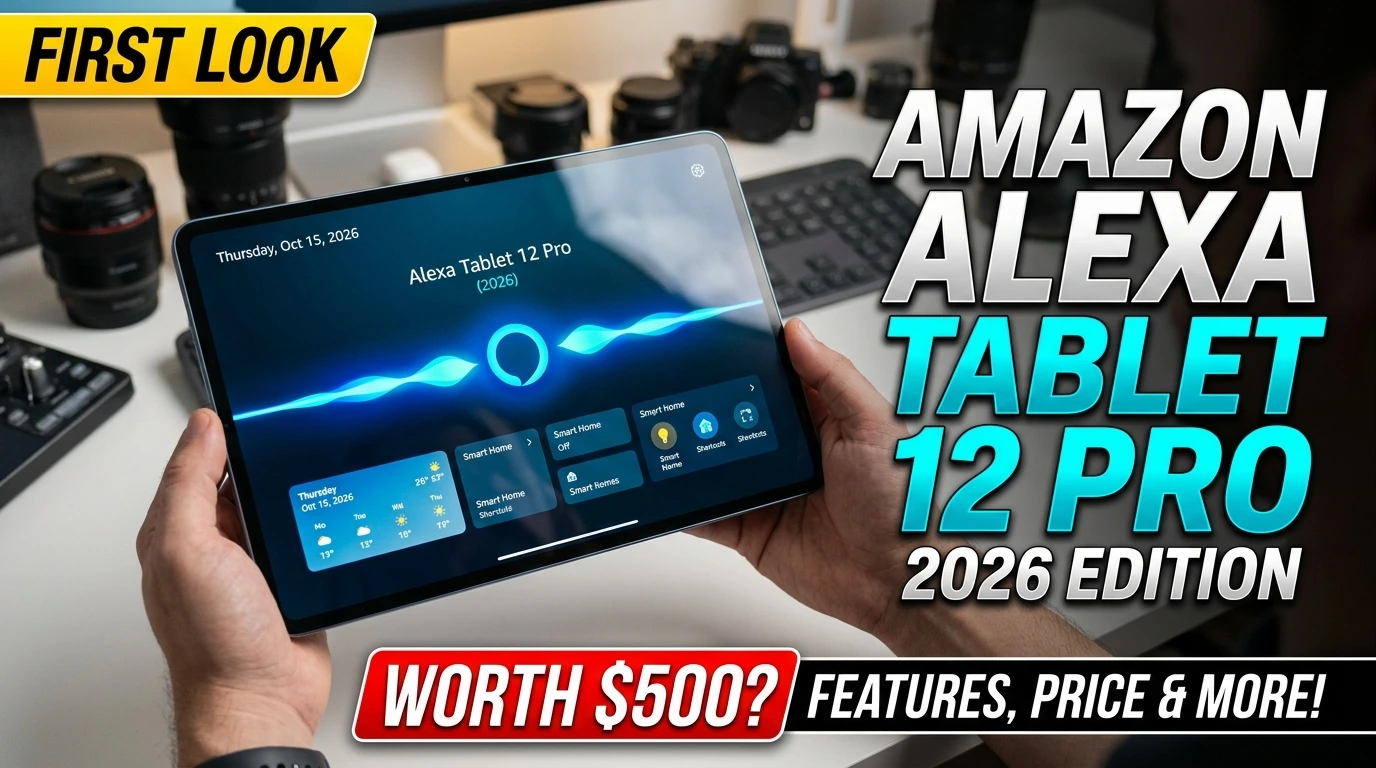
    Amazon is stepping into the high-end tablet market with the launch of its new Amazon Alexa Tablet 12 Pro (2026). Unveiled on October 8, 2026, the tablet features a large 120Hz display, Android 16, access to the Google Play Store, and Amazon’s Alexa+ AI assistant, all housed in a sleek aluminum body. The starting price is $499.99, putting it in competition with established premium tablets from Apple and Samsung.

    The biggest change is that Amazon is moving beyond its traditional budget-focused Fire tablet experience. The new model is designed for reading, entertainment, multitasking, and everyday productivity. But does its hardware and AI functionality justify a $500 price tag? Here is a closer look at its features, pricing, availability, and potential drawbacks.

    Amazon Alexa Tablet 12 Pro 2026: Key Specifications

    SpecificationDetails
    Display12-inch LCD, 2800 × 1840 resolution
    Refresh rate120Hz
    ProcessorMediaTek Dimensity 8400
    RAM8GB or 16GB, depending on configuration
    Storage128GB or 256GB, depending on configuration
    Operating systemAndroid 16
    AI assistantAmazon Alexa+
    Cameras8MP front, 13MP rear
    ConnectivityWi-Fi 6E, Bluetooth 5.3
    AudioQuad speakers with Dolby Atmos
    Battery lifeUp to 16 hours of video playback
    BuildAluminum unibody
    Special display optionNanomatte anti-glare display
    Starting price$499.99

    These specifications should be considered alongside Amazon’s official product documentation and launch information. Actual performance and battery life will depend on usage, settings, and configuration.

    1. Premium Design and 120Hz Display

    The Amazon Alexa Tablet 12 Pro features an aluminum unibody measuring approximately 6.5mm thick. Its design gives the device a more premium appearance than Amazon’s traditional budget tablets.

    The 12-inch display has a 2800 × 1840 resolution, a 3:2 aspect ratio, and a 120Hz refresh rate. This combination should make scrolling smoother and provide useful screen space for reading documents, browsing websites, and working with multiple apps. The display is also suitable for detailed video playback and everyday creative tasks.

    What Makes the Nanomatte Display Different?

    Amazon also offers an upgraded Nanomatte display starting at $549.99. Developed with Corning, this version uses specially textured glass to reduce reflections while preserving image detail and color.

    It could be particularly useful for people who read ebooks, take handwritten notes, or work in rooms with strong lighting. However, the standard version is $50 cheaper, making it a budget-friendly choice for users who mainly stream videos or use their tablet at home.

    2. Performance: MediaTek Dimensity 8400 and Android 16

    Amazon has equipped its flagship tablet with the MediaTek Dimensity 8400 processor, an eight-core chip designed to support demanding everyday applications and multitasking.

    The device is available with different memory and storage configurations. The base model includes 8GB of RAM and 128GB of storage, while higher-end configurations offer more memory and storage.

    Expected uses include:

    • Running several applications side by side.
    • Editing documents, presentations, and spreadsheets.
    • Streaming high-resolution video.
    • Playing compatible Android games.
    • Using AI assistants and productivity applications.

    The tablet runs Android 16 and supports the Google Play Store. Users can access popular apps such as YouTube, Netflix, Gmail, and Google Docs without relying solely on Amazon’s own app ecosystem. However, buyers interested in demanding games or professional creative work should wait for independent performance testing before making a decision.

    3. Alexa+ AI Features: The Biggest Selling Point
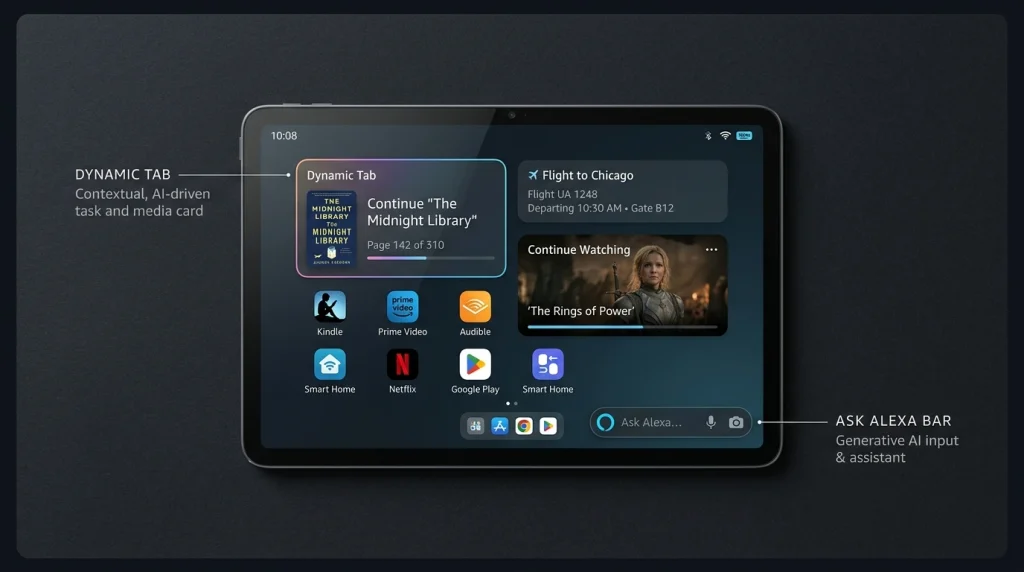
    The built-in Alexa+ assistant is one of the main reasons Amazon is introducing a new tablet category. Instead of treating voice assistance as a separate smart speaker feature, Amazon integrates Alexa into the tablet’s interface.

    On-Screen Intelligence

    This feature allows Alexa to answer questions about the content displayed on your screen, provided you enable it. For example, you could ask it to compare hiking routes on a webpage or extract dates from a schedule.

    Live AI Conversations

    Alexa+ supports ongoing voice conversations without requiring you to repeat the wake word for every question. This could make brainstorming, asking follow-up questions, and planning activities more convenient.

    Dynamic Tab and Personalized Suggestions

    The home screen includes a Dynamic Tab that surfaces relevant content and suggestions. It can help users return to books, videos, and other activities they were previously enjoying.

    Smart Shopping Assistance

    Alexa+ can help identify products shown in supported content and find similar items through Amazon. Users can also ask it to help with shopping tasks. Amazon says On-Screen Intelligence is turned off by default and requires users to opt in. A visible indicator appears when the feature is active, and users can disable it through settings.

    4. Battery Life, Kindle Mode, and Audio

    Amazon advertises up to 16 hours of video playback on the Alexa Tablet 12 Pro. When you open the Kindle app, a special Kindle mode silences notifications, reduces blue light, and offers alternative display treatments. In this mode, Amazon says battery life can reach up to 20 hours. The company has designed this experience for readers who want fewer interruptions without purchasing a dedicated ebook reader.

    It also features four speakers with Dolby Atmos support, delivering an immersive audio experience for movies, TV shows, music, and video calls. These figures are advertised maximums, not guaranteed results. Gaming, screen brightness, wireless connectivity, and AI use can affect real-world battery life.

    5. Accessories and Total Cost
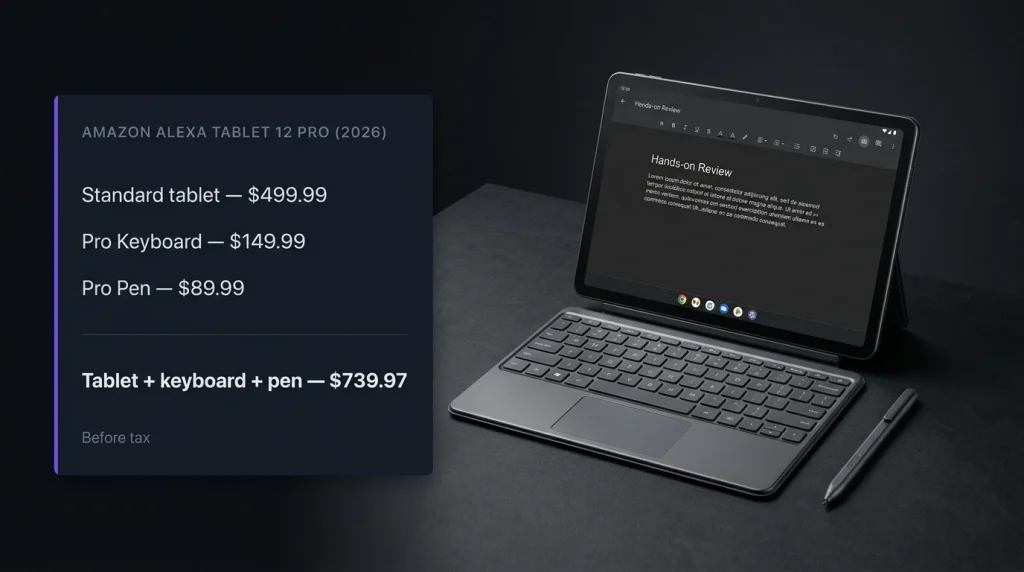
    Amazon sells optional accessories intended to make the tablet more useful for work and creative projects.

    AccessoryStarting price
    Alexa Tablet Pro Keyboard$149.99
    Alexa Tablet Pro Pen$89.99
    Nanomatte display upgrade$50 above standard model

    The Pro Pen supports pressure sensitivity and tilt detection, while the keyboard attaches directly to the tablet without Bluetooth pairing. Together, they can help with handwritten notes, document editing, and multitasking.

    Here is how the price adds up before tax:

    ConfigurationTotal price
    Standard tablet$499.99
    Nanomatte tablet$549.99
    Standard tablet + keyboard$649.98
    Standard tablet + keyboard + pen$739.97
    Nanomatte + keyboard + pen$789.97

    The $500 starting price is therefore only part of the story. If you want a complete productivity setup, the cost approaches $740 to $790 before taxes.

    6. Amazon Alexa Tablet 12 Pro Price and Availability in 2026

    Amazon announced the tablet on October 8, 2026, with preorders opening around launch. The company says shipments begin October 14 in the United States, Canada, and Mexico, followed by the UK, Germany, France, Italy, and Spain on October 19.

    ModelStarting price
    Amazon Alexa Tablet 12 Pro$499.99
    Alexa Tablet 12 Pro Nanomatte$549.99
    Amazon Alexa Tablet 11$329.99
    Amazon Alexa Tablet 8$229.99

    The smaller models offer alternatives for buyers who want a tablet for everyday use without paying for the flagship.

    For buyers in Pakistan, local availability, import duties, shipping costs, and warranty coverage may affect the final price. The US starting price should not be treated as a confirmed Pakistani retail price.

    7. Amazon Alexa Tablet 12 Pro vs. the Competition

    The Alexa Tablet 12 Pro enters a market with established alternatives, including Apple’s iPad Air and Samsung’s Galaxy Tab series.

    FeatureAlexa Tablet 12 ProiPad AirSamsung Galaxy Tab
    Operating systemAndroid 16iPadOSAndroid
    Google Play StoreYesNo; uses App StoreYes
    Main AI angleAlexa+ integrationApple Intelligence, where supportedGalaxy AI, depending on model
    Display12-inch, 120Hz LCDVaries by modelVaries by model
    Starting price$499.99Depends on model and configurationDepends on model and configuration
    Best reason to considerAlexa+ and Amazon servicesApple ecosystem and appsAndroid flexibility and model variety

    This is a feature-level comparison, not a claim that all three devices have equal performance. Display technology, stylus support, software features, and accessory costs differ between specific models.

    The Alexa Tablet 12 Pro’s biggest advantage is the combination of Google Play access, a high-refresh-rate display, and integrated Alexa+ features. Its biggest challenge is convincing buyers to choose a new product line over tablet platforms with more established productivity ecosystems.

    8. Is the Amazon Alexa Tablet 12 Pro Worth $500?

    The answer depends on what you want from a tablet.

    It may be worth considering if you:

    • Want a large, high-resolution display for work and entertainment.
    • Need access to Google Play apps alongside Amazon services.
    • Frequently use Alexa or want contextual AI assistance.
    • Read ebooks and take handwritten notes.
    • Want to connect a keyboard for everyday productivity.

    You may want to wait if you:

    • Mainly need a tablet for basic browsing and video streaming.
    • Want a cheaper device for children or casual use.
    • Need proven performance for demanding games or professional creative software.
    • Prefer a mature ecosystem with extensive specialist apps and accessories.
    • Want independent long-term battery and reliability results before buying.

    The $549.99 Nanomatte model is particularly interesting for readers and people who work in bright environments. However, the standard $499.99 model is likely to make more sense for general use.

    Final Verdict

    The Amazon Alexa Tablet 12 Pro (2026) represents a significant change in Amazon’s tablet strategy. Its 12-inch 120Hz display, aluminum design, Android 16 software, Google Play access, and Alexa+ features make it more ambitious than the company’s traditional budget tablets.

    At $499.99, the standard model looks most appealing to people who want one device for reading, streaming, everyday work, and AI assistance. The Nanomatte version could justify its extra cost for frequent readers and users who work in bright environments.

    However, the new product line is still at the beginning of its launch. Independent performance tests, long-term battery results, and broader user feedback will help determine whether it can compete with established premium tablets.

    Frequently Asked Questions

    1. When will the Amazon Alexa Tablet 12 Pro be released?

    Amazon announced it on October 8, 2026. Shipping is scheduled to begin October 14 in the US, Canada, and Mexico, with selected European markets following on October 19.

    2. Does the Amazon Alexa Tablet 12 Pro run Android?

    Yes. It runs Android 16 and supports the Google Play Store, including apps such as YouTube, Gmail, Netflix, and Google Docs.

    3. How much does the Nanomatte version cost?

    The Nanomatte version starts at $549.99, which is $50 more than the standard model.

    4. Does Alexa+ require a subscription?

    Amazon has announced Alexa+ integration for the new tablets. Subscription requirements can depend on the access arrangement and market, so buyers should check the terms shown for their region before purchasing.

    5. Is the Alexa Tablet 12 Pro better than an iPad?

    Not for everyone. It offers value for people who want Android apps and Alexa+ integration, while an iPad may be a better fit for users who rely on Apple’s ecosystem or specific iPadOS applications.
  • 7 Best Video Editing Apps for Affiliate Marketing in 2026

    7 Best Video Editing Apps for Affiliate Marketing in 2026

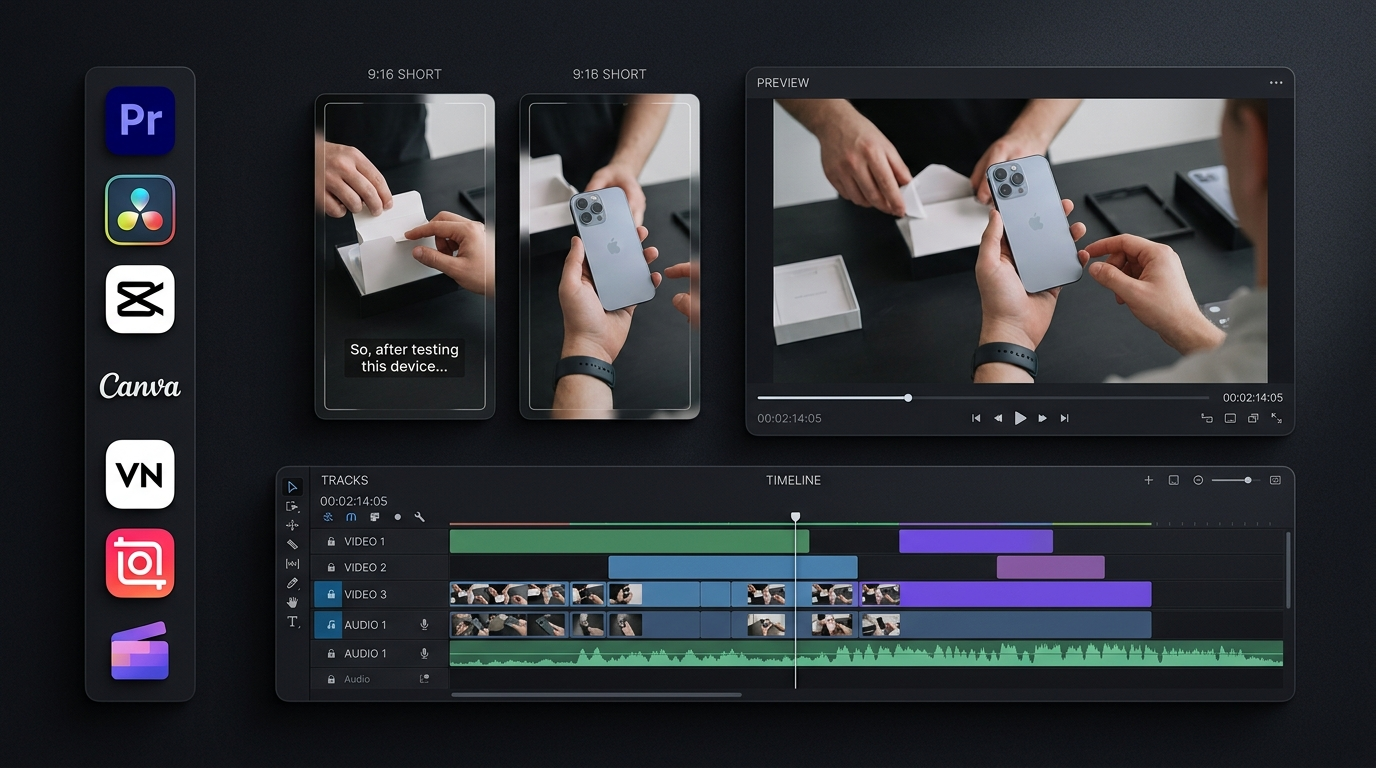
    The best video editing apps for affiliate marketing help us create clear product demonstrations, useful reviews, and short promotional videos without wasting hours on editing. But the right choice depends on more than effects or templates. We also need to consider export quality, free features, captions, and how easily we can adapt one video for YouTube Shorts, TikTok, and Instagram Reels.

    Our key recommendation is to choose an editor that supports a repeatable workflow. We can record a product once, create a main video, and adapt it for different platforms. This saves editing time while keeping each version relevant to its audience.

    1. CapCut: Best for Short Affiliate Videos

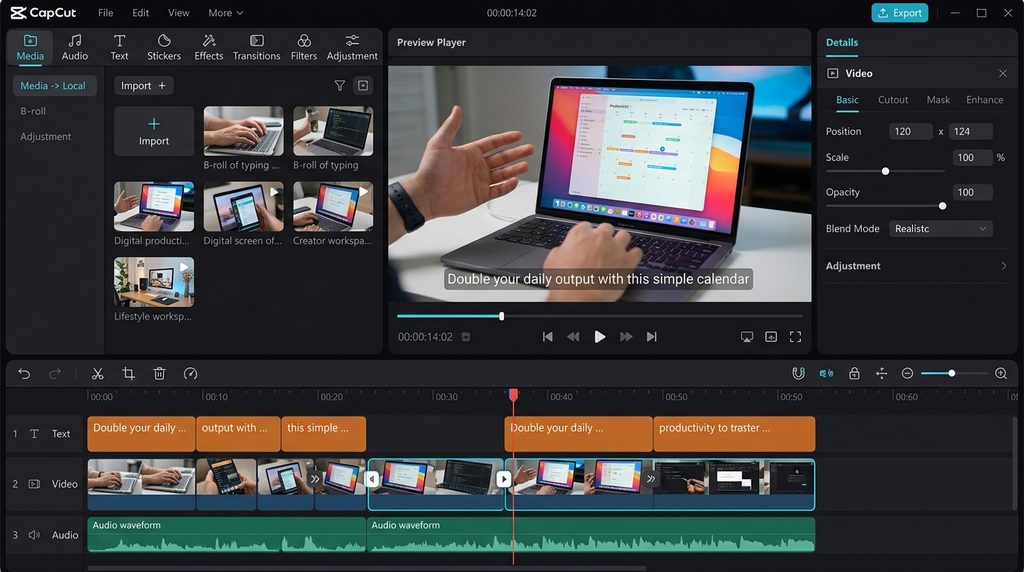
    CapCut offers trimming, transitions, text overlays, automatic captions, speed controls, and other tools for short-form content. Its mobile interface makes it a practical option for creators who want to edit videos without using desktop software.

    We can use CapCut to demonstrate a product, highlight three useful features, and finish with a clear call to action. Its effects and templates can also help us produce several versions of a video.

    CapCut offers in-app purchases, and some features require a paid plan. Availability and pricing can vary by region and device. Check the current options before subscribing.

    Best use: Short affiliate videos and social media product demonstrations.

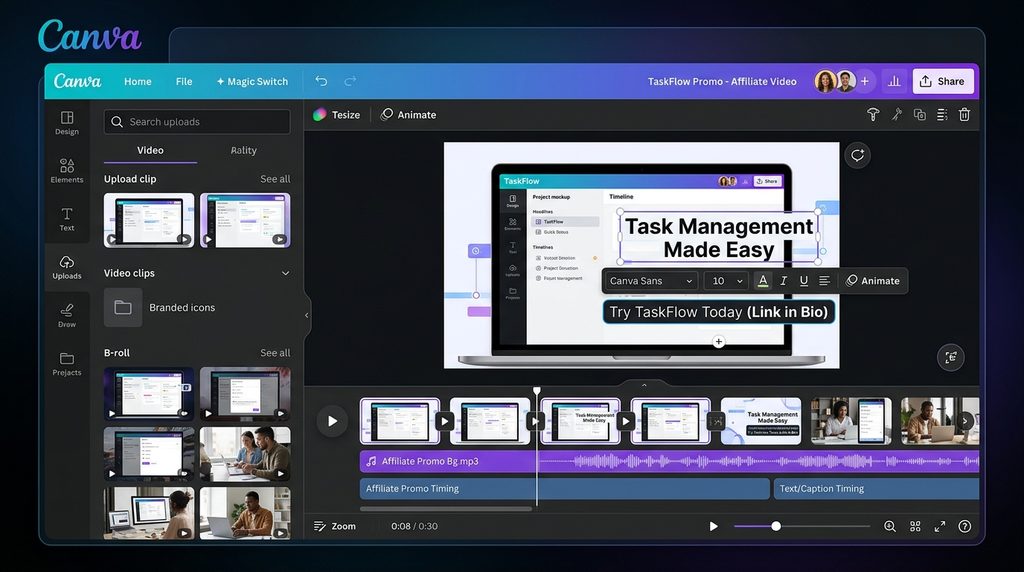
    2. Canva: Best for Promotional Videos

    Canva combines video editing with templates, text, animations, and design tools. Its free editor supports watermark-free exports, while some advanced features require Canva Pro.

    We can use Canva to create promotional videos for software, online courses, and digital products. It is also useful for adding consistent colors, logos, captions, and calls to action across a series of videos.

    For example, an affiliate marketer promoting a project management tool could show its main features alongside short text explaining how the tool helps users organize their work.

    Best use: Branded product videos and simple promotional campaigns.

    3. InShot: Best for Mobile Video Editing

    InShot is designed for mobile editing. It offers tools for trimming clips, adding music, inserting text, adjusting speed, and applying transitions.

    We can record a product demonstration on a phone, remove unnecessary pauses, add a voice-over, and prepare the result for social media. This makes InShot useful for creators who publish frequently but do not need advanced desktop controls.

    Before choosing a paid plan, check which effects, export settings, and other features are included in the current version.

    Best use: Quick product reviews and mobile-first affiliate videos.

    4. VN Video Editor: Best for Budget-Conscious Creators

    VN Video Editor is worth considering if we want more control over clip timing, text, transitions, and multiple video layers without immediately paying for professional software.

    Its timeline-based workflow helps us combine product footage, narration, and supporting clips. For example, we can show a product’s screen while explaining its main benefit.

    Features and export options can change between app versions and devices, so test the current version before making it the main tool for a business workflow.

    Best use: Low-cost editing for product demonstrations and social videos.

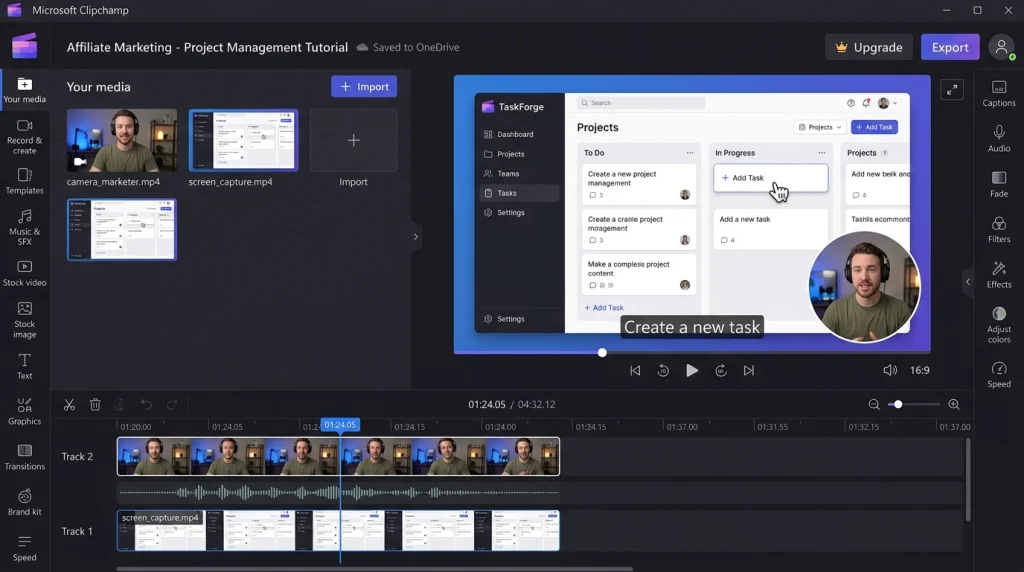
    5. Microsoft Clipchamp: Best for Software Tutorials

    Microsoft Clipchamp works through a browser and a Windows app. It offers video editing, screen recording, voice recording, templates, and captions.

    Microsoft confirms that its personal free plan includes core editing tools and watermark-free exports up to 1080p. Premium features include 4K exports and additional stock media, effects, and brand tools.

    Clipchamp is particularly useful for software affiliate marketing. We can record an app walkthrough, show how a feature works, and explain its value through narration.

    Best use: Software reviews, tutorials, and screen-based product demonstrations.

    6. DaVinci Resolve: Best for Detailed Product Reviews

    DaVinci Resolve combines video editing, color correction, visual effects, and audio tools in one application.

    Its free version supports many common video formats and resolutions up to Ultra HD 3840 × 2160 at up to 60 frames per second. The paid Studio edition adds advanced tools, including more AI-assisted features.

    We can use DaVinci Resolve to create detailed product comparisons, camera reviews, and longer YouTube videos that need careful sound and image adjustments. However, beginners may need time to learn its interface.

    Best use: Detailed reviews and professional-looking YouTube affiliate content.

    7. Adobe Premiere: Best for Mobile and Advanced Editing

    Adobe Premiere offers mobile editing tools for short videos, including a multitrack timeline, automatic captions, audio enhancement, and background removal.

    Adobe states that Premiere on mobile supports free core editing and unlimited 4K exports without watermarks. Some generative AI features require credits or an eligible subscription, and feature availability can differ by platform.

    This makes Premiere a strong option for creators who want detailed control over mobile edits. For advanced desktop workflows, compare the separate desktop product and its subscription costs before choosing a plan.

    Best use: Detailed mobile edits and creators who want room to grow.

    How to Choose the Best Video Editing Software for Affiliate Marketers

    The best tool depends on our content type, budget, and editing experience.

    Main requirementRecommended app
    TikTok and YouTube ShortsCapCut
    Branded promotional videosCanva
    Editing on a phoneInShot
    Budget-friendly timeline editingVN Video Editor
    Software tutorialsClipchamp
    Detailed product reviewsDaVinci Resolve
    Advanced mobile editingAdobe Premiere

    Before committing to an editor, make a test video and check the export quality, watermark rules, caption accuracy, and any paid features you need. A free app is only cost-effective if it supports the workflow we actually use.

    For a more complete strategy, explore affiliate marketing video strategy and product review content tips.

    A Smarter Workflow for Affiliate Videos

    We do not need to create every video from scratch. Instead, we can record one useful product demonstration and prepare different edits for each platform. For example, a five-minute software review can become a short feature demonstration, a quick tutorial, and a longer comparison. Each version should have a different opening and a clear purpose. We should also check that text remains readable in vertical formats.

    Editing should make the product easier to understand, not make it look better than it really is. Show genuine features, explain limitations, and avoid unsupported claims. If we earn commissions through affiliate links, disclose that relationship clearly. The Federal Trade Commission’s guidance for social media influencers explains how creators should disclose material connections.

    Conclusion

    The best video editing apps for affiliate marketing in 2026 depend on the videos we plan to create. CapCut and InShot suit short social clips, Canva helps with branded promotions, and Clipchamp works well for software tutorials. VN offers a budget-friendly option, while DaVinci Resolve and Adobe Premiere provide more editing control. Start with one editor that meets your current needs, test its free features, and build a workflow you can repeat. Clear demonstrations, accurate claims, and useful content matter more than complicated effects.

    Frequently Asked Questions

    Which free video editing app is best for affiliate marketing?

    Canva, Clipchamp, VN, and DaVinci Resolve offer free options. The best choice depends on whether we need mobile editing, branded templates, screen recording, or advanced desktop controls.

    Which video editing apps work best for faceless affiliate marketing?

    CapCut, Canva, and Clipchamp are useful for combining voice-overs, screen recordings, product footage, and text without appearing on camera.

    Do affiliate videos need captions?

    Captions make spoken information easier to follow when viewers watch without sound. Always review automatic captions to correct product names, prices, and technical terms.

    Can we use the same video on multiple platforms?

    Yes, but we should adjust the aspect ratio, opening, text placement, and call to action for each platform. We should also check current platform requirements before publishing.

  • Samsung Galaxy Z Fold 7 One UI 9 Update: New Features, US Rollout, and What to Expect

    Samsung Galaxy Z Fold 7 One UI 9 Update: New Features, US Rollout, and What to Expect

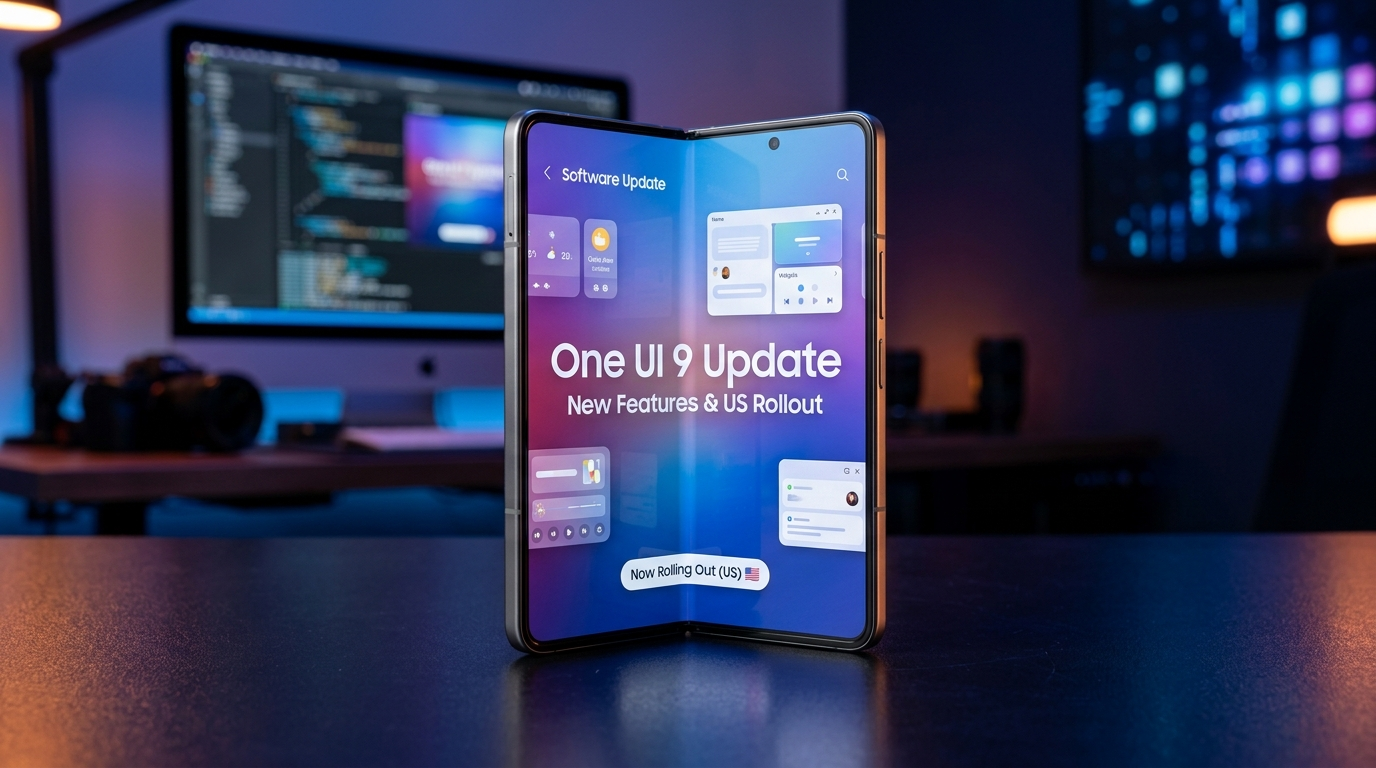
    The Samsung Galaxy Z Fold 7 One UI 9 update is now listed in Samsung’s official software records. The update brings Android 17, new Galaxy AI tools, and changes to device care, privacy, and everyday tasks. Samsung lists October 7, 2026, for the international model and its US software record, while Verizon lists October 2 for its own rollout. These dates reflect different distribution records, not a single release date for every phone.

    Samsung Galaxy Z Fold 7 One UI 9 Update Release Date

    Samsung’s update record for the Galaxy Z Fold 7 international model, SM-F966B, lists build F966BXXUCCZIH, Android 17, One UI 9, and the September 5, 2026, security patch. Its release date is October 7, 2026.

    For the US model, SM-F966U, Samsung lists build F966USQUCCZIH with the same Android version and security patch. Verizon’s support page lists the update on October 2, 2026. Availability can still vary by carrier and device.

    This distinction matters: a published rollout date does not mean every Galaxy Z Fold 7 has received the update.

    Samsung Galaxy Z Fold 7 One UI 9 Features: What’s New?

    The update focuses on practical Galaxy AI tools, easier device care, and stronger privacy controls. Samsung and Verizon’s published update details confirm several features for the Fold 7.

    1. My FanCam for easier video editing

    My FanCam lets users select a person in a recorded video and automatically keep them centered. The tool adjusts the frame as the person moves, which can reduce the need for manual cropping.

    To test this feature, open Gallery, choose a video, and look for Galaxy AI and My FanCam. Samsung notes that the results can vary depending on the video and the features supported.

    2. Improved Now Nudge suggestions

    Now Nudge can show helpful suggestions in more places, including conversation notifications and a floating button. For example, it may help users enter reservation details or save a location shared in a conversation to Google Maps.

    This can be useful on the Fold 7 because users can refer to messages and related information while working on the larger screen.

    3. More useful Now Brief and device care

    The update includes changes to Now Brief, with new editable cards that let users choose information for daily summaries. Verizon also lists Warranty and Care, which brings warranty details, device checks, repair estimates, and support options into the Settings menu.

    The exact services available through Warranty and Care may depend on the user’s region.

    4. Interpreter and privacy improvements

    Interpreter adds a history or thread view so users can refer to earlier parts of a translated conversation. The update also includes privacy alerts designed to highlight potential risks, such as unnecessary background permission access.

    Samsung’s official One UI 9 announcement explains the wider feature changes. Not all features introduced on newer Galaxy phones are guaranteed to work the same way on the Galaxy Z Fold 7.

    Samsung One UI 9 US Release: How to Check for the Update

    The rollout has begun, but availability can vary by carrier and device model. Owners should check their own phone instead of assuming that a published release date guarantees immediate access.

    Follow these steps:

    1. Go to the Settings app on your Galaxy Z Fold 7.
    2. Tap Software update.
    3. Select Download and install.
    4. Follow the on-screen instructions if an update is available.

    Before installing, connect to Wi-Fi, charge the battery, and back up important files. If the update isn’t available yet, try checking for it again later.

    Verizon’s Galaxy Z Fold 7 software update page lists its October 2, 2026, release and provides installation guidance.

    Will the Galaxy Z Fold 7 Receive the One UI 9 Update?

    Yes. Samsung’s official software records confirm One UI 9 and Android 17 for the Galaxy Z Fold 7. Samsung also announced that the Fold 7 was eligible for the One UI 9 beta program in selected markets, including the United States, India, Korea, and the United Kingdom. Beta access and stable-release availability are separate, however. Owners who did not join the beta can still receive the stable update when it becomes available for their model.

    Conclusion

    The Samsung Galaxy Z Fold 7 One UI 9 update brings Android 17 and useful changes to video editing, AI suggestions, device care, translation, and privacy. Samsung’s official records confirm the update, while Verizon provides a separate US carrier rollout date. The most practical approach is to check the software version for your exact model and review its official changelog before installing. That helps you confirm which features are available on your device instead of relying on claims made for other Galaxy phones.

    Frequently Asked Questions

    Does One UI 9 Run on Android 17?

    Yes. Samsung’s official Galaxy Z Fold 7 software record lists Android 17 with One UI 9.

    Why Is the One UI Update Still Missing on My Galaxy Z Fold 7?

    The rollout can vary by carrier, region, and device model. Check your phone’s software update settings and your carrier’s official support page.

    Does the One UI 9 update include new AI features?

    Yes. Confirmed Fold 7 features include My FanCam, enhanced Now Nudge, and Interpreter improvements. Feature availability can differ depending on your region and language settings.

    Should we install the One UI 9 beta or stable version?

    For a phone used every day, the stable release is generally the safer choice. Beta software is designed for testing, so it may include bugs or features that are not yet fully developed.

  • Microsoft Surface Laptop Ultra: Nvidia-Powered, AI Features, Specs, and Price

    Microsoft Surface Laptop Ultra: Nvidia-Powered, AI Features, Specs, and Price

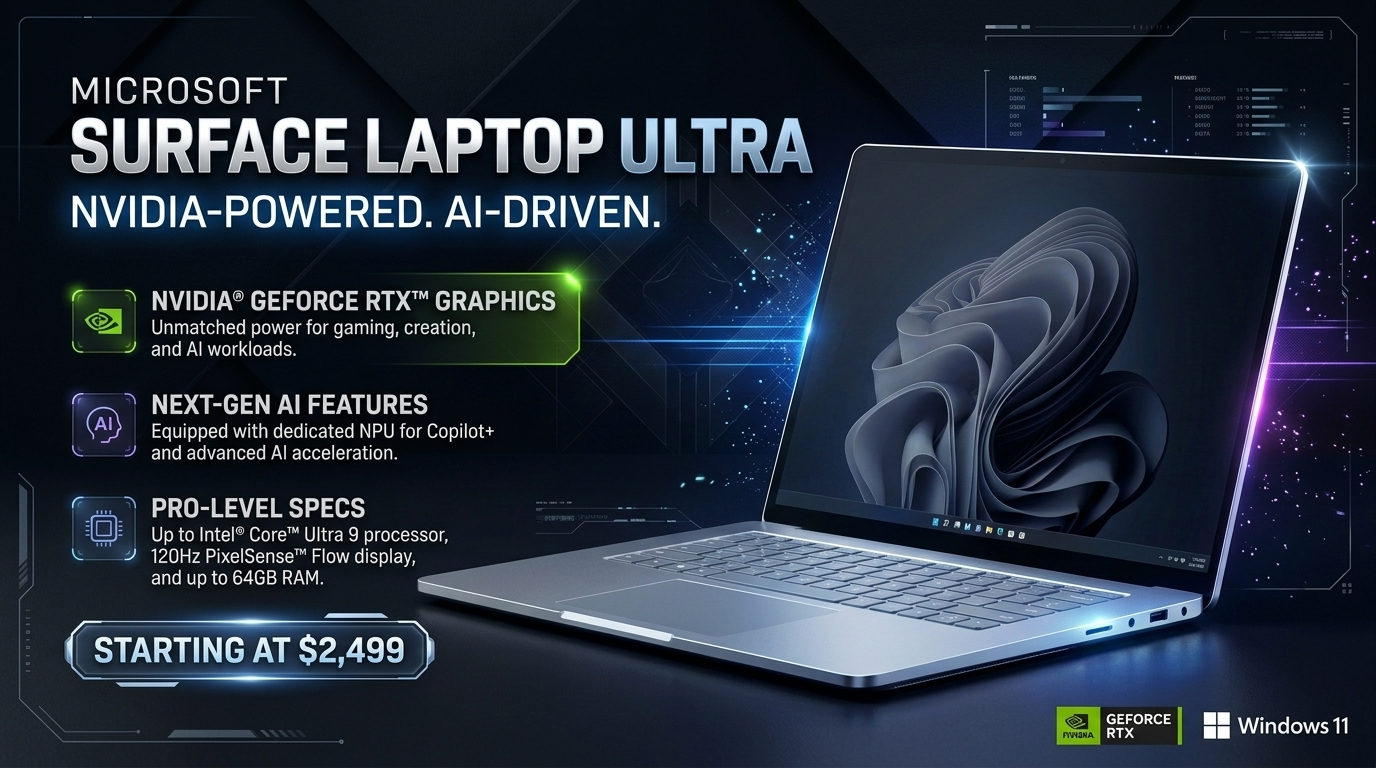
    The Microsoft Surface Laptop Ultra adds NVIDIA graphics and on-device AI processing to Microsoft’s high-end laptop lineup. Announced on October 7, 2026, the laptop targets developers, video editors, designers, and AI builders who need more power than a standard thin laptop can provide. Preorders are now available, and the laptop is set to launch on October 16, 2026. The key detail is its focus on running large AI models directly on the laptop. This could reduce the need for cloud computing during some development tasks. However, the benefits depend on the model, software, and workload. Here is what buyers should know about its confirmed specifications, AI features, battery life, and price.

    Microsoft Surface Laptop Ultra Specifications

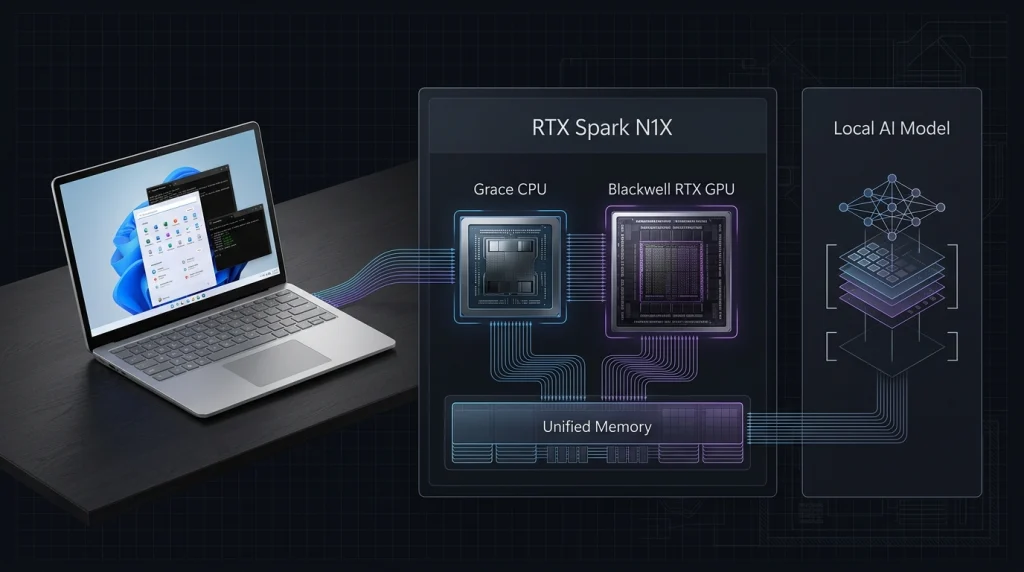
    Microsoft built the Surface Laptop Ultra around NVIDIA’s RTX Spark platform. It pairs an NVIDIA Grace CPU with a Blackwell RTX GPU and shared memory to handle demanding creative projects and technical workloads.

    SpecificationConfirmed details
    Display15-inch PixelSense Ultra touchscreen
    ProcessorNVIDIA RTX Spark N1X, 18-core or 20-core CPU
    GraphicsNVIDIA Blackwell RTX GPU, 5,120 or 6,144 cores
    Memory24GB, 32GB, 48GB, 64GB or 128GB unified memory
    Storage512GB, 1TB or 2TB SSD options, depending on configuration
    Operating systemWindows 11 Home or Pro
    Peak HDR brightnessUp to 2,000 nits
    ConnectivityUSB-C, HDMI 2.1b, USB-A, SD card reader and headphone jack
    WirelessWi-Fi 7
    WeightApproximately 2kg
    ColorsPlatinum and Nightfall

    Specifications and available configurations are listed on the official Microsoft Store page

    Why the NVIDIA graphics card matters

    The Microsoft Surface Laptop Ultra Nvidia GPU is designed for more than gaming. Its graphics hardware can support AI development, 3D rendering, video effects, and other demanding tasks. The laptop uses unified memory, which the CPU and GPU share. This can help with workloads that need large amounts of memory, including running AI models locally.

    Microsoft claims the device can run models exceeding 120 billion parameters and deliver up to one petaflop of AI performance under specific conditions. These are manufacturer claims, not guarantees of performance in every application.

    Microsoft Surface Laptop Ultra AI Features and Copilot

    The laptop enables on-device AI tasks with NVIDIA hardware, CUDA tools, and compatible Windows applications. Developers can test compatible models, work with code, and run certain AI tasks on their own device instead of sending every request to a cloud service.

    Running tasks locally gives users greater control over their project data and less reliance on cloud-based services. However, some applications still require an internet connection, and local processing does not automatically make every task private.

    Microsoft also highlights AI-assisted development workflows, including GitHub Copilot. The laptop’s hardware can support compatible tools, but available features depend on software support and the user’s subscription..

    Display, Ports, and Battery Life

    The 15-inch touchscreen offers up to 2,000 nits of peak HDR brightness, making it suitable for reviewing detailed images and HDR content. Microsoft says the display supports touch input but does not support Surface Pen or other pen input.

    The laptop includes three USB-C ports, HDMI, USB-A, an SD card reader, and a 3.5mm headphone jack. Its Magnetic Connect charging cable attaches to a USB-C port and releases easily if pulled.

    Microsoft lists battery life of up to 15 hours of local video playback or up to 12 hours of active web use. These are company test estimates, not guaranteed results. Gaming, video editing, and on-device AI tasks can consume significantly more power.

    Buyers who need a device mainly for office work may find better value in Link:MicrosoftSurfaceLaptopalternativesLink: Microsoft Surface Laptop alternatives. Creative professionals should also compare Link:laptopsforvideoeditingLink: laptops for video editing.

    Microsoft Surface Laptop Ultra Price and Release Date

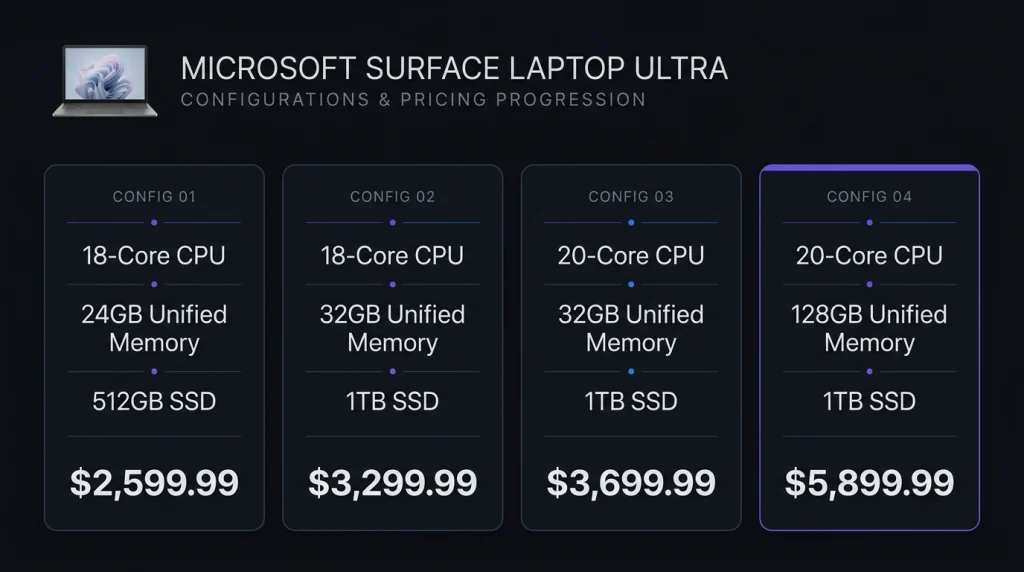
    The US starting price is $2,599.99. Microsoft opened preorders on October 7, 2026, and availability begins October 16.

    The official store lists these starting prices for selected models:

    ConfigurationUS starting price
    18-core CPU, 24GB memory, 512GB SSD$2,599.99
    18-core CPU, 32GB memory, 1TB SSD$3,299.99
    20-core CPU, 32GB memory, 1TB SSD$3,699.99
    20-core CPU, 128GB memory, 1TB SSD$5,899.99

    Prices may vary by configuration and availability. Check the Microsoft Store for current listings.

    For buyers in Pakistan, these US prices are only a reference. Local taxes, import costs, exchange rates, and retailer margins can change the final price. We could not confirm an official Pakistan price from the available listing.

    Is the Surface Laptop Ultra Worth Buying?

    The Surface Laptop Ultra is best suited to people who need powerful graphics, large memory capacity, and local AI computing. Developers, designers, and creative professionals may benefit most from its hardware.

    For everyday browsing, schoolwork, and office documents, a less expensive laptop may be a smarter purchase. Buyers should also check whether their essential applications work well on its platform before ordering.

    Conclusion

    The Microsoft Surface Laptop Ultra stands out for combining NVIDIA graphics, up to 128GB of unified memory, and local AI capabilities in a portable laptop. Its $2,599.99 starting price makes it a premium choice, so the extra computing power should match the buyer’s actual needs. Before purchasing, we recommend checking application compatibility, independent performance tests, and real-world battery results. These details will help determine whether the Surface Laptop Ultra offers better value than a conventional high-performance laptop.

    Frequently Asked Questions

    Does the Surface Laptop Ultra support gaming?

    Its NVIDIA Blackwell GPU is designed for demanding graphics tasks and gaming. Actual results depend on the game, settings, drivers, and software compatibility.

    Can we upgrade its RAM and storage?

    The memory is integrated into the unified-memory design, so buyers should choose enough memory when ordering. The SSD is user-removable, although replacement options and service rules may vary.

    How much is the Microsoft Surface Laptop Ultra expected to cost in Pakistan?

    An official Pakistan price has not been confirmed in the sources checked. Local pricing should be verified with Microsoft or an authorized retailer before purchase.

  • Vivo New Launches: X Fold 6, V80, S2 FE and OriginOS 7 Arrive in India

    Vivo New Launches: X Fold 6, V80, S2 FE and OriginOS 7 Arrive in India

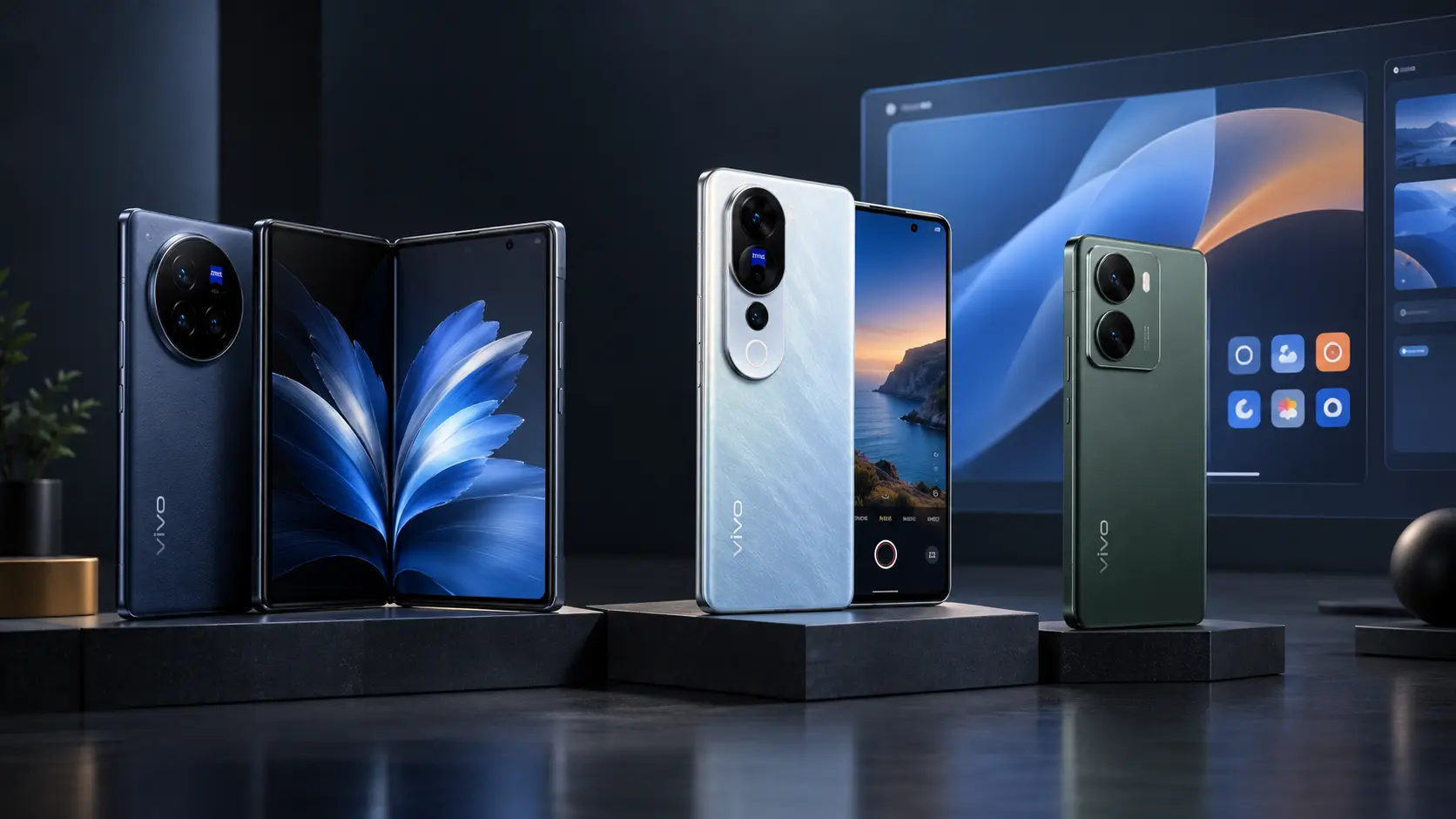
    Vivo has made one of its biggest India moves of 2026 by launching three smartphones and a new operating system at the same event. 3At vivo NEXT 2026 on October 6, vivo unveiled the X Fold6, V80, S2 FE, and its latest OriginOS 7 software. The more useful way to view these launches is not as one large specification list. Each product targets a different need, while OriginOS 7 provides the software layer that ties the premium lineup together.

    This gives the Vivo new launches in India a clear split: the X Fold6 focuses on productivity, the V80 targets content creators, and the S2 FE is built around extreme battery life. OriginOS 7 then adds AI tools, smoother system performance and cross-device features.

    Vivo X Fold 6 India Launch Brings a Productivity Focus

    The Vivo X Fold6 India launch is the standout premium device in the company’s new lineup. Vivo has priced the 12GB RAM and 512GB storage model at ₹2,19,999. Pre-bookings opened on October 6, with sales starting October 13 through the Vivo India e-store, Flipkart, Amazon and partner stores. The foldable features an 8.02-inch inner display and a 6.51-inch cover screen, with both offering adaptive refresh rates of up to 120Hz. It is powered by the MediaTek Dimensity 9500 Super Edition and packs a 6,900mAh battery with support for 80W wired and 40W wireless charging.

    The key difference is how Vivo uses the large screen. Origin Workbench can support a main task alongside up to four supporting apps, while Multi-Split Screen allows up to four windows to appear side by side. AI Cross-App Drag can also move information between compatible applications. This makes the Vivo X Fold 6 launch more than a hardware upgrade. Vivo is positioning the foldable as a portable workspace for people who need to read, compare, create and communicate without constantly switching devices.

    Vivo V80 India Targets Everyday Content Creators

    The Vivo V80 India launch takes a different approach. Vivo has positioned the V80 as a camera-focused smartphone for photography and video creation, featuring 4K Cinematic Video, ZEISS imaging technology, and more than 30 AI-powered creative features. The phone starts at ₹62,999 for 8GB RAM and 128GB storage. The 256GB version costs ₹69,999, while the 512GB model costs ₹79,999. The V80 is scheduled to go on sale from October 13.

    Its camera system includes a 50MP ZEISS Night Telephoto Camera with 3X optical zoom, OIS and up to 100X digital zoom. It also supports 4K video at 60fps. The 4K Cinematic Video feature offers three visual styles, Modern Movie, Vibrant and Pastel, directly while recording. The V80 packs a 7,200mAh battery with 90W fast charging and a 144Hz 1.5K OLED display. It is also the first V-Series smartphone to come with OriginOS 7 pre-installed.

    Vivo S2 FE India Puts Battery Life First

    The Vivo S2 FE India launch is aimed at users who want fewer charging breaks. Its biggest feature is a 10,000mAh typical-capacity battery, supported by fourth-generation silicon-anode and semi-solid-state battery technology. The S2 FE starts at ₹38,999 for 6GB RAM and 128GB storage, while the 8GB and 128GB model costs ₹42,999. Sales begin October 20 through Vivo’s website, Amazon, Flipkart and partner stores.

    Vivo says the battery powered a Guinness World Records title for the longest electronic product testing livestream, lasting 32 hours and 37 minutes under specific test conditions. That record involved the Vivo V80 Lite 5G, marketed as the S2 FE in India. The phone also has a 6.83-inch 1.5K AMOLED display with a 120Hz refresh rate, a 50MP Sony main camera and a 32MP wide-angle selfie camera. The Dimensity 7300e 5G platform handles performance.

    Importantly, the S2 FE runs OriginOS 6 based on Android 16, not OriginOS 7. This is an important distinction because OriginOS 7 availability depends on the device and rollout schedule.

    Vivo OriginOS 7 India Launch Changes the Software Story

    The Vivo OriginOS 7 India launch may have the longest impact because the operating system will extend beyond the phones announced on October 6. Vivo says OriginOS 7 combines the Origin Smooth Engine, Fluid Motion and Spring Animation to improve system responsiveness. It also adds AI features including Jovi, Snap Note, AI Recorder and AI Search.

    Snap Note can convert photos of whiteboards, handwritten notes, slides, and mind maps into editable digital documents. AI Recorder can recognise speakers, refine transcripts and create summaries. AI Search lets users find files and notes using descriptions rather than exact file names.The software also includes Office Kit and Shake & Share, making it easier to work across devices and transfer files. Some features can work across compatible devices and ecosystems, although availability varies by model, software version and region.

    Vivo has not yet published the complete India rollout list for every eligible phone. The company says OriginOS 7 will arrive on select Vivo smartphones in India, with supported models and rollout details to be announced separately.

    For official updates, readers can check the Vivo India Newsroom and Vivo India.

    What These Vivo Smartphone Launches 2026 Mean for Buyers

    The Vivo smartphone launches 2026 show a clear product strategy rather than one phone trying to serve everyone. The X Fold6 is built for users who want a large foldable workspace. The V80 focuses on cameras, video and AI editing. The S2 FE is designed for people who value battery endurance above almost everything else.

    The pricing also creates a wide gap. The Vivo X Fold 6 price in India starts at ₹2,19,999, while the Vivo V80 price in India begins at ₹62,999. The Vivo S2 FE price in India starts at ₹38,999. That makes the latest Vivo new phones in India easier to understand by use case. Buyers should first decide whether they need a foldable workspace, a creator-focused camera phone or a large battery.

    The same point matters when following Vivo upcoming smartphones India news. Hardware specifications can change quickly, but Vivo’s new strategy suggests that software, AI and cross-device features will remain an important part of its premium phones.

    Frequently Asked Questions

    When was the Vivo X Fold 6 launched in India?

    The Vivo X Fold 6 launch took place on October 6, 2026. The 12GB + 512GB model costs ₹2,19,999, with sales beginning October 13.

    What is the Vivo V80 launch date India?

    The Vivo V80 launch date India was October 6, 2026. Sales are scheduled to start October 13, with prices beginning at ₹62,999.

    What is the Vivo S2 FE launch India price?

    The Vivo S2 FE launch India price starts at ₹38,999 for 6GB + 128GB. The 8GB + 128GB model costs ₹42,999, with sales starting October 20.

    What are the main Vivo OriginOS 7 features?

    The main Vivo OriginOS 7 features include Jovi, Snap Note, AI Recorder, AI Search, Origin Workbench, Office Kit and Shake & Share. Availability varies by device and region.

    Which Vivo phone has the largest battery in this launch?

    The S2 FE has the largest battery at 10,000mAh typical capacity. The X Fold6 has 6,900mAh, while the V80 has 7,200mAh.

  • The Hedgehog Discord Surpasses 60,000 Members in Less Than 24 Hours

    The Hedgehog Discord Surpasses 60,000 Members in Less Than 24 Hours

    The Hedgehog Discord 60,000 members milestone quickly became bigger than a normal community launch. SEGA opened its official Sonic the Hedgehog Discord on October 5, 2026, and the server passed 60,000 members in less than 24 hours. But the more important story is what happened after thousands of fans arrived at almost the same time.

    More than 30,000 people reportedly joined at once, creating an immediate moderation challenge. SEGA’s Aaron Webber later said the early period was intense, while moderators worked to remove bad actors and adjust strict automatic filters.

    Why the Hedgehog Discord Server Grew So Quickly

    The Hedgehog Discord server already had a huge audience waiting for it. Sonic has a large global fan base, and the official server gave those fans a company-backed place to talk directly about the franchise.

    The server covers games, movies, IDW comics, merchandise, and Sonic Racing: CrossWorlds. Members can also select notifications based on their interests and platforms.

    That makes the launch different from a new viral Discord community starting from zero. SEGA was moving an existing audience into a new space.

    The result was an unusually fast membership spike. Within hours, reports were already describing more than 50,000 people entering the server.

    Hedgehog Discord Growth Created an Immediate Moderation Problem

    The biggest overlooked part of the Hedgehog Discord growth is that membership expanded faster than the community could comfortably handle.

    Soon after launch, users posted spam, inappropriate material, and hateful content. Moderators responded by restricting chat permissions and enabling slow mode. VGC reported that eight of nine chat channels were locked to most users at one point.

    SEGA also acknowledged that its automatic filters were too strict in some cases. Some legitimate users were reportedly banned by mistake, and the company said those cases would be reviewed as the server settled down.

    This shows why 60,000 Discord members is not automatically a sign of a healthy community. A large audience also creates a larger moderation workload.

    The Hedgehog Community Was Partly Locked Down

    By October 6, reports showed that the Hedgehog Discord community had been heavily restricted. New users could not freely post in most channels, while slow mode limited how quickly members could send messages. Some users who boosted the server or earned enough XP had greater posting access.

    The restrictions were not simply a sign that the community had failed. SEGA said the overwhelming majority of members were positive and supportive, while moderators focused on controlling the small number of users causing problems. The company also plans to expand the server. A fan-art channel is expected, although image posting was initially disabled while the team dealt with the huge influx of members.

    Is It the Fastest-Growing Discord Server?

    It is better to call the Sonic server one of the fastest-growing Discord communities reported in recent gaming news rather than claim it is officially the fastest-growing Discord server ever. The verified numbers are already impressive. The server passed 60,000 members in under one day, while more than 30,000 people reportedly arrived at the same time during the initial rush.

    However, member count does not show how many people remain active. It also does not show how many users post, return each day, or take part in conversations. For anyone studying [Link: Discord community growth], that distinction is important. Rapid membership growth and long-term engagement are two different measurements.

    What Happens Next for Sonic’s Discord?

    The next stage will tell us more than the first 24 hours. SEGA now needs to turn a huge launch audience into a stable Hedgehog community. That means improving automated moderation, reviewing mistaken bans, opening more channels, and giving members useful reasons to return.

    The server already has several possible sources of ongoing activity, including Sonic games, movies, comics, merchandise, and multiplayer discussions. Its planned fan-art section could also create another reason for members to participate once the team is confident that moderation can handle it.

    The launch therefore offers a useful lesson for any brand building an online community: bringing 60,000 people through the door is only the first challenge. Keeping the space useful, safe, and active is harder.

    Conclusion

    The Hedgehog community growth story is not only about reaching 60,000 members. It is about what happens when an established global fandom enters a new community space almost all at once. SEGA proved that demand for an official Sonic Discord was enormous. The harder test now is whether it can convert that explosive launch into a well-moderated community where fans can actually talk, share, and return regularly.

    FAQ About the Hedgehog Discord

    What is the Hedgehog Discord server?

    It is SEGA’s official Sonic the Hedgehog Discord community, created for discussions about Sonic games, movies, comics, merchandise, and related activities.

    How fast did the Hedgehog Discord reach 60,000 members?

    The Hedgehog reaches 60,000 members milestone happened in less than 24 hours after the server launched on October 5, 2026.

    Why was the Hedgehog Discord restricted?

    SEGA introduced restrictions after the rapid influx brought spam, inappropriate content, and bad actors into the server. Automatic moderation also incorrectly flagged some users.

    Is this the fastest-growing Discord server?

    There is no reliable evidence proving that it is the fastest-growing Discord server ever. The confirmed launch numbers do, however, make it an unusually fast-growing gaming community.

    Will the Hedgehog community add more channels?

    Yes. SEGA has said it plans to add more community features, including a fan-art channel. Image posting was initially restricted during the launch period.

  • vivo V80 Launched With Zeiss Cameras, 90W Charging and Android 17

    vivo V80 Launched With Zeiss Cameras, 90W Charging and Android 17

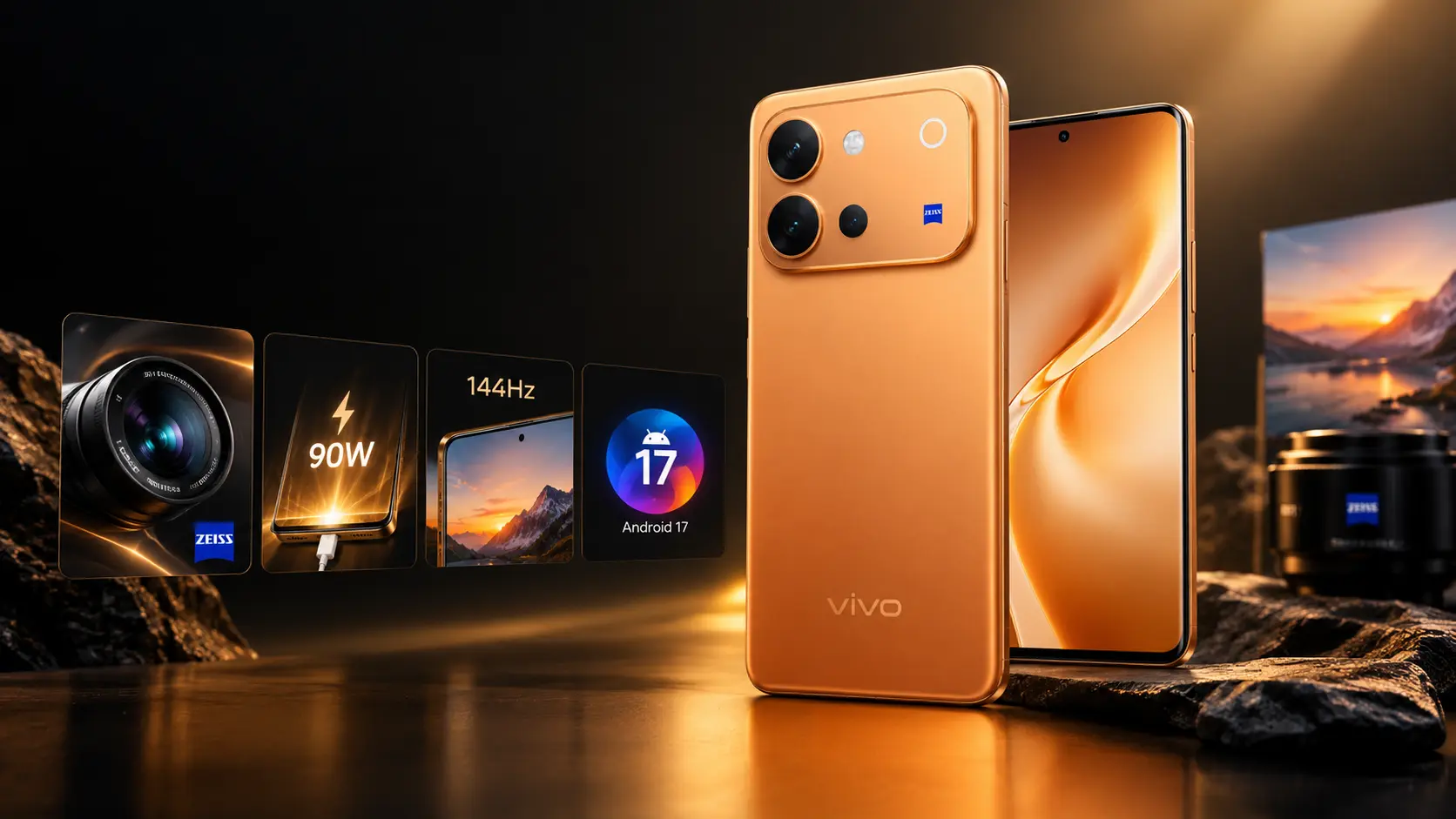
    The vivo V80 has officially launched in India with a clear focus on mobile content creation. The standout combination is not just the ZEISS camera system or 90W charging. vivo is bringing 4K Cinematic Video, a 7,200mAh battery, a 144Hz 1.5K OLED display, Android 17, and Snapdragon 7 Gen 4 to the V-Series. The phone launched on October 6, 2026, starting at ₹62,999 in India.

    vivo V80 Launch and Price

    The vivo V80 launch took place in India on October 6, 2026. vivo confirmed three storage configurations:

    VariantIndia Price
    8GB + 128GB₹62,999
    8GB + 256GB₹69,999
    8GB + 512GB₹79,999

    The prices include taxes. The phone is available in Sunrise Anthem, Horizon Blue, and Stellar Black. It is being sold through vivo’s online store and major retail platforms in India. The vivo V80 price in Pakistan has not been officially announced by vivo Pakistan. Any local price currently shown by third-party sellers should therefore be treated as an estimate until official Pakistani availability is confirmed.

    For the latest official product information, readers can check the vivo India V80 announcement.

    vivo V80 Camera Brings a Stronger Creator Focus

    The vivo V80 camera system is one of the phone’s biggest selling points. vivo describes it as a ZEISS Co-Engineered Imaging System, rather than simply adding ZEISS branding to the phone.

    The rear setup includes a 50MP main camera with OIS, a 50MP ZEISS Night Telephoto Camera with OIS and 3x optical zoom, and an 8MP ultrawide camera. The front camera is a 50MP ZEISS Group Selfie Camera with autofocus.

    The telephoto camera is particularly important. It supports up to 100x digital zoom and enables up to 10x Zoom-In Portrait photography. vivo also offers several portrait focal lengths, giving users more options when shooting people from different distances. For users interested in smartphone photography, the telephoto camera may prove more useful in daily shooting than simply increasing the megapixel count of the main sensor.

    4K Cinematic Video Is a Major vivo V80 Feature

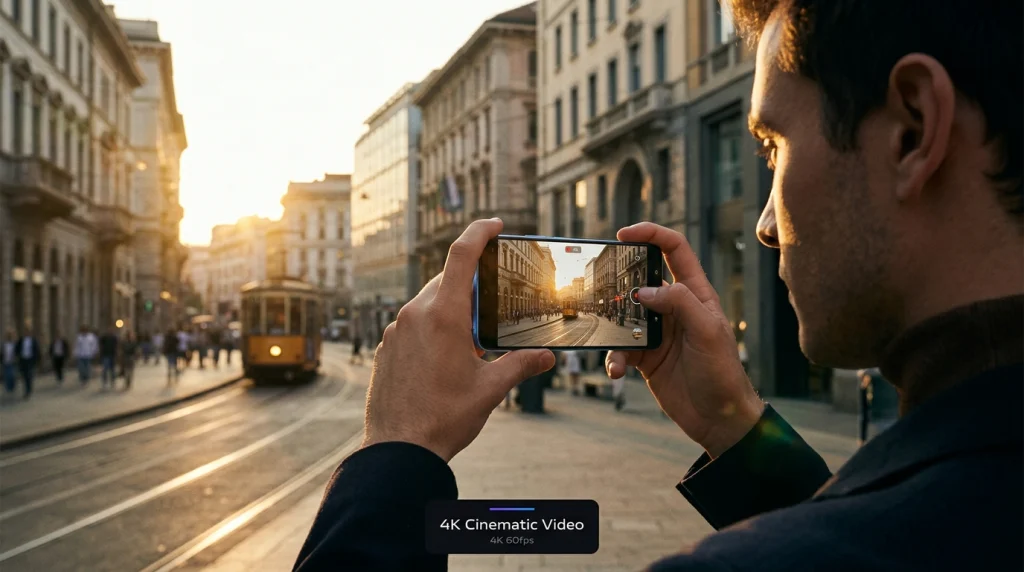
    One of the most important vivo V80 features is 4K Cinematic Video. The phone provides three movie-inspired looks through its built-in camera tools. vivo calls these styles Modern Movie, Vibrant, and Pastel. The V80 also supports 4K video recording at 60fps.

    This makes the phone more interesting for people who regularly create travel videos, short social clips, family videos, or other content. Instead of recording normal footage and doing all the visual work later, users can apply a cinematic look during the shooting process.

    The phone also adds more than 30 AI-powered creative features, including tools for retouching, color effects, stickers, and creative image changes.

    vivo V80 Battery and 90W Charging

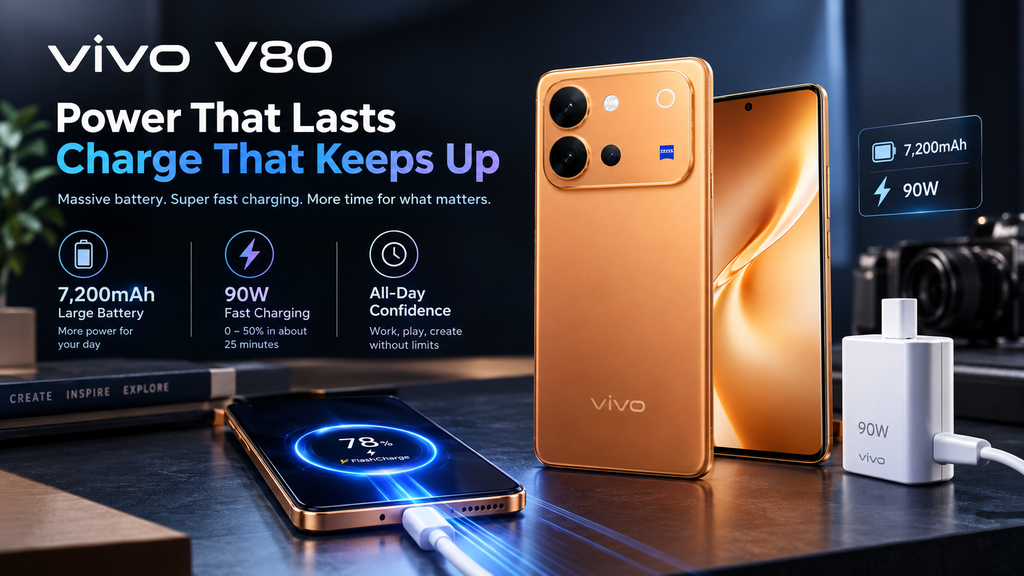
    The vivo V80 battery has a 7,200mAh typical capacity, with a rated capacity of 7,015mAh. vivo says it is the largest typical battery capacity among its V-Series smartphones launched in India as of October 6, 2026.

    The phone supports 90W FlashCharge with the standard vivo charger. Actual charging performance can change based on power supply, temperature, battery level, and other conditions.

    The large battery makes practical sense for a phone aimed at creators. Recording 4K video, using 5G, editing clips, and keeping the high-refresh-rate display active can consume significant power.

    vivo V80 Display and Processor

    The vivo V80 display measures 6.59 inches and uses a 1.5K OLED panel with a refresh rate of up to 144Hz. vivo also lists up to 5,000 nits of local peak brightness. The company notes that the 144Hz mode is supported by selected applications. The high refresh rate should make scrolling, supported games, and compatible animations feel smoother. The 1.5K resolution also gives creators a sharper screen for checking photos and videos.

    The vivo V80 processor is Qualcomm’s Snapdragon 7 Gen 4, built using a 4nm process. The phone also supports 5G connectivity and offers storage configurations up to 512GB.

    For broader processor details, readers can also check Qualcomm’s Snapdragon mobile platform information.

    vivo V80 Android 17 and OriginOS 7

    The vivo V80 Android 17 experience comes with OriginOS 7 out of the box. vivo identifies it as the first V-Series smartphone in India to ship with OriginOS 7.

    The software adds AI-focused features such as Snap Note and other creative tools. vivo has also stated that the V80 will receive six years of security updates, which is an important point for buyers planning to keep the phone for several years. For Android-related background, Google’s official Android website provides the broader platform information.

    vivo V80 5G and Build Quality

    The vivo V80 5G also comes with IP68 and IP69 ratings for dust and water resistance under controlled laboratory conditions. These ratings do not mean the phone is completely protected against every real-world situation, but they provide added protection against dust and water exposure.

    The combination of a large battery, slim body, high-refresh-rate OLED screen, and water resistance gives the phone a balanced hardware package rather than focusing on only one specification.

    vivo V80 Full Specifications

    Featurevivo V80
    Launch dateOctober 6, 2026
    Starting India price₹62,999
    SoftwareAndroid 17, OriginOS 7
    ProcessorSnapdragon 7 Gen 4
    Display6.59-inch 1.5K OLED
    Refresh rateUp to 144Hz
    Main camera50MP OIS
    Telephoto50MP ZEISS, 3x optical zoom
    Ultrawide8MP
    Selfie camera50MP ZEISS autofocus
    Battery7,200mAh typical
    ChargingUp to 90W
    Network5G
    ProtectionIP68 and IP69
    Security updates6 years

    vivo V80 Price in Pakistan and Release Date

    The vivo V80 release date in Pakistan has not been officially confirmed by vivo Pakistan at the time of writing. The company has confirmed the Indian launch, but Pakistani pricing and availability should not be assumed from the Indian launch. For Pakistani buyers, the best approach is to wait for an official vivo Pakistan announcement before treating a local seller’s price as final.

    Conclusion

    The vivo V80 is a substantial V-Series upgrade because its features work together around content creation. ZEISS cameras, 4K Cinematic Video, AI creative tools, a 7,200mAh battery, 90W charging, Android 17, and a 144Hz OLED display give the phone a strong creator-focused identity. The Indian launch also removes uncertainty around the international specifications and starting price. For Pakistani buyers, however, the next important update is official local pricing and availability. Until then, the confirmed Indian specifications provide the clearest picture of what the vivo V80 brings to the market.

    FAQ

    What is the vivo V80 price in India?

    The starting price is ₹62,999 for the 8GB + 128GB model. The 8GB + 256GB version costs ₹69,999, while the 8GB + 512GB version costs ₹79,999.

    Does the vivo V80 have ZEISS cameras?

    Yes. The phone uses a ZEISS Co-Engineered Imaging System, including a 50MP ZEISS Night Telephoto Camera and a 50MP ZEISS Group Selfie Camera.

    Does the vivo V80 support 90W charging?

    Yes. The vivo V80 90W charging system supports up to 90W using the standard vivo charger, subject to operating conditions.

    Is the vivo V80 a 5G phone?

    Yes. The vivo V80 5G supports 5G connectivity and is powered by the Snapdragon 7 Gen 4 platform.

    Does the vivo V80 run Android 17?

    Yes. The phone ships with Android 17 and OriginOS 7. It is also the first V-Series model in India to launch with OriginOS 7.

    When will the vivo V80 launch in Pakistan?

    vivo has not yet confirmed an official Pakistani release date or local price. Buyers should wait for vivo Pakistan to announce local availability.

  • Used PS5 Pro Consoles Reach $1,499 at GameStop Amid GTA 6 Hype

    Used PS5 Pro Consoles Reach $1,499 at GameStop Amid GTA 6 Hype

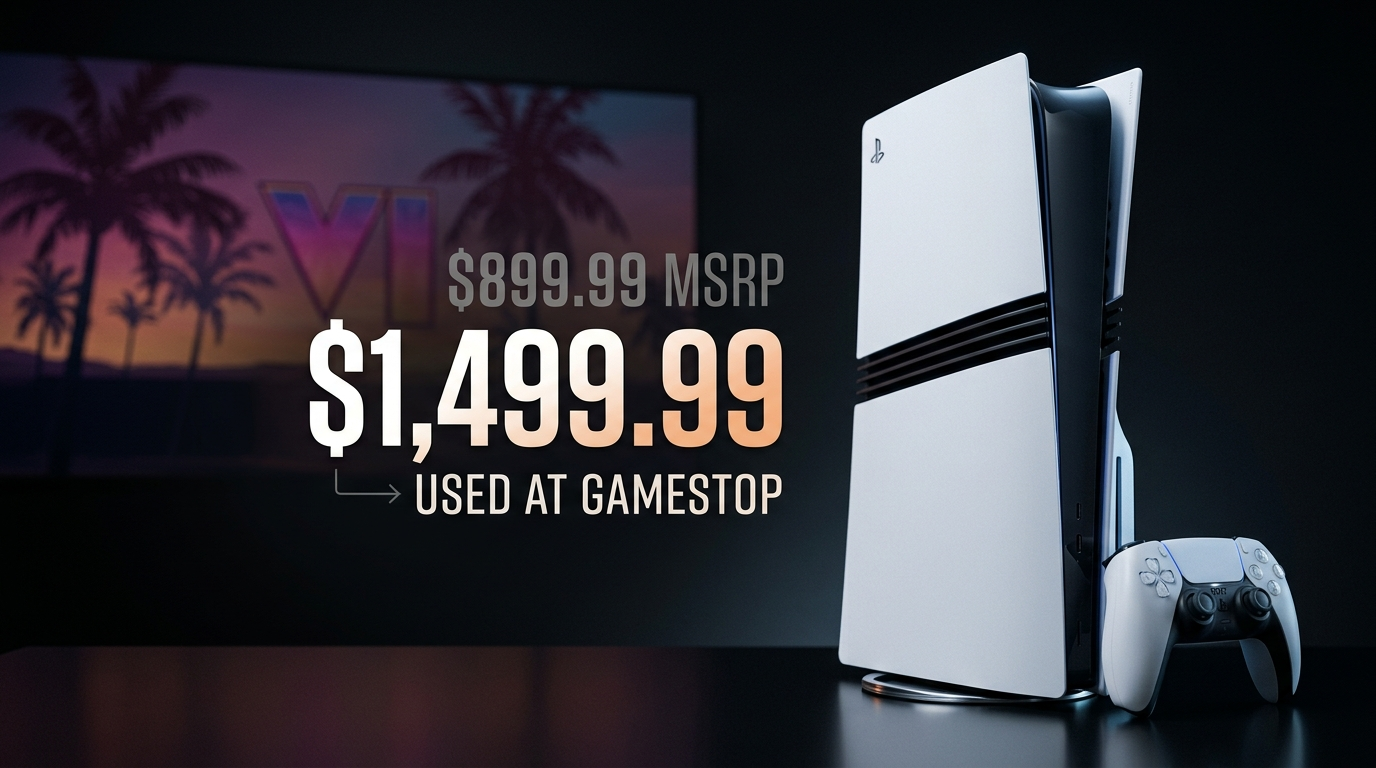
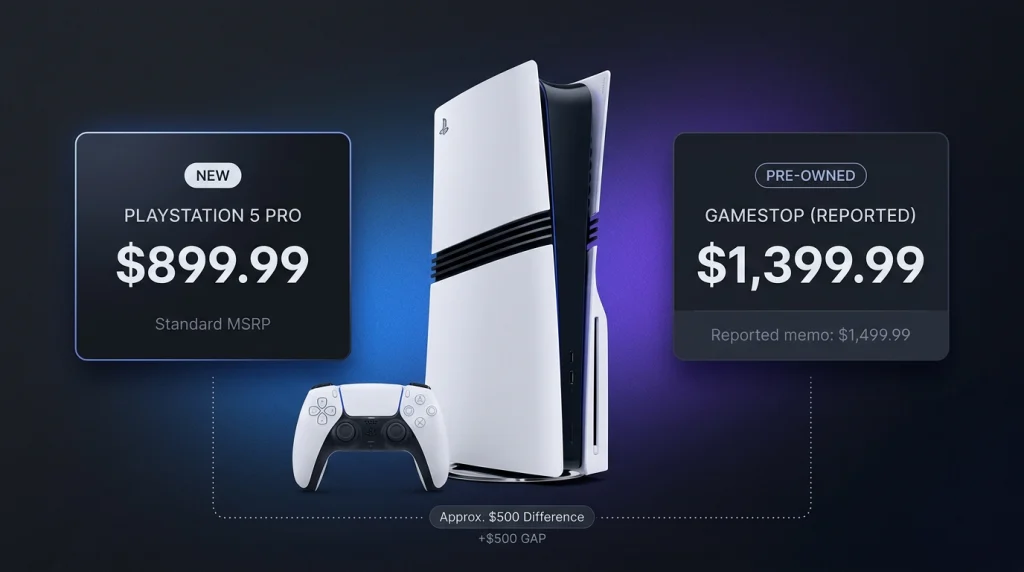
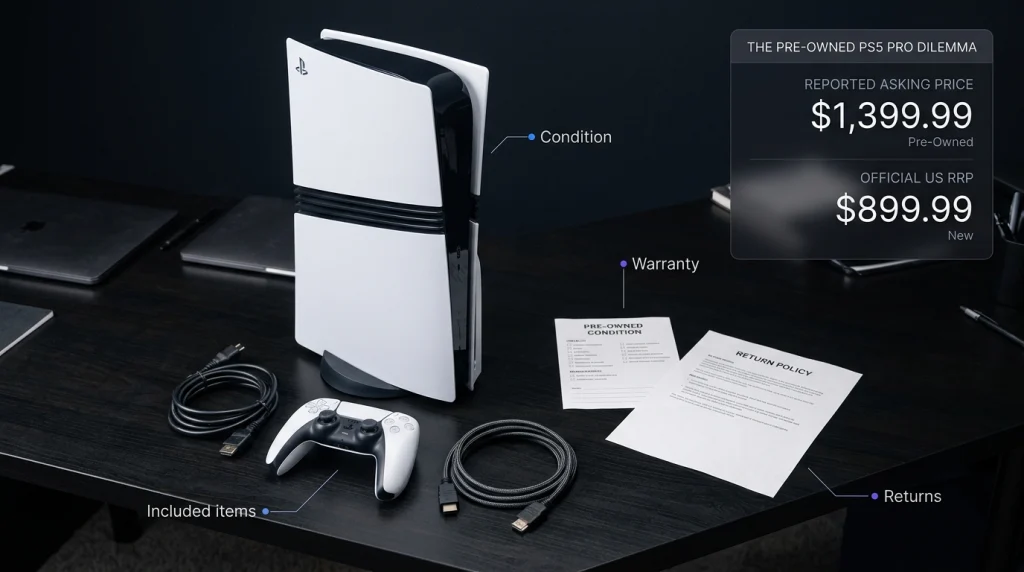
    GameStop has drawn attention after a reported pricing change put some pre-owned PS5 Pro consoles at up to $1,499, far above the system’s official new-console price. A report published by TweakTown on October 6, 2026, says GameStop’s website listed a pre-owned PS5 Pro at $1,399.99, while a circulating memo listed certain physical configurations at $1,499.99.

    The pre-owned listing was marked unavailable online when the report checked it. The key detail is that the reported $1,499 price is not proof of a completed sale. The product listing and the circulating memo are separate pieces of evidence, and the memo’s authenticity remains unverified. That distinction matters for anyone deciding whether the PS5 Pro resale market is truly reaching these levels or whether an unusually high asking price is attracting attention.

    With Grand Theft Auto VI scheduled for November 19, 2026, buyers may be watching console prices more closely. However, we should not assume that GTA 6 alone explains GameStop’s reported pricing.

    Why the PS5 Pro $1,499 Price Is So High

    Sony’s official US recommended retail price for a new PS5 Pro is $899.99, effective April 2, 2026. Sony announced the increase in its official PlayStation Blog pricing update.

    At $1,499, the reported price is $599.01 above that recommended retail price, a premium of about 66.6%. Even the reported $1,399.99 pre-owned listing is $500 above the official recommended price.

    That is an unusual gap because used products generally need to offer a clear benefit to justify costing more than new ones. Limited stock, special editions, bundled accessories, or strong demand might influence a seller’s asking price, but none automatically makes the purchase worthwhile.

    What the GameStop listing actually tells us

    TweakTown reported that GameStop displayed a pre-owned PS5 Pro for $1,399.99 and a new unit for $899.99 on the same product page. The used console was marked unavailable online at the time of its check. The report also described a circulating memo with higher prices for certain configurations, including physical versions. We should treat those details carefully. GameStop’s pre-owned console listings provide a place to check current availability, but prices and stock can change. An advertised price does not show how many units are available or whether customers actually paid it.

    How GTA 6 Hype Could Affect PS5 Pro Prices

    Rockstar lists November 19, 2026, as the release date for Grand Theft Auto VI, with PlayStation 5 and Xbox Series X|S confirmed as platforms. Its official GTA VI website provides the latest release information.

    The approaching launch gives gamers a reason to check console availability ahead of time. Some buyers may want to upgrade their hardware before release, while sellers may expect demand to rise.

    Still, GTA 6 hype is a possible influence, not a proven explanation for GameStop’s reported prices. Neither the reported listing nor the unverified memo establishes that the game caused the price increase.

    Does GTA 6 require a PS5 Pro?

    No. Rockstar confirms that GTA VI is coming to the standard PS5 as well as Xbox Series X|S. Players do not need to buy a Pro model just to play the game on PlayStation.

    The PS5 Pro may appeal to people who want enhanced graphics in supported games, but we should not promise a specific GTA VI resolution or frame rate without official confirmation.

    Is a Used PS5 Pro for Sale Worth $1,499?

    For most buyers, paying $1,499 for a used console is difficult to justify when the official recommended price for a new unit is $899.99. The decision becomes even harder if the pre-owned console is unavailable online or comes without useful extras.

    Before buying, we recommend checking:

    • Condition: Confirm whether the console is used, refurbished, or a special edition.
    • Warranty: Check the coverage period and who handles repairs.
    • Included items: Find out whether the price includes a disc drive, controller, or other accessories.
    • Returns: Review the seller’s return policy before placing an order.
    • Comparable prices: Compare new and used offers rather than relying on a single listing.

    GameStop’s official PS5 Pro product page is useful for checking its displayed prices and availability. Because listings can change, we should verify the final price at checkout.

    Will the PS5 Pro Resale Price Keep Rising?

    Sony’s 2026 retail price increase is confirmed, but that does not guarantee further increases in the used market. Pre-owned prices also depend on supply, competition, console condition, and how much buyers are willing to pay.

    The reported GameStop pricing is notable because the advertised used price exceeds the recommended price of a new console. However, the circulating memo has not been independently authenticated, and the unavailable listing does not prove a completed sale.

    We should watch actual sales and compare multiple sellers before calling this a wider PS5 Pro price increase. One unusually high price can attract attention without becoming the market standard.

    Conclusion

    The reported $1,499 price for used PS5 Pro consoles at GameStop is a striking development, but it does not yet establish a normal resale price or prove that GTA 6 caused the increase. Our main takeaway is simple: verify the listing, compare the cost of a new console, and look for real sales before paying a premium. As GTA VI approaches its November 19 release date, buyers should separate genuine hardware value from the excitement surrounding one of gaming’s biggest launches.

    Frequently Asked Questions

    Why is GameStop reportedly charging $1,499 for a used PS5 Pro?

    Reports on October 6 describe a pre-owned listing and a circulating memo with higher prices for certain configurations. The listing supports the existence of an unusually high asking price, but the memo’s authenticity and the reason for the pricing remain uncertain.

    Is the PS5 Pro price increase official?

    Yes. Sony announced a US recommended retail price of $899.99 for the PS5 Pro, effective April 2, 2026. Details are available in its official pricing announcement.

    Should we buy a PS5 Pro before GTA 6 launches?

    Compare available new and used prices first. Do not pay a large premium simply because the game is approaching. A standard PS5 is also a confirmed platform for GTA VI.

  • Google Firebase Bug Caused Widespread iPhone App Crashes, and Google Has Fixed It

    Google Firebase Bug Caused Widespread iPhone App Crashes, and Google Has Fixed It

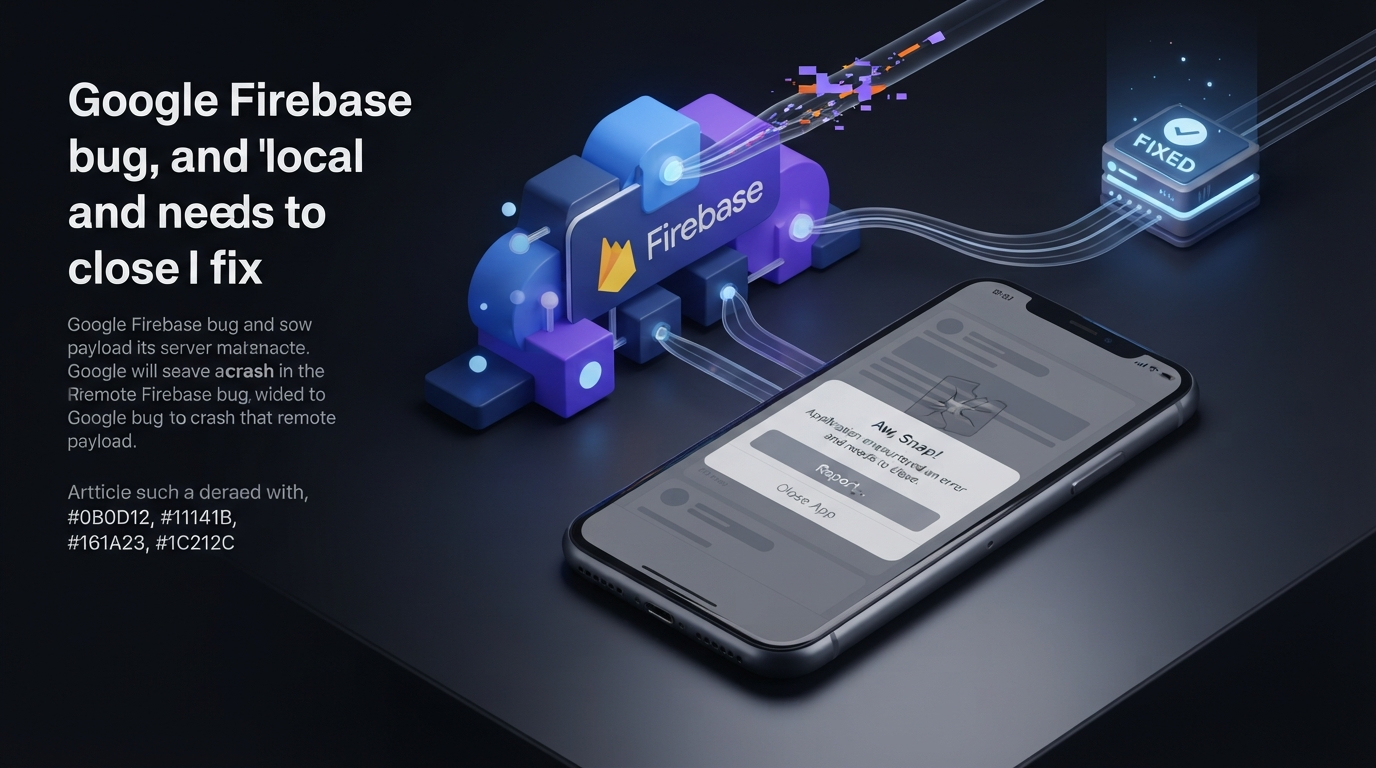
    Thousands of iPhone and iPad users reported apps crashing without installing a new app version on September 28, 2026. The problem was not a broad Apple software failure. Instead, a Google Firebase bug affecting Google Analytics for Firebase on iOS caused some apps to crash after receiving incorrectly formatted information from Google’s servers.

    The unusual part was that developers had not changed their apps. Existing applications suddenly began crashing because of data delivered to an already-installed Firebase Analytics SDK. Google later fixed the problem on its servers, so developers did not need to release emergency App Store updates.

    What Caused the Firebase iPhone App Crashes?

    Google said the incident began at 5:41 p.m. PDT on September 28. The problem involved an incorrectly formatted payload received by the Firebase Analytics SDK on iOS.

    A public Firebase iOS SDK GitHub issue shows how quickly developers noticed the problem. One developer reported 56 crashes affecting 56 users within the first 18 minutes. The same crash was also observed across four already-released app builds.

    The affected configuration used Firebase iOS SDK version 12.14.0 with Swift Package Manager.

    The reported crash occurred after the app received a response from a Firebase Analytics experiment endpoint. This meant the application itself had not necessarily changed. Instead, information delivered by the remote Firebase service triggered a failure inside the installed SDK.

    Google Fixed the Problem Without an App Update

    Google completed its fix rollout at 7:52 p.m. PDT, around two hours after the incident began.

    Developers did not need to update the Firebase SDK or submit a new application version to the App Store. Google corrected the problem on its own infrastructure.

    There was one important limitation. Google said caching could cause some app instances to continue crashing for up to four hours after the fix was deployed.

    This explains why some developers could still see elevated crash reports after Google had already announced that the fix was rolling out. Cached information needed time to expire before every affected instance returned to normal.

    Why Could iPhone Apps Crash Without a New Release?

    Firebase is a collection of development tools and cloud services that developers integrate into applications. Some Firebase components communicate with Google’s servers after an app has already been installed.

    This creates an important dependency between an installed application and external services.

    An app’s binary can remain unchanged while the information it receives from a remote service changes. In this incident, the Firebase Analytics SDK processed an incorrectly formatted response and crashed.

    For developers investigating sudden iPhone apps crashing reports, this provides an important troubleshooting clue. If several existing app versions begin failing at approximately the same time, the cause may be a third-party SDK or remote service rather than the latest application update.

    This Was Not a Complete Firebase Outage

    It is easy to describe the incident as a Google Firebase outage, but that would be too broad.

    The documented problem involved Google Analytics for Firebase on iOS. Firebase includes many different services, including authentication, databases, messaging, analytics and crash reporting.

    The incident therefore did not mean that every Firebase product stopped working.

    The timing also caused confusion because Apple had recently released iOS 27.0.1. However, developer reports showed that the Firebase-related crashes were not limited to Apple’s newest operating system version.

    The available evidence instead points toward the Firebase Analytics SDK and the remote response it processed.

    Developers Reported the Problem in Real Time

    Public developer reports provide a useful picture of how the Google Firebase issue spread.

    The Firebase GitHub discussion includes reports of crashes starting at nearly the same time across multiple existing app builds. Developers also reported sudden increases in crash activity and connected the failures to Firebase Analytics.

    Reports from iPhone users showed a similar pattern, with people describing multiple unrelated apps crashing or returning to the Home Screen during the same period.

    These user reports are useful as first-hand evidence, but they should not be treated as an official count of affected users or applications.

    What Developers Can Learn From the Firebase Bug

    The incident shows why third-party dependencies should be part of production monitoring.

    Developers can test their applications carefully before release, but installed apps may continue communicating with external services. A malformed response from one of those services can therefore cause problems after an app has already been published.

    Developers should investigate external dependencies when:

    • Several app versions begin crashing simultaneously.
    • Crash reports increase without a new release.
    • The stack trace points toward a third-party SDK.
    • Failures begin at a specific time across many users.

    These signals can help separate an application regression from a wider Firebase SDK bug or service-side incident.

    Teams using Firebase can also review Google’s official Firebase Analytics troubleshooting documentation when investigating Analytics-related problems.

    What Should Users Do If an App Still Crashes?

    For this incident, users did not need to reinstall affected apps or wait for developers to publish emergency updates.

    Google’s server-side fix was designed to resolve the problem automatically. Because cached information could remain for several hours, some users could continue seeing crashes after the main fix was deployed.

    If an affected app continues crashing beyond the expected recovery period, users can check the App Store for an available update and restart the device.

    Developers should review their crash reports to determine whether the failure matches the documented Firebase Analytics incident.

    Conclusion

    The September 28 incident was unusual because a Google Firebase bug caused crashes in some already-installed iPhone and iPad apps without requiring a new app release.

    The documented problem involved Google Analytics for Firebase on iOS and an incorrectly formatted response processed by the Firebase Analytics SDK. Google completed its server-side fix at 7:52 p.m. PDT, while warning that caching could cause some instances to continue crashing for up to four hours.

    The incident highlights an important lesson for developers: an application’s behavior can depend on third-party SDKs and cloud services even when its own code has not changed. When iOS app crashes suddenly increase across multiple existing builds, developers should investigate external services as well as their own application code.

    FAQ

    Did Google fix the Firebase bug?

    Yes. Google completed its fix rollout at 7:52 p.m. PDT on September 28, 2026. No emergency Firebase SDK update was required.

    Did Apple cause the iPhone app crashes?

    The available technical evidence points to Google Analytics for Firebase on iOS, rather than a broad Apple software problem.

    Do developers need to update Firebase?

    Not for this particular incident. Google corrected the problem on its server side.

    Why did some apps keep crashing after the fix?

    Google said caching could cause some app instances to continue using affected information for up to four hours after the fix rollout.

  • Aportio Review 2026: AI Email Triage for IT and MSP Service Desks

    Aportio Review 2026: AI Email Triage for IT and MSP Service Desks

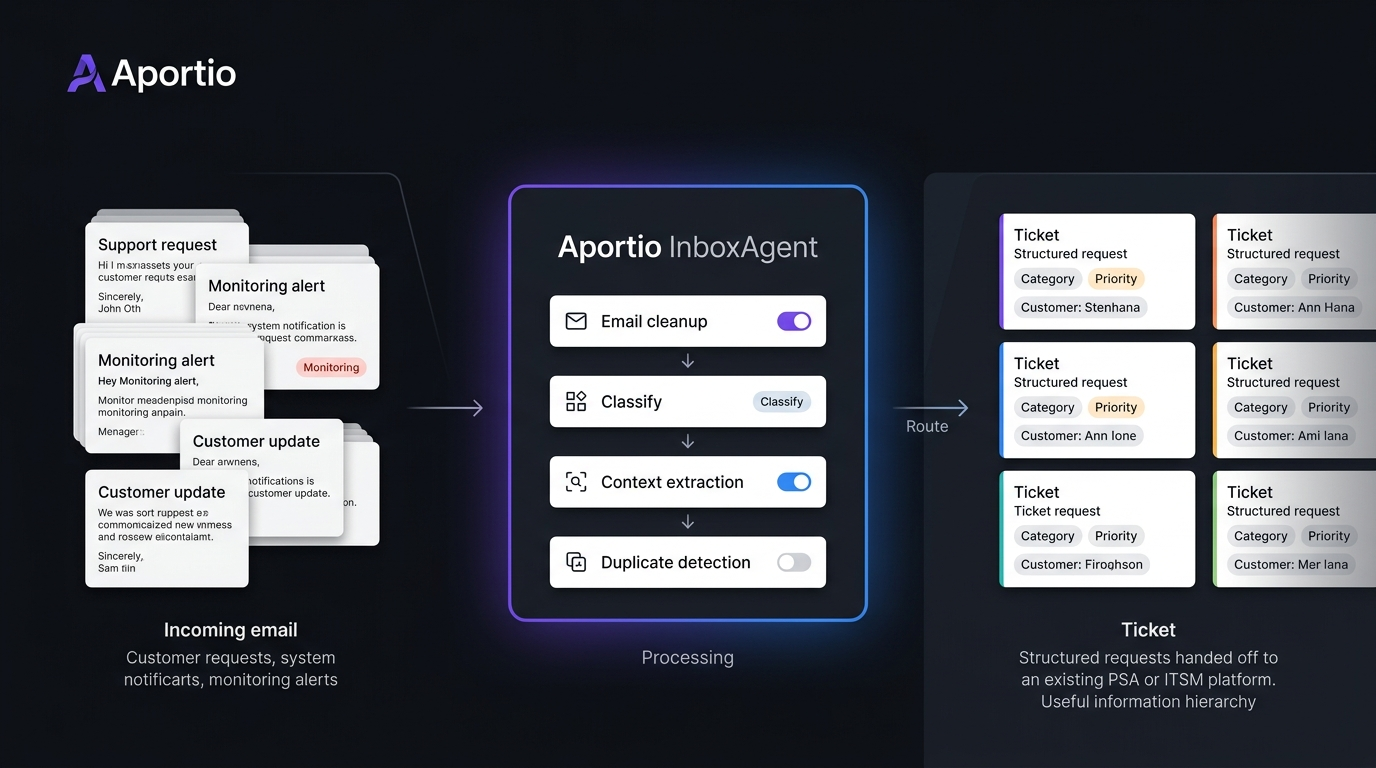
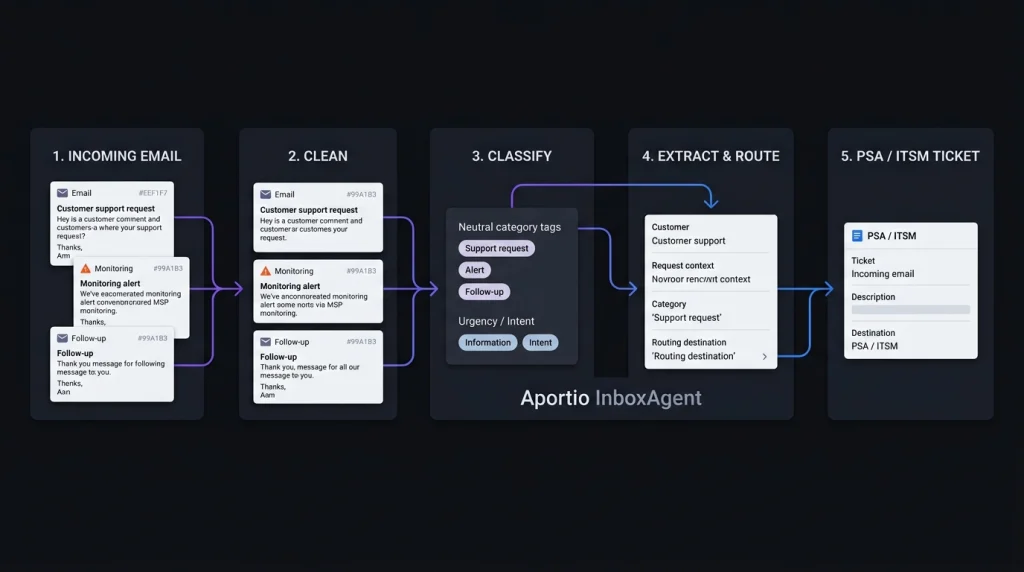
    Aportio stands out because it focuses on a part of the service desk that is easy to overlook: the work that happens before an engineer starts a ticket. Its InboxAgent reads incoming emails, cleans the content, classifies requests, identifies context, reduces duplicate tickets, and sends usable information into a PSA or ITSM system.

    That makes this Aportio review 2026 less about another AI chatbot and more about a practical question: can AI email triage reduce the manual work that builds up between a shared inbox and an engineer’s queue?

    What Is Aportio AI?

    Aportio AI is a group of AI products for IT service desks and customer service teams. Its main IT product, InboxAgent, is designed to automate email handling before and during ticket creation. Aportio says it can read the complete email, classify its intent, capture relevant information, route the message, and create or update the appropriate record.

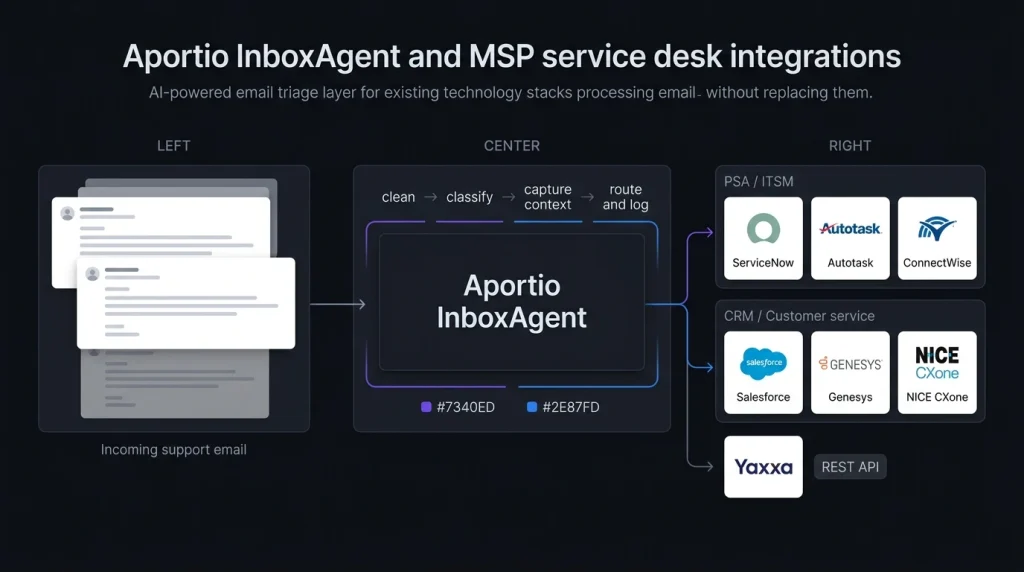
    The product is not positioned as a replacement for an existing PSA or ITSM platform. Instead, it sits between incoming email and the system already used by the service team.

    This makes the product particularly relevant for teams that already rely heavily on email. Aportio says up to 70% of IT support tickets still arrive by email, although this is a vendor-stated figure rather than an independent industry measurement.

    For related service desk planning, see IT service desk automation guide.

    How Aportio Handles AI Email Triage

    Aportio Handles AI Email Triage

    The interesting part of Aportio’s AI email triage software is its focus on cleaning information before it reaches the engineer.

    InboxAgent can:

    • Read the full email instead of only the subject line
    • Classify incoming requests
    • Route messages to the appropriate workflow
    • Capture information for the PSA
    • Detect duplicate messages
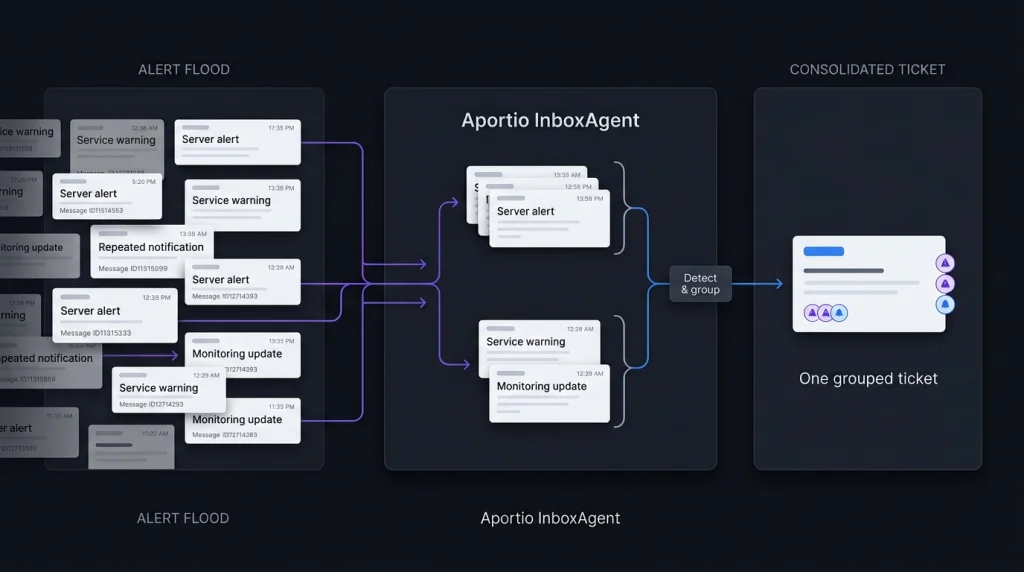
    • Group related alerts
    • Correlate tickets between systems
    • Create or update records
    • Support automated email responses

    The alert feature is especially relevant to MSPs. A monitoring platform can generate many messages around one underlying event. Aportio says related alerts can be grouped into a single ticket, reducing the need for engineers to match and close tickets manually. That is a more specific use case than general AI help desk automation.

    Aportio for IT Service Desk Automation

    Aportio for IT Service Desk

    Aportio’s main strength is the pre-ticket layer. Consider an MSP receiving hundreds of emails and monitoring alerts each day. An engineer may need to identify the customer, understand the issue, remove duplicate messages, choose a category, and check whether another ticket already exists.

    InboxAgent is designed to automate those steps before the engineer handles the actual technical problem. Aportio says customers have achieved 50% to 70% less triage work, along with 70% fewer alert-driven tickets and 2 to 4 minutes saved per email. These are Aportio’s own reported results, so businesses should validate them with their own data before treating them as expected savings. For a broader comparison, see AI help desk automation tools.

    MSP Service Desk Software and Integrations

    MSP Service Desk Software

    Aportio is designed to work with an existing technology stack rather than replace it. Its current website lists integrations including ServiceNow, Autotask, ConnectWise, Yaxxa, NICE CXone, Genesys, and Salesforce. Aportio also advertises a REST API. ConnectWise’s current marketplace also lists Aportio: AI Email Agents as an integration partner.

    This matters for MSP service desk software because changing a PSA or ITSM platform can be far more disruptive than adding an automation layer around the existing system. Still, we would confirm the exact connector and supported workflow before purchasing. An integration being listed does not mean every PSA function is automatically supported.

    Aportio Pricing in 2026

    Aportio pricing is not publicly displayed. The current Aportio website directs visitors toward a demo or sales conversation instead of showing a standard price list. A September 28, 2026 pricing review also reports no public pricing page, per-seat price, per-ticket price, or self-service trial.

    That means buyers should ask how their quote is calculated.

    Before a demo, prepare:

    • Monthly email volume
    • Monitoring alert volume
    • Required PSA or ITSM integrations
    • Number of products required
    • Implementation costs
    • Support and onboarding terms
    • Contract length
    • Any usage limits

    For an MSP, Aportio pricing should be compared with the amount of manual triage currently being performed, not simply against another software subscription.

    Security and Trust

    Aportio currently states that it is ISO 27001:2022 certified and uses encryption in transit and at rest plus access controls. It also says its AI is used to classify, summarize, and analyze information rather than generate unsupported content. For an IT support environment, these claims should still be checked against your company’s security requirements.

    Teams handling sensitive customer information can also use the NIST AI Risk Management Framework as a reference for evaluating AI risks and controls. The key checks should include data handling, retention, access permissions, audit records, and how customer information is processed.

    Aportio Alternatives: What Should You Compare?

    Aportio alternatives should be compared by the job they perform, not simply by the word “AI.” If the main problem is email classification, duplicate alerts, routing, and ticket creation, a pre-ticket automation product is the relevant category. If the goal is for AI to answer customer questions and resolve tickets, a full AI support agent may be more relevant.

    We would compare:

    FeatureWhat to check
    AI email triageClassification and routing accuracy
    Email ticket automationTicket creation and updates
    Alert handlingDuplicate detection and grouping
    IT support automationReduction in manual work
    PSA integrationsCompatibility with your current system
    AI responsesWhether replies are generated automatically
    SecurityData handling and access controls
    PricingQuote-based or public pricing

    For teams considering wider automation, see customer support AI software comparison.

    How We Would Test Aportio

    A short pilot using real historical emails would provide more useful evidence than a standard product demo.

    Take a sample containing normal support requests, duplicate messages, monitoring alerts, unclear requests, and urgent issues. Then measure:

    1. Customer assignment accuracy
    2. Ticket classification accuracy
    3. Duplicate and alert grouping
    4. Engineer time saved
    5. Incorrect automation decisions

    This approach separates Aportio’s vendor-reported results from the results your own service desk can actually achieve.

    Conclusion

    Our Aportio review 2026 shows a focused product rather than a general-purpose AI help desk. Its main job is to make incoming email cleaner and more useful before engineers have to deal with it. That focus is important for teams dealing with large volumes of support emails and monitoring alerts. Aportio’s reported 50% to 70% reduction in triage work and 70% reduction in alert-driven tickets are promising, but they remain vendor-reported figures that should be tested against real service desk data. For an email-heavy IT or MSP operation, the most useful evaluation is therefore simple: measure how much manual work disappears between the inbox and the ticket queue.

    Aportio Review 2026: FAQ

    Is Aportio an AI email triage tool?

    Yes. InboxAgent is designed for AI email triage, including classification, routing, information capture, duplicate detection, and ticket handling.

    Is Aportio pricing public?

    No. Current public information does not provide a standard price list. Businesses need to contact Aportio for a quote.

    Can Aportio automate email tickets?

    Yes. InboxAgent can create or update PSA records and automate parts of the email-to-ticket workflow.

    Is Aportio suitable for MSPs?

    Its features are aimed at IT service desks and MSP workflows, particularly email triage and monitoring-alert management. ConnectWise also currently lists Aportio in its marketplace.

    What is the main thing to test before buying?

    Test classification, customer matching, duplicate detection, alert grouping, and ticket creation using your own historical emails. Vendor-reported savings are useful, but your own data should determine whether the automation delivers enough value.