Category: Ai Tools

  • AI Coding Agent: Claude Code vs Codex Which Is Better in 2026?

    AI Coding Agent: Claude Code vs Codex Which Is Better in 2026?

    If you build software regularly, you know the frustrating part is not always writing code. It is navigating an unfamiliar repository, tracing a bug across several files, running tests, reviewing changes, and then discovering one small dependency broke everything. An AI Coding Agent can take over much of that multi-step work instead of merely suggesting the next line of code.

    Two of the strongest options in 2026 are Claude Code and Codex. Both can inspect repositories, modify files, run development commands, and work through larger coding tasks, but they approach the developer workflow differently. This comparison looks at where each tool fits, what you actually get for your money, and which one makes more sense for different development styles.

    How We Evaluate These AI Coding Agents

    We evaluated 2 AI coding tools across typical software-development workflows, focusing on how they behave when you give an agent a real task rather than a simple “write this function” prompt.

    The evaluation focused on:

    • Repository understanding: Can the agent find relevant files and understand existing code?
    • Implementation: How well does it make multi-file changes?
    • Debugging and testing: Does it investigate failures and verify fixes?
    • Developer control: How clearly can you review or restrict changes?
    • Workflow flexibility: CLI, IDE, desktop, cloud, and automation options.
    • Pricing and usage: How practical are the included limits for regular development?

    The goal is not to declare one model universally smarter. For developers, workflow fit can matter just as much as raw model capability.

    AI Coding Agent Comparison at a Glance

    Tool NameBest ForStarting Price
    Claude CodeTerminal-first development and complex repository work$20/month
    CodexParallel tasks, code review, and cloud-assisted developmentIncluded with eligible ChatGPT plans

    Claude Code is available with eligible Claude plans. Anthropic’s current Claude Code documentation covers installation, CLI usage, permissions, sessions, MCP, and other developer workflows.

    Codex is currently included across ChatGPT plans, including Free and Go, although usage limits vary by plan.

    Claude Code: Best AI Coding Agent for Terminal-First Development
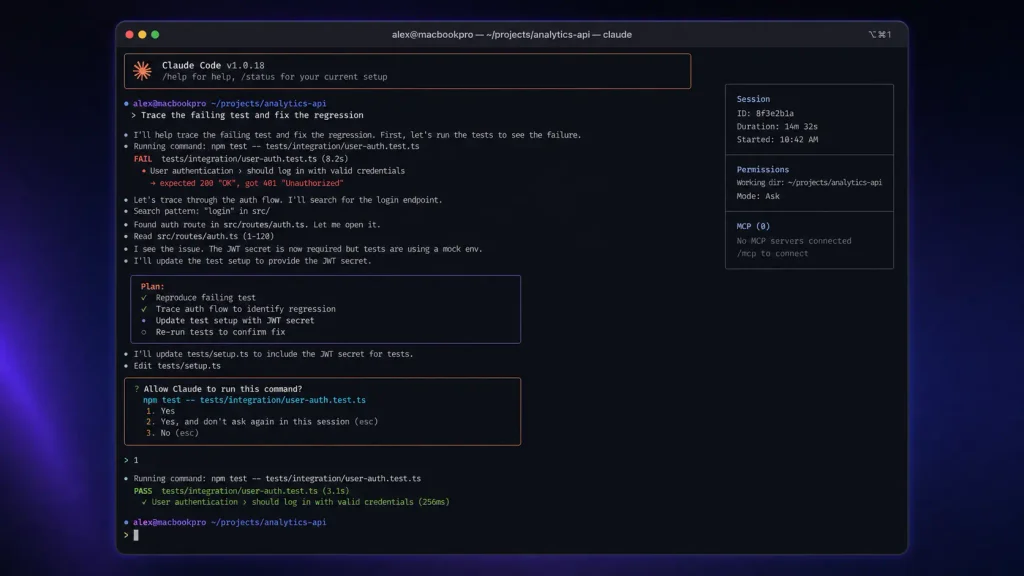
    Claude Code

    If your natural habitat is a terminal window, Claude Code feels particularly well matched to the way you already work.

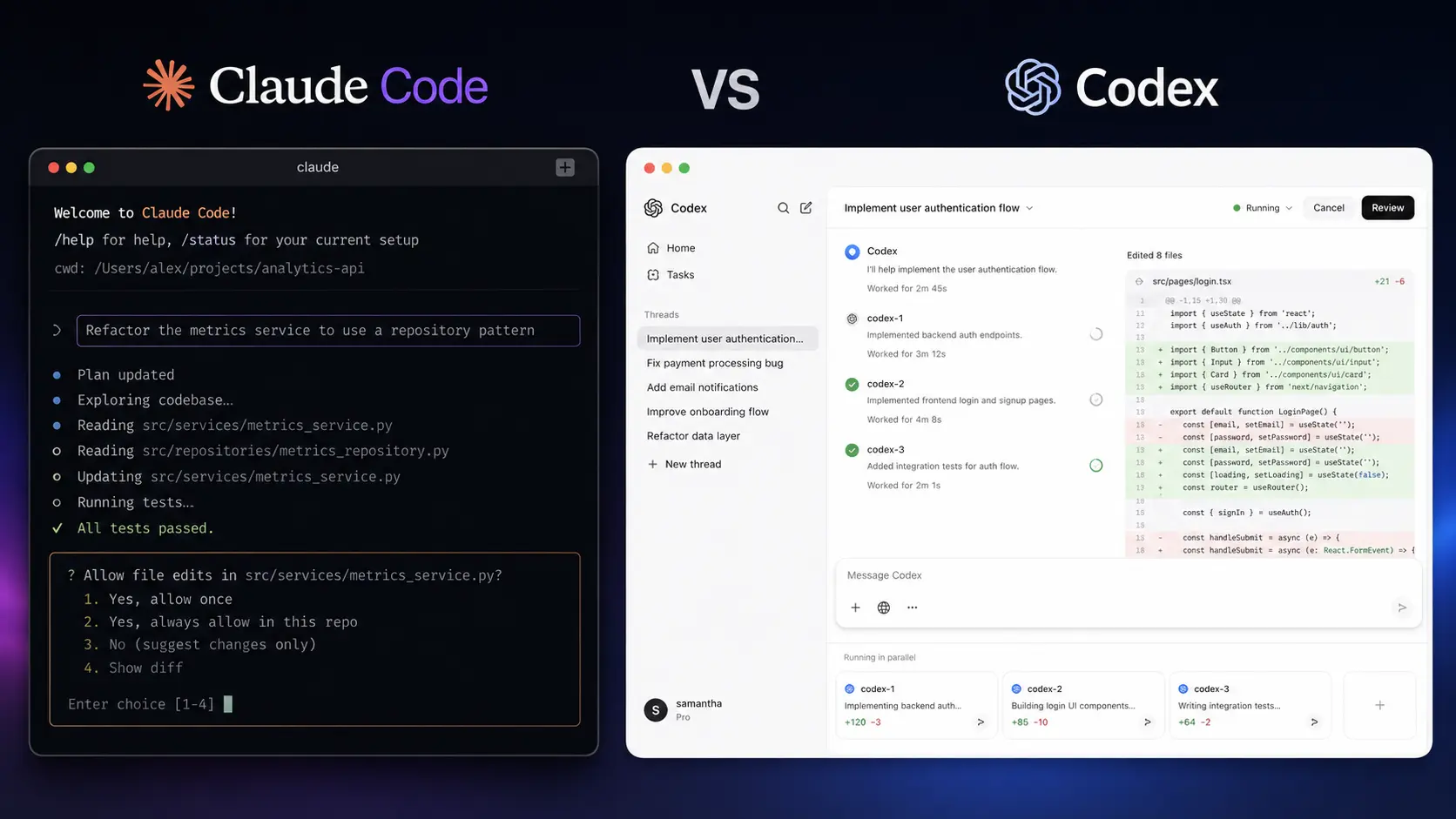
    Rather than moving your code into a separate browser editor, you launch it inside your project and let the agent inspect the repository, reason about the task, edit files, and execute commands.

    One useful detail is how much control the CLI exposes. You can continue previous sessions, configure permissions, and control which tools the agent is allowed to use. That makes the workflow more practical when you are working on a repository where an unrestricted agent could potentially execute commands you did not intend.

    You can explore the current Claude Code documentation if you want to see how the CLI and development workflow are structured.

    In practical development, Claude Code is strongest when the task requires understanding existing architecture rather than generating isolated snippets. It is also convenient if your workflow already revolves around Git, shell commands, tests, and pull requests.

    If you want to compare this terminal-first approach with dedicated AI-powered editors, see our AI Code Editors.

    Pros

    • Excellent fit for terminal-based, repository-level development.
    • Detailed CLI controls make permissions and sessions easier to manage.

    Cons

    • Usage limits can become noticeable during intensive coding sessions.
    • Windows users may need an appropriate terminal environment depending on their setup.

    Pricing: Claude Code is available through Claude plans, including Pro at $20/month, with higher-usage Max options. Anthropic has also increased Claude Code rate limits for Pro, Max, Team, and seat-based Enterprise plans.

    Codex: Best AI Coding Agent for Parallel and Long-Running Work
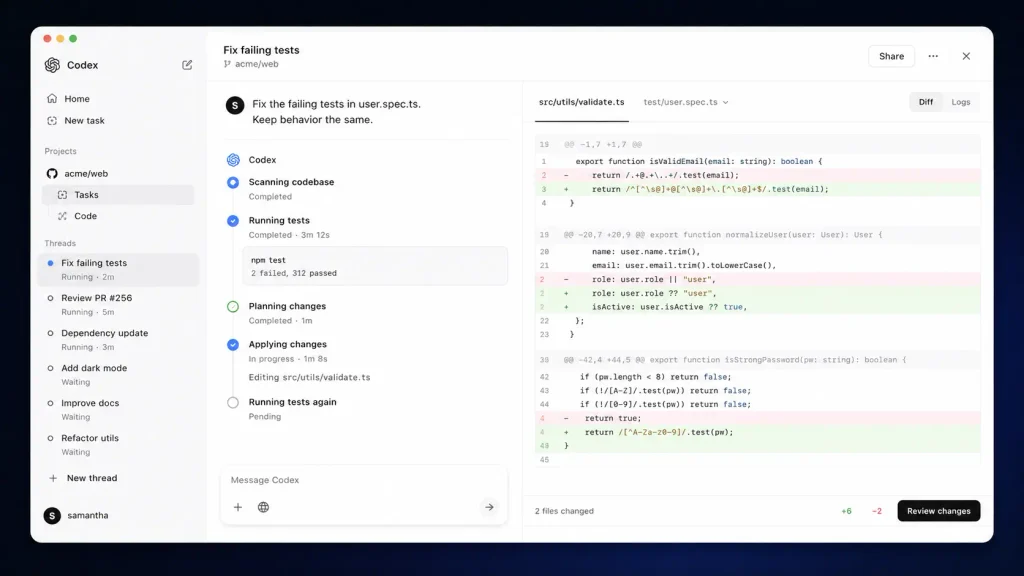
    Codex

    Codex takes a somewhat different route. It is not limited to being a command-line assistant; OpenAI has expanded it into a broader agentic development environment covering the CLI, IDE, desktop app, and cloud workflows.

    The biggest practical distinction appears when you have multiple coding jobs to manage. The Codex app is designed around running multiple agents in parallel, delegating longer tasks, and reviewing their results rather than keeping one agent conversation open at a time.

    OpenAI describes the Codex app as a command center for agents, with support for multiple agents working in parallel, skills, and automations.

    That makes Codex attractive when your development day looks like this: fix a bug in one branch, review another change, investigate a dependency issue, and let a longer-running task continue in the background.

    You can also check the official Codex documentation for current setup and development options.

    Codex supports code-review workflows and can work with local repositories as well as cloud-based tasks. OpenAI’s current documentation also explains how Codex usage is measured across local tasks, cloud tasks, automations, code review, and delegated workers.

    Pros

    • Strong fit for parallel, delegated, and long-running coding tasks.
    • Broad workflow support across CLI, IDE, desktop, and cloud environments.

    Cons

    • Usage can vary significantly depending on model, task complexity, and concurrency.
    • The wider agent ecosystem can take longer to understand than a simple terminal workflow.

    Pricing: Codex is included across ChatGPT plans, with usage limits varying by plan. Eligible Plus and Pro users can purchase additional credits after included usage is reached.

    Claude Code vs Codex: Key Technical Differences
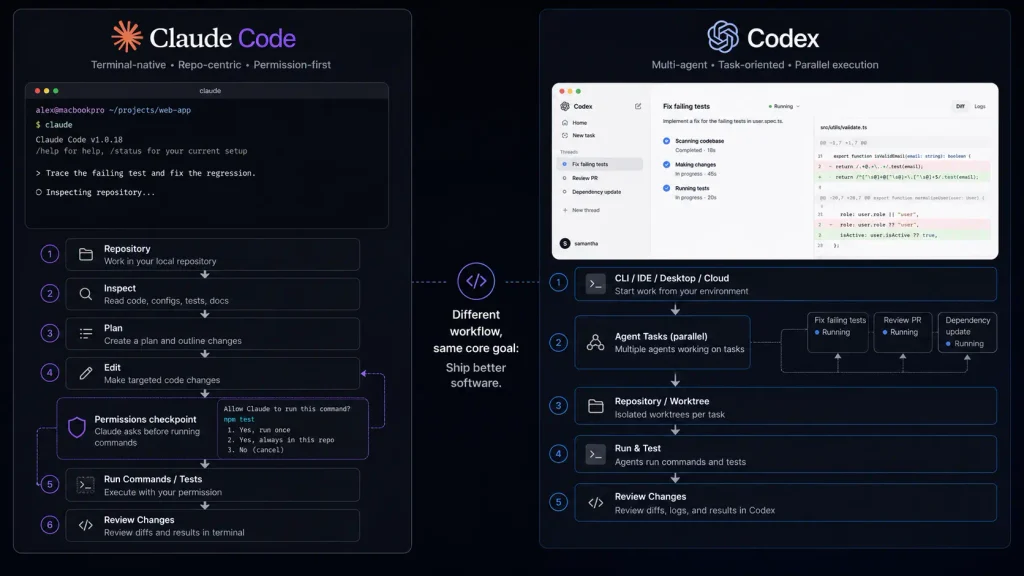
    Claude Code vs Codex

    With only two tools, a huge technical comparison table would create more noise than value. These are the differences that actually affect your workflow:

    FeatureClaude CodeCodex
    Primary workflowTerminal-firstCLI + IDE + desktop + cloud
    Repository editingYesYes
    Command executionYesYes
    Git-oriented workflowsStrongStrong
    Session continuationSupportedPersistent task workflows
    Parallel agentsSupportedMajor focus
    Code reviewSupportedDedicated workflow
    Tool integrationsMCP supportSkills and integrations
    Long-running workSupportedStrong emphasis
    WindowsSupported through available terminal environmentsWindows app available
    Pricing modelSubscription/APIChatGPT plans + usage options

    Codex’s current desktop experience is explicitly designed around parallel agents and long-running work, while Claude Code remains especially attractive if you want a terminal-centered development workflow with granular controls.

    Which One Is Better for Developers?

    The answer depends heavily on how you code.

    Choose Claude Code if you live in the terminal

    If you already spend most of your day inside Bash, Zsh, Git, package managers, test runners, and deployment scripts, Claude Code has a very natural fit. It also makes sense when you want the agent to work directly inside a repository while giving you granular control over which tools can execute without confirmation. Anthropic also provides organization-level controls for Team and Enterprise users, including spending controls and administrative management.

    Choose Codex if you want an agent manager

    Codex becomes more compelling when development is less about one interactive session and more about delegating several pieces of work. For example, you could have one agent investigate a failing test suite while another works on a feature and another prepares a review. The multi-agent workflow is one of Codex’s most useful differences. OpenAI specifically designed its Codex app around this approach.

    What about large repositories?

    Neither tool should be judged simply by how much code it can theoretically read. Large repositories create practical problems: irrelevant files consume context, dependencies obscure the source of bugs, and tests may take longer than the actual edit. The better agent is the one that can identify the right files, make a limited change, run the relevant checks, and explain what happened without creating unnecessary churn. That’s why your own repository is the best benchmark.

    Pricing: Claude Code vs Codex
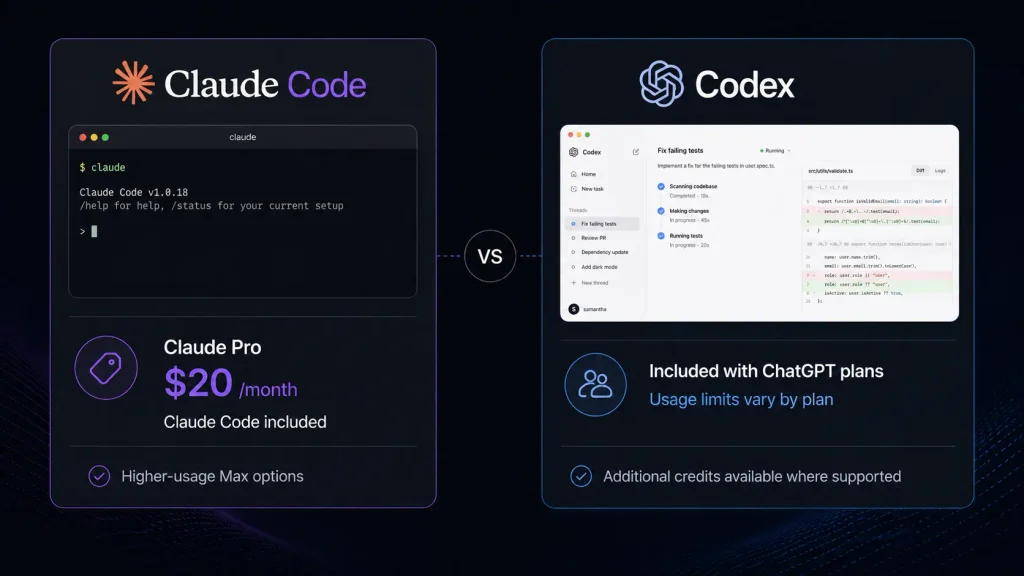
    Pricing

    Pricing is one area where the two products are difficult to compare with a single monthly number. Claude Code is available through Claude subscriptions, with Pro at $20/month and higher-usage Max plans. Anthropic says it doubled Claude Code’s five-hour rate limits for Pro, Max, Team, and seat-based Enterprise plans in May 2026. You can review the latest Claude pricing information before subscribing because included usage and limits can change.

    Codex works differently. It is included across ChatGPT plans, with usage limits determined by the plan. Plus and Pro users who reach their included Codex limits can purchase credits for supported usage. OpenAI’s current rate card explains that Codex usage can be calculated from input, cached input, and output tokens, with the exact consumption depending on the model and task.

    For example, OpenAI currently lists GPT-5.3-Codex at $1.75 per 1 million input tokens, $0.175 per 1 million cached input tokens, and $14 per 1 million output tokens for its API model pricing. You can check the official Codex pricing and usage information for the latest figures. For teams, usage-based pricing can make sense when developers need substantially different amounts of agent activity. For individual developers, predictable monthly pricing may be easier to budget.

    Final Verdict: Claude Code or Codex?

    Both are serious AI Coding Agent options in 2026, but they target slightly different working styles. Claude Code is the better choice if you want a focused, terminal-native coding partner with strong control over repository operations. Codex gets the edge if your priority is delegating work, running agents in parallel, and combining local development with cloud and desktop workflows. If you’re undecided, try each on the same small repository and give both the same bug, feature request, and test-fixing task. The more interesting question may not be which AI Coding Agent is smarter, but which one fits the way you already build software?

    FAQ

    Is Claude Code better than Codex for programming?

    Not universally. Claude Code is particularly attractive for developers who prefer a terminal-first workflow and detailed command-level control. Codex is compelling if you want parallel agents, cloud tasks, automation, and a broader desktop workflow. The best AI Coding Agent depends on how your development process is structured.

    Are AI coding agents safe to use on private repositories?

    You should treat them like any other third-party development service. Before connecting a private repository, review the provider’s data handling, retention, account controls, and organizational policies.

    You should also avoid giving an agent unnecessary permissions. If an agent can modify files, install packages, or execute commands, you should understand exactly what access you are granting.

    OpenAI also recommends reviewing agent-generated work before making changes or deploying to production rather than treating automated review as a replacement for human review.

    Are there alternatives worth watching?

    Absolutely. Cursor, GitHub Copilot, Windsurf, and open-source coding-agent projects remain important alternatives. You may also prefer a conventional AI coding assistant if you mainly want autocomplete or small code explanations rather than an autonomous agent that can work through a repository.

    Editorial disclosure: This comparison is based on hands-on workflow evaluation and current official product documentation; pricing and limits can change.
  • AI Agent Platforms: OpenClaw vs Hermes Agent Which One Is Better in 2026?

    AI Agent Platforms: OpenClaw vs Hermes Agent Which One Is Better in 2026?

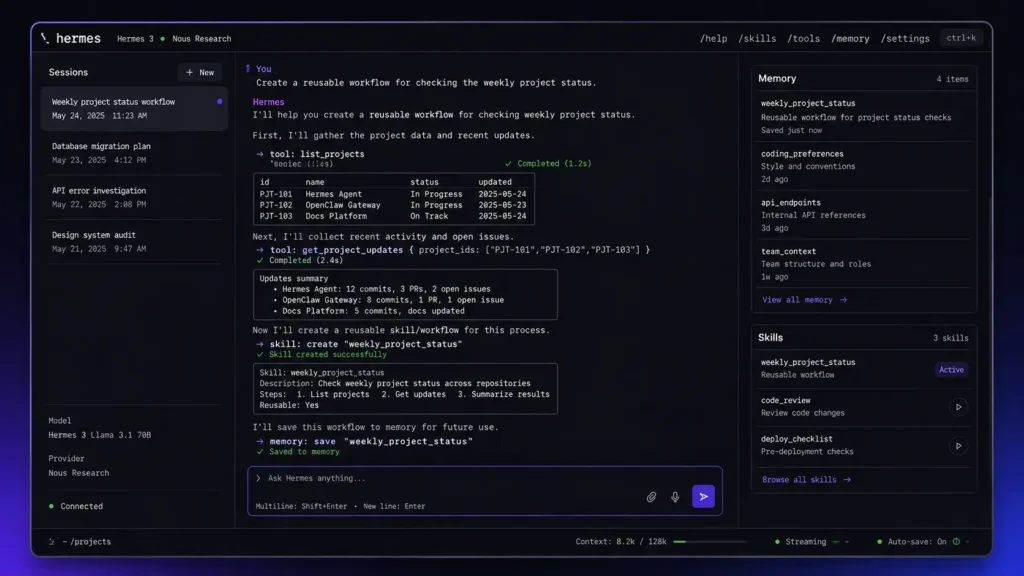
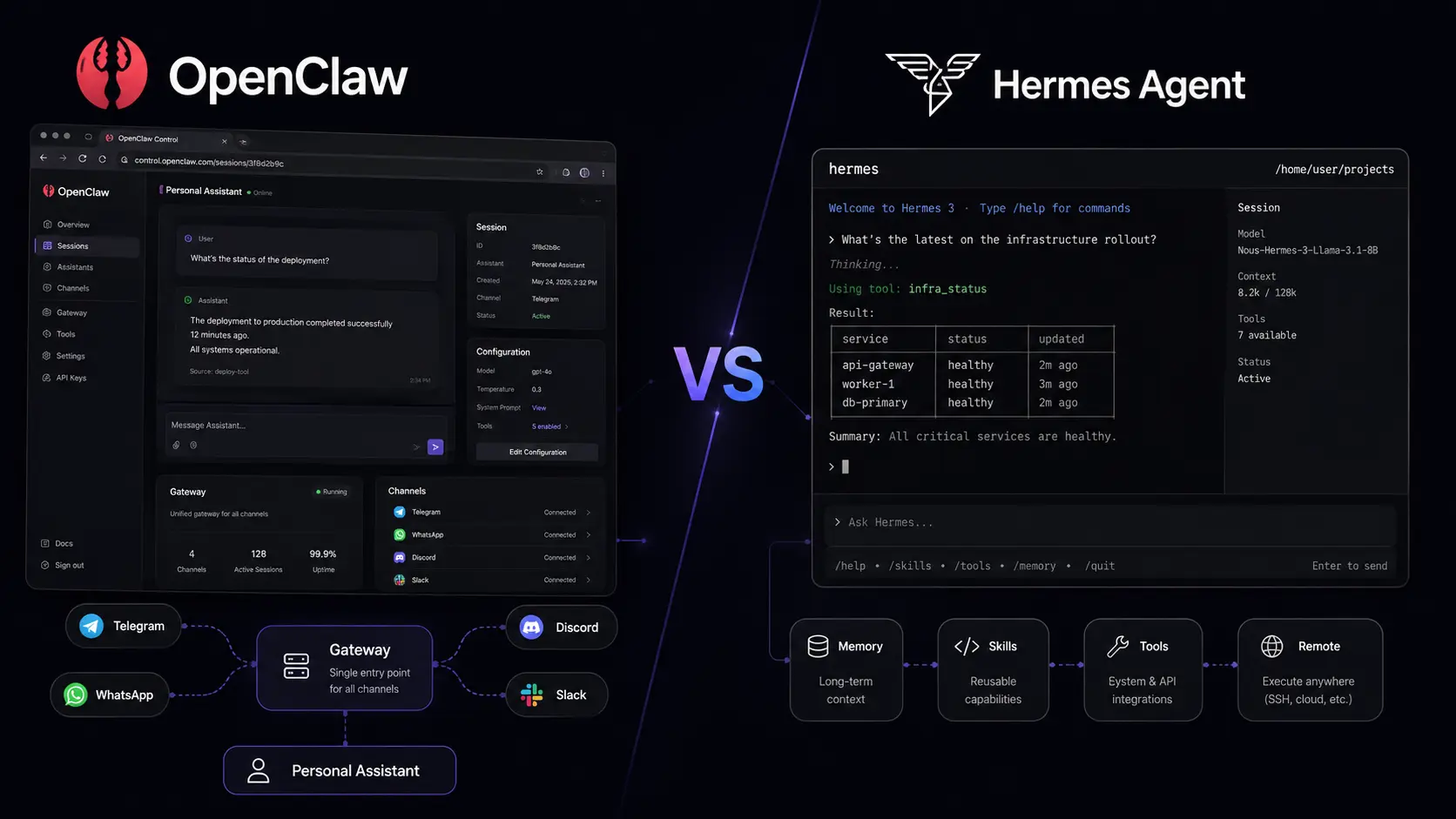
    AI Agent Platforms are becoming one of the most interesting ways to automate digital work in 2026. Instead of using AI only to answer questions, you can use an agent to browse the web, work with files, interact with apps, remember information, and complete multi-step tasks. Two open-source options that stand out are OpenClaw and Hermes Agent. Both give developers and automation users more control than a typical chatbot, but their approaches are different. OpenClaw focuses strongly on personal AI assistance and connected services, while Hermes Agent puts more emphasis on persistent knowledge, reusable skills, and self-improving workflows. Which one is better in 2026? This comparison looks at their features, automation capabilities, setup, developer experience, pricing, and best use cases.

    How We Compared OpenClaw and Hermes Agent

    We compared these two AI Agent Platforms across practical areas that matter when choosing an agent: setup, automation, memory, integrations, messaging support, model flexibility, developer control, and deployment options.

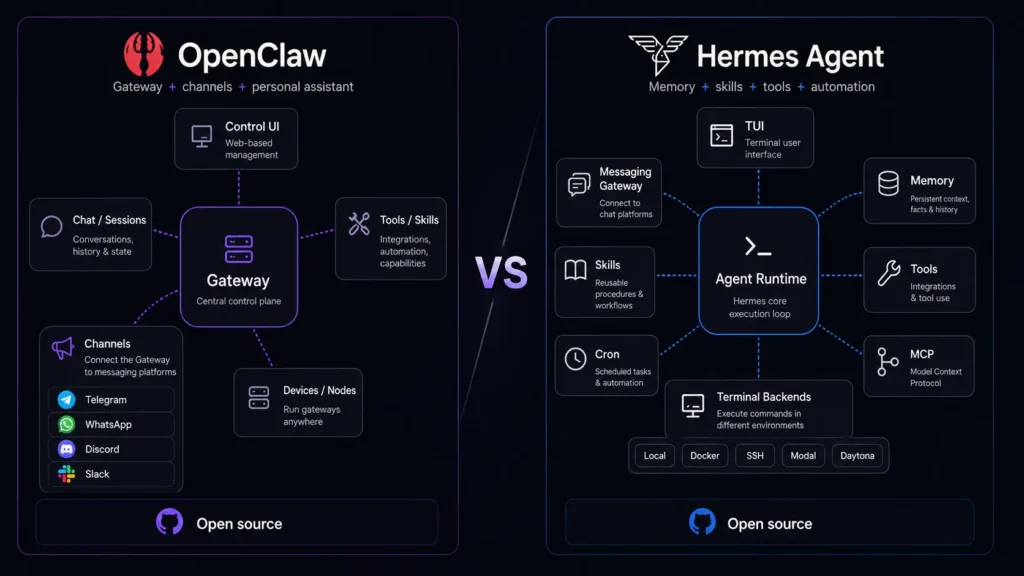
    Rather than simply counting features, we focused on what each platform is designed to do. OpenClaw uses a Gateway architecture that connects the agent with channels and tools, while Hermes Agent focuses on an agent that can learn from previous work and develop reusable skills. Both projects are open source, making them interesting for developers who want to customize their environment or run an AI agent on their own hardware or infrastructure.

    AI Agent Platforms at a Glance

    ToolBest ForStarting Price
    OpenClawPersonal AI automation and connected servicesFree
    Hermes AgentSelf-improving agents and advanced workflowsFree

    The core software for both projects is open source. However, your actual costs can include model usage, API charges, VPS hosting, GPU resources, and third-party services.

    OpenClaw Review

    Best AI Agent Platform for Personal Automation

    OpenClaw Official Website presents the project as an open-source personal AI assistant designed to work across your devices and communication channels. It is aimed at users who want an AI agent that can do more than generate text.

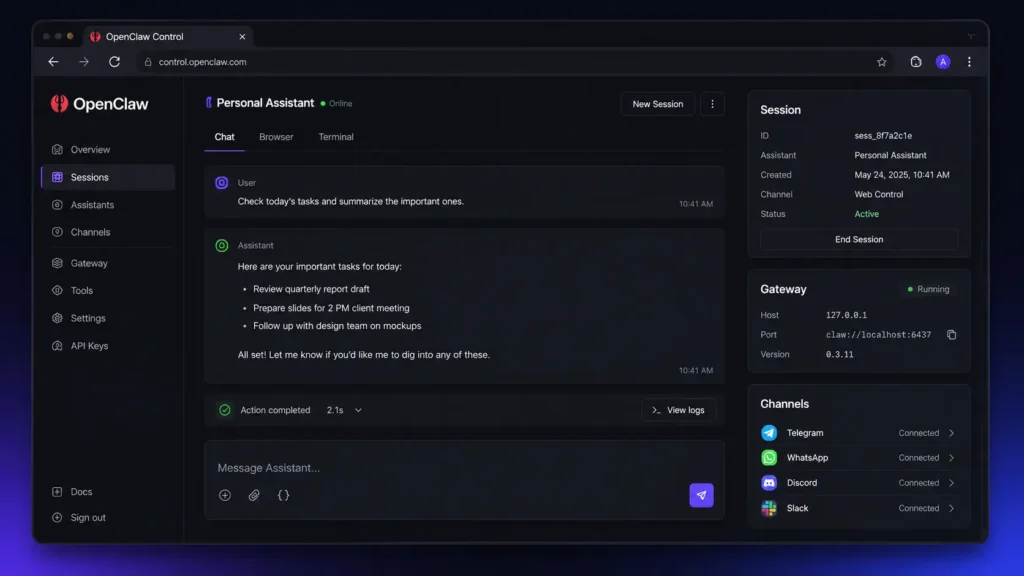
    OpenClaw can connect with messaging platforms and other services, while its Gateway provides a central layer for managing the agent. If you want to inspect the project, its OpenClaw GitHub Repository provides access to the source code and project development.

    The setup is designed with developers in mind. You can use its onboarding workflow to configure AI access and start the Gateway, while the platform also provides a web dashboard for managing the running agent. For installation details and supported environments, the OpenClaw Official Documentation provides the relevant setup information.

    Pros:

    • Strong personal-assistant and multi-channel approach
    • Open source and highly customizable

    Cons:

    • Initial configuration can feel technical
    • Broad system access requires careful security settings

    Hermes Agent Review

    Best AI Agent Platform for Self-Improving Workflows

    Hermes Agent Official Website describes Hermes as a self-improving AI agent created by Nous Research. Its main attraction is the focus on learning, persistent knowledge, reusable skills, and longer-term agent workflows.

    Hermes Agent is designed to remember useful information between sessions and improve skills through experience. Developers can also explore the Hermes Agent GitHub Repository to examine its source code, tools, skills, gateway functionality, and development.

    The platform supports different deployment environments and model providers, making it flexible for technical users. It also provides messaging integrations, browser control, scheduled tasks, subagents, and other capabilities. For the complete feature and setup information, the Hermes Agent Official Documentation is the best place to start.

    Pros:

    • Strong persistent knowledge and self-improvement capabilities
    • Flexible tools and automation options

    Cons:

    • Large feature set may take time to learn
    • Advanced workflows can require technical configuration

    OpenClaw vs Hermes Agent: Key Feature Differences

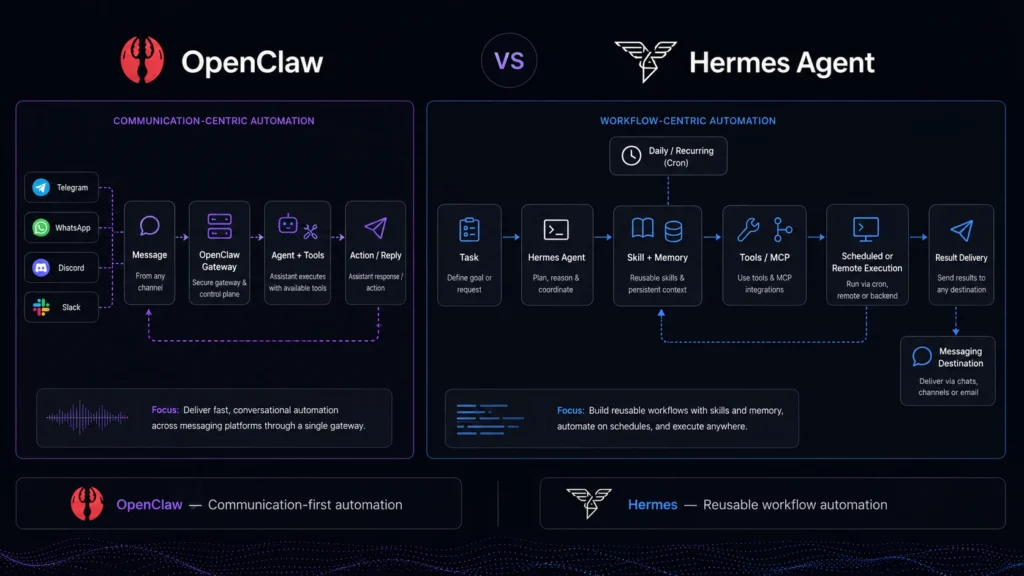
    The biggest difference between these AI agent tools is their philosophy.

    OpenClaw feels particularly focused on becoming a personal AI assistant that can work across your digital environment. Its strength comes from connecting the agent with communication channels, devices, tools, and services.

    Hermes Agent takes a more agent-development-oriented approach. Its learning loop, skills, persistent knowledge, and automation features make it attractive for users who want an agent that can become more capable over time.

    FeatureOpenClawHermes Agent
    Open SourceYesYes
    Personal AssistantStrongStrong
    Persistent MemoryYesYes
    Self-Improving SkillsExtensibleCore Focus
    Messaging IntegrationsExtensiveExtensive
    Browser AutomationYesYes
    Model FlexibilityHighHigh
    SubagentsAvailableAvailable
    Scheduled AutomationYesYes
    Local DeploymentYesYes
    Best ForPersonal automationAdvanced agent workflows

    If you are also interested in AI-powered developer software, you can read our AI Code Editors in 2026 comparison.

    Which Is Easier to Set Up?

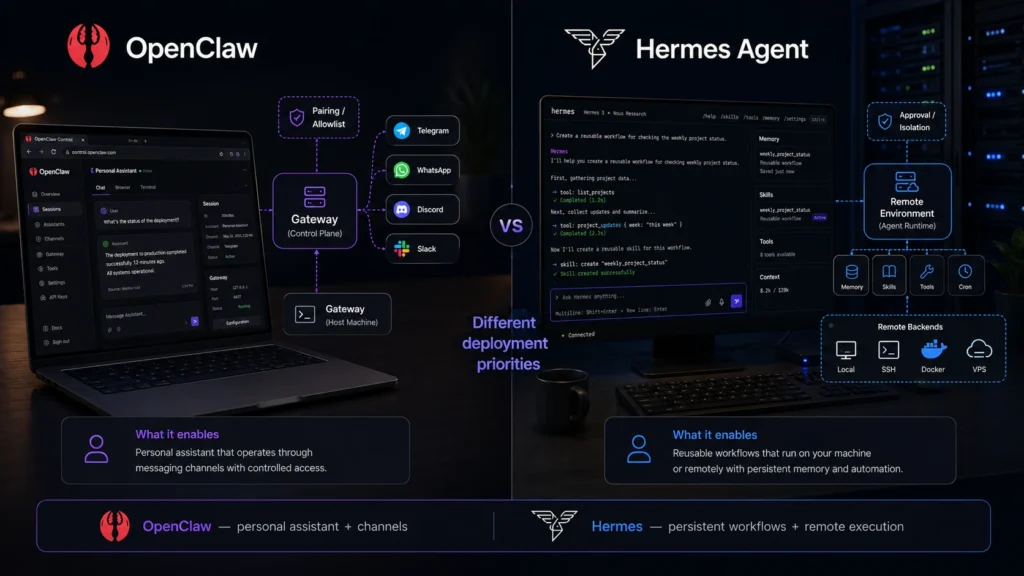
    OpenClaw provides a guided onboarding workflow that helps users configure AI access and get the Gateway running. Its command-line approach will feel familiar to developers, although beginners may need some time to understand the architecture. Hermes Agent also offers dedicated setup commands and configuration tools. Users can configure models, tools, gateways, and other parts of the system from its command-line environment. If you are already comfortable with terminals, both platforms are manageable. Neither is quite as simple as opening a traditional chatbot and immediately typing a prompt, though.

    Which Has Better Automation?

    Both platforms can automate multi-step tasks, but Hermes Agent has a particularly strong case for advanced workflows.

    OpenClaw works well for personal productivity tasks involving connected services, messaging platforms, browsers, and other digital tools. It is a good choice when you want an assistant that can interact with your digital environment.

    Hermes Agent focuses more heavily on autonomous workflows. Its persistent knowledge, skills, subagents, scheduled tasks, and tool ecosystem make it appealing for developers building more complex automation. For example, you could use an agent to perform recurring research, maintain useful knowledge from previous work, and reuse skills across future tasks.

    Which Is Better for Developers?

    Developers can get significant flexibility from both platforms.

    OpenClaw is a strong option if you want to build a personal automation system around a central Gateway. Its open-source nature also allows developers to inspect and customize the project.

    Hermes Agent is particularly appealing if you are interested in experimenting with agent architecture. Its model-provider flexibility, tools, skills, memory, subagents, and automation features provide plenty of room for customization. This means there is no clear technical winner for every developer..

    Security and Control

    Security is important when working with both AI Agent Platforms. An agent can potentially access files, execute commands, browse websites, interact with accounts, and send messages. That makes these systems powerful, but it also means you should avoid giving them unnecessary permissions.

    Start with limited access and test workflows before connecting sensitive accounts or business information. For production environments, developers and businesses should also review authentication, permissions, isolation, and data-handling requirements. The more control you give an AI agent, the more important it becomes to understand exactly what that agent can access.

    OpenClaw vs Hermes Agent Pricing

    Both OpenClaw and Hermes Agent are open-source projects, so the core software does not require a traditional SaaS subscription.

    However, free software can still have operating costs. Depending on your setup, you may pay for:

    • AI model API usage
    • VPS or cloud hosting
    • GPU resources
    • Third-party APIs
    • Optional hosted services

    Hermes Agent can also be used with the Nous Portal for users who want a more convenient model-access experience.

    OpenClaw can similarly be deployed on your own infrastructure, meaning your final cost depends largely on the models, hardware, and services you choose. For developers who already have suitable hardware or affordable model access, both can be considerably cheaper than some enterprise automation platforms.

    Which One Should You Choose?

    The right choice depends on what you expect from your AI agent.

    Choose OpenClaw if:

    • You want a personal AI assistant
    • You need strong messaging integration
    • You want connected service automation
    • You prefer a Gateway-based architecture
    • You want an open-source assistant you can customize

    Choose Hermes Agent if:

    • You want persistent knowledge
    • You are interested in self-improving agents
    • You want reusable skills
    • You need advanced automation
    • You want flexible model-provider options

    For everyday personal automation, OpenClaw is probably the easier recommendation. For experimental, autonomous, and learning-focused workflows, Hermes Agent is the more interesting choice.

    Final Verdict: OpenClaw or Hermes Agent?

    So, which of these AI Agent Platforms is better in 2026? If you want a flexible personal AI assistant that connects with your devices, messaging channels, and digital services, OpenClaw is the better starting point. If your priority is persistent knowledge, reusable skills, and an agent that can improve through experience, Hermes Agent is the stronger choice. Both projects are evolving quickly, so the best option may change as new models, tools, integrations, and agent capabilities appear throughout 2026. Before making your decision, you can compare the latest OpenClaw GitHub Repository and explore the latest Hermes Agent Documentation to see which platform fits your workflow. The future of AI Agent Platforms is not just about getting better answers. It is about getting AI systems that can actually do the work.

    FAQ

    Is OpenClaw better than Hermes Agent?

    Not for everyone. OpenClaw is especially strong as a personal AI assistant with connected services and communication channels. Hermes Agent stands out with its focus on persistent knowledge, skills, and self-improvement.

    Are OpenClaw and Hermes Agent free?

    Both are open-source projects. However, users may still have costs related to AI models, hosting, APIs, or other external services.

    Which AI agent tool is better for developers?

    Both are strong options. OpenClaw is well suited to developers building connected personal automation, while Hermes Agent is attractive for developers experimenting with memory, skills, autonomous workflows, and self-improving agents.

    Editorial Disclosure: This article is based on publicly available product information and official documentation. Features, integrations, and pricing may change as both projects continue to develop.

  • AI Music Generators: Suno vs Udio Which One Is Better?

    AI Music Generators: Suno vs Udio Which One Is Better?

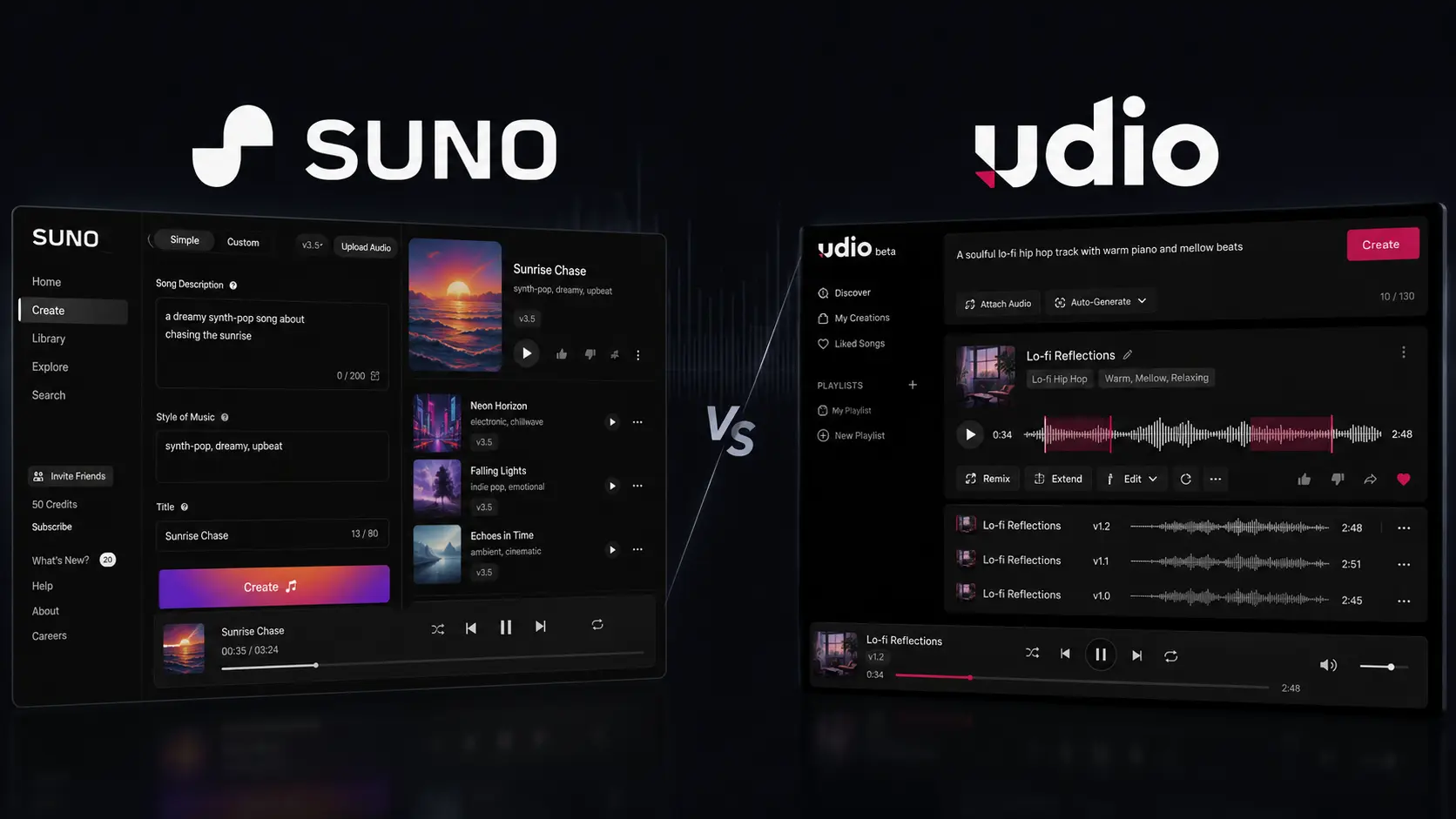
    Creating a song used to mean dealing with lyrics, melodies, instruments, vocals, recording software, and plenty of trial and error. If you only have a simple idea in your head, turning it into something listenable can take hours. That is why AI Music Generators have become useful for creators who want to move from an idea to a musical draft much faster. Two of the most talked-about platforms are Suno and Udio. Both can generate music from text prompts, but they feel different once you start experimenting. Suno is particularly strong when you want a complete song quickly, while Udio is more interesting if you like generating variations and refining musical ideas. So, which one should you choose? Let’s compare Suno and Udio based on workflow, creative control, pricing, features, and practical use cases.

    How We Evaluate AI Music Generators

    We looked at Suno and Udio from the perspective of someone who actually needs to create usable music rather than simply test an impressive demo. The evaluation focuses on common workflows for musicians, YouTubers, marketers, producers, and beginners.

    We compared both platforms using these criteria:

    • Song quality: vocals, instrumentation, arrangement, and overall listening experience.
    • Prompt accuracy: how closely generated music follows your genre, mood, lyrics, and instructions.
    • Creative control: how much influence you have over the direction of a song.
    • Editing: whether you can improve an existing generation instead of starting again.
    • Ease of use: how quickly you can understand the creation process.
    • Pricing and limits: free credits, paid plans, downloads, and commercial-use considerations.

    The goal isn’t to declare a universal winner. Music is subjective, and a platform that works beautifully for a pop songwriter may not be the best option for someone creating instrumental background music.

    AI Music Generators at a Glance

    ToolBest ForStarting Price
    SunoFast full-song creationFree
    UdioExperimentation and musical variationsFree

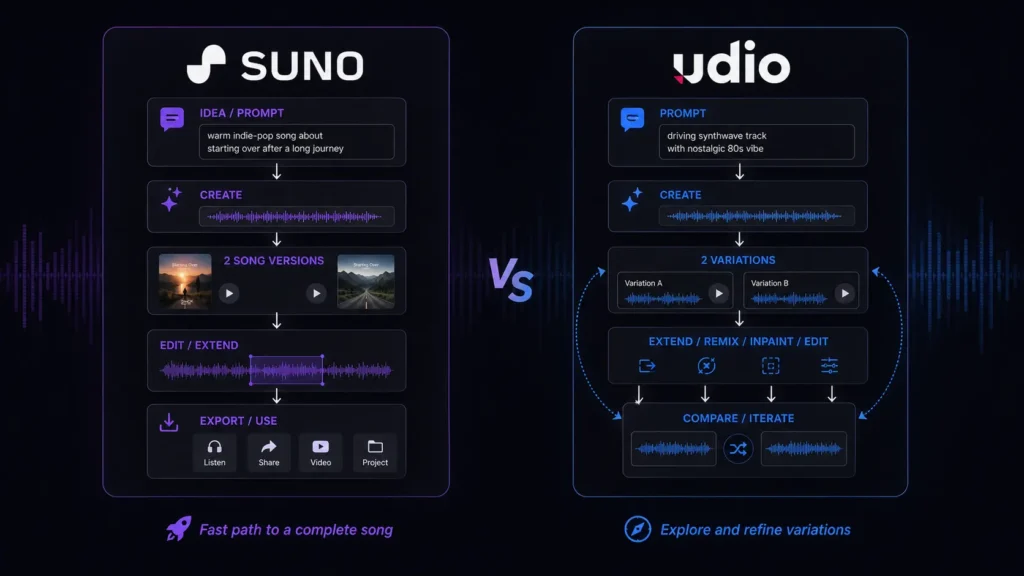
    Best AI Music Generator for Fast Full-Song Creation: Suno

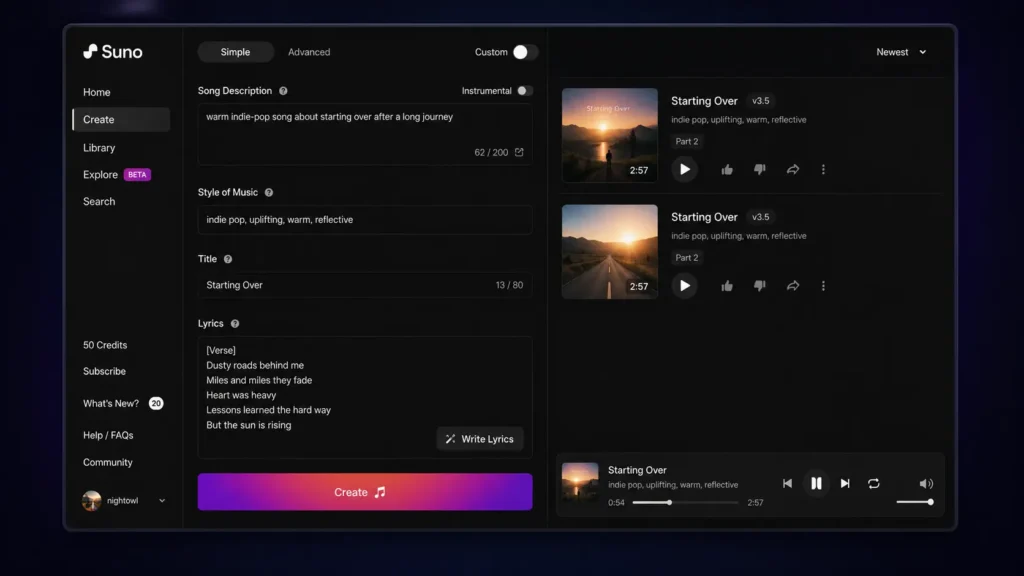
    Suno is probably the first platform you should try if you want the shortest route from an idea to a recognizable song.

    The workflow is intentionally simple. You can describe the style, subject, mood, and other musical characteristics, then generate a track without having to understand a traditional digital audio workstation. That makes Suno especially useful when you’re a YouTuber who needs music for a video, a marketer developing a campaign concept, or a songwriter looking for a quick demo.

    One practical detail is its credit system. Suno’s current Free plan provides 50 credits that renew daily, which the company describes as enough for up to 10 songs. The Free plan also gives access to the v4.5-all model.

    For creators researching AI song generators, Suno’s advantage is the complete-song workflow. You aren’t simply getting a short musical loop and being told to finish the rest yourself.

    The paid tiers become more interesting when you need production features. Pro and Premier provide access to advanced models, editing tools, stem separation, longer audio uploads, and commercial-use rights for new songs made under the paid plans.

    If you’re researching other AI music creation tools, you may also want to compare how different AI platforms handle generation, editing, and publishing workflows.

    Pros

    • Very approachable for beginners and fast song creation.
    • Paid plans add advanced editing, stem separation, audio uploads, and commercial-use rights.

    Cons

    • Free creations cannot be used commercially.
    • Free-plan download restrictions are important if you plan to export lots of tracks.

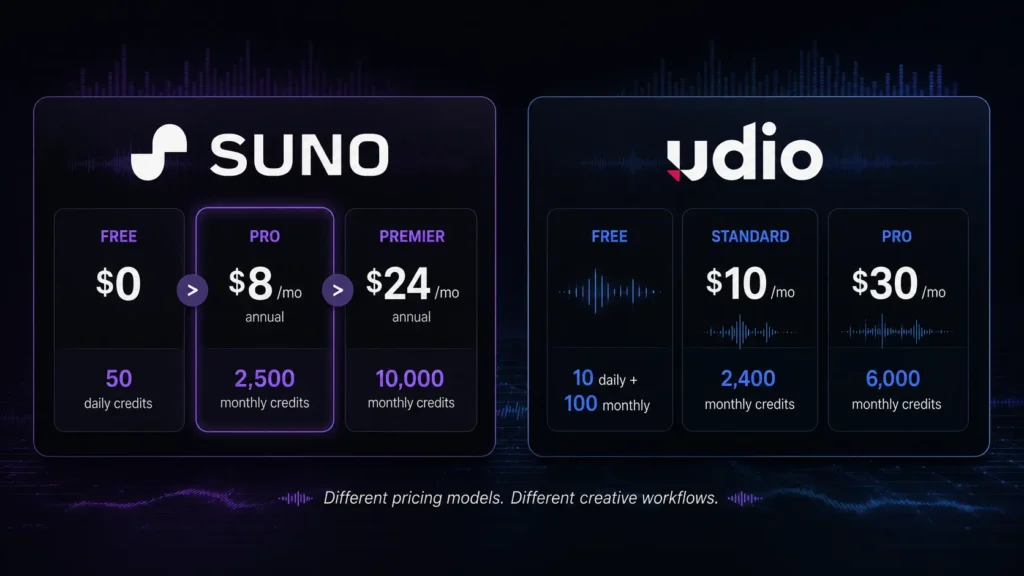
    Pricing: Suno’s official pricing lists Free at $0/month, Pro at $8/month when billed annually, and Premier at $24/month when billed annually. Pro includes 2,500 monthly credits, while Premier includes 10,000 monthly credits. Suno says annual plans save 20%. For comparison, you can also review pricing information across other AI tools to see how different AI platforms structure their free and paid plans.

    Best AI Music Generator for Experimentation: Udio

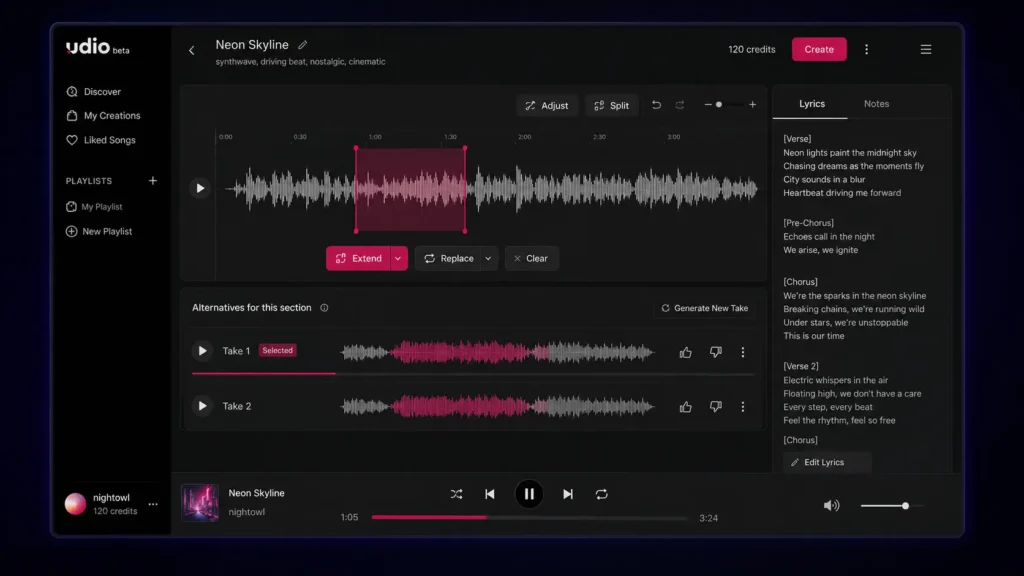
    Udio takes a more exploratory approach to music generation. If your instinct after hearing a generated track is, “What happens if I change this part?”, Udio is worth a close look.

    Its credit system provides a good example of how its workflow differs. Udio says that actions such as Create, Extend, Remix, Inpaint, or Edit generate two new songs. Two 32-second songs cost two credits, while two approximately 130-second songs cost four credits. Free accounts receive 10 daily credits plus an additional monthly limit of 100 credits.

    That means you need to think about generation length and iteration. If you repeatedly create longer versions, your credits can disappear much faster than expected.

    Udio’s subscription trial also gives access to features such as audio-guided generations, music and lyrics editing, Voice Control, and using existing songs as style references.

    This makes Udio particularly interesting for musicians and producers who want to explore several directions rather than accept the first usable generation.

    Pros

    • Strong environment for experimenting with variations.
    • Advanced creative and editing features are available through paid access.

    Cons

    • The credit system takes some time to understand.
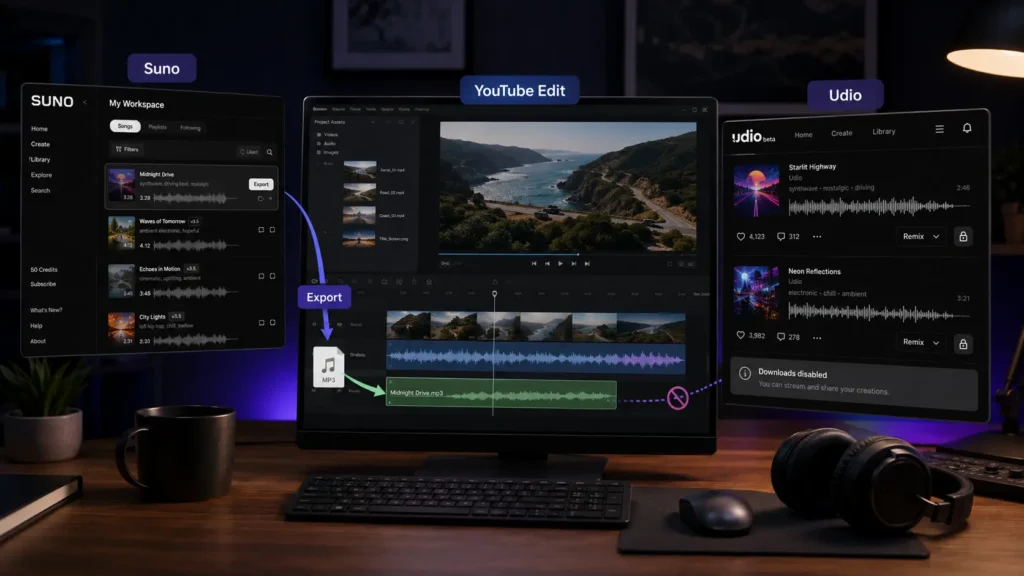
    • Downloads of audio, video, and stems are currently disabled according to Udio’s published update.

    Pricing: Udio’s pricing page offers a Free tier, while its current subscription documentation lists Standard at $10/month and Pro at $30/month on monthly billing. Standard provides 2,400 monthly credits and Pro provides 6,000.

    Suno vs Udio: Which AI Music Generator Is Better?

    If you’re deciding between Suno and Udio, start with what you want to do after the song is generated.

    Suno has the advantage if you want a complete song quickly. You can move from a basic concept to a structured track without spending much time learning the interface. This is particularly useful for beginners and content creators who care about speed. Udio is more appealing when the creation process itself is part of the experiment. Its generation system gives you multiple results and tools for extending or modifying ideas, making it a better match for users who enjoy exploring alternatives.

    There is also a major difference in download availability. Suno announced that, beginning September 3, 2026, Free users receive up to seven lifetime trial downloads, Pro users receive 20 downloads per month, and Premier users receive 60 downloads per month. Premier subscribers using Suno Studio have no download limit under the announced policy.

    Udio currently has the opposite problem: its published February 2026 update says that audio, video, and stem downloads are disabled. That difference is huge if you’re creating music for YouTube, client work, podcasts, advertisements, or any project where you need to move the audio into another application.

    Our Quick Verdict

    Choose Suno if you want: fast full-song creation, an easier starting point, and a clearer export workflow.

    Choose Udio if you want: musical experimentation, variations, and a more iterative creative process.

    AI Music Generators: Suno vs Udio Features Compared

    FeatureSunoUdio
    Free planYesYes
    Free allowance50 credits daily10 daily + 100 monthly
    Main strengthComplete song generationExperimentation and iteration
    Paid entry$8/month annually$10/month monthly
    Higher tier$24/month annually$30/month monthly
    Audio uploadYesYes
    Advanced editingYes on paid plansAvailable through subscription features
    Stem separationPaid plansDownloads currently disabled
    Commercial rightsPaid plans for new songsCheck current terms
    Audio downloadsPlan-based limitsCurrently disabled
    Best for beginnersExcellentGood
    Best for experimentationVery goodExcellent

    Suno’s current pricing information confirms 50 daily Free credits, 2,500 monthly Pro credits, 10,000 monthly Premier credits, audio uploads, advanced editing, and stem separation on paid plans.

    Udio’s documentation confirms the current daily/monthly credit structure and the 2,400-credit Standard and 6,000-credit Pro limits.

    Suno vs Udio for YouTube Creators

    If you’re making YouTube videos, the winner isn’t necessarily the platform that produces your favorite song. You also need to consider whether you can download the track, what rights apply to the generation, and how easily the music fits into your editing workflow.

    Suno currently has a practical advantage here because paid plans include commercial-use rights for new songs created under those plans, alongside plan-based download allowances.

    Udio can still be useful for brainstorming background music or exploring different musical concepts, but its current download restriction creates an obvious problem when your editing workflow requires an audio file outside the platform.

    Suno vs Udio for Musicians and Producers

    Musicians may judge these platforms differently. If you want to quickly create a demo to communicate an idea, Suno’s straightforward generation process is useful. You can then use editing and stem-related features on eligible paid plans to work further with the result. Udio is attractive when you enjoy trying multiple versions of a musical idea. Its Create, Extend, Remix, Inpaint, and Edit workflow makes experimentation a central part of the experience. However, current download restrictions mean Udio is less convenient for a traditional production workflow where you need to take generated material into another application. So, for production flexibility today, Suno has the practical edge. For pure experimentation, Udio remains compelling.

    Which AI Music Generator Should You Choose?

    Suno and Udio are both capable AI Music Generators, but they are better suited to different creative workflows. Suno is the stronger all-around choice if you want quick complete songs, practical publishing options, and a relatively straightforward interface. Udio is the better fit if you enjoy experimenting with multiple generations and refining musical ideas. You don’t have to make the decision based on someone else’s favorite genre or workflow. Try the free options, use the same prompt on both platforms, and compare what comes back. As AI Music Generators continue developing, will the next wave give creators studio-level control without bringing back all the complexity they’re trying to avoid?

    Frequently Asked Questions About AI Music Generators

    Are AI Music Generators free?

    Yes. Both Suno and Udio have free options. Suno currently gives Free users 50 credits that renew daily, while Udio provides 10 daily credits plus a 100-credit monthly allowance. Free access is useful for testing prompts and discovering which platform fits your style. However, don’t assume that free access automatically means commercial rights.

    Can you commercially use songs made with Suno?

    Suno states that its Free plan does not include commercial use, while eligible paid plans provide commercial-use rights for new songs made under those plans. If you’re creating music for a business, monetized channel, client, advertisement, or other commercial project, check the current Suno terms before publishing.

    Which AI song generator is better for beginners?

    Suno is generally the easier starting point because its core workflow is focused on quickly turning a description or lyrics into a complete song. Udio is also accessible, but its credit system and more iterative approach can require a little more experimentation. The best test is to give both platforms the same prompt and listen to the results. Your preferred genre may make the decision surprisingly easy.

    Editorial disclosure: This article is an independent comparison based on platform documentation, published pricing, and practical evaluation criteria. Features and pricing may change.

  • Best Task Management Tools in 2026: Todoist vs Vikunja Features and Pricing Compared

    Best Task Management Tools in 2026: Todoist vs Vikunja Features and Pricing Compared

    Managing tasks sounds easy until your list contains client deadlines, personal errands, recurring work, team requests, and unfinished ideas from several projects. The right Task Management Tools can turn that clutter into a system you can actually follow. Instead of keeping everything in your head or scattered across notes, you can organize tasks, set priorities, track deadlines, and see what needs attention next.

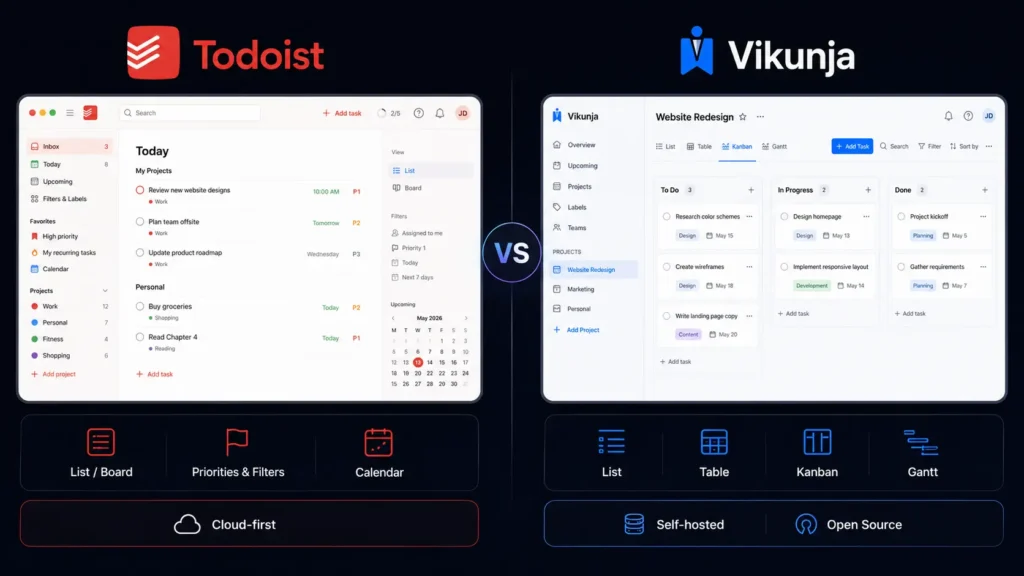
    Two very different options in 2026 are Todoist and Vikunja. Todoist focuses on a polished, low-maintenance productivity experience, while Vikunja takes an open-source approach with self-hosting and flexible project views. This guide compares both tools across task organization, planning, collaboration, flexibility, and pricing so you can choose the better fit for your workflow.

    Editorial disclosure: This article is based on practical workflow evaluation and current official product information. Pricing and features may change over time.

    How We Evaluate Task Management Tools

    We evaluated two task-management platforms using their current 2026 features and pricing, focusing on workflows you are most likely to use during a normal workweek.

    The evaluation included:

    • Task capture: How quickly can you create and organize a new task?
    • Organization: Projects, labels, filters, priorities, and subtasks.
    • Planning: Due dates, recurring tasks, reminders, and project views.
    • Collaboration: Assignments, shared projects, permissions, and team workflows.
    • Flexibility: Integrations, customization, and self-hosting.
    • Value: What you actually receive at free and paid levels.

    The goal is practical rather than theoretical. Whether you are a freelancer, developer, individual user, or small team, your task management software should reduce daily friction rather than create another system you have to maintain.

    Task Management Tools: Todoist vs Vikunja at a Glance

    Tool NameBest ForStarting Price
    TodoistPersonal productivity and team task managementFree
    VikunjaOpen-source task management and self-hostingFree self-hosted

    Best Task Management Tool for Everyday Productivity: Todoist

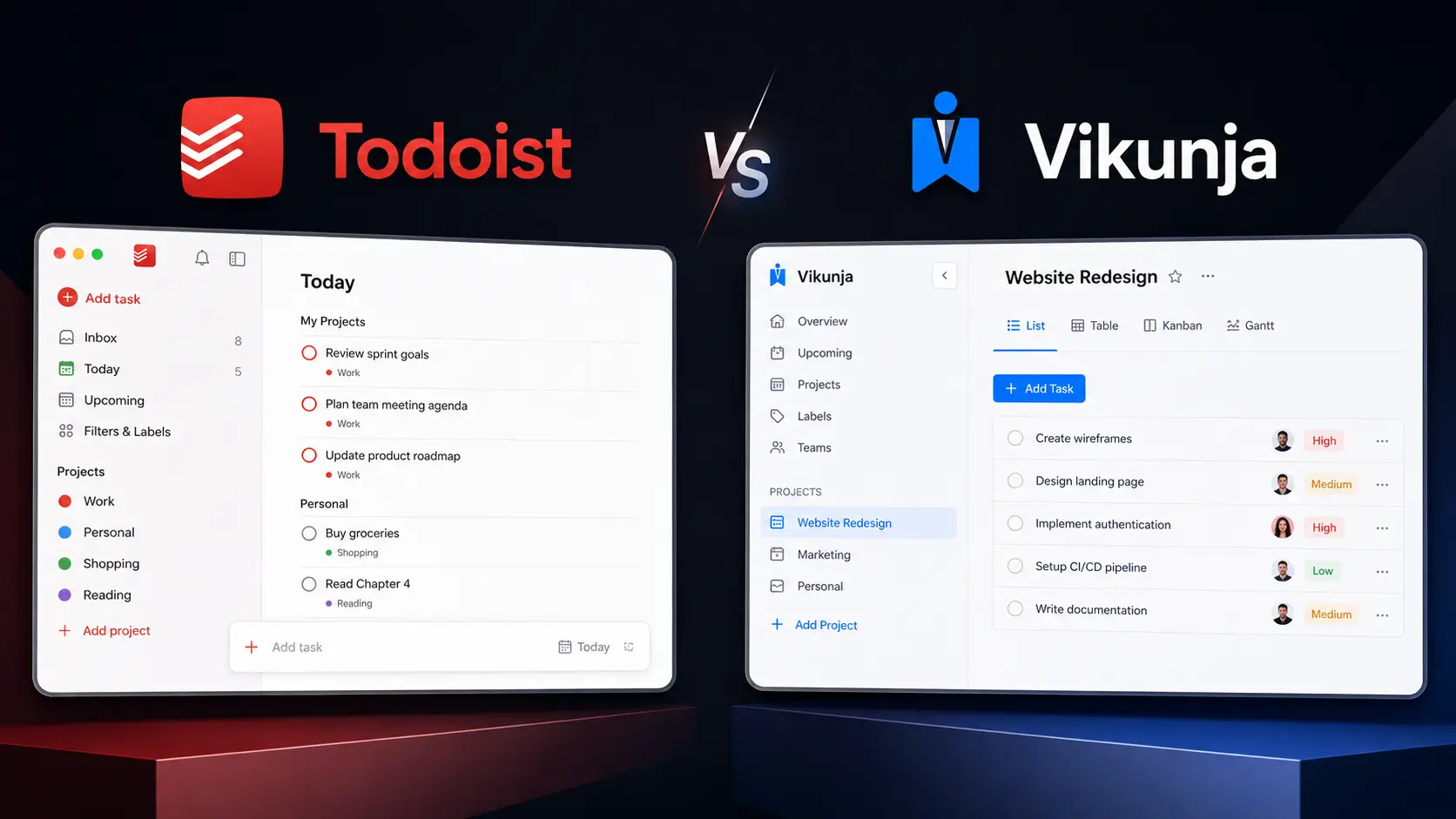
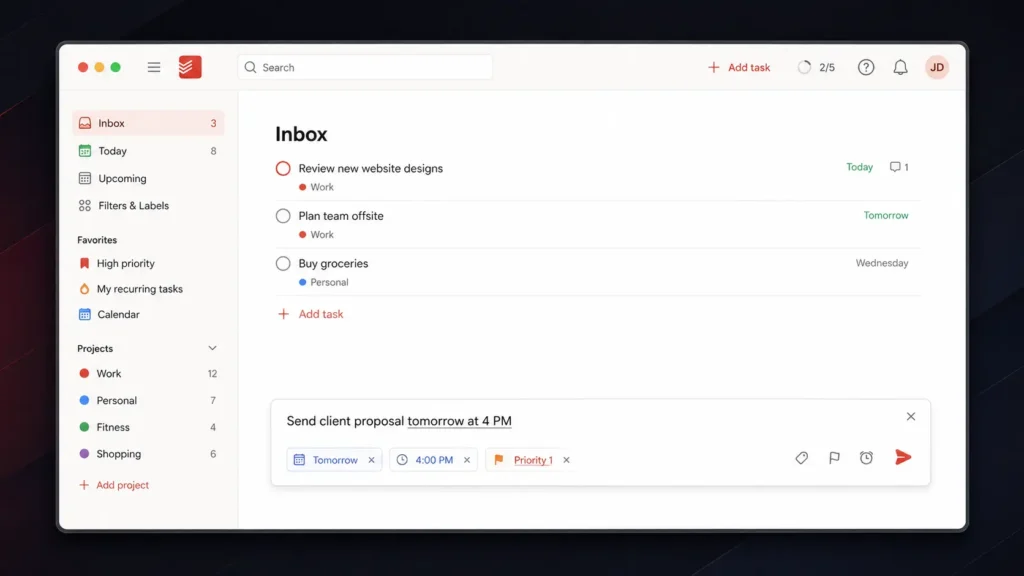
    Todoist is a strong choice when you want to organize work quickly without spending time configuring technical infrastructure. Its biggest advantage is task capture. You can open Quick Add and enter a task using natural language. For example, typing “Send client proposal tomorrow at 4 PM” allows Todoist to interpret the date and time while you create the task. You can also enter priority shortcuts such as p1, p2, or p3 directly into the task field.

    That small workflow difference matters when you are working quickly. Instead of creating a task first and then opening several menus for the date and priority, you can put much of the information into one entry. Todoist’s free Beginner plan includes 5 personal projects, task reminders, Smart Quick Add, list and board layouts, and 3 filter views. Pro expands the allowance to 300 personal projects and adds features including calendar layout, task duration, custom reminders, 150 filter views, reporting history, and Task Assist.

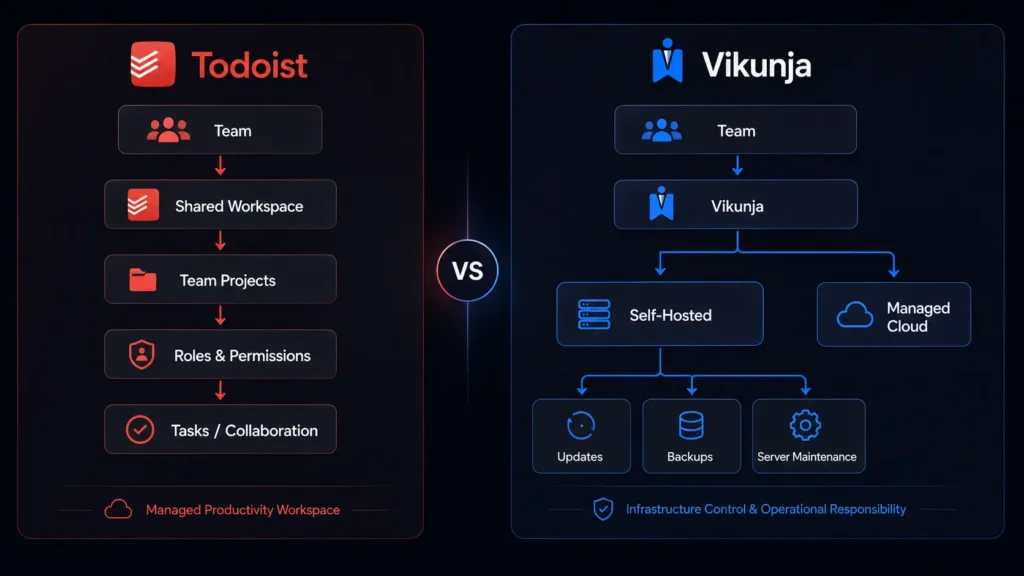
    For teams, Business provides a shared workspace, team projects, roles and permissions, shared templates, team folders, and centralized billing. Todoist works particularly well if you want your productivity tools to stay simple enough for everyday use while still providing advanced organization when your task list grows.

    Pros

    • Fast natural-language task creation.
    • Strong balance between personal and team productivity.

    Cons

    • The free plan is limited to five personal projects.
    • Advanced planning and collaboration features require paid plans.

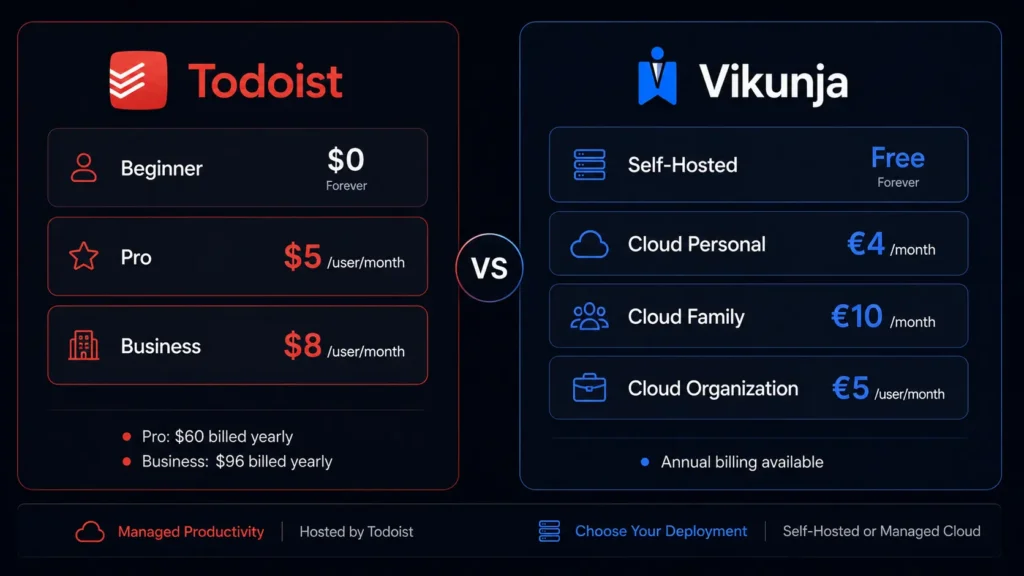
    Pricing: Beginner is $0. Pro is $5/user/month when billed yearly ($60/year). Business is $8/user/month when billed yearly ($96/year), plus applicable local tax. See the latest plans on the Todoist Pricing page.

    Best Task Management Tool for Open-Source Users: Vikunja

    Vikunja takes a different approach. It is an open-source task-management platform that you can self-host for free, giving you much greater control over your installation and data. One of its most useful features is Quick Add Magic. You can enter task information directly into a single line. A command such as Order packing supplies *logistics !3 tomorrow at 5pm can identify the task, apply the logistics label, set its priority, and add the due date.

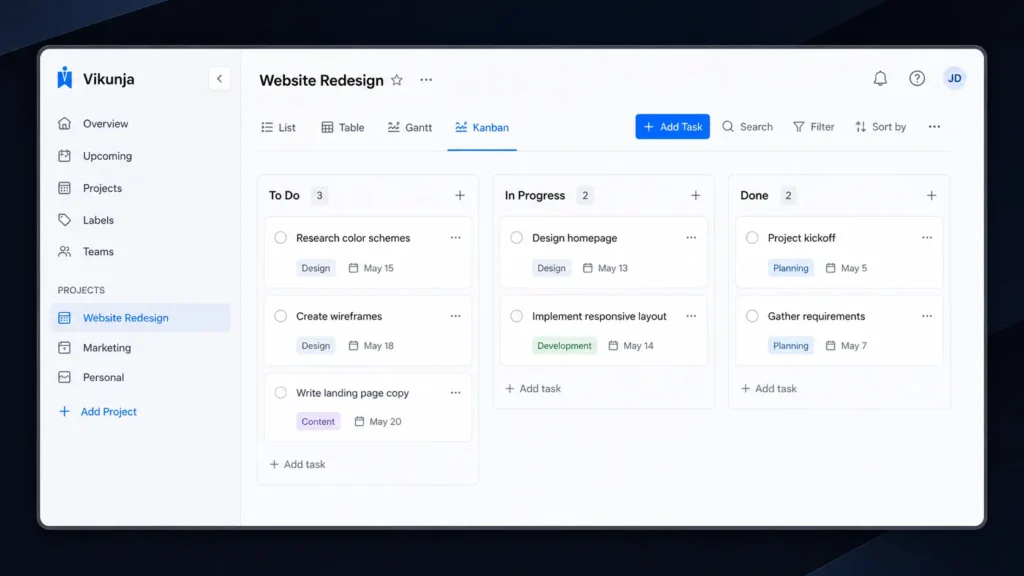
    Vikunja also gives you several ways to view the same project. You can switch between List, Table, Kanban, and Gantt views depending on the type of work you are managing. That flexibility is useful for technical projects. A simple list may be enough for personal errands, while Kanban can help you manage development stages and Gantt can give you a timeline for a larger project.

    Vikunja also supports project nesting, task relationships, recurring tasks, reminders, labels, filters, and team collaboration. Its main attraction is the self-hosted model. You can run the software on your own infrastructure instead of relying entirely on a third-party hosted service. The downside is that you become responsible for server maintenance, updates, backups, and security. For developers and technically confident teams looking for open-source task management, that trade-off may be worthwhile.

    Pros

    • Free self-hosted version.
    • Multiple project views, including Kanban and Gantt.

    Cons

    • Self-hosting requires technical maintenance.
    • Cloud hosting requires a paid subscription.

    Pricing: Self-hosted Vikunja is free. Cloud Personal costs €4/month or €40/year. Family costs €10/month or €99/year for up to five users. Organization costs €5/user/month or €50/user/year. Cloud plans include a 14-day free trial. Check the latest plans on the Vikunja Pricing page.

    Todoist vs Vikunja: Feature Comparison

    The biggest differences become easier to understand when you compare the platforms side by side.

    FeatureTodoistVikunja
    Free optionYesYes, self-hosted
    Self-hostingNoYes
    List viewYesYes
    Board/Kanban viewYesYes
    Calendar viewYes—
    Gantt view—Yes
    Table view—Yes
    Recurring tasksYesYes
    PrioritiesYesYes
    LabelsYesYes
    FiltersYesYes
    SubtasksYesYes
    Team collaborationYesYes
    Project hierarchyYesYes
    CalDAVVia integrationsBuilt in
    Open sourceNoYes
    Todoist import—Yes

    Vikunja’s different project views are one of its strongest differences. You can use List when you want a straightforward checklist, Table when you need to compare task information, Kanban when work moves through stages, and Gantt when dates and dependencies matter. Another useful feature is migration support. Vikunja supports importing tasks from Todoist, Trello, and Microsoft To-Do, which makes it easier to move an existing workflow rather than rebuilding everything manually.

    Which Tool Is Better for Teams?

    Todoist is generally easier for teams that want to start quickly. Its Business plan provides a shared workspace, team projects, project folders, roles and permissions, shared templates, activity information, and centralized billing. You do not need someone on the team to understand server administration. Users can simply sign in and start working.

    Vikunja is more interesting for organizations that already have technical infrastructure. Self-hosting gives you control over where the application runs and how the environment is managed. That difference is important. A development team with someone comfortable managing Docker containers and servers may appreciate Vikunja’s flexibility. A marketing team that simply wants to assign tasks and track deadlines may prefer Todoist.

    If you work in software development, you can also explore our Cursor vs Void comparison for another look at developer-focused productivity software.

    Task Capture: Todoist vs Vikunja

    Both platforms make quick task creation a priority, but their approaches feel slightly different. Todoist is built around a clean natural-language experience. You can write a normal sentence and let the application identify dates and task details. This makes it particularly comfortable when you are capturing ideas throughout the day. Vikunja’s Quick Add Magic gives you more explicit control through its syntax. You can specify labels, priorities, dates, recurring schedules, projects, and other information directly.

    Final Verdict: Which Task Management Tools Should You Choose?

    Choose Todoist if you want a polished, easy-to-maintain system for personal tasks, freelance work, client projects, and team collaboration. Its quick task entry and filtering make everyday planning straightforward. Choose Vikunja if you value self-hosting, flexibility, and open-source software. Its different project views make it particularly useful for technical workflows and structured projects. Both options give you a low-risk way to test a new workflow, so start with the free option that matches your priorities. After a week of real use, the better choice should become obvious. Which Task Management Tools will fit the way you actually work in 2026?

    FAQ

    Which is better for personal productivity, Todoist or Vikunja?

    For most individual users, Todoist is the easier starting point. You can create tasks quickly, organize them into projects, add priorities and labels, and create filtered views without managing a server. Vikunja becomes more attractive if you want to control your own installation or prefer open-source software.

    Is Vikunja really free?

    Yes. The self-hosted version is free and includes its core task-management functionality. You are responsible for the infrastructure, however, including updates, backups, and server maintenance. If you do not want to manage those technical details, Vikunja Cloud provides hosted plans starting at €4 per month.

    Which Task Management Tools are best for developers?

    Developers may prefer Vikunja when self-hosting, open-source software, flexible project views, and infrastructure control are important. Todoist makes more sense when you want to spend less time configuring software and more time completing tasks. Its simpler workflow can also be useful when your development work is mixed with meetings, personal reminders, and client communication.

  • Best AI Call Agents for Business: Features, Use Cases and Top Tools in 2026

    Best AI Call Agents for Business: Features, Use Cases and Top Tools in 2026

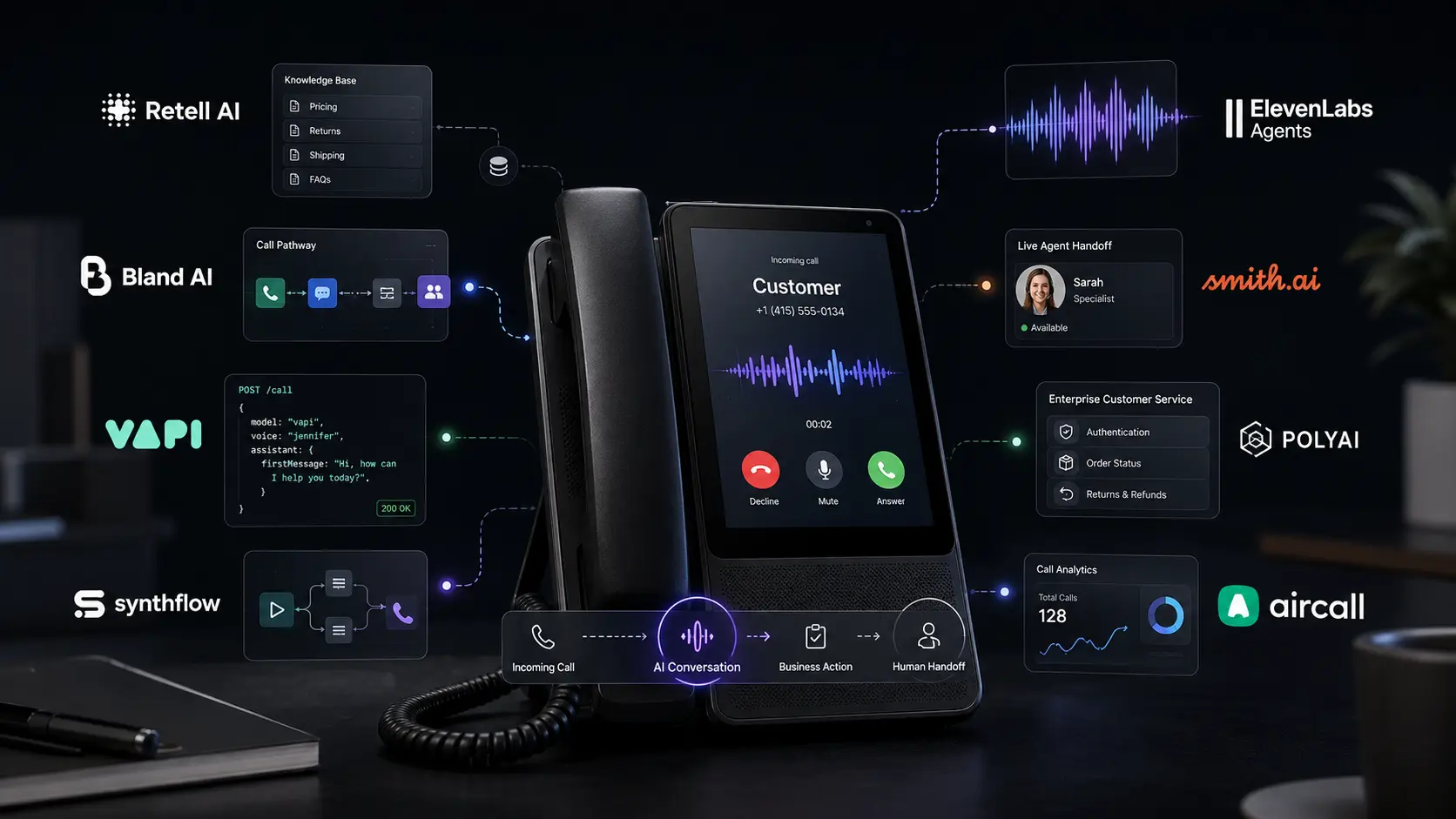
    Missing a customer call can mean losing a valuable lead. At the same time, asking your staff to answer repetitive questions all day can take time away from more important work. The best AI call agents for business can help by answering calls, qualifying leads, booking appointments, routing callers, and handling common customer-support requests. Modern AI voice agents go beyond traditional phone menus. Depending on the platform, you can create an agent that understands follow-up questions, collects customer information, accesses business knowledge, and transfers a conversation to a human when necessary.

    The challenge is choosing the right platform. Some tools are designed for developers who want complete control over APIs and AI models, while others are aimed at business owners who want an AI receptionist without complicated technical work. We compared eight platforms based on automation, voice quality, integrations, ease of deployment, scalability, and pricing.

    Editorial disclosure: This article is independently researched. Features and pricing can change, so check the linked official pages before purchasing.

    How We Evaluate the Best AI Call Agents for Business

    We evaluated eight platforms using current product information, pricing pages, technical capabilities, and practical business use cases. Rather than ranking tools simply by their feature counts, we focused on how they could fit into a real business phone workflow.

    Our evaluation criteria included:

    • Conversation quality: Can the agent handle natural back-and-forth conversations?
    • Business automation: Can it qualify leads, route callers, book appointments, or complete tasks?
    • Ease of setup: Can a business team configure the basics without extensive development?
    • Integrations: Can it connect to calendars, CRMs, APIs, and phone systems?
    • Pricing: Is the actual cost understandable?
    • Scalability: Can the platform handle increased call volume?

    We also checked whether advertised per-minute pricing represents the full AI voice cost or only one part of the technology stack.

    Best AI Call Agents for Business: At a Glance

    ToolBest ForStarting Price
    Retell AIOverall business call automation$0.07/min
    Bland AIHigh-volume calling$0.14/min
    VapiCustom developer-built agents$0.05/min + provider costs
    SynthflowNo-code voice automationCustom
    ElevenLabs AgentsVoice-focused experiencesFree tier
    Smith.aiAI receptionist + human support$300/month
    PolyAIEnterprise customer serviceCustom
    AircallSales and support teamsCustom

    Pricing models vary, so starting prices should not be treated as a direct apples-to-apples comparison.

    Best AI Call Agent for Overall Business Automation: Retell AI

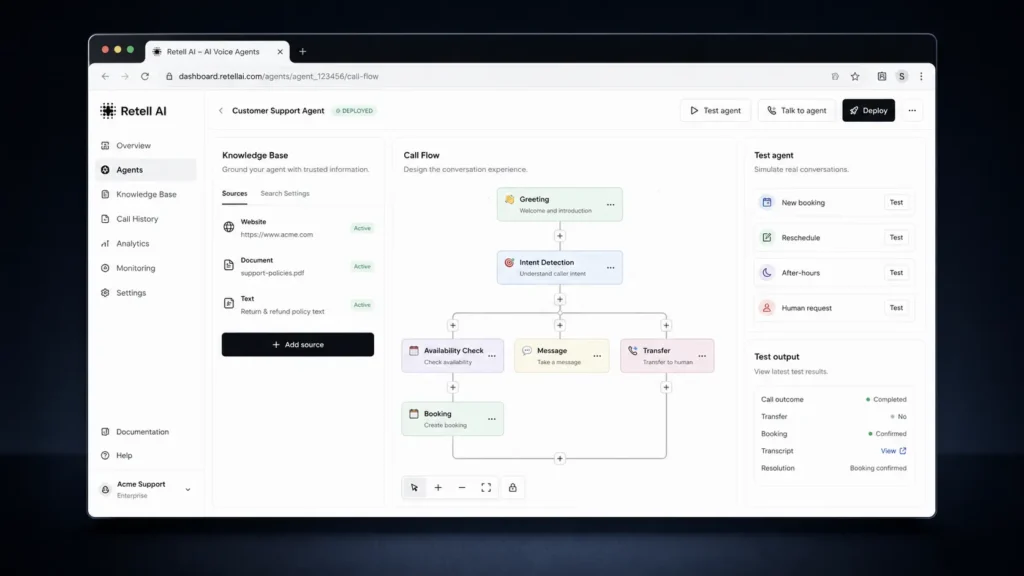
    Retell AI is a strong all-around option if you want an AI phone agent that can perform useful business actions rather than simply answer questions.

    You can build workflows for inbound reception, lead qualification, appointment scheduling, call routing, and customer support. The platform also offers transcripts, analytics, simulation testing, webhooks, and API access.

    One feature worth testing before deployment is the simulation workflow. You can run conversations against your agent before putting it on your live business number. This is useful because an agent may sound natural but still make the wrong decision when a caller changes the subject or asks for a human.

    Retell also gives you room to start small and expand. A service business could begin with appointment scheduling and later add lead qualification or CRM actions.

    Pros

    • Strong mix of business automation and developer controls
    • Useful testing, analytics, API, and knowledge-base capabilities

    Cons

    • Final costs vary according to configuration
    • More advanced workflows can require technical knowledge

    Pricing: Retell AI Pricing starts at $0.07/min, with the final rate depending on the voice, model, and configuration.

    Best AI Call Agent for High-Volume Calling: Bland AI

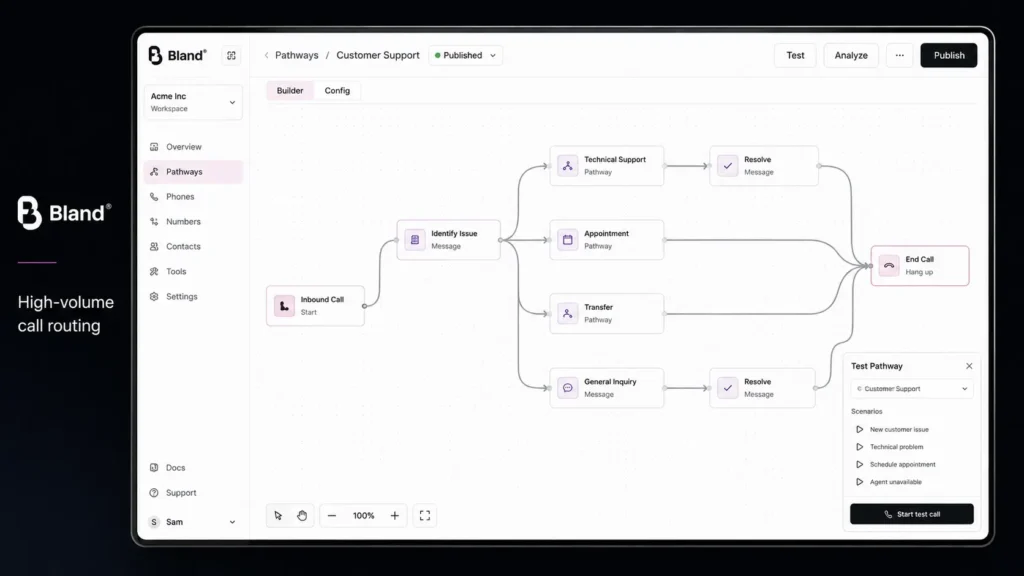
    Bland AI is a good choice when your business expects a large number of inbound or outbound calls.

    Its pricing structure is different from platforms where you have to calculate separate speech, language-model, and voice costs. Bland includes the LLM, speech recognition, and text-to-speech in its published talk-time pricing.

    The concurrency limits are also worth checking before you launch a large campaign. The Start plan supports 10 concurrent calls, while the higher plans provide substantially more capacity.

    That can matter for businesses running appointment reminders, lead qualification campaigns, follow-ups, or other high-volume workflows.

    For example, if 50 customers call within a short period, your theoretical per-minute price won’t help if your plan cannot handle the simultaneous conversations you need.

    Pros

    • Several AI costs are included in published talk-time pricing
    • Higher tiers support larger call volumes

    Cons

    • Paid plans have monthly platform fees
    • Telephony costs may be separate

    Pricing: Bland AI Pricing starts at $0.14/min on the Start plan. Build costs $299/month plus $0.12/min, while Scale costs $499/month plus $0.11/min.

    Best AI Call Agent for Developers: Vapi

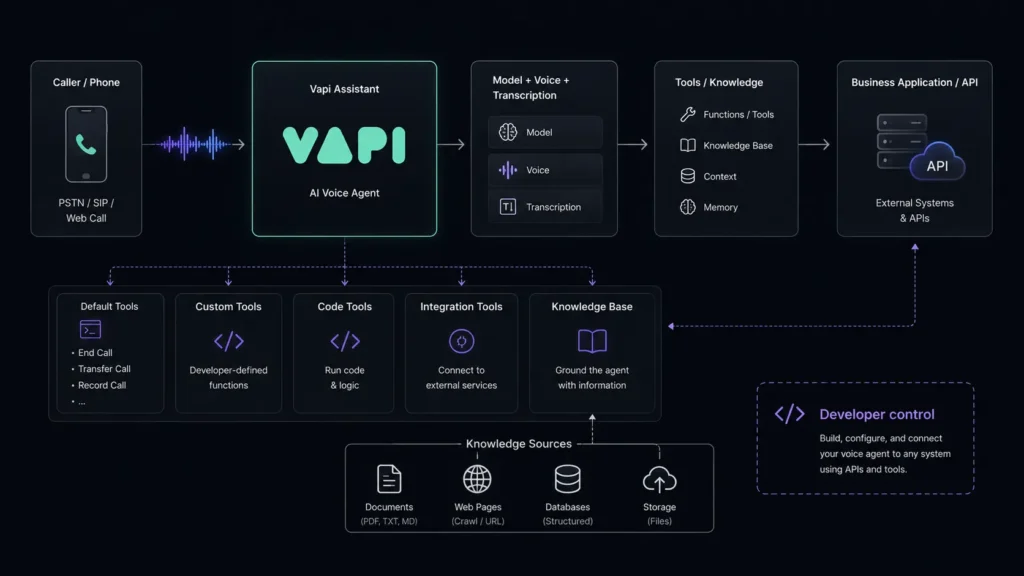
    Vapi is aimed at developers who want to build custom AI voice applications.

    Instead of locking you into one fixed combination of speech recognition, language model, and voice technology, Vapi gives developers the ability to choose and configure different providers.

    That is useful if your phone agent needs to connect with a proprietary database, CRM, internal application, or custom API. You can also bring your own API keys.

    The important pricing detail is easy to miss. The advertised platform charge isn’t the complete cost of a production call. Model, speech, and voice providers can add their own costs.

    So Vapi is best viewed as a flexible development platform rather than a simple virtual receptionist.

    Pros

    • Strong developer and API controls
    • Flexible AI provider configuration

    Cons

    • Requires more technical knowledge
    • Total cost can be higher than the platform fee

    Pricing: Vapi Pricing starts at $0.05/min for hosting, with additional model, STT, and TTS provider costs.

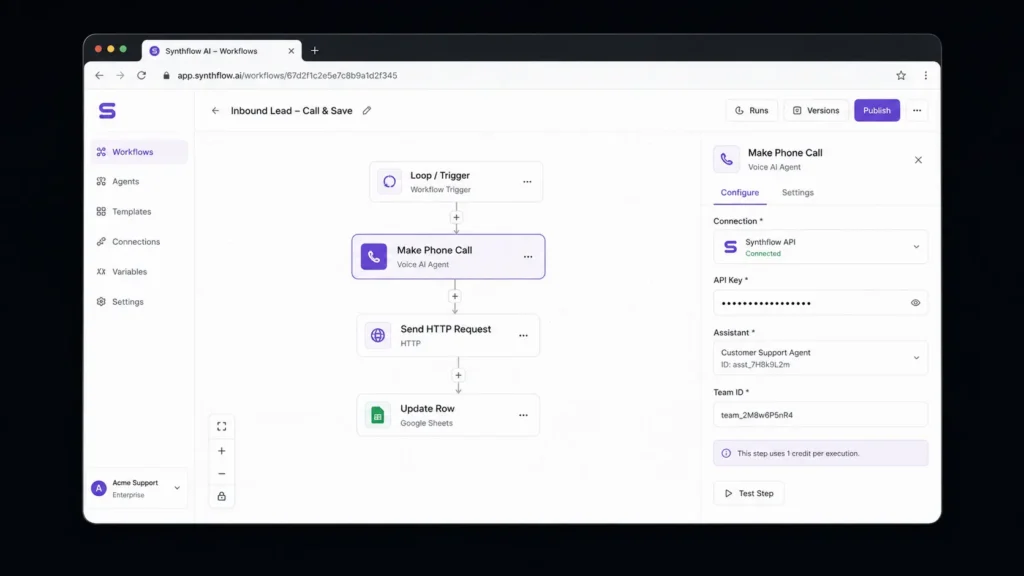
    Best AI Call Agent for No-Code Teams: Synthflow

    Synthflow focuses on businesses that want to build AI phone workflows without creating the entire underlying voice infrastructure.

    Its visual workflow approach makes it suitable for agencies, service businesses, appointment-based companies, and teams without dedicated developers.

    You can design a workflow around the actual customer journey. For example, the agent could ask why someone is calling, collect their contact information, answer common questions, and then either book an appointment or transfer the caller.

    That makes Synthflow a useful option if your priority is business call automation rather than building a developer-centric voice platform.

    Pros

    • Designed around business workflows
    • Suitable for no-code and low-code deployments

    Cons

    • Less low-level control than developer platforms
    • Pricing depends on the deployment

    Pricing: Synthflow Pricing varies according to usage, telephony, integrations, security, and deployment requirements.

    Best AI Call Agent for Natural Voice Experiences: ElevenLabs Agents

    ElevenLabs is worth considering when the quality and character of the voice are important to your customer experience.

    The platform is well known for speech generation, and its Agents product extends that technology into conversational applications. You can create agents around knowledge bases and workflows instead of relying on basic scripted responses.

    The free tier is also useful for initial experimentation. Rather than immediately connecting the system to your primary business number, you can test the conversational experience and determine whether the voice fits your brand.

    This makes ElevenLabs especially interesting for hospitality, media, education, and other customer-facing businesses where voice presentation matters.

    Pros

    • Strong emphasis on expressive voice technology
    • Free tier available for initial testing

    Cons

    • Additional costs can depend on configuration
    • Complex workflows may require integrations

    Pricing: ElevenLabs Agents Pricing includes a free tier, with paid plans available for higher usage and capabilities.

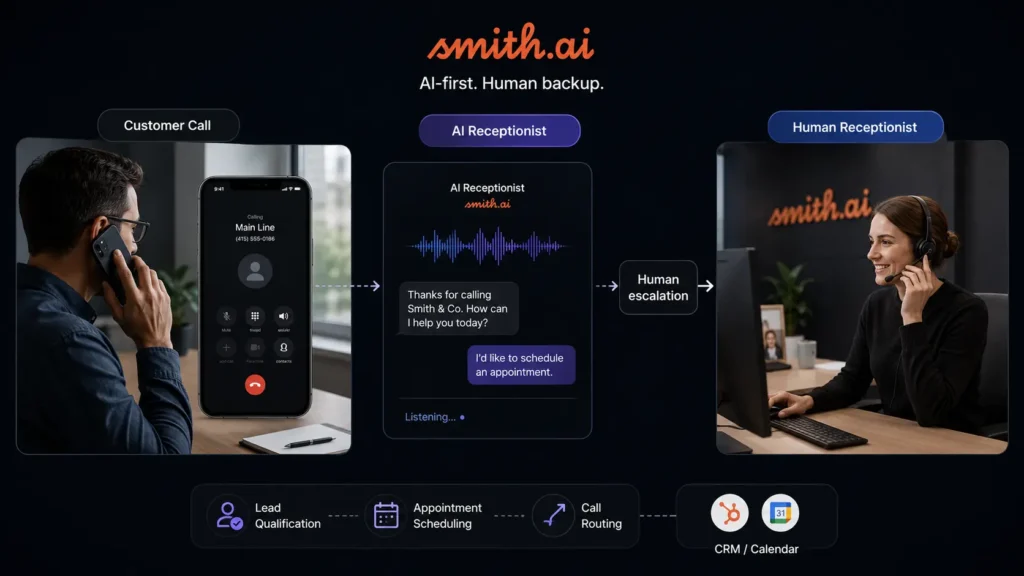
    Best AI Receptionist With Human Support: Smith.ai

    Smith.ai takes a different approach from developer-first AI platforms by combining AI-powered call answering with human receptionist support.

    That can be useful when you don’t want every conversation to be handled by an AI. A home-service company, for example, could let AI collect basic information about a repair request while a more complicated inquiry gets escalated.

    Professional-service businesses can use a similar model for lead intake. Routine questions can be handled automatically, while high-value or sensitive conversations can reach a human.

    Smith.ai therefore feels more like a managed receptionist service than an API platform.

    Pros

    • Human escalation is part of the service model
    • Useful for lead intake and appointment-driven businesses

    Cons

    • More expensive than DIY voice platforms
    • Less technical flexibility for developers

    Pricing: Smith.ai Pricing starts at $300/month for 30 calls, with larger packages available.

    Best AI Call Agent for Enterprise Customer Service: PolyAI

    PolyAI is designed primarily for organizations with larger and more complex customer-service operations.

    Rather than focusing mainly on the virtual-receptionist market, PolyAI targets conversational customer service at enterprise scale.

    That matters when callers have complicated requests. An enterprise agent needs to understand the conversation, use appropriate business information, complete the permitted action, and recognize when the customer should be transferred to a human.

    This is a very different requirement from answering simple questions such as opening hours or office locations.

    For large organizations, PolyAI is therefore better considered as an enterprise customer-service platform than a lightweight AI phone-answering tool.

    Pros

    • Designed for complex customer-service workflows
    • Suitable for enterprise deployments

    Cons

    • Not primarily aimed at small experimental projects
    • Custom pricing requires a sales conversation

    Pricing: PolyAI Pricing is customized according to enterprise requirements and deployment scope.

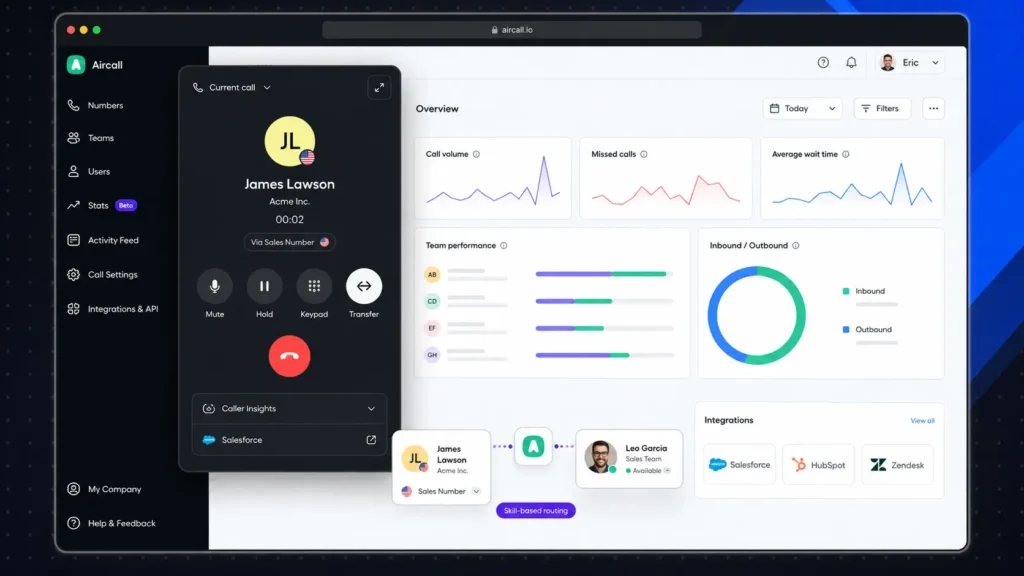
    Best AI Call Agent for Sales and Support Teams: Aircall

    Aircall makes the most sense if your company already uses a structured cloud phone system.

    Aircall covers broader business communications, including calling, routing, team workflows, and customer interactions. If your business also relies on business communication tools for meetings and team collaboration, choosing the right platform can help you build a more complete communication workflow. That allows sales and support teams to introduce automation without necessarily rebuilding their entire phone environment.

    The distinction is important. Vapi is closer to a development platform where you construct your own voice application. Aircall is a broader communications system where phone operations are already part of the product.

    For a sales manager who needs team calling, routing, and customer communication in one environment, that broader focus can be more practical.

    Pros

    • Strong fit for sales and customer-support teams
    • Broader business communications functionality

    Cons

    • Less focused on custom AI-agent development
    • Pricing depends on users and selected features

    Pricing: Aircall Pricing is plan-based and varies according to users, features, region, and selected services.

    AI Voice Agent Features Compared

    PlatformNo-CodeDeveloper ControlsInbound CallsOutbound CallsHuman TransferCustom Models
    Retell AIYesYesYesYesYesYes
    Bland AIYes/LimitedYesYesYesYesLimited
    VapiLimitedStrongYesYesYesYes
    SynthflowYesYesYesYesYesConfiguration dependent
    ElevenLabs AgentsYesYesYesYesYesYes
    Smith.aiYesLimitedYesLimitedYesLimited
    PolyAIEnterpriseEnterpriseYesUse-case dependentYesEnterprise
    AircallYesYesYesYesYesPlatform dependent

    Which of the Best AI Call Agents for Business Should You Choose?

    Your ideal platform depends on what you want your AI agent to accomplish. Choose Retell AI for a balanced business automation platform, Bland AI for high-volume calling, or Vapi if your developers need deeper control. Synthflow suits no-code workflows, while ElevenLabs is worth considering when voice quality is central to your customer experience. If you need human backup, Smith.ai offers a managed receptionist approach. Larger organizations can explore PolyAI, while sales and support teams already using cloud calling may find Aircall a better fit.

    Start with a free tier, trial, or small deployment where available. Test real customer questions before moving your main business number. The best AI call agents for business are not necessarily the ones with the flashiest demos. They’re the ones that complete useful tasks reliably and know when a human needs to take over. As AI voice technology continues to improve, which part of your business phone workflow would you trust an AI agent to handle first?

    Frequently Asked Questions About AI Call Agents

    Are AI call agents useful for small businesses?

    Yes. You don’t need a large contact center to benefit. A restaurant can use an AI agent to answer common questions and manage reservation requests. A plumber can collect job information after hours, while a real estate company can qualify new leads before sending them to a salesperson. The better strategy is to begin with one clearly defined workflow and expand the agent’s responsibilities after you know it can handle real conversations reliably.

    What should you check before buying AI phone answering tools?

    Don’t judge a platform only by how natural the demo voice sounds. Test interruptions, unclear questions, unexpected requests, requests for a human, and situations where the caller changes the subject. You should also calculate the complete cost of a call. Some platforms bundle several AI components into their per-minute rate, while developer platforms may separate hosting, language models, speech recognition, and voice generation.

    Are AI call agents legally safe to use?

    You need to consider your location, industry, and use case. Consent, call recording, AI disclosure, telemarketing regulations, and data protection may all affect deployment. Before going live, check how your selected provider handles recordings and customer information. If you operate in a regulated industry, review the vendor’s security and compliance documentation carefully.

  • Writing Assistants: Grammarly vs LanguageTool Finding the Perfect Fit for Your Workflow

    Writing Assistants: Grammarly vs LanguageTool Finding the Perfect Fit for Your Workflow

    You can have a strong idea, solid research, and a clear argument and still spend too much time fixing commas, spelling mistakes, awkward sentences, and inconsistent wording. That is where writing assistants can make a real difference. Modern AI writing assistants and grammar checking tools can catch common errors while you write and, depending on the tool, help you rewrite sentences, adjust tone, or improve clarity.

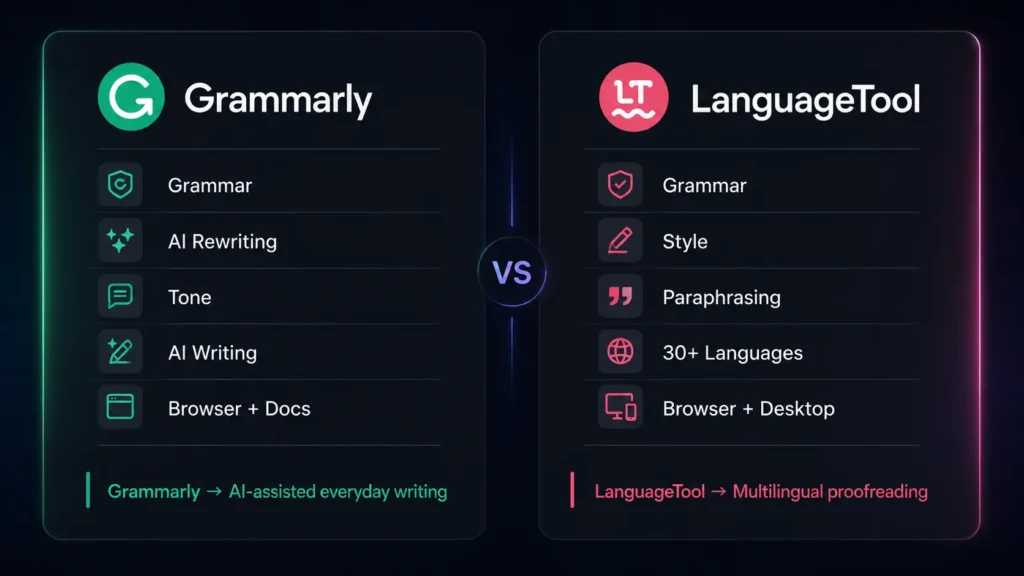
    We look at two popular choices: Grammarly and LanguageTool. Both can proofread your writing, but they approach the job differently. Grammarly puts a strong focus on AI-powered communication and rewriting, while LanguageTool stands out for multilingual proofreading and detailed language checking.

    Editorial disclosure: This comparison is based on independent feature and workflow evaluation. Pricing and features can change, so check the official product pages before subscribing.

    How We Evaluate Writing Assistants

    We evaluated 2 tools based on their current features, pricing information, interfaces, integrations, and practical writing workflows available in 2026. Rather than simply counting features, we focused on how useful each platform is when you are actually trying to finish a piece of writing.

    Our evaluation criteria included:

    • Grammar, spelling, punctuation, and proofreading
    • AI rewriting and writing assistance
    • Ease of use across browsers, apps, and documents
    • Language and dialect support
    • Character, AI, or usage limits
    • Free and paid-plan value

    The comparison is written from a content and editorial perspective, with attention to writers, students, marketers, bloggers, copywriters, editors, journalists, authors, researchers, teachers, business professionals, freelancers, SEO specialists, agencies, developers, and content teams.

    At-a-Glance Comparison

    Tool NameBest ForStarting Price
    GrammarlyAI-assisted writing, rewriting, proofreading, and professional communicationFree
    LanguageToolMultilingual proofreading, grammar checking, and style correctionFree

    Both tools offer free options, so you can test their core writing features before deciding whether a paid plan is worthwhile.

    Grammarly: Best Writing Assistant for AI-Powered Everyday Writing

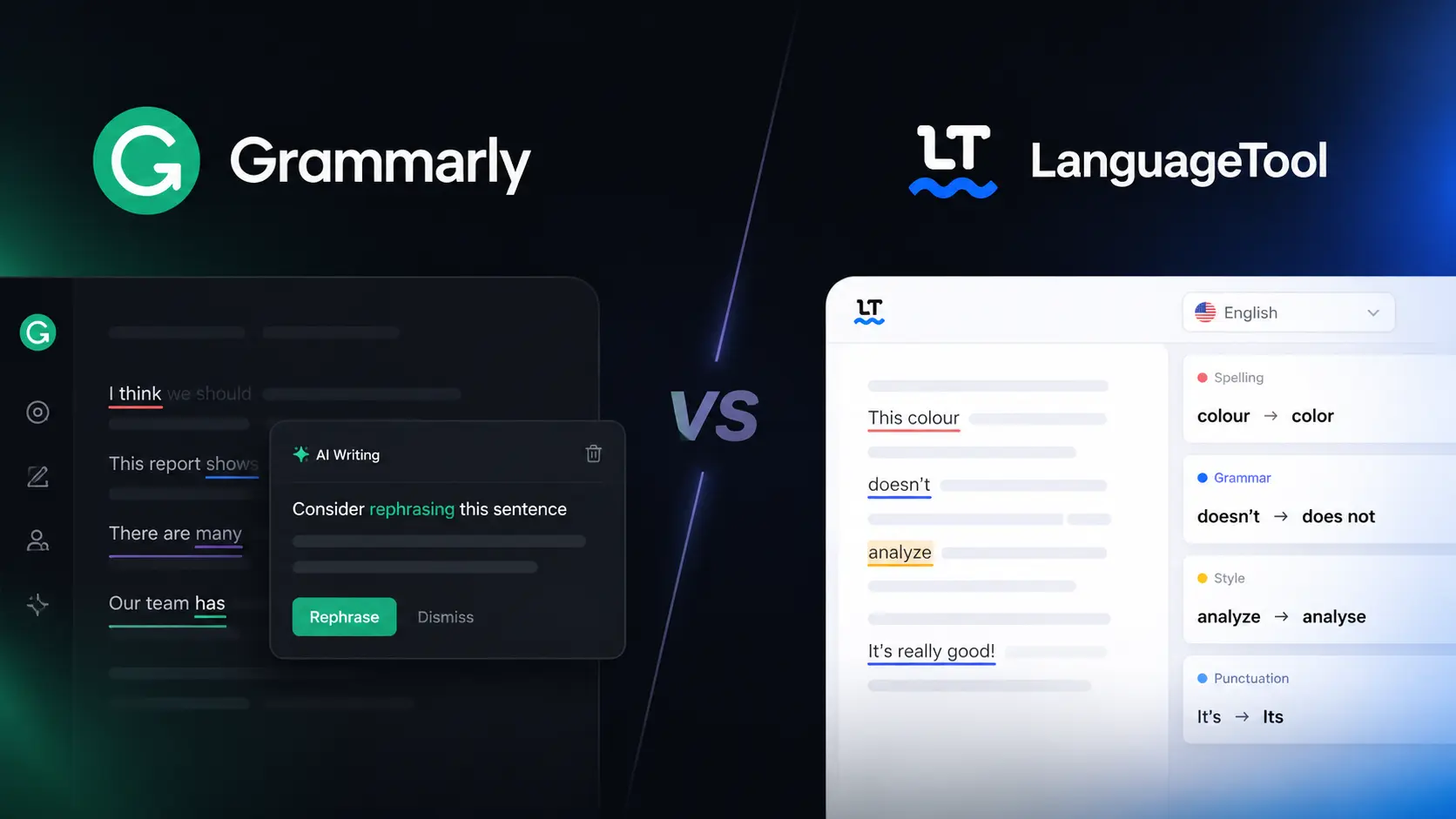
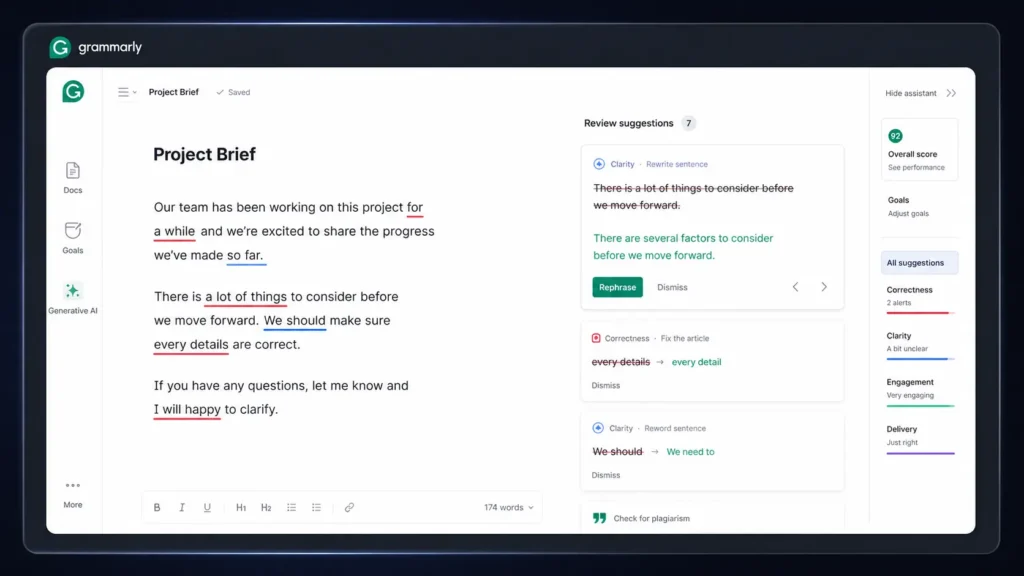
    If you write emails, blog posts, marketing copy, social media content, reports, or business documents, Grammarly is the more AI-focused option of the two. Its main strength is combining proofreading with AI assistance. Grammarly checks grammar, spelling, punctuation, clarity, and tone, while its AI features can help you compose, brainstorm, rewrite, and refine content.

    One useful workflow is sentence rewriting. You can select text that feels too long, repetitive, or unclear and use Grammarly’s AI assistance to create a cleaner version. Instead of switching between your document and a separate AI chatbot, the writing assistance remains close to the text you are already editing.

    Grammarly also supports writing across different environments, making it useful when your work moves between documents, email, websites, and other applications.

    For marketers, copywriters, social media managers, entrepreneurs, business professionals, and content teams, this combination of proofreading and AI writing assistance can save time during everyday editing.

    Pros

    • Strong combination of grammar checking, rewriting, tone suggestions, and AI writing
    • Useful for business writing, marketing content, blogs, emails, and social media

    Cons

    • Advanced AI and rewriting features are limited on the free version
    • Multilingual writers may find LanguageTool more suitable

    Grammarly Features

    Grammarly’s writing features include grammar checking, spelling correction, punctuation suggestions, clarity improvements, tone detection, rewriting, brainstorming, and AI-assisted content generation. Its AI writing capabilities are especially useful when you want to change the wording of existing content instead of starting from a blank page. You can use Grammarly to make text more concise, professional, friendly, or easier to understand.

    Grammarly Pricing

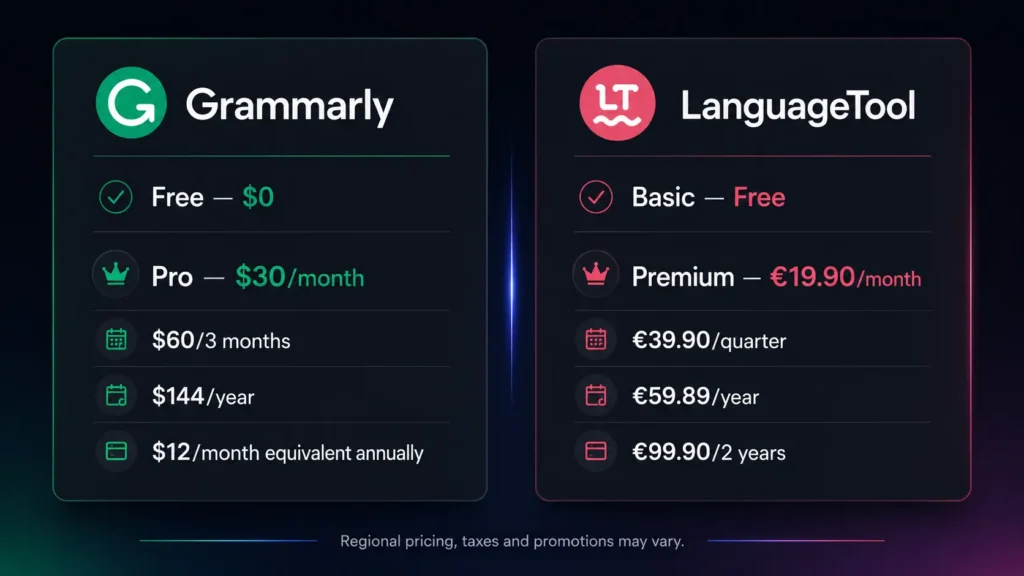
    Grammarly offers a Free plan at $0. For users who need more advanced writing assistance, Grammarly Pro currently costs $30/member/month, $60/member for three months, or $144/member/year, which averages $12 per month when billed annually. The Pro plan adds advanced writing suggestions, full-sentence rewrites, tone features, and expanded AI writing capabilities.

    LanguageTool: Best Writing Assistant for Multilingual Proofreading

    LanguageTool takes a different approach. If you regularly write in multiple languages or want a writing assistant with strong proofreading capabilities, it is worth considering.

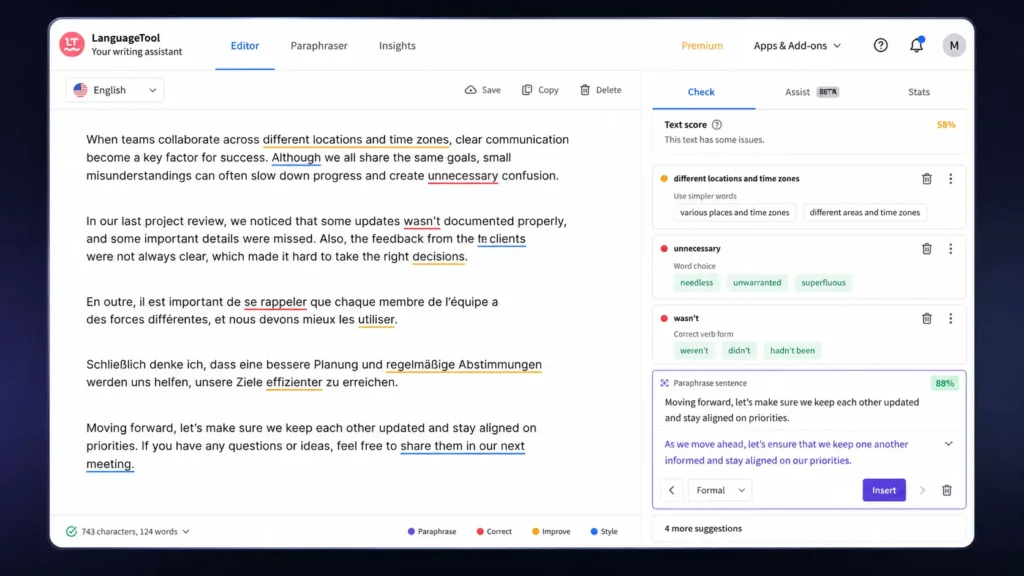
    LanguageTool supports 30+ languages and dialects, giving it a major advantage for multilingual writers, students, researchers, editors, translators, and international teams. It checks grammar, spelling, punctuation, style, and word choice. The platform also includes AI-powered paraphrasing, allowing you to rewrite sentences without completely changing the original meaning.

    A particularly useful detail is its text limit. The free version allows up to 10,000 characters per text, while Premium increases that limit to 150,000 characters. That difference becomes important when you are proofreading a long article, report, thesis section, or other large document.

    LanguageTool also provides browser and desktop tools, making it practical for writers who work across different applications.

    Pros

    • Supports 30+ languages and dialects
    • Strong proofreading and paraphrasing features for multilingual and long-form writing

    Cons

    • AI content generation is less extensive than Grammarly
    • Advanced features require the Premium plan

    LanguageTool Features

    LanguageTool provides grammar checking, spelling correction, punctuation checking, style suggestions, multilingual proofreading, paraphrasing, personal dictionary support, and Style Guide features. Its multilingual support is one of its biggest strengths. You can work with different English varieties and a wide selection of other languages, making the platform useful for international content teams and multilingual writers. The AI paraphrasing feature is also practical when you already have a sentence but want to make it clearer, shorter, or more polished.

    LanguageTool Pricing

    LanguageTool provides a Basic plan for free. The LanguageTool Premium plan adds advanced grammar and style checking, larger text limits, unlimited AI sentence paraphrasing, and additional customization features. Current individual Premium pricing includes €19.90/month, €39.90/quarter, €59.89/year, or €99.90 for two years, according to LanguageTool’s official subscription information. Pricing can vary based on region, currency, billing cycle, taxes, and promotions.

    Grammarly vs LanguageTool: Feature Comparison

    FeatureGrammarlyLanguageTool
    Grammar checkingYesYes
    Spelling correctionYesYes
    Punctuation checkingYesYes
    AI rewritingYesYes
    AI content generationStrongMore focused on paraphrasing
    Tone suggestionsYesYes
    Multilingual supportMultiple languages30+ languages and dialects
    Long-text supportPlan dependentUp to 150,000 characters with Premium
    Browser supportYesYes
    Desktop appsYesYes
    Microsoft WordYesYes
    Google DocsYesYes
    Personal dictionaryYesYes
    Style customizationYesYes
    Free planYesYes
    Paid planGrammarly ProLanguageTool Premium

    Which Writing Assistants Should You Choose?

    The best option depends on what you want your writing assistant to do.

    Choose Grammarly if you want a broader AI writing workflow. It is particularly suitable for bloggers, marketers, copywriters, social media managers, entrepreneurs, business professionals, website owners, SEO specialists, freelancers, and content teams.

    Choose LanguageTool if multilingual writing and detailed proofreading are higher priorities. Students, researchers, authors, editors, teachers, journalists, and international teams may benefit from its broader language coverage.

    If you regularly explore AI tools, SaaS products, and software comparisons, you can find more reviews and guides to help compare different software options.

    For someone who mostly writes in English and wants help moving from rough text to polished communication, Grammarly is likely the easier choice. If you work across multiple languages or spend more time proofreading than generating content, LanguageTool deserves a closer look.

    Final Verdict

    There is no single winner for every writer. Grammarly is the better fit if you want AI-powered rewriting, tone assistance, proofreading, and everyday communication in one workflow. LanguageTool is the stronger choice when multilingual proofreading, longer documents, and detailed language controls matter more.

    Frequently Asked Questions

    Which is better for grammar checking: Grammarly or LanguageTool?

    Both are strong grammar checking tools, but they have different strengths. Grammarly is particularly useful when grammar checking is combined with rewriting, tone adjustment, and AI writing. LanguageTool is more attractive when multilingual support, detailed language checking, and longer text fields are important.

    What are the main features of Grammarly and LanguageTool?

    The main Grammarly features include grammar checking, spelling correction, punctuation suggestions, clarity improvements, tone detection, rewriting, brainstorming, and AI-assisted writing. LanguageTool features include grammar checking, spelling correction, punctuation checking, style suggestions, multilingual proofreading, paraphrasing, personal dictionaries, and Style Guide functionality.

    Can I use these writing assistants for free?

    Yes. Grammarly provides a Free plan, while advanced features are available through Grammarly Pro. LanguageTool also provides a free Basic plan, while advanced features are available through LanguageTool Premium.

  • AI Code Editors in 2026: Cursor vs Void Which Dev Tool Wins?

    AI Code Editors in 2026: Cursor vs Void Which Dev Tool Wins?

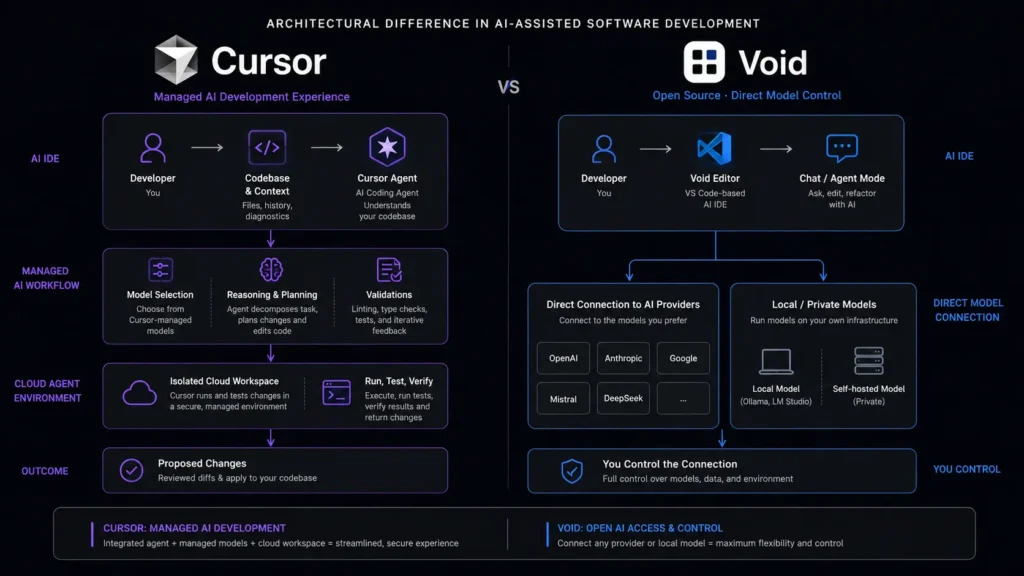
    If you spend your day jumping between files, searching for bugs, and rewriting the same blocks of code, your editor can either speed you up or become another thing to fight with. The best AI code editors now go beyond autocomplete: they can understand a repository, modify several files, and help you work through larger development tasks. Two interesting options are Cursor and Void. They take noticeably different approaches. Cursor focuses on a polished, managed AI development experience, while Void was built around open-source control, direct model connections, and the ability to bring your own provider. This comparison looks at where each approach makes sense in 2026 and where the differences matter more than the feature lists suggest.

    Editorial disclosure: This article is based on product research and workflow evaluation. Pricing, features, and availability can change.
    How We Evaluate AI Code Editors

    We evaluated Cursor and Void against workflows developers actually care about rather than simply counting features. The comparison focuses on current 2026 product information, official documentation, repositories, pricing information, and practical development scenarios.

    The main criteria were:

    • Codebase understanding: How well the editor can work across files and project structure.
    • AI editing and agents: Whether you can move from a prompt to meaningful code changes without excessive manual work.
    • Model flexibility: The number and type of AI models you can use.
    • Developer control: Settings, privacy options, provider choice, and local-model support.
    • Pricing: What you receive at the entry level and what happens as usage increases.
    • Long-term viability: Particularly important when choosing an editor that becomes part of your daily development environment.

    For developers, programmers, and software engineers, this last point matters. Your editor is not something you casually replace every Tuesday.

    If you regularly compare software, AI products, and developer tools, you can also explore more reviews and comparisons on the Olareviews Blog.

    Best AI Code Editors: Cursor vs Void at a Glance

    ToolBest ForStarting Price
    CursorFull-featured AI-assisted development and agent workflowsFree
    VoidOpen-source experimentation, direct model connections, and developer controlFree

    Cursor currently offers a free Hobby plan, while its paid individual plans start with Pro at $20/month. Its current pricing also includes Pro+ at $60/month and Ultra at $200/month.

    Void is free and open source. Its official site describes it as an AI IDE built on VS Code with direct connections to different AI providers and local models.

    Cursor: Best AI Code Editor for Full-Time AI-Assisted Development

    If you want your editor to take on substantial development tasks rather than merely suggest the next line of code, Cursor is the stronger overall choice.

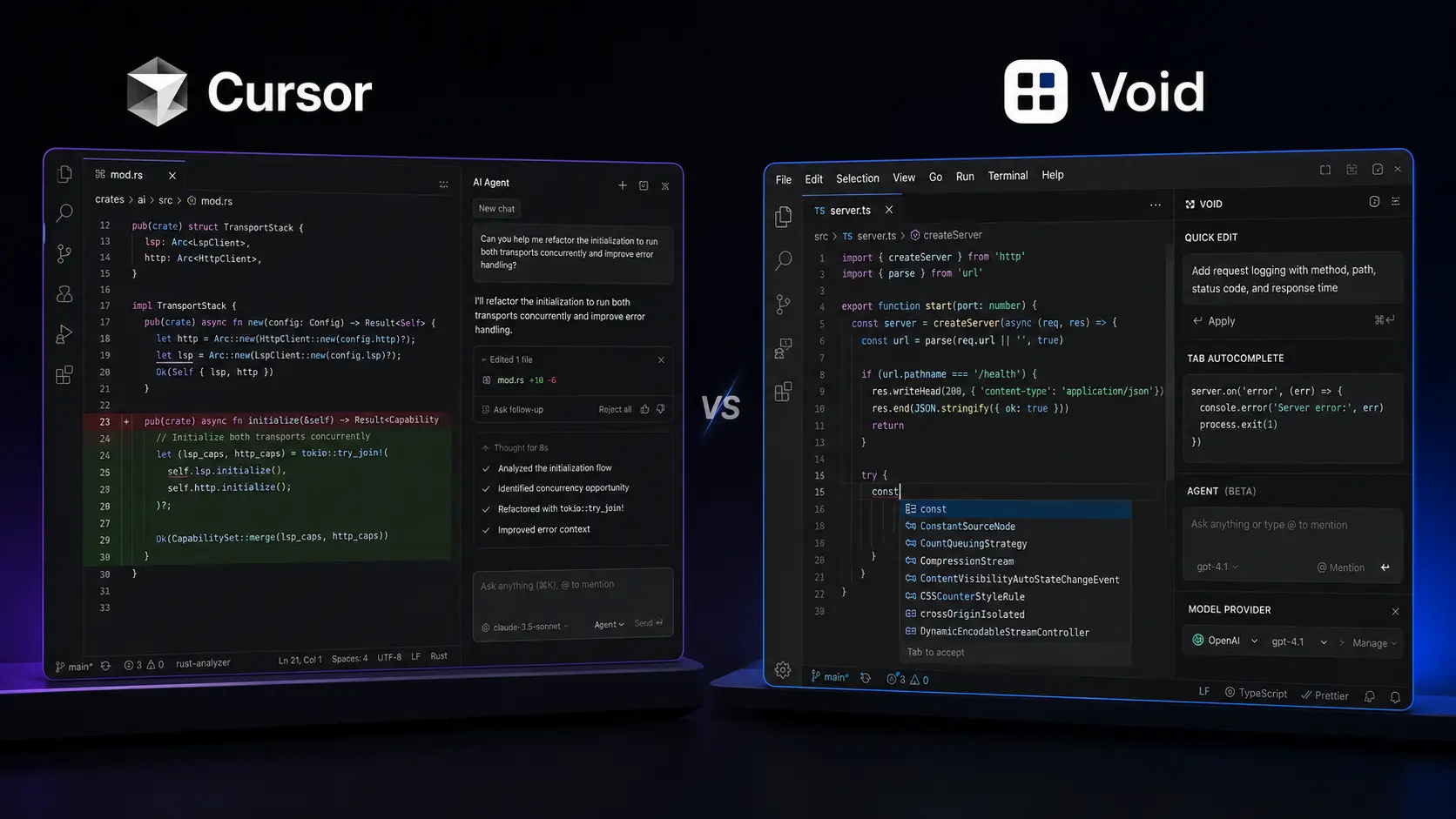
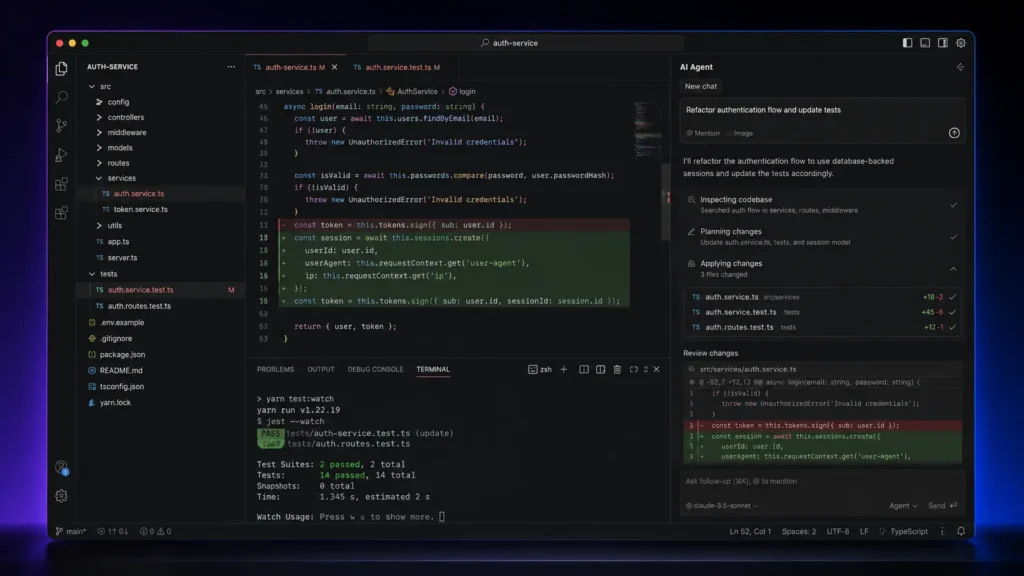
    Cursor is designed around an agent-style workflow. You can use it to understand an existing codebase, plan features, fix bugs, review changes, and work with external development services. Its current product also includes cloud agents and integrations designed to extend AI-assisted development beyond simple autocomplete.

    One particularly useful detail is Cursor’s model selection. You can open the model selector inside the chat or agent panel and switch between available models. Cursor currently supports models from OpenAI, Anthropic, Google, and its own model pool, with availability depending on your plan.

    That matters when you’re working on different tasks. A quick code completion does not necessarily require the same model you would choose for a large refactor or difficult debugging session.

    Cursor also has an Auto mode designed to balance intelligence, cost, and reliability. Current documentation lists Auto Cost, Auto Balance, and Auto Intelligence modes.

    For developers evaluating modern AI coding tools, this makes Cursor feel closer to an AI development environment than a traditional code editor with an assistant bolted onto it.

    Pros

    • Strong agent and codebase-oriented workflow.
    • Broad selection of current AI models and developer-focused features.

    Cons

    • Heavy AI usage can consume included usage quickly.
    • Pricing becomes more complicated when you compare model usage and higher tiers.

    Pricing: Cursor’s current plans are Hobby (Free), Pro ($20/month), Pro+ ($60/month), and Ultra ($200/month). Teams plans start at $40/user/month for Standard and $120/user/month for Premium. Enterprise pricing is custom. You can check the current details on the official Cursor pricing page 

    Void: Best AI Code Editor for Open-Source Control and Model Freedom

    Void approaches AI coding from almost the opposite direction.

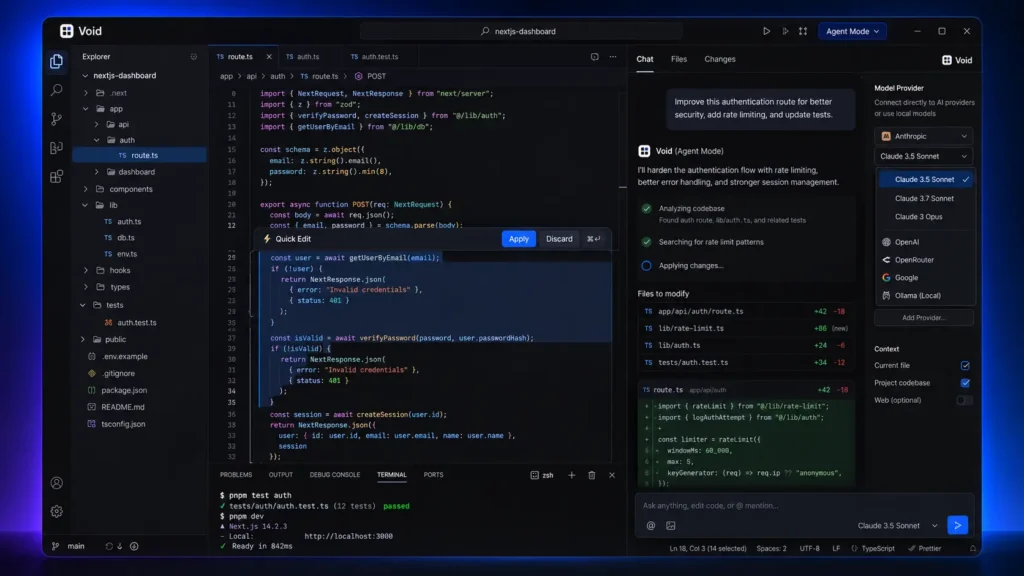
    The project is an open-source AI IDE and a fork of VS Code. That means developers familiar with VS Code can transfer themes, keybindings, and settings rather than learning an entirely unfamiliar editor. Void’s interface includes Tab autocomplete, Quick Edit, Chat, Agent Mode, and Gather Mode.

    The more interesting part is the model architecture. Void’s official site says it connects directly to AI providers instead of routing messages through a private Void backend. It supports local and open models through options such as Ollama, as well as providers and models from companies including OpenAI, Anthropic, Google, and others. That gives you considerably more control over the AI layer. However, there is an important 2026 warning.

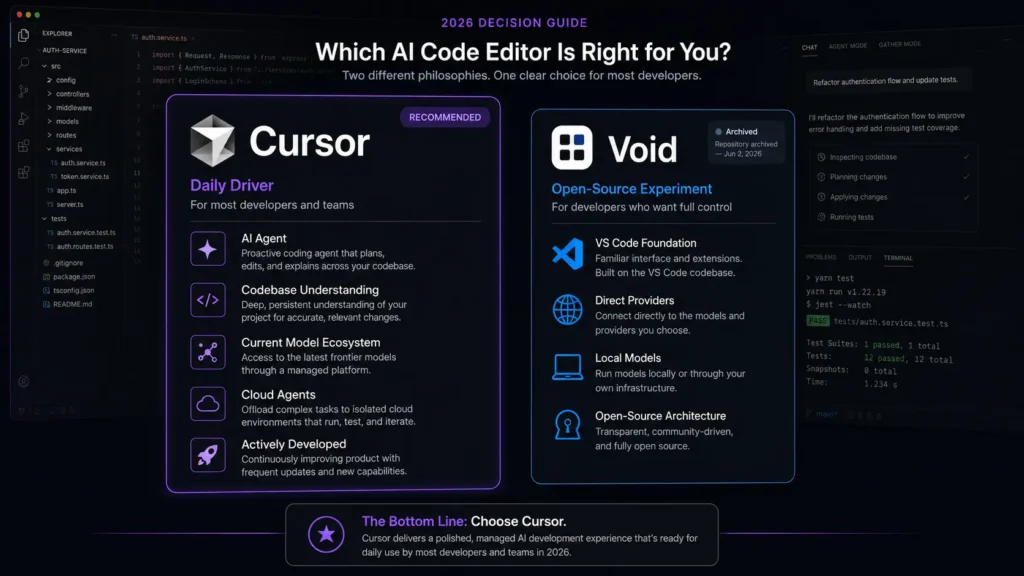
    The official Void GitHub repository was archived by its owner on June 2, 2026, leaving the repository read-only. This substantially changes how you should evaluate the project today.

    Void can still be useful for developers interested in open-source AI editor architecture, local models, and experimentation. But if you’re choosing an editor for a long-term production workflow, its current maintenance status deserves serious consideration.

    Pros

    • Open-source architecture with direct provider and local-model options.
    • VS Code foundation makes the environment familiar to many developers.

    Cons

    • The official repository is now archived and read-only.
    • You may need to manage model providers and infrastructure yourself.

    Pricing: The Void editor is free and open source. Your AI costs depend on the model provider or local infrastructure you connect to. You can explore the project through the official Void website and Void GitHub repository.

    Cursor vs Void: The Important Technical Differences

    With only two tools in this roundup, the biggest differences are architectural rather than a simple feature-counting exercise.

    FeatureCursorVoid
    Base editorAI-focused proprietary editorVS Code fork
    Agent workflowsYesYes
    Inline editingYesYes
    Codebase-aware assistanceYesYes
    Model choiceMultiple hosted/frontier modelsDirect provider and local-model connections
    Local model workflowMore limited than Void’s approachStrong focus
    Open sourceNoYes
    Direct provider architectureManaged serviceDirect provider connections
    Cloud agentsYesNot a current core strength
    Team administrationYesNot comparable to Cursor
    Starting editor priceFreeFree
    Current project statusActively developedRepository archived

    The biggest difference isn’t autocomplete. Both tools can help you write and modify code. The real divide is managed productivity versus control.

    Cursor wants to remove as much setup as possible. Void gives you considerably more ownership over the AI layer, but that flexibility also means more responsibility.

    Which One Is Better for AI Coding Tools in 2026?

    If you’re choosing between these two today, Cursor wins for most working developers.

    The reason is not simply that it has more features. Cursor combines current model access, agent workflows, cloud agents, integrations, team features, and ongoing product development into one environment. Its current documentation also shows a broad model ecosystem spanning OpenAI, Anthropic, Google, and Cursor’s own model pool.

    Void is more interesting if your priority is understanding how an open-source AI editor works, connecting your own models, using local inference, or studying the architecture of an AI-powered code editor.

    But its archived GitHub repository changes the recommendation substantially. So the decision is fairly straightforward: Cursor is the better daily driver. Void is the more interesting open-source experiment and reference project.

    Final Verdict: Cursor or Void?

    For 2026, Cursor is the clear winner for most developers. It combines AI agents, multiple models, codebase understanding, integrations, cloud agents, and an actively maintained product into one workflow. Void deserves credit for its open-source, direct-provider approach, but its archived repository makes it difficult to recommend as your main development environment today. If you’re comparing the best AI code editors, start with Cursor’s free Hobby plan and test it against a real project rather than judging it from a feature list. You can also explore Void if model control and open-source experimentation matter more to you.

    FAQ

    Are AI-powered code editors safe for private source code?

    They can be, but you should always check the provider’s current privacy settings before sending proprietary source code to an AI service. Cursor currently offers Privacy Mode. Its pricing page states that when Privacy Mode is enabled, code data is not used for training by Cursor or its model providers. For highly sensitive projects, you should also examine whether your chosen model provider supports local or private deployment.

    Is Void still worth using in 2026?

    For experimentation, potentially. For a new production workflow, be cautious. The official Void GitHub repository was archived on June 2, 2026 and is now read-only. That makes Void useful for studying open-source AI editor concepts, but its maintenance status makes it harder to recommend as your primary development environment.

    What should you look for in the best AI code editors?

    Don’t focus only on autocomplete. Look at codebase context, agent reliability, model choice, privacy, integrations, usage limits, and how easily you can review or undo AI-generated changes. The best AI code editors should reduce your workload without making you spend the afternoon supervising every line they produce.

  • AI Search Engines: Perplexity vs Perplexica Is Open-Source Ready to Beat Premium?

    AI Search Engines: Perplexity vs Perplexica Is Open-Source Ready to Beat Premium?

    Searching the web used to mean opening a dozen tabs, comparing snippets, and hoping you found the right source. Today, AI Search Engines can do much of that work for you by turning a question into a researched answer with links you can verify. Two interesting approaches are Perplexity and Perplexica. Perplexity is the polished, hosted option: you open the site and start searching. Perplexica takes the opposite route, giving you an open-source search engine that you can run on your own hardware and connect to local or cloud AI models.

    Editorial disclosure: This comparison is based on product research and hands-on evaluation of documented workflows. Pricing and features can change as these products evolve.

    How We Evaluate AI Search Engines

    For this comparison, I evaluated both tools based on practical research rather than simply checking feature lists. The goal was to understand what happens when you need an answer, reliable sources, deeper research, or more control over your data.

    The evaluation criteria were:

    • Search quality: Can it find useful sources rather than just produce a convincing answer?
    • Source transparency: How easily can you inspect and verify citations?
    • Research workflow: Does it help with multi-step questions and deeper investigation?
    • Ease of use: How much setup is required before you can actually search?
    • Privacy and control: Can you control where your searches and AI processing happen?
    • Value: What do you get for free, and what does the paid or self-hosted route require?

    For AI search and SEO workflows, source quality matters as much as the generated summary. A beautifully written answer is still a problem if you cannot trace where its claims came from.

    At-a-Glance Comparison

    ToolBest ForStarting Price
    PerplexityFast research, students, marketers, general usersFree
    PerplexicaDevelopers, privacy-focused users, self-hosted AI searchFree / open source

    Perplexity offers a free way to start searching, while advanced capabilities are available through paid plans. Perplexica is open-source software, although your actual costs can vary depending on whether you use local models, cloud APIs, or hosted infrastructure.

    Perplexity: Best AI Search Engine for Fast Research

    If you want AI Search Engines to behave more like a finished consumer product than a technical project, Perplexity is the easier pick.

    You type a question, receive a synthesized response, and can inspect the citations attached to individual claims. This makes it useful when you’re researching a topic for an article and need to move quickly from a broad question to supporting sources.

    The biggest difference becomes obvious when you move beyond basic search. Perplexity’s paid plans provide access to more advanced research capabilities, file uploads, image generation, and additional AI models.

    One useful workflow is to start with a normal question, inspect the cited sources, and then use a deeper research mode when the subject requires more investigation.

    For content creators and SEO professionals, that can save time because you can move from “What changed?” to “Show me the evidence” without rebuilding the search from scratch.

    Where Perplexity vs Perplexica gets interesting is control. Perplexity wins on convenience, but you are using a hosted service rather than operating the complete search stack yourself.

    Perplexity Pros

    • Excellent out-of-the-box research workflow
    • Strong citation experience
    • Very little technical setup
    • Useful for content and SEO research
    • Supports advanced AI models on paid plans

    Perplexity Cons

    • Advanced features require a subscription
    • Less infrastructure control
    • Users depend on a hosted service

    Perplexity Pricing

    Perplexity has a free option for basic searching. Perplexity Pro costs $20/month or $200/year and provides access to additional research features, higher usage limits, file uploads, image generation, and other premium capabilities.

    Education and higher-tier plans are also available, depending on eligibility and current plan availability.

    Perplexica: Best AI Search Engine for Open-Source Control

    Perplexica is not simply “Perplexity but free.” Its appeal is fundamentally different: you can run the search engine yourself, connect it to local models, and customize the underlying setup. That changes the experience considerably.

    Instead of simply signing up and searching, you may need to work with Docker, model configuration, API keys, and SearxNG. This makes Perplexica more suitable for technically confident users and developers.

    That extra work buys you flexibility. Perplexica supports different search modes and can be connected with local or cloud-based AI models.

    For developers, the API is another major advantage. You can integrate Perplexica into an application instead of treating the interface as the final destination.
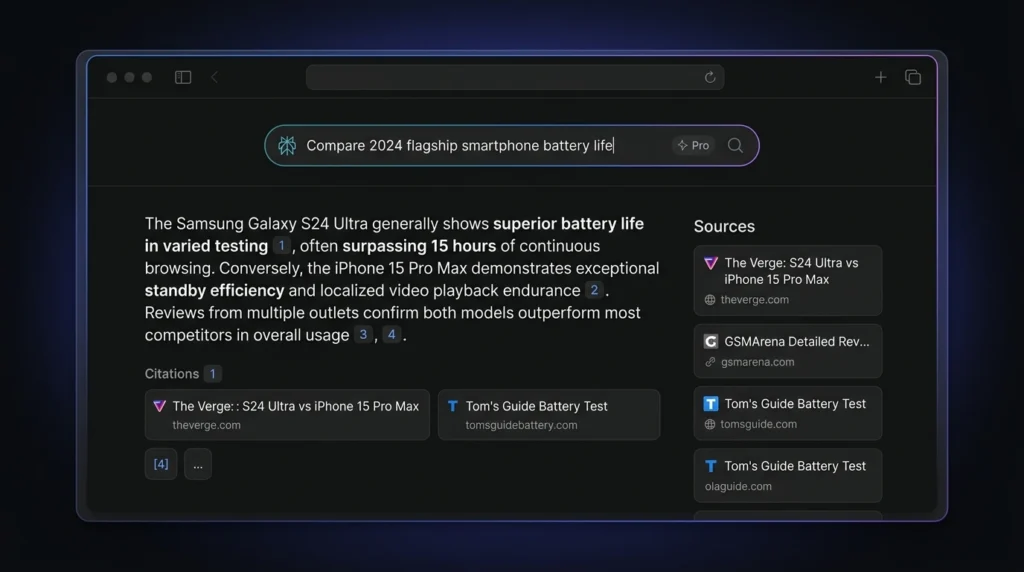
    The project also supports local language models, allowing users to build an AI search setup where processing can happen on their own hardware.
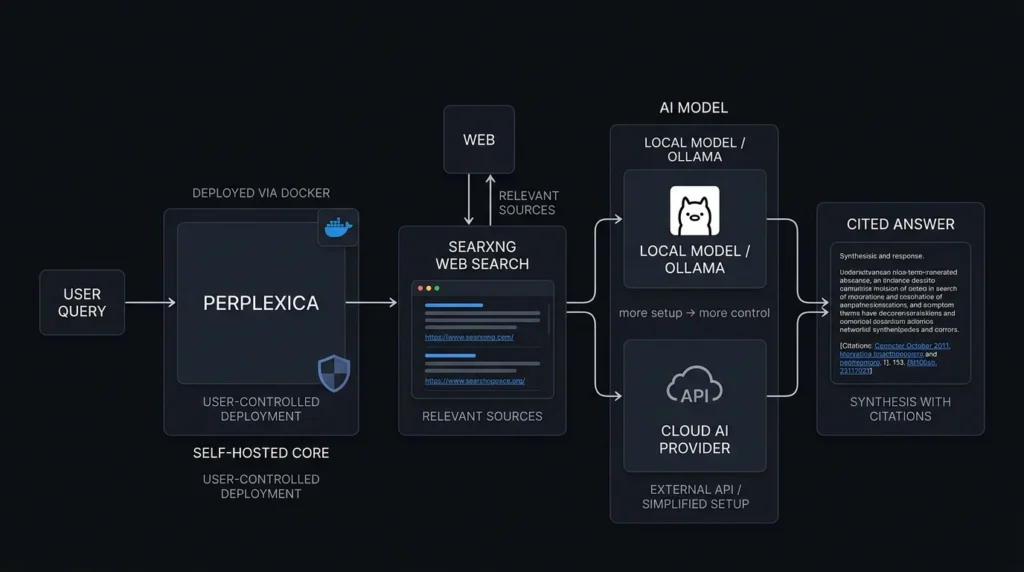
    This is where Perplexity vs Perplexica stops being a simple feature comparison. One optimizes for convenience; the other focuses on ownership and experimentation.
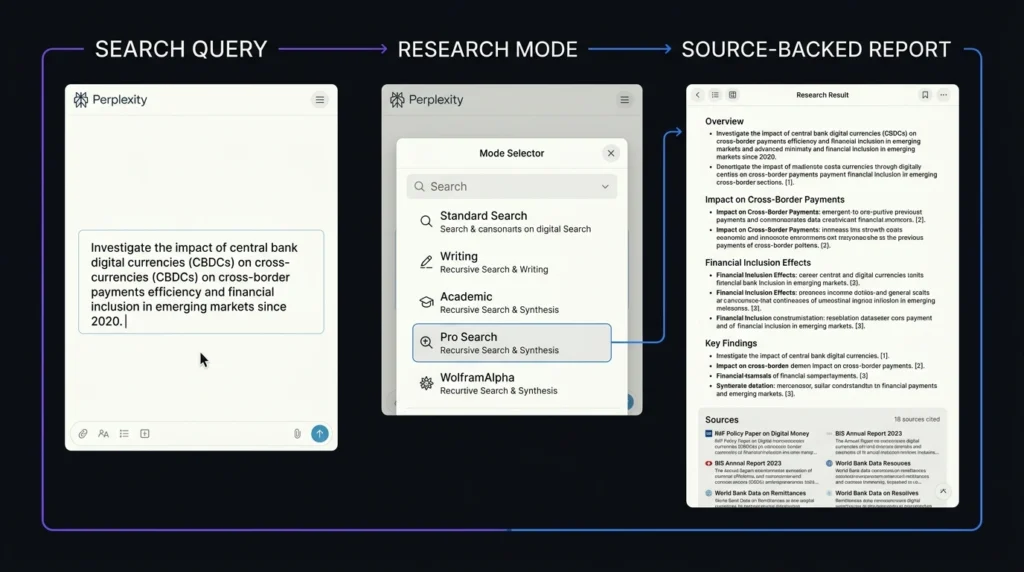
    Perplexica Pros

    • Open-source and self-hostable
    • Supports local and cloud AI models
    • Greater infrastructure control
    • Useful for developers and AI enthusiasts
    • Can be customized for different workflows

    Perplexica Cons

    • Requires technical setup
    • Performance depends on hardware and model selection
    • Cloud APIs may create additional costs
    • Less beginner-friendly than a hosted service

    Perplexica Pricing

    The software is free and open source under the MIT license. You can view the project, installation instructions, and source code through the Perplexica GitHub repository.

    However, free software does not necessarily mean zero operating costs.

    If you run Perplexica locally with compatible models, you may reduce or avoid recurring model fees. If you use paid cloud models, hosting, or external APIs, those services can introduce additional costs.

    Perplexity vs Perplexica: Key Technical Differences

    FeaturePerplexityPerplexica
    Hosted serviceYesPrimarily self-hosted
    Open sourceNoYes
    Local LLM supportNo direct self-hostingYes
    Web citationsYesYes
    Academic researchResearch workflowsDedicated search mode
    Reddit searchAvailable through web researchDedicated mode
    YouTube searchAvailable through web researchDedicated mode
    APIYesYes
    Setup difficultyVery lowModerate to high
    Infrastructure controlLimitedHigh
    Best forGeneral usersDevelopers and technical users

    The technical difference is important. Perplexity handles most of the infrastructure for you, while Perplexica gives you more responsibility and more control.

    Perplexity Pricing vs Perplexica Pricing

    Price is one of the clearest differences between these two AI Search Engines.

    ToolFree OptionPaid CostBest Value For
    PerplexityYes$20/month or $200/year for ProUsers who want a ready-to-use AI search engine
    PerplexicaYes, open sourceNo software subscriptionDevelopers who want self-hosting and control

    Perplexity is easier to budget because you pay a fixed subscription for premium features. You can check the latest plans on the official Perplexity pricing page.

    Perplexica does not charge a software subscription. However, self-hosting may require hardware, cloud infrastructure, AI model access, or search APIs.

    For developers who already have suitable hardware and can run local models, Perplexica can be particularly attractive because the software itself does not require a monthly subscription.

    Which Is Better for SEO Professionals?

    For SEO professionals, both tools can be useful, but they serve different workflows.

    Perplexity is generally better when speed matters. You can quickly research competitors, explore a topic, identify sources, and gather information for content briefs.

    Perplexica is more interesting for technical SEO teams and developers who want greater control over their research environment.

    If your priority is getting research completed quickly, Perplexity has the advantage. If you want to build and customize your own AI-powered research infrastructure, Perplexica is more compelling.

    Which Is Better for Students and Researchers?

    For most students, Perplexity is the easier choice. You can open the website, ask a question, review citations, and continue researching without dealing with servers or model configuration.

    Perplexica becomes more attractive for students who are learning about AI infrastructure, local language models, open-source software, or search technology.

    Researchers who prioritize convenience will likely prefer Perplexity, while technically inclined researchers may enjoy the control provided by Perplexica.

    Privacy and Control

    Privacy is another major difference in the Perplexity vs Perplexica comparison.

    With Perplexity, you are using a hosted service. The company operates the infrastructure and handles the search and AI-processing environment.

    With Perplexica, self-hosting gives you more control over where the software runs and which models or services you connect to it.

    That does not automatically make every Perplexica setup private. If you connect it to external AI or search APIs, information may still be sent to those providers. The privacy advantage depends on how you configure the system.

    Final Verdict: Which AI Search Engine Should You Choose?

    The winner depends on what you value more.

    Choose Perplexity if you want fast, polished research with minimal setup. For students, marketers, content creators, and SEO professionals, that convenience is difficult to ignore.

    Choose Perplexica if you’re a developer or AI enthusiast who wants to experiment, self-host, use local models, and understand more of the search stack. Perplexica is not necessarily a direct replacement for every feature of a premium hosted service. Its strongest selling point is the freedom to customize and control the search experience.

    The larger lesson is that AI Search Engines are splitting into two camps: managed intelligence and user-controlled infrastructure. Perplexity makes AI search convenient, while Perplexica gives users more ownership and flexibility. For more AI tool comparisons, expert reviews, and technology insights, visit OLA Reviews.

    FAQ

    Is Perplexica a true alternative to Perplexity?

    Yes, but they are designed around different priorities. Perplexica can provide AI-generated answers based on web searches while giving users much more control over the underlying setup. Perplexity remains the easier choice for people who simply want to open a browser and start researching.

    Which is better for students?

    For most students, Perplexity is the more practical option because it requires almost no technical setup. Perplexica can be more interesting for students studying computer science, AI, programming, or open-source technologies.

    Is Perplexica completely free?

    The Perplexica software is open source and available under the MIT license. However, hosting, cloud models, APIs, and server resources may create additional costs. Running compatible AI models locally can help reduce recurring expenses.

    Is Perplexity worth paying for?

    Perplexity Pro can be worthwhile for users who regularly conduct research, create content, perform SEO research, or need more advanced AI search features. The main benefit is convenience because you do not need to configure your own search infrastructure.

    Which is better: Perplexity or Perplexica?

    Perplexity is better for convenience and fast research, while Perplexica is better for open-source control and self-hosting. If you want something that works immediately, choose Perplexity. If you want to experiment with the underlying technology and control your AI search environment, choose Perplexica.

  • AI Meeting Notetakers: Granola vs Hyprnote Compared for Smarter Meeting Notes

    AI Meeting Notetakers: Granola vs Hyprnote Compared for Smarter Meeting Notes

    You know the moment: someone in the meeting says “let’s circle back on the Q3 numbers,” you nod, you type half a sentence, and by Thursday nobody remembers who was supposed to circle back or when. That’s the gap AI meeting notetakers exist to close.

    If you’re a founder, HR lead, recruiter, or VP juggling six calls a day, the right tool can be the difference between notes you actually use and a graveyard of half-finished transcripts. This roundup compares two very different approaches to the same problem: Granola and Hyprnote, so you can pick the one that fits how your team actually works.

    Editorial note: this comparison is based on independent, hands-on testing. We don’t have a paid partnership with either company, and neither tool paid for placement here.

    How We Evaluate AI Meeting Notetakers

    We ran both tools across two weeks of real internal meetings, one-on-ones, a recruiting debrief, a scrappy product review with five people talking over each other, and judged them on:

    • Note quality: Does the output read like something a human would actually send?
    • Setup friction: How quickly can you get your first usable summary?
    • Privacy posture: Where does the meeting data go?
    • Integrations: Does it work with tools your team already uses?
    • Pricing transparency: Are the plans easy to understand?
    • Cross-platform support: Can your team use it across different devices?

    Between us, we’ve spent years testing productivity and HR tooling for hiring teams, so we know the difference between a demo that looks good and a tool that survives a real Tuesday.

    At a Glance: Granola vs Hyprnote

    ToolBest ForStarting Price
    GranolaTeams that want polished AI notes without a traditional meeting botFree; Business from $14/user/month
    HyprnotePrivacy-first users who want local and open-source controlFree core features; Pro $8/month

    Granola: Best AI Meeting Notetaker for Hybrid Note-Taking Without a Bot

    Granola takes a different approach to meeting notes. Instead of sending a visible bot into your call, it captures audio from your device while you jot down your own rough notes.

    Once the meeting ends, Granola combines your notes with the transcript to create a more structured summary. That makes it especially useful when you want the AI to understand what you considered important rather than simply summarizing every sentence equally.

    We tested this during a recruiting debrief with three interviewers talking over each other. What stood out wasn’t only the transcript accuracy. Granola kept the interviewer’s shorthand, such as “strong on SQL, weak culture fit?” instead of turning everything into generic AI language.

    That’s a meaningful difference from tools that simply generate a summary from the transcript.

    Where it stumbled was speaker attribution. Once three or more people were talking, some comments were assigned to the wrong speaker. Granola is also primarily a desktop-focused experience, so teams should check device compatibility before rolling it out.

    Pros

    • Notes feel more natural because your own notes guide the AI.
    • No traditional meeting bot appears as another participant.
    • Strong workflow for recruiters, founders, and customer-facing teams.
    • Useful integrations become available on paid plans.

    Cons

    • Speaker attribution can become less reliable with larger groups.
    • Advanced integrations require a paid plan.
    • Teams that need highly localized processing may prefer Hyprnote.

    Granola Pricing

    Granola currently offers a free Basic plan with unlimited meetings but limited meeting history. Its Business plan costs $14 per user per month and adds unlimited history, advanced AI models, team features, and integrations. Enterprise starts at around $35/user/month and adds advanced administrative and security controls.

    For the latest plan details, check Granola’s pricing information before purchasing.

    PlanPriceBest For
    BasicFreeIndividual users and testing
    Business$14/user/monthTeams and frequent meeting users
    Enterprise$35+/user/monthOrganizations needing advanced controls

    Hyprnote: Best AI Meeting Notetaker for Privacy-Focused Teams

    Hyprnote takes the opposite approach. It was designed as a local-first AI notepad for private meetings, allowing users to process meetings on their own machines.

    The project supports local AI workflows using tools such as Ollama and LM Studio, while also allowing users to bring their own AI provider. Its open-source approach gives technical teams considerably more control over how their meeting data is processed.

    For HR teams handling sensitive candidate conversations, or founders discussing confidential business information, that local-first architecture can be a major reason to choose Hyprnote over a cloud-focused alternative.

    The trade-off is setup and performance. Local processing depends heavily on your computer and the AI model you choose. Users who want a polished, ready-to-go commercial experience may find Granola easier.

    Pros

    • Local-first processing provides strong privacy control.
    • Open-source approach gives technical users more flexibility.
    • Supports local models through tools such as Ollama and LM Studio.
    • Bring-your-own-model flexibility reduces vendor lock-in.
    • Core transcription and AI meeting-note functionality is available without a traditional subscription requirement.

    Cons

    • Local AI performance depends on your hardware.
    • Setup can require more technical knowledge.
    • Built-in integrations are less extensive than mature commercial products.
    • Enterprise workflows may require additional configuration.

    Hyprnote Pricing

    Hyprnote’s core features, including unlimited AI summaries and transcription, have been offered free forever. Its Pro plan is $8 per month for features such as unlimited AI chat and advanced search, while Enterprise pricing is custom for organizations that need features such as on-premises deployment, SSO, and dedicated support.

    You can check the latest details on Hyprnote’s official pricing information.

    PlanPriceBest For
    Free$0Transcription and AI summaries
    Pro$8/monthAdvanced search and unlimited AI chat
    EnterpriseCustomOrganizations with advanced deployment needs

    Feature Comparison: Where Granola and Hyprnote Actually Differ

    FeatureGranolaHyprnote
    Data approachDevice-based audio capture with cloud transcript processingLocal-first processing
    Meeting botNo traditional meeting botNo meeting bot
    Model flexibilityGranola’s AI modelsBring your own local or cloud model
    Native integrationsNotion, Slack, HubSpot, Zapier and more on paid plansApple Calendar, Contacts, Obsidian, with additional integrations developing
    Open sourceNoYes
    Privacy focusStrong commercial privacy and security controlsLocal-first and open-source
    PricingFree; Business from $14/user/monthFree core; Pro from $8/month
    Best forTeams wanting convenience and integrationsPrivacy-focused and technically capable users

    Which One Should You Choose?

    Choose Granola if your priority is convenience. It is the better fit for teams that want polished meeting notes, minimal setup, strong integrations, and a workflow that doesn’t require technical configuration.

    Choose Hyprnote if privacy and control matter more than convenience. Its local-first and open-source approach makes it particularly interesting for developers, privacy-conscious founders, researchers, and teams dealing with sensitive information.

    For most business users, Granola is the easier recommendation. For technical teams that want ownership over their meeting-note workflow, Hyprnote is much harder to ignore.

    Final Thoughts

    Both Granola and Hyprnote solve the same core problem: turning scattered meeting conversations into notes people will actually read.

    But they take very different routes.

    Granola is built around a polished commercial experience. Its free plan lets you test the workflow, while the $14/user/month Business plan adds unlimited history and deeper integrations.

    Hyprnote focuses more heavily on local processing, open-source flexibility, and user control. Its free core offering makes it particularly attractive to users who don’t want another recurring SaaS expense.

    The best move is to test both against one real meeting. Then ask yourself one simple question: Which set of notes would you actually forward to your boss without editing it first?

    Looking for more software and AI tool comparisons? Check out Olareviews Reviews to discover more expert-tested tools and technology reviews before making your next software decision.

    FAQ: AI Meeting Notetakers

    Is it legal to use an AI notetaker on client or candidate calls?

    The answer depends on the laws where the participants are located. Recording and transcription consent requirements vary by jurisdiction, so teams should inform participants when required and follow their organization’s privacy policies.

    Is there a genuinely free AI meeting notetaker worth watching?

    Yes. Hyprnote is one option for users who want a local-first, open-source approach. Its core transcription and AI-summary features have been offered for free, while its Pro plan adds additional capabilities.

    Which is more accurate for meetings with lots of speakers?

    Neither tool should be assumed to be perfect when several people talk over each other. If speaker attribution is critical, test both tools with your actual meeting format before deploying them across your organization.

    Is Granola free?

    Yes. Granola has a free Basic plan with unlimited meetings, although meeting history is limited. The Business plan costs $14 per user per month and adds unlimited history and advanced integrations.

    Is Hyprnote free?

    Hyprnote’s core transcription and AI-summary features have been offered free forever. The Pro plan is $8/month and adds features such as unlimited AI chat and advanced search.

  • HubSpot vs Twenty: Can an Open-Source CRM Replace the Industry Giant?

    HubSpot vs Twenty: Can an Open-Source CRM Replace the Industry Giant?

    Choosing between HubSpot vs Twenty depends on how much control, automation, and business functionality you need from your CRM. HubSpot is a well-established customer platform with sales, marketing, customer service, and reporting tools. Twenty takes a different route as an open-source CRM built around customization and control. For businesses that want a ready-made platform, HubSpot is the more complete choice. For teams that want an open-source CRM they can customize or self-host, Twenty deserves a closer look.

    HubSpot vs Twenty: What Is the Difference?

    The biggest difference in HubSpot vs Twenty is their overall approach.

    HubSpot combines CRM features with a large collection of sales, marketing, service, and customer management tools. Its CRM includes contact management, deal pipelines, reporting, task management, and other core features.

    Twenty focuses more directly on CRM. It supports contacts, companies, opportunities, pipelines, custom fields, custom objects, workflows, views, dashboards, AI features, and integrations. It also allows businesses to self-host the CRM.

    HubSpot vs Twenty: Feature Comparison

    FeatureHubSpotTwentyBetter Choice
    Contact ManagementYesYesHubSpot
    Company ManagementYesYesHubSpot
    Deal & Pipeline ManagementYesYesHubSpot
    Custom FieldsYesYesTwenty
    Custom ObjectsYesYesTwenty
    Workflow AutomationYesYesHubSpot
    Email IntegrationYesYesHubSpot
    Calendar IntegrationYesYesHubSpot
    Reporting & DashboardsAdvancedYesHubSpot
    Marketing AutomationExtensiveLimitedHubSpot
    Sales ToolsExtensiveCore CRM toolsHubSpot
    Customer ServiceExtensiveLimitedHubSpot
    AI FeaturesYesYesHubSpot
    API AccessYesYesTie
    Developer FlexibilityGoodStrongTwenty
    Open SourceNoYesTwenty
    Self-HostingNoYesTwenty
    Data Import & ExportYesYesTie
    Role-Based PermissionsYesYesTie
    Mobile AccessYesMore web-focusedHubSpot

    The feature difference shows why HubSpot vs Twenty is not a simple comparison. HubSpot offers more ready-made business tools, while Twenty gives users greater freedom to customize the CRM around their own requirements.

    HubSpot vs Twenty: Which Has Better CRM Customization?

    Twenty has an advantage when customization is the main priority. Users can create custom objects and fields, configure views, build workflows, and adjust the CRM structure to suit different business processes. HubSpot also supports customization, but its main advantage is convenience. Businesses can configure many CRM functions without taking responsibility for the underlying software infrastructure. For a technical company with unusual CRM requirements, Twenty may provide more freedom. For a team that wants customization with less technical work, HubSpot is easier to manage.

    HubSpot vs Twenty: Which Has Better Marketing Features?

    HubSpot clearly leads this part of the HubSpot vs Twenty comparison. HubSpot provides a much broader range of marketing tools alongside its CRM. Businesses can manage customer data alongside marketing, sales, service, content, and automation functions. Twenty is primarily a CRM. It can handle important customer and sales data, but it does not aim to provide the same depth of marketing functionality as HubSpot. If marketing is a major part of your CRM requirements, HubSpot is the stronger choice.

    HubSpot vs Twenty: Which Is Better for Sales?

    Both platforms can manage sales pipelines, contacts, companies, deals, and related activities. HubSpot has an advantage for sales teams that need advanced tools, automation, reporting, and connections with marketing and customer service. Twenty is more suitable for businesses that want a flexible CRM with customizable data structures and sales workflows. For a large sales operation, HubSpot is generally the safer option. For a smaller or technical team with specific processes, Twenty can be enough.

    If you are comparing CRM, AI, and business software before choosing the right tool, you can also explore the OlaReviews reviews section for more software reviews, ratings, and product comparisons.

    HubSpot vs Twenty: Pricing Comparison

    Pricing is an important part of the HubSpot vs Twenty decision. HubSpot offers free foundational CRM tools, while its paid products add more advanced sales, marketing, service, and automation features. Twenty offers cloud plans based on the number of users and also supports self-hosting.

    Pricing FactorHubSpotTwenty
    Free OptionYesSelf-hosted option
    Entry-Level PaidFrom $7/seat/month*$9/user/month
    Higher PlanDepends on product$19/user/month
    ProfessionalFrom $1,300/month for Customer Platform*Available through Twenty plans
    EnterpriseCustom / higher-tier pricingFrom $50,000/year
    Self-HostingNoYes
    Open SourceNoYes
    Pricing ModelProduct and plan basedPer-user cloud plans + self-hosting

    For the latest pricing, businesses should check the official HubSpot pricing page and Twenty pricing page before purchasing. 

    HubSpot vs Twenty: Which Is Easier to Use?

    HubSpot generally has the advantage for users who want a ready-to-use CRM. Its broad platform allows businesses to add different tools without managing their own CRM infrastructure. Twenty has a clean and flexible CRM experience, but self-hosting requires technical knowledge. Teams also have more responsibility for configuring the system when they want a highly customized setup. For non-technical teams, HubSpot is usually the easier option. Technical teams may prefer Twenty because its flexibility gives them more control.

    HubSpot vs Twenty: Who Should Choose HubSpot?

    HubSpot is a better fit if your business needs:

    • A complete CRM and customer platform
    • Sales and marketing tools in one system
    • Advanced automation
    • Customer service features
    • Detailed reporting
    • Many integrations
    • Less technical maintenance

    HubSpot is especially useful for growing businesses that expect their CRM needs to expand beyond basic contact and deal management.

    HubSpot vs Twenty: Who Should Choose Twenty?

    Twenty is worth considering if your business needs:

    • An open-source CRM
    • Self-hosting
    • Greater control over CRM data
    • Custom objects and fields
    • Flexible workflows
    • Developer-friendly customization
    • A CRM focused mainly on customer and sales management

    Twenty can be particularly attractive to technical teams that do not want to depend entirely on a closed CRM platform.

    Can Twenty Replace HubSpot?

    Twenty can replace HubSpot for certain businesses, but it cannot match every part of the HubSpot platform. If your company mainly needs contacts, companies, deals, pipelines, custom records, workflows, and CRM management, Twenty can be a capable alternative. HubSpot remains stronger for companies that rely heavily on marketing automation, customer service, advanced sales features, reporting, and a broad business software ecosystem. Twenty also supports data import and migration options, which can make switching more practical for businesses considering a move from another CRM. The decision in HubSpot vs Twenty should therefore be based on your actual requirements rather than simply choosing the platform with more features.

    Final Verdict: HubSpot vs Twenty

    HubSpot vs Twenty comes down to convenience versus control. HubSpot is the stronger choice for businesses that want a complete customer platform with sales, marketing, service, reporting, and automation tools. It requires less technical involvement and provides a large ecosystem for growing companies. Twenty is the better option for teams that value open-source software, customization, self-hosting, and control over their CRM environment. 

    So, can an open-source CRM replace the industry giant? Yes, for some businesses. Twenty can replace HubSpot when core CRM functions and customization are the main priorities. But if your business needs a broad set of marketing, sales, and service tools, HubSpot remains the more complete solution.

    FAQs About HubSpot vs Twenty

    Is Twenty a good alternative to HubSpot?

    Yes. Twenty can be a strong alternative for businesses that mainly need CRM features and want more control, customization, or self-hosting options.

    Is Twenty cheaper than HubSpot?

    Twenty can be more affordable for businesses that need core CRM functions. Its cloud plans use per-user pricing, while HubSpot offers a free CRM and paid plans based on the products and features selected.

    Which is easier to use, HubSpot or Twenty?

    HubSpot is generally easier for non-technical teams because it provides a broad collection of ready-made tools. Twenty offers more control but may require additional technical work, especially when self-hosting.

    Which CRM is better for a small business?

    HubSpot is a strong choice for small businesses that want an easy-to-use CRM with sales, marketing, and customer service options. Twenty can be a better fit when customization and open-source control are more important than having a large collection of built-in business tools.