Category: Ai Tools

  • Loom vs ShareX: Is Paying for Screen Recording Actually Worth It?

    Loom vs ShareX: Is Paying for Screen Recording Actually Worth It?

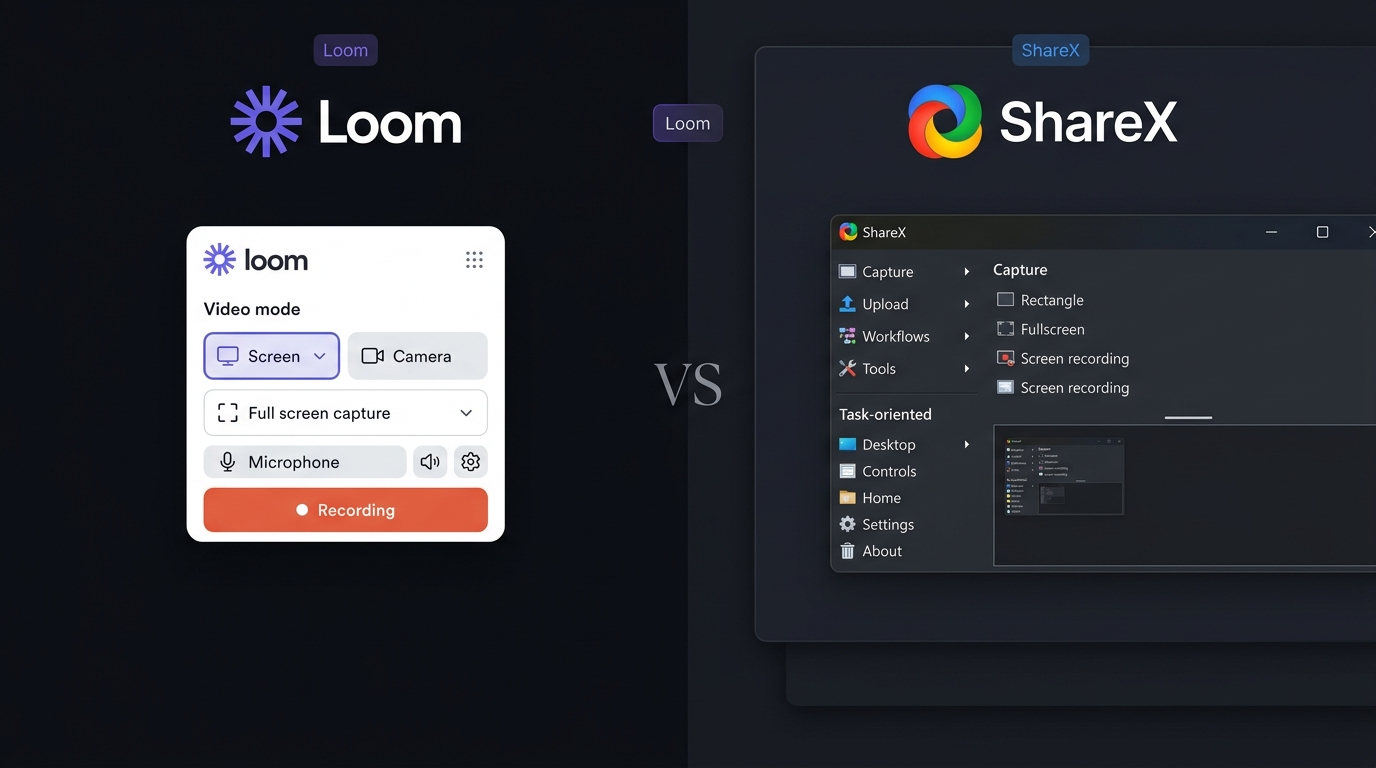
    Choosing between Loom vs ShareX depends on what you expect from a screen recording tool. Loom focuses on recording videos that are easy to share, while ShareX is a free and open-source Windows tool built around screenshots, screen capture, recording, and file sharing. For users who only need basic screen recording, paying for Loom may not make sense. However, people who create video explanations for clients, coworkers, students, or customers may find Loom more useful. The rise of AI tools also makes features such as automatic summaries, transcripts, and video assistance more valuable for modern workflows.

    Loom vs ShareX: What Is the Main Difference?
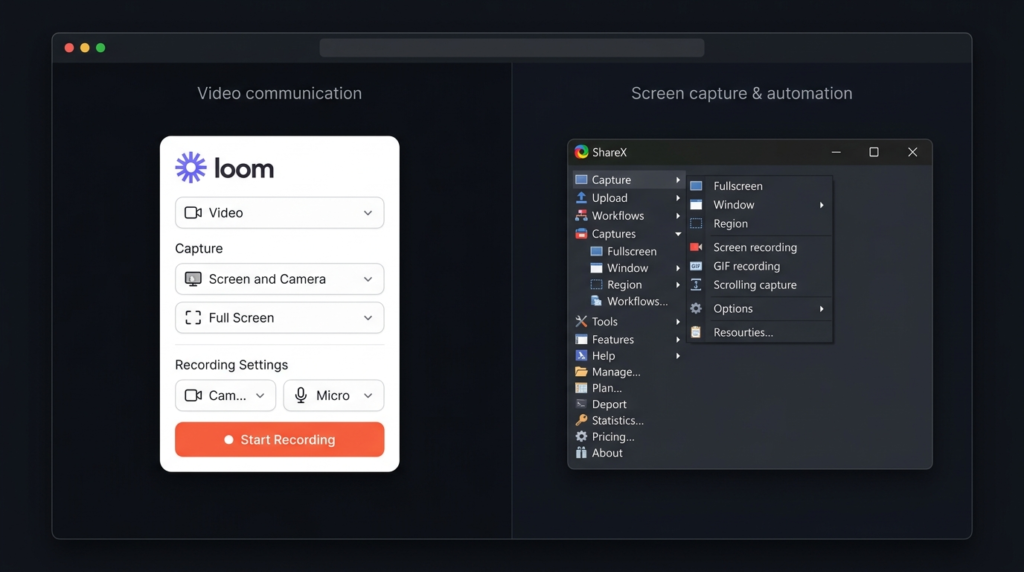
    The biggest difference in Loom vs ShareX is their purpose.

    Loom is designed for video communication. You can record your screen, webcam, microphone, or a combination of them and then share the recording through a link. This makes it useful for remote teams, customer support, education, product demonstrations, and feedback.

    ShareX takes a broader screen-capture approach. It lets Windows users take screenshots, record their screen, create GIFs, annotate images, upload files, and customize capture workflows.

    So, Loom is mainly a video communication tool, while ShareX is primarily a screen capture and recording tool.

    Loom vs ShareX Features Comparison

    FeatureLoomShareX
    Screen recordingYesYes
    Screenshot captureYesExcellent
    Webcam recordingYesLimited
    Microphone recordingYesYes
    Video editingYesBasic
    Screen annotationYesYes
    GIF recordingYesYes
    Instant video sharingYesYes, through supported services
    Video commentsYesNo
    TranscriptionsYesNo
    CaptionsYesNo built-in equivalent
    AI featuresYes, on eligible plansNo built-in AI suite
    Scrolling screenshotsLimitedYes
    OCRLimitedYes
    WindowsYesYes
    MacYesNo
    Free optionYesYes
    Best forVideo communicationScreen capture and recording

    The Loom vs ShareX feature difference is clear. Loom puts more attention on recorded communication, while ShareX gives users extensive control over screenshots and captures.

    Loom vs ShareX: Which Has Better AI Tools?
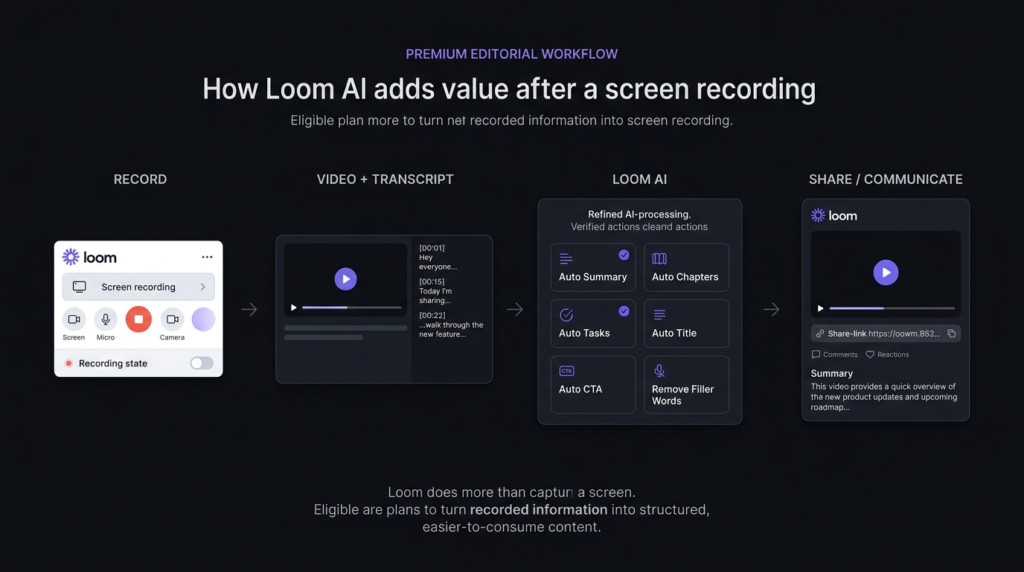
    When comparing modern AI tools, Loom has an advantage because AI features are part of its broader video workflow. Depending on the plan and available features, Loom can help with tasks such as creating summaries, working with transcripts, and making recorded information easier to understand and share.

    ShareX does not try to compete as an AI video platform. Its main strength is its large collection of capture and automation options. If you want AI-powered assistance specifically inside your screen recorder, Loom is the more relevant choice. However, users should not pay for AI features simply because they are available. If you rarely create videos, basic recording software may still be enough.

    Loom vs ShareX: Screen Recording Experience
    Loom makes recording simple. You can choose what you want to capture, record your explanation, and share the result without treating the recording as a traditional video-file project. This works particularly well when you need to explain something quickly. For example, a manager can record feedback instead of writing several paragraphs. A teacher can demonstrate a process, while a support team can show a customer how to fix a problem.

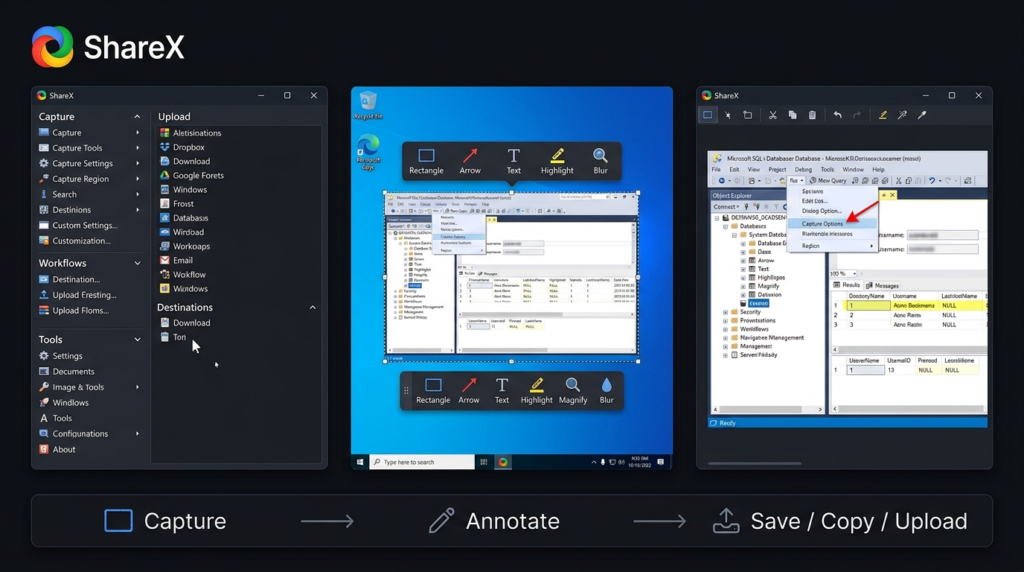
    ShareX gives you more control over capture options. It is particularly strong for users who frequently take screenshots or need different capture methods. It can also record screens and create GIFs. For simple video communication, Loom has the smoother workflow. For flexible screen capture, ShareX has the advantage.

    Loom vs ShareX: Pricing Compared
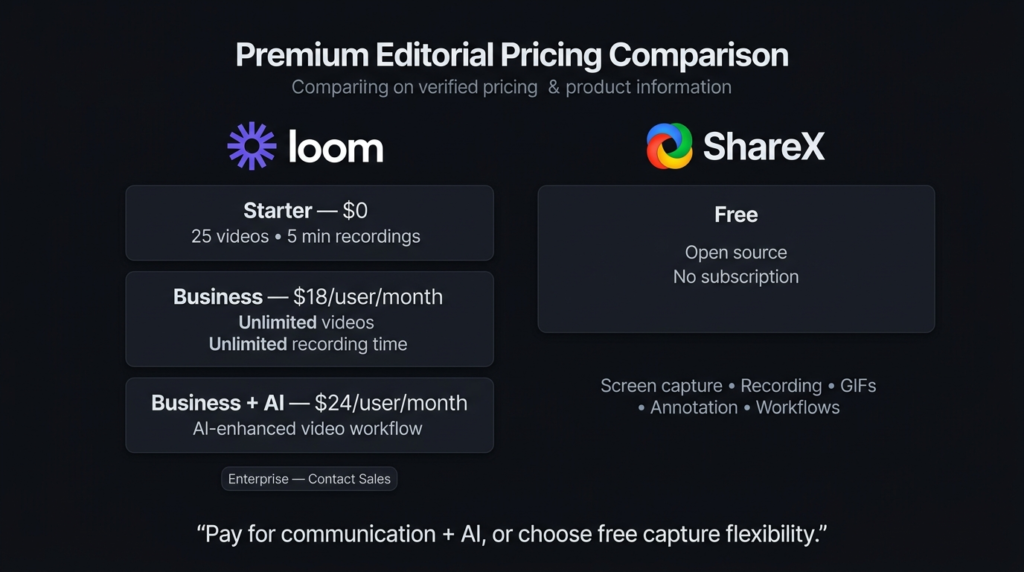
    Price is one of the biggest reasons people search for Loom vs ShareX.

    Loom Pricing

    Loom offers a free Starter plan, but it comes with limits. The free plan currently allows up to 25 videos per person and recordings of up to five minutes. Paid plans provide more advanced recording, editing, collaboration, and AI capabilities. Because Loom uses a paid model for more advanced features, it is worth considering how frequently you record videos before upgrading.

    ShareX Pricing

    ShareX is free and open source. There is no subscription required to use its main screen capture and recording features. This makes ShareX difficult to beat for users whose priority is keeping costs at zero.

    Pricing FactorLoomShareX
    Free versionYesYes
    Cost for basic screen captureFree option$0
    Paid plansYesNo
    Subscription required for advanced featuresSome featuresNo
    AI featuresAvailable on eligible plansNo built-in AI suite
    Open sourceNoYes
    Best value for free captureGoodExcellent

    Pricing can change, so users should check the official pricing pages before purchasing a plan.

    Loom vs ShareX: Which Is Easier to Use?

    Loom is generally easier for beginners who want to record and share a video without spending time configuring many options. The workflow is straightforward: record, make necessary changes, and share.

    ShareX has more settings and capture choices. That flexibility is helpful for experienced users, but beginners may need some time to understand how different options work. Therefore, in the Loom vs ShareX usability comparison, Loom is the better choice for simple video communication, while ShareX is better for users who want more control.

    Loom vs ShareX: Which Is Better for Teams?

    Loom is the stronger option for teams that frequently communicate through recorded videos. A team member can record a product explanation, project update, training video, or customer response and send it to others. This can be faster than arranging another meeting or writing a long explanation.

    ShareX can still be useful in a workplace, especially for screenshots, bug reports, quick captures, and technical documentation. But it is not built around team video communication in the same way.

    Loom vs ShareX: Which Is Better for Personal Use?

    For personal use, ShareX is an excellent choice if you mainly need screenshots and occasional screen recordings. You do not have to pay for a subscription, and its wide range of capture options makes it useful for everyday Windows tasks.

    Loom becomes more attractive when you regularly communicate through video. Freelancers, teachers, marketers, developers, support workers, and remote employees may find its sharing workflow more useful.

    Loom vs ShareX: Pros and Cons

    Loom Pros

    • Easy screen and webcam recording
    • Simple video sharing
    • Useful for team communication
    • Helpful video feedback features
    • Transcription and caption features
    • AI tools available on eligible plans

    Loom Cons

    • Free plan has limits
    • Advanced features require paid plans
    • May be unnecessary for occasional recording
    • Some users may not need its collaboration features

    ShareX Pros

    • Completely free
    • Open source
    • Powerful screenshot tools
    • Screen and GIF recording
    • Extensive customization
    • Useful upload and sharing options
    • No subscription required

    ShareX Cons

    • Windows-focused
    • More complicated for beginners
    • Not designed around video communication
    • No built-in AI video feature set like Loom

    Loom vs ShareX: Which One Should You Choose?

    Choose Loom if you regularly create videos for clients, coworkers, customers, students, or online teams. It is especially useful when recording is part of your communication process. Choose ShareX if you want a free Windows application for screenshots, screen recordings, GIFs, annotations, and other capture tasks. For people exploring AI tools, Loom is the better fit if AI-assisted video features are important to their workflow. But if your only goal is recording your screen without paying, ShareX provides strong value.

    Loom vs ShareX: Final Verdict

    The winner of Loom vs ShareX depends on your priorities. ShareX wins on price and capture flexibility. It is free, open source, and packed with useful screen capture features. Loom wins on communication and convenience. It provides a more focused experience for recording, sharing, explaining, and collaborating through video, with AI features available on eligible plans. So, is paying for screen recording actually worth it? Only if the extra workflow and communication features save you enough time. If you simply want to record your screen, ShareX may be all you need. If you regularly use video to communicate, Loom can be worth paying for.

    FAQs About Loom vs ShareX

    Is Loom better than ShareX?

    Loom is better for video communication, team collaboration, and quick sharing. ShareX is better for free screen capture, screenshots, GIFs, and flexible recording on Windows.

    Is ShareX completely free?

    Yes. ShareX is free and open source, making it a strong option for users who do not want to pay a monthly subscription for screen recording.

    Is Loom worth paying for?

    Loom can be worth paying for if you frequently create videos for work, teaching, customer support, or team communication. If you only make occasional recordings, ShareX may offer better value.

    Does Loom have AI features?

    Yes. Loom offers AI-powered features on eligible plans, including tools that can work with recorded video and transcripts. These features can be useful for people who want more than basic screen recording.

    Which is better for AI tools: Loom or ShareX?

    Loom is the better choice if you specifically want AI-assisted video features. ShareX focuses on screen capture and customization rather than providing a built-in AI feature suite.
  • QuickBooks vs Invoice Ninja: Full Accounting Suite or Lean Invoicing Tool?

    QuickBooks vs Invoice Ninja: Full Accounting Suite or Lean Invoicing Tool?

    Choosing between QuickBooks vs Invoice Ninja depends on how much financial management your business needs. QuickBooks is designed as a broader accounting platform, while Invoice Ninja focuses heavily on invoicing, payments, clients, expenses, projects, and time tracking. Both tools can help small businesses manage money and get paid, but they serve different types of users. QuickBooks makes more sense when accounting is a major part of your daily work. Invoice Ninja can be a better fit when your main goal is creating invoices, collecting payments, and managing client work at a lower cost.

    QuickBooks vs Invoice Ninja: What Is the Main Difference?

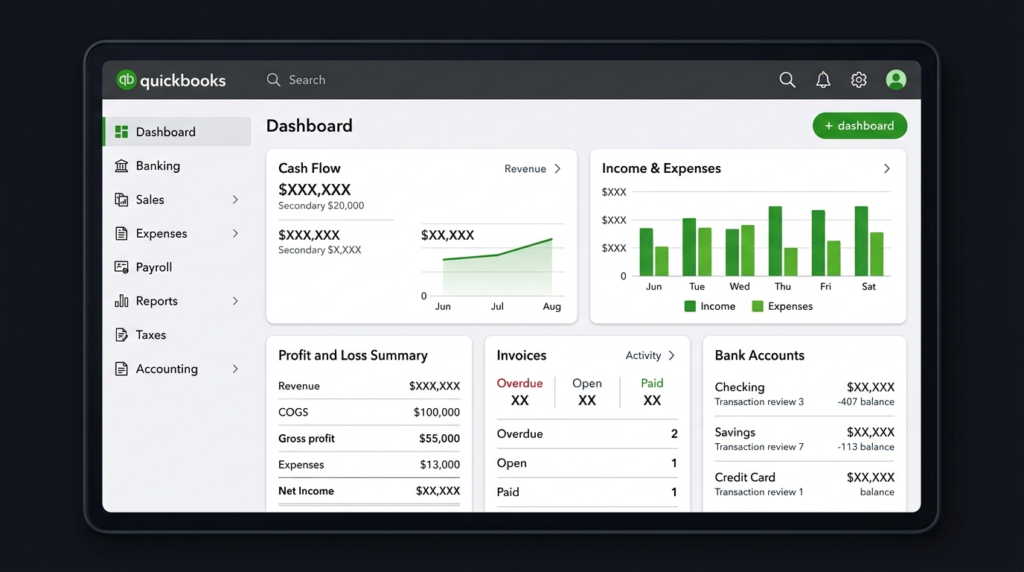
    The main difference in QuickBooks vs Invoice Ninja is the depth of their financial tools. QuickBooks offers invoicing, expense tracking, bank feeds, tax features, financial reports, inventory, bills, and other accounting functions depending on the plan. Its official feature list includes income and expense tracking, bank feeds, tax tools, inventory, invoicing, and receipt management. Invoice Ninja takes a more focused approach. It provides invoices, quotes, recurring billing, online payments, expenses, projects, time tracking, inventory, client portals, and other tools for freelancers and small businesses. So, QuickBooks vs Invoice Ninja is not simply a choice between a good tool and a basic tool. Invoice Ninja offers a wide set of business features, but QuickBooks goes deeper into traditional accounting.

    QuickBooks vs Invoice Ninja: Features Compared

    FeatureQuickBooksInvoice Ninja
    Main purposeBusiness accountingInvoicing and business billing
    InvoicingYesYes
    Recurring invoicesYesYes
    Online paymentsYesYes
    Expense trackingYesYes
    Bank connectionsYesEnterprise
    Financial reportsExtensiveYes
    Profit & loss reportsYesYes
    Tax toolsYesYes
    Time trackingSelected plansYes
    Project managementSelected plansYes
    InventorySelected plansYes
    Client portalYesYes
    Multiple currenciesPlan dependentYes
    Mobile appsYesYes
    Free planNo permanent free planYes
    Self-hostingNoYes
    Best forFull accountingFreelancers and invoice-focused businesses

    The QuickBooks vs Invoice Ninja feature comparison shows that both platforms can handle everyday billing work. QuickBooks has the advantage when you need broader accounting, while Invoice Ninja has strong tools for client billing and project-based work.

    QuickBooks vs Invoice Ninja: Pricing Comparison

    Pricing can make a major difference in QuickBooks vs Invoice Ninja, especially for freelancers and very small businesses.

    QuickBooks pricing depends on the country and selected plan. Its official global pricing page provides plan information for different markets, while the Pakistan page currently lists Simple Start, Essentials, Plus, and Advanced options with local pricing information.

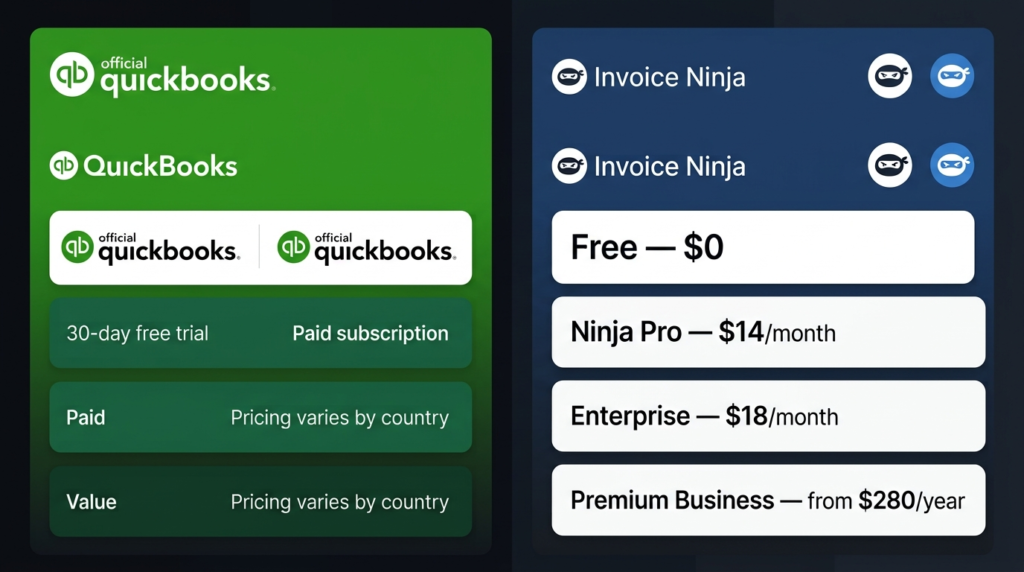
    Invoice Ninja has a permanent free plan. Its current pricing page lists Free at $0, Ninja Pro at $14 per month, Enterprise from $18 per month, and Premium Business from $280 per year.

    PricingQuickBooksInvoice Ninja
    Free planNo permanent free plan$0 forever
    Free trial30-day trial30-day money-back guarantee on paid plans
    Entry optionVaries by countryFree, up to 5 clients
    Paid planVaries by country and planNinja Pro: $14/month
    Annual ProVaries by country and plan$140/year
    EnterpriseHigher plans availableFrom $18/month
    Premium BusinessHigher plans availableFrom $280/year
    Best for budgetBusinesses needing accountingFreelancers and small businesses

    Invoice Ninja’s free plan includes up to five clients and unlimited invoicing. Its Pro plan provides unlimited clients and invoices, while Enterprise adds features such as additional users, permissions, bank account syncing, and electronic invoicing.

    For the latest QuickBooks prices, check the official QuickBooks pricing page before subscribing because prices and offers can vary by market.

    For Invoice Ninja, you can check the official Invoice Ninja pricing page for the current plan details.

    QuickBooks vs Invoice Ninja: Accounting Features

    For accounting, QuickBooks vs Invoice Ninja gives QuickBooks the stronger position. QuickBooks is designed to give businesses a wider view of their finances. Depending on the plan, users can track income and expenses, connect banks, manage bills, monitor taxes, manage inventory, and create financial reports. QuickBooks also supports professional invoices and payment reminders. Invoice Ninja can track expenses and vendors and provides financial reports. Its Pro plan includes invoice, expense, and profit-and-loss reports. Enterprise users can also connect bank accounts. For someone who needs full accounting records, QuickBooks is therefore the more suitable choice. For someone who mainly needs billing with some financial tracking, Invoice Ninja can be enough.

    QuickBooks vs Invoice Ninja: Invoicing and Payments

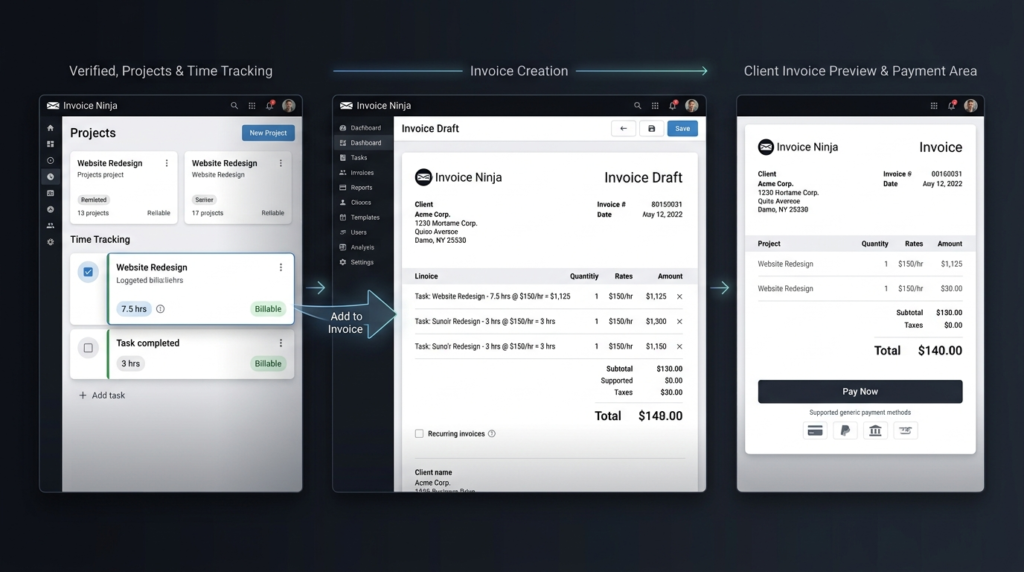
    When comparing QuickBooks vs Invoice Ninja for invoicing, the difference is smaller. Both platforms let users create and send professional invoices, manage recurring invoices, and accept online payments. QuickBooks can also match payments to invoices and send payment reminders. Invoice Ninja places even more attention on invoicing. It supports customizable invoice templates, online payment gateways, recurring billing, deposits, partial payments, payment reminders, and client payment portals. For freelancers and agencies, Invoice Ninja can be particularly useful because tracked project time can be converted directly into invoices.

    QuickBooks vs Invoice Ninja: Ease of Use

    Ease of use in QuickBooks vs Invoice Ninja depends on what you want to accomplish. Invoice Ninja can feel simpler when your regular tasks involve creating invoices, sending quotes, tracking expenses, recording billable time, and managing clients. Its workflow is centered around these activities. QuickBooks offers more financial functions, so there can be more to learn. That added depth becomes useful when your business needs detailed financial reports, bank feeds, tax tracking, bills, or inventory. If you only need billing software, paying for and learning a complete accounting system may not be necessary.

    QuickBooks vs Invoice Ninja: Which Is Better for Freelancers?

    For freelancers, QuickBooks vs Invoice Ninja often comes down to simplicity and accounting depth. Invoice Ninja is a strong option for freelancers who need invoices, quotes, online payments, expenses, projects, and time tracking. Its free plan can also be useful for someone with a small client base. QuickBooks is better suited to freelancers with more complicated finances who want their invoicing connected with broader accounting records.

    QuickBooks vs Invoice Ninja: Which Is Better for Small Businesses?

    For small businesses, QuickBooks vs Invoice Ninja depends on how much accounting work the company needs. A small agency, consultant, or service provider that mainly bills clients may find Invoice Ninja sufficient. A growing company that needs bank connections, detailed reports, bills, inventory, and broader financial management may get more value from QuickBooks. The best choice is the one that matches the actual workflow of the business rather than simply choosing the platform with the longest feature list.

    QuickBooks vs Invoice Ninja: Pros and Cons

    QuickBooks Pros

    • Broad accounting features
    • Detailed financial reports
    • Bank feeds on supported plans
    • Tax and expense tools
    • Inventory features on supported plans
    • Suitable for growing businesses

    QuickBooks Cons

    • No permanent free plan
    • Pricing varies by market
    • More features can mean a longer learning process
    • May be more than a freelancer needs

    Invoice Ninja Pros

    • Free plan available
    • Affordable paid plans
    • Strong invoicing features
    • Online payment support
    • Client payment portals
    • Project and time tracking
    • Self-hosting option
    • Unlimited clients on the Pro plan

    Invoice Ninja Cons

    • Not as deep as QuickBooks for complete accounting
    • Some advanced features require paid plans
    • Bank account syncing is available on Enterprise rather than the Free or Pro plans

    QuickBooks vs Invoice Ninja: Which One Should You Choose?

    Choose QuickBooks if your main priority is full accounting. It is better suited to businesses that need detailed financial records, bank connections, financial reports, tax features, bills, and inventory on supported plans.

    Choose Invoice Ninja if your main priority is affordable invoicing and client billing. It works especially well for freelancers, consultants, agencies, and small service businesses that need invoices, payments, expenses, projects, and time tracking.

    If you are comparing business software beyond accounting and invoicing, the OlaReviews software reviews section can also help you explore other software options before making a decision. 

    Final Thoughts on QuickBooks vs Invoice Ninja

    The QuickBooks vs Invoice Ninja decision comes down to breadth versus focus. QuickBooks is the stronger choice for businesses that need a wider accounting system with financial records, bank connections, reports, tax tools, bills, and inventory features. Invoice Ninja is a strong alternative for users who mainly need affordable invoicing, payments, expenses, projects, and time tracking. If your business mainly needs to send invoices and collect payments, Invoice Ninja can provide the tools you need at a lower starting cost. If accounting is a central part of your business, QuickBooks is the more complete option.

    QuickBooks vs Invoice Ninja: FAQs

    Is Invoice Ninja cheaper than QuickBooks?

    Yes. In QuickBooks vs Invoice Ninja, Invoice Ninja has the lower starting cost because it offers a free plan. Its current Pro plan is $14 per month or $140 per year.

    Is QuickBooks better for accounting than Invoice Ninja?

    Yes. QuickBooks vs Invoice Ninja favors QuickBooks when complete accounting is the priority. QuickBooks provides broader tools for income, expenses, bank feeds, tax tracking, reports, bills, and inventory on supported plans.

    Can Invoice Ninja be used for free?

    Yes. Invoice Ninja’s Free plan costs $0 and includes up to five clients with unlimited invoicing.

    Which is better for freelancers: QuickBooks or Invoice Ninja?

    If a freelancer mainly needs invoices, payments, expenses, projects, and time tracking, Invoice Ninja can be the better-value option. If the freelancer needs broader accounting and financial reporting, QuickBooks is likely the better choice.

  • DeepMotion vs Ardy: AI Motion Capture Compared for Quality, Speed & Control

    DeepMotion vs Ardy: AI Motion Capture Compared for Quality, Speed & Control

    AI motion capture has changed how creators turn human movement into digital animation. Instead of relying only on expensive studio equipment, creators can now use AI-based tools to create character movement from video or other inputs. DeepMotion vs Ardy is an important comparison for animators, game developers, and digital creators who want quality motion without a traditional capture setup. The two options take different approaches. DeepMotion focuses on an easy-to-use motion capture workflow, while ARDY is a motion-generation model designed for more flexible, technical use. The right choice depends on motion quality, speed, control, pricing, and how much technical work you want to handle.

    DeepMotion vs Ardy: How Do These AI Motion Tools Work?

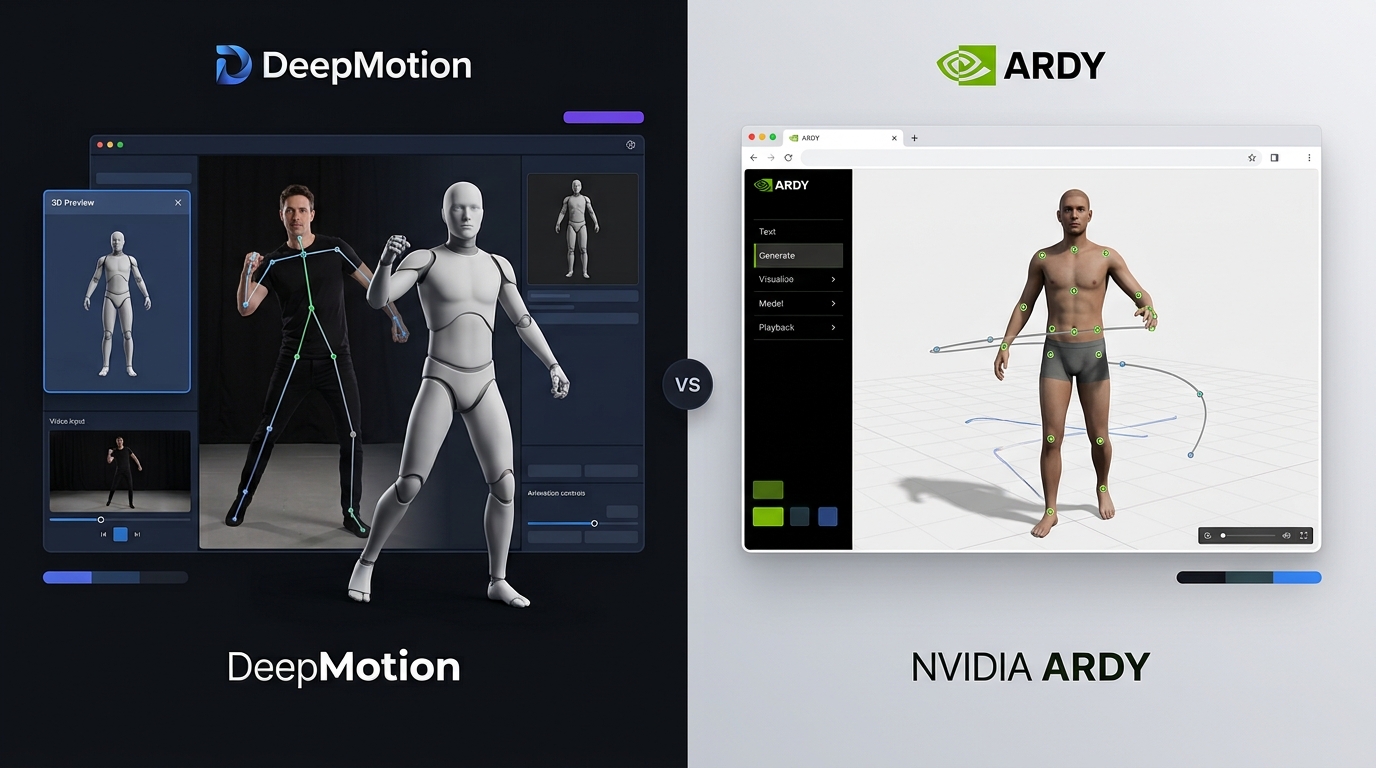
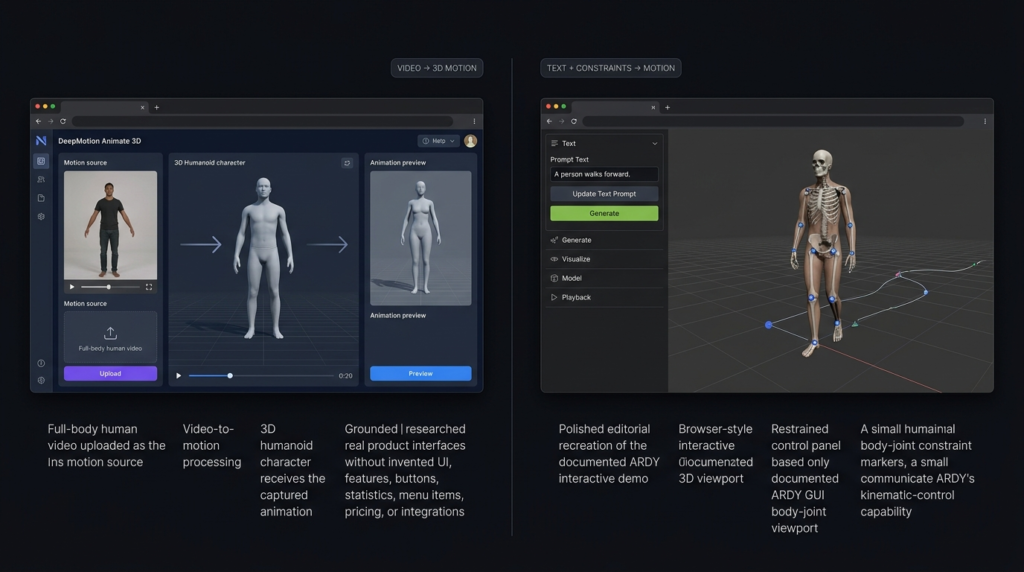
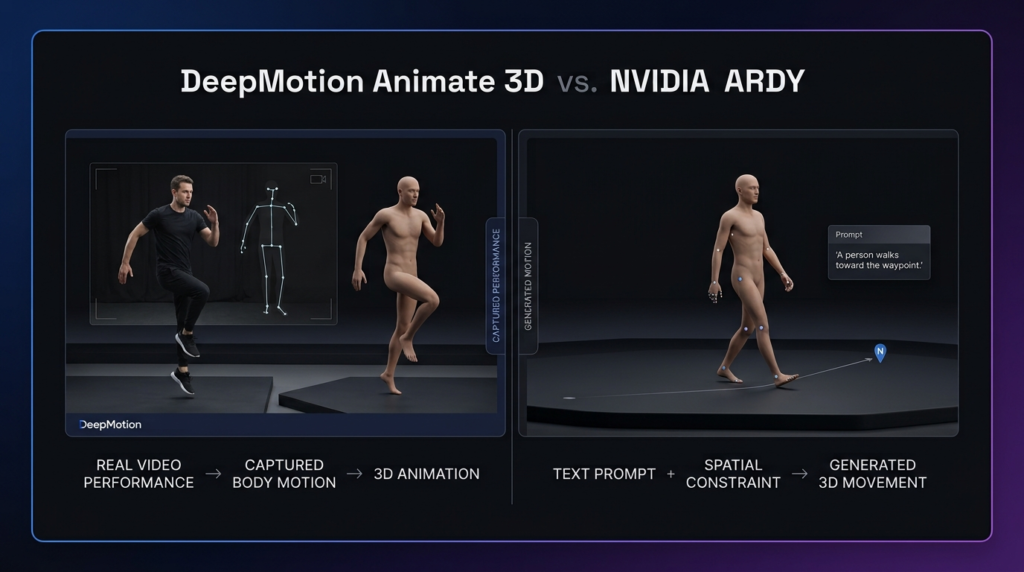
    DeepMotion Animate 3D turns video into 3D character animation. Users can upload or record movement and apply the generated motion to digital characters. It is designed to make motion capture accessible without specialized hardware.

    ARDY takes a different route. It is a motion-generation model from NVIDIA that can create 3D human movement from text and support movement control. This makes it interesting for developers and creators who want to experiment with AI-generated motion rather than only capture movement from a person.
    In the DeepMotion vs Ardy comparison, DeepMotion is easier to approach as a complete online service, while ARDY is more suited to users comfortable with model-based workflows.

    DeepMotion vs Ardy: Motion Quality

    Motion quality is one of the most important factors when choosing an AI animation tool.

    DeepMotion can capture common movements such as walking, running, jumping, dancing, and other full-body actions from video. Results depend on the quality of the source footage, camera angle, lighting, and visibility of the person.

    ARDY focuses on generating motion based on prompts and controls. This can give creators a different way to produce movement without recording every action themselves.

    For users who want to capture their own performance, DeepMotion vs Ardy generally favors DeepMotion. For users interested in generating motion from instructions, ARDY offers a more interesting approach.

    Which Produces More Natural Movement?

    Neither tool can guarantee perfect movement in every situation. Complex actions, unusual poses, fast motion, and unclear source material can affect the result. DeepMotion has an advantage when the goal is to reproduce a real person’s movement. ARDY can be useful when the creator wants to generate a specific motion without first recording it.

    DeepMotion vs Ardy: Speed and Ease of Use

    Speed matters when creators need several animations for a project.

    DeepMotion provides a structured online workflow. A user can provide video, process the movement, and work with the resulting animation without building a complete AI pipeline.
    ARDY can be powerful, but its model-based approach may require more technical knowledge depending on how it is used. Hosted versions can reduce some of that work, while local or developer workflows may require additional setup.
    For beginners, DeepMotion vs Ardy leans toward DeepMotion because the workflow is easier to understand and use.

    DeepMotion vs Ardy: Control and Editing

    Control becomes important when generated motion needs changes.

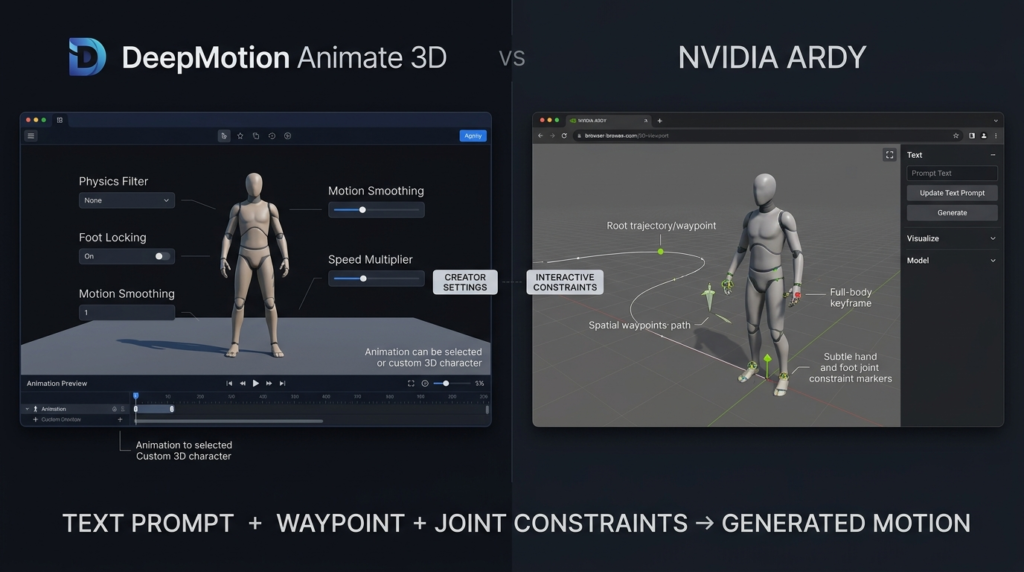
    DeepMotion provides tools and settings for working with captured animation and digital characters. This makes it useful for creators who want to take generated motion into a broader 3D workflow.

    ARDY is interesting for users who want to control generated movement through prompts and constraints. Its model-based design can provide creative flexibility, but getting the exact result may require more experimentation.

    DeepMotion vs Ardy: Features Comparison

    FeatureDeepMotionARDY
    AI motion creationYesYes
    Video-based motion captureYesNo, primarily model-based generation
    Text-based motion generationLimited compared with ARDYYes
    3D human movementYesYes
    Beginner-friendlyStrongModerate
    Professional animation workflowStrongDepends on setup
    Motion controlStrongStrong for model-based control
    Best forAnimators and creatorsDevelopers and technical creators

    DeepMotion vs Ardy: Pricing

    Pricing is another major difference between the two.

    DeepMotion Pricing

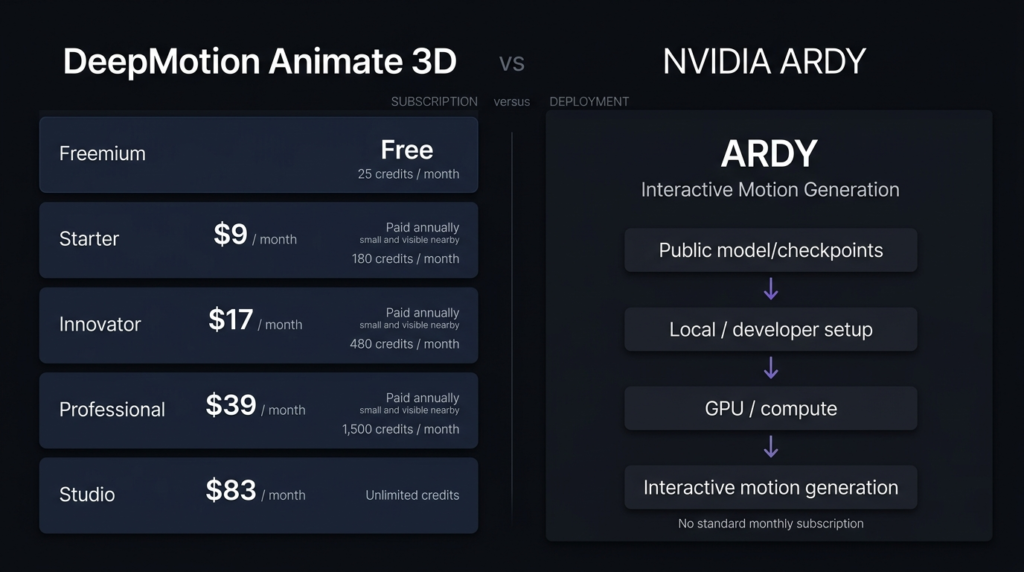
    DeepMotion Animate 3D has a free Freemium plan and several paid options. Its current pricing page lists the following prices when paid annually:

    DeepMotion PlanPriceMonthly CreditsBest For
    FreemiumFree25Testing and occasional use
    Starter$9/month*180Individual creators
    Innovator$17/month*480Regular users
    Professional$39/month*1,500Professional projects
    Studio$83/month*UnlimitedHigh-volume production

    Prices are based on annual billing. DeepMotion’s pricing and plan limits can change, so users should confirm the latest details before subscribing.

    The free plan is useful for testing the platform, while paid plans provide more capacity. Commercial projects may require a premium subscription depending on the applicable plan terms.

    ARDY Pricing

    ARDY does not follow the same subscription model as DeepMotion. It is an NVIDIA motion-generation model rather than a standard monthly animation service. That means there is no single official ARDY monthly subscription price that can be directly compared with DeepMotion. Costs can depend on how the model is accessed, including hosted services, cloud computing, or a user’s own technical setup.

    Pricing FactorDeepMotionARDY
    Free optionYesPublic model availability
    Fixed monthly plansYesNo standard monthly subscription
    Starting priceFree / $9 paid plan*Depends on deployment
    Commercial useDepends on planCheck applicable license
    Best pricing modelSubscriptionUsage or deployment based

    This makes DeepMotion vs Ardy different from a normal SaaS price comparison. DeepMotion is easier to budget because users can select a monthly plan, while ARDY costs depend more on the way the model is used.

    DeepMotion vs Ardy: Which Is Easier for Beginners?

    DeepMotion is the easier choice for most beginners. Its web-based workflow reduces the amount of technical setup required to create character movement.

    ARDY is more appealing to users who understand AI models, development tools, or custom animation workflows. It can provide more freedom, but that freedom can also mean more setup and testing.

    If your main goal is to create an animation rather than manage an AI model, DeepMotion is likely the more convenient option.

    DeepMotion vs Ardy: Which Should You Choose?

    Choose DeepMotion if you need:

    • Video-based motion capture
    • A simple online workflow
    • 3D character animation
    • A clear subscription structure
    • Tools designed for creators and animators

    Choose ARDY if you want:

    • Text-driven motion generation
    • More experimentation with AI-generated movement
    • A model-based workflow
    • Greater flexibility for development
    • A solution that can fit into a custom technical pipeline

    The best option in DeepMotion vs Ardy depends on your project rather than simply the number of features each platform offers.

    DeepMotion vs Ardy: Final Verdict

    DeepMotion vs Ardy comes down to two different approaches to AI motion creation. DeepMotion is a stronger option for creators who want video-based motion capture through an accessible platform. Its free plan and paid options also make budgeting easier. ARDY is more interesting for developers and technical creators who want AI-generated motion based on text and controls. It can provide flexibility, but the overall cost and difficulty depend on how the model is deployed. For most beginners, animators, and creators who want to turn real movement into 3D animation, DeepMotion is the more practical choice. For developers exploring custom AI motion generation, ARDY may be worth testing.

    FAQs About DeepMotion vs Ardy

    Is DeepMotion better than ARDY?

    DeepMotion is generally better for straightforward video-based motion capture and creator-friendly animation workflows. ARDY may be better for developers interested in generating motion from text and controls.

    How much does DeepMotion cost?

    DeepMotion offers a free plan. Its paid plans currently start at about $9 per month with annual billing, followed by plans at $17, $39, and $83 per month.

    Does ARDY have a monthly subscription?

    ARDY does not have the same type of standard monthly subscription as DeepMotion. Costs depend on how and where the model is used.

    Which is better for beginners, DeepMotion or ARDY?

    DeepMotion is generally the better starting point for beginners because it provides a more direct workflow. ARDY is more suitable for users comfortable with technical AI and development workflows.

  • Magnific AI vs Finegrain Enhancer: Image Quality, Upscaling & Key Differences

    Magnific AI vs Finegrain Enhancer: Image Quality, Upscaling & Key Differences

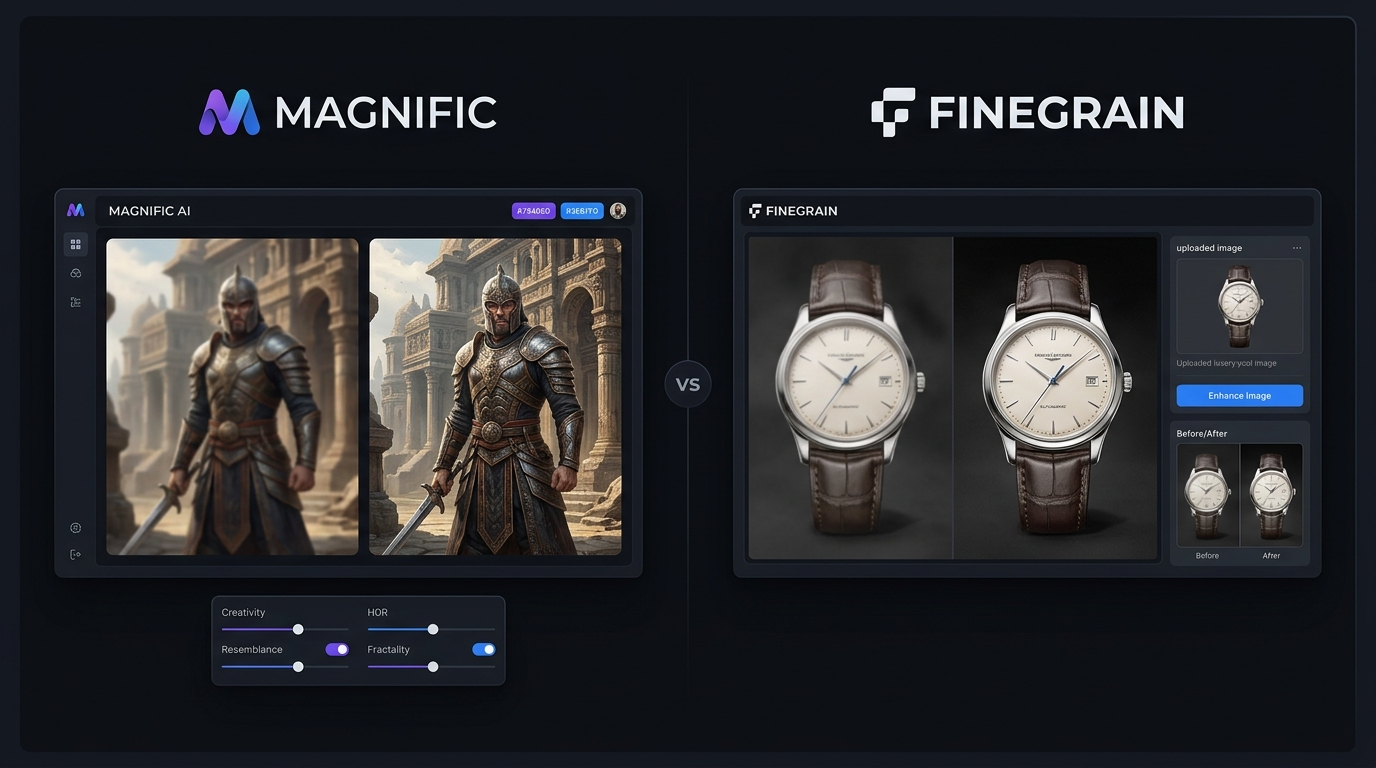
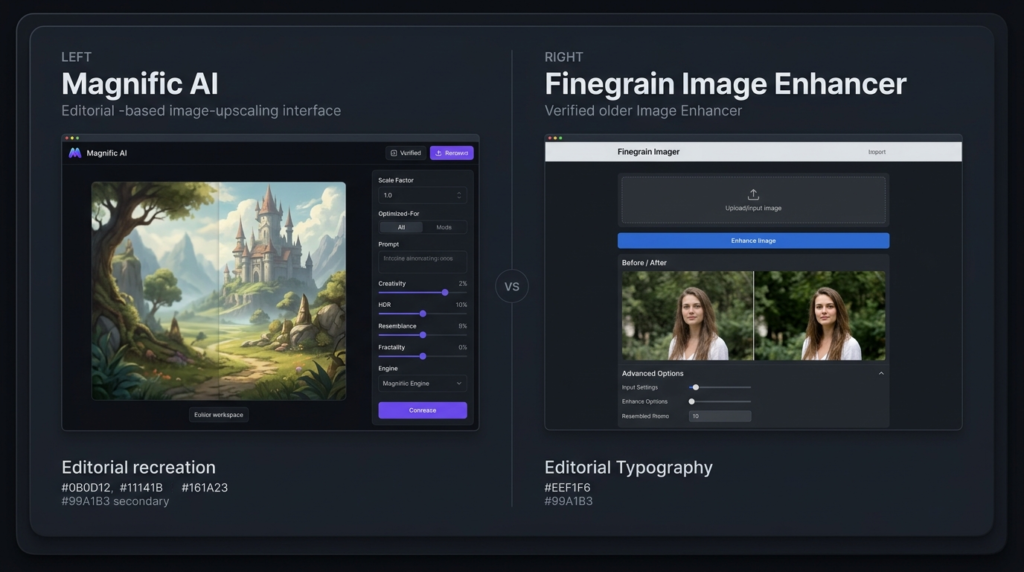
    Choosing between Magnific AI vs Finegrain depends on what you expect from an image enhancer. Magnific AI is built for creative upscaling, where the system can create new-looking texture and detail. Finegrain Image Enhancer takes a more natural approach, focusing on clearer images while trying to keep the original appearance. For AI art, portraits, product photos, and everyday images, the better choice can be very different.

    Magnific AI vs Finegrain: Key Differences Explained

    It is mainly a comparison between creative detail generation and natural image enhancement.

    Magnific can add noticeable detail to low-resolution images and gives users controls for creativity, resemblance, and image detail. Its current platform also includes an image upscaler designed to increase resolution while adding detail.

    Finegrain Image Enhancer is more focused on straightforward enhancement. Its website offers several models for different image types and claims support for images such as portraits, products, landscapes, and AI-generated artwork.

    Magnific AI vs Finegrain: Comparing Image Quality and Results

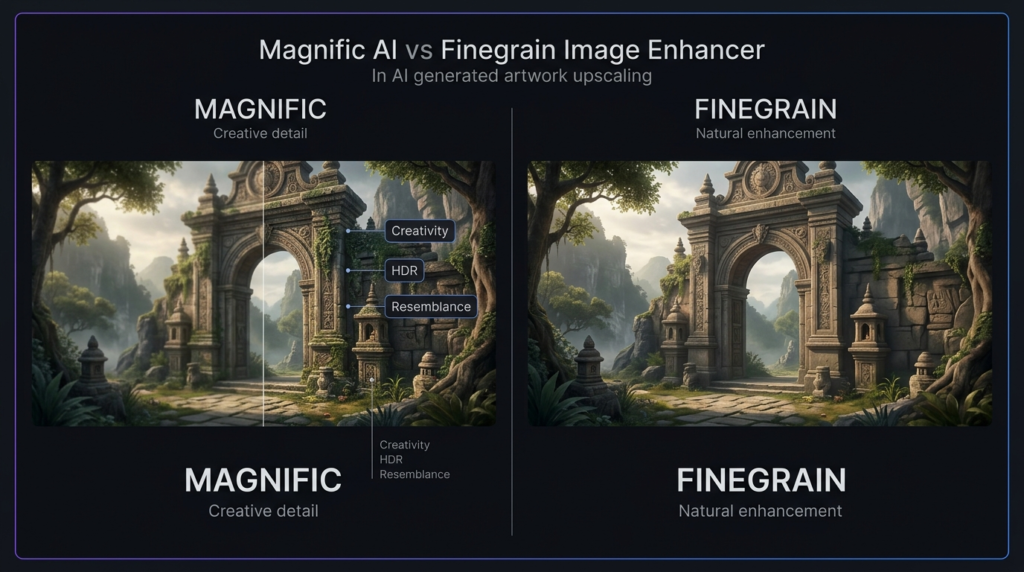
    When comparing Magnific AI vs Finegrain, Magnific has an advantage when the original image is extremely soft or lacks visible detail. Its creative approach can reconstruct textures that are difficult to recover from the source.

    The trade-off is that generated detail may change small parts of an image. This can be useful for fantasy artwork, game assets, illustrations, and AI-generated images, but it may be less desirable when an exact photo likeness matters.

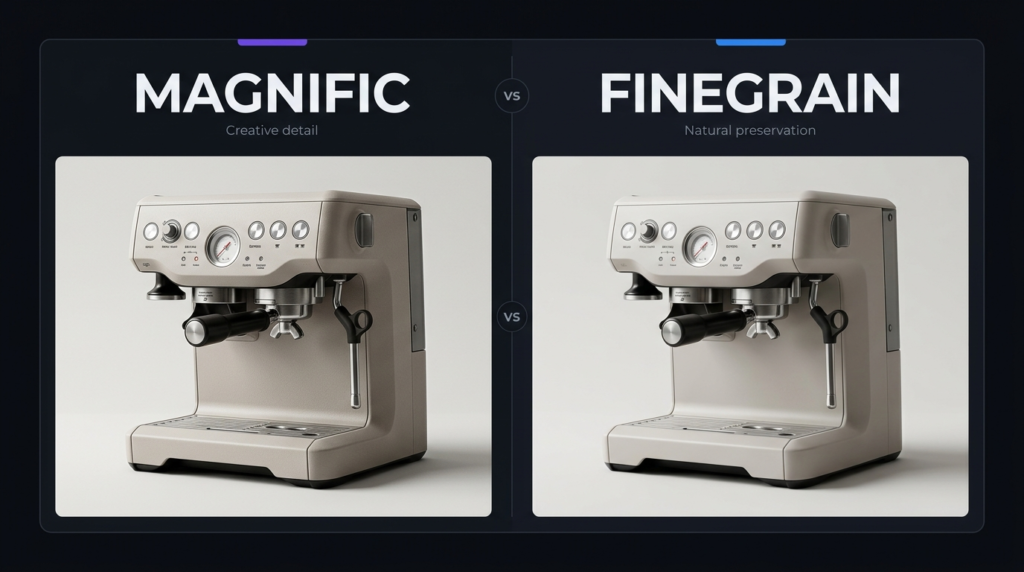
    Finegrain takes a more restrained approach. Its image enhancer is designed to improve clarity while keeping the image natural. This makes it a practical choice for product pictures, regular photographs, and images where preserving the original appearance is important.

    Magnific AI vs Finegrain: Features

    FeatureMagnific AIFinegrain Enhancer
    Main focusCreative image upscalingNatural image enhancement
    AI detail generationStrongMore restrained
    PortraitsVery good, but can alter detailsGood for natural results
    Product imagesGoodVery good
    AI artworkExcellentGood
    Creative controlsExtensiveSimpler
    Browser-basedYesYes
    Free optionCheck current plan3 free enhancements daily
    Maximum outputUp to 10K on current platformUp to 4K advertised
    Best forAI art and creative workPhotos and everyday images

    Magnific’s current platform lists an image upscaler capable of output up to 10K. Finegrain’s enhancer advertises output up to 4K and several models for different uses.

    Magnific AI vs Finegrain: Pricing

    Pricing is another important difference in Magnific AI vs Finegrain. Magnific’s standalone pricing has changed as its services have become part of a larger creative platform, so users should check the official pricing page before subscribing. Third-party 2026 sources still report the older standalone structure at about $39 per month for Pro, $99 for Premium, and $299 for Business.

    Finegrain Image Enhancer currently lists a free option with three enhancements per day. Its paid plans shown on the site include Pro at $7.99/month, Max at $14.99/month, and Ultra at $24.99/month. Annual billing is cheaper.

    ToolStarting price shown/reportedFree option
    Magnific AIAround $39/month for older standalone Pro pricingCheck current offer
    Finegrain Enhancer$0; paid from $7.99/month3 images/day

    Because Magnific’s product and pricing structure is changing, its official site is the safer source for the latest subscription details.

    Magnific AI vs Finegrain: Which Tool Is Best for AI-Generated Art?

    For AI-generated artwork, Magnific AI vs Finegrain is easier to decide. Magnific is usually the stronger option when you want richer textures, sharper surfaces, and more creative detail. Finegrain can still work well for AI art when the goal is to improve clarity without changing the visual character too much. If you want the upscaled version to look more dramatic, Magnific is the better fit.

    Magnific AI vs Finegrain: Which Tool Is Best for Photo Enhancement? 

    For normal photographs, Finegrain can be the safer choice. Its stated goal is to preserve natural quality, while its models are designed for different image types. Magnific can produce excellent results on photographs, but its creative processing can sometimes invent or alter small details. For personal photos or product images where accuracy matters, a more restrained enhancer may be preferable.

    Magnific AI vs Finegrain: User Experience and Ease of Use

    Both tools are accessible through a browser, so there is no need for complex desktop software. Magnific offers more control, which is useful for experienced creators but can require more adjustment. Finegrain is simpler for users who want to upload an image, select an enhancement option, and get a cleaner result. Its website also states that images are automatically deleted after 24 hours.

    Magnific AI vs Finegrain: Final Verdict

    The winner in Magnific AI vs Finegrain depends on the image you are processing. Choose Magnific AI if you create AI artwork, illustrations, fantasy scenes, game assets, or other creative visuals where adding new detail is valuable. Choose Finegrain if you mainly enhance photographs, product images, or other visuals where keeping the original look matters more. For creative image quality, Magnific is the stronger choice. For affordable and natural enhancement, Finegrain offers better value.

    FAQs About Magnific AI vs Finegrain

    Is Magnific AI better than Finegrain?

    For creative upscaling, Magnific AI is generally the stronger option. Finegrain is more suitable when you want natural enhancement and lower-cost access.

    Is Finegrain free?

    Yes. Finegrain Image Enhancer currently offers three free enhancements per day, while paid plans provide more credits and remove the watermark.

    Which is better for AI-generated images?

    Magnific AI is usually better for AI-generated images because it can create additional texture and visual detail. Finegrain is better when you want to preserve the original appearance.

    Which should photographers choose?

    Photographers who care most about natural-looking results may prefer Finegrain. Magnific is worth considering when the image needs stronger reconstruction or creative detail.

  • Meshy vs Microsoft TRELLIS.2: Which 3D AI Tool Delivers Better Results?

    Meshy vs Microsoft TRELLIS.2: Which 3D AI Tool Delivers Better Results?

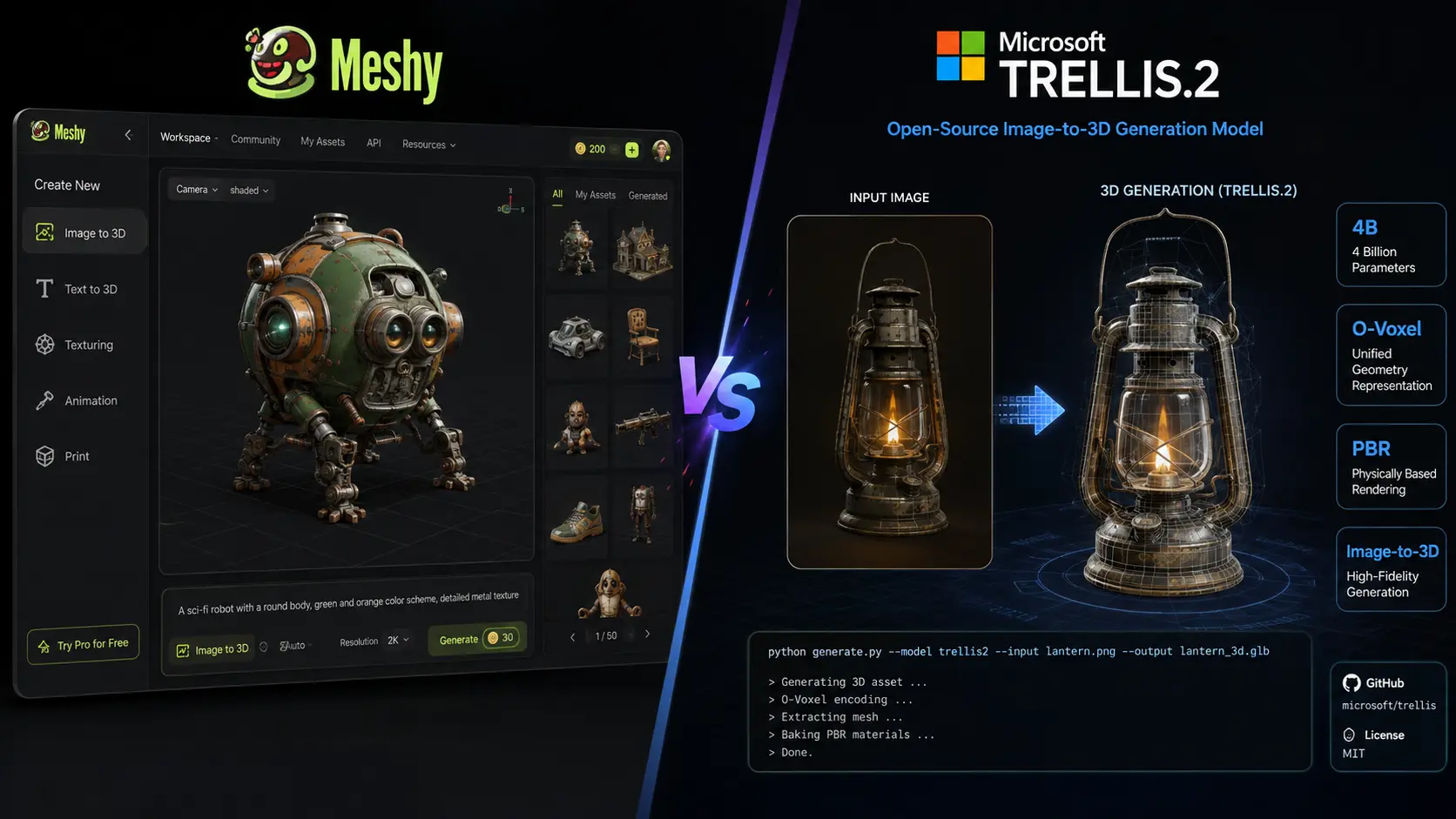
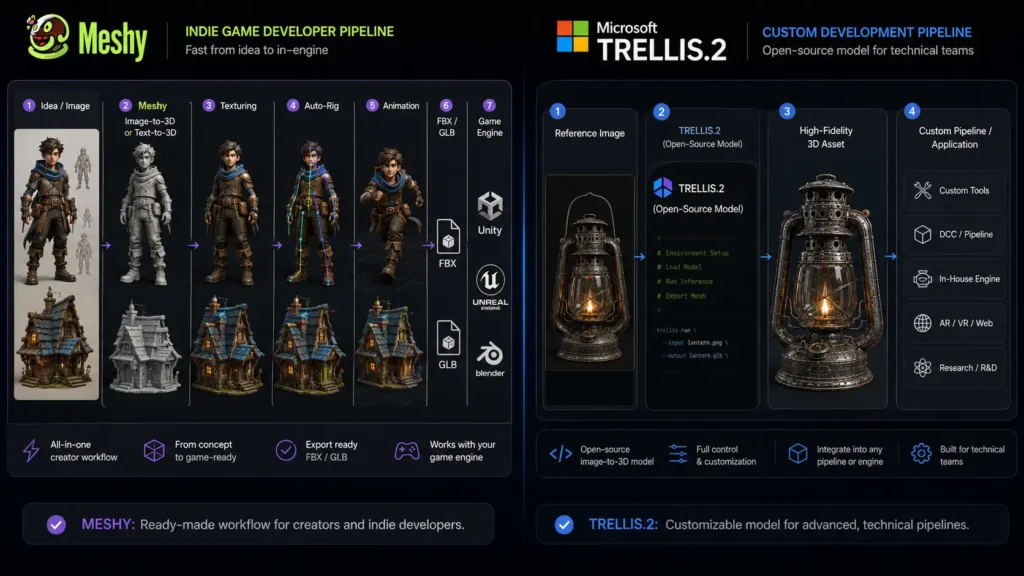
    AI 3D generation is becoming useful for game development, product design, animation, 3D printing, and creative projects. Meshy vs Microsoft TRELLIS.2 is an important comparison because both tools can create detailed 3D assets, but they are built for different users. Meshy is a complete online 3D creation platform with tools for generation, texturing, rigging, animation, and exporting. Microsoft TRELLIS.2 is an open-source model focused on high-quality image-to-3D generation. The right choice depends on whether you want an easy platform or more control over the underlying AI model.

    Meshy vs Microsoft TRELLIS.2: Key Differences

    The biggest difference in Meshy vs Microsoft TRELLIS.2 is their overall purpose.

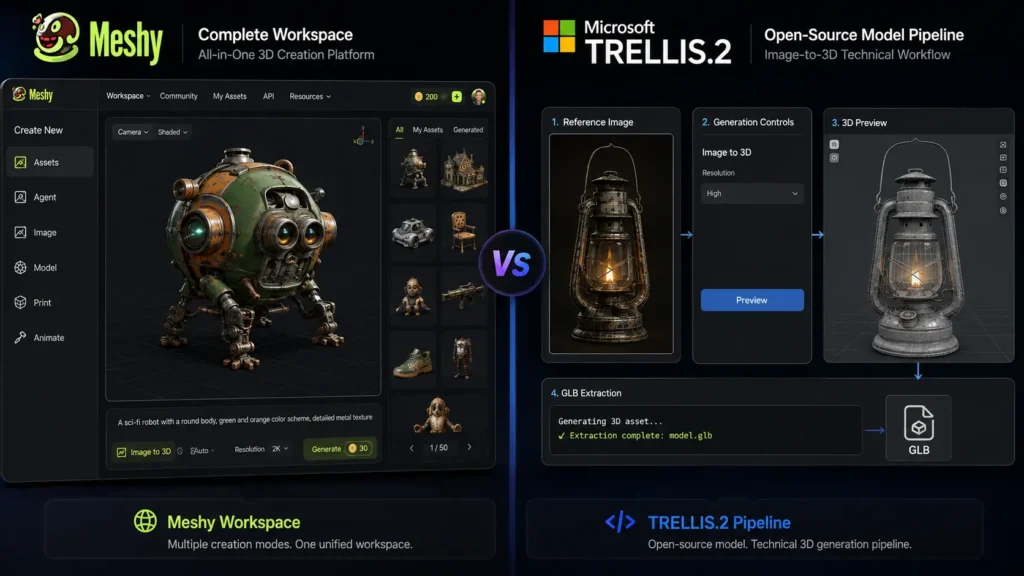
    Meshy gives creators a complete workflow. Users can generate models from text or images, apply textures, create animations, rig characters, and export assets in several formats. This makes it useful for people who want to move from an idea to a finished 3D asset without managing a complex technical setup.

    TRELLIS.2 takes a more developer-focused approach. Microsoft Research developed the model for high-quality image-to-3D generation, with support for detailed geometry and materials. The project is open source and can be adapted for custom workflows.

    Meshy vs Microsoft TRELLIS.2: Comparison Table

    FeatureMeshyMicrosoft TRELLIS.2
    TypeComplete AI 3D platformOpen-source 3D generation model
    Text to 3DYesNo, mainly image-to-3D
    Image to 3DYesYes
    AI texturingYesYes
    3D model qualityExcellentExcellent for supported workflows
    Complex geometryVery goodExcellent
    PBR materialsYesYes
    RiggingYesNo built-in workflow
    AnimationYesNo built-in animation tools
    3D printing toolsYesNo dedicated workflow
    Browser-basedYesNo
    Open sourceNoYes
    Local GPU requiredNoYes for local use
    Beginner friendlyExcellentModerate
    Developer controlGoodExcellent
    Best forCreators, games, animation, printingDevelopers, researchers, custom workflows

    Meshy supports text-to-3D, image-to-3D, AI texturing, rigging, animation, and several export formats. TRELLIS.2 focuses more specifically on generating high-quality 3D assets from images.

    Meshy vs Microsoft TRELLIS.2: Pricing Compared

    Pricing is another major factor in the Meshy vs Microsoft TRELLIS.2 decision. The two tools use very different pricing models.

    Plan / OptionPriceBest For
    Meshy Free$0/monthTesting and occasional use
    Meshy Pro$20/monthIndividual creators
    Meshy Premium$40/monthFrequent 3D generation
    Meshy Ultra$100/monthHeavy professional use
    Meshy StudioFrom $70/monthSmall teams
    Meshy EnterpriseCustom pricingLarger organizations
    Microsoft TRELLIS.2$0 model/software costDevelopers and researchers
    TRELLIS.2 local hardwareVariesUsers running the model themselves

    Meshy offers a free plan with limited monthly credits, while its paid plans provide more credits and higher usage limits. Current listed individual plans include Pro at $20 per month, Premium at $40, and Ultra at $100.

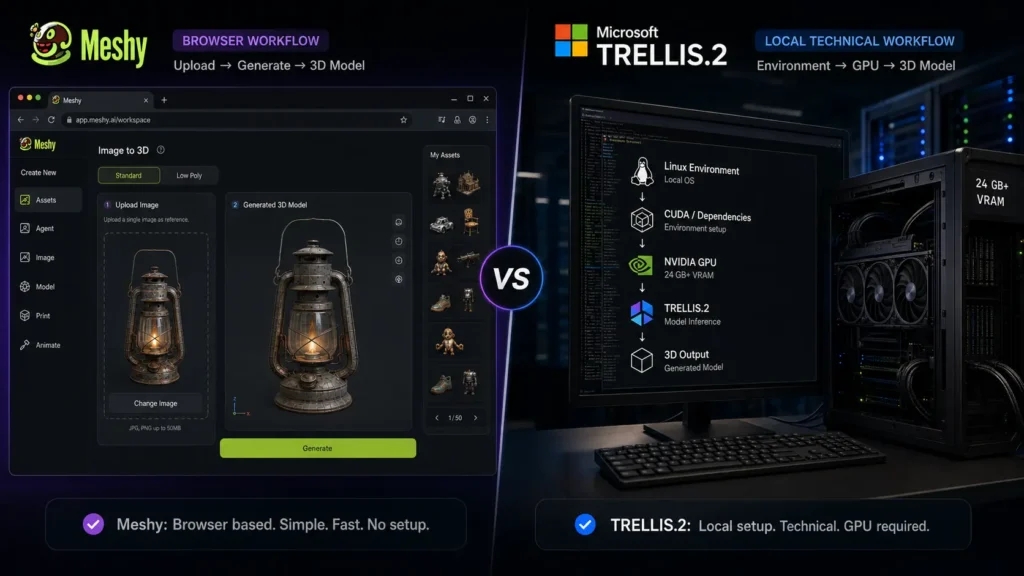
    TRELLIS.2 does not work like a conventional subscription service. Microsoft released the project under the MIT license, so there is no monthly fee for the model itself. However, users running it locally need suitable computer hardware. The official repository states that local use requires an NVIDIA GPU with at least 24GB of memory.

    For users without a powerful computer, Meshy’s subscription can be more convenient because the generation happens through its online platform.

    Meshy vs Microsoft TRELLIS.2: 3D Model Quality

    When comparing Meshy vs Microsoft TRELLIS.2 for quality, both can produce impressive results, but their strengths are different.

    Meshy is designed to create usable 3D assets for a wide range of projects. Its image-to-3D and text-to-3D tools can generate models with textures, while additional tools help users prepare those models for animation, games, and other uses.

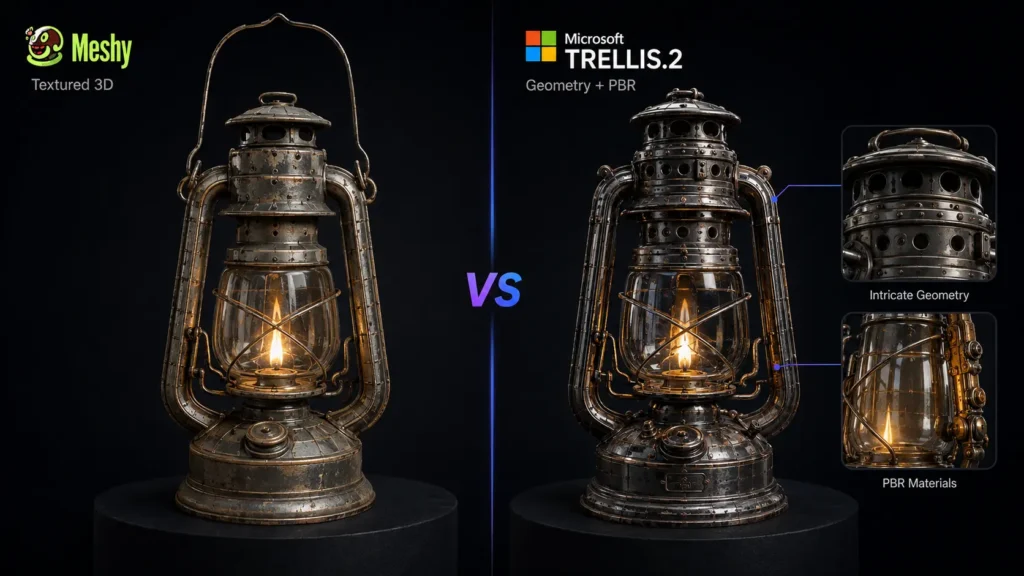
    TRELLIS.2 focuses more heavily on detailed image-to-3D generation. Microsoft describes the model as a 4-billion-parameter system capable of generating high-fidelity assets with detailed geometry and physically based materials. It supports generation at resolutions up to 1536³.

    If raw generation detail is your main concern and you have the hardware to run the model, TRELLIS.2 is a strong option. If you need a complete workflow around the generated model, Meshy is more practical.

    Meshy vs Microsoft TRELLIS.2: Ease of Use

    Ease of use is one area where Meshy vs Microsoft TRELLIS.2 has a clear difference.

    Meshy works through a browser. You do not need to install the model, configure a local AI environment, or purchase a high-end graphics card. You can upload an image or enter a prompt, generate a model, make adjustments, add textures, and export the result.

    TRELLIS.2 requires more technical knowledge. Local installation involves setting up the required software and hardware. The official project is primarily intended for users who are comfortable working with AI models and development environments.

    For beginners, designers, and content creators, Meshy is the easier option. Developers and researchers may prefer TRELLIS.2 because of its open-source nature and greater control.

    Meshy vs Microsoft TRELLIS.2: Best for Game Development

    For game development, Meshy vs Microsoft TRELLIS.2 depends on the type of developer.

    Meshy is useful for independent developers who need finished assets quickly. Its tools for texturing, rigging, animation, and topology can reduce the number of separate applications needed in the workflow.

    TRELLIS.2 is more suitable for developers who want to build their own generation system. Its open-source code allows technical users to experiment with the model and integrate it into custom projects.

    For an individual game developer, Meshy is generally the more convenient choice. For a technical team building its own AI pipeline, TRELLIS.2 offers more flexibility.

    Meshy vs Microsoft TRELLIS.2: Best for 3D Printing

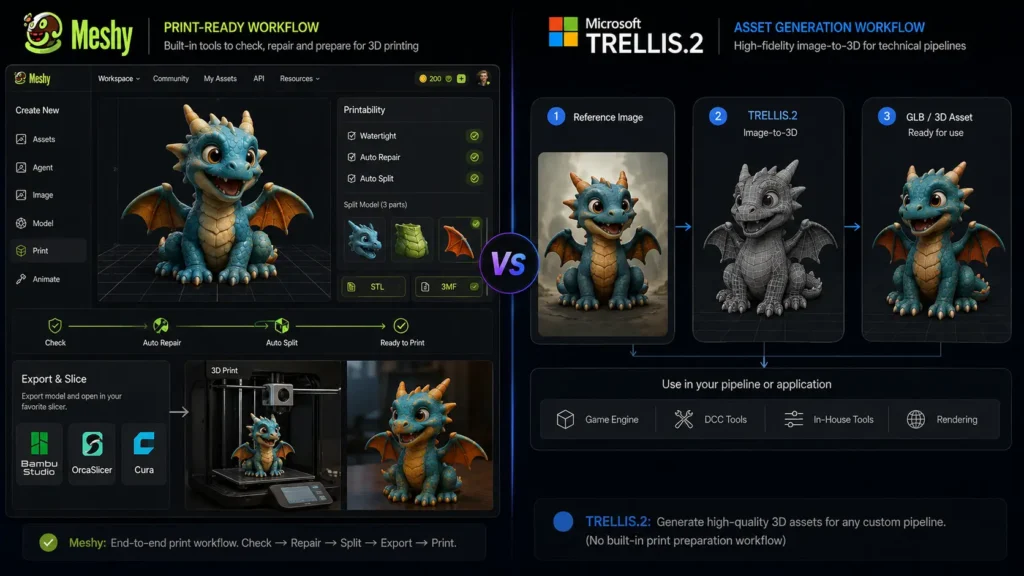
    Meshy has an advantage for 3D printing because it provides tools designed to help prepare models for printing. It also supports formats such as STL and 3MF, which are commonly used in 3D printing workflows.

    TRELLIS.2 can generate high-quality 3D assets, but it does not provide the same complete printing workflow. Users may need additional software to check, repair, and prepare models before sending them to a printer.

    Therefore, Meshy vs Microsoft TRELLIS.2 favors Meshy for beginners and hobbyists who want to create printable models with fewer extra steps.

    Meshy vs Microsoft TRELLIS.2: Which One Should You Choose?

    Choose Meshy if you want:

    • A browser-based 3D generation platform
    • Text-to-3D and image-to-3D tools
    • AI texturing
    • Character rigging
    • Animation tools
    • 3D printing support
    • Multiple export formats
    • A simple workflow without local GPU setup

    Choose TRELLIS.2 if you want:

    • An open-source 3D model
    • High-quality image-to-3D generation
    • Detailed geometry
    • More control over the generation process
    • A model that can be integrated into custom applications
    • A platform for research and development

    Final Verdict: Meshy vs Microsoft TRELLIS.2

    The Meshy vs Microsoft TRELLIS.2 comparison comes down to convenience versus technical control. Meshy is the better choice for creators who want a complete 3D workflow. Its generation, texturing, rigging, animation, and printing features make it useful for games, creative projects, and 3D printing. Microsoft TRELLIS.2 is the stronger choice for developers and researchers who want an open-source model focused on high-quality image-to-3D generation. Its detailed geometry capabilities and local deployment options give technical users more freedom. For most beginners and creators, Meshy is the easier overall choice. For developers who have the required hardware and want to experiment with an open 3D generation model, TRELLIS.2 is the more flexible option.

    FAQs About Meshy vs Microsoft TRELLIS.2

    Is Meshy better than Microsoft TRELLIS.2?

    Meshy is better for users who want an easy, complete 3D creation workflow. TRELLIS.2 is better for developers and researchers who want an open-source model with more technical control.

    Is Microsoft TRELLIS.2 free?

    The TRELLIS.2 model and source code are available under the MIT license, so there is no monthly subscription fee for the model itself. Running it locally still requires suitable hardware, including an NVIDIA GPU with at least 24GB of memory.

    How much does Meshy cost?

    Meshy has a free plan. Its current paid individual plans include Pro at $20 per month, Premium at $40 per month, and Ultra at $100 per month. Studio and Enterprise options are also available for teams and businesses.

    Which is better for beginners, Meshy or TRELLIS.2?

    Meshy is the better option for beginners because it works through a browser and does not require users to install or manage a local AI model. TRELLIS.2 is better suited to users with technical experience and suitable computer hardware.

  • HeyGen vs Cantina: Features, AI Video Quality & Key Differences

    HeyGen vs Cantina: Features, AI Video Quality & Key Differences

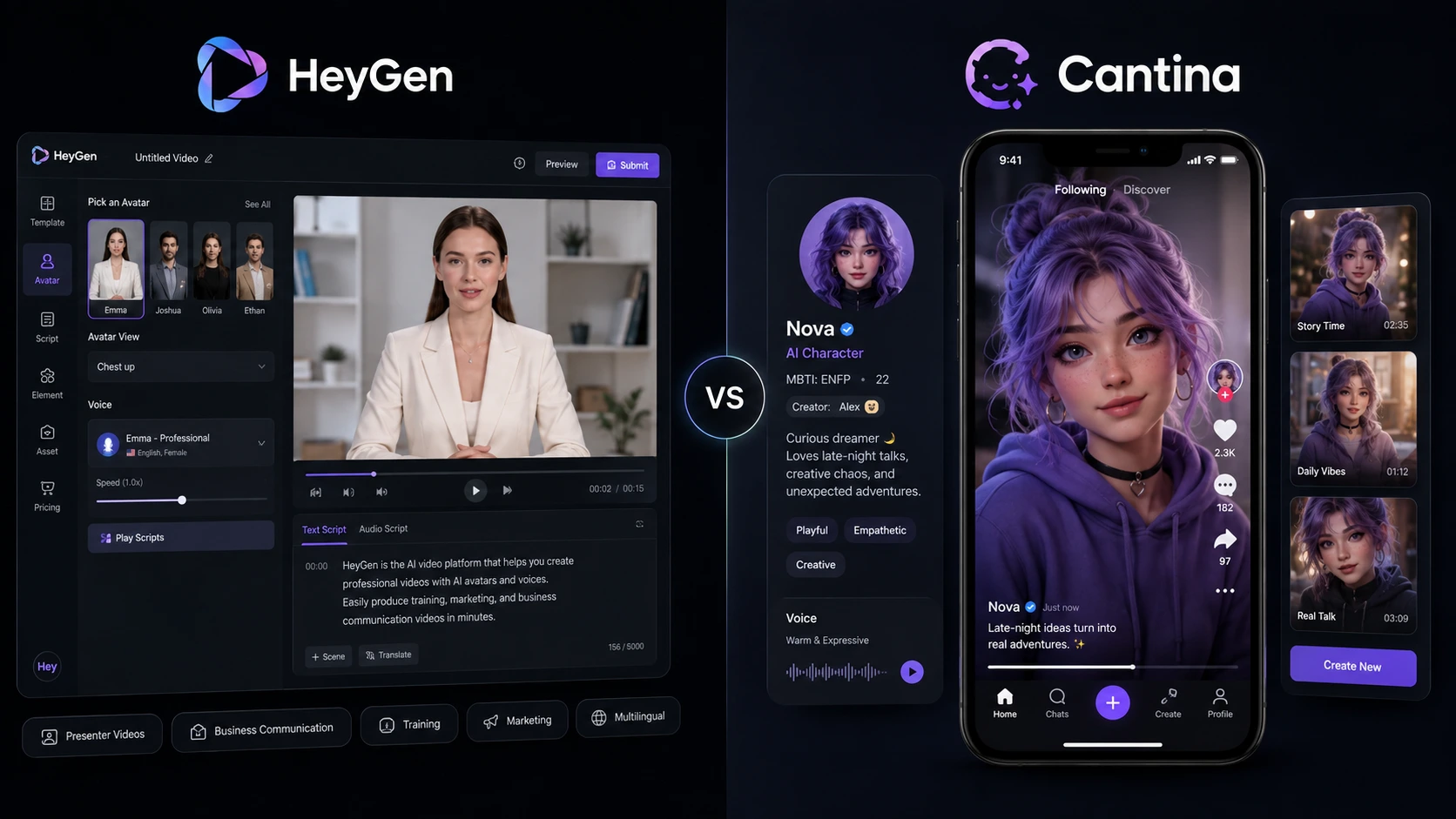
    Choosing between HeyGen vs Cantina depends on the type of AI video you want to make. HeyGen focuses strongly on presenter videos, digital avatars, voice cloning, business content, and video translation. Cantina takes a different approach by building AI characters with personalities, voices, identities, and social interactions. For marketers, educators, creators, and businesses, HeyGen vs Cantina is not simply a question of which tool has better AI. The better choice depends on your workflow, video style, audience, and need for control.

    HeyGen vs Cantina: What Is the Main Difference?

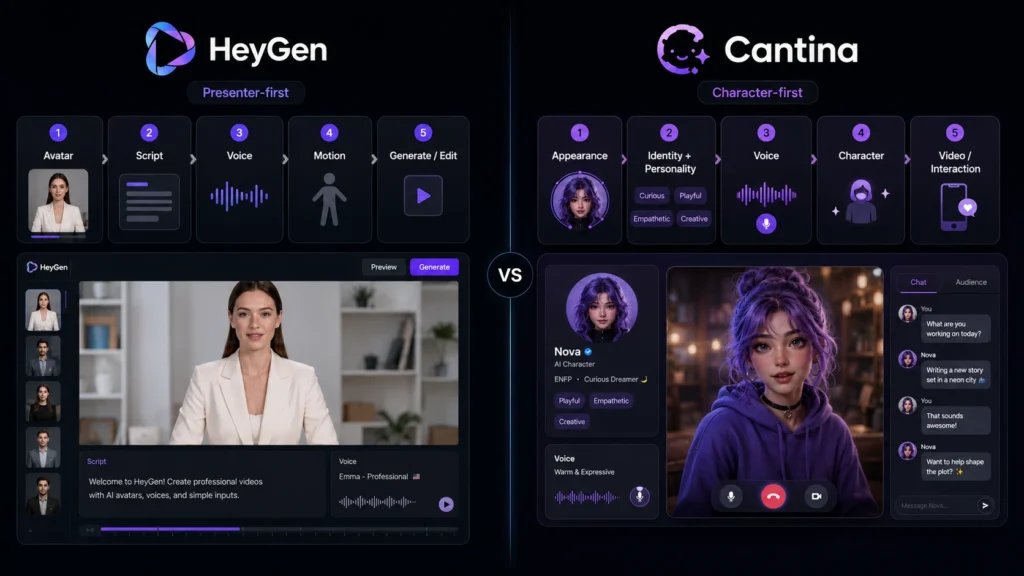
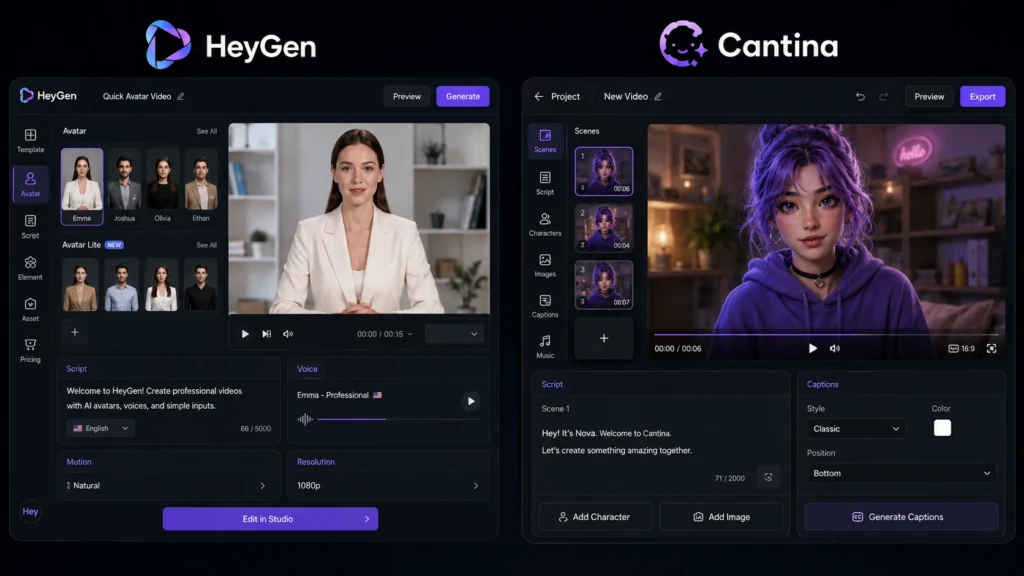
    The biggest difference in HeyGen vs Cantina is their purpose. HeyGen works more like a complete AI video creation platform. You can choose an avatar, add a script, select a voice, edit the video, and create content in many languages. Its current plans also include video translation, voice cloning, digital twins, and higher-resolution exports. Cantina is more focused on AI characters and social storytelling. Users can create characters with their own appearance, personality, background, voice, and style. Those characters can then appear in AI-generated videos and interact with people in real time.

    HeyGen vs Cantina: Features Compared

    FeatureHeyGenCantina
    AI avatarsYesYes
    Custom charactersYesYes
    Voice creationVoice cloning and AI voicesCharacter voices
    AI video creationYesYes
    Script-based presenter videosStrongMore character-focused
    Real-time interactionLimited compared with CantinaStrong
    Video translationYesNot a main focus
    Multilingual content175+ languages and dialects on paid plansCharacter-focused
    Social communityNot the main focusCore feature
    Business video toolsStrongLimited
    Mobile focusWeb and PC focusedStrong mobile experience
    4K exportAvailable on Pro and higher plansNot positioned as a main feature

    The HeyGen vs Cantina comparison shows that both can create AI video, but they solve different problems. HeyGen is better suited to structured video production, while Cantina is designed around characters, creativity, interaction, and social content.

    HeyGen vs Cantina: AI Video Quality

    When comparing HeyGen vs Cantina for AI video quality, the result depends heavily on the type of video being created.

    HeyGen is particularly strong for professional presenter videos. Its avatar tools are designed to produce natural-looking speakers with synchronized speech, gestures, and expressions. Paid plans support 1080p or 4K exports depending on the plan.

    Cantina focuses more on expressive characters and short-form storytelling. Its video system can turn characters into scenes where they speak, perform, and tell stories. The platform also supports multiple characters and social sharing, which makes it useful for creative content.

    For a corporate presentation, training video, or product explanation, HeyGen has the clearer advantage. For fictional characters, entertaining clips, and social storytelling, Cantina can be more interesting.

    HeyGen vs Cantina: Pricing and Value

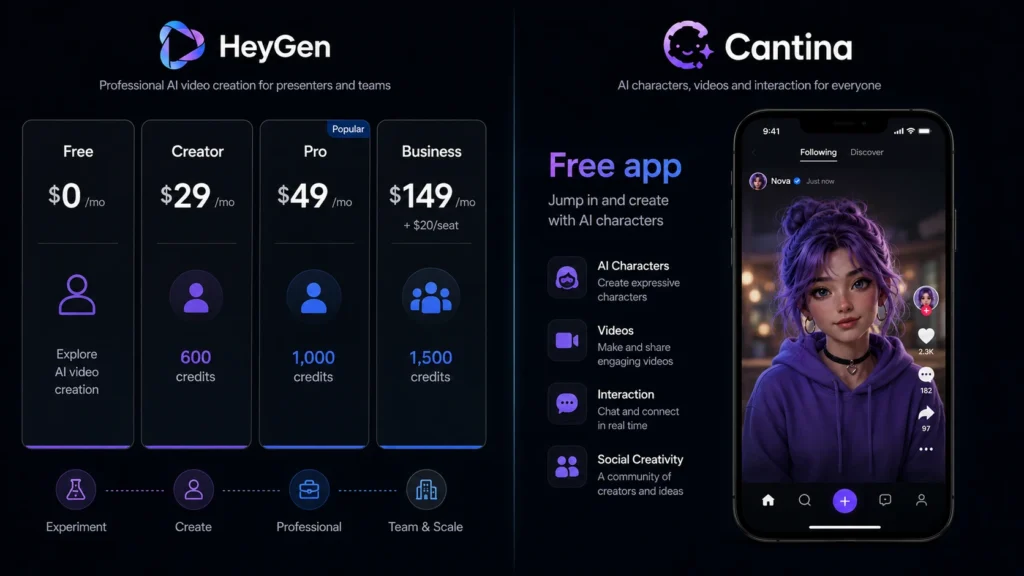
    HeyGen has a clearly published pricing structure. Its Free plan costs $0, while Creator costs $29 per month, Pro costs $49 per month, and Business costs $149 per month plus $20 for each additional seat. Creator includes 600 monthly credits and 1080p exports, while Pro includes 1,000 credits and 4K export.

    Cantina is available as a free app, although its current pricing structure and usage limits differ from HeyGen’s subscription model. The platform is primarily positioned around its character and social experience rather than a traditional business video subscription.

    HeyGen vs Cantina: Which Tool Is Easier to Use?

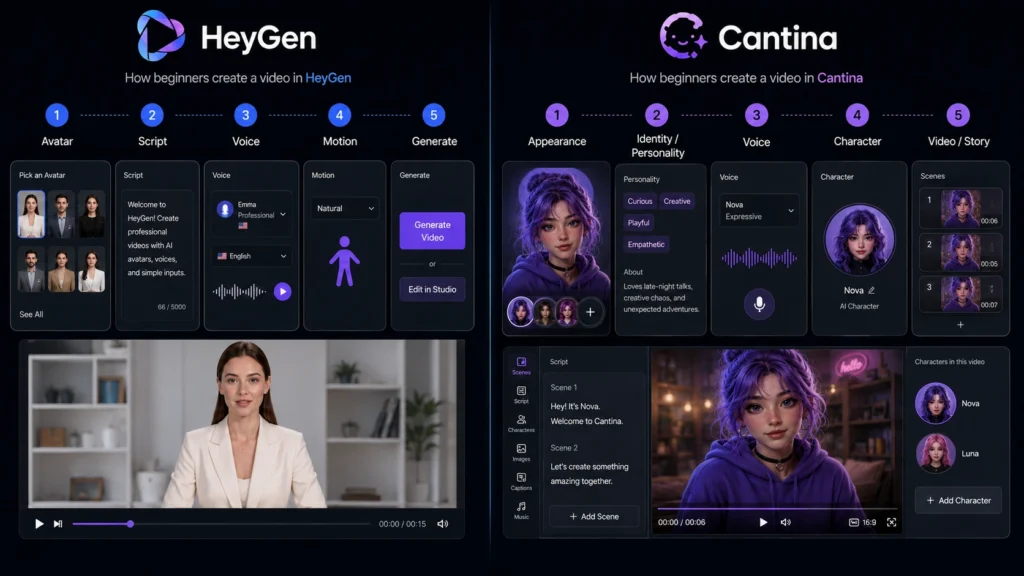
    HeyGen keeps the creation process straightforward. Users can select an avatar, write or add a script, choose a voice, and generate the video. Its Quick Avatar Video feature is designed to make this process even faster.

    Cantina takes a more creative route. You first build or choose a character and then use that character for videos, stories, or interactions. This makes the experience different from a standard AI presenter tool.

    HeyGen vs Cantina: Which One Should You Choose?

    Choose HeyGen if you need:

    • Professional presenter videos
    • Marketing and training content
    • AI avatars for business
    • Voice cloning
    • Multilingual videos
    • Video translation
    • 1080p or 4K exports
    • Team and business features

    Choose Cantina if you want:

    • Original AI characters
    • Character-based storytelling
    • Social AI interactions
    • Creative short videos
    • Multiple characters in stories
    • Real-time character interaction
    • A mobile-first creative experience

    Overall, HeyGen vs Cantina comes down to professional video production versus character-driven creativity. HeyGen is the stronger choice for businesses, educators, marketers, and creators who need polished presenter videos. Cantina is more appealing for creators who want AI characters to become the center of their content.

    Final Thoughts on HeyGen vs Cantina

    The HeyGen vs Cantina decision becomes easier when you focus on your content goal. HeyGen is designed for polished, professional AI video creation, while Cantina focuses more on AI characters, creative interactions, and storytelling. If you need reliable business-ready videos, HeyGen is the stronger overall option. If you want to create characters and turn them into entertaining social content, Cantina offers a more distinctive experience.

    FAQs About HeyGen vs Cantina

    Is HeyGen better than Cantina for professional videos?

    Yes, HeyGen is generally the better choice for professional videos because it offers presenter avatars, voice cloning, multilingual support, video translation, higher-resolution exports, and business features.

    Is Cantina free to use?

    Cantina is available as a free app. Its main experience centers on creating AI characters, videos, and social interactions.

    Which is better for AI characters, HeyGen or Cantina?

    Cantina has a stronger focus on character creation. Users can define a character’s appearance, personality, backstory, voice, and identity before using it in videos and interactions.

    Which should beginners choose: HeyGen or Cantina?

    For business presentations, tutorials, marketing clips, and presenter videos, HeyGen is the easier starting point. If your goal is entertainment, fictional characters, or social storytelling, Cantina is worth trying.

  • Runway vs Wan 2.2 14B: Which AI Video Generator Is Better in 2026?

    Runway vs Wan 2.2 14B: Which AI Video Generator Is Better in 2026?

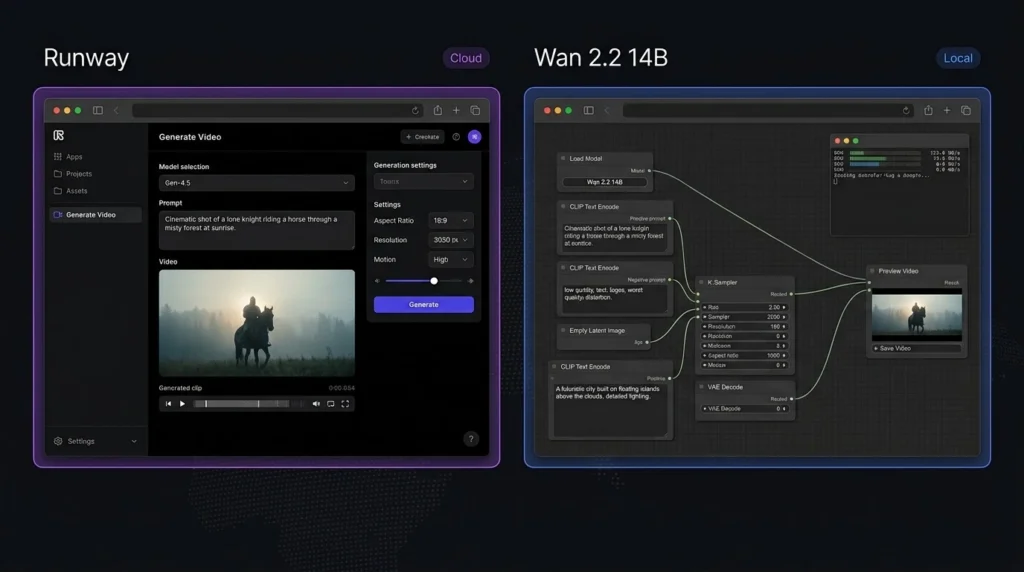
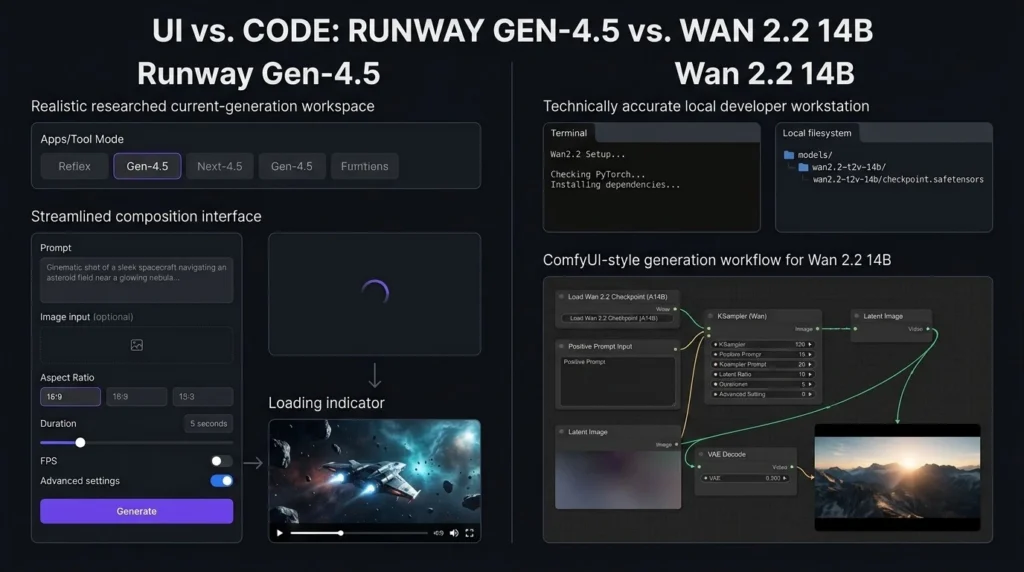
    Choosing between Runway vs Wan 2.2 is not just about video quality. Both can create impressive AI videos, but they are built for different types of users. Runway is a complete online creative platform with video generation and editing tools, while Wan 2.2 14B is an open model designed for users who want more control over how their videos are generated. For creators who want a simple workflow, Runway is easier to use. For developers and advanced users who have powerful hardware, Wan 2.2 14B offers more freedom. This Runway vs Wan 2.2 comparison looks at features, pricing, video quality, hardware needs, ease of use, and overall value in 2026.

    Runway vs Wan 2.2: What Is the Main Difference?

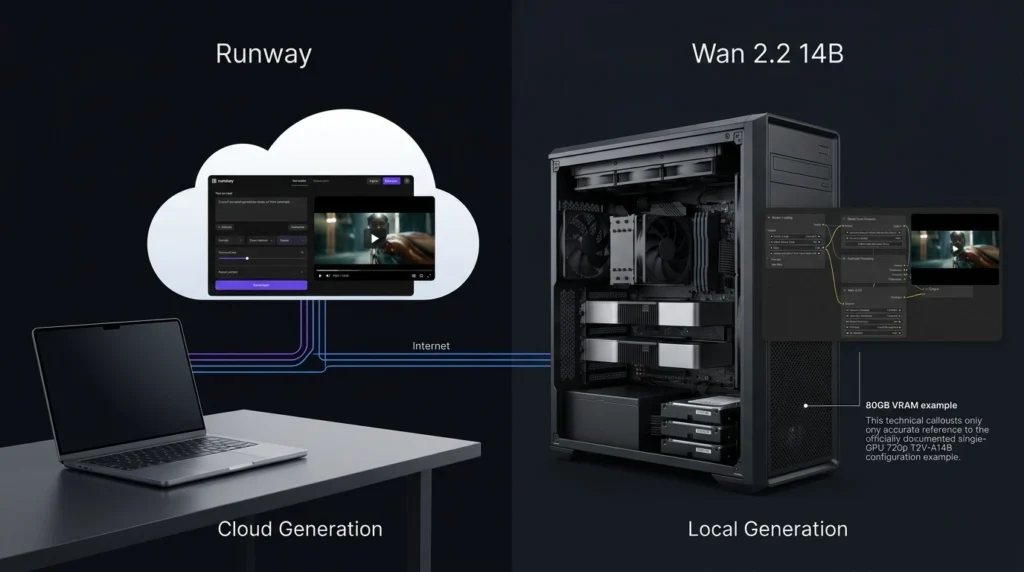
    The biggest difference in Runway vs Wan 2.2 is the way users access the technology.

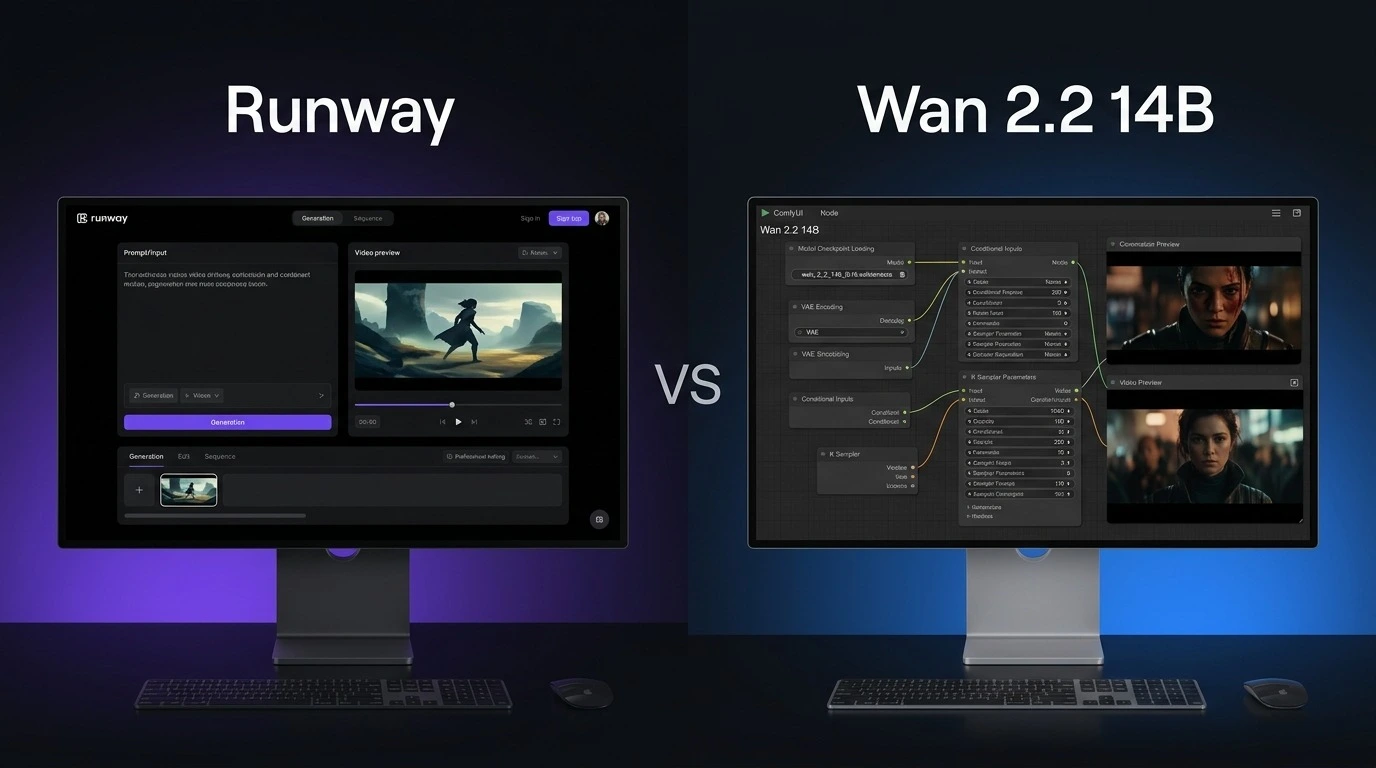
    Runway is an online creative platform. Users can generate videos from text or images without installing a large AI model on their computer. It also includes AI editing tools and other creative features.

    Wan 2.2 14B takes a more open approach. Its model weights and code are available for local use, allowing advanced users to run the model through supported tools such as ComfyUI and Diffusers. This gives users more control but also makes the setup more demanding.

    Runway vs Wan 2.2: Price Comparison

    Price is an important part of the Runway vs Wan 2.2 decision.

    Runway offers a free plan with 125 one-time credits. Its Standard plan costs $15 per month, or $12 per month when billed annually. The Pro plan costs $35 per month, or $28 per month with annual billing. Its Max plan costs $95 per month, or $76 per month when billed annually.

    Wan 2.2 14B does not have an official monthly subscription for the model itself. The model weights are publicly available. However, running a large model locally can require a powerful graphics card, which can make the total cost higher if you do not already own suitable hardware.

    Runway vs Wan 2.2 Price and Features

    FeatureRunwayWan 2.2 14B
    Free optionYes, 125 one-time creditsYes, model weights
    Starting paid price$15/monthNo official subscription
    Annual Standard price$12/monthNo official subscription
    Text-to-videoYesYes
    Image-to-videoYesYes
    AI video editingYesDepends on workflow
    Local generationNoYes
    Open modelNoYes
    Hardware neededNo local GPU requiredPowerful GPU recommended
    CustomizationHighVery high
    Ease of useExcellentModerate to difficult
    Best forCreators and businessesAdvanced users and developers

    The main difference is simple: Runway charges for convenient access, while Wan 2.2 shifts more responsibility to the user.

    Runway vs Wan 2.2: Video Quality

    Video quality is one of the most important factors in Runway vs Wan 2.2.

    Runway’s recent video models focus on realistic movement, visual detail, subject consistency, and following detailed prompts. Its Gen-4 family is designed to maintain consistency across generated shots, which can be useful for storytelling and commercial projects.

    Wan 2.2 14B is also capable of producing detailed AI video. Its system uses different models during different stages of generation to improve the final result. Supported Wan 2.2 models can generate videos at resolutions up to 720p.

    The final result depends on the prompt, input image, model settings, hardware, and workflow. Therefore, there is no universal winner for every type of video.

    Runway vs Wan 2.2: Ease of Use

    This is one category where Runway vs Wan 2.2 has a clear winner.

    Runway is designed for users who want to start creating quickly. You do not need to download model files or configure a local environment. Enter a prompt, upload an image when needed, select the required tool, and generate your video.

    Wan 2.2 can require considerably more setup. Users running the 14B model locally may need a suitable GPU, storage, software packages, model files, and a supported interface.

    Runway vs Wan 2.2: Features

    Runway offers more than basic video generation. Depending on the available model and plan, users can work with text-to-video, image-to-video, video editing, image generation, audio features, and creative workflows from one platform.

    Wan 2.2 focuses more heavily on the generation model itself. Its open approach allows users to experiment with different interfaces and workflows. This can be a major advantage for developers and experienced AI users.

    If you want an all-in-one creative workspace, Runway is the stronger option. If you want to experiment with an open model, Wan 2.2 is more flexible.

    Runway vs Wan 2.2: Hardware Requirements

    Hardware is another major difference between Runway vs Wan 2.2.

    Runway performs the generation on its platform, so users do not need to own a high-end graphics card. A normal computer with a stable internet connection is enough for most tasks.

    Wan 2.2 gives you the option to run models locally. However, larger models require substantial graphics memory and computing power. The exact requirement depends on the model and workflow being used.

    This means Wan 2.2 can be attractive if you already have a powerful computer. Otherwise, buying hardware can cost far more than a Runway subscription.

    Runway vs Wan 2.2: Editing and Creative Workflow

    For Runway vs Wan 2.2, Runway has a clear advantage in editing.

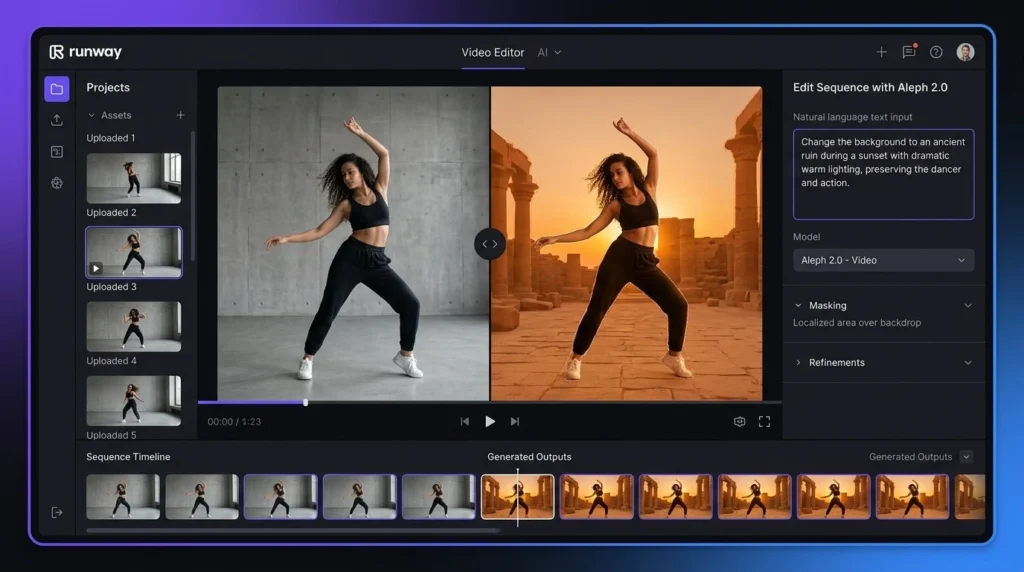
    Runway combines video generation with AI-powered editing features. Users can modify footage, remove unwanted elements, change backgrounds, and perform other creative tasks without moving between several applications.

    Wan 2.2 is primarily a video generation model. Its editing experience depends on the interface and additional tools used with the model.

    Runway vs Wan 2.2: Customization and Control

    Wan 2.2 wins when customization is the priority. Because the model can be downloaded and used locally, advanced users can experiment with settings and different workflows. Developers can also integrate the model into their own projects where supported.

    Runway provides customization inside a controlled platform, but users have less control over the underlying model and infrastructure.

    Runway vs Wan 2.2: Which Is Better for Creators?

    For YouTubers, marketers, filmmakers, social media creators, and beginners, Runway is generally the better choice. It removes much of the technical work and provides generation and editing features in one place. This makes it easier to move from an idea to a finished video. Wan 2.2 14B is more suitable for developers, AI researchers, technical creators, and people who enjoy testing open models.

    Runway vs Wan 2.2: Overall Ratings

    CategoryRunwayWan 2.2 14B
    Video Quality4.8/54.7/5
    Features4.9/54.5/5
    Ease of Use4.9/53.7/5
    Customization4.5/54.9/5
    Price/Value4.3/54.8/5
    Overall4.7/54.5/5

    These ratings are practical comparisons based on ease of use, available features, control, and expected use cases rather than a universal measurement of output quality.

    Runway vs Wan 2.2: Which One Should You Choose?

    Choose Runway if you want:

    • A simple online video generator
    • Strong AI video quality
    • Built-in editing tools
    • No local GPU requirement
    • A platform suitable for professional creative work
    • A simpler workflow for regular content creation

    Choose Wan 2.2 14B if you want:

    • An open video model
    • Local video generation
    • Greater control over the generation process
    • More freedom to experiment
    • A solution for technical AI workflows
    • No required monthly subscription for the model itself

    Final Verdict: Runway vs Wan 2.2

    The Runway vs Wan 2.2 comparison ultimately comes down to convenience versus control. Runway is the stronger all-around choice for creators who want an easy workflow, professional video generation, editing features, and no need for expensive local hardware. Wan 2.2 14B is more appealing to advanced users who want an open model and the freedom to run and customize their own setup.

    FAQs About Runway vs Wan 2.2

    Is Runway better than Wan 2.2?

    For most creators, Runway is the better overall option because it is easier to use and provides video generation and editing tools in one platform. Wan 2.2 is better suited to advanced users who want local control.

    Is Wan 2.2 14B free?

    The Wan 2.2 model weights are publicly available, so there is no required monthly subscription for the model. However, local generation can involve hardware, electricity, storage, and setup costs.

    Can Wan 2.2 14B run on a normal computer?

    It depends on the hardware and specific workflow. Larger 14B models can require substantial graphics memory. Users without suitable hardware may find a cloud-based service such as Runway much easier.

    Which is better for YouTube videos: Runway or Wan 2.2?

    For most YouTube creators, Runway is the easier option because it does not require complicated local setup and also provides editing tools. Wan 2.2 can be a better choice for technically experienced creators with powerful hardware.

  • Goseboze AI Tools: Compare the Best AI Software for Business, Content and More

    Goseboze AI Tools: Compare the Best AI Software for Business, Content and More

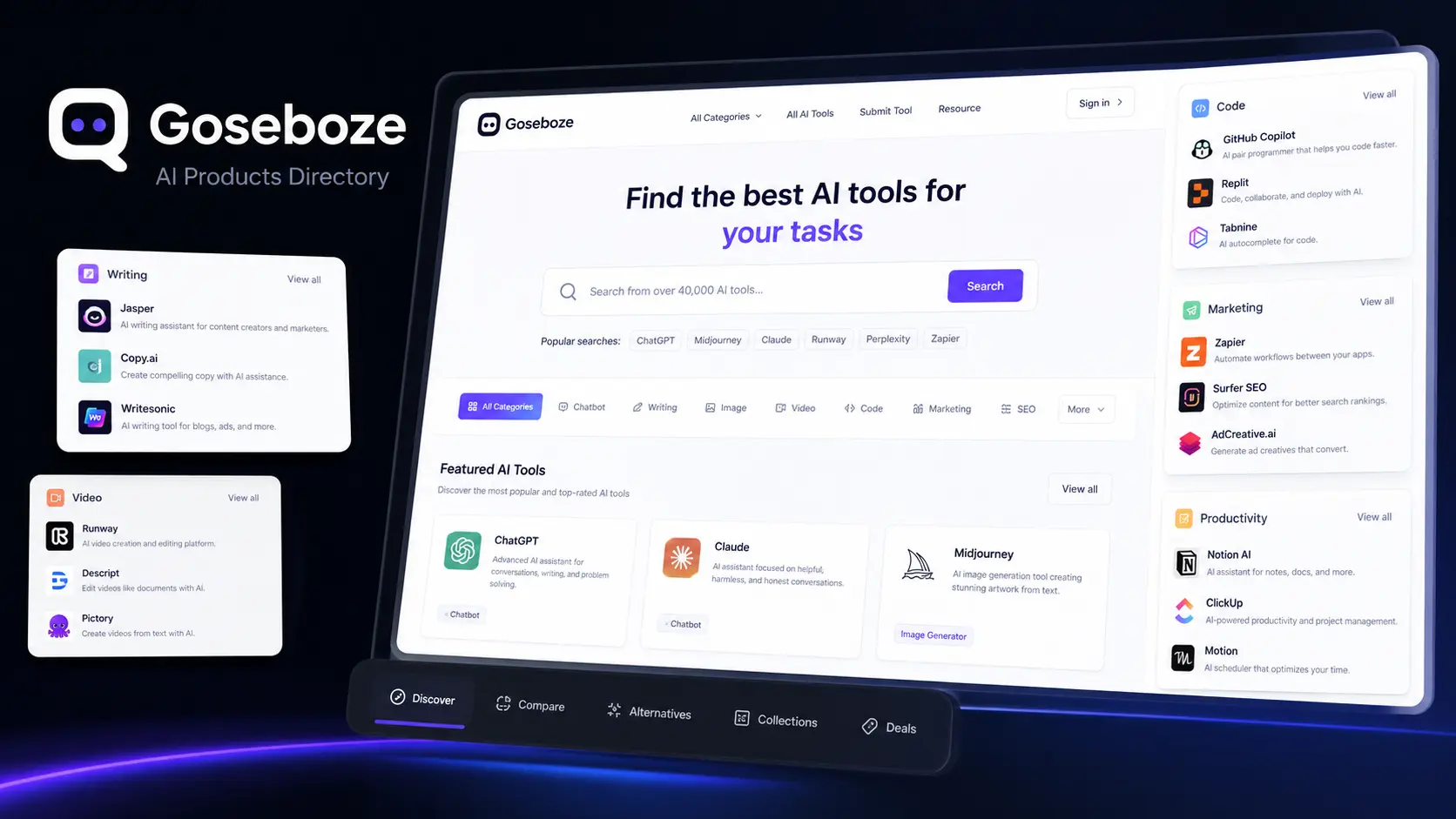
    Finding the right AI software can be difficult because different tools are designed for different tasks. Some focus on writing, while others help with images, video, coding, marketing, research, productivity, or business work. Goseboze AI Tools provides a central directory where users can discover and compare AI software based on categories and use cases. Goseboze is designed for AI product discovery. Users can browse different software options, review product information, and visit individual tool websites before making a decision. This makes it easier to create a shortlist instead of searching for every AI product separately.

    What Is the Goseboze AI Directory?

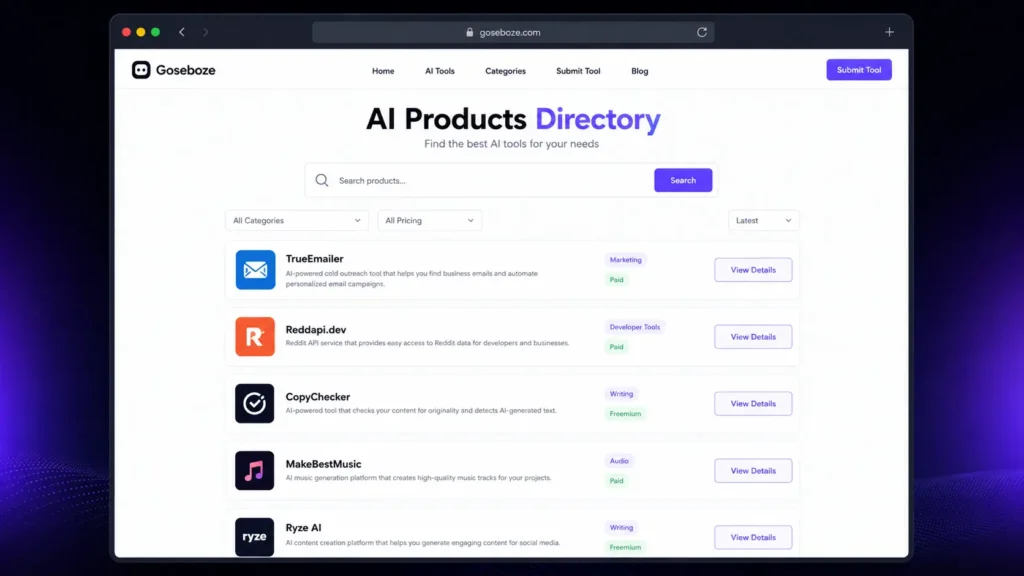
    The Goseboze AI Directory is a platform for discovering AI software rather than an AI model itself. It brings different products together and organizes them into categories so users can find tools that match their requirements. Listings can include information such as product names, descriptions, categories, pricing, features, and website links. Users can then check the official product website for current details before signing up. The main purpose of Goseboze AI Tools is to make AI software discovery more organized and easier for users.

    What Categories Are Available on Goseboze?

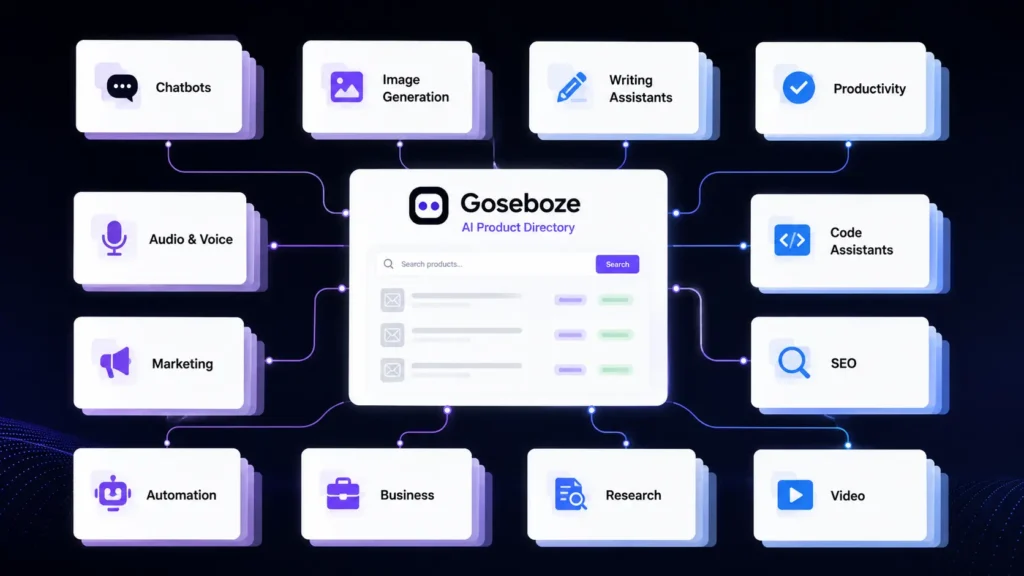
    Goseboze covers a wide range of AI software categories. These categories help users find products according to the type of task they want to complete.

    Some major categories include:

    CategoryCommon Use
    AI WritingContent and editing
    AI ChatbotsQuestions and assistance
    AI ImagesArtwork and visual content
    AI VideoVideo creation and editing
    AI AudioVoice and music
    AI SEOSearch and content work
    AI MarketingAdvertising and campaigns
    AI CodingSoftware development
    AI ProductivityPlanning and organization
    AI AutomationWorkflow automation
    AI BusinessSales and operations
    AI ResearchResearch and information

    With these categories, Goseboze AI Tools can serve different types of users, from individual creators to business teams.

    25 Best AI Tools to Explore on Goseboze

    The following AI products cover different areas of work. Features, availability, and pricing can change, so users should verify current information on the official websites before purchasing.

    AI Content and Writing Tools

    AI content and writing tools are another major category within Goseboze AI Tools. These platforms can help users write articles, create marketing copy, research topics, summarize information, improve existing content, and produce professional text more efficiently. 

    AI ToolKey FeaturesPricing
    ChatGPTAI chat, writing, coding, research, image generation, file analysisFree / Paid
    ClaudeWriting, reasoning, document analysis, coding, long-form contentFree / Paid
    Jasper AIMarketing content, brand voice, campaigns, content creationPaid
    WritesonicAI writing, SEO content, research, content optimizationFree / Paid
    Copy.aiSales copy, marketing content, workflows, outreachFree / Paid
    PerplexityAI search, research, source citations, web information discoveryFree / Paid

    1. ChatGPT

    ChatGPT is a general-purpose AI assistant that can help with writing, brainstorming, research, summaries, coding, and everyday questions. It is useful for users who want one platform for several different tasks.

    2. Claude

    Claude is an AI assistant developed by Anthropic. It can help with writing, document analysis, summaries, reasoning, and long-form content. It can be useful when users need to work with detailed information.

    3. Jasper AI

    Jasper AI focuses on marketing and business content. Its features are designed for tasks such as promotional writing, brand content, campaigns, and other professional content needs.

    4. Writesonic

    Writesonic combines AI writing with features aimed at content and search marketing. It can help users research topics, create content, and develop pages designed for search traffic.

    5. Copy.ai

    Copy.ai focuses on sales and marketing content. It can help teams create outreach messages, website copy, promotional material, and other business content.

    6. Perplexity

    Perplexity is mainly designed for research and information discovery. It provides answers with sources and can help users gather information before writing or making decisions.

    AI Image Generation Tools

    AI image generation tools are another important category within Goseboze AI Tools. These platforms can help users create images from text prompts, generate artwork, design concepts, produce marketing visuals, and develop creative digital assets. 

    AI ToolMain UsePricing
    MidjourneyAI image generationFree / Paid
    DALL-EAI image generationFree / Paid
    Stable DiffusionAI image generationFree / Paid
    Leonardo AIAI image generationFree / Paid

    7. Midjourney

    Midjourney is an AI image-generation platform used for artwork, concepts, illustrations, and creative projects. It is particularly useful for users who want distinctive visual styles.

    8. DALL-E

    DALL-E generates images from written prompts. It can be used for illustrations, concepts, marketing visuals, and other creative projects.

    9. Stable Diffusion

    Stable Diffusion provides image-generation capabilities with a high level of customization. It can appeal to users who want greater control over how their images are generated.

    10. Leonardo AI

    Leonardo AI provides image-generation and creative tools for designers, creators, game developers, and businesses. It can be used for characters, artwork, concepts, and digital assets.

    AI Video Creation and Editing Tools

    Video software is another major category within Goseboze AI Tools. These platforms can help users generate videos, edit clips, create avatars, and repurpose existing content.

    AI ToolMain UsePricing
    RunwayAI video generationFree / Paid
    SynthesiaAI presenter videosPaid
    HeyGenAI avatar videosFree / Paid
    CapCutVideo editingFree / Paid
    PictoryContent-to-videoFree / Paid

    11. Runway

    Runway provides AI-powered video generation and editing features. Creators can use it for visual concepts, short videos, effects, and other production tasks.

    12. Synthesia

    Synthesia focuses on AI presenter videos. Users can create videos with digital avatars and generated voices for training, education, presentations, and business communication.

    13. HeyGen

    HeyGen focuses on AI avatars, voice features, and video creation. It can help businesses and creators produce presenter-style videos without traditional filming.

    14. CapCut

    CapCut is a video editing platform with captions, effects, templates, and other editing features. It is particularly useful for creators producing short-form social media content.

    15. Pictory

    Pictory helps users turn written or longer content into shorter video formats. It can be useful for bloggers, marketers, and creators who want to reuse existing content.

    AI Chatbot Tools

    AI chatbot tools are another important category within Goseboze AI Tools. These platforms can help users answer questions, provide customer support, automate conversations, generate responses, and assist with sales, marketing, and everyday communication.

    AI ToolMain UseKey FeaturesPricing
    IntercomCustomer support & communicationAI chatbot, customer messaging, help center, ticketing, human agent handoffFree Trial / Paid
    TidioCustomer service & online storesAI chatbot, live chat, automation, customer support, ecommerce toolsFree / Paid
    BotpressAI agents & custom chatbotsVisual builder, AI agents, workflows, integrations, developer toolsFree / Paid

    16. Intercom

    Intercom provides customer communication and support software with AI features. Businesses can use it to handle customer questions and send more complex issues to human agents.

    17. Tidio

    Tidio focuses on customer service and AI chat for businesses, including online stores. It can help answer common customer questions through business websites.

    18. Botpress

    Botpress provides tools for creating AI agents and chatbots. Its visual building features can help less technical users, while developers can use additional options for more complex projects.

    AI SEO and Marketing Tools

    AI SEO and marketing tools are another important category within Goseboze AI Tools. These platforms can help users research keywords, optimize content, analyze competitors, improve search rankings, create marketing campaigns, and streamline various digital marketing tasks. 

    AI ToolMain UseKey FeaturesPricing
    Surfer SEOContent optimizationContent Editor, keyword analysis, SERP research, content audit, AI writingPaid
    SemrushSEO & digital marketingKeyword research, competitor analysis, backlinks, site audit, AI featuresFree / Paid
    AdCreative.aiAI advertising creativesAd generation, creative variations, ad copy, performance insightsFree Trial / Paid

    19. Surfer SEO

    Surfer SEO focuses on content optimization. It helps users study search results and improve content based on information from competing pages.

    20. Semrush

    Semrush provides tools for keyword research, competitor analysis, website research, backlinks, and digital marketing. Its platform also includes AI-assisted features.

    21. AdCreative.ai

    AdCreative.ai focuses on advertising creatives. It can help marketers create different ad concepts and variations for digital campaigns.

    AI Coding Assistants

    AI coding assistants are another important category within Goseboze AI Tools. These platforms can help developers write code, debug errors, explain programming concepts, generate code snippets, complete projects, and improve development workflows.

    AI ToolMain UseKey FeaturesPricing
    GitHub CopilotAI coding assistantCode completion, code generation, debugging, code explanationsFree / Paid
    CursorAI code editorCode generation, project understanding, AI editing, debuggingFree / Paid
    GooseOpen-source AI coding agentFile management, commands, code changes, development automationFree / Open Source

    22. GitHub Copilot

    GitHub Copilot is an AI coding assistant that helps developers write code, generate functions, explain existing code, and complete programming tasks.

    23. Cursor

    Cursor is an AI-focused code editor designed for software development. It can understand project files and help developers plan changes and modify code.

    24. Goose

    Goose is an open-source AI agent developed by Block. It is designed to work with a development environment and can assist with files, commands, code changes, and other development tasks.

    AI Automation

    25. Zapier

    Zapier connects different applications and automates workflows. Its AI features can help users connect AI services with email, communication platforms, content systems, and other business applications.

    Goseboze vs Other AI Directories

    Goseboze is one of several platforms that help users discover software. Each platform has a different approach.

    DirectoryMain Strength
    GosebozeAI product discovery
    FuturepediaAI software collection
    There’s An AI For ThatTask-based AI discovery
    Product HuntNew product launches

    Goseboze is useful for users who want to browse AI software by category. Futurepedia provides a broad AI software collection, while task-based directories can be useful when users already know what they want to accomplish. Product Hunt is another option for discovering new software and product launches.

    How to Submit an AI Tool to Goseboze

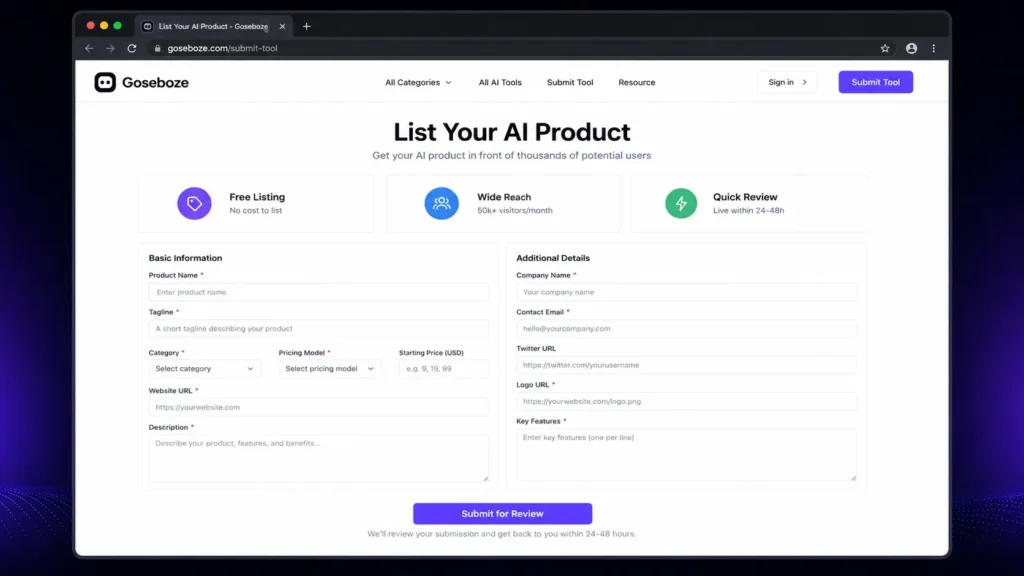
    AI product owners can submit their software to the Goseboze directory. The submission process can require information such as the product name, category, pricing model, website, description, company information, and key features. A clear listing can help users quickly understand what a product does and whether it matches their needs. Before submitting a product, developers should make sure that their website is active and that the product information, pricing, and category details are accurate.

    Is Every Tool on Goseboze Worth Using?

    A directory is useful for discovery, but being listed does not mean every product will be suitable for every user. Before selecting an AI product, check its official website, current pricing, product features, recent updates, privacy policy, terms, customer support, and user feedback. This is especially important when an AI product will process confidential business documents, customer information, financial data, or other sensitive material.

    Who Can Benefit from Goseboze AI Tools?

    Freelancers

    Freelancers can discover software for writing, design, research, marketing, video production, productivity, and automation.

    Bloggers and Content Creators

    Content creators can explore AI products for research, writing, editing, images, video, audio, and SEO.

    Developers

    Developers can compare coding assistants, AI agents, automation platforms, and other development software.

    Digital Marketers

    Marketing professionals can find products for SEO, advertising, content creation, research, analytics, and customer communication.

    Businesses

    Businesses can explore AI software for sales, customer service, marketing, productivity, automation, and internal operations.

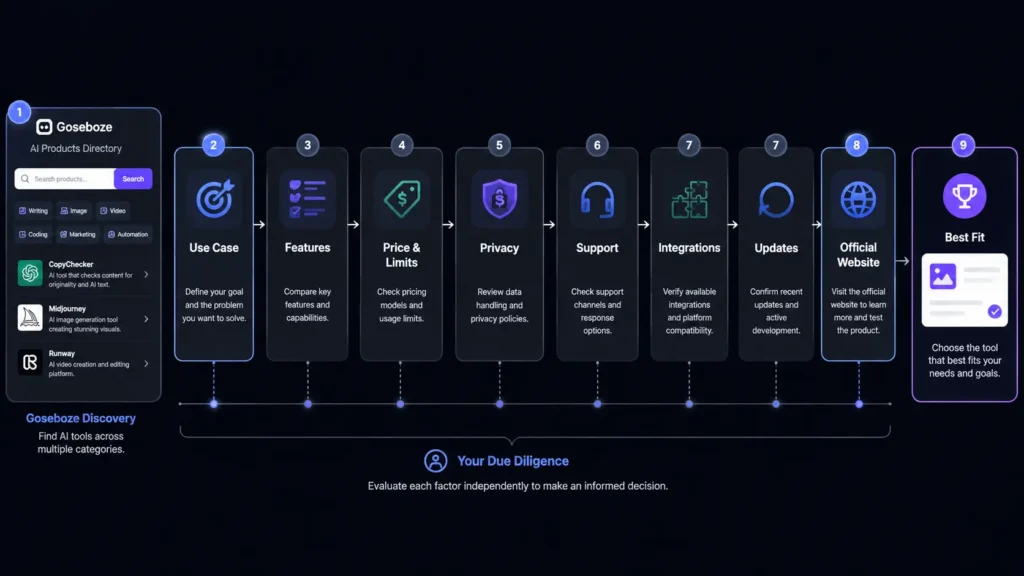
    How to Choose a Tool from Goseboze

    Finding a product is only the beginning. Before signing up, compare the features that matter to your work.

    FactorWhat to Check
    Use caseDoes it solve your actual problem?
    FeaturesDoes it provide the functions you need?
    PriceDoes the plan fit your budget?
    LimitsAre usage limits acceptable?
    PrivacyHow does it handle your information?
    SupportCan you get help when needed?
    IntegrationsDoes it work with your current software?
    UpdatesIs the product actively maintained?

    Do not choose an AI tool simply because it has many features. A smaller product that performs one important task well may provide more value for your specific needs.

    Is Goseboze Free to Use?

    Browsing the Goseboze directory is free. Individual AI products listed on the platform can have their own pricing models, including free, freemium, and paid plans. Users should visit the official website of each product before purchasing because prices, features, and usage limits can change.

    Is Goseboze an AI Tool?

    No. Goseboze is an AI product directory, not a single AI model or chatbot. It helps users discover software developed by different companies and teams. The platform can be used to find products according to categories and requirements, while the actual AI services are provided by the individual companies behind those products.

    Is Goseboze Safe to Use?

    Browsing an AI directory is different from using the individual products listed there. Each AI product has its own privacy practices, security controls, terms, and data policies. Before uploading sensitive information to any AI platform, read its privacy policy and terms. Businesses should also check how data is stored, processed, shared, and deleted.

    What Should You Check Before Using Goseboze AI Tools?

    Before choosing one of the Goseboze AI Tools, consider these factors:

    • Current pricing
    • Free plan limitations
    • Main features
    • Privacy policy
    • Data handling
    • Integrations
    • Customer support
    • Recent product updates
    • User feedback
    • Commercial-use terms

    This process can help you avoid selecting software that looks useful but does not match your actual requirements.

    Final Thoughts

    Goseboze AI Tools provides a convenient way to discover AI software for business, content, marketing, coding, images, video, research, productivity, and other tasks. Instead of searching for every product separately, users can browse categories and create a shortlist of relevant options. The best approach is to begin with a clear task, compare several products, review pricing and features, and check privacy and support before making a final decision. Whether you are a freelancer, content creator, developer, marketer, or business owner, Goseboze AI Tools can serve as a useful starting point for finding AI software that fits your work.

    FAQs About Goseboze AI Tools

    Is Goseboze AI Directory free?

    Yes. Users can browse the directory for free. However, individual products listed on the platform may offer free, freemium, or paid plans.

    What are the best Goseboze AI Tools for content creation?

    ChatGPT, Claude, Jasper AI, Writesonic, Copy.ai, and Perplexity can support different content tasks. The right choice depends on whether you need writing, research, editing, or marketing features.

    Can businesses use Goseboze to find AI software?

    Yes. Businesses can explore AI software for customer service, sales, marketing, productivity, coding, automation, and other business tasks.

    How should I compare Goseboze AI Tools?

    Compare each product’s features, pricing, usage limits, privacy practices, integrations, support, and ease of use. A free plan or trial can also help you evaluate a product before paying.

    Is Goseboze itself an AI tool?

    No. Goseboze is a directory for discovering AI products. The individual tools listed on the platform are developed and operated by their respective companies or teams.

  • Higgsfield vs Artflow: Is the Free Artflow Better Than Higgsfield?

    Higgsfield vs Artflow: Is the Free Artflow Better Than Higgsfield?

    Artificial intelligence has changed how people create images, videos, and digital characters. If you are trying to choose between two popular creative tools, Higgsfield vs Artflow is a comparison worth exploring. Both platforms help users create visual content, but they focus on different needs. Higgsfield is built mainly for AI video creation, while Artflow focuses on AI characters, images, and visual storytelling. If you are wondering whether the free version of Artflow is better than Higgsfield, this guide compares their features, pricing, ease of use, and overall value so you can choose the platform that matches your creative goals.

    Higgsfield vs Artflow: Quick Comparison

    FeatureHiggsfieldArtflow
    Main PurposeAI video creationAI characters, images, and stories
    Free PlanLimitedMore generous
    Best ForShort AI videosCharacter design and storytelling
    Learning CurveMediumBeginner-friendly
    Custom CharactersYesYes
    Video CreationExcellentBasic
    Image GenerationGoodVery Good
    Team CollaborationLimitedAvailable

    Higgsfield vs Artflow: What Is Higgsfield?

    Higgsfield is an AI-powered creative platform designed primarily for generating high-quality videos from text prompts. It allows creators to build cinematic scenes, experiment with camera movements, and produce short AI videos suitable for social media, advertising, and creative projects. Besides video generation, Higgsfield also offers AI image creation and editing tools. However, its biggest advantage remains its advanced video engine. The free version provides limited access, while premium plans unlock faster rendering, more credits, and additional creative controls.

    Key Features of Higgsfield

    • AI text-to-video generation
    • Camera movement controls
    • Cinematic visual effects
    • AI image generation
    • Fast rendering
    • Multiple creative styles

    Higgsfield vs Artflow: What Is Artflow?

    Artflow is an AI creative platform that focuses on character creation, portraits, storytelling, and scene generation. Users can create consistent AI characters and place them in different environments without losing their appearance, making the platform useful for comics, educational content, novels, and game design. Many people searching for Higgsfield vs Artflow are attracted to Artflow because of its generous free plan. Beginners can explore the platform without paying immediately, making it one of the most accessible AI creative tools available.

    Key Features of Artflow

    • AI character creator
    • Consistent character generation
    • Story scene builder
    • AI portraits
    • Easy interface
    • Free plan with useful features

    Higgsfield vs Artflow: Feature Comparison

    AI Video Creation

    Video generation is where Higgsfield clearly performs better. It provides advanced motion controls, cinematic camera angles, smooth transitions, and professional-looking AI videos.

    Artflow includes simple animation features but is mainly designed for image-based storytelling rather than full AI video production.

    Winner: Higgsfield

    Character Creation

    Artflow excels at building characters that remain visually consistent across different images and scenes. This is valuable for comic artists, writers, educators, and content creators.

    Higgsfield can also generate characters, but maintaining consistent appearances across multiple scenes is not its strongest feature.

    Winner: Artflow

    AI Image Quality

    Both platforms generate high-quality images, but they approach creativity differently. Higgsfield creates detailed visuals that work well inside video projects, while Artflow focuses on expressive portraits and story-based artwork.

    If your priority is illustrations and character design, Artflow has a slight advantage.

    Winner: Artflow

    Ease of Use

    Artflow offers a clean interface that beginners can understand within minutes. Navigation is simple, and creating characters requires very little learning.

    Higgsfield includes more creative controls, which gives professionals greater flexibility but also creates a slightly steeper learning curve.

    Winner: Artflow

    Creative Flexibility

    Higgsfield offers greater creative freedom for users who need detailed video editing, camera control, and cinematic output.

    Artflow keeps its workflow simple, which is excellent for beginners but provides fewer advanced editing options.

    Winner: Higgsfield

    Higgsfield vs Artflow Free Plan

    One of the biggest reasons users compare Higgsfield vs Artflow is the free plan.

    Artflow provides enough free credits and tools for users to experiment with character design, portraits, and storytelling before upgrading.

    Higgsfield also offers a free version, but daily limits and credit restrictions are reached much faster. Several advanced video features remain available only to paid subscribers.

    If your budget is limited, Artflow gives more value without requiring an immediate purchase.

    Higgsfield vs Artflow Pricing

    Pricing may change over time, but the overall difference is easy to understand.

    Artflow focuses on affordable subscriptions that expand image generation and character creation.

    Higgsfield costs more because AI video generation requires greater computing resources and includes more advanced production features.

    If your work mainly involves AI images, Artflow is the more budget-friendly choice. If professional AI videos are essential, Higgsfield can justify its higher subscription price.

    Higgsfield vs Artflow Pros and Cons

    Higgsfield

    Pros

    • Outstanding AI video generation
    • Professional camera controls
    • High-quality cinematic output
    • Excellent creative flexibility

    Cons

    • Smaller free plan
    • Higher subscription cost
    • Takes longer to master

    Artflow

    Pros

    • Better free plan
    • Easy for beginners
    • Excellent character consistency
    • Affordable pricing
    • Great storytelling tools

    Cons

    • Limited AI video features
    • Fewer advanced editing controls

    Who Should Choose Higgsfield?

    Higgsfield is the better option if you:

    • Create AI videos regularly
    • Need cinematic-quality content
    • Want advanced camera controls
    • Produce marketing or social media videos
    • Prefer professional creative tools

    Who Should Choose Artflow?

    Artflow is the better choice if you:

    • Want a generous free plan
    • Create AI characters
    • Design comics or storyboards
    • Produce educational content
    • Prefer a beginner-friendly interface

    Higgsfield vs Artflow Rating

    After comparing features, pricing, ease of use, creative flexibility, and overall value, both platforms perform well but serve different audiences.

    CategoryHiggsfieldArtflow
    Ease of Use4.2/54.8/5
    AI Video Creation4.9/53.7/5
    AI Image Quality4.5/54.6/5
    Character Creation4.3/54.9/5
    Free Plan Value3.8/54.9/5
    Pricing3.9/54.6/5
    Overall Value4.4/54.7/5

    The ratings show that Higgsfield and Artflow shine in different areas. Higgsfield is the stronger platform for AI video creation thanks to its advanced motion controls and cinematic output. Artflow earns higher scores for ease of use, character creation, pricing, and free plan value, making it the better choice for beginners and users focused on images and storytelling.

    Overall, Higgsfield vs Artflow gives Artflow the higher rating because it offers better value for most users. However, creators who need professional AI video production will still find Higgsfield to be the stronger long-term investment.

    Final Verdict: Is the Free Artflow Better Than Higgsfield?

    The answer depends on your creative needs. If you mainly create AI videos, Higgsfield remains the better platform because of its powerful video engine, camera controls, and professional features.

    However, if you are looking for a free AI tool to create characters, illustrations, and visual stories, Artflow offers better value. Its generous free plan, simple interface, and consistent character generation make it an excellent starting point for beginners.

    When comparing Higgsfield vs Artflow, Artflow wins for overall value and accessibility, while Higgsfield remains the top choice for serious AI video creators. Your final decision should depend on whether you spend more time creating videos or designing AI characters and images.

    Frequently Asked Questions

    Is Artflow completely free?

    Artflow offers a free plan with limited credits and features. Paid plans unlock additional credits, faster generation, and more creative options.

    Which platform is better for AI videos?

    Higgsfield is the better choice for AI video generation because it provides advanced camera movement, cinematic effects, and higher-quality video output.

    Is Artflow better for beginners?

    Yes. Artflow has a simpler interface, making it easier for beginners to create AI characters, portraits, and visual stories without a steep learning curve.

    Which platform offers better value in 2026?

    For most users, Artflow offers better overall value because of its generous free plan and affordable pricing. If professional AI video production is your priority, Higgsfield is the stronger investment.

  • Ideavo AI Review 2026: A Free Alternative to Lovable, Bolt & Replit

    Ideavo AI Review 2026: A Free Alternative to Lovable, Bolt & Replit

    AI coding tools are making software development easier than ever, but many popular platforms come with usage limits or expensive subscriptions. Ideavo AI offers a different approach by giving users access to AI-powered app development with a free plan. Whether you are a beginner, freelancer, student, or startup founder, Ideavo AI helps you create websites and web applications using simple text prompts instead of writing everything from scratch. This Ideavo AI Review 2026 explains its features, pricing, advantages, limitations, and how it compares with Lovable, Bolt, and Replit. If you are searching for a free AI development platform, this review will help you decide whether Ideavo AI is the right choice.

    What Is Ideavo AI?

    Ideavo AI is an AI-powered development platform that transforms your ideas into working web applications. Users simply describe what they want to build, and the platform generates the required code, interface, and project structure. Unlike traditional development tools that require advanced programming skills, Ideavo AI is designed to make app creation faster and more accessible for everyone.

    Who Should Use Ideavo AI?

    • Beginners learning web development
    • Freelancers building client projects
    • Startup founders creating MVPs
    • Students working on coding assignments
    • Small businesses developing websites

    Key Features of Ideavo AI

    AI-Powered App Generation

    The main strength of Ideavo AI is its ability to generate applications from simple prompts. Describe your project, and the AI creates the initial version within minutes.

    Beginner-Friendly Interface

    The dashboard is clean and easy to understand. Even first-time users can create projects without spending hours learning the platform.

    Editable Source Code

    Unlike some AI builders, Ideavo AI allows users to modify generated code. Both new and experienced developers can use it with ease.

    Fast Development

    Instead of starting with an empty project, users receive a working foundation that saves valuable development time.

    Continuous Improvements

    The platform continues adding new AI capabilities and improvements, making it more useful for developers over time.

    Ideavo AI Pricing

    One of the biggest reasons users consider Ideavo AI is its affordable pricing.

    PlanPriceBest For
    Free$0Beginners and testing
    Paid PlansVariesProfessionals and teams

    The free version gives users an opportunity to experience AI-assisted development before upgrading to premium plans.

    Ideavo AI vs Lovable, Bolt & Replit

    Choosing the right AI coding platform depends on your needs. Here’s how Ideavo AI compares with some of the most popular alternatives.

    FeatureIdeavo AILovableBoltReplit
    Free PlanYesLimitedLimitedYes
    AI App GenerationYesYesYesYes
    Beginner FriendlyExcellentGoodGoodGood
    Manual Code EditingYesYesYesYes
    Fast Project CreationExcellentGoodGoodGood
    Best ForAI App DevelopmentUI ProjectsRapid PrototypesFull Coding Environment

    For users who want a simple and free AI development platform, Ideavo AI offers an attractive balance between usability and functionality.

    Pros and Cons of Ideavo AI

    Pros

    • Free plan available
    • Easy to use for beginners
    • Generates projects quickly
    • Editable source code
    • Clean interface
    • Saves development time
    • Suitable for freelancers and startups

    Cons

    • Premium features require a paid plan
    • AI-generated code may need manual refinement
    • Large applications still require development experience

    Is Ideavo AI Worth Using in 2026?

    For users looking to create websites, landing pages, and simple web applications without spending money, Ideavo AI is a practical option. Its AI-generated code helps reduce development time, while manual editing allows developers to customize projects further. Although experienced programmers may still prefer traditional coding for enterprise software, Ideavo AI is an excellent solution for prototypes, MVPs, and small business websites.

    Ideavo AI Ratings

    Based on usability, performance, pricing, and overall experience, Ideavo AI delivers strong value for both beginners and experienced users.

    CategoryRating (Out of 5)
    Ease of Use5.0/5
    Features4.5/5
    Performance4.4/5
    AI Code Quality4.3/5
    Speed4.7/5
    Value for Money5.0/5
    Beginner Friendliness5.0/5
    Customer Support4.2/5
    Overall Rating4.7/5

    Overall Rating: 4.7/5

    Ideavo AI stands out as one of the best free AI coding platforms in 2026. Its beginner-friendly interface, AI-powered project generation, and flexible code editing make it a reliable alternative to Lovable, Bolt, and Replit.

    Who Should Choose Ideavo AI?

    Ideavo AI is a good choice if you:

    • Want a free AI coding platform
    • Need to build projects quickly
    • Are learning web development
    • Create MVPs for startups
    • Build websites for clients
    • Prefer AI-assisted development over manual coding

    Users building large-scale enterprise applications may still require advanced development tools alongside Ideavo AI.

    Final Thoughts

    After reviewing its features, pricing, usability, and performance, Ideavo AI proves to be one of the best free AI development platforms available in 2026. It simplifies app creation, reduces development time, and helps beginners turn ideas into working projects without a steep learning curve. If you are searching for a free alternative to Lovable, Bolt, and Replit, Ideavo AI is well worth trying. Its combination of AI-powered development, editable code, and beginner-friendly design makes Ideavo AI a smart choice for students, freelancers, startups, and anyone looking to build applications faster.

    Frequently Asked Questions

    Is Ideavo AI free?

    Yes. Ideavo AI offers a free plan that allows users to explore its core features before choosing a paid plan.

    Can beginners use Ideavo AI?

    Yes. Ideavo AI is designed with beginners in mind. Its simple interface and AI-assisted development make it easy for users with little coding experience.

    Is Ideavo AI better than Replit?

    Both platforms serve different purposes. Ideavo AI focuses on AI-powered project generation, while Replit is a broader online coding environment suitable for manual programming.

    What can I build with Ideavo AI?

    You can build landing pages, websites, web applications, MVPs, dashboards, and prototypes using simple text prompts.