A GDPR Cookie Banner can look compliant while still collecting data too early. The bigger issue in 2026 is not whether a banner exists, but whether the website actually respects the choice shown on screen. Recent enforcement has focused on a simple test: can people refuse non-essential cookies as easily as they can accept them, and does the website wait for that choice before tracking begins?
This makes the technical setup behind a Cookie Banner just as important as its wording and design. We examine the key requirements, recent enforcement lessons, and practical checks businesses can use to test their Cookie Consent process.
What a GDPR Cookie Banner Must Actually Do
A compliant banner should give users a clear choice before non-essential cookies or similar tracking technologies are placed on their device.
Under European privacy rules, consent must be freely given, specific, informed, and based on a clear positive action. Simply continuing to browse does not create valid consent.
A practical banner should therefore:
Explain that non-essential cookies are being used.
State the main purposes, such as analytics or advertising.
Provide a clear way to accept.
Provide an equally clear way to reject.
Let users manage individual categories where appropriate.
Avoid placing non-essential cookies before consent.
Provide a way to withdraw or change consent later.
For a broader explanation of privacy obligations, businesses can also review
The Overlooked Test: What Happens After the Click?
Many cookie reviews stop at the visible banner. That misses one of the most important compliance checks. We should test what the website actually does after each choice.
For example, suppose a visitor selects Reject All. The banner disappears, but an advertising platform still receives tracking data. The button may look compliant, but the underlying consent system is not.
The UK ICO’s current guidance says non-essential storage technologies should only be used after valid consent, unless an applicable exception applies.
A useful compliance test is:
Open the website in a fresh browser session.
Inspect cookies and other tracking technologies before making a choice.
Select Reject All.
Check whether non-essential trackers are still activated.
Repeat the test with Accept All.
Test the settings panel and consent withdrawal process.
This technical check can reveal problems that are invisible from the banner itself.
Cookie Banner Requirements for Clear Consent
The design should not push users toward acceptance. In December 2024, France’s CNIL ordered website publishers to change misleading cookie banners. Examples included hiding the refusal option, making it visually weaker, and presenting the acceptance option multiple times while showing refusal only once. CNIL stated that rejecting cookies should be as easy as accepting them. The European Data Protection Board’s Cookie Banner Taskforce also found broad agreement among European authorities that refusing or rejecting cookies should not be made harder than accepting them.
This means businesses should avoid designs such as:
Accept All as a large button with rejection hidden in small text.
A refusal link buried below several paragraphs.
Repeated acceptance prompts with only one refusal option.
Confusing phrases such as “Continue without accepting” when the actual choice is unclear.
Pre-selected non-essential cookie categories.
A balanced design does not require every website to use identical colors or button layouts. Regulators assess whether the overall presentation is misleading.
GDPR Cookie Consent and Cookie Categories
A useful Cookie Consent system separates cookies according to their actual purpose.
Strictly Necessary Cookies
These support functions the visitor has requested or the website needs to operate, such as maintaining a shopping basket or certain security functions. Depending on the technology and legal basis, these may fall within an exception to the consent requirement.
Analytics Cookies
Analytics tools may require consent when they are not covered by a valid exemption. We should not assume that calling data “anonymous” automatically removes the need for careful assessment.
Advertising and Tracking Cookies
Advertising, profiling, and similar tracking technologies generally require particular attention because they can follow users across services or build behavioral profiles. Businesses should maintain an accurate record of which technologies belong to each category rather than relying on the default categories supplied by a Consent Management Platform.
Consent Records Matter Too
A banner does more than collect a click. Businesses may need to demonstrate how consent was obtained.
We recommend recording information such as:
The consent status.
The date and time of the choice.
The consent version or configuration shown to the user.
The categories selected.
The mechanism used to collect the choice.
The exact retention approach should match the organisation’s legal and operational needs.
We should also plan for changes. If a website adds new trackers, changes purposes, or materially changes how technologies are used, the existing consent setup may need to be reviewed. The ICO specifically notes that fresh consent may be needed when cookie use changes.
A 2026 Compliance Lesson From Recent Enforcement
Recent enforcement shows that regulators are checking implementation, not just policy language. In 2024, CNIL reported 11 organisations were penalised for making cookie refusal harder than acceptance.
The ICO later reported that its assessment of the UK’s top 1,000 websites found 979 meeting its compliance checks at their most recent test, while 21 were still failing. The checks included whether advertising cookies were stored before users could choose and whether rejecting them was as easy as accepting them. The practical lesson is clear: a polished banner cannot compensate for a broken consent mechanism.
How to Audit a Cookie Banner
We can use a simple five-part audit:
1. Check Before Consent
Open the site without making a choice. Look for non-essential cookies, pixels, scripts, tags, and other tracking technologies.
2. Check the Refusal Path
Select the refusal option. Confirm that the relevant non-essential technologies remain blocked.
3. Check the Settings
Open the detailed preferences panel. Each category should be understandable, and choices should not be misleading.
4. Check Withdrawal
Find the privacy or consent control after making a choice. Users should have a practical way to change their decision.
5. Check Mobile
Repeat the process on a phone. A refusal option that is visible on desktop can become hidden or difficult to use on a smaller screen.
Conclusion
The strongest GDPR Cookie Banner is not simply the one that looks transparent. It is the one that behaves transparently. Recent regulatory work points to a practical standard: give users a real choice, respect that choice technically, and make refusal no harder than acceptance. Businesses that test the scripts behind their banner, keep their cookie inventory accurate, and review consent after website changes can address the part of cookie compliance that a banner alone cannot solve.
FAQ
Does every website need a GDPR Cookie Banner?
Not necessarily. The requirement depends on the technologies used, their purpose, applicable exemptions, and the laws applying to the website. Necessary technologies may qualify for an exception, while non-essential tracking generally needs a valid consent mechanism.
Is clicking “Accept” enough for Cookie Consent?
A click can provide the required positive action, but the surrounding information and choice must also meet the requirements for valid consent. Consent should be informed, specific, and freely given.
Can a website use “Accept” and “Manage Settings” without “Reject All”?
This design can create compliance concerns, particularly where refusal is harder than acceptance. Recent regulatory action shows that authorities are closely examining whether users can reject non-essential cookies as easily as they can accept them.
How often should Cookie Consent be reviewed?
We should review the banner whenever tracking technologies, purposes, vendors, or consent settings change. Regular technical scans are also useful because a website can become non-compliant after a new marketing or analytics script is added.
The biggest Privacy Policy vs Privacy Notice mistake is treating the two as the same document. That can create a practical compliance gap, especially when a business publishes one long privacy page but fails to provide relevant information when personal data is collected. The European Data Protection Board selected transparency and information as its coordinated enforcement focus for 2026. Twenty-five European data protection authorities are taking part, examining how organisations meet their obligations under GDPR Articles 12, 13, and 14. For businesses reviewing their GDPR privacy requirements, the key issue is therefore not simply whether a privacy page exists. It is whether people receive clear information about their data at the right time.
Privacy Policy vs Privacy Notice: What Is the Difference?
A privacy notice is mainly designed to inform people about how their personal data is processed. It can explain what data is collected, why it is used, who may receive it, how long it is kept, and what rights individuals have. A privacy policy can have a broader purpose. It may describe an organisation’s internal privacy rules, procedures, responsibilities, security practices, and approach to handling personal information.
The Bigger Problem: A Good Privacy Policy Can Still Be Too Late
A common setup is to publish a detailed privacy policy and place a link in the website footer. That alone may not provide enough transparency. Under GDPR, Articles 13 and 14 require organisations to provide specific information when personal data is collected directly or obtained from another source. The timing matters. Consider a newsletter form.
A visitor enters an email address and submits the form. The company has a 4,000-word privacy policy explaining marketing, analytics, cookies, retention, and third-party services. But the visitor may not see the relevant information before submitting their email address.
The ICO’s guidance on the right to be informed states that privacy information should generally be provided when personal data is collected. It also recommends approaches such as layered information and just-in-time notices. A short just-in-time privacy notice can explain the immediate processing and direct the person to fuller information.
GDPR Privacy Requirements Go Beyond Publishing a Page
A stronger approach starts with the actual data flow rather than a generic privacy template.
Map What Your Business Collects
Review personal data collected through:
Website forms
Customer accounts
Purchases
Newsletter subscriptions
Cookies and analytics
Customer support
Recruitment
Mobile applications
Third-party platforms
Then connect each type of information to a specific purpose.
This helps identify differences between what the business actually does and what its privacy information says. For a wider checklist of the rules businesses should review, see our guide to GDPR requirements and compliance rules.
Match Each Purpose With the Right Information
For each processing activity, check the relevant legal basis, purpose, recipients, retention period, international transfers, and individual rights. Avoid vague statements such as “we use your data to improve our services” when the organisation actually uses different information for advertising, analytics, profiling, customer support, or other separate purposes.
Each purpose should be explained clearly enough for an ordinary person to understand. This becomes even more important when businesses use AI tools or automated processing. Our guide to GDPR and AI applications and data privacy covers this issue in more detail.
The 2026 Enforcement Focus Makes Timing More Important
The EDPB’s 2026 coordinated enforcement action focuses on transparency and information. European data protection authorities are examining how organisations meet their information duties in practice.
That makes several details worth checking.
Does the notice explain new uses of personal data before processing starts?
Does it identify important recipients?
Does it explain retention clearly?
Can users find the relevant information on mobile devices?
Does the notice still match the company’s current vendors and technology?
The ICO also says organisations should regularly review privacy information and bring new uses of personal data to people’s attention before starting the new processing. (ICO)
Privacy Policy Requirements Should Follow Your Data Map
A useful privacy review should check:
Who controls the personal data
What information is collected
Why it is processed
Which legal basis applies
Who receives it
Where it is transferred
How long it is retained
What rights individuals have
How people can exercise those rights
Whether profiling or automated decision-making is involved
The information should be concise, transparent, intelligible, easily accessible, and written in clear language, according to ICO guidance.
This is where Data privacy compliance becomes a business process rather than simply a legal-page exercise. Marketing forms, analytics tools, customer databases, AI applications, and third-party services can all change what the privacy notice needs to say.
Conclusion
The real Privacy Policy vs Privacy Notice problem is not the label used on the page. It is assuming that publishing one document automatically satisfies every transparency obligation. The 2026 EDPB enforcement focus makes that distinction more practical. Businesses should connect their privacy information to their real data flows and provide relevant information where and when people interact with those flows. A privacy policy can explain the bigger picture. A well-designed privacy notice makes sure people receive the information they need at the point it matters. That distinction is increasingly important for effective GDPR privacy requirements and practical Data privacy compliance.
FAQ
What are the main Privacy Policy requirements under GDPR?
They include information about processing purposes, legal basis, recipients, retention, transfers, individual rights, and other information required under GDPR Articles 13 and 14.
Is a Privacy Notice legally required?
GDPR creates transparency and information duties. The title of the document is less important than whether the required information is provided clearly and at the appropriate time.
Can a Privacy Policy also be a Privacy Notice?
Yes. One document can serve both purposes if it contains the required information and is presented appropriately. However, one long page may not work well for every point where personal data is collected.
How often should privacy information be updated?
It should be reviewed when processing changes, including changes to purposes, vendors, technologies, retention periods, or international data transfers. Organisations should also consider whether people need to be informed about new processing before it begins.
Customer research can become slow when every interview requires recruiting, scheduling, moderation, transcription, and manual analysis. Listen Labs takes a different approach by using AI to conduct customer interviews, analyze conversations, and turn qualitative feedback into structured research.
The company has also attracted attention because of an unusual financing development. Listen Labs reportedly signed a term sheet for a $125 million Series C at a $1.5 billion valuation, but later walked away from the deal amid reported acquisition discussions with Salesforce. The funding story is interesting, but for product managers, marketers, founders, and researchers, the bigger question is what Listen Labs can actually do.
How We Evaluate Listen Labs
We evaluated Listen Labs around the workflow teams typically follow when turning a research question into customer insights. Instead of looking only at a feature checklist, we considered whether the platform can reduce repetitive research work while still giving teams enough evidence to make informed decisions.
Our evaluation focused on research setup, participant recruitment, AI moderation, qualitative analysis, research outputs, and scalability. We also considered practical SaaS and marketing use cases, including usability testing, concept research, customer interviews, and feedback analysis. For more information about our review approach, see our testing process.
What We Looked At
Research setup: How quickly you can create a study and interview guide.
Participant recruitment: Options for finding relevant respondents.
Interview quality: Whether AI can ask meaningful follow-up questions.
Analysis: How conversations become themes, quotes, and behavioral signals.
Outputs: Whether findings can be shared with stakeholders.
Scale: Languages, audience reach, and simultaneous interviews.
At-a-Glance Comparison
Tool Name
Best For
Starting Price
Listen Labs
AI-moderated customer interviews and end-to-end qualitative research
Custom pricing / demo
Listen Labs: Best AI Customer Research Tool for End-to-End Interviews
If you want customer research to move from an initial question to analyzed interviews without stitching together several separate tools, Listen Labs offers a broad end-to-end approach. You can define a research objective, create or upload an interview guide, recruit participants, run AI-moderated interviews, and analyze the resulting conversations within the same research workflow.
The AI moderator is where the platform becomes more interesting than a basic questionnaire. Rather than only following predetermined questions, Listen can use follow-up questions to explore what participants say. This allows researchers to investigate the reasoning behind an answer instead of collecting short responses. The platform also supports video, audio, text, and screen-based research.
For SaaS teams, that means you can investigate what customers think about a feature while also observing how they interact with a product or prototype.
Pros
End-to-end workflow: Study design, recruitment, interviews, analysis, and deliverables can be managed in one platform.
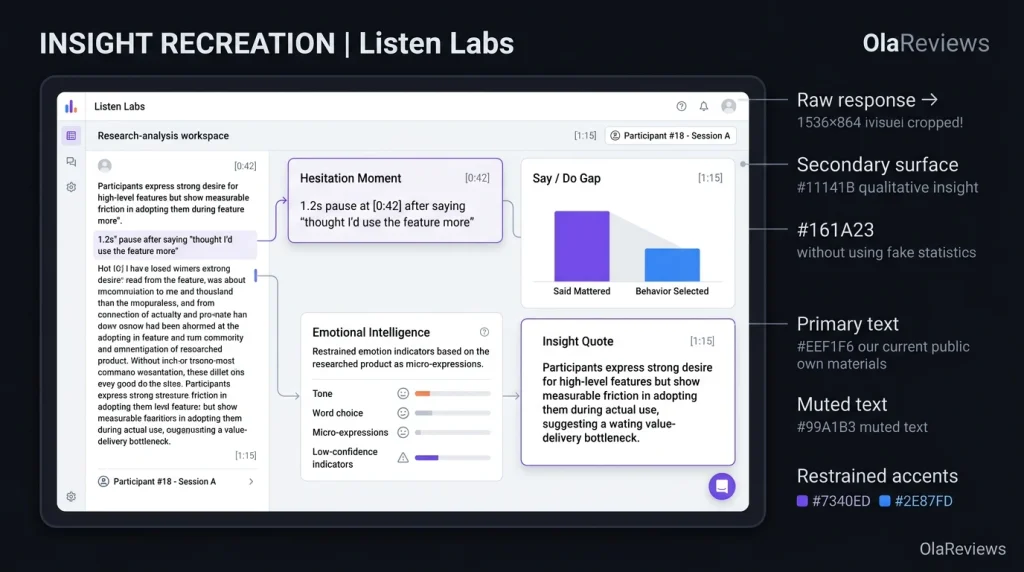
Detailed qualitative signals: The platform can surface themes, quotes, hesitation moments, and Say/Do Gaps.
Cons
Custom pricing: You don’t get a simple public self-serve pricing page with standard monthly tiers.
Human review is still important: AI can accelerate research, but important studies still require researchers to check questions and findings.
Pricing: Listen Labs currently uses a demo/custom-pricing approach instead of publishing standard Starter, Pro, and Enterprise tiers. Its pricing research notes that AI-moderated qualitative research across the market can commonly cost around $25–$50 per interview. However, this is a market benchmark and should not be treated as Listen Labs’ official rate.
What Makes Listen Labs Different?
Many AI customer research tools concentrate on one part of the research process. One product might handle surveys, another may recruit participants, while another turns interview transcripts into summaries. Listen Labs is designed to bring several of these stages together. This can reduce the number of separate handoffs between your research question and final findings. The platform can also identify details that may be easy to overlook when reviewing large numbers of transcripts.
For example, Listen showcases “Hesitation Moments” that highlight pauses in participant responses and “Say/Do Gaps” that reveal differences between what customers claim matters and what they actually choose. This type of analysis can be useful because customer feedback rarely arrives in neat categories. A customer may say price is the most important factor but choose a product because it is more convenient. Another person might describe a feature as useful but struggle to complete the workflow during a usability session.
Listen also positions its platform for research across multiple audiences and markets. Its current materials state that AI-moderated interviews can operate across 120+ languages, while its participant network provides access to more than 50 million potential respondents. These figures come from Listen’s own materials, so teams should validate audience availability for their specific market before planning a large study.
What Can You Use Listen Labs For?
Listen Labs goes beyond conventional one-on-one customer interviews. You can use the platform for concept testing, prototype research, usability studies, creative testing, customer insights, B2B research, and brand-related research. That range makes it relevant when you need to understand the reasoning behind customer behavior rather than simply collect yes-or-no responses.
For a product manager, you could test a new onboarding flow before development is complete. A marketer could investigate why a campaign resonates with one audience but not another. A founder could interview potential customers before committing to a new product direction.
Common Use Cases
Concept testing: Get reactions before investing heavily in development.
Usability testing: Observe customers interacting with products or prototypes.
Creative testing: Explore reactions to advertisements and messaging.
B2B research: Interview professional and specialized audiences.
Consumer research: Explore preferences, motivations, and purchasing behavior.
For SaaS teams, screen-based research can be especially valuable because it adds behavioral context to spoken feedback. Instead of asking someone whether a workflow feels simple, you can observe how they actually navigate it. That distinction matters because customers sometimes describe an experience as easy while hesitating, searching, or taking an unexpected route during the task.
Listen Labs and AI Interview Tools
The rise of AI interview tools is changing the economics and speed of qualitative research. A human moderator can ask nuanced questions, but conducting dozens or hundreds of interviews manually requires considerable time. AI moderation can allow multiple conversations to happen in parallel while maintaining a consistent research framework. However, that does not automatically make AI moderation suitable for every study.
Sensitive interviews, complex stakeholder research, or highly specialized research may still benefit from an experienced human moderator. Listen’s value is better understood as an additional research engine. It can help teams collect more conversations and identify patterns faster while researchers remain responsible for study design, context, validation, and interpretation.
Listen Labs vs. Traditional Customer Research
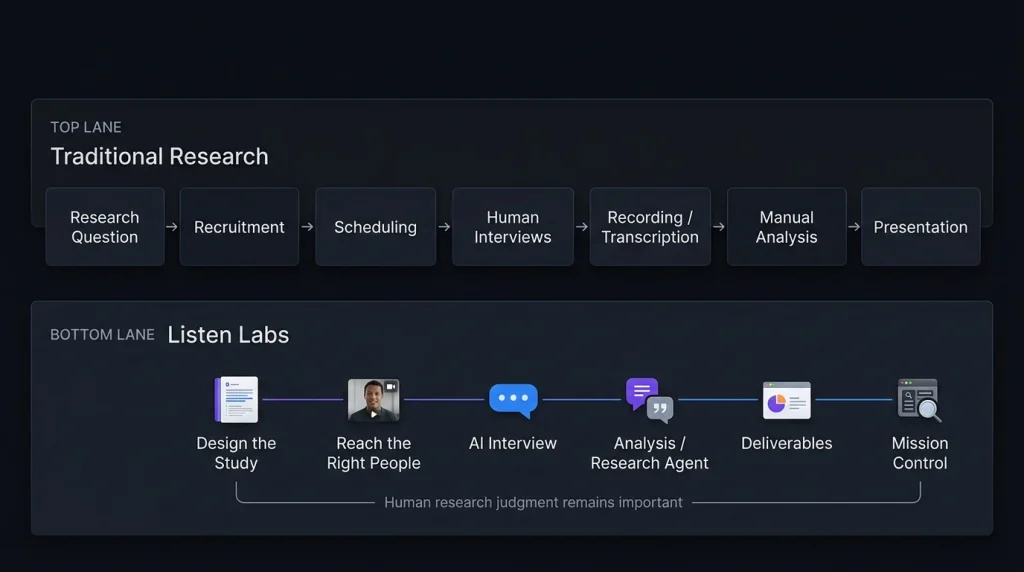
Traditional qualitative research can involve several separate stages. You define the study, recruit respondents, schedule interviews, moderate conversations, record sessions, transcribe them, organize themes, analyze findings, and eventually prepare a presentation. Each handoff can introduce delays or lost context. Listen Labs attempts to compress much of that workflow into one platform, covering study design, participant access, AI-moderated interviews, analysis, and research deliverables.
For teams that conduct customer research regularly, reducing these operational steps could be as important as any individual AI feature. The bigger question is what happens after the AI generates the findings. You still need to determine whether a theme is meaningful, whether the sample represents the audience you care about, and whether a customer statement reflects a broader pattern or an isolated opinion. Automation can shorten the path to evidence, but it does not remove the need for research judgment.
Why the $125M Series C Story Matters
Listen Labs’ financing story has become part of the company’s recent profile. TechCrunch reported that Listen had signed a term sheet for a $125 million Series C at a $1.5 billion valuation, with Menlo Ventures reportedly expected to lead the financing. The company subsequently walked away from the agreement amid reported discussions involving Salesforce. Business Insider separately reported that Salesforce had discussed acquiring Listen Labs for approximately $2 billion.
It also reported rapid company growth, including more than one million interviews conducted within a nine-month period. These figures are reported by the company or media outlets rather than independently verified product-performance measurements. They provide useful business context, but they should not be treated as evidence that the platform will deliver a specific research outcome for your team.
Final Thoughts on Listen Labs
Listen Labs sits at an interesting intersection of AI, customer research, and qualitative analysis. Its strongest proposition is not simply that AI can conduct an interview. Instead, recruitment, moderation, analysis, and research outputs can be connected within one workflow. If you are exploring more AI tools for productivity, marketing, research, and business workflows, you can discover additional options on Olareviews.
For product managers, marketers, founders, researchers, and SaaS teams, this approach can make large-scale qualitative research easier to organize. If you’re comparing AI customer research tools, the practical next step is to request a demo and test the workflow against one genuine research question. The real test is whether Listen can help you uncover customer insights that are difficult to identify from your existing data alone.
FAQ
Is Listen Labs an AI research tool?
Yes. Listen Labs is an AI-powered qualitative research platform for study design, participant recruitment, AI-moderated interviews, analysis, and research outputs.
Can Listen Labs replace researchers?
It can automate parts of the research process, but human judgment remains important. Researchers still need to define questions, review interviews, understand sample limitations, validate findings, and interpret results.
Are AI interviews safe to use?
Teams should obtain appropriate consent, explain recording and analysis practices, avoid collecting unnecessary sensitive information, and follow relevant privacy requirements.
Editorial disclosure:This article is an independent evaluation based on current public product information and available product materials as of September 2026.
If you want to buy used products, sell unwanted items, start reselling, or grow a small ecommerce business, online marketplaces can give you access to established audiences without building your own store from the ground up. The right platform can make it easier to find buyers, process payments, arrange shipping, and manage listings.
The challenge is that every marketplace works differently. Some are designed for local pickup, while others are better for nationwide shipping. Some specialize in fashion or handmade products, while others support almost every category. In this guide, we compare seven of the best online marketplaces in the US in 2026 and explain which platform makes the most sense for different products and sellers.
What Are Online Marketplaces?
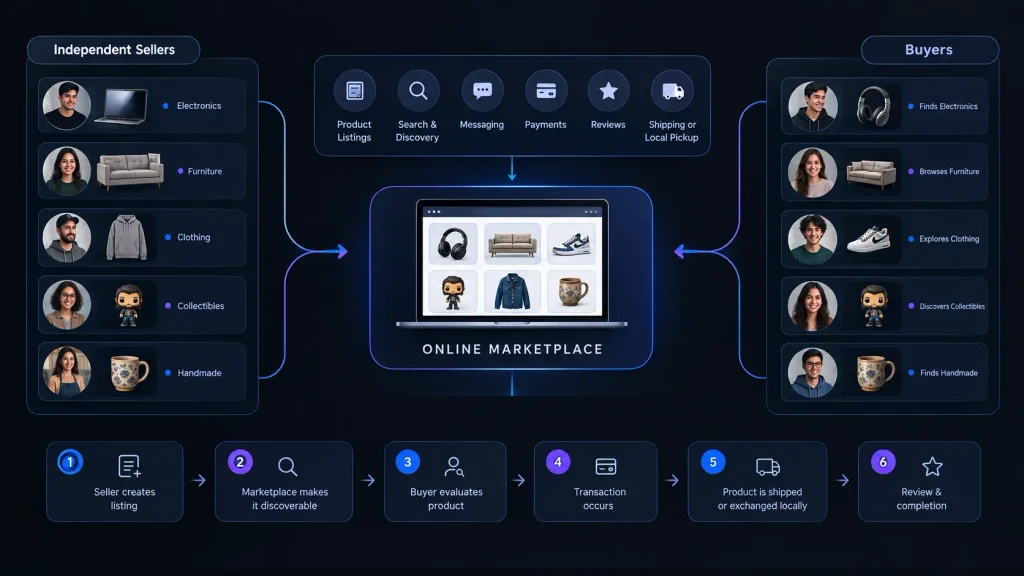
Online marketplaces are websites and apps where multiple independent sellers can offer products to buyers. Instead of creating a complete ecommerce website yourself, you use an established platform that already provides features such as product listings, search, messaging, payments, reviews, shipping, and buyer protection. After Olareviews research we have come up with the following products.
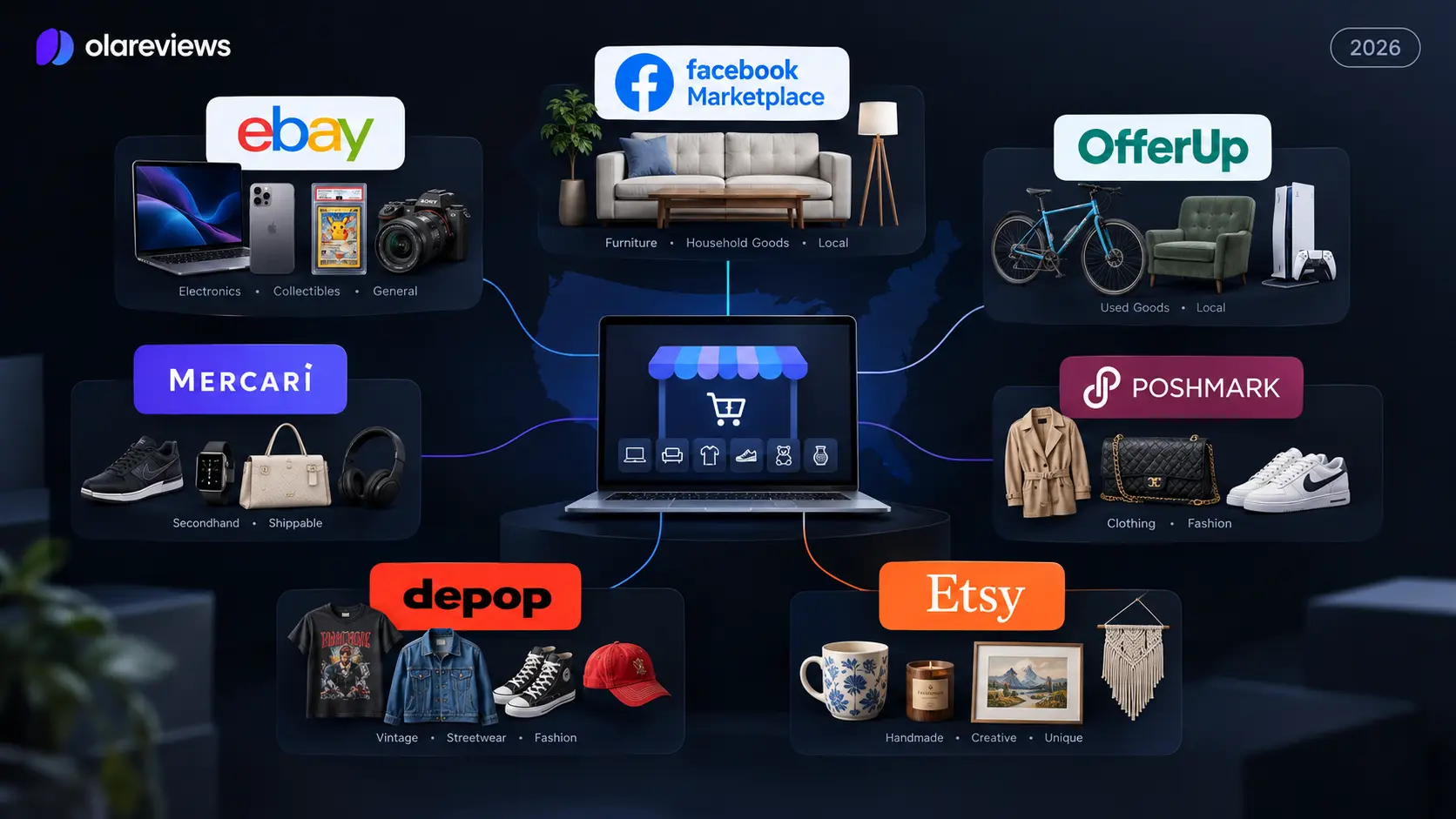
This model makes online selling easier for beginners because you do not need to build an audience from zero. A person selling an old sofa might use Facebook Marketplace, while someone selling collectible cards may choose eBay. A clothing reseller may prefer Poshmark or Depop, while a handmade-product business can build its shop around Etsy.
How Do Online Marketplaces Work?
Most marketplaces use a simple process where sellers create an account, list products with photos, descriptions, and prices, and choose shipping or local pickup. Platforms may charge listing, transaction, payment, or promotional fees, so sellers should understand these costs before listing to calculate their actual profit.
How We Evaluated These Online Marketplaces
We evaluated seven major platforms based on their current marketplace models, product categories, seller fees, buyer reach, fulfillment options, listing experience, and seller tools. The goal is to explain where each platform fits rather than simply ranking the biggest websites.
The main criteria included product suitability, selling costs, local versus nationwide reach, shipping options, seller tools, and ease of use. Current fee and policy information was checked against official marketplace documentation where available. Because these policies can change during 2026, sellers should always check the platform’s current fee page before making pricing decisions.
Best Online Marketplaces at a Glance
Marketplace
Best For
Starting Seller Cost
eBay
Electronics, collectibles, parts and general products
Free within monthly listing allowance
Facebook Marketplace
Furniture, household goods and local sales
Generally free for local selling
OfferUp
Local used goods and furniture
Free basic selling
Mercari
General secondhand products
Free listing, 10% selling fee
Poshmark
Clothing, shoes and accessories
Free listing
Depop
Vintage, streetwear and fashion
No standard selling fee for US sellers
Etsy
Handmade, crafts and vintage products
$0.20 listing fee
1. eBay | Best Online Marketplace for Broad Product Selection
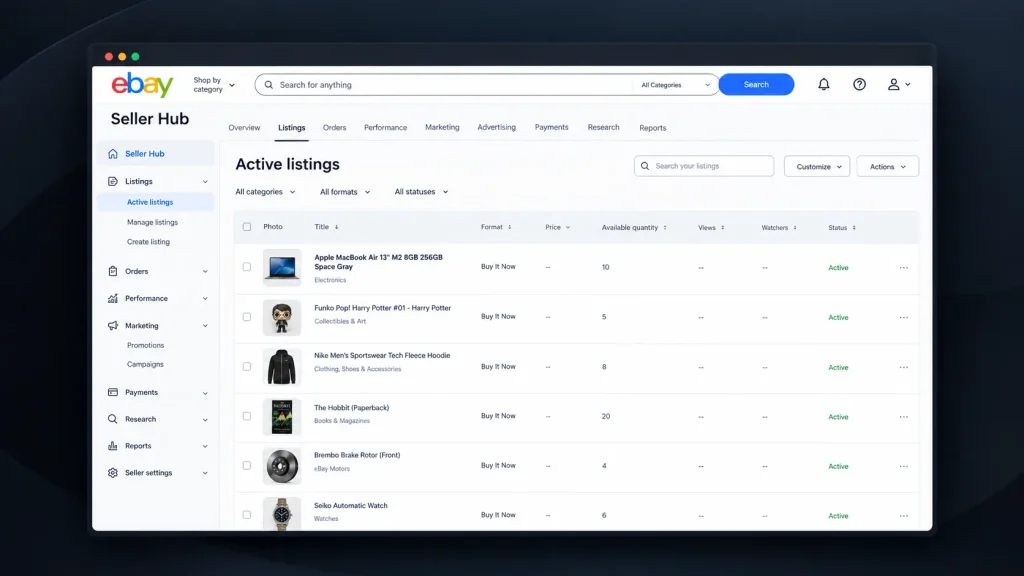
eBay is one of the most versatile online marketplaces because it supports a very wide range of products. Sellers can list electronics, collectibles, clothing, automotive parts, books, cameras, toys, sporting goods, musical equipment, and many other categories.
This broad selection makes eBay especially useful for resellers whose inventory changes frequently. Instead of building a separate selling strategy for every type of product, you can use the same marketplace for different categories. eBay also gives sellers access to nationwide buyers, making it more suitable for products that may not have strong local demand.
eBay Fees and Selling Experience
For most casual sellers, eBay currently provides 250 zero-insertion-fee listings per month. After those listings are used, additional listings generally cost $0.35 each. Final value fees vary by category, with most categories currently listed at 13.6% on the total sale amount up to $7,500, plus a per-order fee.
The important point is that sellers should calculate the total cost before setting a price. eBay can be particularly useful for specialized products because a national audience may be willing to pay more for something that is difficult to find locally.
Best for: Electronics, collectibles, automotive parts, clothing, books, toys, and general merchandise.
2. Facebook Marketplace | Best Online Marketplace for Local Buying and Selling
Facebook Marketplace is particularly useful when you want to sell products to buyers in your local area. It is a natural option for furniture, appliances, desks, televisions, exercise equipment, tools, and other products that can be inconvenient or expensive to ship.
One of the biggest advantages is convenience. Many potential buyers already use Facebook, so they can discover products without visiting a separate classified website. Buyers and sellers can communicate through Facebook, discuss the condition of an item, negotiate a price, and arrange pickup.
Facebook Marketplace for Bulky Products
Local selling can make a major difference for large products. Shipping a sofa or dining table across the country may destroy your profit, while selling it to someone nearby can make the transaction much simpler.
Facebook Marketplace also requires more attention to transaction safety because many sales involve direct communication and local meetings. Sellers should provide accurate descriptions, avoid sharing unnecessary personal information, and use sensible meeting or pickup arrangements.
Best for: Furniture, appliances, electronics, household goods, tools, vehicles, and other bulky products.
3. OfferUp | Best Online Marketplace for Local Used Goods
OfferUp is focused heavily on local buying and selling. It can be useful when you want to sell used furniture, electronics, bicycles, tools, household products, video games, and similar items to nearby buyers.
OfferUp says its basic buying and selling features are free, including posting items, browsing listings, communicating with users, and arranging local exchanges. The platform does not charge a commission for in-person transactions, although paid promotional and additional listing options can involve fees.
Why Choose OfferUp?
The main advantage is simplicity for local transactions. If you have an item that is difficult to ship, finding someone nearby can be more practical than trying to package and send it.
The downside is that your potential audience depends heavily on local demand. A rare product may perform better on a nationwide platform such as eBay, while common household items can be a good fit for OfferUp. Sellers should also use sensible safety practices when arranging in-person transactions.
Best for: Furniture, electronics, bicycles, tools, household goods, video games, and other used local products.
4. Mercari | Best Online Marketplace for General Secondhand Products
Mercari is designed for a broad range of secondhand products and can be useful when you prefer shipping rather than local meetups. Clothing, electronics, toys, collectibles, accessories, home goods, and smaller household products can all fit naturally into the marketplace.
Listing an item is free on Mercari. For new and updated listings, Mercari currently charges sellers a 10% selling fee based on the item price plus buyer-paid shipping. Buyers are also charged a 3.6% Buyer Protection fee based on the item price plus buyer-paid shipping.
Mercari Fees and Selling Strategy
The 10% seller fee means pricing needs to be calculated carefully. A seller should consider product cost, marketplace fees, packaging, shipping, and any other expenses before deciding how much profit is acceptable.
Mercari can be particularly useful for sellers with many smaller items that are easy to photograph, package, and ship. The platform is less dependent on finding a buyer within driving distance, which makes it different from local-focused online selling platforms such as OfferUp.
Best for: Clothing, electronics, toys, collectibles, accessories, home goods, and general secondhand products.
5. Poshmark | Best Online Marketplace for Clothing and Fashion
Poshmark is one of the most recognizable fashion-focused marketplaces in the US. Instead of competing across every possible product category, sellers can focus on clothing, shoes, handbags, accessories, beauty, and related products.
Listing is free on Poshmark. The current US fee structure is $2.95 for sales under $15 and 20% for sales of $15 or more. Poshmark also provides seller tools such as pricing features, My Closet Insights, Bulk Actions, My Shoppers, and Posh Shows.
Poshmark for Fashion Resellers
The specialized audience is a major advantage. Someone browsing Poshmark is already interested in fashion, which can make the platform more relevant than a general classified marketplace for clothing sellers.
The main consideration is the commission. A 20% fee on sales of $15 or more can significantly affect profit, especially for low-margin products. Sellers should therefore price products with the fee structure in mind rather than copying prices from local marketplaces.
Best for: Clothing, shoes, handbags, accessories, designer fashion, and fashion resellers.
6. Depop | Best Online Marketplace for Vintage and Streetwear
Depop has a more fashion-driven identity than general-purpose marketplaces. It is particularly popular for vintage clothing, streetwear, secondhand fashion, unique pieces, and trend-focused products.
For sellers in the US, UK, and Australia, Depop currently charges no standard Depop selling fee. However, US sellers pay a 3.3% plus $0.45 payment-processing fee through Depop Payments. Depop also has a 12% Boosting fee for qualifying boosted listings for US sellers on new listings from March 23, 2026.
Depop Fees and Listing Strategy
This fee structure makes it important to distinguish between normal selling costs and optional promotion costs. A seller can avoid the standard Depop selling fee but may still pay payment processing and potentially boosting costs.
Depop works especially well when the product has strong visual appeal. Good photographs, accurate measurements, brand information, condition details, and relevant style terms can help buyers understand what makes an item worth purchasing.
Best for: Vintage fashion, streetwear, sneakers, accessories, Y2K clothing, and trend-focused products.
7. Etsy | Best Online Marketplace for Handmade Products
Etsy is designed around unique, creative, handmade, personalized, and qualifying vintage products. This makes it very different from general marketplaces where sellers may list almost anything.
Etsy can be especially useful for small businesses that want to build a recognizable product collection. A seller could create a shop around handmade jewelry, personalized gifts, artwork, craft supplies, wedding products, or digital downloads.
Etsy Fees and Seller Strategy
Etsy currently charges a $0.20 listing fee, while its transaction fee is 6.5% of the total order amount. Other fees, including payment processing and optional advertising-related charges, can also apply depending on the seller and transaction. Sellers should therefore calculate their full cost rather than looking only at the listing fee.
The biggest opportunity with Etsy is specialization. A focused shop can develop a consistent visual identity, product range, and customer base. The biggest challenge is competition, so product photography, descriptions, pricing, reviews, and marketplace search optimization all matter.
Best for: Handmade products, personalized gifts, crafts, digital products, vintage goods, and creative businesses.
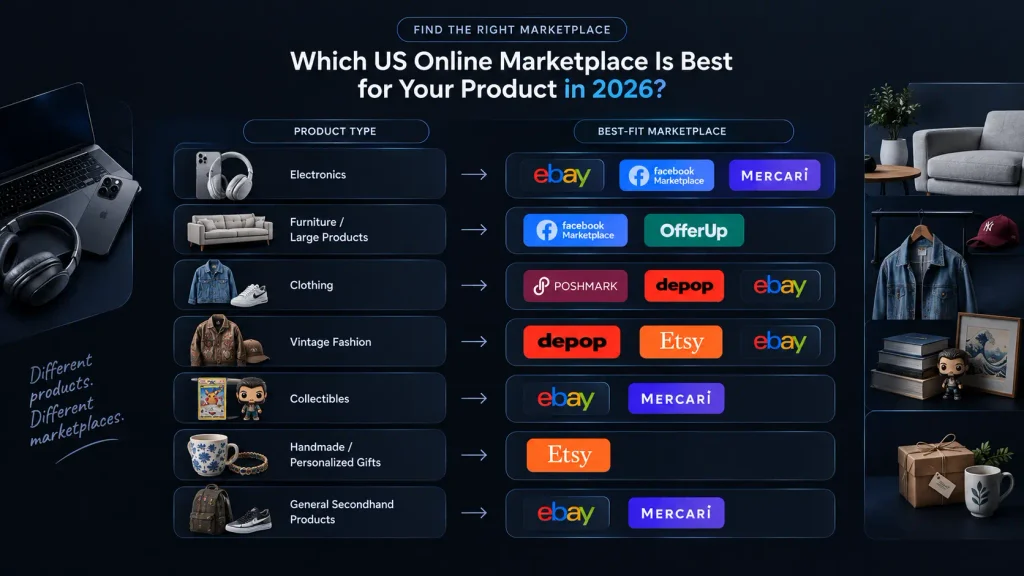
Online Marketplaces Comparison by Product Type
The easiest way to choose between different online marketplaces in the US is to start with the product you want to sell. A platform that works extremely well for fashion may not be suitable for furniture, while a local marketplace may be excellent for bulky goods but weak for specialized collectibles.
The following table gives you a practical starting point. It does not mean that a product can only be sold on one marketplace. Instead, it shows where the product category naturally fits.
Product Type
Recommended Marketplaces
Electronics
eBay, Facebook Marketplace, Mercari
Furniture
Facebook Marketplace, OfferUp
Used household goods
Facebook Marketplace, OfferUp, Mercari
Clothing
Poshmark, Depop, eBay
Vintage fashion
Depop, Etsy, eBay
Collectibles
eBay, Mercari
Handmade products
Etsy
Personalized gifts
Etsy
Large products
Facebook Marketplace, OfferUp
General secondhand products
eBay, Mercari
Designer fashion
Poshmark, eBay, Depop
How to Choose the Best Marketplace for Sellers
The best marketplaces for sellers depend on your products, customers, profit margins, and preferred selling method. A casual seller with one sofa has completely different needs from a reseller with 500 collectible products.
If you sell many different categories, eBay is a strong starting point because it offers broad product coverage and nationwide reach. If your products are large or expensive to ship, Facebook Marketplace and OfferUp can make more sense because local pickup can remove shipping costs.
Fashion sellers should consider Poshmark and Depop, while handmade and creative businesses can benefit from Etsy’s specialized audience. Mercari is another practical option for general secondhand products that are easy to package and ship.
How to Price Products for Online Selling
Check the current market value: Price your product based on what similar items are selling for today, not what you originally paid. An item bought for $100 may now be worth $40, while rare collectibles can sometimes sell above their original price.
Calculate all selling costs: Include marketplace fees, shipping, packaging, advertising costs, and your original product cost before setting the final price.
Calculate your real profit: Subtract all expenses from the selling price to understand how much you will actually earn from each sale.
Track your results: If you sell regularly, use a spreadsheet to compare sales and profits across different platforms and identify which marketplaces provide the best returns.
How to Create Better Marketplace Listings
A strong listing starts with a clear title. Instead of writing something vague such as “Nice Shoes,” provide useful information such as brand, model, size, color, and product type.
Photos should show the actual condition of the product. Include close-ups of labels, model numbers, damage, wear, accessories, and packaging when relevant. For clothing, measurements can be especially useful because buyers cannot physically try the item before purchasing.
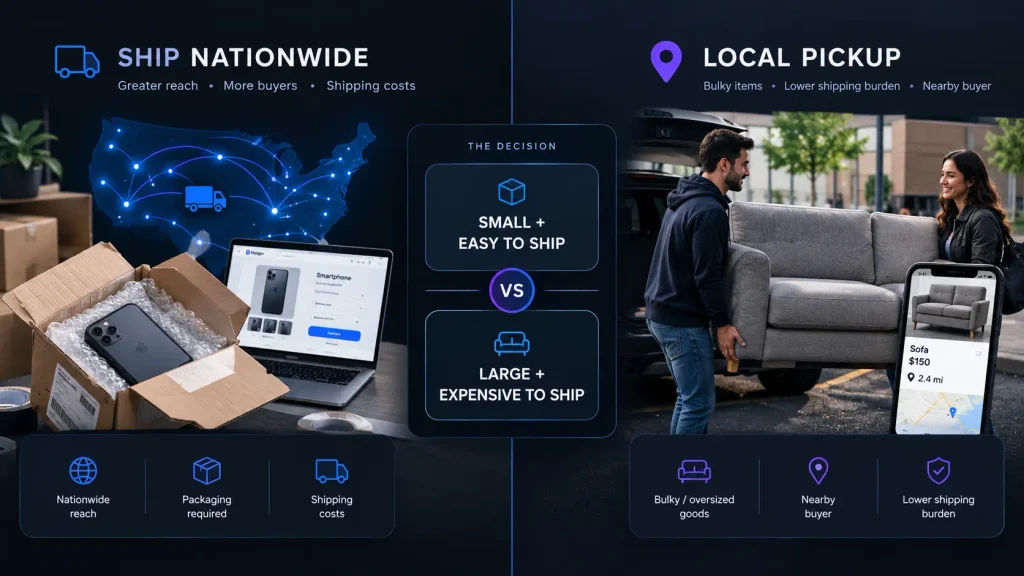
Shipping vs Local Pickup
Shipping is useful when your product has buyers across the country or when the item is small enough to package economically. It allows sellers to reach a much larger audience than local-only selling.
Local pickup makes more sense for heavy, oversized, fragile, or inexpensive products where shipping could consume a large percentage of the selling price. Before choosing a marketplace, think about the complete fulfillment process rather than just the listing fee.
How to Calculate Your Real Selling Profit
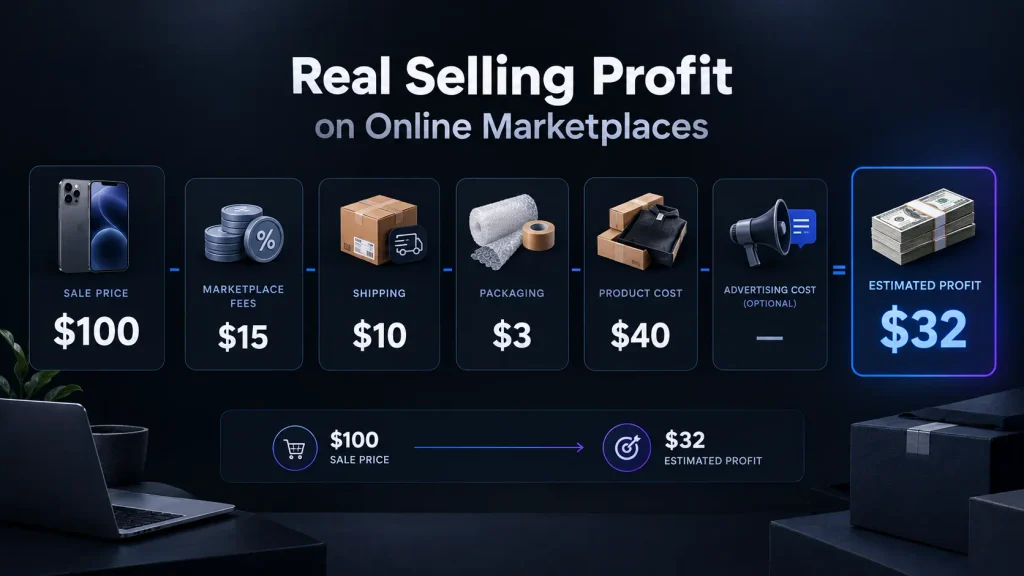
The selling price is not the same as profit. A marketplace may deduct a commission, while shipping and packaging can create additional expenses.
For example, if you sell a product for $100 but pay $15 in marketplace fees, $10 for shipping, $3 for packaging, and $40 for the product itself, your actual estimated profit is $32.
How to Make More Money on Online Selling Platforms
One of the easiest ways to improve sales is to improve the listing before spending more money on advertising. Better photos, stronger titles, accurate descriptions, competitive pricing, and complete product information can make a major difference.
You should also review listings that receive views but do not convert into sales. If buyers are looking at an item but not purchasing it, the price, shipping cost, photos, product condition, or description may need improvement. Testing small changes can be more useful than simply creating more listings.
Buying Safely on Online Marketplaces
Buyers should also understand that marketplace transactions involve risks. Before purchasing an expensive product, check the seller’s reviews, account history, product photographs, description, and return or protection policies.
For local transactions, use sensible safety practices and avoid unnecessary sharing of personal information. Be particularly cautious if someone pressures you to move the transaction outside the marketplace, asks for unusual payment methods, or sends suspicious payment links.
Which Marketplace Should You Choose?
Choose eBay if you want broad product coverage and access to nationwide buyers. It is particularly useful for electronics, collectibles, parts, and products that may have limited local demand.
Choose Facebook Marketplace or OfferUp if your priority is local selling. These platforms are particularly useful for furniture, appliances, tools, and other products that are difficult or expensive to ship.
Choose Mercari for general secondhand products that you are comfortable shipping. Choose Poshmark or Depop if fashion is your main category, and choose Etsy if you make handmade, personalized, creative, or qualifying vintage products.
Final Thoughts
The best online marketplaces are not necessarily the platforms with the largest audiences. The right marketplace is the one that matches your product, target buyer, selling costs, fulfillment method, and business goals. eBay is a strong all-purpose option, Facebook Marketplace and OfferUp work well for local sales, Mercari is useful for general secondhand products, Poshmark and Depop specialize in fashion, and Etsy is a natural choice for handmade and creative products. If you are just starting with online selling platforms, choose one marketplace that fits your product, calculate your real profit after every fee, and learn what your buyers respond to. Once you understand the process, expanding to additional marketplaces can help you reach more customers without depending on a single sales channel.
Frequently Asked Questions
Is eBay good for beginners?
Yes. eBay is a good option for beginners who want to sell electronics, collectibles, clothing, parts, and other products to buyers across the US. Its broad product categories make it easy to start with different types of inventory.
Is Facebook Marketplace good for local selling?
Yes. Facebook Marketplace is particularly useful for local sales because buyers and sellers can arrange pickup directly. It works especially well for furniture, appliances, electronics, and other bulky products that are expensive to ship.
Is Mercari good for selling used products?
Yes. Mercari is a practical choice for general secondhand products such as clothing, electronics, toys, collectibles, and accessories. Listing is free, while new and updated listings are subject to Mercari’s 10% selling fee.
Is Etsy good for small businesses?
Yes. Etsy can be a strong option for small businesses selling handmade, personalized, creative, and qualifying vintage products. Its specialized audience can help sellers reach shoppers who are specifically looking for unique products.
What are online marketplaces?
Online marketplaces are websites and apps where multiple sellers can list products for buyers to discover and purchase. Examples include eBay, Facebook Marketplace, Mercari, Poshmark, Depop, and Etsy, with each platform serving different types of products and buyers.
Editorial disclosure: This article is independently written for educational purposes. Marketplace fees, policies, seller features, and shipping options can change, so sellers should confirm the latest terms on the official marketplace before listing products.
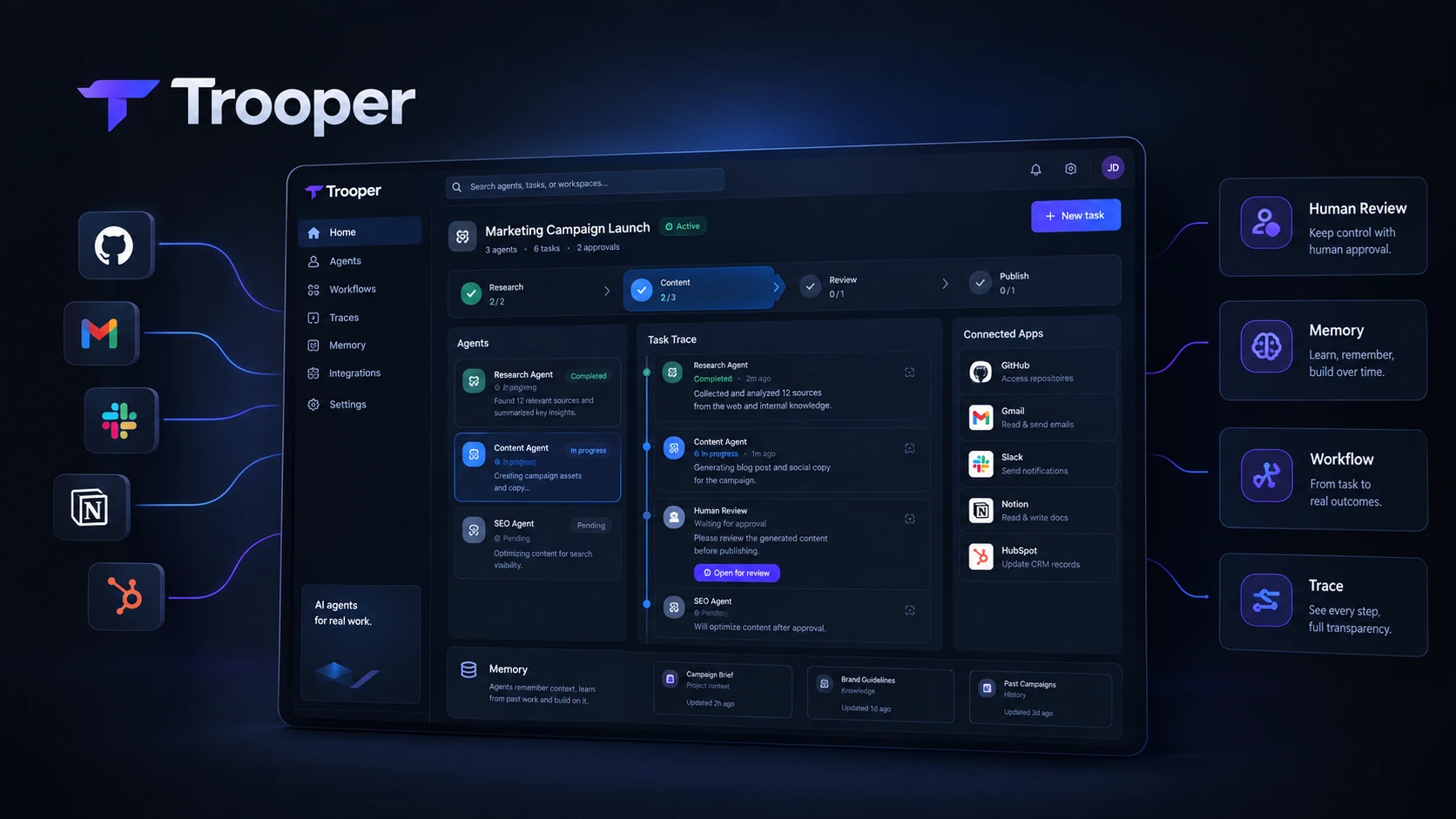
AI Agents are moving beyond simple chatbots. Instead of only answering questions or generating text, modern agents can use software, follow workflows, complete tasks, and return to humans when approval is needed. Trooper is built around this idea. It positions AI agents as digital teammates that can work across business tools and handle real tasks instead of simply responding to prompts. For this review, we evaluated Trooper as an AI agent platform during the September 2026 review cycle, focusing on its task execution, integrations, memory, workflows, security, deployment options, and pricing. The platform is aimed at business owners, developers, marketers, SaaS users, and technical teams that want more than a standard AI assistant.
What Is Trooper?
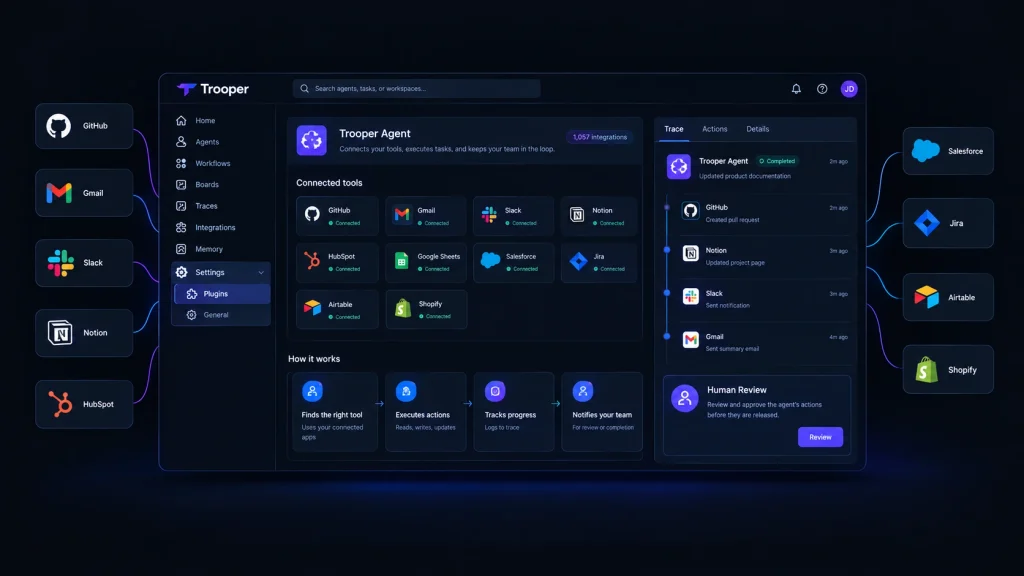
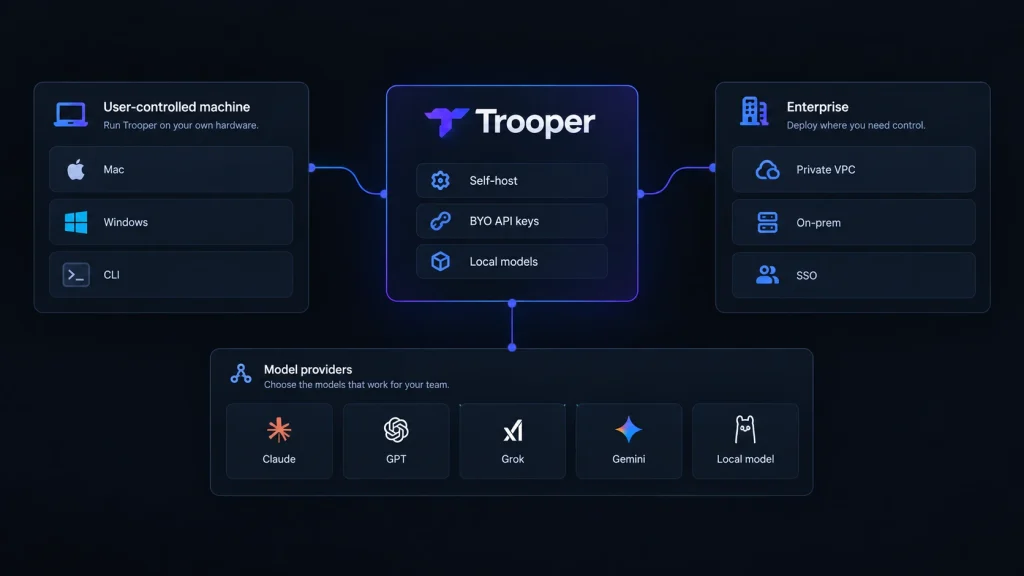
Trooper is an AI agent platform designed to give AI agents access to the tools people already use for work. Instead of keeping the agent inside a chat window, Trooper lets agents work with applications such as GitHub, Gmail, Slack, Notion, Linear, Figma, HubSpot, Salesforce, Jira, Airtable, Shopify, Intercom, Asana, Google Docs, LinkedIn, Trello, and many others. Its website currently lists more than 1,000 integrations. This makes Trooper closer to an AI workforce platform than a traditional chatbot. You can give an agent a task, let it work through connected tools, and require human approval before important actions are completed. Trooper also supports persistent memory, workflows, browser automation, and different deployment options. The main idea is simple: tell the agent what needs to be done, give it access to the required tools, and let it execute the work.
Trooper Features
AI Agent Platforms Built for Task Execution
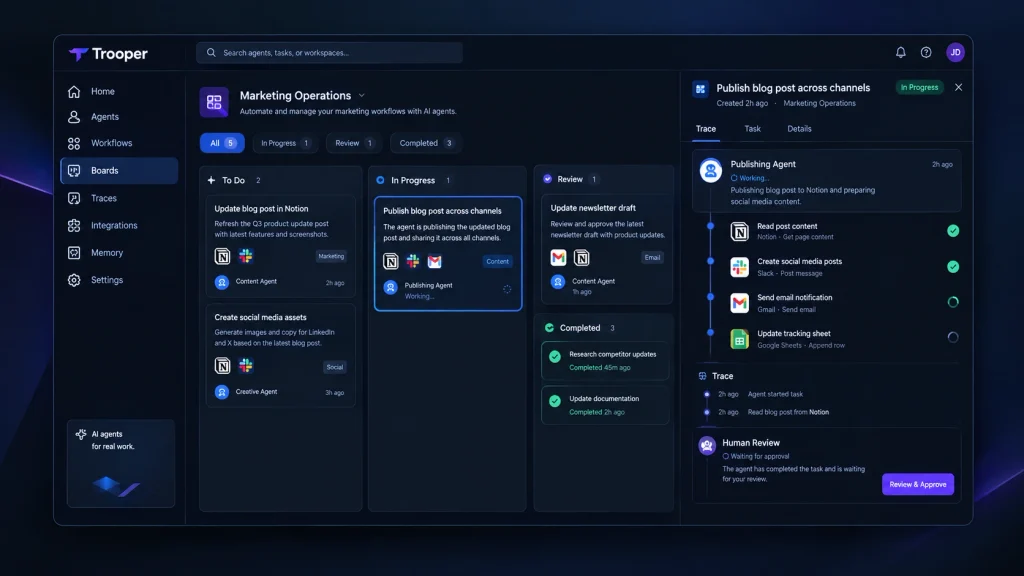
Many AI Agent Platforms still focus heavily on conversation. Trooper takes a more action-oriented approach. Agents can create issues, update files, send emails, work with business applications, and complete multi-step tasks. The platform also provides traces so users can follow what happened during a mission. This is important for teams that want AI automation tools to handle operational work rather than only generate content.
For example, Trooper’s operations workflow describes a process where an agent follows an operations runbook, executes steps across connected tools, sends failures to Slack with context, and updates the related runbook in Notion after completing the work. That type of workflow shows where Trooper fits best: repetitive business processes that involve several applications.
Human Approval and Control
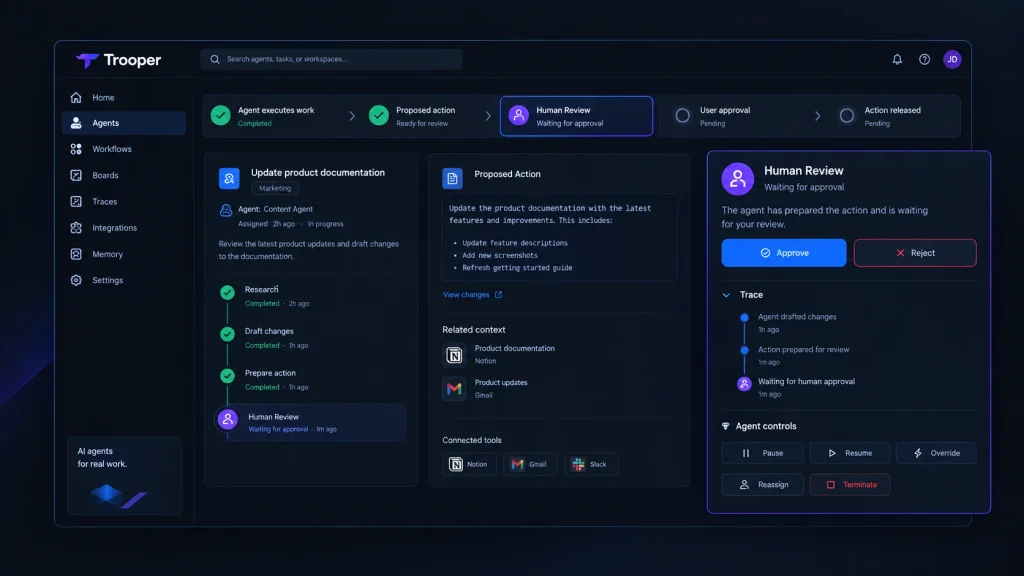
Autonomous AI agents can create problems if they are allowed to perform every action without supervision. Trooper takes a more controlled approach. Its system includes human review gates, meaning important actions can wait for approval before being released. The company says commits, replies, and campaigns can remain in Human Review until the user approves them.
This is one of Trooper’s stronger features for business use. Instead of choosing between full automation and manual work, teams can create a middle ground. The agent handles the repetitive work while a human remains responsible for final approval.
Persistent Memory
Trooper also includes adaptive memory. The purpose is to help agents retain useful business context, decisions, preferences, and information from previous work. This can reduce the need to repeat the same instructions whenever an agent starts a new task. For teams running recurring workflows, persistent memory can be especially useful because the agent can work with more context instead of treating every task as completely new.
Integrations
Integrations are one of Trooper’s biggest strengths. The platform currently lists more than 1,057 integrations, covering development, communication, CRM, productivity, marketing, finance, and other business categories. Some notable integrations include GitHub, Gmail, Slack, Notion, Linear, Figma, HubSpot, Stripe, Salesforce, Google Sheets, Jira, Airtable, Zendesk, Shopify, Discord, Intercom, Asana, Google Docs, LinkedIn, Trello, GitLab, Sentry, Calendly, Dropbox, ClickUp, OpenAI, Supabase, Vercel, Zoom, Mailchimp, Canva, Telegram, WhatsApp, and QuickBooks. This broad integration layer is important because an AI agent becomes much more useful when it can operate inside the same systems a business already uses.
Browser Automation and Desktop Access
Trooper is not limited to API-based integrations. The platform also supports browser automation and desktop access. Its self-hosted offering can run on hardware controlled by the user, with Mac and Windows applications available. This can make Trooper useful for workflows where a direct API integration is not available. For technical users, this provides another way to connect agents with existing processes without moving every task into a separate system.
Trooper for Business Automation
Trooper makes the most sense when a business has recurring processes that require multiple steps. Consider an operations team that receives a request, checks information in a CRM, updates a spreadsheet, sends a message in Slack, and records the result in Notion. A conventional chatbot can help write the message or explain the process. Trooper is designed to take a larger part of the workflow itself. This is where autonomous AI agents can provide more value than standard AI assistants.
The platform also provides specific use cases for operations, CRM updates, sales research, and marketing. Its CRM workflow, for example, focuses on keeping customer information updated across business systems. For small teams, this can reduce the amount of repetitive administrative work handled manually.
Trooper for Developers
Developers can use Trooper for software-related workflows involving tools such as GitHub and other development platforms. An agent can be assigned work, interact with connected tools, and keep users informed about what it is doing. The human approval model is also useful for development teams. Instead of allowing an agent to automatically release every change, teams can keep a review step between the agent’s work and the final action. Trooper also supports self-hosting, which can be attractive to technical teams that want more control over where the system runs and how models are connected.
Trooper Security and Self-Hosting
Security and control are important when AI agents can access business systems. Trooper says API keys are not stored on its servers and that organizations receive isolated workspaces with encrypted connections. The platform also supports running Trooper on hardware controlled by the user. The Trooper self-hosting option allows users to run the platform on their own machine or VM. Users can connect models such as Claude, GPT, Grok, Gemini, or local models, with model usage billed directly by the relevant provider.
This approach gives technical teams more control over deployment and model selection. Trooper also places limits on agent autonomy. According to its documentation, agents cannot hire other agents, increase their own budgets, or execute an unreviewed strategy. That makes the platform more practical for businesses that want automation without giving an AI system unlimited authority.
Trooper Pricing
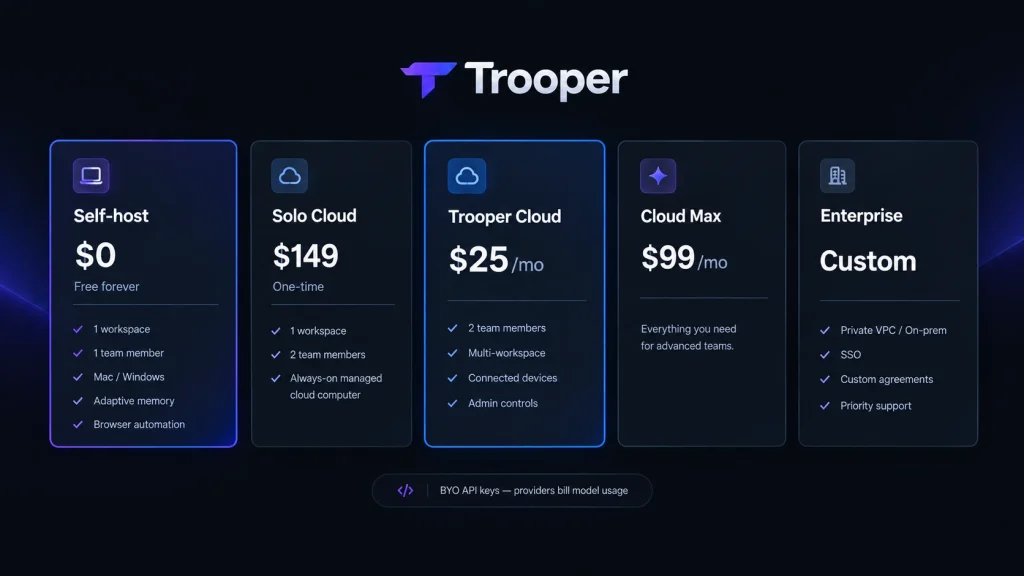
Trooper uses a deployment-based pricing model.
Self-Host
The self-hosted version includes one workspace and one team member. It includes unlimited agents and chats, adaptive memory, shared workflows, skills, integrations, browser automation, and Mac or Windows support. Users bring their own API keys, so model usage is paid directly to the relevant AI provider.
Solo Cloud
Solo Cloud provides hosted access with two team members and one workspace. It includes an always-on managed cloud computer and lifetime hosted access. This plan may appeal to users who want Trooper hosted for them rather than managing the infrastructure themselves.
Trooper Cloud
Trooper Cloud includes two team members. Additional members cost $10 per month. The plan also adds multi-workspace support, connected devices, admin controls, and team collaboration features. Users still bring their own API keys.
Cloud Max
Trooper currently lists Cloud Max at $99 per month in its pricing options. The exact limits and capabilities should be checked on the current Trooper pricing page before purchasing because plan details can change.
Enterprise
Enterprise pricing is custom. The enterprise offering includes private cloud or VPC deployment, on-premises options, SSO, custom domains, agreements, and priority support with an SLA.
Trooper Pros and Cons
Pros
Strong focus on real task execution
More than 1,000 listed integrations
Persistent memory and shared workflows
Human approval gates
Browser automation
Mac and Windows support
Self-hosting option
BYO API keys
Multiple deployment options
Useful for operations, sales, marketing, and development
Cons
Model usage is billed separately
Advanced features can require technical knowledge
Self-hosting requires more responsibility from the user
The platform may be more complex than a basic AI chatbot
Businesses need to carefully configure permissions and approval workflows
Who Should Use Trooper?
Trooper is a strong fit for businesses that want AI to perform multi-step work rather than simply answer questions.
Business Owners
Business owners can use Trooper for repetitive operations, customer workflows, research, and administrative processes.
Developers
Developers can connect AI agents to development tools and create workflows around software projects.
Marketers
Marketing teams can use agents for research, content workflows, campaign tasks, and communication processes.
SaaS Teams
SaaS companies can use Trooper to connect multiple business systems and automate recurring internal workflows.
Technical Teams
Teams that care about deployment control, self-hosting, local models, and API access may find Trooper particularly interesting.
Is Trooper Worth It in 2026?
Trooper is worth considering if you want AI agents that can actually interact with your business systems. Its strongest advantage is the combination of task execution, integrations, persistent memory, workflows, and human approval. Instead of treating AI as a tool for generating answers, Trooper treats agents more like digital workers that operate inside existing software.
The self-hosted $0 option also makes it easier to experiment without committing to a monthly subscription, although users still need to pay their AI model providers for usage. The biggest question is whether you actually need this level of automation. If you mainly want writing, brainstorming, summaries, or basic questions, a traditional AI assistant may be simpler. If your goal is to automate recurring business processes across multiple applications, Trooper becomes much more interesting.
Final Verdict
Trooper is a serious AI agent platform for users who want software that can do more than chat. Its combination of integrations, task execution, persistent memory, browser automation, workflows, and human approval makes it suitable for real business automation. The self-hosting option is another major advantage for technical users who want greater control over their environment. The biggest limitation is complexity. Trooper is not simply another chatbot that you open and start asking questions. To get the most value from it, users need to think about workflows, permissions, connected tools, model costs, and approval rules. For businesses, developers, marketers, and SaaS teams that are ready to move from AI assistance toward AI execution, Trooper is one of the more interesting platforms to watch in 2026.
Best for: Business automation, AI agents, multi-step workflows, technical teams, and users who want self-hosting.
Pricing: Free self-host option, $149 one-time Solo Cloud, $25/month Trooper Cloud, $99/month Cloud Max, and custom Enterprise pricing.
FAQs
What is Trooper AI?
Trooper is an AI agent platform that lets AI agents work across connected business tools, execute tasks, follow workflows, and return to humans for approval when required.
Is Trooper free?
Yes. Trooper offers a self-hosted plan that costs $0 forever. Users bring their own API keys and pay AI providers directly for model usage.
Does Trooper support self-hosting?
Yes. Trooper can be installed on hardware controlled by the user, including Mac or Windows systems, and it can also work with local models.
Who is Trooper best for?
Trooper is best suited to businesses, developers, marketers, SaaS teams, and technical users who want AI agents to perform real work across multiple applications instead of only generating responses.
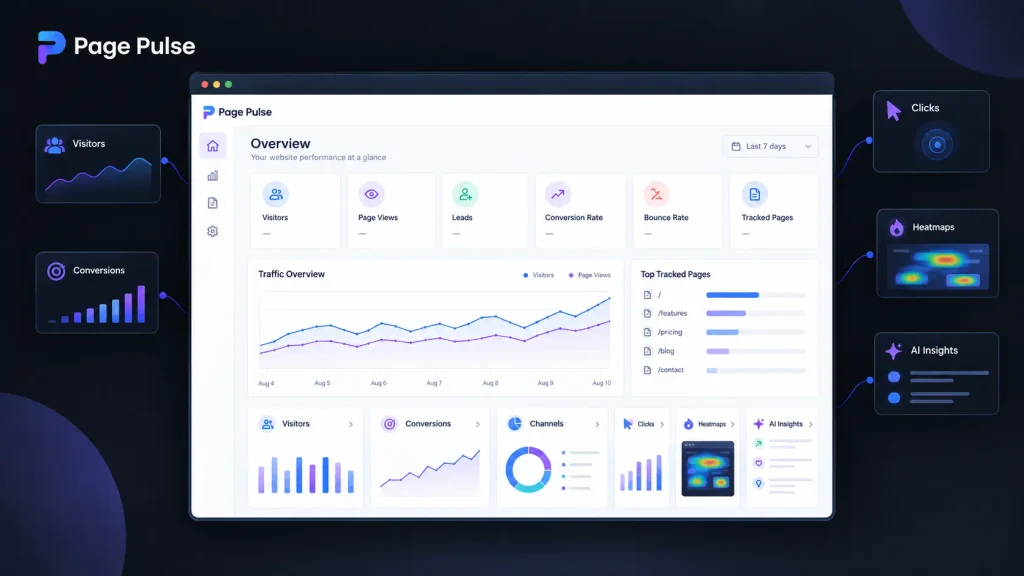
Understanding what happens on your website can get complicated fast. You may have traffic in Google Analytics, clicks in another tool, heatmaps somewhere else, and conversion data spread across several reports. AI Website Analytics tools aim to reduce that mess by turning raw website activity into clearer answers and useful recommendations. Page Pulse takes a simpler approach. Instead of trying to replace every analytics platform, it combines traffic, clicks, conversions, heatmaps, and AI insights in one dashboard. Its free plan also removes the usual traffic-based pricing problem, which makes it interesting for smaller websites. I evaluated Page Pulse alongside seven major analytics alternatives using current product information, pricing, features, and setup workflows available in September 2026.
How We Evaluate AI Website Analytics Tools
For this comparison, I evaluated eight website analytics platforms during a September 2026 review pass. The goal was not simply to count features. I focused on how useful each platform is when you need to move from “something changed” to “here is what I should investigate next.”
The main criteria were:
Ease of installation and initial setup
Traffic, conversion, and behavioral analytics
AI-powered insights and recommendations
Heatmaps and session recordings
Privacy and data ownership
Pricing limits and scalability
I also checked current pricing pages and product documentation because analytics pricing can change quickly, particularly when billing depends on sessions, events, pageviews, or tracked pages.
AI Website Analytics Tools at a Glance
Tool Name
Best For
Starting Price
Page Pulse
Simple analytics with AI insights
Free
Google Analytics 4
Advanced website and marketing analytics
Free
Microsoft Clarity
Heatmaps and session recordings
Free
Plausible Analytics
Privacy-focused website analytics
$9/mo
Fathom Analytics
Simple privacy-first analytics
$15/mo
Hotjar
Behavioral analysis and user research
Free
Matomo
Data ownership and advanced analytics
Free
Mixpanel
Product analytics and event tracking
Free
Page Pulse: Best AI Website Analytics for Simple Dashboards
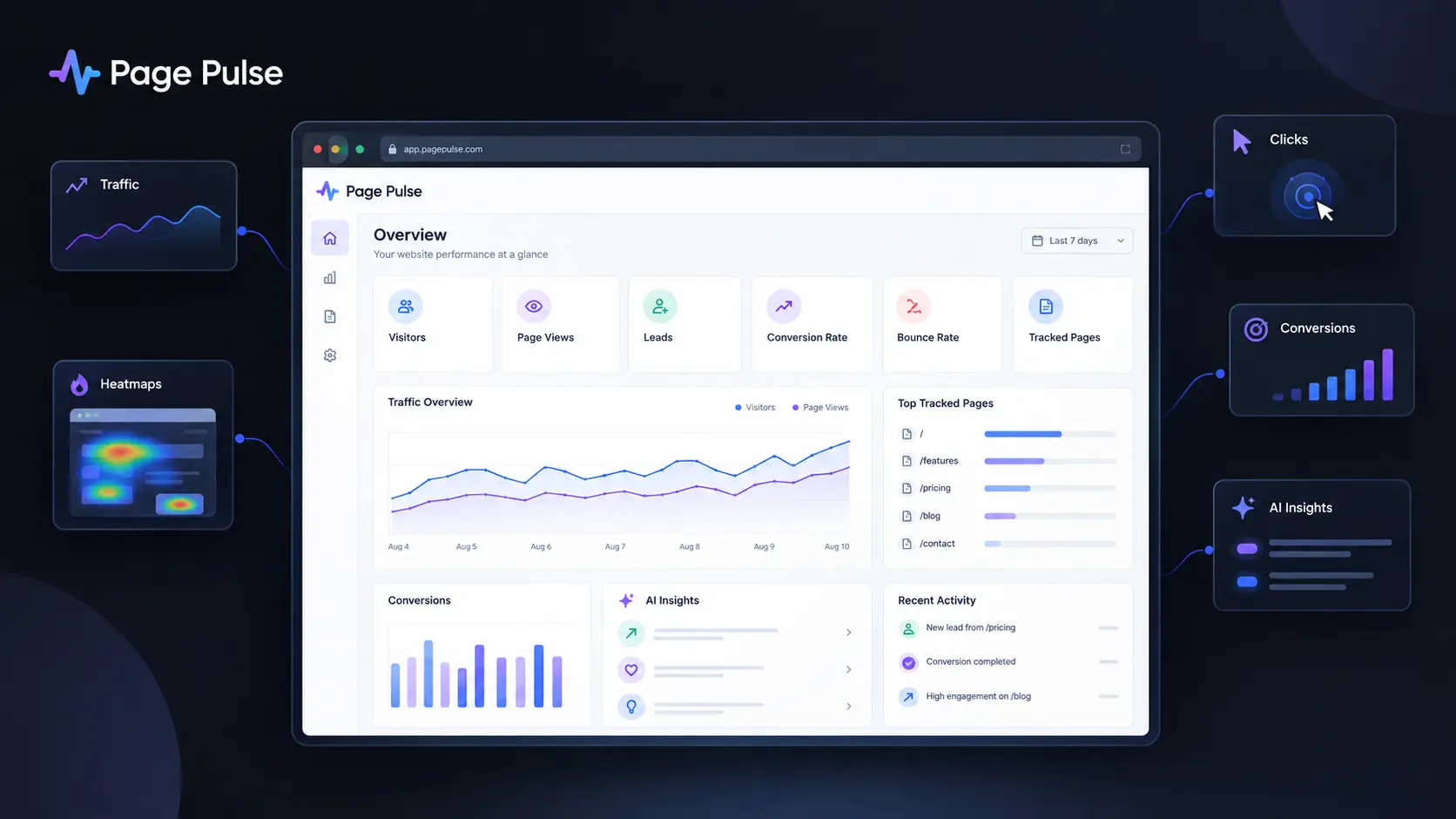
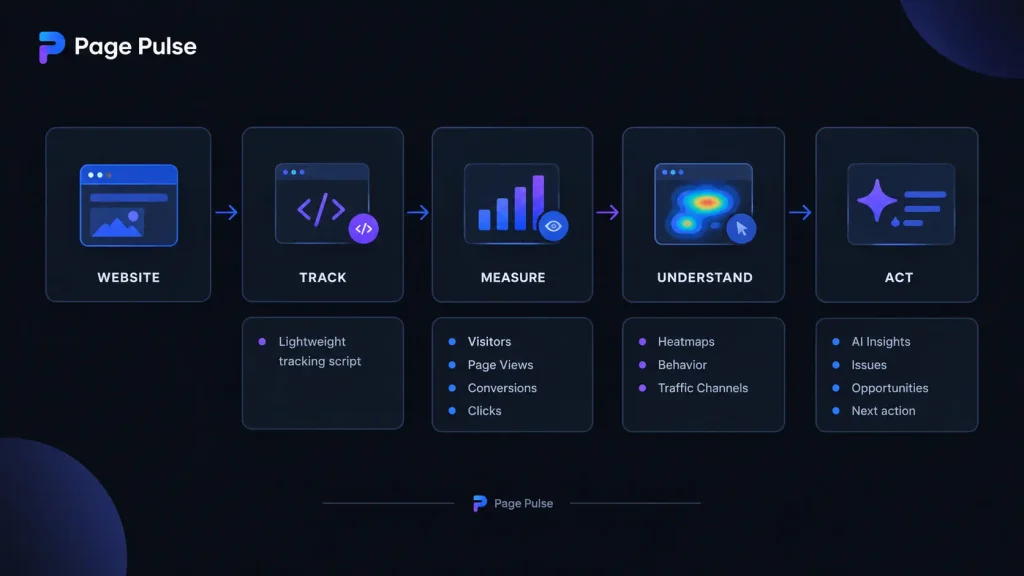
Page Pulse is the most interesting option if you want AI Website Analytics without building a complicated reporting stack. Its main dashboard brings together visitors, page views, leads, conversion rate, bounce rate, clicks, and other website signals. It also adds heatmaps and AI insights. The setup is intentionally lightweight. Page Pulse says its tracking script is under 3 KB, and its workflow is essentially to install the script, wait for data, and open the dashboard. One useful detail is that the platform does not charge based on traffic. Even the free plan includes unlimited traffic, although the number of tracked pages is limited. That makes the product especially appealing when your website is growing but you do not want every traffic spike to increase your analytics bill. Its AI layer is also more practical than simply adding an “AI” label to a dashboard. The platform describes AI insights as a way to surface issues and opportunities automatically, while its heatmaps show where visitors click, scroll, and engage.
Pros
Unlimited traffic on every plan
Combines analytics, conversions, heatmaps, and AI insights
Cons
Free plan tracks only one page
Less mature for highly complex enterprise analytics
Pricing: Free includes 1 page, unlimited traffic, 14 days of data retention, basic analytics, and 15 AI insights per month. Starter is $29/month for 2 pages and 100 AI insights. Growth is $79/month for 5 pages and 250 AI insights. Pro is $129/month for 10 pages and 750 AI insights. Scale is $199/month for 20 pages and 1,500 AI insights per month.
Google Analytics 4: Best AI Analytics Tools for Advanced Reporting
Google Analytics remains difficult to ignore because it can handle far more than basic visitor counting. Its machine-learning features can detect unusual changes, generate insights, and provide predictive metrics when your property has enough eligible data. The biggest 2026 development is its growing AI layer. Google has introduced generated insights and an Ask Advisor experience powered by Gemini. Ask Advisor can answer questions about a property, generate visualizations, and point you toward relevant reports. There is also a useful change for businesses measuring AI traffic. Google Analytics can identify visits coming from recognized AI assistants through a dedicated AI Assistant channel. This makes GA4 particularly useful if you want to understand how traditional search and generative AI are contributing to website traffic.
Pros
Extremely deep reporting and attribution capabilities
Strong machine-learning and AI functionality
Cons
More complicated than lightweight analytics platforms
Setup quality depends heavily on correct event tracking
Pricing: The standard Google Analytics 4 product is available at no charge. Google Analytics 360 is the paid enterprise offering with additional capabilities and limits.
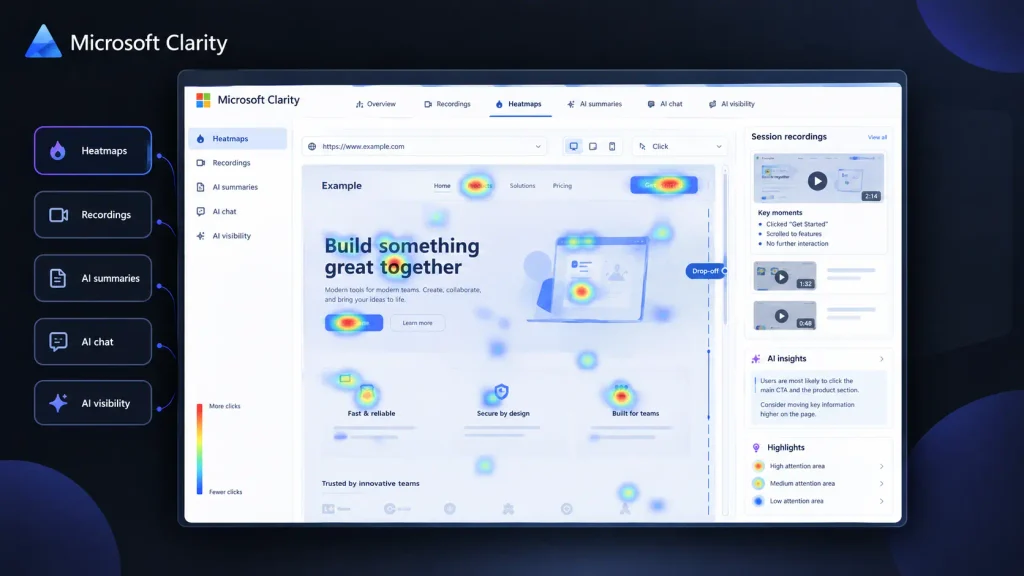
Microsoft Clarity: Best for Free Behavioral Analytics
Microsoft Clarity is the easiest recommendation when your main question is not “where did visitors come from?” but “what did they actually do?” The platform provides session recordings and heatmaps, allowing you to watch visitor journeys and see where people click, scroll, or stop engaging. Its current product also includes AI summaries, AI chat, and AI visibility features. The useful part is that you can use Clarity alongside another analytics platform rather than replacing it. For example, GA4 can tell you that a landing page has a weak conversion rate, while Clarity can help you inspect the behavior behind that result. Microsoft says Clarity is free forever and does not impose traffic-based pricing. Its 2026 AI visibility features are also notable because Clarity can show how AI experiences surface your brand and which pages receive citations.
Pros
Free with no traffic limit
Excellent combination of recordings, heatmaps, and AI summaries
Cons
Not designed to replace every advanced marketing analytics function
Reporting depth is different from GA4 or Mixpanel
Pricing: Free forever, with no traffic-based charge.
Plausible Analytics: Best for Privacy-Focused Website Analytics Software
Plausible Analytics is a strong fit if you want useful website analytics without turning your dashboard into an analytics laboratory. It focuses on core traffic metrics, goals, events, segments, and reporting while keeping privacy central to the product. The current Starter plan begins at $9/month for up to 10,000 monthly pageviews. Growth is $14/month and Business is $19/month, with higher plans adding features such as funnels, user journeys, revenue attribution, custom properties, and API access. One practical detail is its installation testing tool. Plausible provides a testing feature inside the site settings that can send traffic to your website and verify whether the integration is working correctly. That is the kind of small operational feature you appreciate when you do not want to troubleshoot a tracking script manually.
Pros
Lightweight, privacy-focused analytics
Straightforward pricing based on usage
Cons
No permanent free plan
Less behavioral analysis than Clarity or Hotjar
Pricing: Starter is $9/month, Growth is $14/month, and Business is $19/month at the current 10,000 monthly pageview tier. Plausible also offers a 30-day free trial without a credit card.
Fathom Analytics: Best for Simple Privacy-First Reporting
Fathom Analytics takes the minimalist route. Instead of trying to become an enormous analytics suite, it focuses on helping you understand website traffic while avoiding cookies and keeping visitor privacy at the center. Its plans include features such as event tracking, ecommerce tracking, API access, unlimited email reports, unlimited data exports, and permanent data retention. The interesting pricing detail is how Fathom handles occasional traffic spikes. It does not immediately shut off analytics when you exceed your pageview limit. Instead, it looks at sustained usage and contacts you when an upgrade is appropriate. For a content site or SaaS business that occasionally gets featured or goes viral, that is a much friendlier approach than an instant tracking wall.
Pros
Simple privacy-first analytics
Includes API, events, ecommerce tracking, and exports
Cons
No permanent free hosted plan
Fewer behavioral visualization features than Clarity
Pricing: Fathom starts at $15/month with a 7-day free trial. Plans scale according to average monthly pageviews.
Hotjar: Best AI Analytics Tools for Understanding User Behavior
Hotjar is particularly useful when numerical analytics are not enough. Its Observe product combines heatmaps and recordings, while the wider platform also includes surveys, feedback, interviews, and user testing. The free Basic plan tracks up to 35 daily sessions and includes unlimited heatmaps. The Plus plan starts at $39/month and supports up to 100 daily sessions, while Business starts at $99/month for 500 daily sessions. One detail worth noticing is that Hotjar defines a session as a visitor’s complete journey across pages. That matters because the number on your analytics dashboard is not necessarily comparable with a pageview-based product. Hotjar is therefore strongest when your workflow is: identify a problem in your analytics, watch sessions, inspect the heatmap, then collect direct feedback.
Pros
Strong behavioral analytics
Combines recordings, heatmaps, surveys, and feedback
Cons
Paid plans can become expensive as session volume grows
More focused on behavior than broad marketing attribution
Pricing: Basic is free. Plus starts at $39/month, Business at $99/month, and Scale at $213/month.
Matomo: Best for Data Ownership
Matomo is the choice to consider when control over your analytics data matters as much as reporting. Its major distinction is that you can use the cloud-hosted version or run Matomo yourself. The self-hosted Community edition is free, while paid cloud and enterprise options scale according to traffic and requirements. Matomo states that its hosting options provide data ownership and privacy compliance. For organizations with technical teams, the self-hosting route can be particularly attractive because the company controls where the analytics infrastructure operates. The trade-off is complexity. You gain control, but you also inherit more responsibility for infrastructure and maintenance.
Pros
Strong data ownership options
Powerful analytics and ecommerce capabilities
Cons
Self-hosting requires technical resources
Advanced cloud plans can become expensive
Pricing: Matomo On-Premise Community is free. Matomo Cloud pricing currently starts at $26/month for 50,000 hits and reaches $204/month for 1 million hits.
Mixpanel: Best for Product and Event Analytics
Mixpanel is better suited to product teams than a simple content website. Its strength is understanding events, funnels, retention, feature usage, and user behavior inside digital products. The free plan supports up to 1 million events per month, 10,000 session replays, and up to 10 active feature flags. The pricing model also demonstrates why analytics tools cannot always be compared by monthly subscription alone. Mixpanel’s Growth plan is based heavily on event volume. Its current pricing calculator shows $120/month on annual billing for 18 million events per year. If your website is really a product with logins, workflows, subscriptions, and hundreds of meaningful user actions, Mixpanel can provide much deeper product intelligence than a traditional pageview dashboard.
Pricing: Free includes up to 1 million events/month. Growth starts at $0 and scales with event usage, while Enterprise pricing is custom.
Feature Comparison: Which Analytics Platform Fits Your Workflow?
Tool
AI Insights
Heatmaps
Session Recordings
Free Plan
Main Pricing Limit
Page Pulse
Yes
Yes
No
Yes
Tracked pages
Google Analytics 4
Yes
No
No
Yes
Advanced enterprise features
Microsoft Clarity
Yes
Yes
Yes
Yes
None for traffic
Plausible
Limited
No
No
Trial
Pageviews
Fathom
No major AI layer
No
No
Trial
Pageviews
Hotjar
AI features
Yes
Yes
Yes
Daily sessions
Matomo
Advanced analytics
Add-ons/options
Add-ons/options
Yes, self-hosted
Hosting/traffic
Mixpanel
AI/product intelligence
No
Yes
Yes
Events
Final Verdict: Is Page Pulse Worth Trying?
Page Pulse is worth a look if you want AI Website Analytics without building a complicated analytics stack. Its strongest advantage is the combination of simple reporting, conversions, heatmaps, and AI insights, while unlimited traffic on every plan keeps the pricing easier to predict. For advanced marketing analytics, GA4 remains hard to beat. Clarity is the better free choice for recordings, while Plausible and Fathom are strong privacy-focused options. But as AI becomes a normal part of analytics, will the best analytics tool eventually be the one that answers your questions instead of simply showing you charts?
FAQ
What are AI Website Analytics tools?
AI Website Analytics tools use machine learning or generative AI to help you interpret website data instead of forcing you to manually inspect every report. Page Pulse combines AI insights with traffic, conversions, clicks, and heatmaps, while Microsoft Clarity now provides AI summaries, AI chat, and AI visibility features.
Is Page Pulse better than Google Analytics?
It depends on what you need. Page Pulse is easier to understand if you want a compact dashboard with analytics, conversions, heatmaps, and AI insights. Google Analytics is the stronger choice when you need detailed attribution, event analysis, advertising measurement, and deeper customization.
Can you use two analytics tools together?
Yes. In fact, that can be the better approach. You might use GA4 for acquisition and conversion reporting, then Clarity for recordings and heatmaps. Similarly, a privacy-focused tool such as Plausible or Fathom can provide a simpler reporting layer while another platform handles specialized analysis.
Editorial disclosure: This is an independent review based on current product documentation, public pricing, and product workflows. Pricing and features can change.
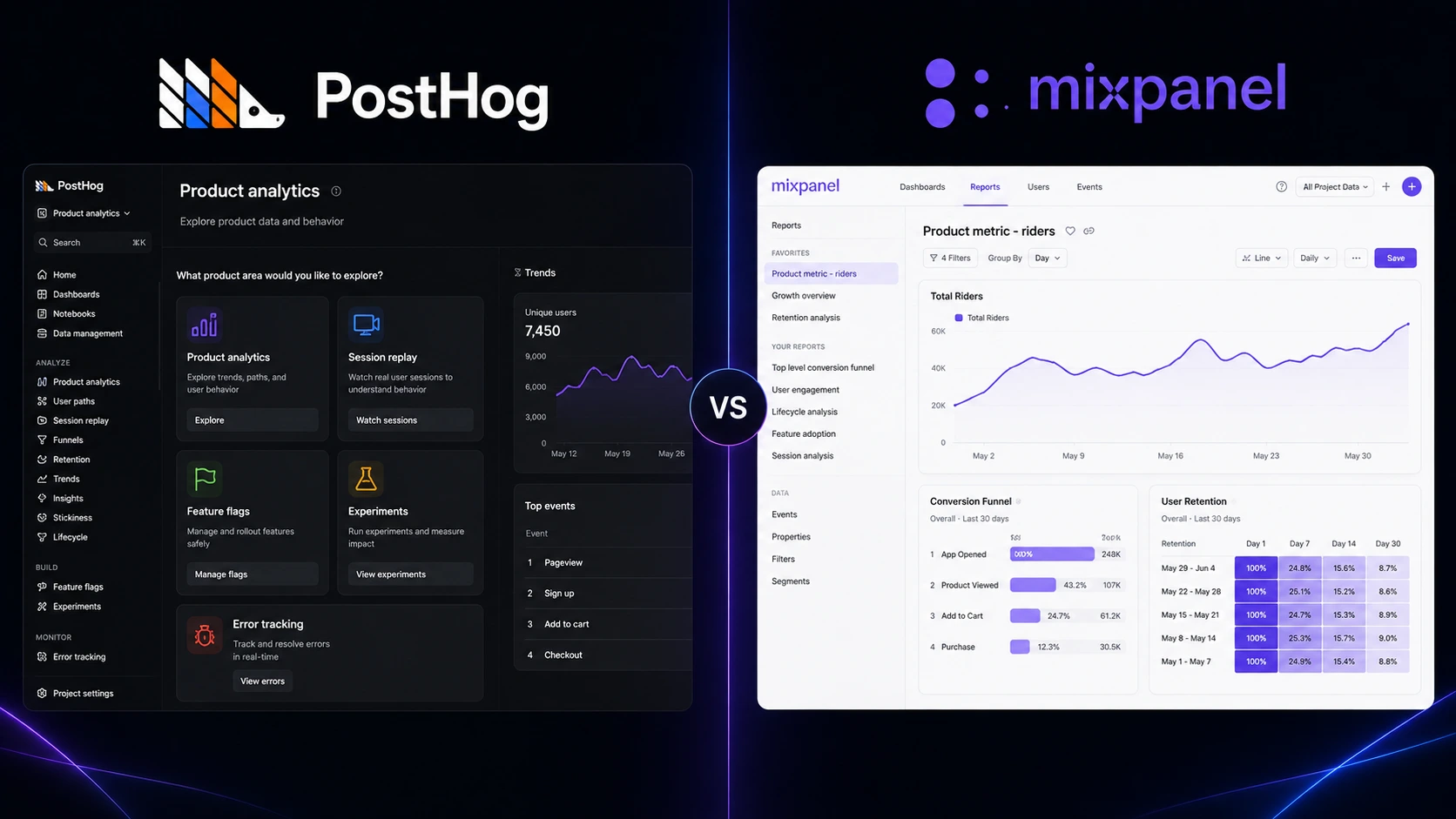
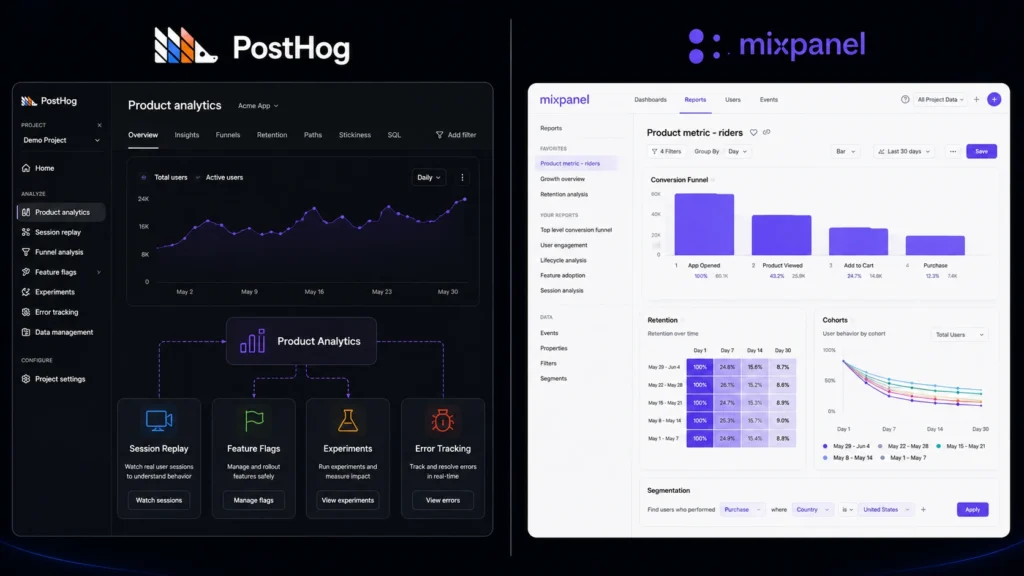
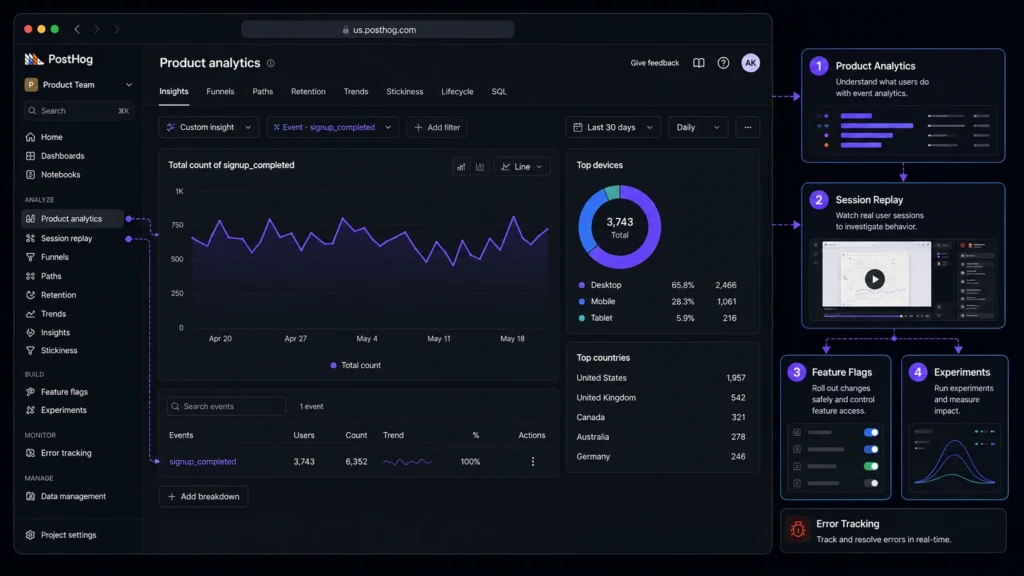
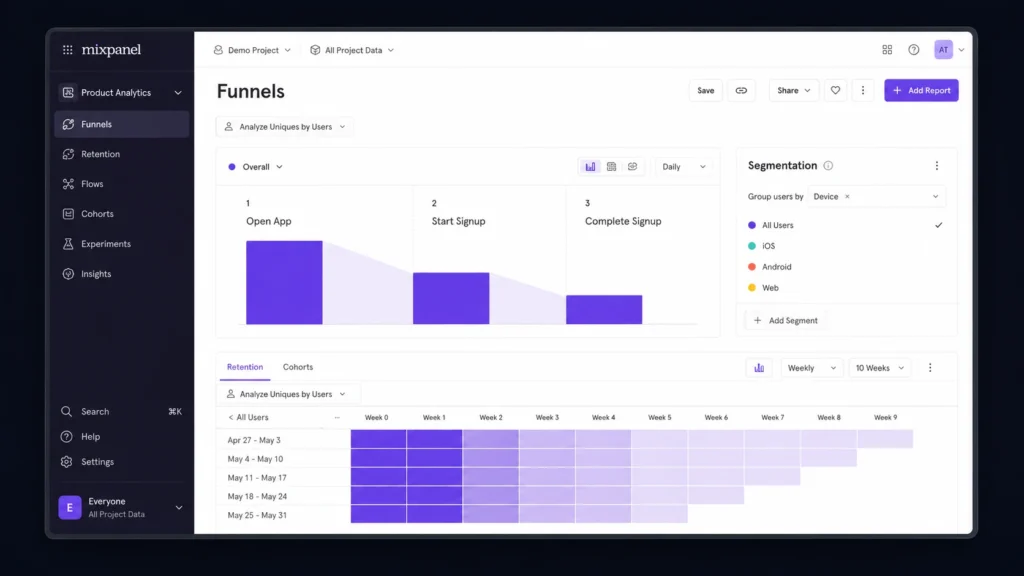
When you cannot tell why users abandon onboarding, ignore a new feature, or stop returning, your product data quickly becomes a pile of numbers instead of useful answers. The right product analytics platforms can turn those events into funnels, retention reports, cohorts, and behavior patterns you can actually act on. PostHog and Mixpanel are two strong options, but they take noticeably different approaches to product analytics.
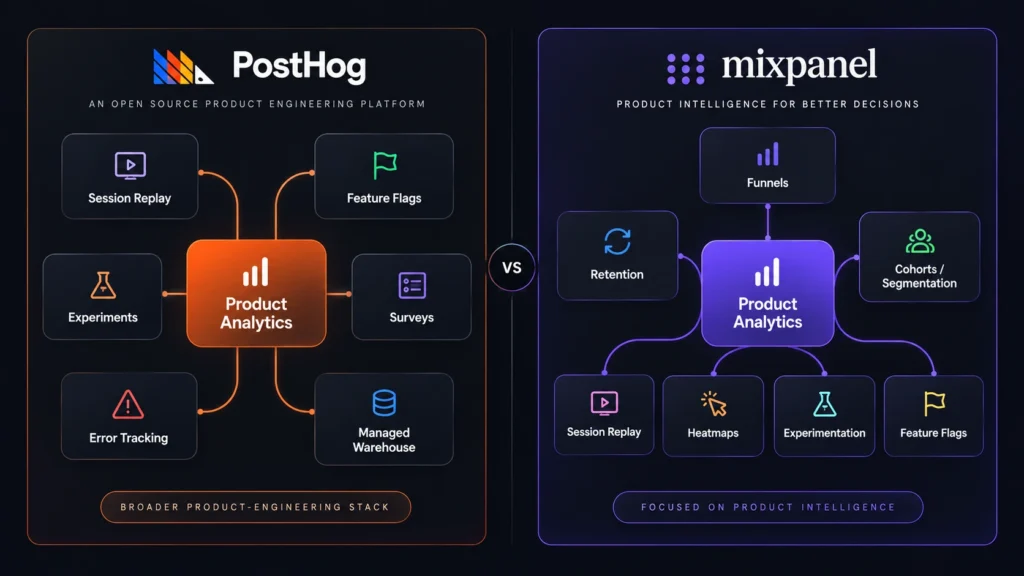
Good product analytics tools can help you understand what users do inside your product without forcing you to build every report from scratch. PostHog takes a broader product-engineering approach, while Mixpanel puts a strong emphasis on product and behavioral analysis.
Editorial disclosure: This comparison is an independent editorial evaluation based on current product documentation, pricing information, and published product capabilities. It is not sponsored by either company.
How We Evaluate PostHog and Mixpanel
For this comparison, we evaluated both platforms using their current public product capabilities and pricing information available in 2026. The goal is not simply to count features. You need to know how those features fit into a real product team’s workflow.
We looked at:
Event analytics: How easily you can turn product events into useful reports.
Funnels and retention: Whether you can identify conversion problems and returning-user patterns.
User behavior analytics: How well each platform helps you segment and understand users.
Developer workflow: The amount of control and technical flexibility available.
Extra product tools: Session replay, experimentation, feature flags, and related capabilities.
Pricing: Free limits, usage-based costs, and how each platform scales.
This approach is especially relevant if you work as a product manager, SaaS founder, developer, marketer, or data analyst and need analytics that can support decisions rather than simply produce attractive dashboards.
At-a-Glance Comparison
Tool Name
Best For
Starting Price
PostHog
Product-led teams and developers
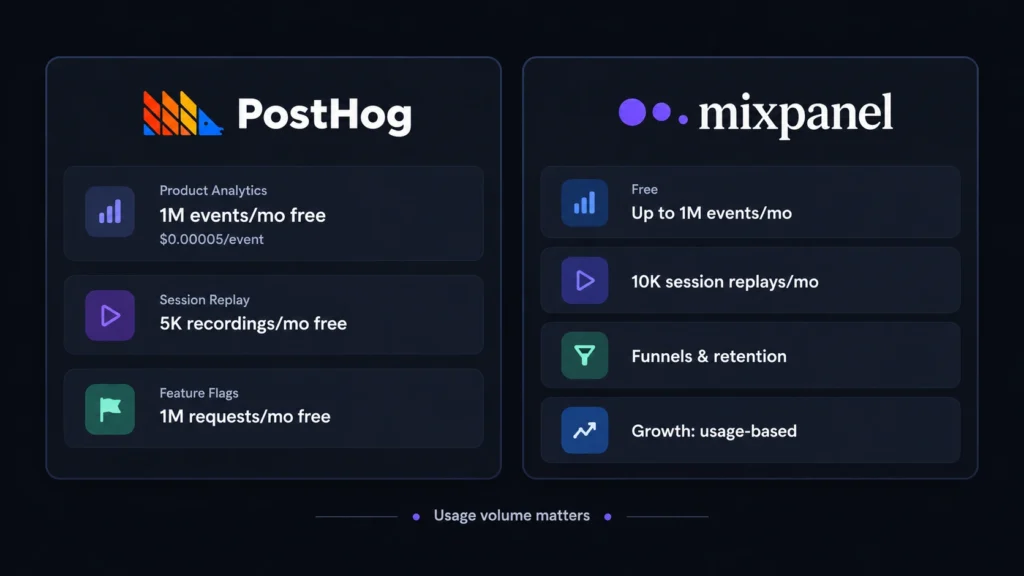
Free; 1M events/month
Mixpanel
Behavioral analytics and product teams
Free; 1M events/month
PostHog currently provides 1 million Product Analytics events per month for free, with usage-based pricing after the free allowance. Its Session Replay and Feature Flags products also have separate free allowances. Mixpanel’s current Free plan includes up to 1 million events per month, 10,000 session replays, unlimited seats, and core funnels and retention analysis.
PostHog: Best Product Analytics Platform for Product-Led Teams
PostHog is the more expansive choice if you want analytics to sit alongside the tools you use to build and improve a product. Its platform brings together product analytics, session replay, feature flags, experiments, surveys, error tracking, a managed warehouse, and other product-development capabilities.
The practical difference becomes clear when you investigate a product problem. You might start with an event such as signup_completed, turn it into an analytics insight, and then use session replay to investigate what users actually did. From there, feature flags or experiments can help you test a possible fix. That creates a shorter path between event analytics and product action.
Another useful detail is the pricing model. PostHog uses usage-based pricing rather than forcing every customer into a traditional fixed package. Product Analytics currently includes 1 million free events per month, then charges $0.00005 per event. Session Replay includes 5,000 free recordings per month, while Feature Flags include 1 million free requests.
Pros
Broad product stack beyond analytics alone.
Generous usage-based free tiers for several products.
Cons
The large feature set can take time to learn.
Usage-based pricing requires you to monitor consumption.
Pricing: Product Analytics — 1 million events/month free, then $0.00005/event; Session Replay — 5,000 recordings/month free, then $0.005/recording; Feature Flags — 1 million requests/month free, then $0.0001/request.
Mixpanel: Best Product Analytics Platform for User Behavior Analytics
Mixpanel takes a more focused approach to understanding what users do inside your product. Its core analytics capabilities include funnels, retention analysis, cohorts, segmentation, and event tracking.
A useful way to think about Mixpanel is to start with a question rather than a dashboard. Suppose your signup flow has four steps. You can build a funnel around those events and see where users disappear. Then you can segment the result by properties such as device, plan, or user group to investigate whether one audience is struggling more than another.
Mixpanel’s current Free plan gives you up to 1 million events per month and 10,000 session replays. Its Growth plan starts at $0 and uses event-volume pricing, with the first 1 million events included. The current pricing page also lists unlimited saved metrics and reports on Growth, alongside higher event and replay limits.
Pros
Strong funnel, retention, cohort, and segmentation workflows.
Useful for teams that want self-serve behavioral analysis.
Cons
Advanced usage can increase costs as event volume grows.
Larger analytics implementations still require careful tracking design.
Pricing: Free — up to 1 million events/month and 10,000 session replays/month; Growth — starts at $0 with usage-based pricing and the first 1 million events included; Enterprise — custom pricing.
PostHog vs Mixpanel: Feature Comparison
Feature
PostHog
Mixpanel
Product analytics
Yes
Yes
Event analytics
Yes
Yes
Funnel analysis
Yes
Yes
Retention analysis
Yes
Yes
Cohorts / segmentation
Yes
Yes
Session replay
Yes
Yes
Feature flags
Yes
Yes
Experimentation
Yes
Yes
Surveys
Yes
—
Error tracking
Yes
—
Managed data warehouse
Yes
—
Web analytics
Yes
Yes
Mobile analytics
Yes
Yes
The important distinction is not simply that both platforms check many of the same boxes. PostHog is positioned as a broader product-engineering platform, while Mixpanel is more centered on product intelligence and behavioral analysis. Mixpanel’s current platform also includes capabilities such as session replay, feature flags, and experimentation.
Which One Is Better for Developers?
If you are a developer or technical product team, PostHog deserves the first look. Its appeal comes from putting analytics alongside engineering-oriented functionality. You can use product analytics to identify a problem and then move toward feature flags, experiments, error tracking, or replay without necessarily assembling every capability from separate vendors.
Mixpanel is still capable for technical teams, particularly when the main requirement is understanding events and user journeys. But if your roadmap includes experimentation, feature releases, error investigation, and behavioral analysis as one connected workflow, PostHog has the broader scope.
Which One Is Better for Product Managers and Growth Teams?
Mixpanel is particularly strong when your daily questions sound like: “Where are users dropping off?”, “Which behavior predicts retention?”, or “How does this cohort compare with another?” Its analytics approach is well suited to funnels, retention, cohorts, segmentation, and detailed user behavior analytics.
That makes it a natural fit for product managers and growth teams who want to investigate user journeys without depending on an analyst for every question.
PostHog can answer many of the same questions, but its wider toolkit may be more valuable when analytics is part of a larger product-development process.
PostHog vs Mixpanel: Pricing and Value
Both products give you a realistic way to start without immediately paying for a large annual contract.
PostHog’s model is heavily usage-based. Its Product Analytics free allowance is 1 million events per month, with separate free limits for products such as Session Replay and Feature Flags.
Mixpanel’s Free plan also allows up to 1 million events per month and 10,000 session replays. Its Growth plan includes the first 1 million events and then charges according to usage, with volume discounts available.
That means your expected event volume matters more than simply comparing a monthly sticker price. A small SaaS product may stay within either free tier for quite some time. A high-volume consumer application should model events, replays, and other usage before choosing.
Final Verdict: Which Product Analytics Platform Should You Choose?
Choose PostHog if you want a broad product stack that connects analytics with experimentation, feature flags, session replay, and engineering workflows. Choose Mixpanel if your main priority is polished product and user behavior analytics, particularly funnels, retention, cohorts, and segmentation. Both give you a low-risk way to start, so build a few real reports before making a long-term decision. The best product analytics platforms are the ones that help your team move from “What happened?” to “What should we do next?” Which workflow fits the way your team actually builds products?
Frequently Asked Questions
What are the best product analytics platforms for a SaaS startup?
There is no universal winner. If you want analytics plus feature flags, experiments, session replay, error tracking, and other product-development tools, PostHog is compelling. If your priority is funnels, retention, cohorts, segmentation, and detailed behavioral analysis, Mixpanel is a strong candidate. Both currently provide free starting options.
Is PostHog better than Mixpanel?
It depends on your workflow. PostHog is the better fit when you want several product-development capabilities under one platform. Mixpanel is attractive when your team mainly needs mature product and user behavior analytics. Your event volume and preferred workflow should ultimately decide the winner.
Should you consider another analytics tool?
Yes. Amplitude, Heap, and other analytics products may also fit your requirements. You should compare them if you need a specific integration, reporting workflow, data-governance feature, or pricing model that PostHog or Mixpanel does not provide.
Remote desktop software helps users access computers, provide support, transfer files, and manage devices from another location. But choosing the right platform can be difficult when cost, security, features, and control all matter. In TeamViewer vs RustDesk, the two platforms take different approaches. TeamViewer offers a mature managed service, while RustDesk focuses on open-source software and self-hosting. For personal users, IT professionals, and small businesses, the better choice depends on whether convenience or control is more important.
TeamViewer vs RustDesk: What Is the Difference?
TeamViewer vs RustDesk is mainly a comparison between a commercial remote access platform and an open-source alternative.
TeamViewer provides remote access, remote support, unattended access, file transfers, multi-monitor support, remote printing, device management, and business administration tools. Its managed approach means users do not have to maintain their own remote access server.
RustDesk provides many of the core remote desktop functions users expect, including remote control, file transfer, multiple operating system support, and unattended access. Its major difference is the ability to self-host the server, giving organizations more control over their remote access infrastructure.
TeamViewer vs RustDesk Features Comparison
Feature
TeamViewer
RustDesk
Remote desktop
Yes
Yes
Remote support
Yes
Yes
Unattended access
Yes
Yes
File transfer
Yes
Yes
Multi-monitor support
Yes
Yes
Remote printing
Yes
Yes
Session recording
Yes, plan dependent
Available
Windows support
Yes
Yes
macOS support
Yes
Yes
Linux support
Yes
Yes
Android and iOS
Yes
Yes
Web access
Yes
Available
Self-hosting
Not its main model
Yes
Open-source client
No
Yes
Two-factor authentication
Yes
Available with Pro
Device management
Advanced
Available with Pro
User management
Advanced
Available with Pro
Central administration
Yes
Available with Pro
Custom client
Selected plans
Available with Pro
Free option
Personal use
Free open-source self-hosting
TeamViewer has the advantage in advanced business management. It is designed for companies that need centralized controls, reporting, device management, and a managed remote support environment.
RustDesk focuses more on giving users control over their setup. Its open-source model and self-hosting option can be useful for organizations that prefer to manage their own infrastructure.
TeamViewer vs RustDesk: Ease of Use
Ease of use is another important part of TeamViewer vs RustDesk. TeamViewer is designed for users who want to install the software and start a remote session without dealing with server administration. Its interface and business tools are built around a managed experience. RustDesk is also relatively simple for normal remote connections. However, self-hosting requires additional work. Users may need to configure a server, network settings, security rules, and updates. For a beginner who wants the least amount of setup, TeamViewer is usually the easier option. For an experienced user who wants more control, RustDesk can be worth the additional setup.
TeamViewer vs RustDesk: Security and Privacy
Security can strongly influence the decision in TeamViewer vs RustDesk. TeamViewer provides encrypted connections, access controls, two-factor authentication, and business security features. Because TeamViewer manages much of the service infrastructure, users do not need to maintain their own remote access server. RustDesk also supports encrypted remote connections and allows users to host their own server. This can give businesses greater control over where their remote access system operates. However, self-hosting comes with responsibility. The organization must protect the server, apply updates, manage access, and configure the network correctly. This creates an important difference: TeamViewer provides more managed convenience, while RustDesk can provide more infrastructure control.
TeamViewer vs RustDesk: Pricing Comparison
Pricing is one of the biggest reasons users compare TeamViewer vs RustDesk. TeamViewer uses paid subscription plans for commercial use, while personal use has a free option under its terms. Business pricing varies according to the selected plan and requirements. RustDesk offers a free open-source self-hosting option. Its paid Server Pro plans add business and management features.
Pricing Area
TeamViewer
RustDesk
Free option
Personal use
Free open-source self-hosting
Paid model
Subscription
Pro subscription
Entry paid option
Plan dependent
$9.90/month billed annually
Basic Pro option
Plan dependent
$19.90/month billed annually
Self-hosting
Not its main model
Yes
Server management
Managed by provider
User managed for self-hosting
Business controls
Advanced
Available with Pro
Device management
Available on selected plans
Available with Pro
RustDesk’s Individual Pro plan starts at $9.90 per month when billed annually, while its Basic Pro plan starts at $19.90 per month when billed annually. The free open-source option can make RustDesk particularly appealing for technically confident users and small setups. Pricing can change, so users should check the official pricing pages before purchasing.
TeamViewer vs RustDesk: Which Is Better for Businesses?
For businesses, TeamViewer vs RustDesk depends on the company’s technical resources.
TeamViewer is a strong option for organizations that want a ready-to-use service with centralized administration and business-focused features. It can reduce the amount of technical work needed to maintain remote access.
RustDesk may be more attractive to businesses that already have technical staff and want greater control over their infrastructure. Self-hosting can also help organizations keep their remote access system within infrastructure they manage.
The trade-off is simple: RustDesk gives more control, but that control requires more responsibility.
TeamViewer vs RustDesk: Which Is Better for Personal Use?
For personal remote access, TeamViewer vs RustDesk is more balanced.
TeamViewer is convenient when you want a familiar service that requires little technical setup. It can be useful for helping family members, accessing another computer, or handling occasional remote support.
RustDesk is appealing if you want an open-source option and are comfortable with self-hosting. Its free option can reduce software costs, especially when advanced business administration is not required.
TeamViewer vs RustDesk: Pros and Cons
TeamViewer Pros
Easy to set up
Strong remote support features
Advanced business administration
Wide device support
Managed service
Strong security controls
TeamViewer Cons
Commercial plans can become expensive
Less control over the underlying infrastructure
Advanced features depend on the selected plan
RustDesk Pros
Open-source client
Free self-hosting option
Greater infrastructure control
Cross-platform support
Lower software costs
Useful for technically experienced users
RustDesk Cons
Self-hosting requires technical knowledge
Server maintenance becomes the user’s responsibility
Some business features require Pro plans
Less suitable for users who want zero administration
TeamViewer vs RustDesk: Which One Should You Choose?
User Type
Recommended Choice
Why
Beginner
TeamViewer
Easier setup
Personal user
RustDesk
Free self-hosting option
Small business
Depends
Cost and management needs vary
IT professional
RustDesk
More infrastructure control
Large business
TeamViewer
Mature management features
Self-hosting user
RustDesk
Built around self-hosting
User wanting minimal maintenance
TeamViewer
Managed service
Open-source supporter
RustDesk
Open-source approach
TeamViewer vs RustDesk: Final Verdict
The TeamViewer vs RustDesk comparison does not have one answer for everyone. TeamViewer is the better fit for users who value convenience, mature business tools, centralized management, and minimal server administration. RustDesk is a strong alternative for users who want open-source software, self-hosting, greater infrastructure control, and lower software costs. RustDesk can compete with TeamViewer, but it competes in a different way. It does not simply copy the commercial model. Instead, it gives users more responsibility and more control. If you want remote access that is ready to use with little technical maintenance, choose TeamViewer. If you are comfortable managing your own infrastructure and want greater control, RustDesk is worth considering.
FAQs About TeamViewer vs RustDesk
Is RustDesk better than TeamViewer?
RustDesk can be better for users who value open-source software, self-hosting, and infrastructure control. TeamViewer is generally better for users who want a managed service with advanced business features and less technical administration.
Is RustDesk really free?
Yes. RustDesk provides an open-source self-hosting option at no software subscription cost. Paid Pro plans add features designed for business management and centralized administration.
Is RustDesk safe?
RustDesk supports encrypted remote connections and allows users to self-host their server. With self-hosting, however, users are responsible for server security, updates, access settings, and network configuration.
Which is easier to use, TeamViewer or RustDesk?
TeamViewer is generally easier for beginners because it provides a managed service that does not require users to maintain their own remote access server. RustDesk is straightforward for basic use but can require more technical work when self-hosting.
Choosing the right business intelligence platform can affect how easily a company can understand data, create reports, and keep business numbers consistent. Looker vs Metabase is an important comparison because both tools help teams explore data and build dashboards, but they follow very different approaches. Looker focuses on governed analytics and enterprise control, while Metabase focuses on simplicity, open-source access, and quick data exploration.
Looker vs Metabase: Key Features Compared
The biggest difference in Looker vs Metabase is the level of control each platform provides. Looker uses a central modeling system that helps teams define business metrics and relationships consistently. This is useful when many departments need to work with the same numbers. Metabase takes a more direct approach. Users can connect databases, explore information with a visual query builder, write SQL when needed, and create dashboards. Its Open Source Edition is available under the AGPL license.
Feature
Looker
Metabase
Data exploration
Advanced
Easy and accessible
Data modeling
Excellent
Good
Visual query builder
Yes
Yes
SQL editor
Yes
Yes
Dashboards
Advanced
Advanced
Business metric governance
Excellent
Good
User permissions
Advanced
Advanced on paid plans
Data visualization
Excellent
Excellent
Scheduled reports
Yes
Yes
Alerts
Yes
Yes
Embedded analytics
Excellent
Yes
Open-source edition
No
Yes
Self-hosting
Available through supported options
Yes
AI features
Available
Available
Best for
Large and data-heavy organizations
Startups and growing teams
Ease of use
Moderate
Easy
*Feature comparison reflects current product documentation and plan information from Google Cloud and Metabase. *
Looker vs Metabase: Pricing Comparison
Pricing is one of the most important parts of Looker vs Metabase. Looker does not publish a simple fixed monthly price for its Google Cloud Core editions. Its pricing combines platform costs with user licensing, and Google directs customers to sales for a custom quote. The Standard, Enterprise, and Embed editions include different levels of features and usage. Metabase has a more transparent pricing structure. Its Open Source Edition is free to use, while its current Starter plan begins at $100 per month plus $6 per additional user, with the first five users included. The Pro plan starts at $575 per month plus $12 per additional user, with the first ten users included. Annual billing provides a 10% saving according to Metabase’s billing documentation.
Pricing Option
Looker
Metabase
Free option
No standard free edition
Open Source Edition
Entry paid plan
Custom quote
Starter: $100/month + $6/user
Mid-level plan
Custom quote
Pro: $575/month + $12/user
Enterprise
Custom quote
Contact sales
Annual pricing
Custom quote
10% annual billing discount
Self-hosting
Available depending on product setup
Open Source and paid options
User-based pricing
Yes
Yes on paid plans
Best pricing advantage
Enterprise customization
Lower entry cost and open-source option
*Prices shown are based on official pricing pages available in August 2026 and may change. *
Looker vs Metabase: Which Has Better Data Analysis?
For advanced data analysis, Looker vs Metabase gives Looker an advantage. Its modeling approach helps organizations create shared definitions for important business metrics. This can reduce confusion when sales, finance, marketing, and management teams use the same data. Metabase is easier for everyday exploration. Users can ask questions through its query builder or use the SQL editor for more control. This makes it useful for teams that want quick answers without building a complex modeling layer.
Looker vs Metabase: Which Is Easier to Use?
When comparing ease of use in Looker vs Metabase, Metabase is the simpler option for most new users. Metabase is designed to let people explore data without requiring deep technical knowledge. Its visual tools can help business users create questions and dashboards without writing SQL for every task. Looker offers more control, but that control can require more training. Teams working with LookML and centralized data models may need technical users to manage the setup.
Looker vs Metabase: Enterprise Security and Governance
Enterprise governance is a major strength of Looker vs Metabase. Looker is designed for organizations that need centralized control over business definitions, permissions, reporting, and analytics. Metabase also provides advanced permissions on paid plans. Its Pro plan includes database-, row-, and column-level permissions along with single sign-on options. Enterprise customers can also receive stronger support and customized commercial terms. For companies with complex reporting structures, Looker may provide a more suitable foundation. For teams that need strong controls without the same level of complexity, Metabase can be a practical alternative.
Looker vs Metabase: Which Is Better for Small Businesses?
For small businesses, Looker vs Metabase often favors Metabase. The free Open Source Edition gives smaller teams a way to start without paying for a commercial BI platform. Metabase also offers a managed Starter plan for companies that do not want to maintain the software themselves. Looker can make more sense when a small company already has complex data requirements or expects to build a larger analytics operation.
Looker vs Metabase: Which Is Better for Enterprise Companies?
For large organizations, Looker vs Metabase becomes more balanced. Looker is a strong choice when centralized data definitions, advanced governance, detailed analytics, and embedded reporting are key requirements. Metabase can still work well for larger companies, particularly those that value self-hosting, open-source flexibility, and a simpler interface. Its Pro and Enterprise offerings add stronger permissions, support, and embedding options.
Looker vs Metabase: Final Verdict
The best choice in Looker vs Metabase depends on the size and needs of your organization. Looker is better suited to businesses that need advanced governance, centralized data models, complex reporting, and enterprise analytics. Metabase is more attractive to teams that want simple data exploration, open-source flexibility, self-hosting, and clearer starting prices. If simplicity and cost control are your main priorities, Metabase is worth considering. If your organization needs deeper control over data and reporting at scale, Looker may be the stronger long-term choice.
FAQs About Looker vs Metabase
Is Metabase cheaper than Looker?
Metabase has a clear cost advantage for smaller teams because its Open Source Edition is free. Its paid Starter plan begins at $100 per month plus $6 per additional user. Looker uses custom pricing, so the final cost depends on the platform edition and user requirements.
Is Metabase easier to use than Looker?
Yes. Metabase generally has a simpler interface and is designed for quick data exploration. Looker offers deeper control but usually requires more technical knowledge.
Is Looker better for enterprise reporting?
Looker can be a better fit for enterprise reporting when an organization needs centralized business definitions, advanced governance, detailed permissions, and complex analytics.
Can Metabase be self-hosted?
Yes. Metabase offers an Open Source Edition for self-hosting, while paid plans also provide self-hosting options. Self-hosting gives teams more control but also means they are responsible for infrastructure, upgrades, backups, and monitoring.
Choosing the right project management tool can make daily work easier to organize. Asana vs Trello is a popular comparison because both tools help users manage tasks, projects, deadlines, and team work, but they take different approaches. Asana offers a more structured system for detailed project planning, while Trello uses simple boards and cards to keep work visual. The right choice depends on your team size, project complexity, budget, and preferred way of working.
Asana vs Trello: Complete Comparison
Feature
Asana
Trello
Overall Rating
4.7/5
4.5/5
Ease of Use
4.6/5
4.8/5
Task Management
4.8/5
4.5/5
Project Planning
4.8/5
4.2/5
Kanban Boards
Yes
Yes
List View
Yes
No
Calendar View
Yes
Yes
Timeline View
Yes
Limited
Task Dependencies
Yes
Limited
Subtasks
Yes
Checklists
Custom Fields
Yes
Yes
Automation
Yes
Yes
Reporting
Yes
Limited
Workload Management
Yes
Limited
Templates
Yes
Yes
Integrations
100+ free integrations
Power-Ups and integrations
Mobile Apps
Yes
Yes
Free Plan
Yes
Yes
Best For
Detailed projects and growing teams
Simple visual workflows
Asana currently provides list, board, calendar, timeline, and Gantt-style views, along with task dependencies, custom fields, forms, workload tools, and workflow features. Trello focuses more strongly on its visual board system and also supports automation and additional Power-Ups.
Asana vs Trello: Task Management
How Asana Handles Tasks
Asana gives teams several ways to organize tasks. Users can assign work, add due dates, create subtasks, set dependencies, and organize tasks inside projects. This makes Asana useful when one project contains many connected tasks. Teams can see what needs to happen first and which tasks depend on other work.
How Trello Handles Tasks
Trello uses boards, lists, and cards. A card can contain descriptions, checklists, due dates, files, comments, and other information. Moving cards between lists provides a simple visual way to track progress. For example, a team can create To Do, In Progress, Review, and Done lists. For straightforward workflows, Trello can be easier to understand than Asana.
Asana vs Trello: Project Planning
Project planning is one of the biggest differences in the Asana vs Trello comparison. Asana is better suited to projects that require detailed schedules and connected tasks. Its timeline and Gantt-style features can help teams plan deadlines, milestones, and task dependencies. Trello works well for projects that can be managed through a simple visual workflow. It is particularly useful for content planning, simple marketing tasks, personal projects, and smaller team workflows. If your projects regularly involve several stages and dependencies, Asana provides more planning options.
Asana vs Trello: Collaboration Features
Both platforms allow users to work together, assign tasks, leave comments, share files, and monitor project progress. Asana places more emphasis on structured project collaboration. Teams can connect individual tasks with larger projects and goals. Trello keeps collaboration closely connected to cards. Team members can discuss work directly inside the relevant card, which keeps the system simple. The better option depends on how your team prefers to organize information.
Asana vs Trello: Automation and Integrations
Automation can handle repetitive actions in both tools. Trello includes built-in automation that can trigger actions based on activity on boards and cards. Trello also uses Power-Ups to add extra functions and connections with other services. Asana supports workflow automation and offers more than 100 free integrations on its current Personal plan, including connections with common work tools. For a simple workflow, Trello’s automation is easy to understand. Asana is more suitable when automation needs to fit into a larger project structure.
Asana vs Trello: Pricing Comparison
Pricing is an important part of the Asana vs Trello decision.
Pricing Feature
Asana
Trello
Free Plan
$0
$0
Free Plan Users
Up to 2 users
Up to 10 collaborators per Workspace
Paid Plans
Starter, Advanced, Enterprise, Enterprise+
Standard, Premium, Enterprise
Entry Paid Plan
Varies by billing and plan
Standard starts at $5/user/month when billed annually
Free Features
Tasks, projects, list, board, calendar and more
Unlimited cards and up to 10 boards per Workspace
Free Trial
Available for paid plans
14-day Premium trial
Enterprise Pricing
Custom
Custom
Asana’s current pricing page lists Personal at $0 and includes unlimited tasks and projects, list, board, and calendar views. Trello’s official pricing page lists its Free plan at $0 and Standard at $5 per user per month when billed annually. Because software pricing can change, check the official pricing pages before making a purchase.
Asana vs Trello: Ease of Use
Trello has an advantage in simplicity. New users can usually understand its board, list, and card system without much training. Asana has more features and project views, so it may take longer to learn. However, those extra options can become useful as projects become more detailed. For a small team that wants a simple visual system, Trello can be a good fit. For teams that need more project controls, Asana offers greater depth.
Asana vs Trello: Which Tool Should You Choose?
Choose Asana if you need:
Detailed project planning
Task dependencies
Multiple project views
Workload management
Structured team workflows
Detailed project tracking
Choose Trello if you need:
Simple visual boards
Easy task tracking
A short learning curve
Straightforward workflows
A generous free plan for small teams
The Asana vs Trello choice should depend on how your team actually works. Choosing a tool with more features does not automatically make it better if your team only needs a simple task board.
Final Thoughts on Asana vs Trello
The Asana vs Trello comparison comes down to the type of workflow you need. Trello is a strong option for users who want simple boards, cards, and visual task tracking. Asana is better suited to users who need detailed project planning, dependencies, multiple views, and structured workflows. Before choosing, consider your team size, project complexity, required features, and budget. For simple work management, Trello can be enough. For more detailed project planning, Asana provides a wider set of tools.
FAQs About Asana vs Trello
Is Asana better than Trello for large teams?
Asana can be a better choice for large teams handling complex projects, multiple deadlines, dependencies, and detailed workflows. Trello can work well for larger groups when their work follows a simple board-based process.
Is Trello easier to use than Asana?
Yes. Trello’s board-and-card structure is generally easier for beginners to understand. Asana offers more project planning options, which can require more time to learn.
Which is cheaper, Asana or Trello?
Trello has a lower starting paid price. Its Standard plan starts at $5 per user per month when billed annually, while Asana uses a different plan structure and pricing model. Both offer free plans.
Can Asana and Trello manage personal projects?
Yes. Both tools can be used for personal tasks, content planning, study projects, and other individual work. Trello is useful for simple visual planning, while Asana offers more ways to organize detailed projects.