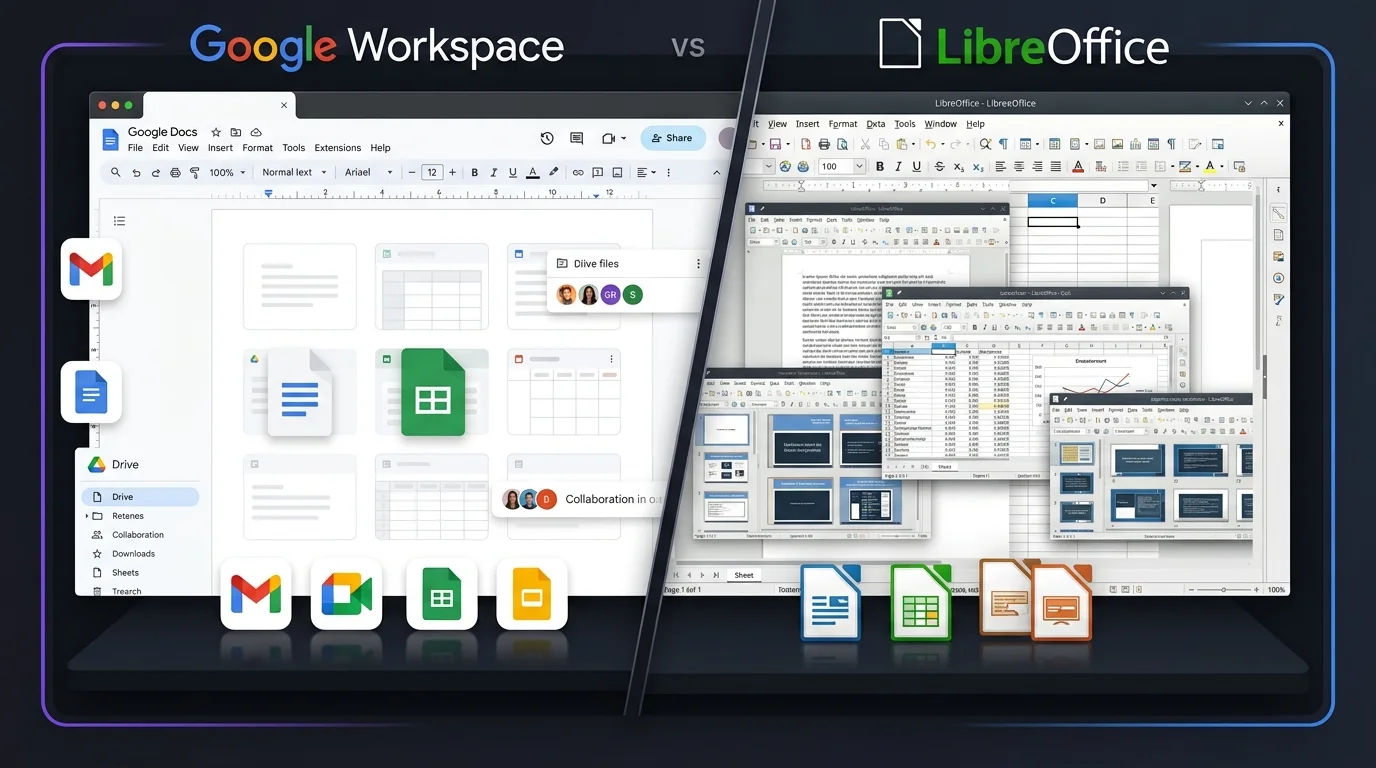
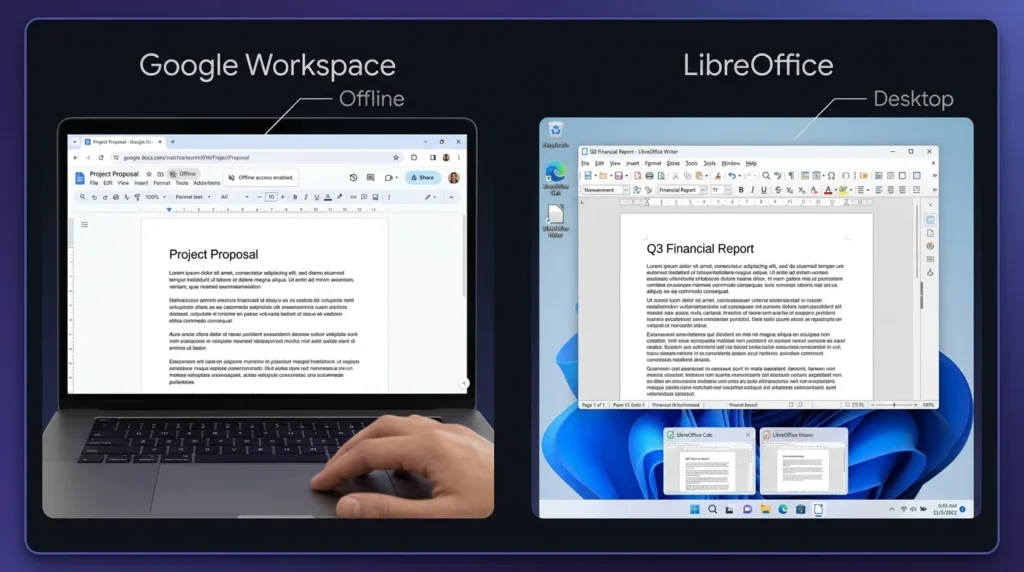
Choosing the right productivity suite depends on how you work, what features you need, and whether you prefer cloud-based or desktop software. Google Workspace vs LibreOffice is a useful comparison for students, professionals, businesses, and personal users looking for reliable tools for documents, spreadsheets, and presentations. Google Workspace focuses on online collaboration, cloud storage, and connected work. LibreOffice takes a different approach with a free desktop suite that works well without an internet connection. The better option depends on your budget, workflow, and need for collaboration.
Google Workspace vs LibreOffice: Comparison Table
Feature
Google Workspace
LibreOffice
Word Processor
Google Docs
LibreOffice Writer
Spreadsheet
Google Sheets
LibreOffice Calc
Presentation
Google Slides
LibreOffice Impress
Email
Gmail included
Not included
Cloud Storage
Google Drive included
No built-in cloud storage
Real-Time Collaboration
Yes
Limited
Offline Work
Supported with setup
Excellent
Desktop Apps
Limited
Full desktop suite
Mobile Access
Android and iOS apps
Limited mobile options
File Sharing
Built in
Usually requires another service
Microsoft Office File Support
Yes
Yes
Video Meetings
Google Meet
Not included
Templates
Large selection
Available
Document Comments
Yes
Yes
Version History
Yes
Available through file management features
User Management
Available on business plans
Not designed for centralized business management
Internet Required
Mainly for cloud features
No
Best For
Teams, businesses, students, remote work
Personal users, offline work, budget users
Google Workspace vs LibreOffice: Pricing Comparison
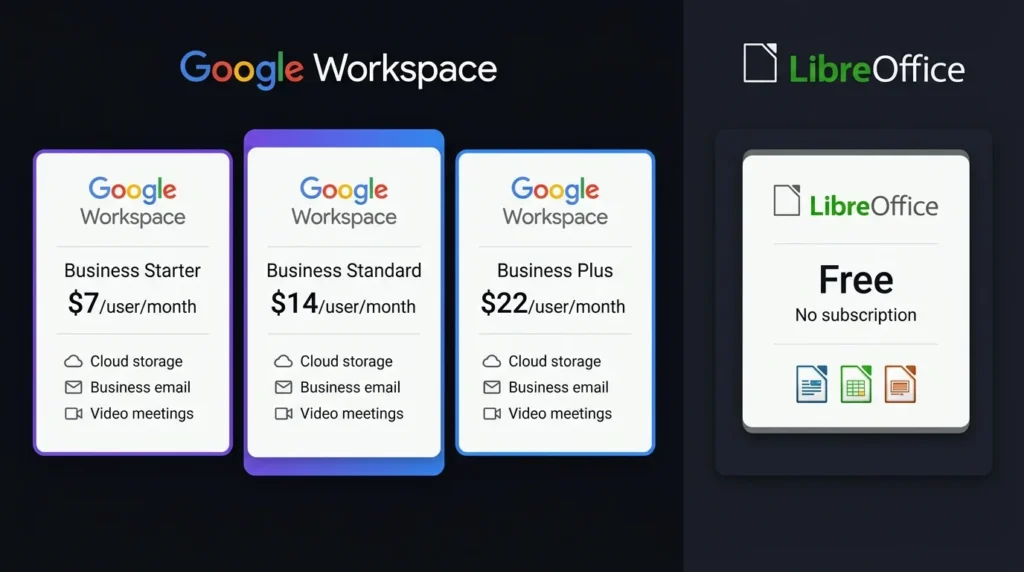
Pricing is one of the biggest differences between the two options. LibreOffice is free to download and use, while Google Workspace uses paid plans for business and professional users. Google also provides free personal access to individual applications such as Docs, Sheets, and Slides with a Google account, although storage and business features differ.
Pricing Factor
Google Workspace
LibreOffice
Basic Cost
Free personal tools available; business plans are paid
Free
Subscription
Yes for business plans
No
Cloud Storage
Included with Google Workspace plans
Not included
Business Email
Included with eligible plans
Not included
Video Meetings
Included with Workspace plans
Not included
Desktop Office Apps
Web-focused
Included
Long-Term Cost
Depends on selected plan
No software subscription
Best Value For
Businesses and teams
Users wanting free desktop software
For users who only need word processing, spreadsheets, and presentations, LibreOffice can reduce software costs because there is no subscription. Google Workspace can offer better value for businesses that also need professional email, cloud storage, meetings, and shared workspaces.
Google Workspace vs LibreOffice: Features
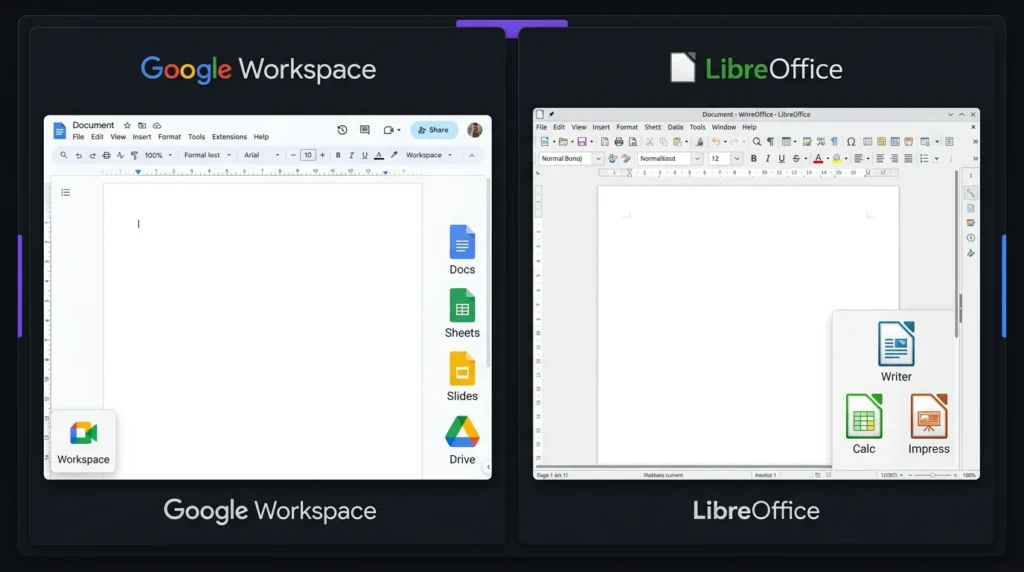
Google Workspace provides a connected set of online tools. Google Docs handles documents, Google Sheets manages spreadsheets, and Google Slides is designed for presentations. Google Drive provides cloud storage, while Gmail and Google Meet support communication.
LibreOffice includes Writer, Calc, Impress, Draw, Base, and Math. This gives users a broad collection of desktop applications without requiring a paid account.
For basic office work, both suites provide the main tools most users need. The biggest difference in Google Workspace vs LibreOffice is the way those tools are delivered.
Google Workspace vs LibreOffice: Collaboration
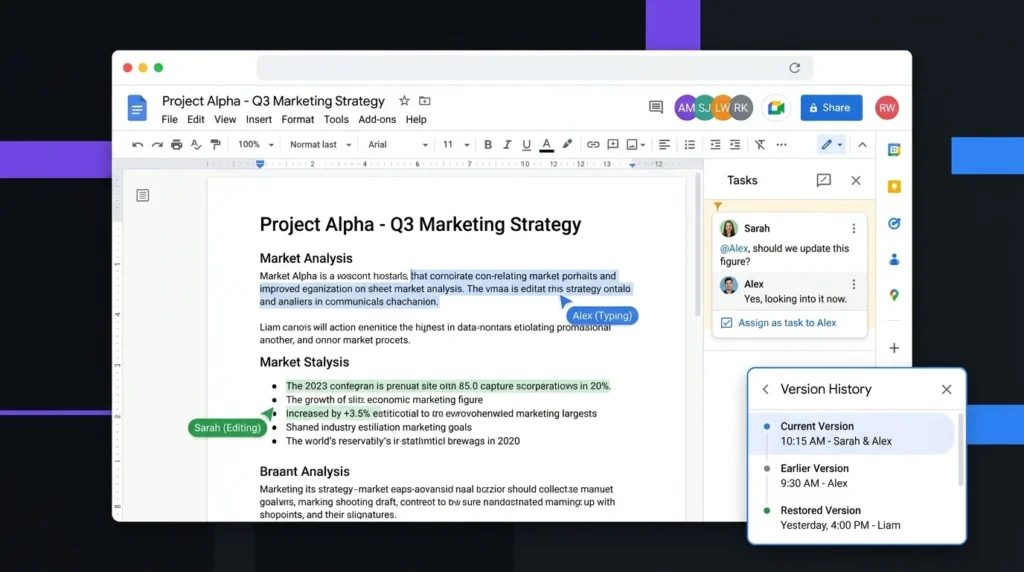
Google Workspace has a strong advantage for collaboration. Multiple people can work on the same document at the same time, add comments, suggest changes, and share files through links or permissions.
LibreOffice is primarily designed for individual desktop work. Documents can still be shared through email, cloud storage, or other services, but the collaboration experience is not as integrated.
For remote teams, group assignments, and businesses, Google Workspace is generally the more practical choice.
Google Workspace vs LibreOffice: Offline Use
LibreOffice is an excellent option for offline work. Once installed on a computer, Writer, Calc, and Impress can be used without an internet connection.
Google Workspace also supports offline access for certain applications, but users need to configure offline functionality. Its main strength remains cloud-based work.
If internet access is unreliable or you prefer keeping files directly on your computer, LibreOffice has an advantage.
Google Workspace vs LibreOffice: File Compatibility
Both suites can work with popular office file formats. LibreOffice supports formats commonly associated with Microsoft Office, while Google Workspace can import and export several common formats. However, complex documents can sometimes experience formatting changes when moved between different office programs. Users working with advanced layouts, spreadsheets, or presentation designs should test important files before switching platforms.
Google Workspace vs LibreOffice: Ease of Use
Google Workspace is easy to access because most tools work directly through a web browser. Users can sign in and continue working from another supported device.
LibreOffice feels more like a traditional desktop office suite. Its applications offer many settings and tools, which can be useful for experienced users but may take some time for beginners to learn.
For simple online work, Google Workspace may feel easier. For traditional desktop productivity, LibreOffice remains a strong option.
Google Workspace vs LibreOffice: Which Productivity Suite Is Better?
The answer depends on your needs.
Google Workspace is better for:
Online collaboration
Remote teams
Cloud storage
Business email
Video meetings
Working across multiple devices
LibreOffice is better for:
Free office software
Offline work
Local file storage
Desktop productivity
Users who want to avoid subscriptions
Google Workspace is the stronger choice when collaboration and cloud services are important. LibreOffice is the better fit for users who mainly need free desktop applications without a recurring software cost.
Final Verdict on Google Workspace vs LibreOffice
Google Workspace vs LibreOffice comes down to cloud convenience versus desktop freedom. Google Workspace provides a connected working environment with collaboration, storage, email, and meetings. LibreOffice provides a capable free office suite with strong offline functionality and local file control. For businesses and teams, Google Workspace offers a more complete collaboration experience. For individuals who want free desktop productivity tools, LibreOffice provides excellent value. Your ideal choice should depend on how you work, your budget, and whether you need online collaboration.
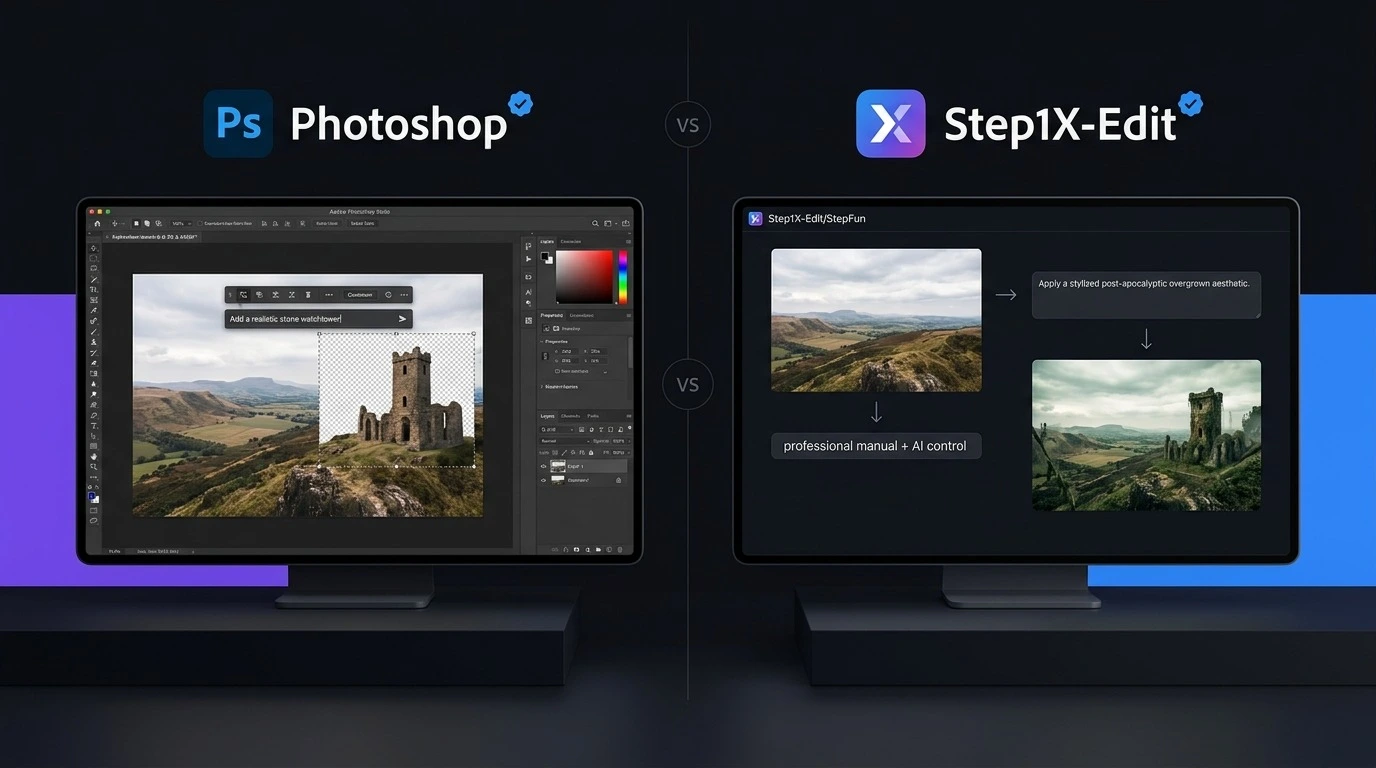
The Adobe Photoshop vs Step1X-Edit comparison shows how quickly AI image editing is changing in 2026. Photoshop has been a leading choice for professional photo editing for years, while Step1X-Edit offers a different approach with an open-source AI model focused on instruction-based image editing. Both tools can help users change images with AI, but they are built for different needs. Photoshop combines AI features with detailed manual editing tools, while Step1X-Edit focuses more directly on AI-powered image changes. So, which one should you choose? The answer depends on your budget, editing skills, hardware, and the type of images you create.
Adobe Photoshop vs Step1X-Edit: Quick Comparison
Feature
Adobe Photoshop
Step1X-Edit
Type
Professional image editor
Open-source AI image editing model
AI Editing
Yes
Yes
Text-Based Editing
Yes
Yes
Manual Editing
Excellent
Limited
Layers
Yes
No traditional layer system
Background Editing
Yes
Yes
Object Editing
Yes
Yes
Photo Retouching
Advanced
AI-focused
Open Source
No
Yes
Local Use
Not the main model workflow
Yes
Subscription
Yes
No standard subscription
Hardware Requirements
Moderate
Can be high for local use
Best For
Designers, photographers, businesses
AI users, developers, researchers
Ease of Use
Easier
More technical
Overall
Best all-round editor
Strong open-source AI option
What Is Adobe Photoshop?
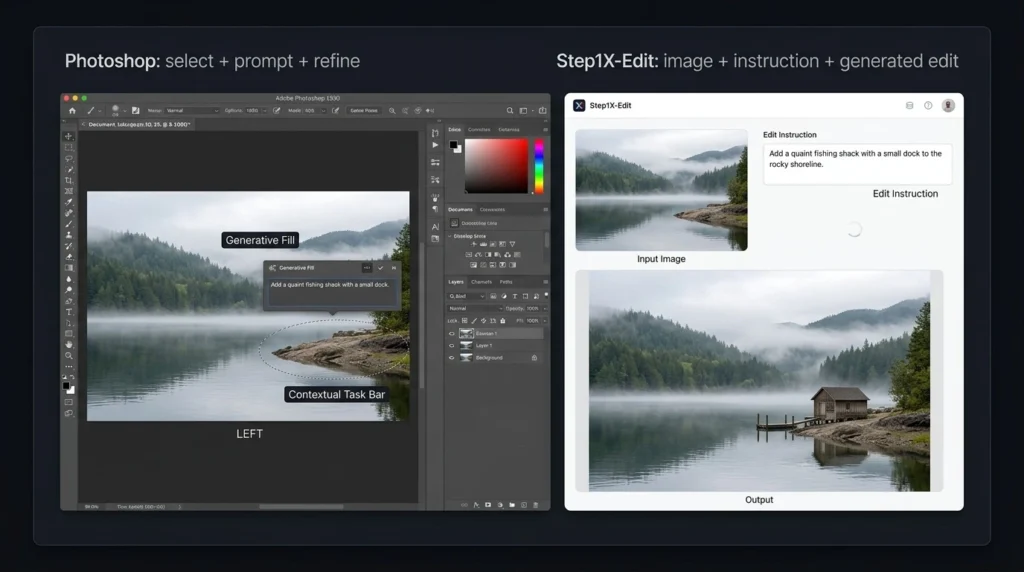
Adobe Photoshop is a professional image editing application used for photography, graphic design, advertising, social media content, digital art, and many other creative tasks. Its biggest strength is the combination of traditional editing and AI tools. Users can work with layers, selections, masks, text, filters, color adjustments, and retouching tools while also using AI features such as Generative Fill. This makes Photoshop useful when an AI-generated result needs manual correction. You are not limited to accepting whatever the AI creates. You can adjust individual parts of the image until the result looks right. For professional work, this level of control gives Photoshop a major advantage in the Adobe Photoshop vs Step1X-Edit comparison.
What Is Step1X-Edit?
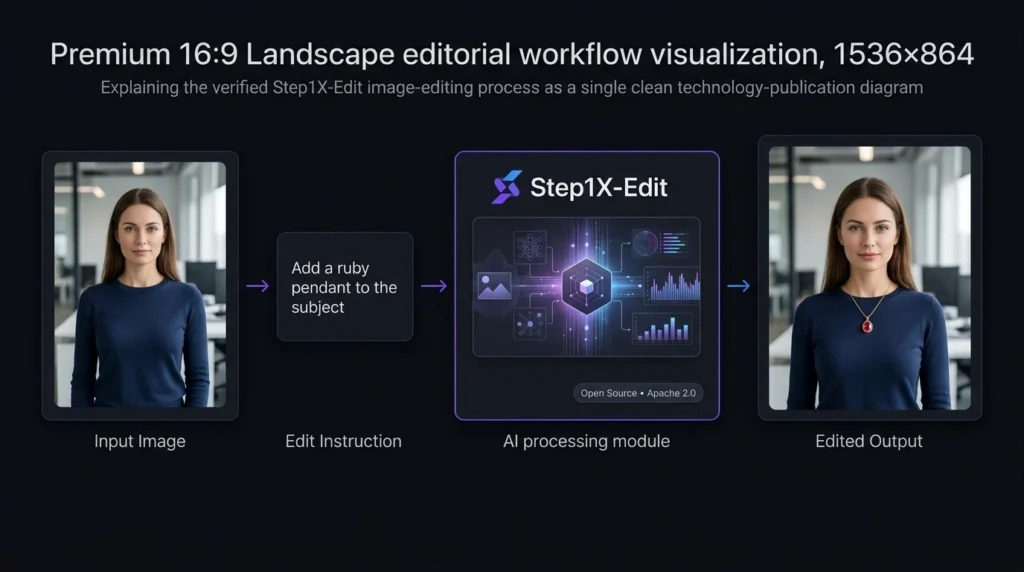
Step1X-Edit is an open-source AI image editing model developed by StepFun. It is designed to edit images based on user instructions rather than working only through traditional editing controls. The model is available through open model platforms, and its official release uses the Apache 2.0 license. Instead of manually selecting every part of an image, users can describe the change they want. This makes Step1X-Edit interesting for people who want to experiment with AI image editing or build their own workflows. However, it is important to understand that Step1X-Edit is not a complete Photoshop replacement. It is better viewed as an AI image editing model rather than a full professional design application.
Adobe Photoshop vs Step1X-Edit: AI Features
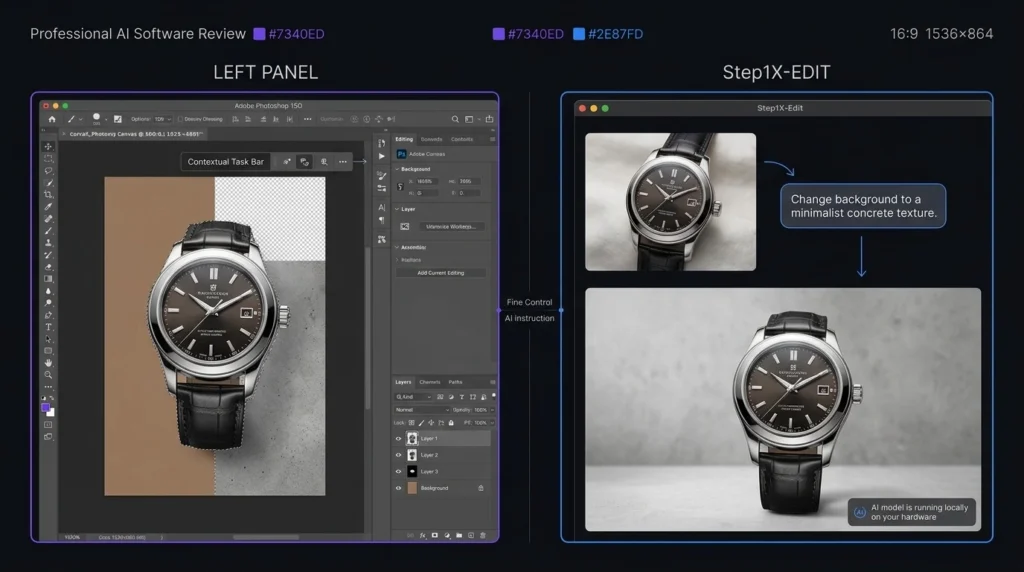
AI is where the comparison becomes especially interesting. Photoshop uses AI as part of a larger editing system. You can generate or modify content and then use Photoshop’s traditional tools to refine it. For example, you might use an AI feature to remove an unwanted object and then manually correct the surrounding area. Step1X-Edit takes a more AI-first approach. Its purpose is to understand image editing instructions and produce a modified image. This can make simple creative changes easier, but the level of control depends on the model’s output. If the result is not exactly what you want, you may need to repeat the instruction or use another editing tool afterward.
Which Has Better AI Editing?
For professional control, Photoshop wins. For users interested in open-source AI editing, Step1X-Edit has an important advantage. The difference is simple: Photoshop gives you AI plus manual control, while Step1X-Edit focuses more strongly on AI-based image editing.
Adobe Photoshop vs Step1X-Edit: Feature Comparison
Photoshop Features
Photoshop provides a large collection of tools, including:
Layers and masks
Advanced selections
Image retouching
Color correction
Typography tools
Background removal
Generative Fill
Object removal
Filters and effects
Professional file support
AI-assisted editing
These features make it suitable for projects where precision matters.
Step1X-Edit Features
Step1X-Edit focuses on:
AI image editing
Instruction-based editing
Image-to-image changes
Open-source access
Local workflows
AI experimentation
Developer-focused use
Integration with supported AI workflows
Its feature set is narrower than Photoshop because it is not designed to replace every traditional editing function.
Adobe Photoshop Pricing Plans in 2026
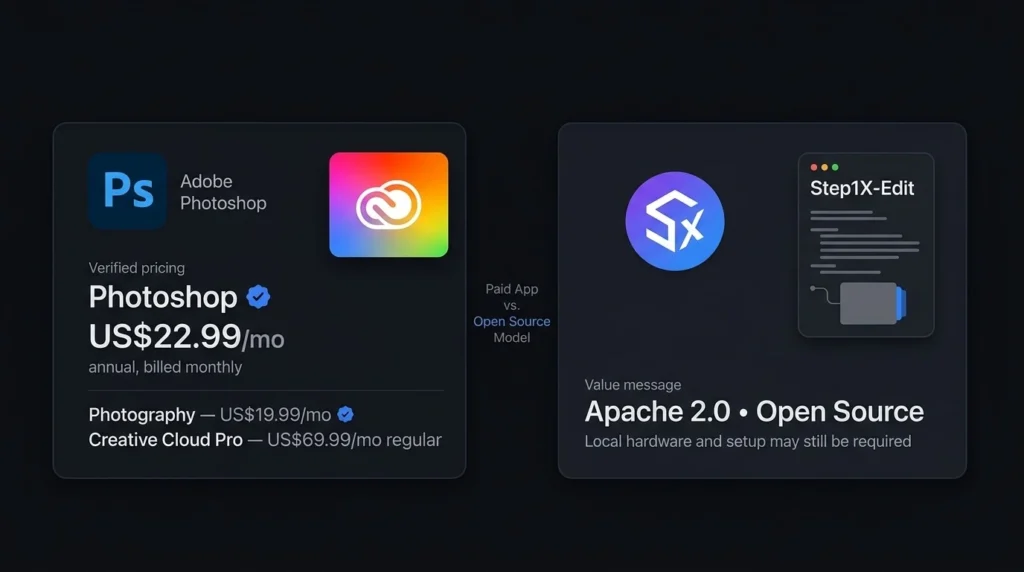
Photoshop follows a paid subscription model. Adobe’s pricing can vary depending on the country, billing method, taxes, and special offers.
Plan
Approximate Price
Main Features
Best For
Photoshop
$22.99/month
Photoshop and AI editing features
General creators
Photography
$19.99/month
Photoshop + Lightroom
Photographers
Firefly Standard
$9.99/month
Generative AI tools and credits
AI-focused creators
Creative Cloud Pro
Higher-priced subscription
Photoshop plus other Adobe creative tools
Professionals and agencies
These prices should be checked on Adobe’s official website before purchasing because Adobe can change regional pricing and promotions. The Photography plan can be particularly useful for photographers because it combines Photoshop with Lightroom.
Step1X-Edit Pricing: Is It Free?
One of the biggest differences in the Adobe Photoshop vs Step1X-Edit comparison is pricing. Step1X-Edit is available as an open-source model under the Apache 2.0 license. There is no standard monthly subscription fee for downloading and using the model itself. However, running an AI model locally is not always completely free.
You may need:
A capable computer
Suitable graphics hardware
Enough storage
Time for installation
Technical knowledge
A compatible AI workflow
If you use Step1X-Edit through a third-party online service, that service may charge its own fees.
Adobe Photoshop vs Step1X-Edit: Ease of Use
Photoshop is easier for most users because it is a finished application. You install it, open an image, and start editing. There are many tutorials available, making it easier for beginners to learn common tasks. Step1X-Edit can require more technical knowledge, especially if you want to run the model locally. Installation, model files, hardware requirements, and supported workflows can create additional steps. For beginners, Photoshop is the more practical option. For technically experienced users who enjoy experimenting with AI models, Step1X-Edit can be more interesting.
Adobe Photoshop vs Step1X-Edit: Performance and Control
Control is one of Photoshop’s strongest advantages. When editing a product photo, for example, you may need to change the background without affecting the product. Photoshop gives you multiple ways to select, mask, and adjust individual elements. AI models can sometimes produce unexpected changes. This can be acceptable for creative experiments but less suitable for work where every detail must remain accurate. Step1X-Edit can produce useful results from instructions, but Photoshop remains stronger when you need exact control over the final image.
Adobe Photoshop vs Step1X-Edit: Pros and Cons
Tool
Pros
Cons
Photoshop
Powerful editing, AI tools, layers, professional workflow
Subscription cost, learning curve
Step1X-Edit
Open source, AI-focused, local use, no standard subscription
More technical setup, narrower editing tools
Who Should Choose Adobe Photoshop?
Photoshop is the better choice if you are:
A professional photographer
A graphic designer
A social media creator
A marketing professional
A business owner
A freelance designer
Someone who needs detailed image control
It is also a better option when clients expect professional editing files and repeatable workflows.
Who Should Choose Step1X-Edit?
Step1X-Edit may be a better fit if you are:
Interested in open-source AI
A developer experimenting with image models
An AI researcher
Comfortable with local AI tools
Looking for instruction-based image editing
Interested in avoiding a traditional software subscription
It is especially useful for people who want to explore how open AI image editing models can fit into their own workflows.
Adobe Photoshop vs Step1X-Edit: Which One Is Better?
There is no single winner for every user. Photoshop wins for professional image editing. It offers a much wider collection of tools and gives users control over almost every part of an image. Step1X-Edit wins for open-source AI experimentation. It gives technically capable users a way to explore AI image editing without paying a standard Photoshop subscription for the model. For most photographers, designers, marketers, and everyday creators, Photoshop is the stronger choice. For AI enthusiasts and developers who want an open model, Step1X-Edit is worth considering.
Final Verdict: Adobe Photoshop vs Step1X-Edit
The Adobe Photoshop vs Step1X-Edit comparison shows that these tools serve different audiences. Photoshop is the better all-round choice for professional editing, photography, graphic design, marketing, and business work. Its combination of AI and traditional editing gives users more control over the final result. Step1X-Edit is more attractive for users who want an open-source AI model and are comfortable with technical setup. It can be a useful choice for AI experimentation and custom image editing workflows.
FAQs About Adobe Photoshop vs Step1X-Edit
Is Step1X-Edit better than Photoshop?
Step1X-Edit is not a complete replacement for Photoshop. It can be useful for AI-focused image editing, while Photoshop provides a much broader professional editing environment.
Is Step1X-Edit free?
The official Step1X-Edit model is available under the Apache 2.0 license. However, local use can require suitable computer hardware, and third-party services may charge their own fees.
Which is easier to use, Photoshop or Step1X-Edit?
Photoshop is easier for most beginners because it is a ready-to-use application. Step1X-Edit can require additional technical setup, especially for local use.
Which is better for professional photo editing?
Photoshop is the stronger choice for professional photo editing because it provides layers, masks, selections, retouching tools, AI features, and detailed control.
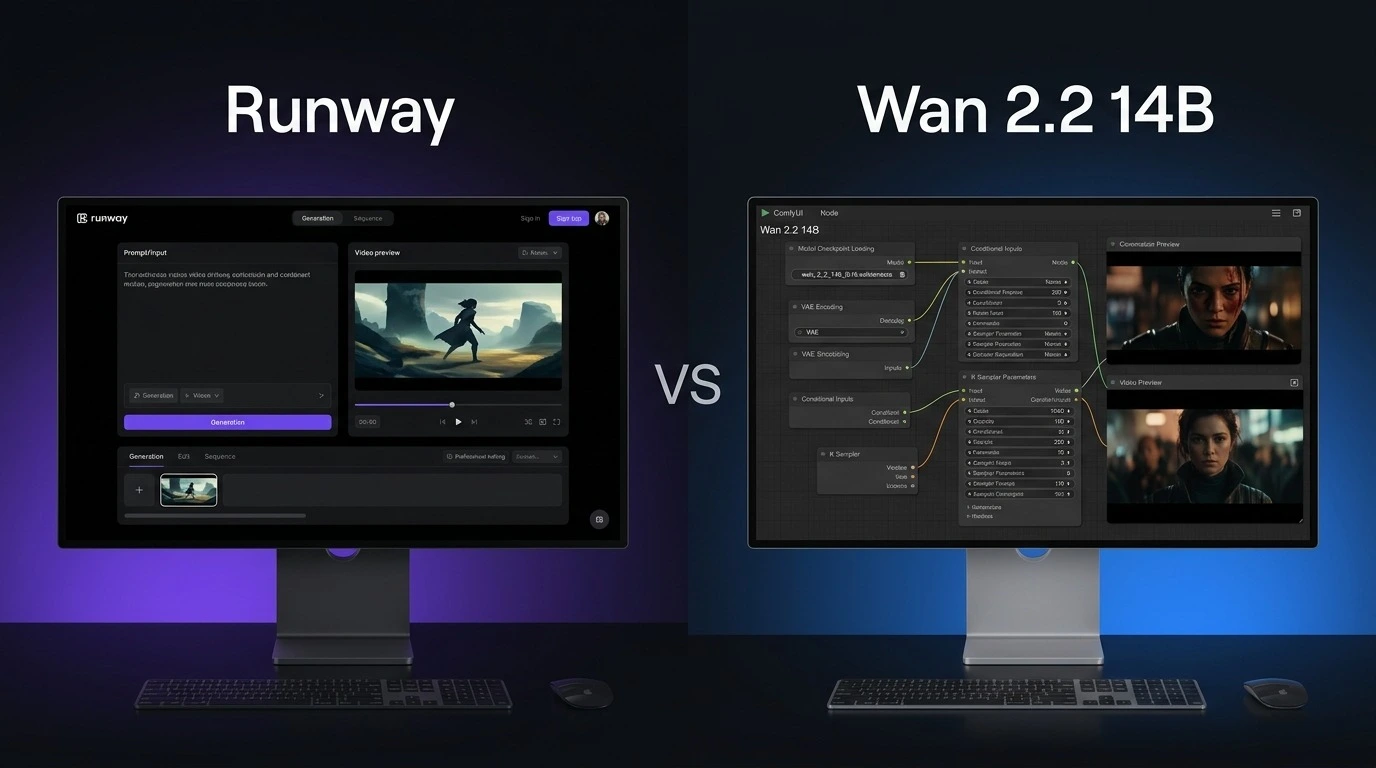
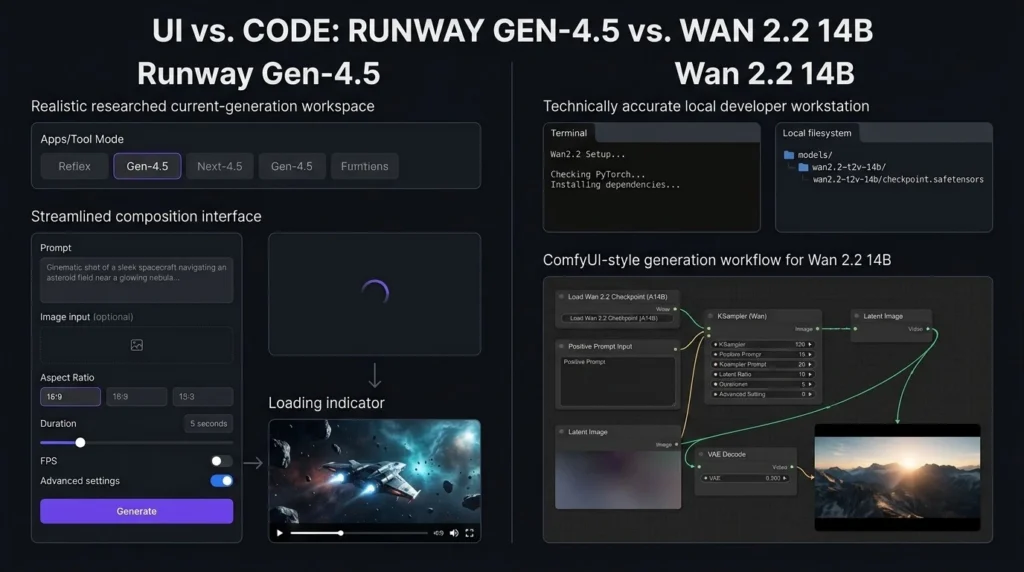
Choosing between Runway vs Wan 2.2 is not just about video quality. Both can create impressive AI videos, but they are built for different types of users. Runway is a complete online creative platform with video generation and editing tools, while Wan 2.2 14B is an open model designed for users who want more control over how their videos are generated. For creators who want a simple workflow, Runway is easier to use. For developers and advanced users who have powerful hardware, Wan 2.2 14B offers more freedom. This Runway vs Wan 2.2 comparison looks at features, pricing, video quality, hardware needs, ease of use, and overall value in 2026.
Runway vs Wan 2.2: What Is the Main Difference?
The biggest difference in Runway vs Wan 2.2 is the way users access the technology.
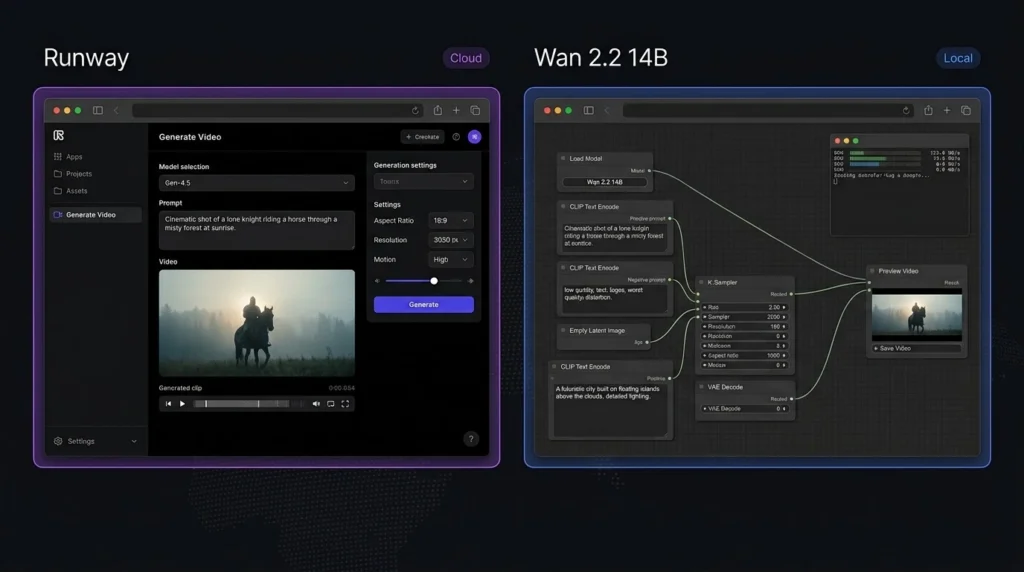
Runway is an online creative platform. Users can generate videos from text or images without installing a large AI model on their computer. It also includes AI editing tools and other creative features.
Wan 2.214B takes a more open approach. Its model weights and code are available for local use, allowing advanced users to run the model through supported tools such as ComfyUI and Diffusers. This gives users more control but also makes the setup more demanding.
Runway vs Wan 2.2: Price Comparison
Price is an important part of the Runway vs Wan 2.2 decision.
Runway offers a free plan with 125 one-time credits. Its Standard plan costs $15 per month, or $12 per month when billed annually. The Pro plan costs $35 per month, or $28 per month with annual billing. Its Max plan costs $95 per month, or $76 per month when billed annually.
Wan 2.2 14B does not have an official monthly subscription for the model itself. The model weights are publicly available. However, running a large model locally can require a powerful graphics card, which can make the total cost higher if you do not already own suitable hardware.
Runway vs Wan 2.2 Price and Features
Feature
Runway
Wan 2.2 14B
Free option
Yes, 125 one-time credits
Yes, model weights
Starting paid price
$15/month
No official subscription
Annual Standard price
$12/month
No official subscription
Text-to-video
Yes
Yes
Image-to-video
Yes
Yes
AI video editing
Yes
Depends on workflow
Local generation
No
Yes
Open model
No
Yes
Hardware needed
No local GPU required
Powerful GPU recommended
Customization
High
Very high
Ease of use
Excellent
Moderate to difficult
Best for
Creators and businesses
Advanced users and developers
The main difference is simple: Runway charges for convenient access, while Wan 2.2 shifts more responsibility to the user.
Runway vs Wan 2.2: Video Quality
Video quality is one of the most important factors in Runway vs Wan 2.2.
Runway’s recent video models focus on realistic movement, visual detail, subject consistency, and following detailed prompts. Its Gen-4 family is designed to maintain consistency across generated shots, which can be useful for storytelling and commercial projects.
Wan 2.2 14B is also capable of producing detailed AI video. Its system uses different models during different stages of generation to improve the final result. Supported Wan 2.2 models can generate videos at resolutions up to 720p.
The final result depends on the prompt, input image, model settings, hardware, and workflow. Therefore, there is no universal winner for every type of video.
Runway vs Wan 2.2: Ease of Use
This is one category where Runway vs Wan 2.2 has a clear winner.
Runway is designed for users who want to start creating quickly. You do not need to download model files or configure a local environment. Enter a prompt, upload an image when needed, select the required tool, and generate your video.
Wan 2.2 can require considerably more setup. Users running the 14B model locally may need a suitable GPU, storage, software packages, model files, and a supported interface.
Runway vs Wan 2.2: Features
Runway offers more than basic video generation. Depending on the available model and plan, users can work with text-to-video, image-to-video, video editing, image generation, audio features, and creative workflows from one platform.
Wan 2.2 focuses more heavily on the generation model itself. Its open approach allows users to experiment with different interfaces and workflows. This can be a major advantage for developers and experienced AI users.
If you want an all-in-one creative workspace, Runway is the stronger option. If you want to experiment with an open model, Wan 2.2 is more flexible.
Runway vs Wan 2.2: Hardware Requirements
Hardware is another major difference between Runway vs Wan 2.2.
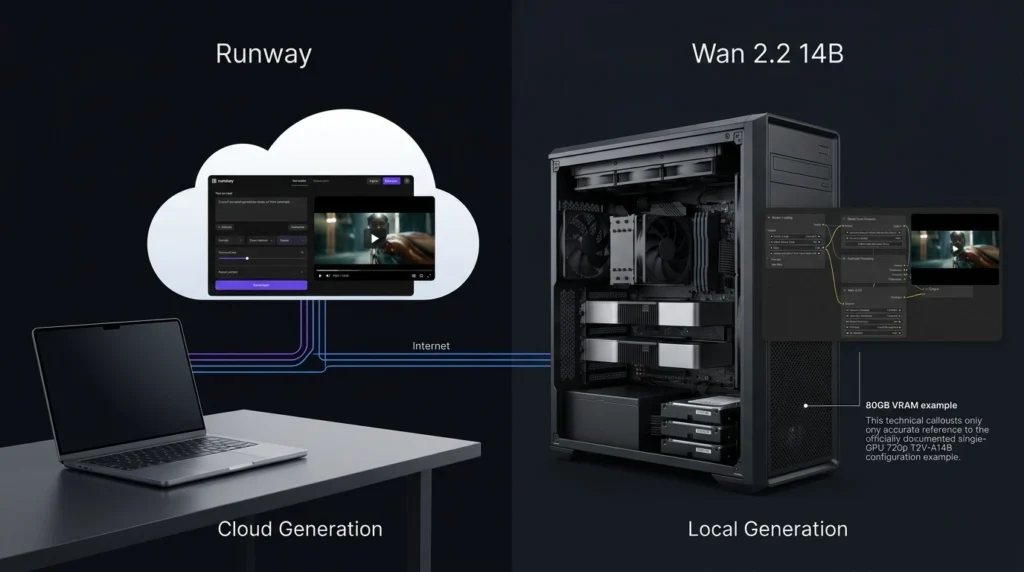
Runway performs the generation on its platform, so users do not need to own a high-end graphics card. A normal computer with a stable internet connection is enough for most tasks.
Wan 2.2 gives you the option to run models locally. However, larger models require substantial graphics memory and computing power. The exact requirement depends on the model and workflow being used.
This means Wan 2.2 can be attractive if you already have a powerful computer. Otherwise, buying hardware can cost far more than a Runway subscription.
Runway vs Wan 2.2: Editing and Creative Workflow
For Runway vs Wan 2.2, Runway has a clear advantage in editing.
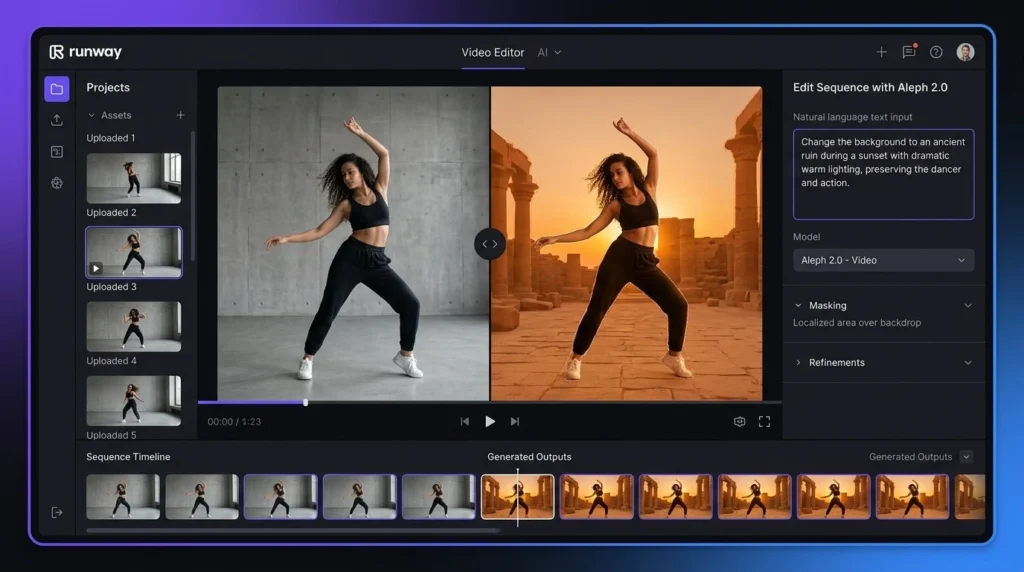
Runway combines video generation with AI-powered editing features. Users can modify footage, remove unwanted elements, change backgrounds, and perform other creative tasks without moving between several applications.
Wan 2.2 is primarily a video generation model. Its editing experience depends on the interface and additional tools used with the model.
Runway vs Wan 2.2: Customization and Control
Wan 2.2 wins when customization is the priority. Because the model can be downloaded and used locally, advanced users can experiment with settings and different workflows. Developers can also integrate the model into their own projects where supported.
Runway provides customization inside a controlled platform, but users have less control over the underlying model and infrastructure.
Runway vs Wan 2.2: Which Is Better for Creators?
For YouTubers, marketers, filmmakers, social media creators, and beginners, Runway is generally the better choice. It removes much of the technical work and provides generation and editing features in one place. This makes it easier to move from an idea to a finished video. Wan 2.2 14B is more suitable for developers, AI researchers, technical creators, and people who enjoy testing open models.
Runway vs Wan 2.2: Overall Ratings
Category
Runway
Wan 2.2 14B
Video Quality
4.8/5
4.7/5
Features
4.9/5
4.5/5
Ease of Use
4.9/5
3.7/5
Customization
4.5/5
4.9/5
Price/Value
4.3/5
4.8/5
Overall
4.7/5
4.5/5
These ratings are practical comparisons based on ease of use, available features, control, and expected use cases rather than a universal measurement of output quality.
Runway vs Wan 2.2: Which One Should You Choose?
Choose Runway if you want:
A simple online video generator
Strong AI video quality
Built-in editing tools
No local GPU requirement
A platform suitable for professional creative work
A simpler workflow for regular content creation
Choose Wan 2.2 14B if you want:
An open video model
Local video generation
Greater control over the generation process
More freedom to experiment
A solution for technical AI workflows
No required monthly subscription for the model itself
Final Verdict: Runway vs Wan 2.2
The Runway vs Wan 2.2 comparison ultimately comes down to convenience versus control. Runway is the stronger all-around choice for creators who want an easy workflow, professional video generation, editing features, and no need for expensive local hardware. Wan 2.2 14B is more appealing to advanced users who want an open model and the freedom to run and customize their own setup.
FAQs About Runway vs Wan 2.2
Is Runway better than Wan 2.2?
For most creators, Runway is the better overall option because it is easier to use and provides video generation and editing tools in one platform. Wan 2.2 is better suited to advanced users who want local control.
Is Wan 2.2 14B free?
The Wan 2.2 model weights are publicly available, so there is no required monthly subscription for the model. However, local generation can involve hardware, electricity, storage, and setup costs.
Can Wan 2.2 14B run on a normal computer?
It depends on the hardware and specific workflow. Larger 14B models can require substantial graphics memory. Users without suitable hardware may find a cloud-based service such as Runway much easier.
Which is better for YouTube videos: Runway or Wan 2.2?
For most YouTube creators, Runway is the easier option because it does not require complicated local setup and also provides editing tools. Wan 2.2 can be a better choice for technically experienced creators with powerful hardware.
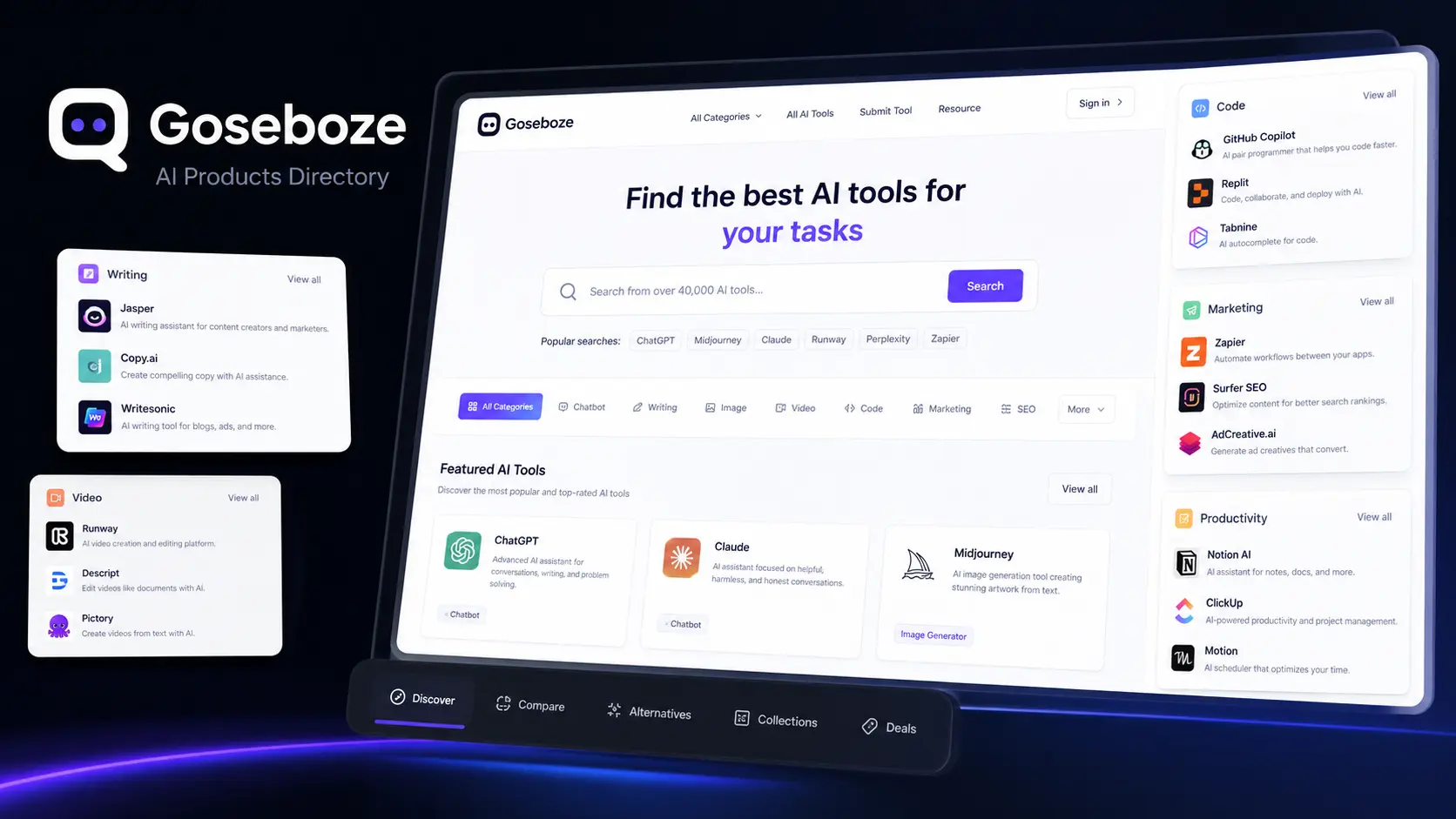
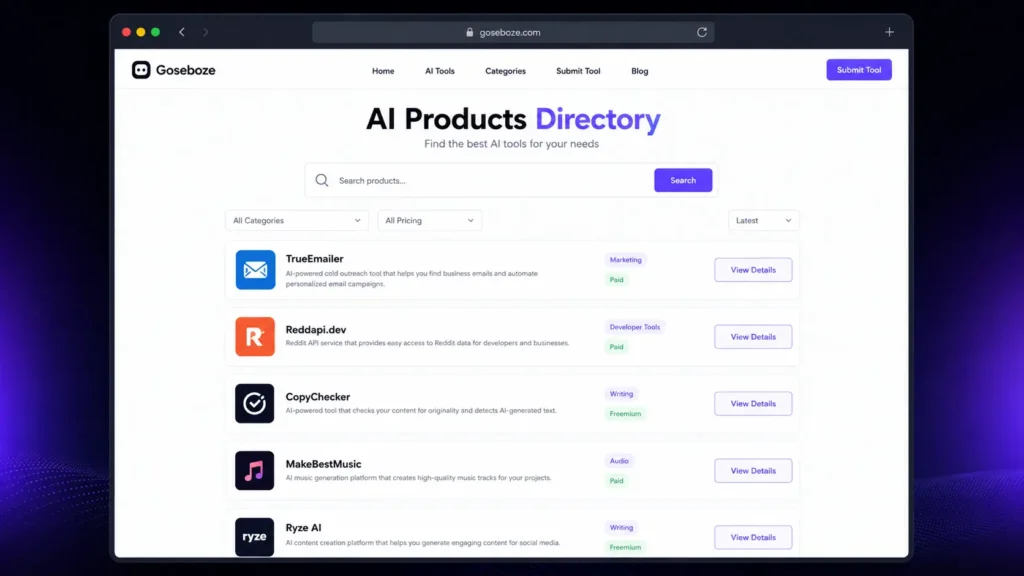
Finding the right AI software can be difficult because different tools are designed for different tasks. Some focus on writing, while others help with images, video, coding, marketing, research, productivity, or business work. Goseboze AI Tools provides a central directory where users can discover and compare AI software based on categories and use cases. Goseboze is designed for AI product discovery. Users can browse different software options, review product information, and visit individual tool websites before making a decision. This makes it easier to create a shortlist instead of searching for every AI product separately.
What Is the Goseboze AI Directory?
The Goseboze AI Directory is a platform for discovering AI software rather than an AI model itself. It brings different products together and organizes them into categories so users can find tools that match their requirements. Listings can include information such as product names, descriptions, categories, pricing, features, and website links. Users can then check the official product website for current details before signing up. The main purpose of Goseboze AI Tools is to make AI software discovery more organized and easier for users.
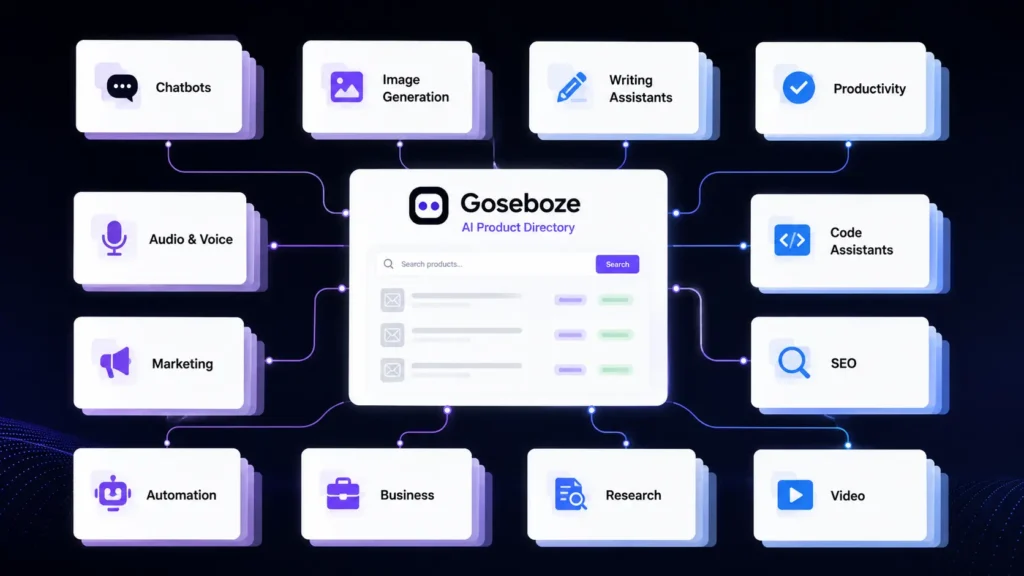
What Categories Are Available on Goseboze?
Goseboze covers a wide range of AI software categories. These categories help users find products according to the type of task they want to complete.
Some major categories include:
Category
Common Use
AI Writing
Content and editing
AI Chatbots
Questions and assistance
AI Images
Artwork and visual content
AI Video
Video creation and editing
AI Audio
Voice and music
AI SEO
Search and content work
AI Marketing
Advertising and campaigns
AI Coding
Software development
AI Productivity
Planning and organization
AI Automation
Workflow automation
AI Business
Sales and operations
AI Research
Research and information
With these categories, Goseboze AI Tools can serve different types of users, from individual creators to business teams.
25 Best AI Tools to Explore on Goseboze
The following AI products cover different areas of work. Features, availability, and pricing can change, so users should verify current information on the official websites before purchasing.
AI Content and Writing Tools
AI content and writing tools are another major category within Goseboze AI Tools. These platforms can help users write articles, create marketing copy, research topics, summarize information, improve existing content, and produce professional text more efficiently.
AI Tool
Key Features
Pricing
ChatGPT
AI chat, writing, coding, research, image generation, file analysis
AI search, research, source citations, web information discovery
Free / Paid
1. ChatGPT
ChatGPT is a general-purpose AI assistant that can help with writing, brainstorming, research, summaries, coding, and everyday questions. It is useful for users who want one platform for several different tasks.
2. Claude
Claude is an AI assistant developed by Anthropic. It can help with writing, document analysis, summaries, reasoning, and long-form content. It can be useful when users need to work with detailed information.
3. Jasper AI
Jasper AI focuses on marketing and business content. Its features are designed for tasks such as promotional writing, brand content, campaigns, and other professional content needs.
4. Writesonic
Writesonic combines AI writing with features aimed at content and search marketing. It can help users research topics, create content, and develop pages designed for search traffic.
5. Copy.ai
Copy.ai focuses on sales and marketing content. It can help teams create outreach messages, website copy, promotional material, and other business content.
6. Perplexity
Perplexity is mainly designed for research and information discovery. It provides answers with sources and can help users gather information before writing or making decisions.
AI Image Generation Tools
AI image generation tools are another important category within Goseboze AI Tools. These platforms can help users create images from text prompts, generate artwork, design concepts, produce marketing visuals, and develop creative digital assets.
AI Tool
Main Use
Pricing
Midjourney
AI image generation
Free / Paid
DALL-E
AI image generation
Free / Paid
Stable Diffusion
AI image generation
Free / Paid
Leonardo AI
AI image generation
Free / Paid
7. Midjourney
Midjourney is an AI image-generation platform used for artwork, concepts, illustrations, and creative projects. It is particularly useful for users who want distinctive visual styles.
8. DALL-E
DALL-E generates images from written prompts. It can be used for illustrations, concepts, marketing visuals, and other creative projects.
9. Stable Diffusion
Stable Diffusion provides image-generation capabilities with a high level of customization. It can appeal to users who want greater control over how their images are generated.
10. Leonardo AI
Leonardo AI provides image-generation and creative tools for designers, creators, game developers, and businesses. It can be used for characters, artwork, concepts, and digital assets.
AI Video Creation and Editing Tools
Video software is another major category within Goseboze AI Tools. These platforms can help users generate videos, edit clips, create avatars, and repurpose existing content.
AI Tool
Main Use
Pricing
Runway
AI video generation
Free / Paid
Synthesia
AI presenter videos
Paid
HeyGen
AI avatar videos
Free / Paid
CapCut
Video editing
Free / Paid
Pictory
Content-to-video
Free / Paid
11. Runway
Runway provides AI-powered video generation and editing features. Creators can use it for visual concepts, short videos, effects, and other production tasks.
12. Synthesia
Synthesia focuses on AI presenter videos. Users can create videos with digital avatars and generated voices for training, education, presentations, and business communication.
13. HeyGen
HeyGen focuses on AI avatars, voice features, and video creation. It can help businesses and creators produce presenter-style videos without traditional filming.
14. CapCut
CapCut is a video editing platform with captions, effects, templates, and other editing features. It is particularly useful for creators producing short-form social media content.
15. Pictory
Pictory helps users turn written or longer content into shorter video formats. It can be useful for bloggers, marketers, and creators who want to reuse existing content.
AI Chatbot Tools
AI chatbot tools are another important category within Goseboze AI Tools. These platforms can help users answer questions, provide customer support, automate conversations, generate responses, and assist with sales, marketing, and everyday communication.
AI Tool
Main Use
Key Features
Pricing
Intercom
Customer support & communication
AI chatbot, customer messaging, help center, ticketing, human agent handoff
Free Trial / Paid
Tidio
Customer service & online stores
AI chatbot, live chat, automation, customer support, ecommerce tools
Free / Paid
Botpress
AI agents & custom chatbots
Visual builder, AI agents, workflows, integrations, developer tools
Free / Paid
16. Intercom
Intercom provides customer communication and support software with AI features. Businesses can use it to handle customer questions and send more complex issues to human agents.
17. Tidio
Tidio focuses on customer service and AI chat for businesses, including online stores. It can help answer common customer questions through business websites.
18. Botpress
Botpress provides tools for creating AI agents and chatbots. Its visual building features can help less technical users, while developers can use additional options for more complex projects.
AI SEO and Marketing Tools
AI SEO and marketing tools are another important category within Goseboze AI Tools. These platforms can help users research keywords, optimize content, analyze competitors, improve search rankings, create marketing campaigns, and streamline various digital marketing tasks.
AI Tool
Main Use
Key Features
Pricing
Surfer SEO
Content optimization
Content Editor, keyword analysis, SERP research, content audit, AI writing
Paid
Semrush
SEO & digital marketing
Keyword research, competitor analysis, backlinks, site audit, AI features
Free / Paid
AdCreative.ai
AI advertising creatives
Ad generation, creative variations, ad copy, performance insights
Free Trial / Paid
19. Surfer SEO
Surfer SEO focuses on content optimization. It helps users study search results and improve content based on information from competing pages.
20. Semrush
Semrush provides tools for keyword research, competitor analysis, website research, backlinks, and digital marketing. Its platform also includes AI-assisted features.
21. AdCreative.ai
AdCreative.ai focuses on advertising creatives. It can help marketers create different ad concepts and variations for digital campaigns.
AI Coding Assistants
AI coding assistants are another important category within Goseboze AI Tools. These platforms can help developers write code, debug errors, explain programming concepts, generate code snippets, complete projects, and improve development workflows.
Code generation, project understanding, AI editing, debugging
Free / Paid
Goose
Open-source AI coding agent
File management, commands, code changes, development automation
Free / Open Source
22. GitHub Copilot
GitHub Copilot is an AI coding assistant that helps developers write code, generate functions, explain existing code, and complete programming tasks.
23. Cursor
Cursor is an AI-focused code editor designed for software development. It can understand project files and help developers plan changes and modify code.
24. Goose
Goose is an open-source AI agent developed by Block. It is designed to work with a development environment and can assist with files, commands, code changes, and other development tasks.
AI Automation
25. Zapier
Zapier connects different applications and automates workflows. Its AI features can help users connect AI services with email, communication platforms, content systems, and other business applications.
Goseboze vs Other AI Directories
Goseboze is one of several platforms that help users discover software. Each platform has a different approach.
Directory
Main Strength
Goseboze
AI product discovery
Futurepedia
AI software collection
There’s An AI For That
Task-based AI discovery
Product Hunt
New product launches
Goseboze is useful for users who want to browse AI software by category. Futurepedia provides a broad AI software collection, while task-based directories can be useful when users already know what they want to accomplish. Product Hunt is another option for discovering new software and product launches.
How to Submit an AI Tool to Goseboze
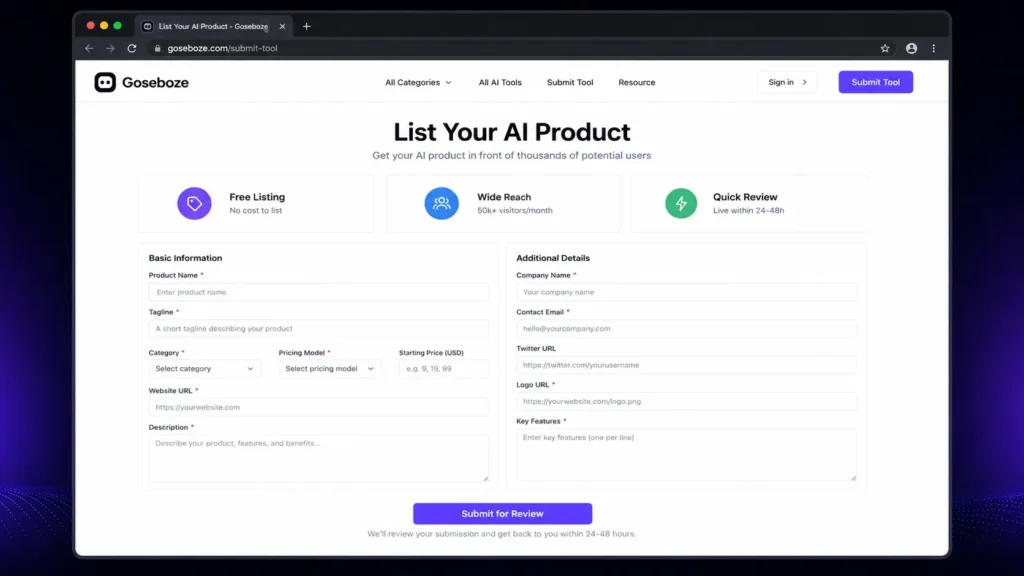
AI product owners can submit their software to the Goseboze directory. The submission process can require information such as the product name, category, pricing model, website, description, company information, and key features. A clear listing can help users quickly understand what a product does and whether it matches their needs. Before submitting a product, developers should make sure that their website is active and that the product information, pricing, and category details are accurate.
Is Every Tool on Goseboze Worth Using?
A directory is useful for discovery, but being listed does not mean every product will be suitable for every user. Before selecting an AI product, check its official website, current pricing, product features, recent updates, privacy policy, terms, customer support, and user feedback. This is especially important when an AI product will process confidential business documents, customer information, financial data, or other sensitive material.
Who Can Benefit from Goseboze AI Tools?
Freelancers
Freelancers can discover software for writing, design, research, marketing, video production, productivity, and automation.
Bloggers and Content Creators
Content creators can explore AI products for research, writing, editing, images, video, audio, and SEO.
Developers
Developers can compare coding assistants, AI agents, automation platforms, and other development software.
Digital Marketers
Marketing professionals can find products for SEO, advertising, content creation, research, analytics, and customer communication.
Businesses
Businesses can explore AI software for sales, customer service, marketing, productivity, automation, and internal operations.
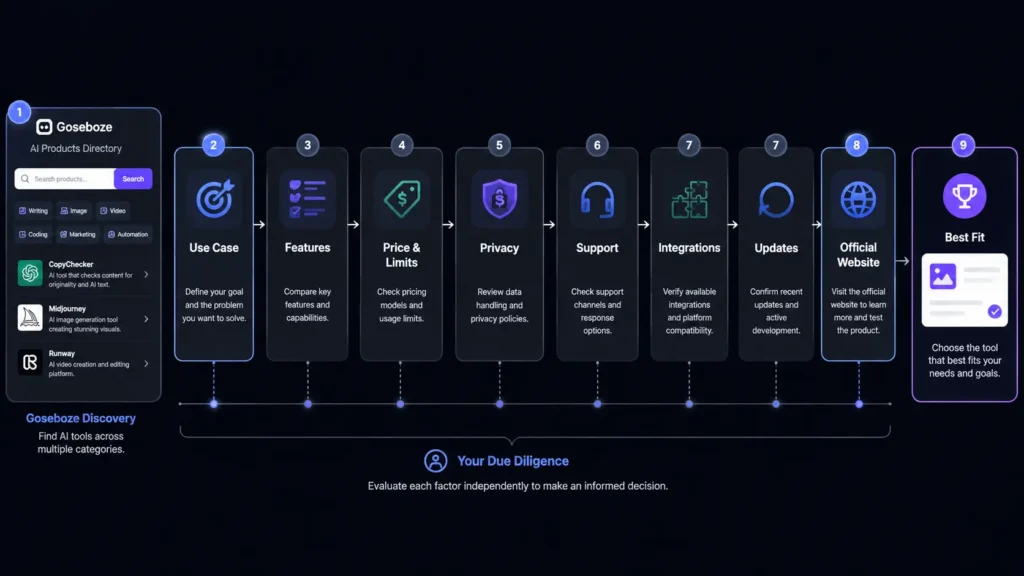
How to Choose a Tool from Goseboze
Finding a product is only the beginning. Before signing up, compare the features that matter to your work.
Factor
What to Check
Use case
Does it solve your actual problem?
Features
Does it provide the functions you need?
Price
Does the plan fit your budget?
Limits
Are usage limits acceptable?
Privacy
How does it handle your information?
Support
Can you get help when needed?
Integrations
Does it work with your current software?
Updates
Is the product actively maintained?
Do not choose an AI tool simply because it has many features. A smaller product that performs one important task well may provide more value for your specific needs.
Is Goseboze Free to Use?
Browsing the Goseboze directory is free. Individual AI products listed on the platform can have their own pricing models, including free, freemium, and paid plans. Users should visit the official website of each product before purchasing because prices, features, and usage limits can change.
Is Goseboze an AI Tool?
No. Goseboze is an AI product directory, not a single AI model or chatbot. It helps users discover software developed by different companies and teams. The platform can be used to find products according to categories and requirements, while the actual AI services are provided by the individual companies behind those products.
Is Goseboze Safe to Use?
Browsing an AI directory is different from using the individual products listed there. Each AI product has its own privacy practices, security controls, terms, and data policies. Before uploading sensitive information to any AI platform, read its privacy policy and terms. Businesses should also check how data is stored, processed, shared, and deleted.
What Should You Check Before Using Goseboze AI Tools?
Before choosing one of the Goseboze AI Tools, consider these factors:
Current pricing
Free plan limitations
Main features
Privacy policy
Data handling
Integrations
Customer support
Recent product updates
User feedback
Commercial-use terms
This process can help you avoid selecting software that looks useful but does not match your actual requirements.
Final Thoughts
Goseboze AI Tools provides a convenient way to discover AI software for business, content, marketing, coding, images, video, research, productivity, and other tasks. Instead of searching for every product separately, users can browse categories and create a shortlist of relevant options. The best approach is to begin with a clear task, compare several products, review pricing and features, and check privacy and support before making a final decision. Whether you are a freelancer, content creator, developer, marketer, or business owner, Goseboze AI Tools can serve as a useful starting point for finding AI software that fits your work.
FAQs About Goseboze AI Tools
Is Goseboze AI Directory free?
Yes. Users can browse the directory for free. However, individual products listed on the platform may offer free, freemium, or paid plans.
What are the best Goseboze AI Tools for content creation?
ChatGPT, Claude, Jasper AI, Writesonic, Copy.ai, and Perplexity can support different content tasks. The right choice depends on whether you need writing, research, editing, or marketing features.
Can businesses use Goseboze to find AI software?
Yes. Businesses can explore AI software for customer service, sales, marketing, productivity, coding, automation, and other business tasks.
How should I compare Goseboze AI Tools?
Compare each product’s features, pricing, usage limits, privacy practices, integrations, support, and ease of use. A free plan or trial can also help you evaluate a product before paying.
Is Goseboze itself an AI tool?
No. Goseboze is a directory for discovering AI products. The individual tools listed on the platform are developed and operated by their respective companies or teams.
Artificial intelligence has changed how people create images, videos, and digital characters. If you are trying to choose between two popular creative tools, Higgsfield vs Artflow is a comparison worth exploring. Both platforms help users create visual content, but they focus on different needs. Higgsfield is built mainly for AI video creation, while Artflow focuses on AI characters, images, and visual storytelling. If you are wondering whether the free version of Artflow is better than Higgsfield, this guide compares their features, pricing, ease of use, and overall value so you can choose the platform that matches your creative goals.
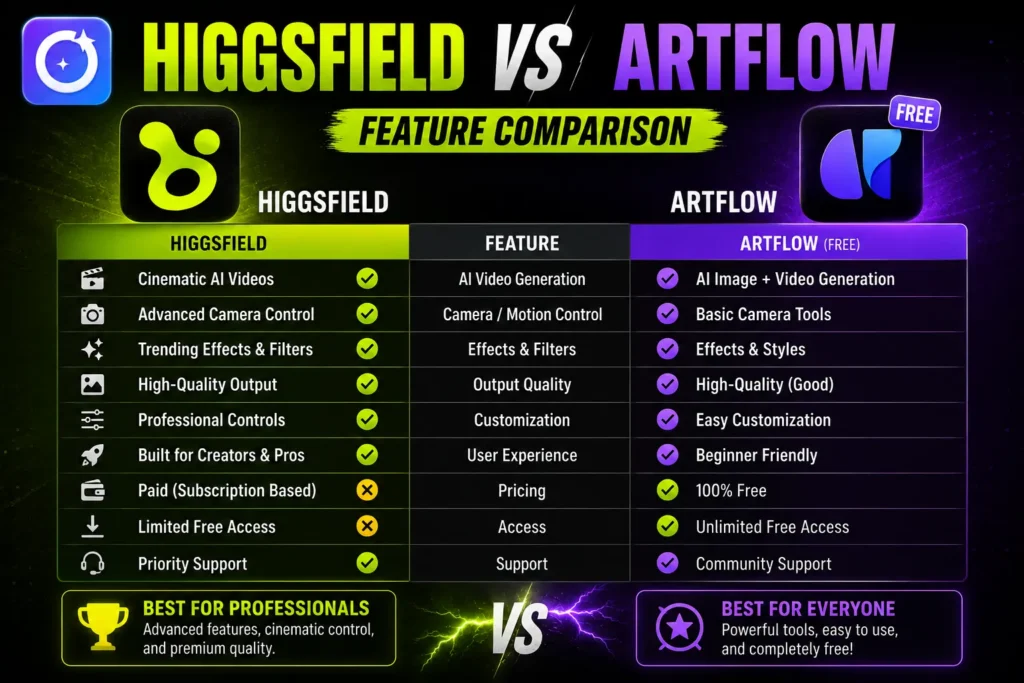
Higgsfield vs Artflow: Quick Comparison
Feature
Higgsfield
Artflow
Main Purpose
AI video creation
AI characters, images, and stories
Free Plan
Limited
More generous
Best For
Short AI videos
Character design and storytelling
Learning Curve
Medium
Beginner-friendly
Custom Characters
Yes
Yes
Video Creation
Excellent
Basic
Image Generation
Good
Very Good
Team Collaboration
Limited
Available
Higgsfield vs Artflow: What Is Higgsfield?
Higgsfield is an AI-powered creative platform designed primarily for generating high-quality videos from text prompts. It allows creators to build cinematic scenes, experiment with camera movements, and produce short AI videos suitable for social media, advertising, and creative projects. Besides video generation, Higgsfield also offers AI image creation and editing tools. However, its biggest advantage remains its advanced video engine. The free version provides limited access, while premium plans unlock faster rendering, more credits, and additional creative controls.
Key Features of Higgsfield
AI text-to-video generation
Camera movement controls
Cinematic visual effects
AI image generation
Fast rendering
Multiple creative styles
Higgsfield vs Artflow: What Is Artflow?
Artflow is an AI creative platform that focuses on character creation, portraits, storytelling, and scene generation. Users can create consistent AI characters and place them in different environments without losing their appearance, making the platform useful for comics, educational content, novels, and game design. Many people searching for Higgsfield vs Artflow are attracted to Artflow because of its generous free plan. Beginners can explore the platform without paying immediately, making it one of the most accessible AI creative tools available.
Key Features of Artflow
AI character creator
Consistent character generation
Story scene builder
AI portraits
Easy interface
Free plan with useful features
Higgsfield vs Artflow: Feature Comparison
AI Video Creation
Video generation is where Higgsfield clearly performs better. It provides advanced motion controls, cinematic camera angles, smooth transitions, and professional-looking AI videos.
Artflow includes simple animation features but is mainly designed for image-based storytelling rather than full AI video production.
Winner: Higgsfield
Character Creation
Artflow excels at building characters that remain visually consistent across different images and scenes. This is valuable for comic artists, writers, educators, and content creators.
Higgsfield can also generate characters, but maintaining consistent appearances across multiple scenes is not its strongest feature.
Winner: Artflow
AI Image Quality
Both platforms generate high-quality images, but they approach creativity differently. Higgsfield creates detailed visuals that work well inside video projects, while Artflow focuses on expressive portraits and story-based artwork.
If your priority is illustrations and character design, Artflow has a slight advantage.
Winner: Artflow
Ease of Use
Artflow offers a clean interface that beginners can understand within minutes. Navigation is simple, and creating characters requires very little learning.
Higgsfield includes more creative controls, which gives professionals greater flexibility but also creates a slightly steeper learning curve.
Winner: Artflow
Creative Flexibility
Higgsfield offers greater creative freedom for users who need detailed video editing, camera control, and cinematic output.
Artflow keeps its workflow simple, which is excellent for beginners but provides fewer advanced editing options.
Winner: Higgsfield
Higgsfield vs Artflow Free Plan
One of the biggest reasons users compare Higgsfield vs Artflow is the free plan.
Artflow provides enough free credits and tools for users to experiment with character design, portraits, and storytelling before upgrading.
Higgsfield also offers a free version, but daily limits and credit restrictions are reached much faster. Several advanced video features remain available only to paid subscribers.
If your budget is limited, Artflow gives more value without requiring an immediate purchase.
Higgsfield vs Artflow Pricing
Pricing may change over time, but the overall difference is easy to understand.
Artflow focuses on affordable subscriptions that expand image generation and character creation.
Higgsfieldcosts more because AI video generation requires greater computing resources and includes more advanced production features.
If your work mainly involves AI images, Artflow is the more budget-friendly choice. If professional AI videos are essential, Higgsfield can justify its higher subscription price.
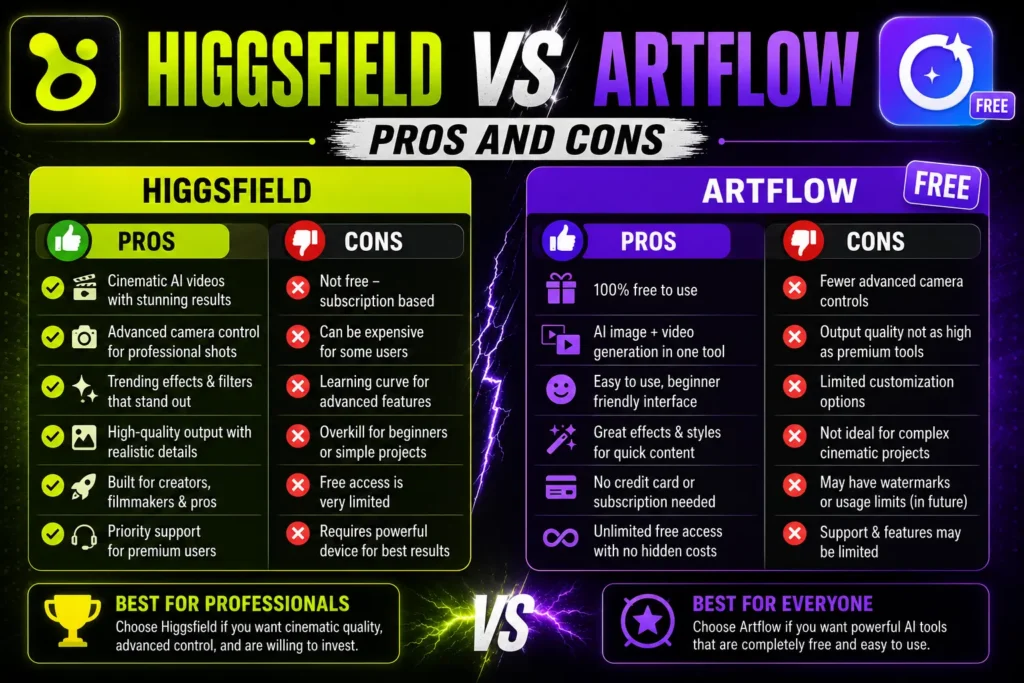
Higgsfield vs Artflow Pros and Cons
Higgsfield
Pros
Outstanding AI video generation
Professional camera controls
High-quality cinematic output
Excellent creative flexibility
Cons
Smaller free plan
Higher subscription cost
Takes longer to master
Artflow
Pros
Better free plan
Easy for beginners
Excellent character consistency
Affordable pricing
Great storytelling tools
Cons
Limited AI video features
Fewer advanced editing controls
Who Should Choose Higgsfield?
Higgsfield is the better option if you:
Create AI videos regularly
Need cinematic-quality content
Want advanced camera controls
Produce marketing or social media videos
Prefer professional creative tools
Who Should Choose Artflow?
Artflow is the better choice if you:
Want a generous free plan
Create AI characters
Design comics or storyboards
Produce educational content
Prefer a beginner-friendly interface
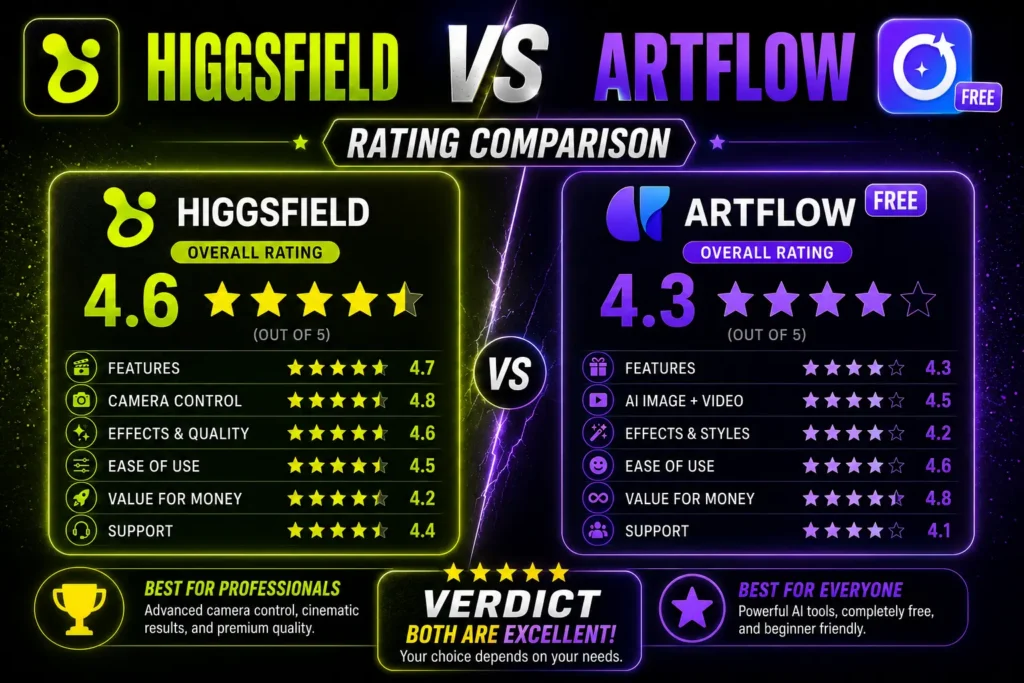
Higgsfield vs Artflow Rating
After comparing features, pricing, ease of use, creative flexibility, and overall value, both platforms perform well but serve different audiences.
Category
Higgsfield
Artflow
Ease of Use
4.2/5
4.8/5
AI Video Creation
4.9/5
3.7/5
AI Image Quality
4.5/5
4.6/5
Character Creation
4.3/5
4.9/5
Free Plan Value
3.8/5
4.9/5
Pricing
3.9/5
4.6/5
Overall Value
4.4/5
4.7/5
The ratings show that Higgsfield and Artflow shine in different areas. Higgsfield is the stronger platform for AI video creation thanks to its advanced motion controls and cinematic output. Artflow earns higher scores for ease of use, character creation, pricing, and free plan value, making it the better choice for beginners and users focused on images and storytelling.
Overall, Higgsfield vs Artflow gives Artflow the higher rating because it offers better value for most users. However, creators who need professional AI video production will still find Higgsfield to be the stronger long-term investment.
Final Verdict: Is the Free Artflow Better Than Higgsfield?
The answer depends on your creative needs. If you mainly create AI videos, Higgsfield remains the better platform because of its powerful video engine, camera controls, and professional features.
However, if you are looking for a free AI tool to create characters, illustrations, and visual stories, Artflow offers better value. Its generous free plan, simple interface, and consistent character generation make it an excellent starting point for beginners.
When comparing Higgsfield vs Artflow, Artflow wins for overall value and accessibility, while Higgsfield remains the top choice for serious AI video creators. Your final decision should depend on whether you spend more time creating videos or designing AI characters and images.
Frequently Asked Questions
Is Artflow completely free?
Artflow offers a free plan with limited credits and features. Paid plans unlock additional credits, faster generation, and more creative options.
Which platform is better for AI videos?
Higgsfield is the better choice for AI video generation because it provides advanced camera movement, cinematic effects, and higher-quality video output.
Is Artflow better for beginners?
Yes. Artflow has a simpler interface, making it easier for beginners to create AI characters, portraits, and visual stories without a steep learning curve.
Which platform offers better value in 2026?
For most users, Artflow offers better overall value because of its generous free plan and affordable pricing. If professional AI video production is your priority, Higgsfield is the stronger investment.
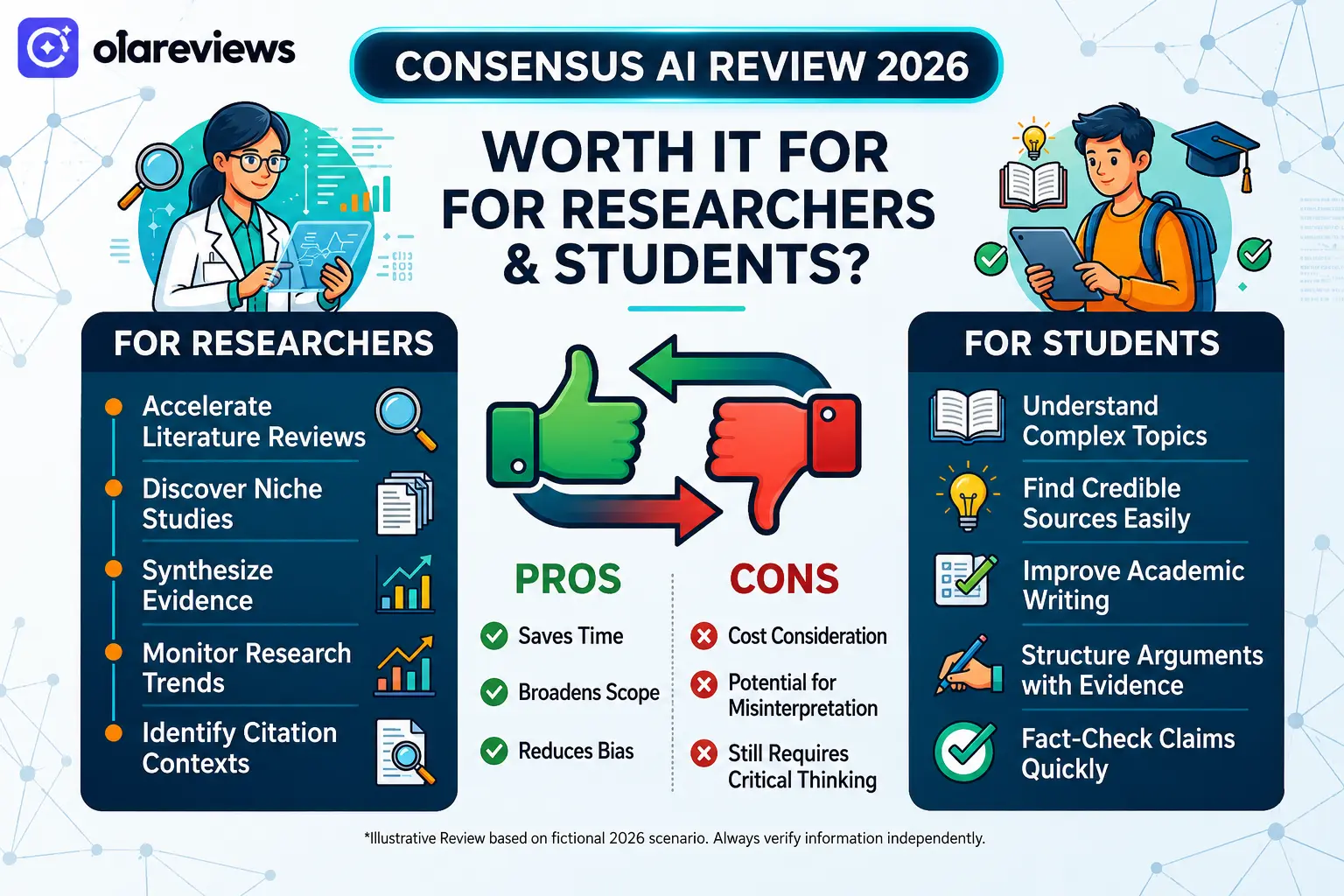
Choosing the right research tool can save hours of work. Consensus AI has become one of the most talked-about AI research assistants because it searches scientific studies instead of general web pages. Whether you’re a student, researcher, educator, or writer, it promises faster access to trusted information. This Consensus AI Review 2026 explains its features, pricing, strengths, weaknesses, and whether it deserves a place in your research workflow.
Consensus AI Review Summary
Feature
Rating
Ease of Use
4.9/5
Research Quality
4.8/5
Speed
4.8/5
Features
4.7/5
Value for Money
4.6/5
Overall Rating
4.8/5
What Is Consensus AI?
Consensus AI is an AI-powered academic search platform that helps users find answers from published research papers. Instead of showing blog posts or opinion pieces, it searches scientific studies and provides evidence-based summaries. The platform is designed to simplify research by helping users understand study results without reading hundreds of pages. Every answer links back to the original research so users can verify the information themselves.
Key Features of Consensus AI
AI-Powered Academic Search
The biggest strength of Consensus AI is its ability to search millions of research papers and return results based on scientific evidence. Users can ask questions in plain English instead of using complicated search terms.
Easy Research Summaries
Research papers are often difficult to understand. Consensus AI creates short summaries that explain the main findings in simple language, making research more accessible.
Evidence-Based Results
Unlike general AI chatbot, Consensus AI focuses on published studies. This helps users make decisions based on reliable evidence instead of random online content.
Smart Filters
Users can filter results by publication year, study type, and research quality. This makes it easier to find the most relevant studies for assignments or projects.
Original Paper Links
Every summary includes links to the original research papers, allowing users to read the full study before citing it.
Who Should Use Consensus AI?
Consensus AI is suitable for many different users, including:
College and university students
Academic researchers
Professors and teachers
Healthcare professionals
Journalists
Content writers
Business analysts
Anyone who regularly searches for trusted research can benefit from Consensus AI.
Consensus AI Pricing
Plan
Best For
Features
Free
Casual users
Limited searches and basic research tools
Premium
Researchers and professionals
Higher search limits, advanced filters, and premium features
The free plan works well for occasional research, while the premium plan is better for users who need research support every day.
Pros and Cons of Consensus AI
Pros
Cons
Easy to use
Premium features require payment
Research-based answers
Limited free searches
Fast academic search
Some studies require external access
Simple summaries
AI summaries should always be verified
Links to original papers
Best for research rather than general searches
Consensus AI vs Traditional Search Engines
Feature
Consensus AI
Traditional Search Engines
Searches Research Papers
Yes
Limited
Evidence-Based Answers
Yes
Mixed Sources
AI Research Summaries
Yes
No
Links to Scientific Studies
Yes
Sometimes
General Web Results
Limited
Yes
If your goal is academic research, Consensus AI offers more focused and reliable results than a standard search engine.
Is Consensus AI Worth It for Researchers and Students?
For most researchers and students, the answer is yes. Consensus AI saves time by searching trusted academic sources and presenting clear summaries. Instead of spending hours comparing research papers, users can quickly understand the evidence before reading the full studies. It is especially helpful for literature reviews, research projects, essays, and fact-checking. However, users should still review the original papers before using them in academic work.
Final Thoughts
This Consensus AI Review 2026 shows that the platform is one of the best AI research tools available for academic work. Its research-focused search engine, easy summaries, and evidence-based answers make it valuable for students, researchers, educators, and professionals.
Although the free plan has some limits, it provides enough features for many users to get started. Those who conduct research regularly may find the premium plan worthwhile. Overall, Consensus AI is a reliable choice for anyone looking to find trusted scientific information quickly.
Frequently Asked Questions
Is Consensus AI free to use?
Yes. Consensus AI offers a free plan with basic features and limited searches. Paid plans provide more searches and advanced tools.
Is Consensus AI accurate?
Consensus AI uses published research papers as its source, making it more reliable than tools that rely on general web content. Users should still verify important information by reviewing the original studies.
Can students use Consensus AI for assignments?
Yes. Consensus AI helps students discover relevant research papers, understand study findings, and locate credible academic sources for assignments.
Is Consensus AI better than Google Scholar?
Google Scholar is excellent for finding research papers, while Consensus AI makes research easier by summarizing findings and highlighting evidence from multiple studies. Many users find that using both together provides the best research experience.
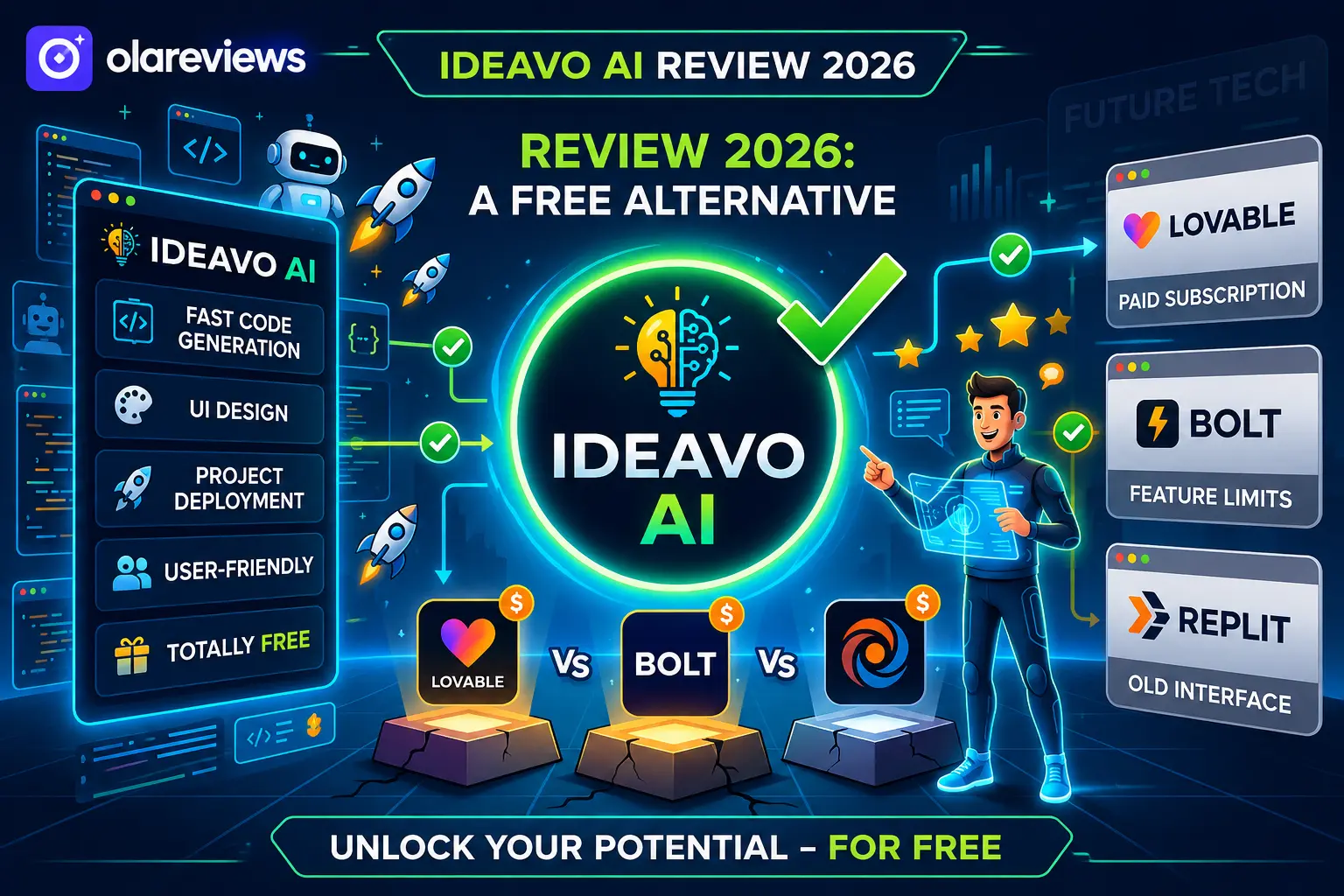
AI coding tools are making software development easier than ever, but many popular platforms come with usage limits or expensive subscriptions. Ideavo AI offers a different approach by giving users access to AI-powered app development with a free plan. Whether you are a beginner, freelancer, student, or startup founder, Ideavo AI helps you create websites and web applications using simple text prompts instead of writing everything from scratch. This Ideavo AI Review 2026 explains its features, pricing, advantages, limitations, and how it compares with Lovable, Bolt, and Replit. If you are searching for a free AI development platform, this review will help you decide whether Ideavo AI is the right choice.
What Is Ideavo AI?
Ideavo AI is an AI-powered development platform that transforms your ideas into working web applications. Users simply describe what they want to build, and the platform generates the required code, interface, and project structure. Unlike traditional development tools that require advanced programming skills, Ideavo AI is designed to make app creation faster and more accessible for everyone.
Who Should Use Ideavo AI?
Beginners learning web development
Freelancers building client projects
Startup founders creating MVPs
Students working on coding assignments
Small businesses developing websites
Key Features of Ideavo AI
AI-Powered App Generation
The main strength of Ideavo AI is its ability to generate applications from simple prompts. Describe your project, and the AI creates the initial version within minutes.
Beginner-Friendly Interface
The dashboard is clean and easy to understand. Even first-time users can create projects without spending hours learning the platform.
Editable Source Code
Unlike some AI builders, Ideavo AI allows users to modify generated code. Both new and experienced developers can use it with ease.
Fast Development
Instead of starting with an empty project, users receive a working foundation that saves valuable development time.
Continuous Improvements
The platform continues adding new AI capabilities and improvements, making it more useful for developers over time.
Ideavo AI Pricing
One of the biggest reasons users consider Ideavo AI is its affordable pricing.
Plan
Price
Best For
Free
$0
Beginners and testing
Paid Plans
Varies
Professionals and teams
The free version gives users an opportunity to experience AI-assisted development before upgrading to premium plans.
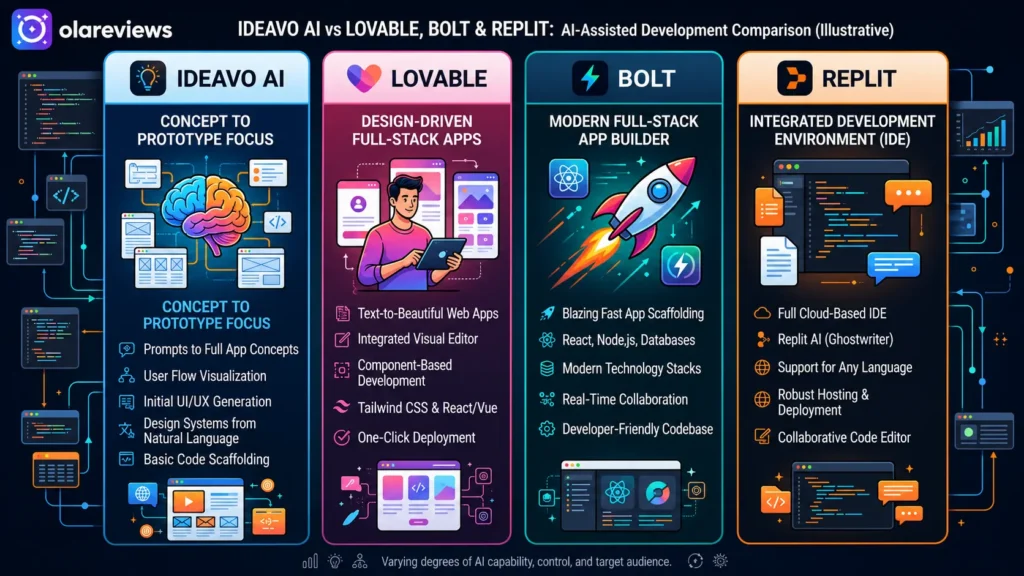
Ideavo AI vs Lovable, Bolt & Replit
Choosing the right AI coding platform depends on your needs. Here’s how Ideavo AI compares with some of the most popular alternatives.
Feature
Ideavo AI
Lovable
Bolt
Replit
Free Plan
Yes
Limited
Limited
Yes
AI App Generation
Yes
Yes
Yes
Yes
Beginner Friendly
Excellent
Good
Good
Good
Manual Code Editing
Yes
Yes
Yes
Yes
Fast Project Creation
Excellent
Good
Good
Good
Best For
AI App Development
UI Projects
Rapid Prototypes
Full Coding Environment
For users who want a simple and free AI development platform, Ideavo AI offers an attractive balance between usability and functionality.
Pros and Cons of Ideavo AI
Pros
Free plan available
Easy to use for beginners
Generates projects quickly
Editable source code
Clean interface
Saves development time
Suitable for freelancers and startups
Cons
Premium features require a paid plan
AI-generated code may need manual refinement
Large applications still require development experience
Is Ideavo AI Worth Using in 2026?
For users looking to create websites, landing pages, and simple web applications without spending money, Ideavo AI is a practical option. Its AI-generated code helps reduce development time, while manual editing allows developers to customize projects further. Although experienced programmers may still prefer traditional coding for enterprise software, Ideavo AI is an excellent solution for prototypes, MVPs, and small business websites.
Ideavo AI Ratings
Based on usability, performance, pricing, and overall experience, Ideavo AI delivers strong value for both beginners and experienced users.
Category
Rating (Out of 5)
Ease of Use
5.0/5
Features
4.5/5
Performance
4.4/5
AI Code Quality
4.3/5
Speed
4.7/5
Value for Money
5.0/5
Beginner Friendliness
5.0/5
Customer Support
4.2/5
Overall Rating
4.7/5
Overall Rating: 4.7/5
Ideavo AI stands out as one of the best free AI coding platforms in 2026. Its beginner-friendly interface, AI-powered project generation, and flexible code editing make it a reliable alternative to Lovable, Bolt, and Replit.
Who Should Choose Ideavo AI?
Ideavo AI is a good choice if you:
Want a free AI coding platform
Need to build projects quickly
Are learning web development
Create MVPs for startups
Build websites for clients
Prefer AI-assisted development over manual coding
Users building large-scale enterprise applications may still require advanced development tools alongside Ideavo AI.
Final Thoughts
After reviewing its features, pricing, usability, and performance, Ideavo AI proves to be one of the best free AI development platforms available in 2026. It simplifies app creation, reduces development time, and helps beginners turn ideas into working projects without a steep learning curve. If you are searching for a free alternative to Lovable, Bolt, and Replit, Ideavo AI is well worth trying. Its combination of AI-powered development, editable code, and beginner-friendly design makes Ideavo AI a smart choice for students, freelancers, startups, and anyone looking to build applications faster.
Frequently Asked Questions
Is Ideavo AI free?
Yes. Ideavo AI offers a free plan that allows users to explore its core features before choosing a paid plan.
Can beginners use Ideavo AI?
Yes. Ideavo AI is designed with beginners in mind. Its simple interface and AI-assisted development make it easy for users with little coding experience.
Is Ideavo AI better than Replit?
Both platforms serve different purposes. Ideavo AI focuses on AI-powered project generation, while Replit is a broader online coding environment suitable for manual programming.
What can I build with Ideavo AI?
You can build landing pages, websites, web applications, MVPs, dashboards, and prototypes using simple text prompts.
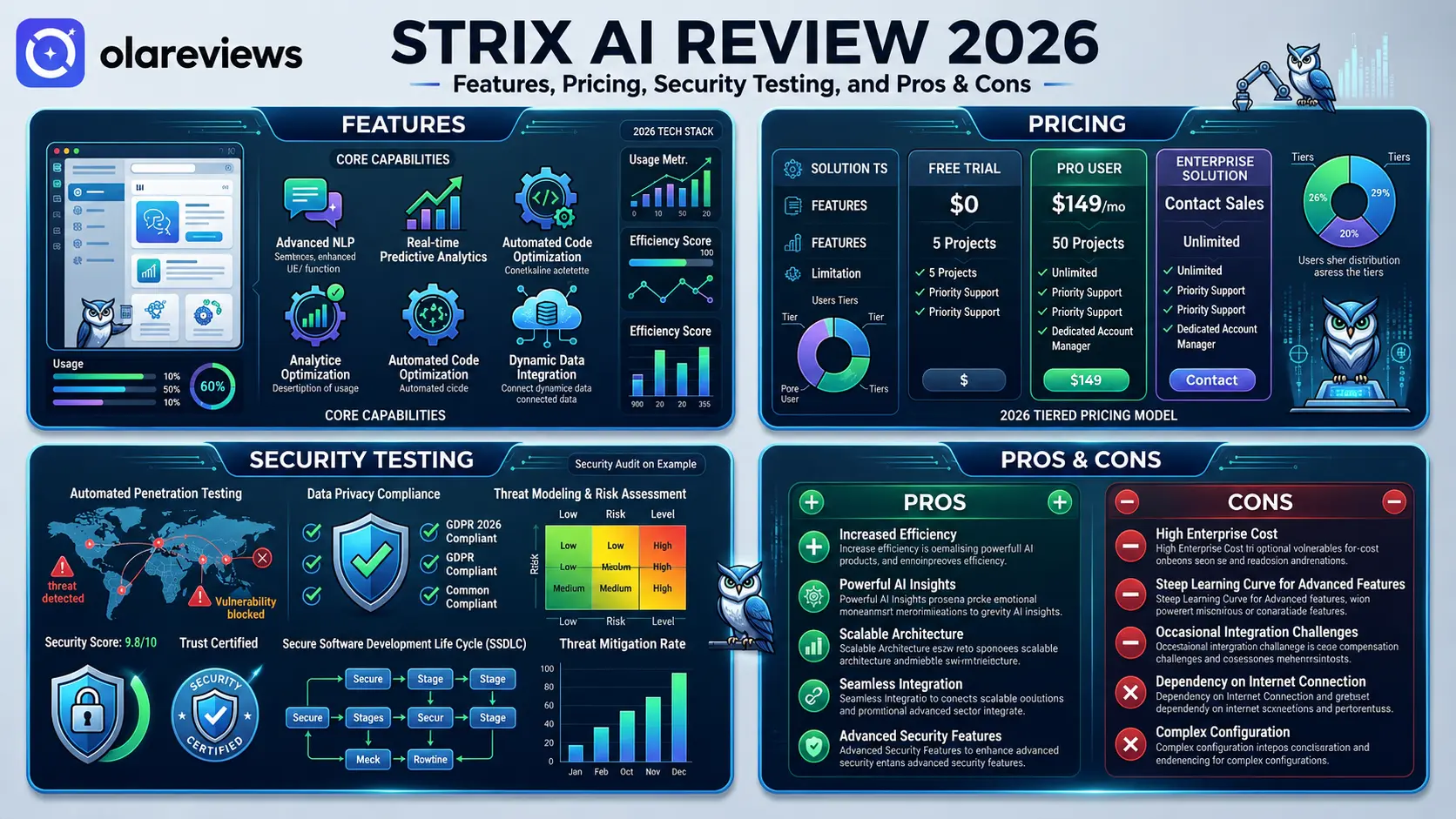
Choosing the right AI platform is becoming more important as more businesses rely on automation for daily work. Strix AI has gained attention for offering AI-powered tools that help teams create content, organize tasks, and improve productivity from one platform. This Strix AI review looks at its main features, pricing, security testing, strengths, and weaknesses to help you decide whether it is the right choice for your needs in 2026.
What Is Strix AI?
Strix AI is an AI platform designed to help individuals, businesses, and marketing teams complete everyday tasks faster. It combines writing assistance, workflow automation, research support, and business tools into one system. The platform focuses on making AI accessible to users without requiring technical knowledge. Whether you need help creating content, managing projects, or improving business operations, Strix AI provides tools that reduce manual work.
Strix AI at a Glance
Feature
Details
Product Name
Strix AI
Category
AI Productivity Platform
Best For
Businesses, marketers, freelancers, writers, and teams
Main Functions
AI writing, research, workflow automation, collaboration
Free Plan
Yes (limited features)
Paid Plans
Yes
Team Support
Available on selected plans
Security
Data encryption, account protection, privacy controls
Strix AI Rating
Category
Rating (Out of 5)
Ease of Use
4.8/5
Features
4.7/5
Content Quality
4.6/5
Workflow Automation
4.7/5
Security & Privacy
4.5/5
Value for Money
4.4/5
Customer Support
4.3/5
Overall Rating
4.6/5
Based on this review, Strix AI scores highly for usability, AI-powered content generation, and workflow management. Its premium plans offer the best experience, while the free version allows new users to explore the platform before upgrading.
Strix AI Features That Stand Out
AI Content Creation
One of the strongest parts of Strix AI is its content generation system. Users can create blog posts, product descriptions, emails, summaries, and marketing copy within minutes. The writing assistant also lets users adjust tone and style for different audiences.
Workflow Automation
Strix AI automates repetitive work, helping businesses save time and reduce manual effort.
Research Assistance
The platform summarizes long documents and presents important information in an easy-to-read format.
Team Collaboration
Shared workspaces allow teams to work together on projects while keeping files organized.
User-Friendly Dashboard
The clean dashboard makes navigation simple, even for first-time users.
Strix AI Features Comparison
Feature
What It Does
Best For
AI Content Creation
Creates blogs, emails, and marketing content
Writers and marketers
Research Assistant
Summarizes documents and gathers key information
Students and professionals
Workflow Automation
Automates repetitive business tasks
Businesses
Team Collaboration
Allows multiple users to work together
Agencies and teams
Content Editing
Improves grammar and readability
Content creators
Dashboard
Easy-to-use interface
Beginners
Strix AI Pricing in 2026
Strix AI offers different subscription options to match different user needs.
Free Plan
The free plan is suitable for beginners who want to test the platform before upgrading.
Paid Plans
Paid subscriptions include higher AI limits, premium tools, collaboration features, and more customization.
Strix AI Pricing Overview
Plan
Suitable For
Main Features
Free
New users
Basic AI tools with limited usage
Individual
Freelancers
Premium writing tools and higher limits
Business
Small and medium businesses
Team collaboration and workflow automation
Enterprise
Large organizations
Custom features, advanced security, dedicated support
Strix AI Security Testing and Privacy
Security is an important factor when selecting any AI platform. Strix AI includes account protection, encrypted data transmission, access controls, and regular security improvements. Before uploading confidential business information, users should carefully review the platform’s privacy policy and data handling practices.
Strix AI Pros and Cons
Pros
Cons
Easy for beginners
Premium features require a paid subscription
Fast AI content generation
AI-generated content should always be reviewed
Helpful workflow automation
Usage limits on lower plans
Supports team collaboration
Some advanced features cost extra
Research and writing tools in one platform
May not fit every budget
Simple and clean interface
Requires an internet connection
Who Should Use Strix AI?
Strix AI is suitable for:
Content writers
Digital marketers
Small business owners
Freelancers
Startup teams
Customer support teams
Students and researchers
Anyone looking for an AI platform that combines writing, research, and workflow automation in one place may find Strix AI a practical solution.
Is Strix AI Worth the Price?
The value of Strix AI depends on how frequently you use AI tools. If you regularly create content, manage business workflows, or conduct research, the paid plans can provide good value. Users with occasional AI needs may find the free plan enough.
Tips Before Choosing Strix AI
Before subscribing, consider the following:
Try the free version first.
Compare pricing with similar AI platforms.
Review the privacy policy.
Check feature limits for your chosen plan.
Confirm team collaboration features if needed.
Estimate your monthly AI usage.
Final Thoughts
Strix AI continues to be a capable AI platform in 2026. It combines content creation, workflow automation, research assistance, and collaboration tools in a simple interface. Although some advanced features require a paid subscription, the platform delivers solid value for both individuals and businesses. If you need an AI solution to improve productivity, Strix AI is worth considering.
Frequently Asked Questions
Is Strix AI free to use?
Yes. Strix AI offers a free plan with limited features. Paid plans provide access to more features and increased usage limits.
Is Strix AI safe?
Strix AI includes security measures such as encrypted connections, account protection, and privacy controls. Users should still review the privacy policy before storing sensitive information.
Who should use Strix AI?
Strix AI is a good choice for content creators, marketers, freelancers, students, and businesses looking to improve their daily workflow.
Does Strix AI replace human work?
No. Strix AI helps speed up tasks, but all AI-generated content should be reviewed for accuracy, quality, and relevance before publishing.
Choosing the right customer support platform can improve customer satisfaction and reduce response times. Zendesk AI vs Intercom AI is a popular comparison because both platforms use artificial intelligence to improve customer service. Zendesk AI is known for ticket management and workflow automation. Intercom AI focuses on live chat, customer messaging, and proactive support. This guide compares both platforms to help you choose the right solution.
Zendesk AI vs Intercom AI Comparison
Feature
Zendesk AI
Intercom AI
Rating (/5)
AI Chatbot
Advanced AI support bot with ticket resolution
Conversational AI assistant for live chat
Zendesk: 4.9/5 • Intercom: 4.8/5
Ticket Management
Excellent ticket organization and automation
Good ticket handling with basic workflows
Zendesk: 5.0/5 • Intercom: 4.4/5
Live Chat
Reliable live chat with AI assistance
Excellent real-time messaging
Zendesk: 4.7/5 • Intercom: 5.0/5
Knowledge Base
AI-powered article suggestions
AI-powered help center
Zendesk: 4.9/5 • Intercom: 4.8/5
Automation
Advanced routing and workflow automation
Smart chat automation
Zendesk: 4.9/5 • Intercom: 4.8/5
Ease of Use
Feature-rich with a moderate learning curve
Clean and beginner-friendly
Zendesk: 4.5/5 • Intercom: 4.9/5
Integrations
Extensive third-party integrations
Strong business integrations
Zendesk: 5.0/5 • Intercom: 4.7/5
Reporting & Analytics
Detailed dashboards and reports
Customer engagement insights
Zendesk: 4.9/5 • Intercom: 4.6/5
Pricing
Flexible plans
Premium pricing
Zendesk: 4.7/5 • Intercom: 4.3/5
Overall Score
Best for structured customer support
Best for customer conversations
Zendesk: 4.9/5 • Intercom: 4.8/5
Quick Verdict: Zendesk AI is the better choice for businesses that manage many support tickets. Intercom AI is ideal for companies that rely on live chat and customer engagement.
Zendesk AI vs Intercom AI: Key Differences
Both platforms use artificial intelligence, but they focus on different areas.
Zendesk AI helps support teams organize tickets, automate workflows, and improve agent productivity. It is designed for businesses that handle a high volume of customer requests.
Intercom AI focuses on customer conversations. It helps businesses answer questions through live chat, automated messaging, and AI-powered assistants.
If customer support is your priority, Zendesk AI has an advantage. If customer engagement matters more, Intercom AI is a strong option.
AI Features
Zendesk AI
Zendesk AI offers tools that help support teams work faster. Its main features include AI reply suggestions, automatic ticket routing, conversation summaries, customer intent detection, and knowledge base recommendations. These tools reduce manual work and improve response times.
Intercom AI
Intercom AI is designed for real-time customer communication. It includes an AI chatbot, automated conversations, personalized replies, smart Help Center suggestions, and conversation routing. These features help businesses answer common questions without involving a support agent.
Ease of Use
Intercom AI has a simple and modern interface. Most users can create chat automation with little training. Zendesk AI offers more customization and advanced settings. It takes longer to learn, but it provides greater flexibility for larger support teams.
Automation
Automation is one of the biggest strengths of both platforms.
Zendesk AI automatically routes tickets, recommends replies, and summarizes conversations. This helps support teams respond to customer issues in less time.
Intercom AI automates customer conversations through live chat. It answers common questions, collects customer information, and transfers complex requests to support agents.
Pricing
Zendesk AI offers flexible pricing plans for businesses of different sizes. Most advanced AI features are included in higher-tier subscriptions.
Intercom AI has premium pricing, and some AI tools are available as paid add-ons. Businesses should compare the total monthly cost before making a decision.
Pros and Cons
Zendesk AI
Pros
Excellent ticket management
Powerful automation
Detailed reporting
Large integration library
Cons
Longer learning curve
Advanced AI features cost extra
Intercom AI
Pros
Easy to use
Excellent live chat
Strong customer messaging
Fast chatbot setup
Cons
Higher pricing
Limited ticket management compared to Zendesk
Which Platform Should You Choose?
Choose Zendesk AI if your business manages many support tickets and needs advanced automation. It is a great option for medium and large support teams. Choose Intercom AI if your business depends on live chat, customer engagement, and proactive messaging. It works especially well for SaaS companies and growing online businesses.
Final Thoughts
Choosing between Zendesk AI vs Intercom AI depends on your business needs. Zendesk AI is the better choice for structured customer support, advanced ticket management, and detailed reporting. Intercom AI is ideal for businesses that want faster customer conversations and stronger engagement through live chat. Both platforms are excellent, but the right solution depends on your support strategy, budget, and customer expectations.
Frequently Asked Questions
Is Zendesk AI better than Intercom AI?
Zendesk AI is better for businesses with large customer support teams. Intercom AI is better for businesses that focus on customer conversations and live chat.
Which platform has the better AI chatbot?
Intercom AI offers a more conversational chatbot, while Zendesk AI focuses on resolving customer support requests efficiently.
Is Intercom AI good for startups?
Yes. Intercom AI is easy to use and works well for startups and SaaS businesses that rely on customer messaging.
Which platform offers better value for money?
Zendesk AI offers better value for businesses with high support volumes. Intercom AI provides excellent value for businesses focused on customer engagement and proactive communication.
Running a successful restaurant means managing customer calls, reservations, online orders, reviews, and marketing every day. Missing even one phone call can result in a lost reservation or takeaway order. Popmenu helps restaurants solve these challenges by combining AI phone answering, restaurant websites, online ordering, customer marketing, and review management into one platform. This Popmenu Review explains how Popmenu works, its features, pricing, advantages, and whether it is the right choice for your business.
Popmenu vs Competitors: Quick Comparison
Before choosing restaurant software, it helps to compare the available options. The table below highlights how Popmenu compares with other popular restaurant platforms.
Platform
Best For
AI Phone Answering
Online Ordering
Website Builder
Marketing Tools
Pricing
Rating
Popmenu
All-in-one restaurant management
Yes
Yes
Yes
Email, SMS & Reviews
Custom Quote
4.8/5
Owner.com
Restaurant websites & ordering
No
Yes
Yes
Email & SMS
Custom Quote
4.7/5
Toast
Restaurant POS & operations
Limited
Yes
Limited
Basic Marketing
Custom Quote
4.6/5
ChowNow
Direct online ordering
No
Yes
Basic
Limited
Custom Quote
4.5/5
SpotOn Restaurant
POS & customer engagement
Limited
Yes
Basic
Email Marketing
Custom Quote
4.5/5
Compared with these alternatives, Popmenu offers one of the most complete restaurant management solutions. Instead of paying for several separate services, restaurants can manage customer communication, marketing, online ordering, and websites from a single platform.
What Is Popmenu?
Popmenu is a restaurant technology platform built to help restaurants improve customer service and increase direct sales. It combines AI-powered phone answering with marketing tools, online ordering, restaurant websites, reservation support, and review management. Instead of switching between multiple software products, restaurant owners can use Popmenu to manage daily customer interactions from one dashboard. This saves time and creates a better experience for both staff and guests.
How Popmenu AI Phone Answering Works
One of the biggest reasons restaurants choose Popmenu is its AI phone answering feature.
Answers Calls 24/7
Customers often call before opening hours or after closing time. Popmenu answers these calls automatically and provides helpful information whenever customers need it.
Responds to Common Questions
The AI assistant can answer questions about:
Business hours
Menu items
Restaurant location
Reservations
Delivery services
Holiday schedules
This allows restaurant employees to spend more time serving guests instead of answering repetitive phone calls.
Helps Reduce Missed Reservations
Busy restaurants often miss incoming calls during lunch and dinner service. Popmenu helps reduce missed reservations by responding immediately and guiding customers through common requests.
Popmenu Restaurant Marketing Features
Beyond AI phone answering, Popmenu includes marketing tools that help restaurants attract new guests and encourage repeat visits.
Email and SMS Campaigns
Restaurants can create targeted email and text message campaigns for seasonal promotions, special events, discounts, and birthday rewards.
Guest Database
Every interaction helps restaurants build a customer database. Popmenu stores guest information that can be used to create personalized marketing campaigns.
Review Management
Online reviews influence where people choose to eat. Popmenu helps restaurants collect customer feedback and manage reviews from one place, making it easier to maintain a positive online reputation.
Popmenu Website and Online Ordering
A restaurant website should make ordering and booking simple. Popmenu includes website and online ordering tools designed specifically for restaurants.
Mobile-Friendly Websites
Most restaurant searches happen on smartphones. Popmenu websites are optimized for mobile devices, making menus easy to browse and reservations simple to complete.
Direct Online Ordering
Instead of relying completely on third-party delivery apps, restaurants can accept direct online orders through Popmenu, helping reduce commission costs.
Easy Menu Updates
Restaurant owners can quickly update menu items, prices, seasonal dishes, and daily specials without needing web development experience.
Benefits of Using Popmenu
Restaurants choose Popmenu because it simplifies many daily tasks.
AI answers customer calls around the clock.
Staff spend less time answering repetitive questions.
Direct online ordering increases restaurant revenue.
Marketing campaigns encourage repeat customers.
Customer reviews become easier to manage.
Restaurant websites stay updated with minimal effort.
Guest information supports personalized promotions.
Popmenu Pricing
Popmenu uses custom pricing based on restaurant size and selected features. Restaurants receive a personalized quote after discussing their business requirements with the sales team. This allows businesses to pay only for the features they need rather than choosing a fixed package.
Popmenu Pros and Cons
Pros
Complete restaurant management platform
AI phone answering available 24/7
Professional restaurant websites
Direct online ordering
Built-in email and SMS marketing
Review management tools
Easy menu updates
Cons
Pricing is not publicly available
Some advanced features may increase costs
Designed specifically for restaurants
Is Popmenu Worth It?
For restaurants that receive frequent customer calls, Popmenu can save valuable staff time while improving customer service. Instead of missing reservations or interrupting employees during busy hours, the AI assistant handles common conversations automatically. Restaurants looking for one platform that combines AI phone answering, online ordering, websites, marketing, and review management will likely find Popmenu a worthwhile investment. Businesses should request a custom quote to determine whether the platform fits their budget.
Final Thoughts
This Popmenu Review shows why Popmenu has become a popular solution for modern restaurants. It combines AI phone answering, restaurant websites, online ordering, customer marketing, and review management into one easy-to-use platform. Although pricing requires a custom quote, the features can help restaurants reduce missed calls, improve customer communication, increase direct orders, and simplify daily operations. If you want a single platform to manage restaurant marketing and guest interactions, Popmenu is well worth considering.
Frequently Asked Questions
Does Popmenu only work for restaurants?
Yes. Popmenu is built specifically for restaurants, cafés, bars, food trucks, and similar hospitality businesses.
Can Popmenu answer customer phone calls automatically?
Yes. The AI phone assistant answers calls, shares restaurant information, and responds to common customer questions throughout the day.
Does Popmenu support direct online ordering?
Yes. Restaurants can accept online orders directly through Popmenu, helping reduce dependence on third-party delivery services.
Is Popmenu suitable for small restaurants?
Yes. Small restaurants can benefit from Popmenu, especially if they receive many phone calls or want to combine marketing, websites, and ordering into one platform.