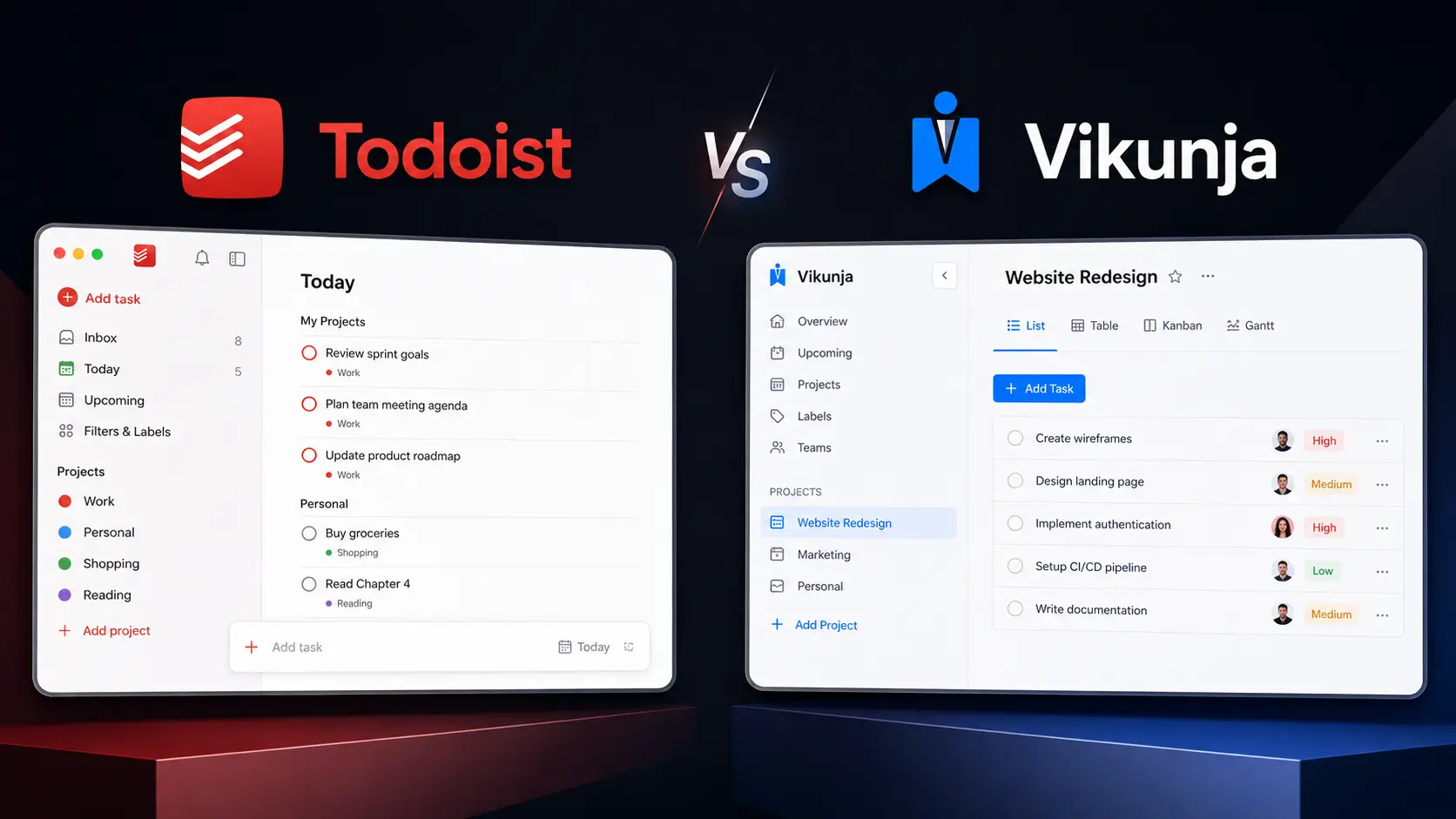
Managing tasks sounds easy until your list contains client deadlines, personal errands, recurring work, team requests, and unfinished ideas from several projects. The right Task Management Tools can turn that clutter into a system you can actually follow. Instead of keeping everything in your head or scattered across notes, you can organize tasks, set priorities, track deadlines, and see what needs attention next.
Two very different options in 2026 are Todoist and Vikunja. Todoist focuses on a polished, low-maintenance productivity experience, while Vikunja takes an open-source approach with self-hosting and flexible project views. This guide compares both tools across task organization, planning, collaboration, flexibility, and pricing so you can choose the better fit for your workflow.
Editorial disclosure: This article is based on practical workflow evaluation and current official product information. Pricing and features may change over time.
How We Evaluate Task Management Tools
We evaluated two task-management platforms using their current 2026 features and pricing, focusing on workflows you are most likely to use during a normal workweek.
The evaluation included:
- Task capture: How quickly can you create and organize a new task?
- Organization: Projects, labels, filters, priorities, and subtasks.
- Planning: Due dates, recurring tasks, reminders, and project views.
- Collaboration: Assignments, shared projects, permissions, and team workflows.
- Flexibility: Integrations, customization, and self-hosting.
- Value: What you actually receive at free and paid levels.
The goal is practical rather than theoretical. Whether you are a freelancer, developer, individual user, or small team, your task management software should reduce daily friction rather than create another system you have to maintain.
Task Management Tools: Todoist vs Vikunja at a Glance
| Tool Name | Best For | Starting Price |
| Todoist | Personal productivity and team task management | Free |
| Vikunja | Open-source task management and self-hosting | Free self-hosted |
Best Task Management Tool for Everyday Productivity: Todoist
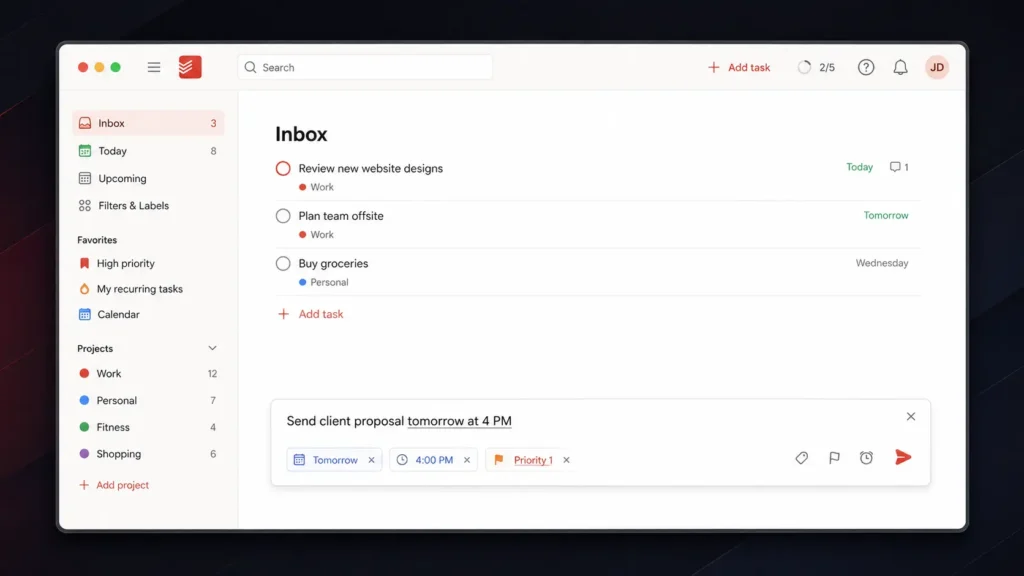
Todoist is a strong choice when you want to organize work quickly without spending time configuring technical infrastructure. Its biggest advantage is task capture. You can open Quick Add and enter a task using natural language. For example, typing “Send client proposal tomorrow at 4 PM” allows Todoist to interpret the date and time while you create the task. You can also enter priority shortcuts such as p1, p2, or p3 directly into the task field.
That small workflow difference matters when you are working quickly. Instead of creating a task first and then opening several menus for the date and priority, you can put much of the information into one entry. Todoist’s free Beginner plan includes 5 personal projects, task reminders, Smart Quick Add, list and board layouts, and 3 filter views. Pro expands the allowance to 300 personal projects and adds features including calendar layout, task duration, custom reminders, 150 filter views, reporting history, and Task Assist.
For teams, Business provides a shared workspace, team projects, roles and permissions, shared templates, team folders, and centralized billing. Todoist works particularly well if you want your productivity tools to stay simple enough for everyday use while still providing advanced organization when your task list grows.
Pros
- Fast natural-language task creation.
- Strong balance between personal and team productivity.
Cons
- The free plan is limited to five personal projects.
- Advanced planning and collaboration features require paid plans.
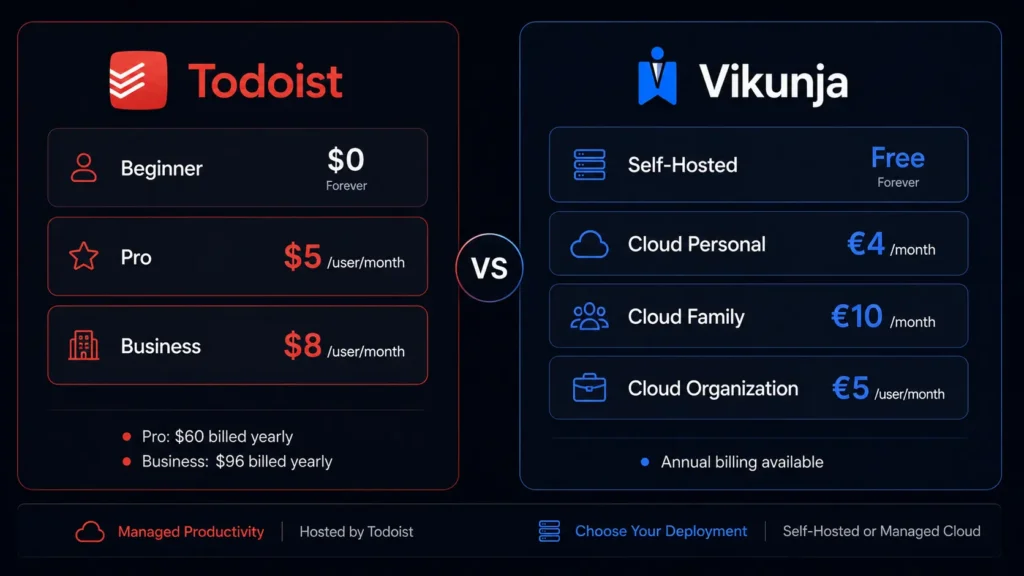
Pricing: Beginner is $0. Pro is $5/user/month when billed yearly ($60/year). Business is $8/user/month when billed yearly ($96/year), plus applicable local tax. See the latest plans on the Todoist Pricing page.
Best Task Management Tool for Open-Source Users: Vikunja
Vikunja takes a different approach. It is an open-source task-management platform that you can self-host for free, giving you much greater control over your installation and data. One of its most useful features is Quick Add Magic. You can enter task information directly into a single line. A command such as Order packing supplies *logistics !3 tomorrow at 5pm can identify the task, apply the logistics label, set its priority, and add the due date.
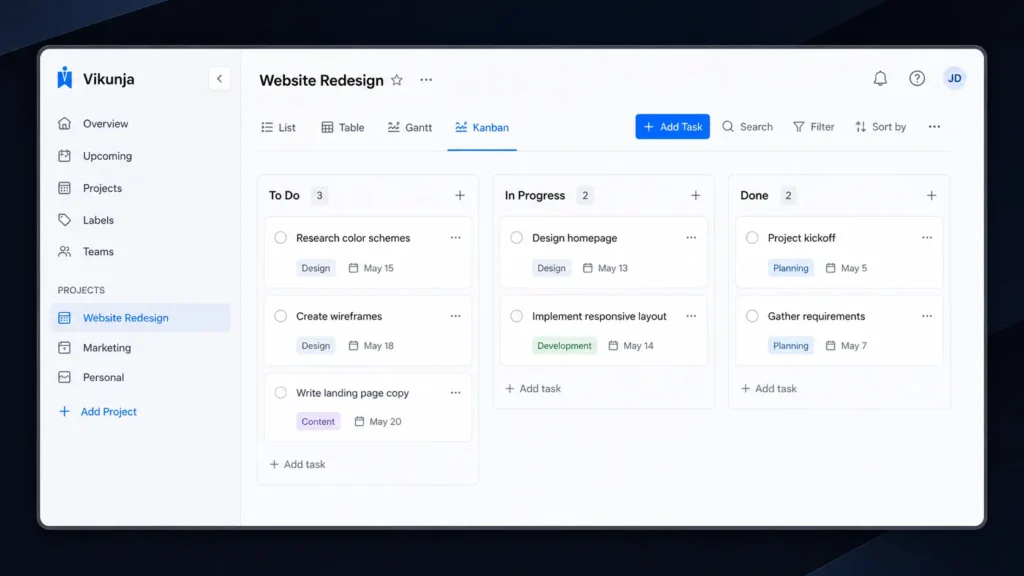
Vikunja also gives you several ways to view the same project. You can switch between List, Table, Kanban, and Gantt views depending on the type of work you are managing. That flexibility is useful for technical projects. A simple list may be enough for personal errands, while Kanban can help you manage development stages and Gantt can give you a timeline for a larger project.
Vikunja also supports project nesting, task relationships, recurring tasks, reminders, labels, filters, and team collaboration. Its main attraction is the self-hosted model. You can run the software on your own infrastructure instead of relying entirely on a third-party hosted service. The downside is that you become responsible for server maintenance, updates, backups, and security. For developers and technically confident teams looking for open-source task management, that trade-off may be worthwhile.
Pros
- Free self-hosted version.
- Multiple project views, including Kanban and Gantt.
Cons
- Self-hosting requires technical maintenance.
- Cloud hosting requires a paid subscription.
Pricing: Self-hosted Vikunja is free. Cloud Personal costs €4/month or €40/year. Family costs €10/month or €99/year for up to five users. Organization costs €5/user/month or €50/user/year. Cloud plans include a 14-day free trial. Check the latest plans on the Vikunja Pricing page.
Todoist vs Vikunja: Feature Comparison
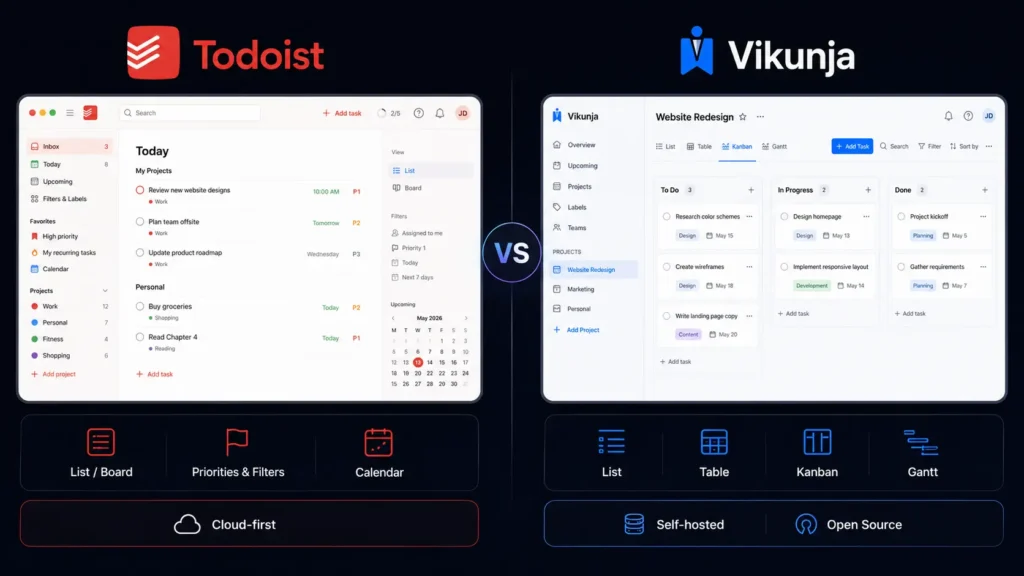
The biggest differences become easier to understand when you compare the platforms side by side.
| Feature | Todoist | Vikunja |
| Free option | Yes | Yes, self-hosted |
| Self-hosting | No | Yes |
| List view | Yes | Yes |
| Board/Kanban view | Yes | Yes |
| Calendar view | Yes | — |
| Gantt view | — | Yes |
| Table view | — | Yes |
| Recurring tasks | Yes | Yes |
| Priorities | Yes | Yes |
| Labels | Yes | Yes |
| Filters | Yes | Yes |
| Subtasks | Yes | Yes |
| Team collaboration | Yes | Yes |
| Project hierarchy | Yes | Yes |
| CalDAV | Via integrations | Built in |
| Open source | No | Yes |
| Todoist import | — | Yes |
Vikunja’s different project views are one of its strongest differences. You can use List when you want a straightforward checklist, Table when you need to compare task information, Kanban when work moves through stages, and Gantt when dates and dependencies matter. Another useful feature is migration support. Vikunja supports importing tasks from Todoist, Trello, and Microsoft To-Do, which makes it easier to move an existing workflow rather than rebuilding everything manually.
Which Tool Is Better for Teams?
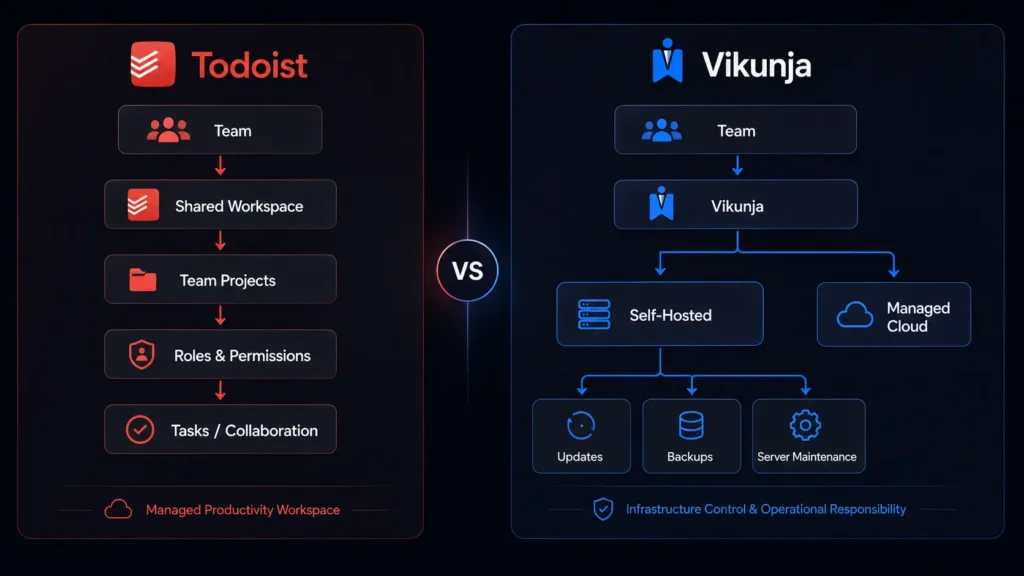
Todoist is generally easier for teams that want to start quickly. Its Business plan provides a shared workspace, team projects, project folders, roles and permissions, shared templates, activity information, and centralized billing. You do not need someone on the team to understand server administration. Users can simply sign in and start working.
Vikunja is more interesting for organizations that already have technical infrastructure. Self-hosting gives you control over where the application runs and how the environment is managed. That difference is important. A development team with someone comfortable managing Docker containers and servers may appreciate Vikunja’s flexibility. A marketing team that simply wants to assign tasks and track deadlines may prefer Todoist.
If you work in software development, you can also explore our Cursor vs Void comparison for another look at developer-focused productivity software.
Task Capture: Todoist vs Vikunja
Both platforms make quick task creation a priority, but their approaches feel slightly different. Todoist is built around a clean natural-language experience. You can write a normal sentence and let the application identify dates and task details. This makes it particularly comfortable when you are capturing ideas throughout the day. Vikunja’s Quick Add Magic gives you more explicit control through its syntax. You can specify labels, priorities, dates, recurring schedules, projects, and other information directly.
Final Verdict: Which Task Management Tools Should You Choose?
Choose Todoist if you want a polished, easy-to-maintain system for personal tasks, freelance work, client projects, and team collaboration. Its quick task entry and filtering make everyday planning straightforward. Choose Vikunja if you value self-hosting, flexibility, and open-source software. Its different project views make it particularly useful for technical workflows and structured projects. Both options give you a low-risk way to test a new workflow, so start with the free option that matches your priorities. After a week of real use, the better choice should become obvious. Which Task Management Tools will fit the way you actually work in 2026?
FAQ
Which is better for personal productivity, Todoist or Vikunja?
For most individual users, Todoist is the easier starting point. You can create tasks quickly, organize them into projects, add priorities and labels, and create filtered views without managing a server. Vikunja becomes more attractive if you want to control your own installation or prefer open-source software.
Is Vikunja really free?
Yes. The self-hosted version is free and includes its core task-management functionality. You are responsible for the infrastructure, however, including updates, backups, and server maintenance. If you do not want to manage those technical details, Vikunja Cloud provides hosted plans starting at €4 per month.
Which Task Management Tools are best for developers?
Developers may prefer Vikunja when self-hosting, open-source software, flexible project views, and infrastructure control are important. Todoist makes more sense when you want to spend less time configuring software and more time completing tasks. Its simpler workflow can also be useful when your development work is mixed with meetings, personal reminders, and client communication.
Leave a Reply