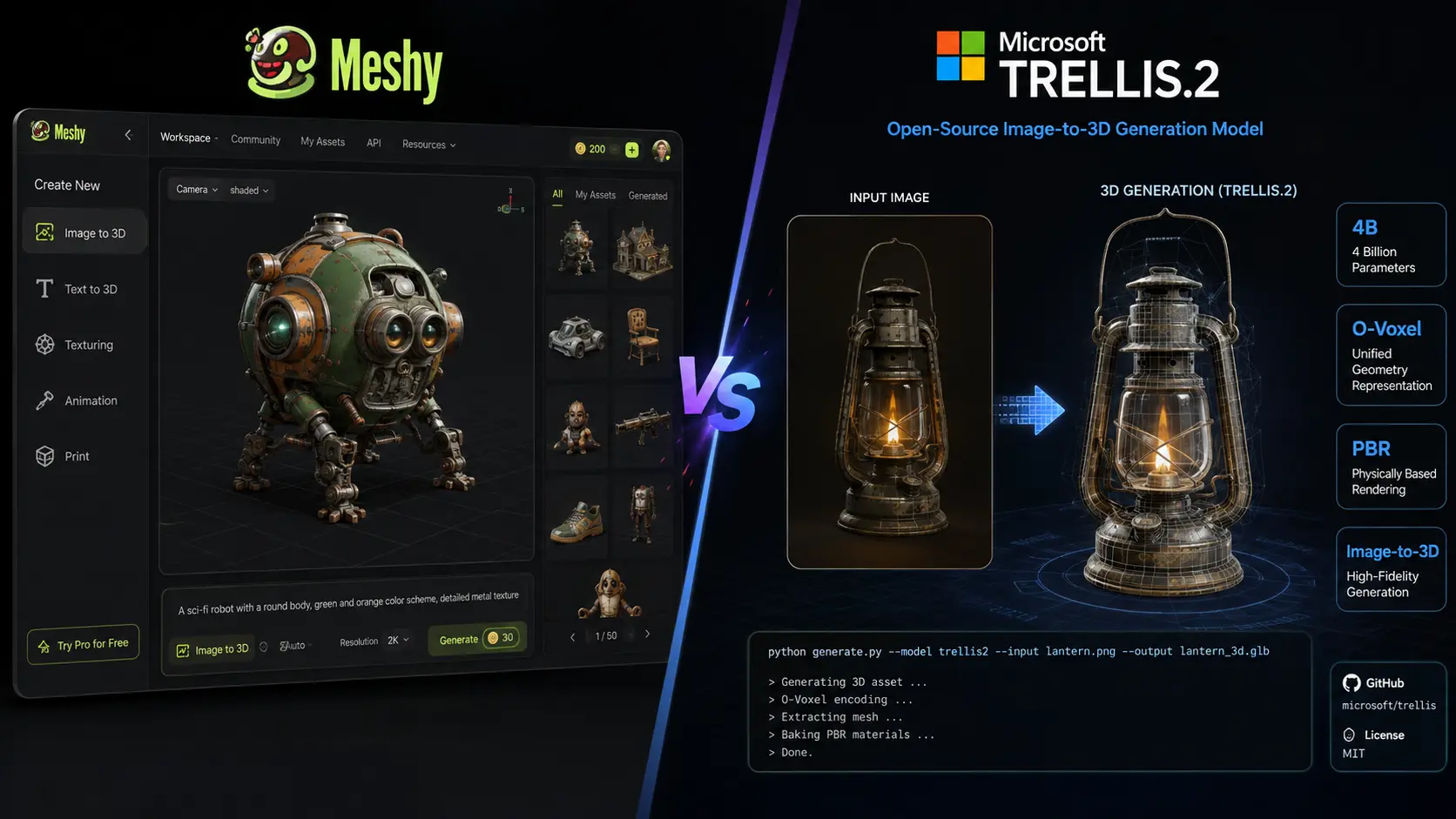
AI 3D generation is becoming useful for game development, product design, animation, 3D printing, and creative projects. Meshy vs Microsoft TRELLIS.2 is an important comparison because both tools can create detailed 3D assets, but they are built for different users. Meshy is a complete online 3D creation platform with tools for generation, texturing, rigging, animation, and exporting. Microsoft TRELLIS.2 is an open-source model focused on high-quality image-to-3D generation. The right choice depends on whether you want an easy platform or more control over the underlying AI model.
Meshy vs Microsoft TRELLIS.2: Key Differences
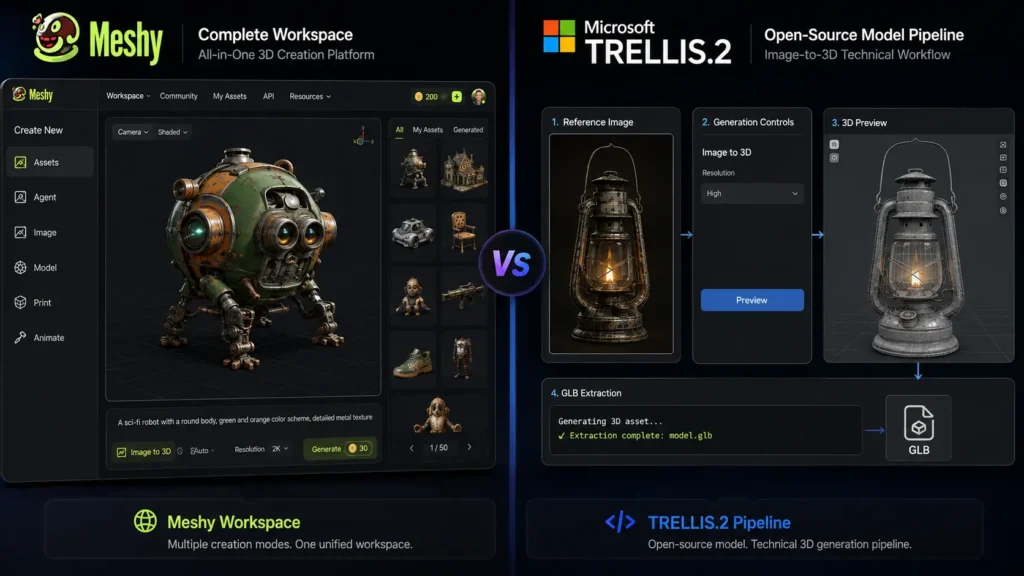
The biggest difference in Meshy vs Microsoft TRELLIS.2 is their overall purpose.
Meshy gives creators a complete workflow. Users can generate models from text or images, apply textures, create animations, rig characters, and export assets in several formats. This makes it useful for people who want to move from an idea to a finished 3D asset without managing a complex technical setup.
TRELLIS.2 takes a more developer-focused approach. Microsoft Research developed the model for high-quality image-to-3D generation, with support for detailed geometry and materials. The project is open source and can be adapted for custom workflows.
Meshy vs Microsoft TRELLIS.2: Comparison Table
| Feature | Meshy | Microsoft TRELLIS.2 |
| Type | Complete AI 3D platform | Open-source 3D generation model |
| Text to 3D | Yes | No, mainly image-to-3D |
| Image to 3D | Yes | Yes |
| AI texturing | Yes | Yes |
| 3D model quality | Excellent | Excellent for supported workflows |
| Complex geometry | Very good | Excellent |
| PBR materials | Yes | Yes |
| Rigging | Yes | No built-in workflow |
| Animation | Yes | No built-in animation tools |
| 3D printing tools | Yes | No dedicated workflow |
| Browser-based | Yes | No |
| Open source | No | Yes |
| Local GPU required | No | Yes for local use |
| Beginner friendly | Excellent | Moderate |
| Developer control | Good | Excellent |
| Best for | Creators, games, animation, printing | Developers, researchers, custom workflows |
Meshy supports text-to-3D, image-to-3D, AI texturing, rigging, animation, and several export formats. TRELLIS.2 focuses more specifically on generating high-quality 3D assets from images.
Meshy vs Microsoft TRELLIS.2: Pricing Compared
Pricing is another major factor in the Meshy vs Microsoft TRELLIS.2 decision. The two tools use very different pricing models.
| Plan / Option | Price | Best For |
| Meshy Free | $0/month | Testing and occasional use |
| Meshy Pro | $20/month | Individual creators |
| Meshy Premium | $40/month | Frequent 3D generation |
| Meshy Ultra | $100/month | Heavy professional use |
| Meshy Studio | From $70/month | Small teams |
| Meshy Enterprise | Custom pricing | Larger organizations |
| Microsoft TRELLIS.2 | $0 model/software cost | Developers and researchers |
| TRELLIS.2 local hardware | Varies | Users running the model themselves |
Meshy offers a free plan with limited monthly credits, while its paid plans provide more credits and higher usage limits. Current listed individual plans include Pro at $20 per month, Premium at $40, and Ultra at $100.
TRELLIS.2 does not work like a conventional subscription service. Microsoft released the project under the MIT license, so there is no monthly fee for the model itself. However, users running it locally need suitable computer hardware. The official repository states that local use requires an NVIDIA GPU with at least 24GB of memory.
For users without a powerful computer, Meshy’s subscription can be more convenient because the generation happens through its online platform.
Meshy vs Microsoft TRELLIS.2: 3D Model Quality
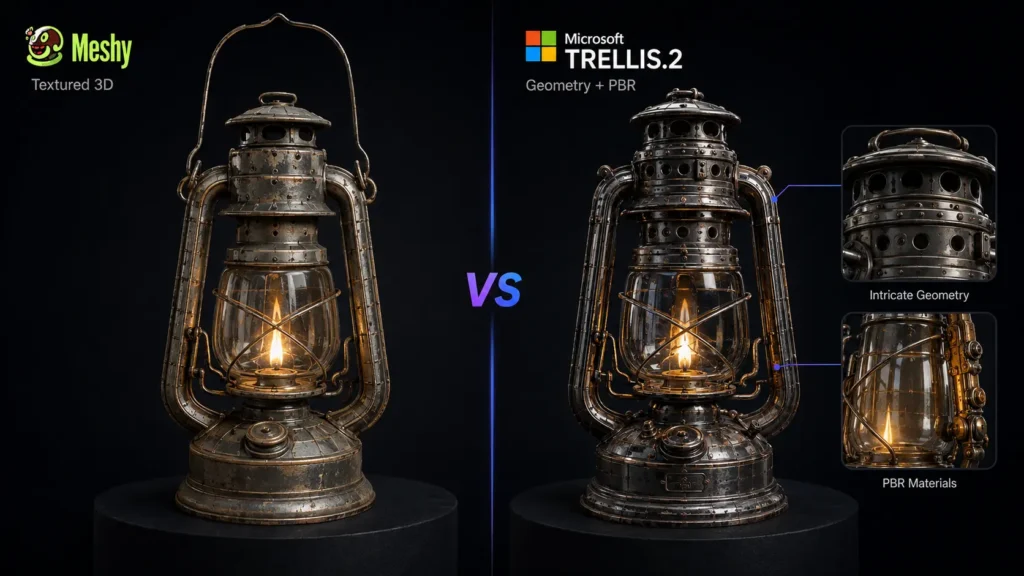
When comparing Meshy vs Microsoft TRELLIS.2 for quality, both can produce impressive results, but their strengths are different.
Meshy is designed to create usable 3D assets for a wide range of projects. Its image-to-3D and text-to-3D tools can generate models with textures, while additional tools help users prepare those models for animation, games, and other uses.
TRELLIS.2 focuses more heavily on detailed image-to-3D generation. Microsoft describes the model as a 4-billion-parameter system capable of generating high-fidelity assets with detailed geometry and physically based materials. It supports generation at resolutions up to 1536³.
If raw generation detail is your main concern and you have the hardware to run the model, TRELLIS.2 is a strong option. If you need a complete workflow around the generated model, Meshy is more practical.
Meshy vs Microsoft TRELLIS.2: Ease of Use
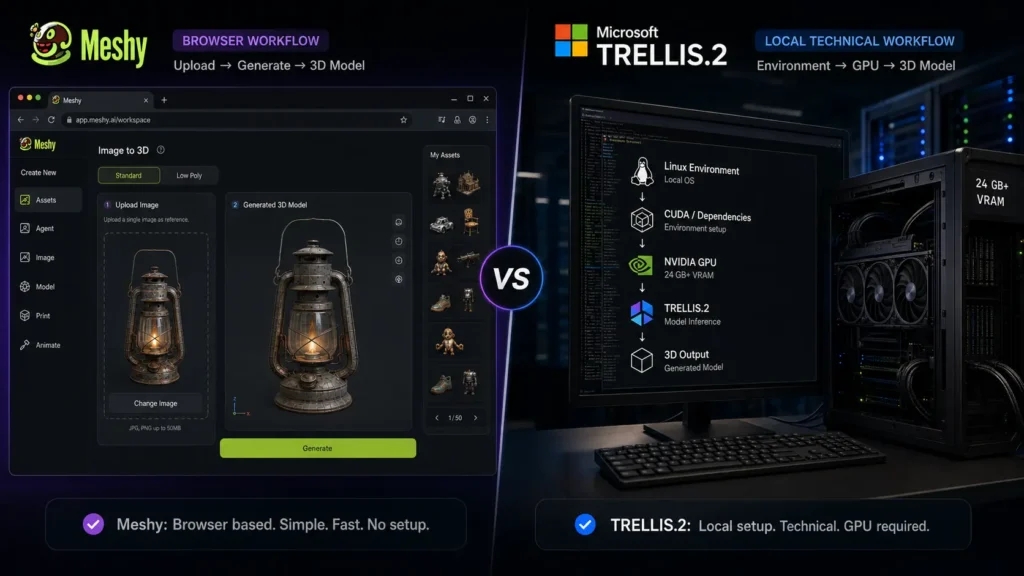
Ease of use is one area where Meshy vs Microsoft TRELLIS.2 has a clear difference.
Meshy works through a browser. You do not need to install the model, configure a local AI environment, or purchase a high-end graphics card. You can upload an image or enter a prompt, generate a model, make adjustments, add textures, and export the result.
TRELLIS.2 requires more technical knowledge. Local installation involves setting up the required software and hardware. The official project is primarily intended for users who are comfortable working with AI models and development environments.
For beginners, designers, and content creators, Meshy is the easier option. Developers and researchers may prefer TRELLIS.2 because of its open-source nature and greater control.
Meshy vs Microsoft TRELLIS.2: Best for Game Development
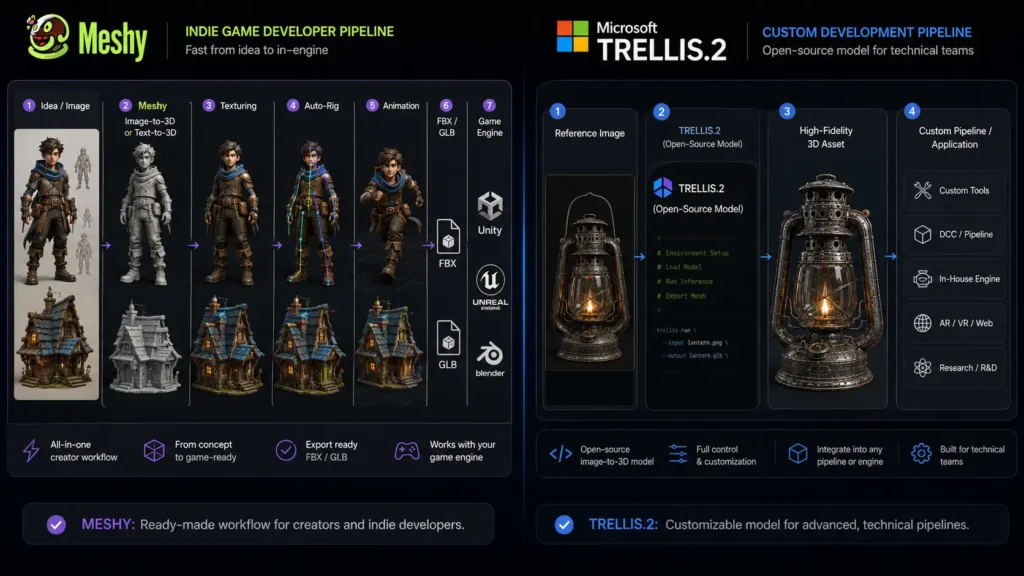
For game development, Meshy vs Microsoft TRELLIS.2 depends on the type of developer.
Meshy is useful for independent developers who need finished assets quickly. Its tools for texturing, rigging, animation, and topology can reduce the number of separate applications needed in the workflow.
TRELLIS.2 is more suitable for developers who want to build their own generation system. Its open-source code allows technical users to experiment with the model and integrate it into custom projects.
For an individual game developer, Meshy is generally the more convenient choice. For a technical team building its own AI pipeline, TRELLIS.2 offers more flexibility.
Meshy vs Microsoft TRELLIS.2: Best for 3D Printing
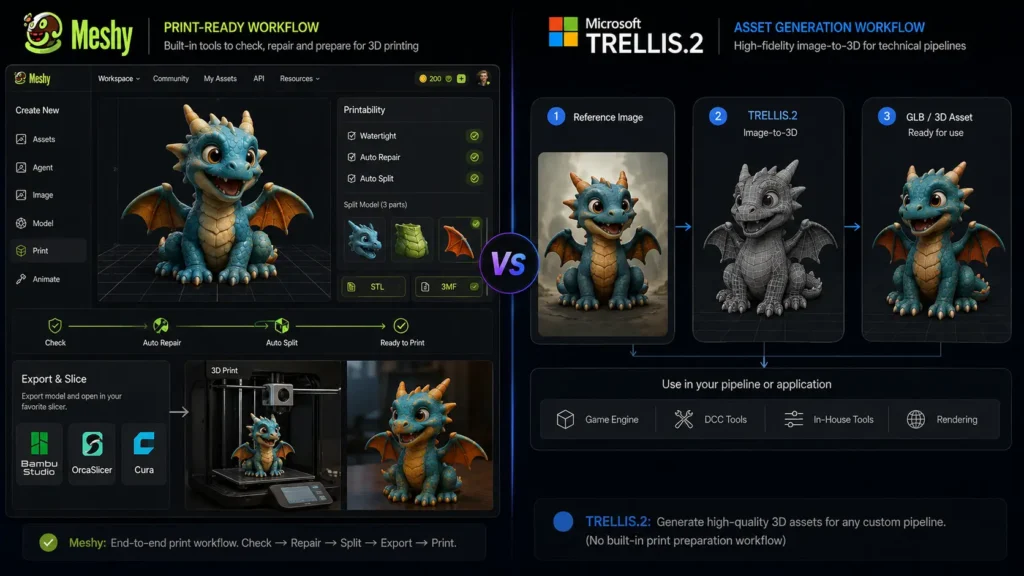
Meshy has an advantage for 3D printing because it provides tools designed to help prepare models for printing. It also supports formats such as STL and 3MF, which are commonly used in 3D printing workflows.
TRELLIS.2 can generate high-quality 3D assets, but it does not provide the same complete printing workflow. Users may need additional software to check, repair, and prepare models before sending them to a printer.
Therefore, Meshy vs Microsoft TRELLIS.2 favors Meshy for beginners and hobbyists who want to create printable models with fewer extra steps.
Meshy vs Microsoft TRELLIS.2: Which One Should You Choose?
Choose Meshy if you want:
- A browser-based 3D generation platform
- Text-to-3D and image-to-3D tools
- AI texturing
- Character rigging
- Animation tools
- 3D printing support
- Multiple export formats
- A simple workflow without local GPU setup
Choose TRELLIS.2 if you want:
- An open-source 3D model
- High-quality image-to-3D generation
- Detailed geometry
- More control over the generation process
- A model that can be integrated into custom applications
- A platform for research and development
Final Verdict: Meshy vs Microsoft TRELLIS.2
The Meshy vs Microsoft TRELLIS.2 comparison comes down to convenience versus technical control. Meshy is the better choice for creators who want a complete 3D workflow. Its generation, texturing, rigging, animation, and printing features make it useful for games, creative projects, and 3D printing. Microsoft TRELLIS.2 is the stronger choice for developers and researchers who want an open-source model focused on high-quality image-to-3D generation. Its detailed geometry capabilities and local deployment options give technical users more freedom. For most beginners and creators, Meshy is the easier overall choice. For developers who have the required hardware and want to experiment with an open 3D generation model, TRELLIS.2 is the more flexible option.
FAQs About Meshy vs Microsoft TRELLIS.2
Is Meshy better than Microsoft TRELLIS.2?
Meshy is better for users who want an easy, complete 3D creation workflow. TRELLIS.2 is better for developers and researchers who want an open-source model with more technical control.
Is Microsoft TRELLIS.2 free?
The TRELLIS.2 model and source code are available under the MIT license, so there is no monthly subscription fee for the model itself. Running it locally still requires suitable hardware, including an NVIDIA GPU with at least 24GB of memory.
How much does Meshy cost?
Meshy has a free plan. Its current paid individual plans include Pro at $20 per month, Premium at $40 per month, and Ultra at $100 per month. Studio and Enterprise options are also available for teams and businesses.
Which is better for beginners, Meshy or TRELLIS.2?
Meshy is the better option for beginners because it works through a browser and does not require users to install or manage a local AI model. TRELLIS.2 is better suited to users with technical experience and suitable computer hardware.
Leave a Reply