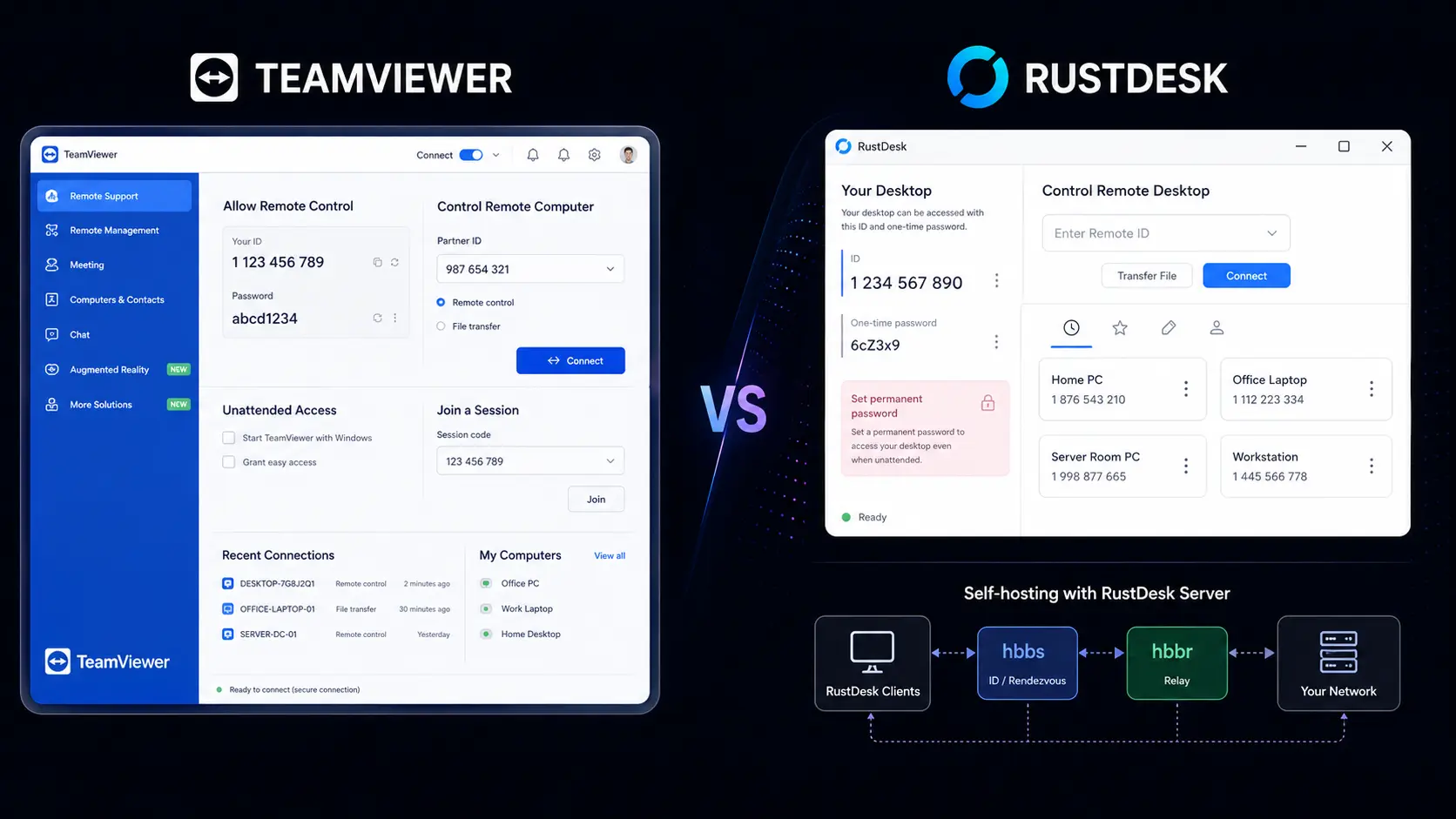
Remote desktop software helps users access computers, provide support, transfer files, and manage devices from another location. But choosing the right platform can be difficult when cost, security, features, and control all matter. In TeamViewer vs RustDesk, the two platforms take different approaches. TeamViewer offers a mature managed service, while RustDesk focuses on open-source software and self-hosting. For personal users, IT professionals, and small businesses, the better choice depends on whether convenience or control is more important.
TeamViewer vs RustDesk: What Is the Difference?
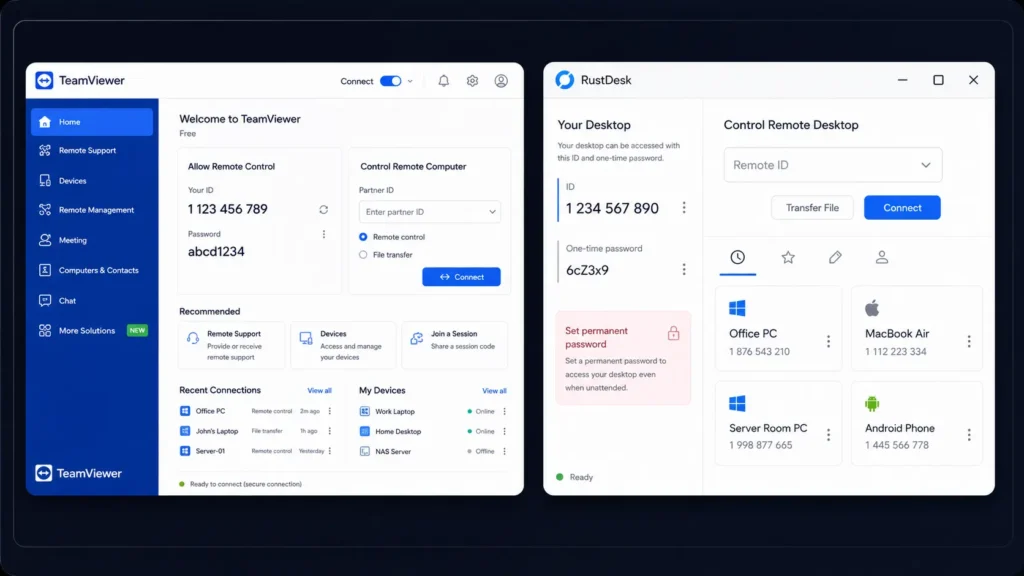
TeamViewer vs RustDesk is mainly a comparison between a commercial remote access platform and an open-source alternative.
TeamViewer provides remote access, remote support, unattended access, file transfers, multi-monitor support, remote printing, device management, and business administration tools. Its managed approach means users do not have to maintain their own remote access server.
RustDesk provides many of the core remote desktop functions users expect, including remote control, file transfer, multiple operating system support, and unattended access. Its major difference is the ability to self-host the server, giving organizations more control over their remote access infrastructure.
TeamViewer vs RustDesk Features Comparison
| Feature | TeamViewer | RustDesk |
| Remote desktop | Yes | Yes |
| Remote support | Yes | Yes |
| Unattended access | Yes | Yes |
| File transfer | Yes | Yes |
| Multi-monitor support | Yes | Yes |
| Remote printing | Yes | Yes |
| Session recording | Yes, plan dependent | Available |
| Windows support | Yes | Yes |
| macOS support | Yes | Yes |
| Linux support | Yes | Yes |
| Android and iOS | Yes | Yes |
| Web access | Yes | Available |
| Self-hosting | Not its main model | Yes |
| Open-source client | No | Yes |
| Two-factor authentication | Yes | Available with Pro |
| Device management | Advanced | Available with Pro |
| User management | Advanced | Available with Pro |
| Central administration | Yes | Available with Pro |
| Custom client | Selected plans | Available with Pro |
| Free option | Personal use | Free open-source self-hosting |
TeamViewer has the advantage in advanced business management. It is designed for companies that need centralized controls, reporting, device management, and a managed remote support environment.
RustDesk focuses more on giving users control over their setup. Its open-source model and self-hosting option can be useful for organizations that prefer to manage their own infrastructure.
TeamViewer vs RustDesk: Ease of Use
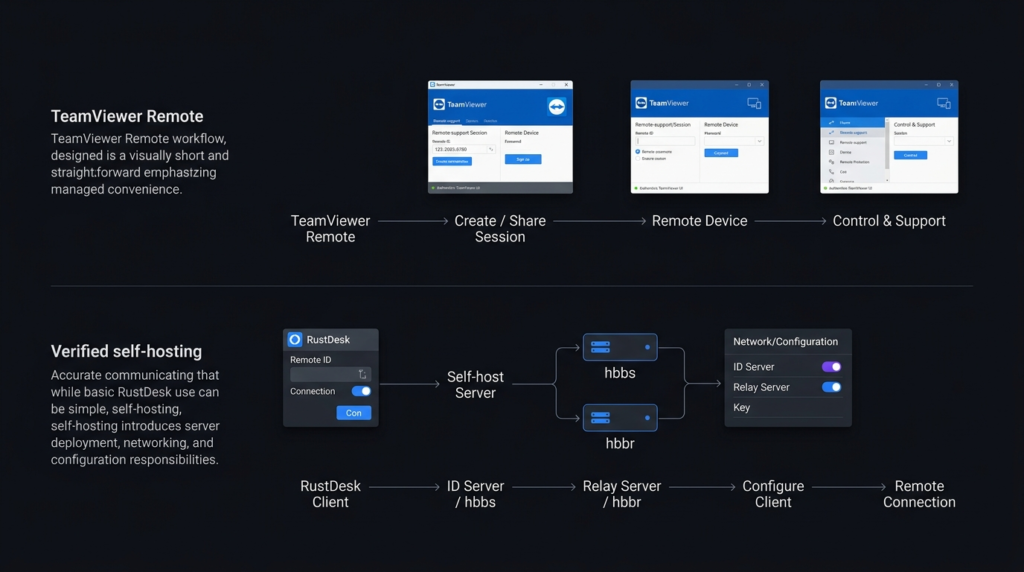
Ease of use is another important part of TeamViewer vs RustDesk. TeamViewer is designed for users who want to install the software and start a remote session without dealing with server administration. Its interface and business tools are built around a managed experience. RustDesk is also relatively simple for normal remote connections. However, self-hosting requires additional work. Users may need to configure a server, network settings, security rules, and updates. For a beginner who wants the least amount of setup, TeamViewer is usually the easier option. For an experienced user who wants more control, RustDesk can be worth the additional setup.
TeamViewer vs RustDesk: Security and Privacy
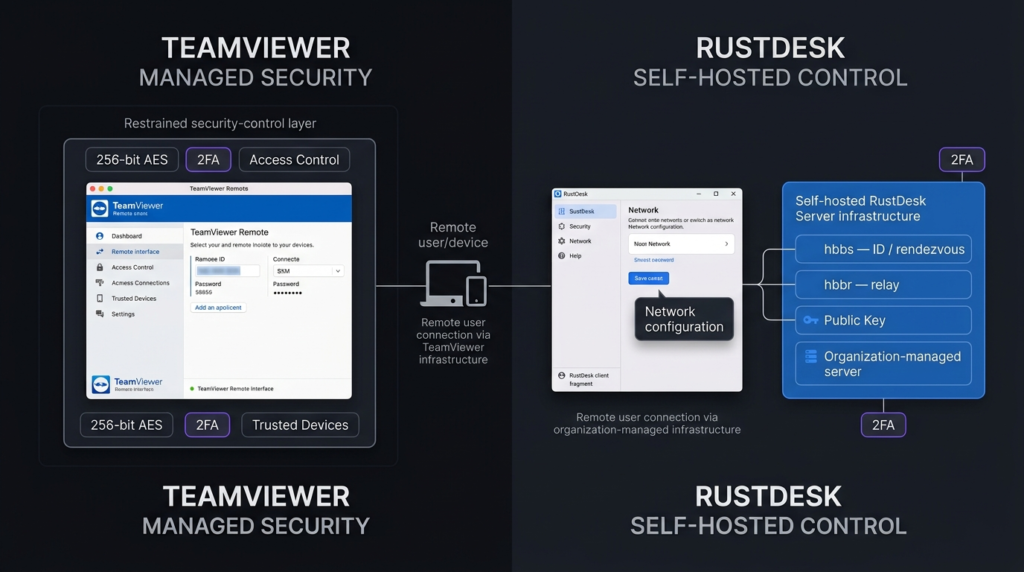
Security can strongly influence the decision in TeamViewer vs RustDesk. TeamViewer provides encrypted connections, access controls, two-factor authentication, and business security features. Because TeamViewer manages much of the service infrastructure, users do not need to maintain their own remote access server. RustDesk also supports encrypted remote connections and allows users to host their own server. This can give businesses greater control over where their remote access system operates. However, self-hosting comes with responsibility. The organization must protect the server, apply updates, manage access, and configure the network correctly. This creates an important difference: TeamViewer provides more managed convenience, while RustDesk can provide more infrastructure control.
TeamViewer vs RustDesk: Pricing Comparison
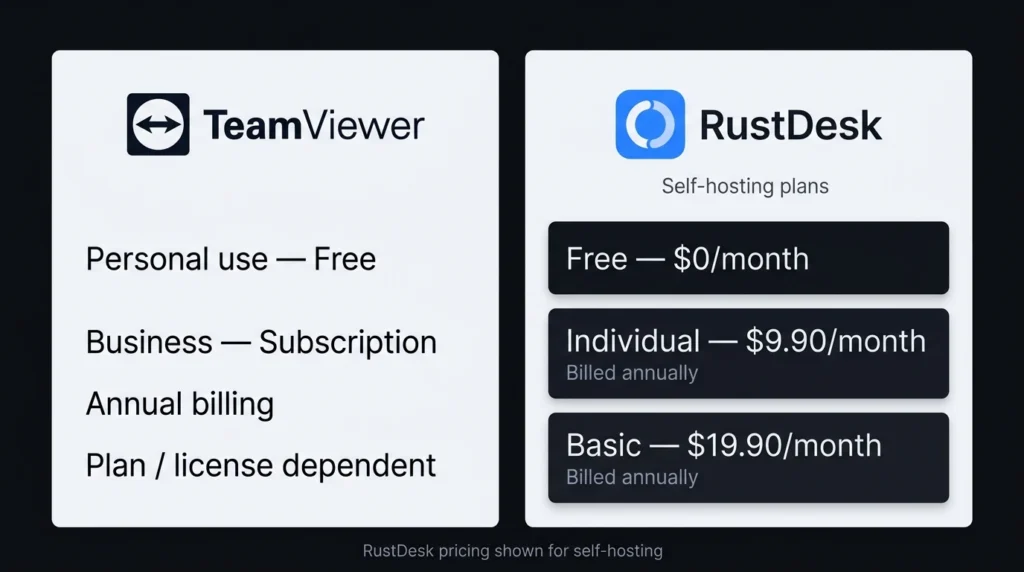
Pricing is one of the biggest reasons users compare TeamViewer vs RustDesk. TeamViewer uses paid subscription plans for commercial use, while personal use has a free option under its terms. Business pricing varies according to the selected plan and requirements. RustDesk offers a free open-source self-hosting option. Its paid Server Pro plans add business and management features.
| Pricing Area | TeamViewer | RustDesk |
| Free option | Personal use | Free open-source self-hosting |
| Paid model | Subscription | Pro subscription |
| Entry paid option | Plan dependent | $9.90/month billed annually |
| Basic Pro option | Plan dependent | $19.90/month billed annually |
| Self-hosting | Not its main model | Yes |
| Server management | Managed by provider | User managed for self-hosting |
| Business controls | Advanced | Available with Pro |
| Device management | Available on selected plans | Available with Pro |
RustDesk’s Individual Pro plan starts at $9.90 per month when billed annually, while its Basic Pro plan starts at $19.90 per month when billed annually. The free open-source option can make RustDesk particularly appealing for technically confident users and small setups. Pricing can change, so users should check the official pricing pages before purchasing.
TeamViewer vs RustDesk: Which Is Better for Businesses?
For businesses, TeamViewer vs RustDesk depends on the company’s technical resources.
TeamViewer is a strong option for organizations that want a ready-to-use service with centralized administration and business-focused features. It can reduce the amount of technical work needed to maintain remote access.
RustDesk may be more attractive to businesses that already have technical staff and want greater control over their infrastructure. Self-hosting can also help organizations keep their remote access system within infrastructure they manage.
The trade-off is simple: RustDesk gives more control, but that control requires more responsibility.
TeamViewer vs RustDesk: Which Is Better for Personal Use?
For personal remote access, TeamViewer vs RustDesk is more balanced.
TeamViewer is convenient when you want a familiar service that requires little technical setup. It can be useful for helping family members, accessing another computer, or handling occasional remote support.
RustDesk is appealing if you want an open-source option and are comfortable with self-hosting. Its free option can reduce software costs, especially when advanced business administration is not required.
TeamViewer vs RustDesk: Pros and Cons
TeamViewer Pros
- Easy to set up
- Strong remote support features
- Advanced business administration
- Wide device support
- Managed service
- Strong security controls
TeamViewer Cons
- Commercial plans can become expensive
- Less control over the underlying infrastructure
- Advanced features depend on the selected plan
RustDesk Pros
- Open-source client
- Free self-hosting option
- Greater infrastructure control
- Cross-platform support
- Lower software costs
- Useful for technically experienced users
RustDesk Cons
- Self-hosting requires technical knowledge
- Server maintenance becomes the user’s responsibility
- Some business features require Pro plans
- Less suitable for users who want zero administration
TeamViewer vs RustDesk: Which One Should You Choose?
| User Type | Recommended Choice | Why |
| Beginner | TeamViewer | Easier setup |
| Personal user | RustDesk | Free self-hosting option |
| Small business | Depends | Cost and management needs vary |
| IT professional | RustDesk | More infrastructure control |
| Large business | TeamViewer | Mature management features |
| Self-hosting user | RustDesk | Built around self-hosting |
| User wanting minimal maintenance | TeamViewer | Managed service |
| Open-source supporter | RustDesk | Open-source approach |
TeamViewer vs RustDesk: Final Verdict
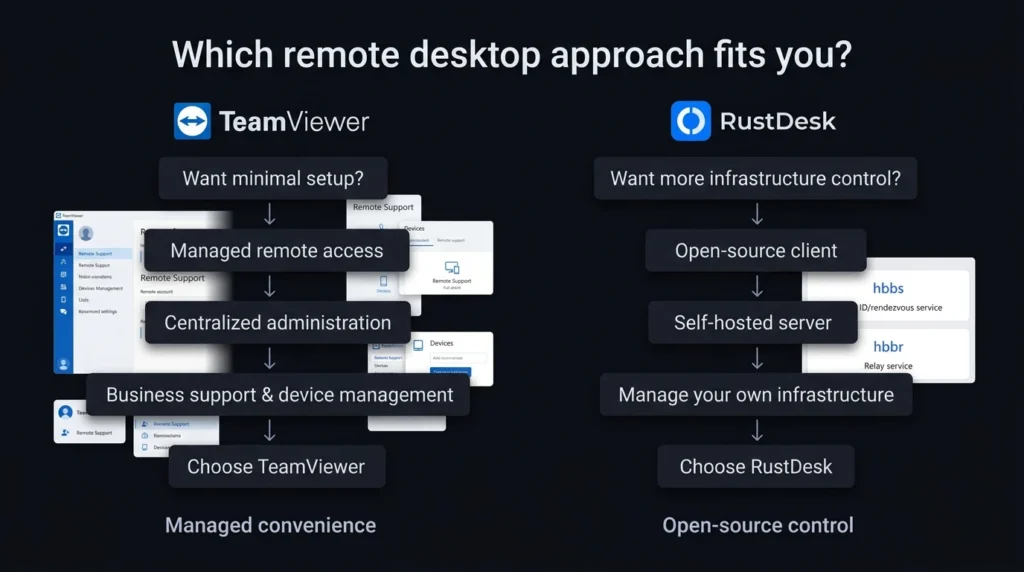
The TeamViewer vs RustDesk comparison does not have one answer for everyone. TeamViewer is the better fit for users who value convenience, mature business tools, centralized management, and minimal server administration. RustDesk is a strong alternative for users who want open-source software, self-hosting, greater infrastructure control, and lower software costs. RustDesk can compete with TeamViewer, but it competes in a different way. It does not simply copy the commercial model. Instead, it gives users more responsibility and more control. If you want remote access that is ready to use with little technical maintenance, choose TeamViewer. If you are comfortable managing your own infrastructure and want greater control, RustDesk is worth considering.
FAQs About TeamViewer vs RustDesk
Is RustDesk better than TeamViewer?
RustDesk can be better for users who value open-source software, self-hosting, and infrastructure control. TeamViewer is generally better for users who want a managed service with advanced business features and less technical administration.
Is RustDesk really free?
Yes. RustDesk provides an open-source self-hosting option at no software subscription cost. Paid Pro plans add features designed for business management and centralized administration.
Is RustDesk safe?
RustDesk supports encrypted remote connections and allows users to self-host their server. With self-hosting, however, users are responsible for server security, updates, access settings, and network configuration.
Which is easier to use, TeamViewer or RustDesk?
TeamViewer is generally easier for beginners because it provides a managed service that does not require users to maintain their own remote access server. RustDesk is straightforward for basic use but can require more technical work when self-hosting.