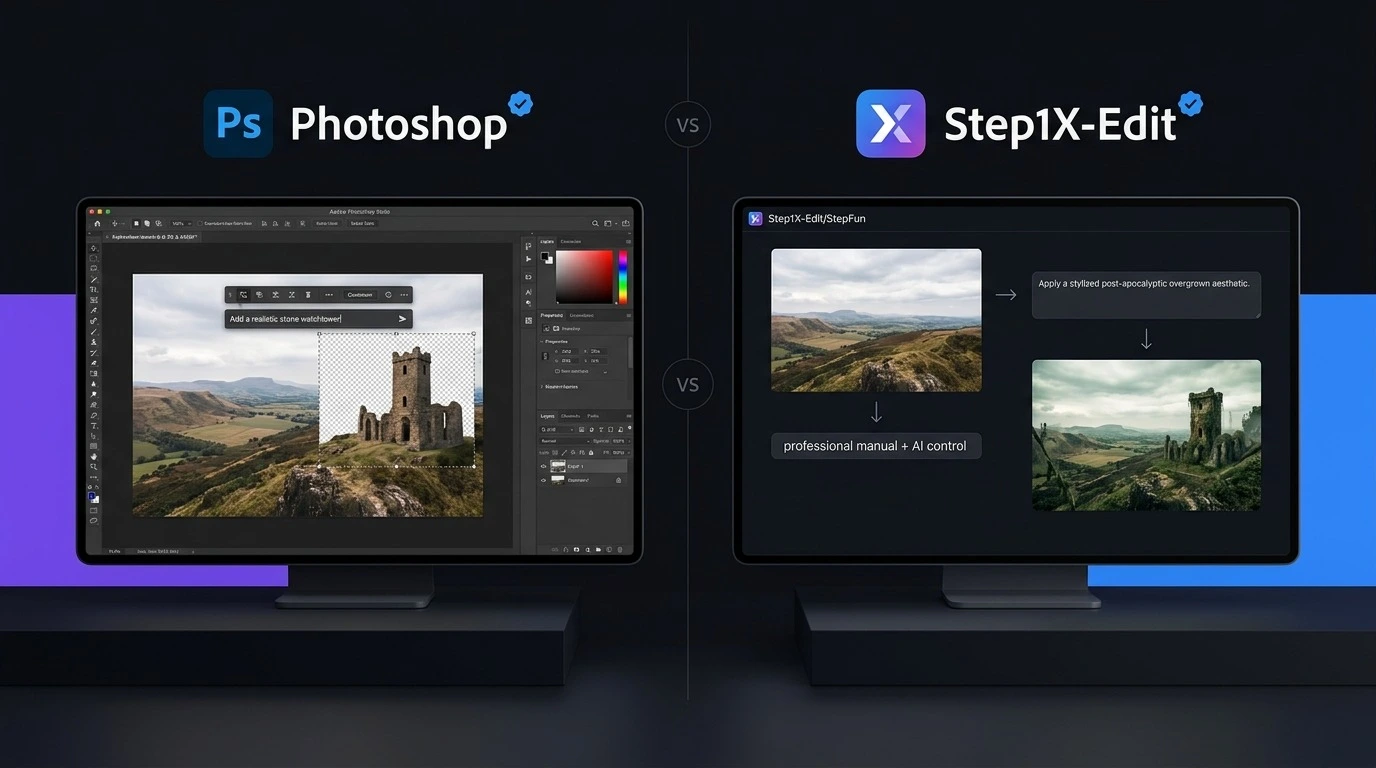
The Adobe Photoshop vs Step1X-Edit comparison shows how quickly AI image editing is changing in 2026. Photoshop has been a leading choice for professional photo editing for years, while Step1X-Edit offers a different approach with an open-source AI model focused on instruction-based image editing. Both tools can help users change images with AI, but they are built for different needs. Photoshop combines AI features with detailed manual editing tools, while Step1X-Edit focuses more directly on AI-powered image changes. So, which one should you choose? The answer depends on your budget, editing skills, hardware, and the type of images you create.
Adobe Photoshop vs Step1X-Edit: Quick Comparison
| Feature | Adobe Photoshop | Step1X-Edit |
| Type | Professional image editor | Open-source AI image editing model |
| AI Editing | Yes | Yes |
| Text-Based Editing | Yes | Yes |
| Manual Editing | Excellent | Limited |
| Layers | Yes | No traditional layer system |
| Background Editing | Yes | Yes |
| Object Editing | Yes | Yes |
| Photo Retouching | Advanced | AI-focused |
| Open Source | No | Yes |
| Local Use | Not the main model workflow | Yes |
| Subscription | Yes | No standard subscription |
| Hardware Requirements | Moderate | Can be high for local use |
| Best For | Designers, photographers, businesses | AI users, developers, researchers |
| Ease of Use | Easier | More technical |
| Overall | Best all-round editor | Strong open-source AI option |
What Is Adobe Photoshop?
Adobe Photoshop is a professional image editing application used for photography, graphic design, advertising, social media content, digital art, and many other creative tasks. Its biggest strength is the combination of traditional editing and AI tools. Users can work with layers, selections, masks, text, filters, color adjustments, and retouching tools while also using AI features such as Generative Fill. This makes Photoshop useful when an AI-generated result needs manual correction. You are not limited to accepting whatever the AI creates. You can adjust individual parts of the image until the result looks right. For professional work, this level of control gives Photoshop a major advantage in the Adobe Photoshop vs Step1X-Edit comparison.
What Is Step1X-Edit?
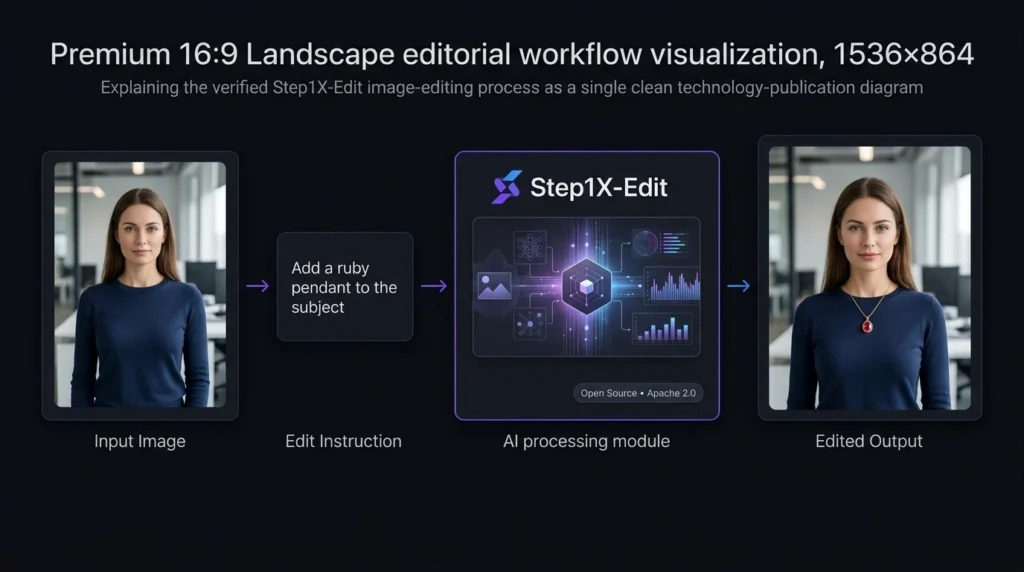
Step1X-Edit is an open-source AI image editing model developed by StepFun. It is designed to edit images based on user instructions rather than working only through traditional editing controls. The model is available through open model platforms, and its official release uses the Apache 2.0 license. Instead of manually selecting every part of an image, users can describe the change they want. This makes Step1X-Edit interesting for people who want to experiment with AI image editing or build their own workflows. However, it is important to understand that Step1X-Edit is not a complete Photoshop replacement. It is better viewed as an AI image editing model rather than a full professional design application.
Adobe Photoshop vs Step1X-Edit: AI Features
AI is where the comparison becomes especially interesting. Photoshop uses AI as part of a larger editing system. You can generate or modify content and then use Photoshop’s traditional tools to refine it. For example, you might use an AI feature to remove an unwanted object and then manually correct the surrounding area. Step1X-Edit takes a more AI-first approach. Its purpose is to understand image editing instructions and produce a modified image. This can make simple creative changes easier, but the level of control depends on the model’s output. If the result is not exactly what you want, you may need to repeat the instruction or use another editing tool afterward.
Which Has Better AI Editing?
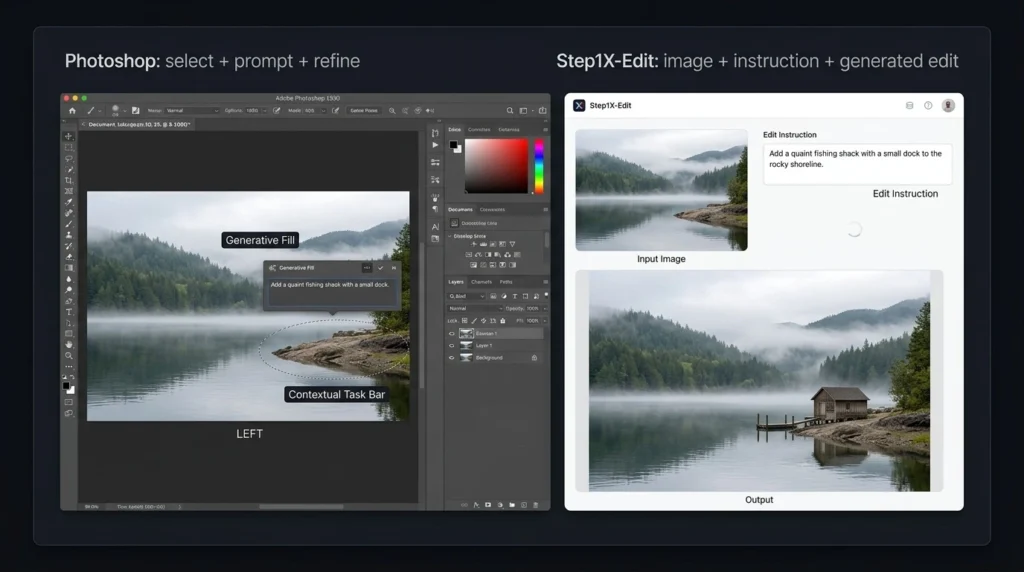
For professional control, Photoshop wins. For users interested in open-source AI editing, Step1X-Edit has an important advantage. The difference is simple: Photoshop gives you AI plus manual control, while Step1X-Edit focuses more strongly on AI-based image editing.
Adobe Photoshop vs Step1X-Edit: Feature Comparison
Photoshop Features
Photoshop provides a large collection of tools, including:
- Layers and masks
- Advanced selections
- Image retouching
- Color correction
- Typography tools
- Background removal
- Generative Fill
- Object removal
- Filters and effects
- Professional file support
- AI-assisted editing
These features make it suitable for projects where precision matters.
Step1X-Edit Features
Step1X-Edit focuses on:
- AI image editing
- Instruction-based editing
- Image-to-image changes
- Open-source access
- Local workflows
- AI experimentation
- Developer-focused use
- Integration with supported AI workflows
Its feature set is narrower than Photoshop because it is not designed to replace every traditional editing function.
Adobe Photoshop Pricing Plans in 2026
Photoshop follows a paid subscription model. Adobe’s pricing can vary depending on the country, billing method, taxes, and special offers.
| Plan | Approximate Price | Main Features | Best For |
| Photoshop | $22.99/month | Photoshop and AI editing features | General creators |
| Photography | $19.99/month | Photoshop + Lightroom | Photographers |
| Firefly Standard | $9.99/month | Generative AI tools and credits | AI-focused creators |
| Creative Cloud Pro | Higher-priced subscription | Photoshop plus other Adobe creative tools | Professionals and agencies |
These prices should be checked on Adobe’s official website before purchasing because Adobe can change regional pricing and promotions. The Photography plan can be particularly useful for photographers because it combines Photoshop with Lightroom.
Step1X-Edit Pricing: Is It Free?
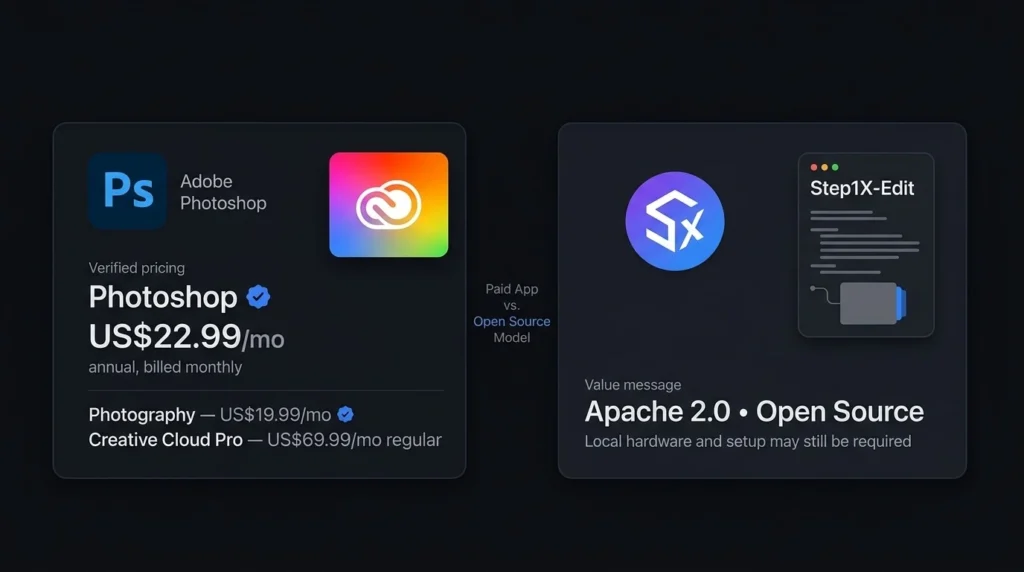
One of the biggest differences in the Adobe Photoshop vs Step1X-Edit comparison is pricing. Step1X-Edit is available as an open-source model under the Apache 2.0 license. There is no standard monthly subscription fee for downloading and using the model itself. However, running an AI model locally is not always completely free.
You may need:
- A capable computer
- Suitable graphics hardware
- Enough storage
- Time for installation
- Technical knowledge
- A compatible AI workflow
If you use Step1X-Edit through a third-party online service, that service may charge its own fees.
Adobe Photoshop vs Step1X-Edit: Ease of Use
Photoshop is easier for most users because it is a finished application. You install it, open an image, and start editing. There are many tutorials available, making it easier for beginners to learn common tasks. Step1X-Edit can require more technical knowledge, especially if you want to run the model locally. Installation, model files, hardware requirements, and supported workflows can create additional steps. For beginners, Photoshop is the more practical option. For technically experienced users who enjoy experimenting with AI models, Step1X-Edit can be more interesting.
Adobe Photoshop vs Step1X-Edit: Performance and Control
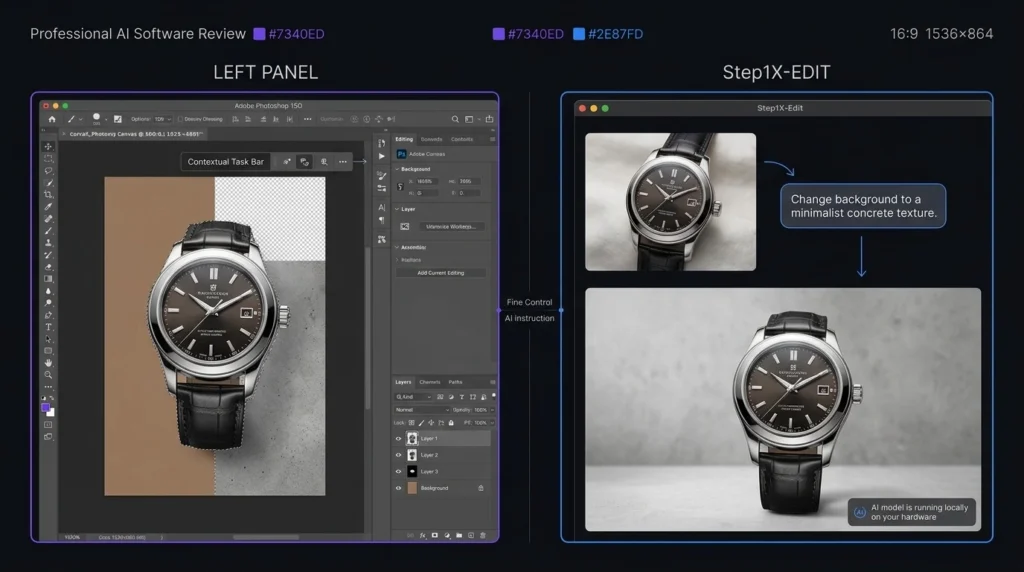
Control is one of Photoshop’s strongest advantages. When editing a product photo, for example, you may need to change the background without affecting the product. Photoshop gives you multiple ways to select, mask, and adjust individual elements. AI models can sometimes produce unexpected changes. This can be acceptable for creative experiments but less suitable for work where every detail must remain accurate. Step1X-Edit can produce useful results from instructions, but Photoshop remains stronger when you need exact control over the final image.
Adobe Photoshop vs Step1X-Edit: Pros and Cons
| Tool | Pros | Cons |
| Photoshop | Powerful editing, AI tools, layers, professional workflow | Subscription cost, learning curve |
| Step1X-Edit | Open source, AI-focused, local use, no standard subscription | More technical setup, narrower editing tools |
Who Should Choose Adobe Photoshop?
Photoshop is the better choice if you are:
- A professional photographer
- A graphic designer
- A social media creator
- A marketing professional
- A business owner
- A freelance designer
- Someone who needs detailed image control
It is also a better option when clients expect professional editing files and repeatable workflows.
Who Should Choose Step1X-Edit?
Step1X-Edit may be a better fit if you are:
- Interested in open-source AI
- A developer experimenting with image models
- An AI researcher
- Comfortable with local AI tools
- Looking for instruction-based image editing
- Interested in avoiding a traditional software subscription
It is especially useful for people who want to explore how open AI image editing models can fit into their own workflows.
Adobe Photoshop vs Step1X-Edit: Which One Is Better?
There is no single winner for every user. Photoshop wins for professional image editing. It offers a much wider collection of tools and gives users control over almost every part of an image. Step1X-Edit wins for open-source AI experimentation. It gives technically capable users a way to explore AI image editing without paying a standard Photoshop subscription for the model. For most photographers, designers, marketers, and everyday creators, Photoshop is the stronger choice. For AI enthusiasts and developers who want an open model, Step1X-Edit is worth considering.
Final Verdict: Adobe Photoshop vs Step1X-Edit
The Adobe Photoshop vs Step1X-Edit comparison shows that these tools serve different audiences. Photoshop is the better all-round choice for professional editing, photography, graphic design, marketing, and business work. Its combination of AI and traditional editing gives users more control over the final result. Step1X-Edit is more attractive for users who want an open-source AI model and are comfortable with technical setup. It can be a useful choice for AI experimentation and custom image editing workflows.
FAQs About Adobe Photoshop vs Step1X-Edit
Is Step1X-Edit better than Photoshop?
Step1X-Edit is not a complete replacement for Photoshop. It can be useful for AI-focused image editing, while Photoshop provides a much broader professional editing environment.
Is Step1X-Edit free?
The official Step1X-Edit model is available under the Apache 2.0 license. However, local use can require suitable computer hardware, and third-party services may charge their own fees.
Which is easier to use, Photoshop or Step1X-Edit?
Photoshop is easier for most beginners because it is a ready-to-use application. Step1X-Edit can require additional technical setup, especially for local use.
Which is better for professional photo editing?
Photoshop is the stronger choice for professional photo editing because it provides layers, masks, selections, retouching tools, AI features, and detailed control.