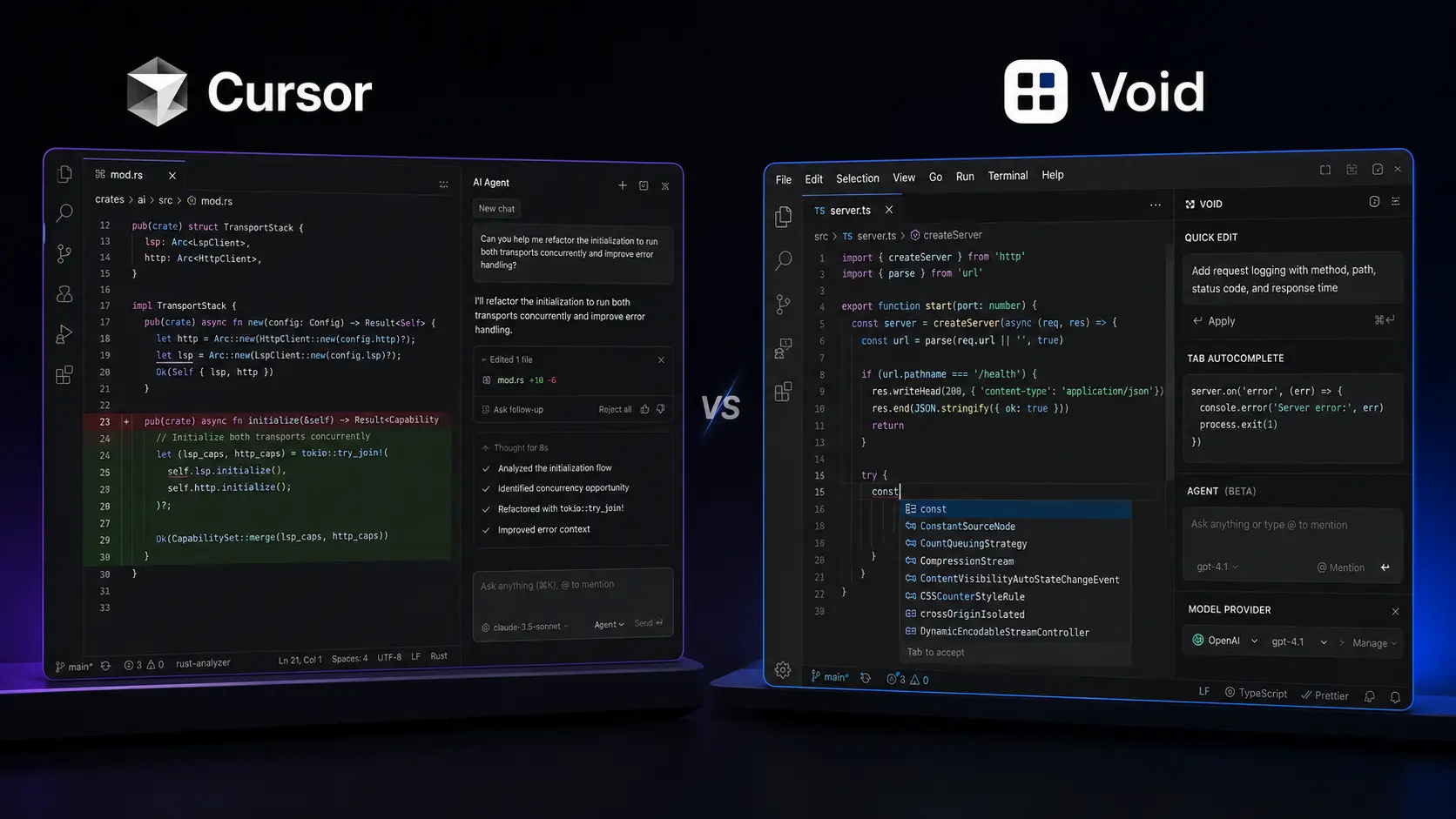
If you spend your day jumping between files, searching for bugs, and rewriting the same blocks of code, your editor can either speed you up or become another thing to fight with. The best AI code editors now go beyond autocomplete: they can understand a repository, modify several files, and help you work through larger development tasks. Two interesting options are Cursor and Void. They take noticeably different approaches. Cursor focuses on a polished, managed AI development experience, while Void was built around open-source control, direct model connections, and the ability to bring your own provider. This comparison looks at where each approach makes sense in 2026 and where the differences matter more than the feature lists suggest.
Editorial disclosure: This article is based on product research and workflow evaluation. Pricing, features, and availability can change.
How We Evaluate AI Code Editors
We evaluated Cursor and Void against workflows developers actually care about rather than simply counting features. The comparison focuses on current 2026 product information, official documentation, repositories, pricing information, and practical development scenarios.
The main criteria were:
- Codebase understanding: How well the editor can work across files and project structure.
- AI editing and agents: Whether you can move from a prompt to meaningful code changes without excessive manual work.
- Model flexibility: The number and type of AI models you can use.
- Developer control: Settings, privacy options, provider choice, and local-model support.
- Pricing: What you receive at the entry level and what happens as usage increases.
- Long-term viability: Particularly important when choosing an editor that becomes part of your daily development environment.
For developers, programmers, and software engineers, this last point matters. Your editor is not something you casually replace every Tuesday.
If you regularly compare software, AI products, and developer tools, you can also explore more reviews and comparisons on the Olareviews Blog.
Best AI Code Editors: Cursor vs Void at a Glance
| Tool | Best For | Starting Price |
| Cursor | Full-featured AI-assisted development and agent workflows | Free |
| Void | Open-source experimentation, direct model connections, and developer control | Free |
Cursor currently offers a free Hobby plan, while its paid individual plans start with Pro at $20/month. Its current pricing also includes Pro+ at $60/month and Ultra at $200/month.
Void is free and open source. Its official site describes it as an AI IDE built on VS Code with direct connections to different AI providers and local models.
Cursor: Best AI Code Editor for Full-Time AI-Assisted Development
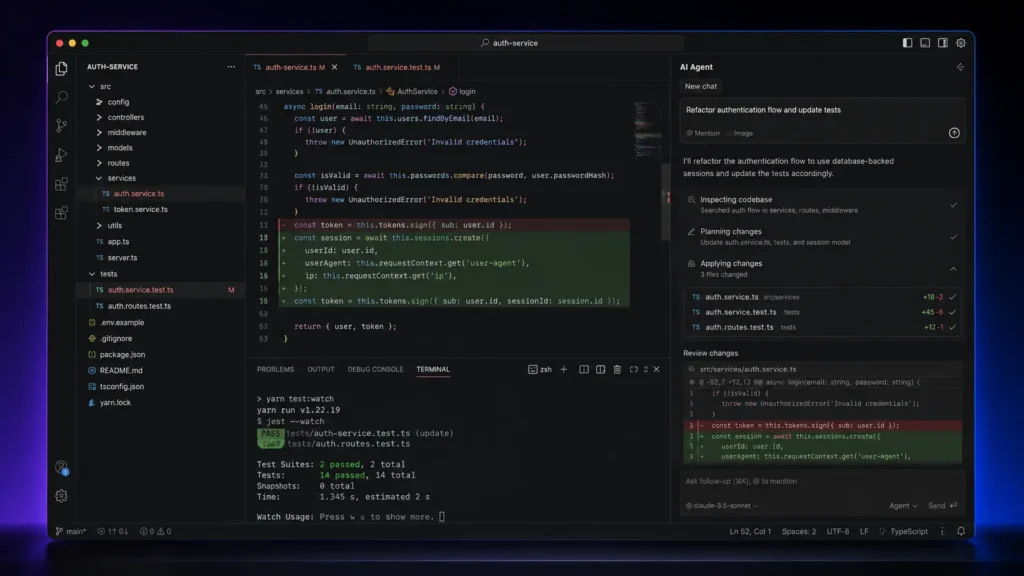
If you want your editor to take on substantial development tasks rather than merely suggest the next line of code, Cursor is the stronger overall choice.
Cursor is designed around an agent-style workflow. You can use it to understand an existing codebase, plan features, fix bugs, review changes, and work with external development services. Its current product also includes cloud agents and integrations designed to extend AI-assisted development beyond simple autocomplete.
One particularly useful detail is Cursor’s model selection. You can open the model selector inside the chat or agent panel and switch between available models. Cursor currently supports models from OpenAI, Anthropic, Google, and its own model pool, with availability depending on your plan.
That matters when you’re working on different tasks. A quick code completion does not necessarily require the same model you would choose for a large refactor or difficult debugging session.
Cursor also has an Auto mode designed to balance intelligence, cost, and reliability. Current documentation lists Auto Cost, Auto Balance, and Auto Intelligence modes.
For developers evaluating modern AI coding tools, this makes Cursor feel closer to an AI development environment than a traditional code editor with an assistant bolted onto it.
Pros
- Strong agent and codebase-oriented workflow.
- Broad selection of current AI models and developer-focused features.
Cons
- Heavy AI usage can consume included usage quickly.
- Pricing becomes more complicated when you compare model usage and higher tiers.
Pricing: Cursor’s current plans are Hobby (Free), Pro ($20/month), Pro+ ($60/month), and Ultra ($200/month). Teams plans start at $40/user/month for Standard and $120/user/month for Premium. Enterprise pricing is custom. You can check the current details on the official Cursor pricing page
Void: Best AI Code Editor for Open-Source Control and Model Freedom
Void approaches AI coding from almost the opposite direction.
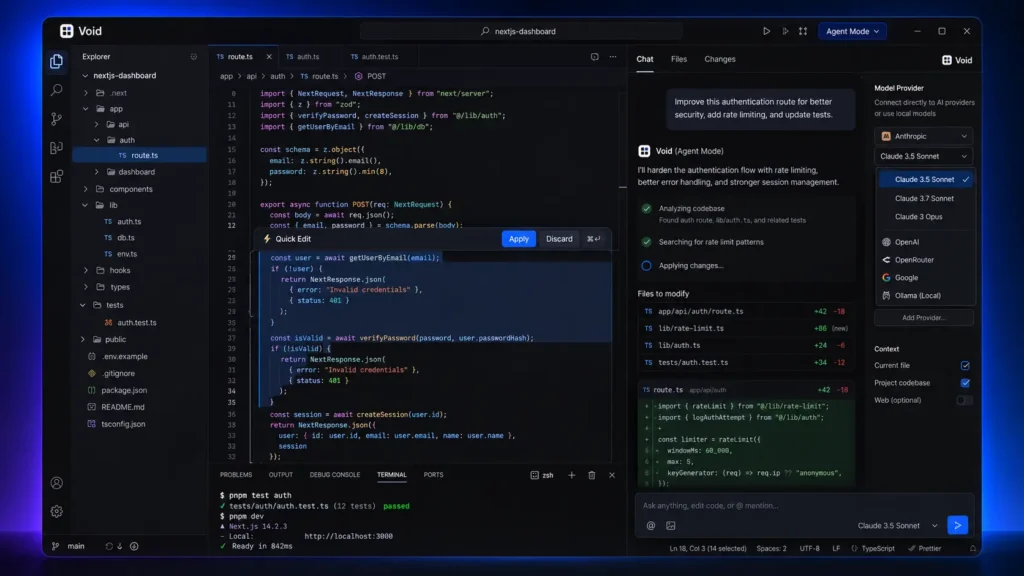
The project is an open-source AI IDE and a fork of VS Code. That means developers familiar with VS Code can transfer themes, keybindings, and settings rather than learning an entirely unfamiliar editor. Void’s interface includes Tab autocomplete, Quick Edit, Chat, Agent Mode, and Gather Mode.
The more interesting part is the model architecture. Void’s official site says it connects directly to AI providers instead of routing messages through a private Void backend. It supports local and open models through options such as Ollama, as well as providers and models from companies including OpenAI, Anthropic, Google, and others. That gives you considerably more control over the AI layer. However, there is an important 2026 warning.
The official Void GitHub repository was archived by its owner on June 2, 2026, leaving the repository read-only. This substantially changes how you should evaluate the project today.
Void can still be useful for developers interested in open-source AI editor architecture, local models, and experimentation. But if you’re choosing an editor for a long-term production workflow, its current maintenance status deserves serious consideration.
Pros
- Open-source architecture with direct provider and local-model options.
- VS Code foundation makes the environment familiar to many developers.
Cons
- The official repository is now archived and read-only.
- You may need to manage model providers and infrastructure yourself.
Pricing: The Void editor is free and open source. Your AI costs depend on the model provider or local infrastructure you connect to. You can explore the project through the official Void website and Void GitHub repository.
Cursor vs Void: The Important Technical Differences
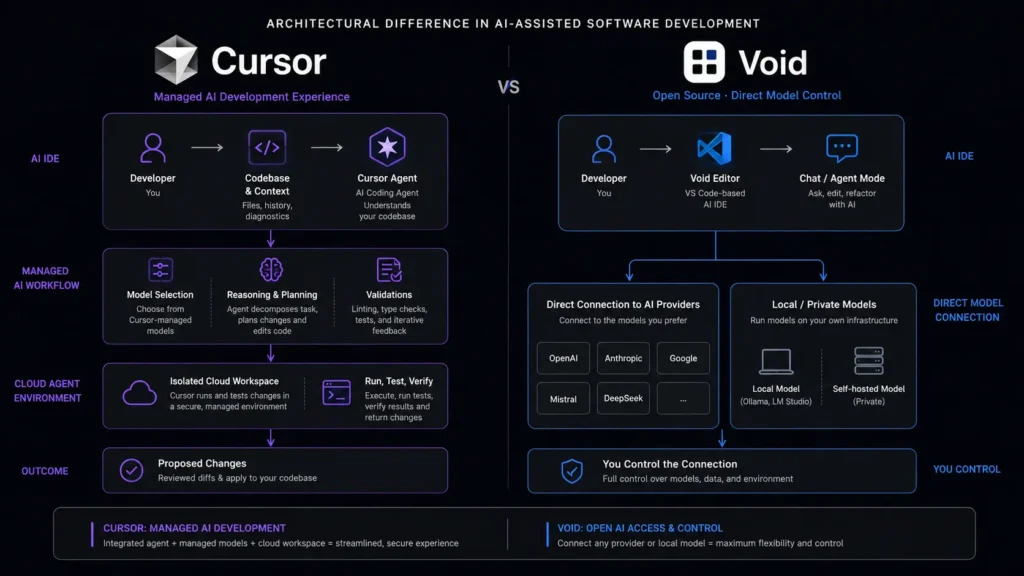
With only two tools in this roundup, the biggest differences are architectural rather than a simple feature-counting exercise.
| Feature | Cursor | Void |
| Base editor | AI-focused proprietary editor | VS Code fork |
| Agent workflows | Yes | Yes |
| Inline editing | Yes | Yes |
| Codebase-aware assistance | Yes | Yes |
| Model choice | Multiple hosted/frontier models | Direct provider and local-model connections |
| Local model workflow | More limited than Void’s approach | Strong focus |
| Open source | No | Yes |
| Direct provider architecture | Managed service | Direct provider connections |
| Cloud agents | Yes | Not a current core strength |
| Team administration | Yes | Not comparable to Cursor |
| Starting editor price | Free | Free |
| Current project status | Actively developed | Repository archived |
The biggest difference isn’t autocomplete. Both tools can help you write and modify code. The real divide is managed productivity versus control.
Cursor wants to remove as much setup as possible. Void gives you considerably more ownership over the AI layer, but that flexibility also means more responsibility.
Which One Is Better for AI Coding Tools in 2026?
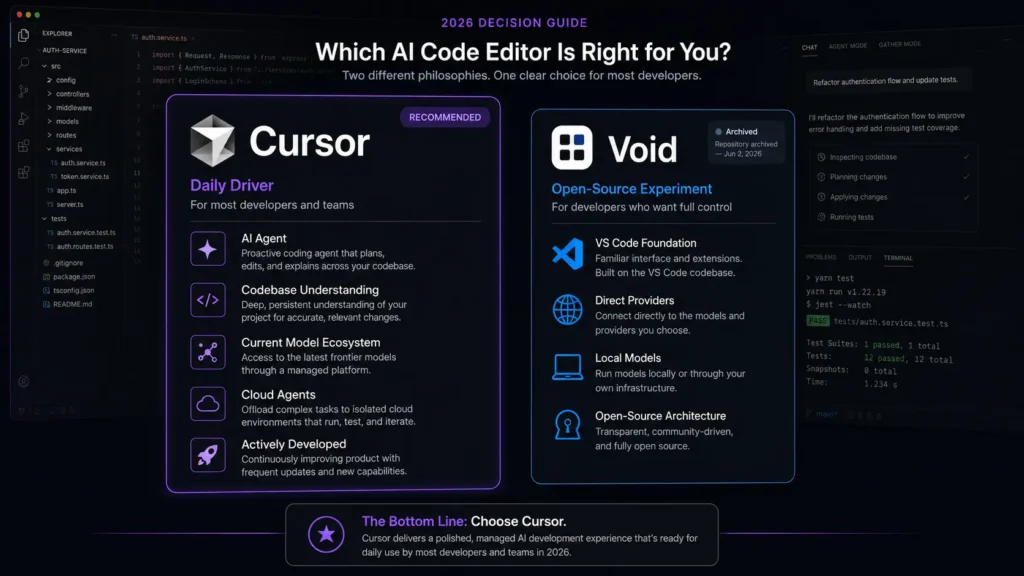
If you’re choosing between these two today, Cursor wins for most working developers.
The reason is not simply that it has more features. Cursor combines current model access, agent workflows, cloud agents, integrations, team features, and ongoing product development into one environment. Its current documentation also shows a broad model ecosystem spanning OpenAI, Anthropic, Google, and Cursor’s own model pool.
Void is more interesting if your priority is understanding how an open-source AI editor works, connecting your own models, using local inference, or studying the architecture of an AI-powered code editor.
But its archived GitHub repository changes the recommendation substantially. So the decision is fairly straightforward: Cursor is the better daily driver. Void is the more interesting open-source experiment and reference project.
Final Verdict: Cursor or Void?
For 2026, Cursor is the clear winner for most developers. It combines AI agents, multiple models, codebase understanding, integrations, cloud agents, and an actively maintained product into one workflow. Void deserves credit for its open-source, direct-provider approach, but its archived repository makes it difficult to recommend as your main development environment today. If you’re comparing the best AI code editors, start with Cursor’s free Hobby plan and test it against a real project rather than judging it from a feature list. You can also explore Void if model control and open-source experimentation matter more to you.
FAQ
Are AI-powered code editors safe for private source code?
They can be, but you should always check the provider’s current privacy settings before sending proprietary source code to an AI service. Cursor currently offers Privacy Mode. Its pricing page states that when Privacy Mode is enabled, code data is not used for training by Cursor or its model providers. For highly sensitive projects, you should also examine whether your chosen model provider supports local or private deployment.
Is Void still worth using in 2026?
For experimentation, potentially. For a new production workflow, be cautious. The official Void GitHub repository was archived on June 2, 2026 and is now read-only. That makes Void useful for studying open-source AI editor concepts, but its maintenance status makes it harder to recommend as your primary development environment.
What should you look for in the best AI code editors?
Don’t focus only on autocomplete. Look at codebase context, agent reliability, model choice, privacy, integrations, usage limits, and how easily you can review or undo AI-generated changes. The best AI code editors should reduce your workload without making you spend the afternoon supervising every line they produce.