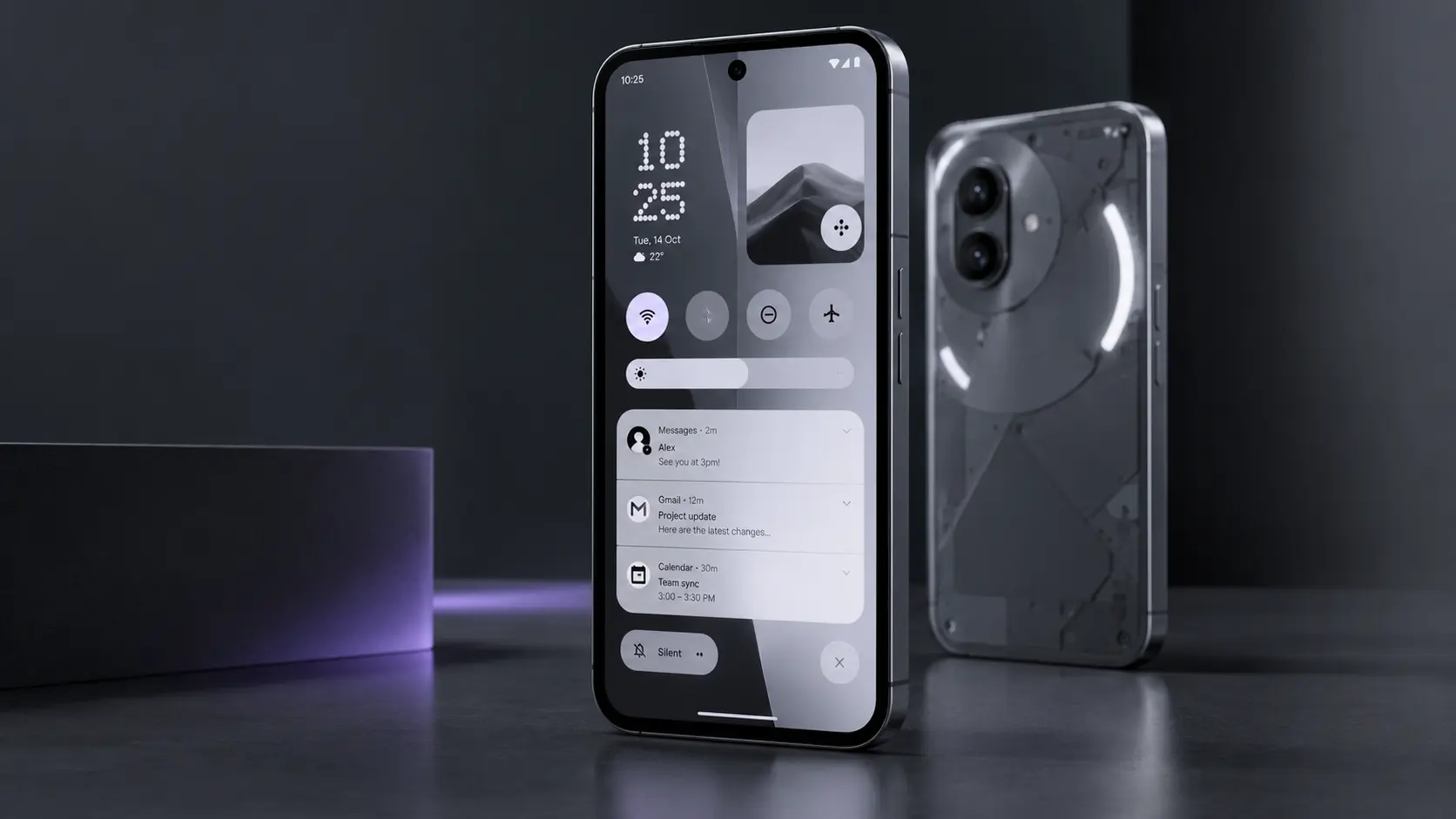
Nothing has started rolling out its biggest software update yet, and interest is exploding. Searches for Nothing OS 5.0 in India jumped more than tenfold this week, and owners everywhere want to know one thing: when does my phone get it? The update brings Android 17 and more than 80 changes, but it is arriving in stages, and some older models will miss out entirely. Here is what is new, which phones qualify, and how to make sure your Nothing Phone 3 update goes smoothly.
What Nothing OS 5.0 Actually Is
Nothing OS is the London-based company’s own take on Android, known for its clean black-and-white look and the Glyph lights on the back of its phones. Version 5.0 moves the software onto Android 17, Google’s latest platform, and layers Nothing’s design ideas on top.
The company first showed the update in August and ran an open beta for months. The stable version began rolling out on 12 October, starting with the Phone (3), as Android Authority reported. This is the full release, not another test build, so ordinary owners can now install it without joining a beta program.
The Features You Will Notice First
Nothing says the update contains more than 80 changes across design, performance and AI. The ones most people will see straight away are:
- A redesigned launcher and home screen, with a new Micrographics clock style.
- Split Quick Settings and notifications, so swiping down from different sides of the screen opens different panels.
- New widgets, including ones that can sync between paired Nothing devices.
- A new Glyph app that gathers all the light-up features and sounds in one place.
- A new system typeface called Geist, which gives the whole interface a fresher feel.
- Camera improvements and deeper customisation options across the system.
Essential AI gets smarter
Nothing has been building a set of AI tools it calls Essential, and version 5.0 expands them. Android Central highlighted the upgraded Essential tools as one of the update’s main selling points. Some AI features are being switched on gradually, so they may not appear the moment the update lands on your phone.
What Android 17 adds underneath
Beneath Nothing’s design, Android 17 brings its own improvements. These include an expanded dark theme, 3D emoji, clearer privacy indicators, better HDR brightness controls, cross-platform Quick Share and a redesigned Recents screen for switching between apps. You will not always notice these directly, but they make the phone feel more polished and secure.
Which Phones Get Nothing OS 5.0, and When
The rollout follows a published schedule, summarised by TechRepublic and other outlets. Expected windows are:
- Phone (3): rolling out now, from 12 October
- Phone (4a) and Phone (4a) Pro: early November 2026
- Phone (3a) and Phone (3a) Pro: early November 2026
- Phone (2a) and Phone (2a) Plus: mid-November 2026
- Phone (3a) Lite: late December 2026
- Phone (4b): mid-January 2027
CMF Phone 2 Pro owners are also on the list, with timing to follow. Because the update arrives over the air in waves, the exact day can vary by region, carrier and even individual phone.
The phones that miss out
Not every Nothing phone qualifies. The Phone (1), Phone (2) and CMF Phone 1 have reached the end of their major Android updates and will stay on Nothing OS 4.1. They can keep working normally, but they will not get Android 17 features. If you own one of these and the new design matters to you, it may be worth planning your next upgrade.
How to Install the Update Safely
When the update reaches your phone, you will usually see a notification. You can also check manually by opening Settings, then System, then System update. Before installing, take a few minutes to prepare:
- Back up your phone, especially photos, messages and two-factor authentication apps.
- Charge to at least half, or keep the phone plugged in during installation.
- Use Wi-Fi, since major updates are large downloads.
- Allow time, because the phone will restart and may take a while to optimise apps afterwards.
If something feels slow in the first day, give it time. Phones often run background tasks after a big update and settle down within a day or two.
How It Compares With Rival Updates
Nothing is not alone in pushing AI-heavy updates this month. Oppo’s latest software takes a similar path, as our look at ColorOS 17 and its AI features explains. Where Nothing stands out is design. Its software remains one of the cleanest versions of Android available, with fewer preinstalled extras than many brands. If you are weighing your options, our best Android phones in Australia guide compares current models.
A Bigger, Smarter Nothing Phone
Nothing OS 5.0 is a meaningful step forward, blending Android 17’s foundations with Nothing’s distinctive design and a growing set of AI tools. The staged rollout means patience for most owners, and a few older models will not make the jump at all. If your phone is on the list, back up, charge up and enjoy one of the most refined Android updates of the year when it arrives.
Frequently Asked Questions
Is Nothing OS 5.0 free?
Yes. It is a free over-the-air update for eligible Nothing and CMF phones.
Can I join the beta to get it sooner?
Several models, including the Phone (4a) and Phone (3a) series, have been in open beta programs. Beta builds can contain bugs, so they suit enthusiasts more than people who rely on their phone for work.
Will the update delete my data?
A normal system update keeps your apps and files. Problems are rare, but a backup protects you if something goes wrong.
Can I go back to the old version?
Rolling back a major Android update is usually difficult and can erase your data. It is better to read up on the changes before installing than to plan on reversing them.
Leave a Reply