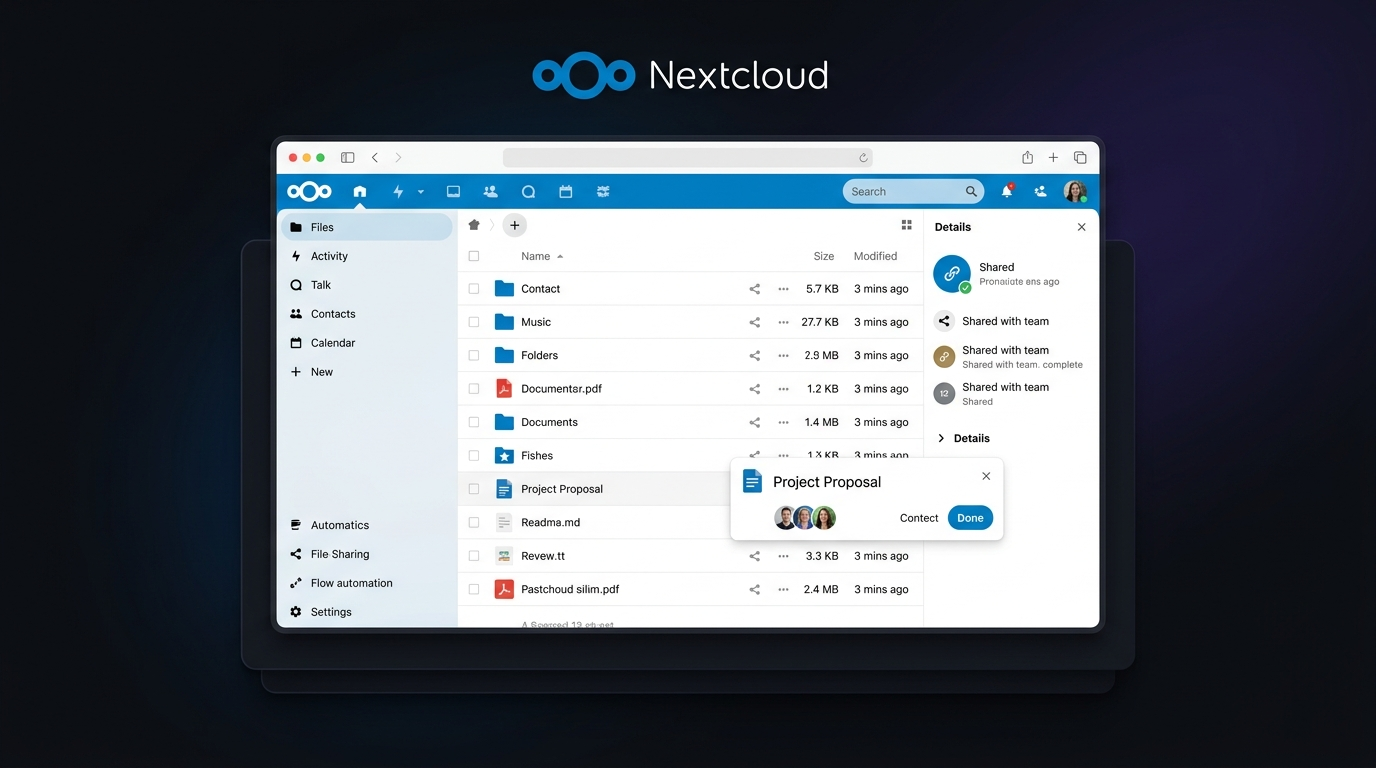
Cloud storage becomes complicated when you need more than a place to upload files. You may want private file sharing, team collaboration, version history, office editing, mobile access, and control over where your data lives. That is where this Nextcloud Review comes in. Instead of handing everything to a third-party cloud provider, Nextcloud lets you run your own cloud infrastructure or use a hosting provider while keeping the platform open source. For businesses, remote teams, developers, and privacy-conscious users, that control can be a major advantage. But it also means you may take on more responsibility for setup, maintenance, backups, and security.
Editorial disclosure: This review is independently researched using current 2026 Nextcloud product documentation, pricing information, and representative product workflows; it is not sponsored by Nextcloud.
How We Evaluate Nextcloud
For this review, we evaluated one cloud storage platform, Nextcloud, using its current 2026 product documentation, pricing pages, security information, and representative user workflows. The focus was not simply on how many features Nextcloud lists, but on how those features fit together when you actually manage files and collaboration.
We considered:
- File syncing, sharing, and version control
- Security, encryption, authentication, and access controls
- Collaboration and office-document workflows
- Self-hosting requirements and administrative responsibility
- Desktop and mobile availability
- Current pricing and enterprise support options
The evaluation is aimed at readers who understand that self-hosting can provide more control, but also requires more technical involvement than conventional consumer cloud storage.
Nextcloud at a Glance
| Tool Name | Best For | Starting Price |
| Nextcloud | Self-hosted cloud storage, private collaboration, businesses, developers | Free self-hosted Community edition; Enterprise Files from €71.29/user/year at 100 users |
Nextcloud’s enterprise pricing currently starts at €71.29 per user per year for the Standard plan at 100 users, while larger deployments receive lower per-user rates. Nextcloud also offers Premium at €104.99/user/year and Ultimate at €204.75/user/year at the 100-user level. See the current Nextcloud pricing plans for the latest enterprise options.
Nextcloud Review: Best Cloud Storage for Self-Hosted Control
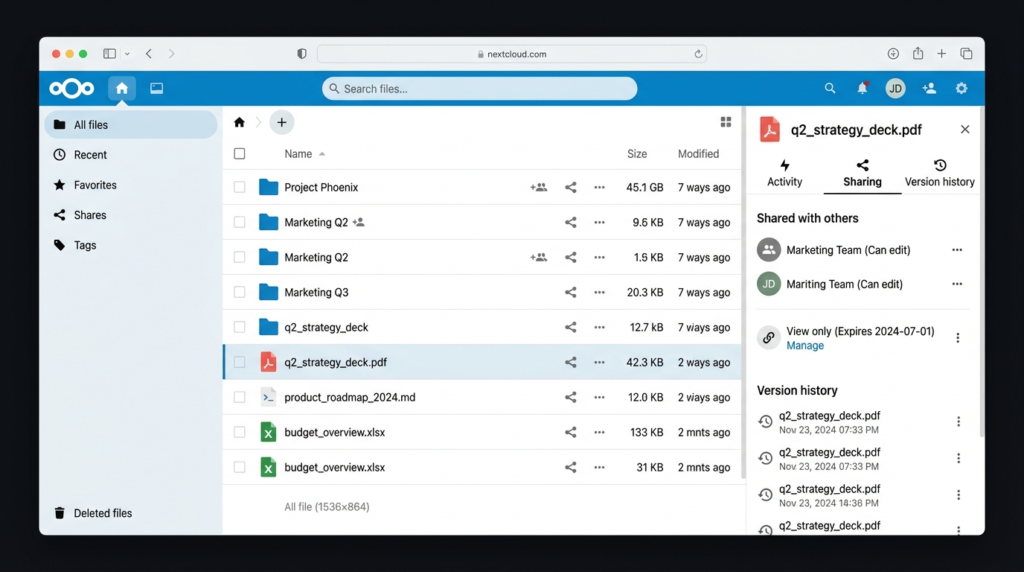
If your priority is owning the infrastructure behind your cloud storage, Nextcloud is difficult to ignore. It combines file storage and synchronization with sharing, collaboration, office editing, communication, automation, and a large app ecosystem. The interesting part is how much of the experience happens inside one interface. For example, the Files interface includes a search icon in the top-right toolbar. From there, you can search across Nextcloud and, with additional providers, connected services such as GitHub, GitLab, Jira, and others.
File sharing is similarly flexible. You can share with individual users or groups, create public links, add passwords and expiration dates, transfer ownership, restore older versions, and use File Drop when you want someone outside your organization to upload files without giving them access to the surrounding folder. You can explore the platform’s file sharing capabilities to see how these options work.
For teams, Nextcloud Office supports collaborative editing of common document, spreadsheet, and presentation formats. Nextcloud Talk adds private chat, audio/video meetings, and screen sharing, while Groupware adds calendar, contacts, and mail functionality. The official Nextcloud features page provides an overview of these capabilities.
Nextcloud Security
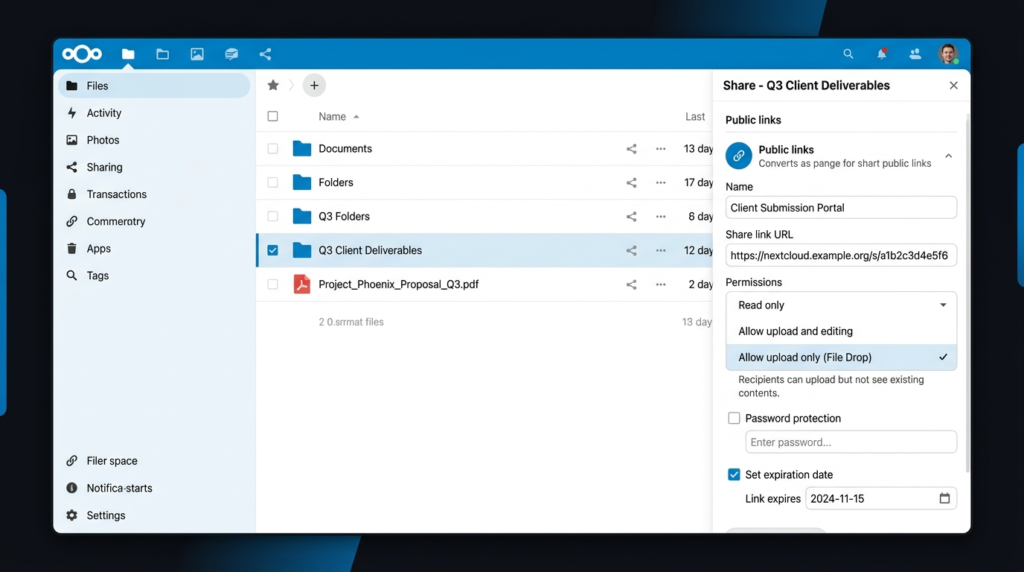
Nextcloud security is one of its strongest reasons for choosing a self-hosted architecture, but there is an important distinction: owning the server does not automatically make it secure. Nextcloud supports two-factor authentication, including TOTP and other second-factor methods, and administrators can enforce 2FA for users. WebAuthn support also enables passwordless authentication with compatible security keys and devices. You can review the platform’s security features for more details.
The platform also provides encryption options, file-access controls, brute-force protection, ransomware protection, auditing, and other security capabilities. Its layered approach can include server-side encryption and client-side end-to-end encryption for supported use cases. That flexibility is powerful, but it comes with a catch: you are responsible for the server configuration, updates, backups, network exposure, credentials, and other infrastructure decisions if you self-host. Nextcloud itself notes that self-hosting is best suited to users with some technical knowledge, while managed providers remove much of that maintenance burden.
Pros
- Excellent control over where business and personal data is stored
- Strong combination of file sharing, collaboration, security, and productivity tools
Cons
- Self-hosting requires technical administration, maintenance, backups, and monitoring
- Some enterprise capabilities and support require paid subscriptions
Nextcloud Pricing
The community software can be self-hosted without a standard per-user software subscription. For enterprise customers, Nextcloud Files Enterprise starts at €71.29/user/year for Standard, €104.99/user/year for Premium, and €204.75/user/year for Ultimate, with the published starting point based on 100 users. At 200 users, the listed rates fall to €53.17, €81.99, and €183.75 per user/year respectively. Check the official Nextcloud pricing page before purchasing because enterprise pricing and available options can change.
For organizations with fewer than 100 users, Nextcloud also points customers toward Nextcloud One, a managed service hosted in Germany that includes hosting, maintenance, management, 24/7 support, and 30 days of backups. You can learn more about Nextcloud One before deciding between self-hosting and managed deployment.
What Are the Most Useful Nextcloud Features?
Nextcloud goes well beyond basic online storage. Its feature set is modular, meaning you can use the core file platform and add functionality according to your needs. The official Nextcloud platform provides an overview of its broader ecosystem.
File Sync and Sharing
Nextcloud Files provides browser access alongside desktop and mobile clients. Desktop synchronization is available for Windows, macOS, and Linux, while mobile apps support Android and iOS. You can also synchronize selected folders rather than treating your entire server as one giant download. That matters when your team has large media collections or project directories.
For technical setup and administration, you can also refer to the Nextcloud documentation for installation, configuration, synchronization, and server-management guidance.
Collaboration
Files can be commented on, locked, tagged, versioned, and shared with different permissions. Real-time document collaboration is available through integrated office solutions such as Nextcloud Office and Collabora-based options. A particularly useful workflow is the connection between file collaboration and communication. A discussion can move from file comments into Talk, allowing teams to continue the conversation without jumping between unrelated applications.
Workflows and Automation
Nextcloud Flow can automate actions based on events and conditions. This gives administrators a way to build repeatable processes around files and users rather than manually handling every routine task. More information is available in the Nextcloud Flow documentation.
Unified Search
Search is another surprisingly important part of the platform. The unified search interface can search across Nextcloud apps and connected services. This makes Nextcloud feel more like a broader workspace than a simple Dropbox-style file cabinet.
Nextcloud Features vs. Your Typical Cloud Drive
Because Nextcloud is a platform rather than simply a storage bucket, its value becomes clearer when you look at the ecosystem around Files.
| Capability | Nextcloud |
| Self-hosting | Yes |
| Web interface | Yes |
| Windows/macOS/Linux sync | Yes |
| Android/iOS apps | Yes |
| File versioning | Yes |
| Public sharing links | Yes |
| Password-protected sharing | Yes |
| File Drop uploads | Yes |
| Two-factor authentication | Yes |
| End-to-end encryption options | Yes |
| Online document collaboration | Yes |
| Chat and video calls | Nextcloud Talk |
| Calendar, contacts and mail | Nextcloud Groupware |
| Workflow automation | Nextcloud Flow |
| Third-party integrations | Extensive app ecosystem |
The platform can also connect to existing infrastructure such as Windows Network Drive, SharePoint, NFS, FTP, object storage, and other environments. You can review the official Nextcloud Files page for more information about storage, synchronization, sharing, and integrations.
Is Nextcloud Good for Businesses?
Yes, particularly if data ownership, compliance, infrastructure control, or integration with existing systems matters to you. A business can deploy Nextcloud on-premises, in a private cloud, through a hosting provider, or in a hybrid configuration. Nextcloud also supports enterprise capabilities such as SAML authentication, audit-ready logging, advanced password policies, Windows Network Drive support, and other administrative features.
The bigger question is whether your organization wants to operate that environment. If your IT team already manages Linux servers, databases, backups, identity systems, and network security, Nextcloud can fit naturally into the stack. If your team wants a service where somebody else handles infrastructure, a managed Nextcloud provider may make more sense. Nextcloud maintains a partner and hosting ecosystem that can be useful if you want professional deployment or hosting assistance.
Is Nextcloud Secure?
Nextcloud can be highly secure, but the answer depends heavily on how you deploy and administer it. The software provides multiple layers of protection, including 2FA, WebAuthn, encryption capabilities, access controls, brute-force protection, ransomware protection, and auditing features.
The important lesson is that self-hosting shifts responsibility toward you. A poorly configured Nextcloud server can still be vulnerable. You need strong authentication, timely updates, reliable backups, proper HTTPS configuration, sensible permissions, and careful control of public links. For organizations that have the technical resources to handle those responsibilities, that trade-off can be worthwhile.
For administrators who want to understand the technical side of deployment and hardening, the official Nextcloud Admin Manual is a useful reference.
Final Verdict: Is Nextcloud Worth It in 2026?
This Nextcloud Review comes down to one central question: how much control do you actually want over your cloud? If you want ordinary storage with almost no administration, Nextcloud may feel like more work than necessary. But if you need self-hosted file sharing, collaboration, security controls, integrations, and ownership of your infrastructure, it offers a remarkably broad package.
The best approach is to try the platform before committing to a larger deployment. Start with a small instance or managed option, test your team’s workflows, and see whether the extra control justifies the additional responsibility. In 2026, that remains Nextcloud’s biggest strength and its biggest trade-off.
FAQ
Is Nextcloud free?
Yes. The open-source Nextcloud software can be self-hosted without a normal per-user software license. However, running it still costs money if you need servers, storage, backups, networking, or professional administration. Enterprise subscriptions add support and additional business services. You can check the current Nextcloud pricing information for available commercial plans.
What is the biggest difference between Nextcloud and traditional cloud storage?
The biggest difference is control. With conventional cloud storage, the provider generally manages the infrastructure. With Nextcloud, you can run the platform on your own infrastructure or choose a hosting provider. That gives you more control over data location and configuration, but self-hosting also makes you responsible for maintenance and security.
Is Nextcloud suitable for a small team?
It can be, especially if privacy and control are important. However, a small team without technical expertise may prefer a managed Nextcloud service. Nextcloud itself recommends managed providers when you do not want to handle updates, backups, and uptime yourself. The Nextcloud home users page also provides more information about using the platform without managing everything yourself.
Leave a Reply