Top AI Video Creation Software Face-Off: Google Veo vs Kling AI (Tested)
Top AI Video Creation Software Face-Off: Google Veo vs Kling AI (Tested) Share to your friends Creat
Choosing the right Free AI Productivity Tools can save time and make everyday work easier. Some tools help with writing, while others organize tasks, manage meetings, or answer questions. This comparison reviews seven popular options based on features, pricing, ease of use, and overall value. The goal is to provide an honest overview so you can decide which tool matches your workflow.
Feature | ChatGPT | Google Gemini | Microsoft Copilot | Notion AI | Grammarly | Perplexity AI | ClickUp AI |
Primary Purpose | General AI assistant | AI productivity and multimodal assistant | AI assistant for Microsoft 365 | AI-powered workspace and documentation | Writing and grammar assistant | AI-powered search and research | AI project management assistant |
Best For | Writing, coding, research, brainstorming | Google Workspace users | Microsoft 365 users | Knowledge management and documentation | Grammar, editing, and writing improvement | Fast, cited research | Task and project management |
AI Content Generation | Excellent | Excellent | Very Good | Very Good | Good | Good | Good |
Text Generation | Yes | Yes | Yes | Yes | Limited | Yes | Yes |
Code Generation | Excellent | Excellent | Good | Basic | No | Good | No |
Research Assistance | Excellent | Excellent | Good | Basic | No | Excellent | Basic |
Web Search | Yes | Yes | Yes | No | No | Yes | No |
Citation Support | Yes | Limited | Limited | No | No | Excellent | No |
Document Summarization | Yes | Yes | Yes | Yes | Yes | Yes | Yes |
Grammar & Style Checking | Good | Good | Good | Basic | Excellent | Basic | Basic |
Image Generation | Yes | Yes | Yes | No | No | Limited | No |
Workflow Automation | Via integrations | Google Workspace | Microsoft 365 | Workspace automation | No | Limited | Advanced |
Project Management Features | Limited | Limited | Microsoft Planner integration | Basic | No | No | Excellent |
Collaboration | Yes | Yes | Excellent | Excellent | Yes | Limited | Excellent |
Third-Party Integrations | Extensive | Google ecosystem | Microsoft ecosystem | Notion ecosystem | Broad integrations | Limited | Extensive |
Ease of Use | Excellent | Excellent | Very Good | Excellent | Excellent | Excellent | Very Good |
Free Plan | Yes | Yes | Yes | Yes | Yes | Yes | Limited |
Starting Price | Free; paid plans available | Free; paid plans available | Free; Microsoft 365 plans available | Free; paid plans available | Free; paid plans available | Free; paid plans available | Free; paid plans available |
ChatGPT helps users write emails, summarize documents, brainstorm ideas, and answer questions in simple language. It works well for students, professionals, and content creators.
Content Writing: Create emails, blog posts, articles, social media captions, and other written content.
Document Summarization: Turn long reports, notes, or articles into short, easy-to-read summaries.
Idea Generation: Brainstorm ideas for projects, marketing campaigns, presentations, and creative writing.
Question Answering: Receive clear explanations and answers across a wide range of topics.
Language Support: Translate, rewrite, and improve text in multiple languages.
Coding Assistance: Help generate, explain, and troubleshoot code in various programming languages.
File Analysis: Review uploaded documents, spreadsheets, and images to provide insights and summaries.
Personalized Conversations: Follow detailed instructions and adapt responses based on the user’s goals and context.
Official Website: https://openai.com

Google Business Profile: Not available
Rating: 4.7/5
Trustpilot: https://www.trustpilot.com/review/openai.com
Google Gemini works well with Google Docs, Gmail, Sheets, and other Google services. It helps create drafts, summarize information, and organize daily work.
Official Website: https://gemini.google.com

Google Business Profile: Not available
Rating: 4.4/5
Trustpilot: Google does not have a dedicated Trustpilot profile for Gemini.
Microsoft Copilot supports Word, Excel, PowerPoint, and Outlook. It helps create documents, summarize emails, and organize information inside Microsoft products.
Official Website: https://copilot.microsoft.com

Google Business Profile: Not available
Rating: 4.4/5
Trustpilot: https://www.trustpilot.com/review/copilot.microsoft.com
Notion AI assists with writing, meeting notes, project planning, and document summaries. It is useful for individuals and teams managing large amounts of information.
AI Writing Assistant: Generate drafts, rewrite text, and improve existing content.
Meeting Notes: Summarize discussions and highlight important action items.
Document Summaries: Create concise summaries from long reports, notes, or documents.
Project Planning: Organize tasks, timelines, and project ideas in a structured workspace.
Content Brainstorming: Generate ideas for articles, presentations, and business plans.
Task Management: Keep track of assignments, deadlines, and team responsibilities.
Knowledge Organization: Store and search documents, notes, and project information in one place.
Team Collaboration: Allow multiple users to edit, comment, and work together on shared pages in real time.
Official Website: https://www.notion.so

Google Business Profile: Not available
Rating: 4.6/5
Trustpilot: https://www.trustpilot.com/review/notion.so
Grammarly checks grammar, spelling, tone, and clarity while you write. It supports emails, reports, and social media content across many platforms.
Grammar and Spelling Checker: Detects and corrects grammar mistakes, spelling errors, and punctuation issues.
Clarity Suggestions: Recommends changes that make sentences easier to understand and more concise.
Tone Detection: Analyzes the tone of your writing and suggests adjustments to match your audience.
Writing Style Improvements: Helps improve sentence structure, word choice, and overall readability.
Plagiarism Checker: Premium plans include tools to check content against online sources for originality.
AI Writing Assistance: Helps generate ideas, rewrite sentences, and refine drafts when needed.
Cross-Platform Support: Works with browsers, desktop apps, Microsoft Office, Google Docs, and mobile keyboards.
Performance Reports: Provides feedback on writing habits and areas for improvement over time.
Official Website: https://www.grammarly.com
Google Business Profile: Not available
Rating: 4.7/5
Trustpilot: https://www.trustpilot.com/review/grammarly.com
Perplexity AI focuses on research by providing direct answers with source references. It works well when users need quick facts or summarized information.
AI-Powered Search: Get direct answers to questions instead of scrolling through multiple web pages.
Source References: View supporting links and citations to verify the information provided.
Follow-Up Questions: Continue the conversation to explore topics in more depth.
Real-Time Information: Access current information for many topics using web-based search capabilities.
File Analysis: Upload documents and ask questions based on their content.
Conversation History: Save previous searches and return to them later.
Simple Interface: Search and research with an easy-to-use, clean workspace.
Free and Paid Plans: Start with a free version and upgrade for advanced AI models, higher usage limits, and additional features.
Official Website: https://www.perplexity.a
Google Business Profile: Not available
Rating: 4.4/5
Trustpilot: https://www.trustpilot.com/review/perplexity.ai
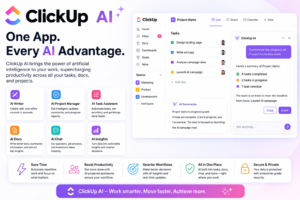
ClickUp AI combines project management with AI assistance. It helps teams organize tasks, generate content, summarize discussions, and manage deadlines from one workspace.
Official Website: https://clickup.com
Google Business Profile: Not available
Rating: 4.6/5
Trustpilot: https://www.trustpilot.com/review/clickup.com
ChatGPT, Grammarly, and Google Gemini offer simple interfaces that most users can learn quickly. Notion AI and ClickUp AI require a little more setup because of their wider feature sets.
Each of these Free AI Productivity Tools focuses on different needs. ChatGPT and Perplexity AI help users find information and summarize research, while Grammarly focuses on making writing clearer and more accurate. ClickUp AI and Notion AI help teams stay organized, while Microsoft Copilot and Google Gemini work best within their own office ecosystems.
Most Free AI Productivity Tools include free plans with optional premium upgrades. Free plans are useful for everyday tasks, while paid plans unlock advanced features and higher usage limits.
There is no single tool that fits every user. Your choice depends on the work you do each day.
Using more than one of these Free AI Productivity Tools may provide a better workflow than relying on a single platform.
ChatGPT, Google Gemini, Grammarly, and Perplexity AI are popular choices because they help with writing, studying, and research.
Yes. Many businesses use free plans for basic tasks and upgrade when they need additional features, collaboration tools, or higher usage limits.
Yes. Many users combine several tools, such as Grammarly for editing, ChatGPT for drafting, and ClickUp AI for project management.
Most providers publish privacy and security policies. Before uploading sensitive information, review each platform’s current data handling practices and terms of service.
Top AI Video Creation Software Face-Off: Google Veo vs Kling AI (Tested) Share to your friends Creat
Top 7 AI Productivity Tools Compared: The Ultimate Workflow Efficiency Test Share to your friends Ch